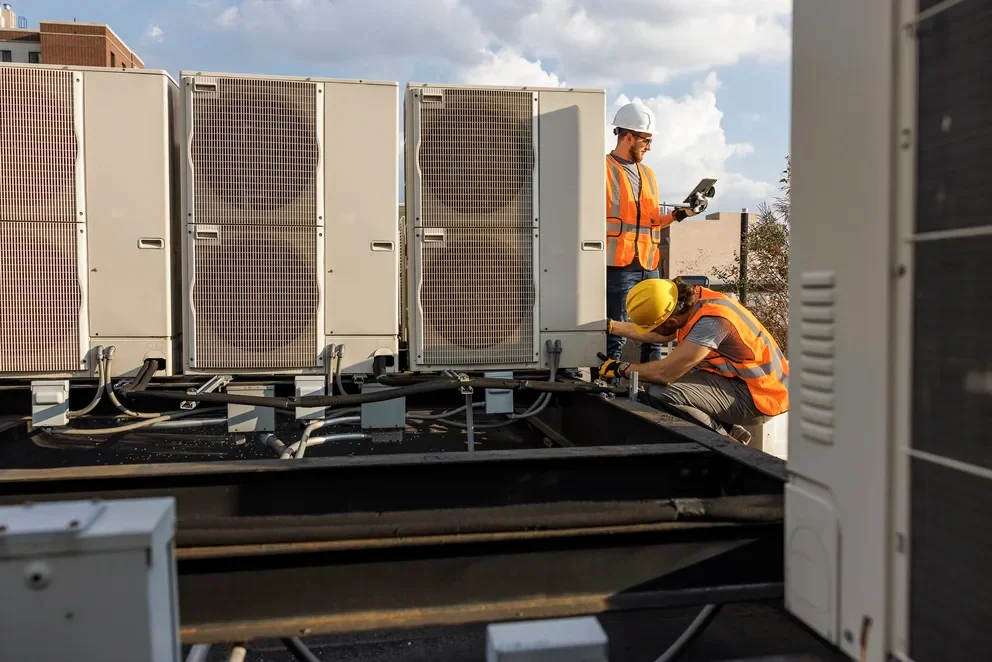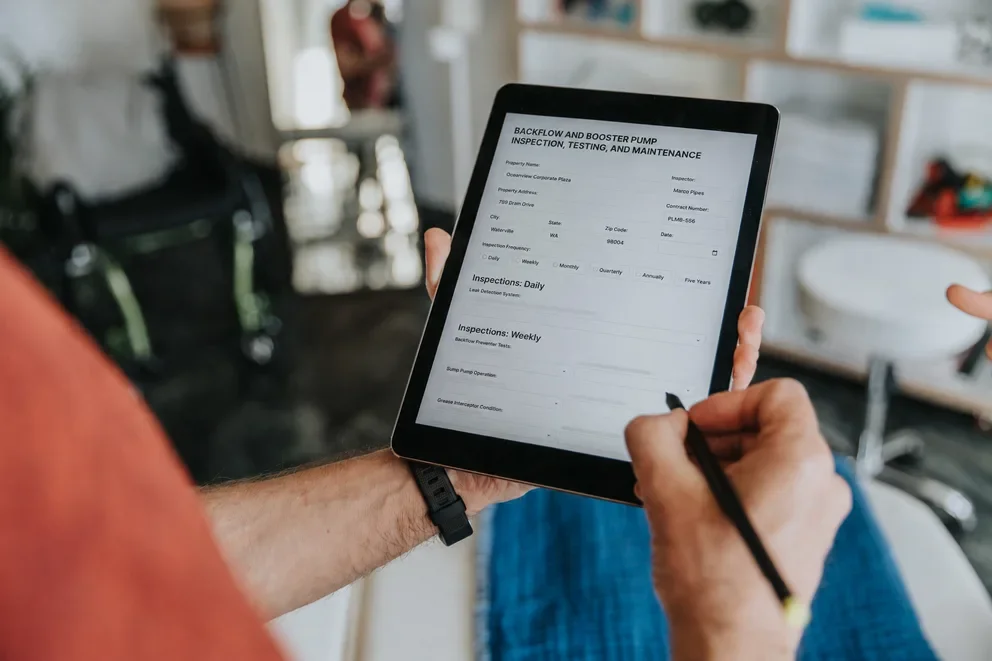


Three-way PO matching is the process of checking that the purchase order, vendor invoice, and receiving document all align—so what you ordered, received, and are billed for match before payment. For field service management companies juggling parts orders across dozens of active jobs, multiple vendors, and techs receiving materials on-site, that three-way check is where billing errors, duplicate payments, and vendor disputes quietly start eating into margins.
AI-powered PO matching takes verification off your team’s plate. It auto-matches records, flags issues instantly, and routes only the exceptions—so you get fewer errors, faster approvals, and AP that keeps pace with the field.
In this guide, we cover:
- What is 3-way PO matching in field service?
- 7 benefits of setting up 3-way PO matching for field service businesses
- Why PO matching automation is so important to field teams
- How to implement PO matching process automation with your crew
- 3 best PO matching software for procurement teams
Let's start with what 3-way PO matching actually looks like inside a field service operation, and why the standard procurement playbook doesn't always translate to crews working across multiple job sites.
What is 3-way PO matching in field service?
3-way PO matching adds a receiving report to the standard 2-way check between the PO and vendor invoice. It not only verifies the billed amount against what was ordered, but also confirms the materials were received on site, in the right quantities and condition, before payment is made.
In a warehouse, 2-way matching works because a receiving team logs every box. Field service is chaos by comparison—parts go straight to job sites, land with whoever’s there, and often arrive in multiple drops. Without a receiving report as that critical third document, AP can’t spot short shipments, substitutions, or missing boxes. The PO and invoice line up, the bill gets paid, and no one notices the problem until a tech is on a roof, wondering where the rest of the order went.
That gap between what's invoiced and what's actually received is where field service contractors quietly lose money. And the more jobs, vendors, and locations you're running at once, the wider that gap gets.
How PO matching tools work
PO matching tools pull data from three places: the purchase order, the vendor invoice, and the receiving report or delivery confirmation. The system reads each, extracts key details, compares them, and when everything matches, it marks the invoice as verified and moves it forward for approval.
When something doesn’t match, the tool flags it as a quantity issue, price mismatch, missing receipt, or partial delivery. It routes the exception to the right person with the problem highlighted, so your AP team reviews a specific line item instead of hunting through paperwork.
After an invoice passes the three-way match, or an exception is resolved, it flows into your invoicing process. The invoice is approved, tied to the right job, scheduled for payment under your agreed terms, and, if supported, can even trigger payment automatically once the match is confirmed.
In field service, this closed loop keeps decentralized parts orders under control. Materials ship to many sites, techs confirm deliveries in the field, and vendors bill on their own schedule, but PO matching ensures nothing is paid until the numbers align—and nothing is delayed once they do—reducing overpayments, disputes, and payment lag.

7 benefits of setting up 3-way PO matching for field service businesses
When 3-way PO matching runs consistently on every job, contractors see unexpected gains across AP, scheduling, vendor relationships, and pricing confidence.
- Fewer overpayments on parts and materials. Verifying every vendor invoice against the PO and receiving confirmation before payment automatically catches overbilling and duplicates, so contractors running many jobs stop losing margin on invoices that only looked correct.
- Stronger vendor accountability across every job. A documented trail (PO, receiving report, invoice) gives your team leverage in vendor disputes, so conversations start with evidence instead of digging through old emails.
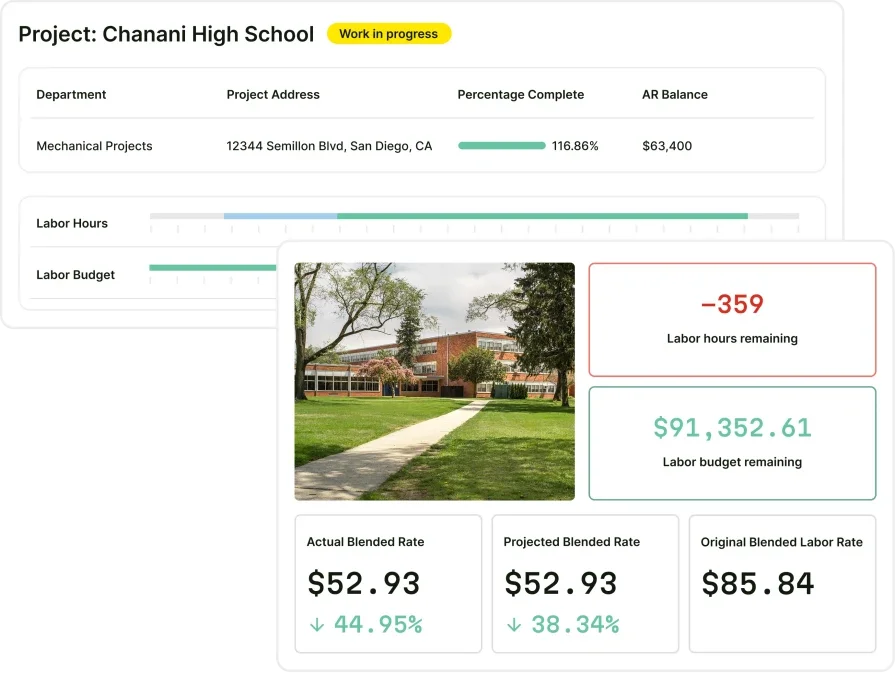
- Tighter job costing and margin visibility. Verified material costs feed each job’s financials, giving cleaner P&L data and revealing underpriced work early. Tying your work order and invoice workflows to PO matching keeps cost tracking connected from purchase through payment.
- Reduced manual data entry and admin load. Automated matching replaces the line-by-line spreadsheet comparisons your office staff runs across POs, packing slips, and invoices. AI tools for field service contractors take this further by extracting, categorizing, and comparing document data without human input on every transaction.
- Better coordination between field and office. When techs confirm deliveries from the job site and that data feeds directly into the matching process, dispatchers and AP teams stop working from different versions of the truth. That same principle drives smart dispatch and contractor coordination — one shared, real-time data thread connecting the field to the back office.
- Fewer vendor disputes and faster resolution. Discrepancies instantly appear with all supporting docs attached, so your AP team resolves exceptions in minutes instead of days.
- A scalable AP process as job volume grows. You can scale trucks, techs, and vendors without adding AP staff—automatic PO matching prevents your workflow from becoming a bottleneck.
Did you know
AI has already started shifting how field service contractors handle their workflows. What used to take hours can now happen in minutes — with more accuracy and fewer surprises.
In our 2025 survey, The Pivot Point: AI and the Future of Commercial Contracting, 78% of contractors said they believe AI improves efficiency, and 47% are already using AI in some capacity for their field ops.
Why PO matching automation is so important to field teams
Field service teams don’t work out of a warehouse with a clean receiving dock. Parts show up at job sites, whoever’s there signs for them, and invoices land whenever vendors feel like sending them. Try doing manual three-way match at that pace and your office ends up buried in spreadsheets. Automation takes over the comparison work, surfaces only the exceptions, and lets everything else fly straight through to approval and payment.
For field teams, this is where the gap shows up: what you ordered, what actually hit the job site, and what you’re being billed for. That gap widens with every truck, vendor, and job you add. AI-powered automation reads all three documents, matches them in seconds, and flags short shipments, price issues, and duplicate invoices before money leaves your account.
Without that safety net, errors stack up quietly across open jobs. By the time someone catches them, your margins are already hit. Automation keeps AP moving as fast as your field operations, so growing the business doesn’t mean growing headcount just to chase paperwork.
How to implement PO matching process automation with your crew
Field teams are scattered, so parts, confirmations, and invoices never line up. Manual three-way matching drowns you in spreadsheets; automation matches everything instantly and only pings staff when there’s an issue.
1. Eliminates the paperwork bottleneck between field and office

Delivery confirmations must reach AP before invoices are approved—without automation, they get stuck in texts, emails, or notes until someone manually reconciles them. Automated PO matching captures receiving data the moment it's logged and runs the comparison against the PO and invoice immediately, keeping the service order management process moving without manual handoffs between field crews and the back office.
2. Catches discrepancies before they become margin losses
Shorted deliveries, price mismatches, and duplicate invoices compound silently across dozens of open jobs. Automation flags these the moment documents don't align, so your team resolves exceptions in minutes instead of discovering the damage weeks later during a financial review.
3. Keeps AP running at the same speed as your field operations

As you add trucks, techs, and vendors, the volume of POs, receiving reports, and invoices scales with it. Manual matching can't keep pace. AI-powered contractor workflow tools read, extract, and compare document data without requiring human input on every transaction, so scaling up doesn't mean hiring proportionally more office staff just to chase paperwork.
4. Connects PO verification to the full invoicing and payment cycle
Automation doesn't stop at matching. It feeds verified invoices directly into your approval queue, triggers payment terms, and moves funds to vendors on schedule. That closed loop from purchase order to payment means nothing sits unpaid longer than it needs to, and nothing gets paid before the numbers check out. For teams already using AI field service management software, PO matching automation plugs into the same data thread that powers dispatch, job costing, and billing.
5. Frees your team to focus on field work, not document chasing
Every hour your office staff spends cross-referencing POs, packing slips, and invoices is an hour not spent on scheduling, customer communication, or closing out jobs. Automation gives that time back. Your AP team handles exceptions and decisions — the system handles everything else.
3 best PO matching software for procurement teams
PO matching software ensures purchase orders, invoices, and receipts align before payment, and these three platforms excel at this for different field service operations.
1. BuildOps: best for commercial contractors

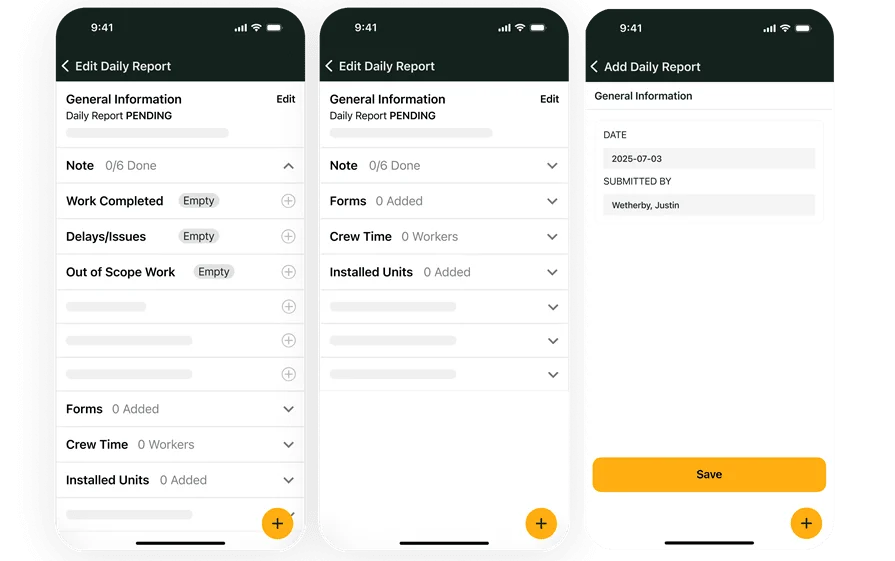
BuildOps connects purchase orders to the full job lifecycle — from the moment a part is ordered to when the vendor invoice is verified and payment is released. POs are tied to specific jobs and tracked from order to invoice, so your team always knows each order’s status without chasing paperwork. OpsAI adds an automation layer that surfaces discrepancies between what was ordered, what techs confirmed as received on-site, and what the vendor is billing — flagging exceptions before anything gets approved.
How pricing works: We provide weekly live demos and the opportunity to schedule a customized session where we help you explore features and select the best option for the needs of your business.
Key features: Automated three-way matching tied directly to job records, real-time PO status tracking across active jobs, AI-powered invoice scanning that extracts line items and flags mismatches, and integrated invoicing and payments that move verified invoices straight into your AP workflow.
Rating: 4.5 on Capterra from 151 user reviews
Want to see BuildOps in action?
We bring office and field tech together—so nothing slips through the cracks.
2. Housecall Pro: best for residential contractors

Image Source: Housecall Pro
Housecall Pro is a popular platform among residential service contractors, offering a clean mobile interface for estimates, invoicing, and payment collection. Techs can create invoices from the field, collect payments on-site, and send automated reminders to customers — making it a strong option for home service pros who want fast billing turnaround.
However, Housecall Pro lacks three-way PO matching, automated receiving checks, and robust procurement controls, so high-volume purchasing teams may struggle to scale manual reconciliation.
How pricing works: Tiered plans starting at $59/month, with higher tiers unlocking additional automation and integration features.
Key features: Mobile invoicing with on-site payment collection, automated customer notifications and reminders, and basic estimate-to-invoice conversion — though PO-specific matching and receiving verification require manual handling outside the platform.
Rating: 4.7 on Capterra from 2,739 user reviews
Check out our breakdown of Housecall Pro vs BuildOps to dig in deeper.
3. Jobber: best for general contractors

Image Source: Jobber
Jobber is a flexible tool for general service contractors — landscapers, cleaners, maintenance crews — who need straightforward scheduling, quoting, and invoicing in one place. It handles job tracking and invoice generation well for smaller operations, and its client-facing features like online booking and a self-service customer hub reduce back-and-forth between the office and the customer.
Despite being a good fied service management software, Jobber doesn't offer three-way PO matching, automated receiving, and procurement workflows, so contractors with complex parts orders must verify POs manually or via external tools.
How pricing works: Tiered plans starting at $21/month for a single user, scaling up to $105/month for larger teams with advanced features.
Key features: Quote-to-invoice conversion, automated payment reminders and follow-ups, and a mobile app for field-to-office job tracking — though purchase order management and three-way matching are not built into the platform.
Rating: 4.6 on Capterra from 1,427 user reviews

Close the Loop from PO to Payment
Three-way PO matching protects your margins by making sure every parts order lines up with what was ordered, what was received, and what the vendor billed. When that check happens manually across dozens of jobs and vendors, small errors quietly turn into real dollars.
BuildOps automates the entire flow in one platform built for commercial contractors: PO creation, field receiving, AI-powered three-way match, exception routing, and payment. OpsAI scans invoices, catches discrepancies instantly, and pushes clean bills straight into AP — all tied back to the job.
Want to see how it works end to end? Walk through a live demo and see how AI-powered PO matching fits into the rest of your field operations — from dispatch to final payment.
Unify your FSM with BuildOps
See how AI streamlines the rest of your commercial field service operations.