Fire alarm service is the backbone of every ITM route your techs run — but without the right software, panel access windows, device notes, and deficiency follow-ups turn into chaos fast. With a dedicated platform for the FLS service industry, every device, zone, and failed pull station stays tied to its work order and closeout package, so documentation stays clean and your office never has to touch the same job twice.
Here's what this guide covers.
- 6 key features to look for in a fire alarm service software
- 8 best fire alarm service software for field management
- 7 benefits of using a fire alarm service software as a contractor
- Choosing the right fire alarm service software for your team
- 4 important FAQs about fire alarm service software answered
When your field crew flags a failed device during an inspection, that deficiency has to stay tied to the job through the repair and final report. Without a clean digital handoff, findings get lost in the noise and office rework turns your FLS operation into a bottleneck.
6 key features to look for in a fire alarm service software
On busy ITM days, alarms can flood you with findings and follow-ups. The right fire alarm service software captures panel and device data in the field, ties every issue to the right next step, and keeps documentation clean, workflows connected, and office rework near zero.
1. Mobile app

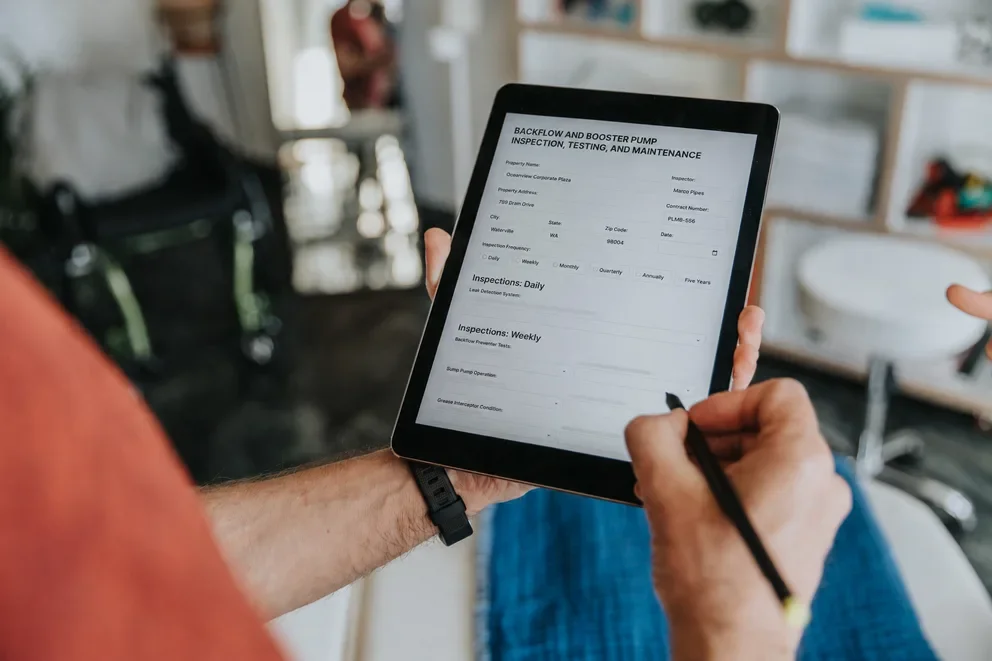
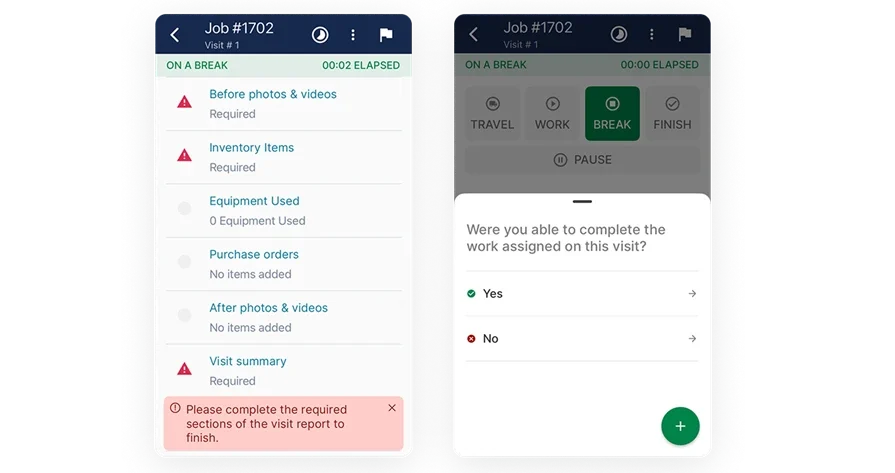
A mobile workflow only works if the tech can capture proof at the device, under real site conditions, without backtracking later. With a technician mobile app in the middle of the process, your inspector pulls up the panel, logs results against each device, and attaches the photos that actually matter. Capture-first scanning prevents device guesswork later and keeps large fire alarm inspection data accurate and your crew moving fast.
2. Scheduling & dispatch
If alarm inspections live inside broader ITM work, your plan has to survive the day, not the whiteboard. When you connect inspection routes to scheduling and keep changes moving through smart dispatch software, you can adjust when access falls apart or a deficiency turns into a parts run. Fire alarm inspections can span days across high-rises, hospitals, and secure areas with shifting access. Your office must instantly see which zones are done, deferred, or need follow-up — all tied to the right work order and site.
3. Reporting

Reports get forwarded, audited, and challenged, so they need consistency across inspectors and buildings. With AI-native reporting inside the workflow, your alarm findings roll up into a package that shows device-by-device results, photo proof, and a clear deficiency list tied to the job. Fire alarm service software must create AHJ-ready documentation without your office rebuilding it from scattered notes after every visit.
4. Service agreements
Recurring alarm programs live or die on scope control across a portfolio. When your inspection work ties back to service agreements, you can separate what is included from what needs approval without turning every call into a negotiation. Track every inspection schedule, status, and invoice in one place—no more calendars or spreadsheets.
5. Service CRM
Alarm systems touch owners, tenants, facility teams, monitoring companies, and AHJs, so the contact trail matters. A connected field service CRM keeps sites, contacts, and job history in one place so your team answers questions without scrambling.
6. AI-powered workflows
Fire alarm service software generate large volumes of device-level data across quarterly, semi-annual, and annual cycles. A platform with built-in field service AI can clean up technician notes, summarize inspection findings, and flag patterns across sites — without adding admin hours to the process. AI recaps speed up inspection reviews, catch missing docs early, and keep report language consistent.
Want to see how we can help?
Equip your FLS crew with the tools they need to get jobs done faster.
Other notable features contractors should look for in a fire alarm service software
Once your fire alarm service workflow is dialed in, a few supporting features determine whether deficiencies turn into approved repair work and clean billing without office churn.
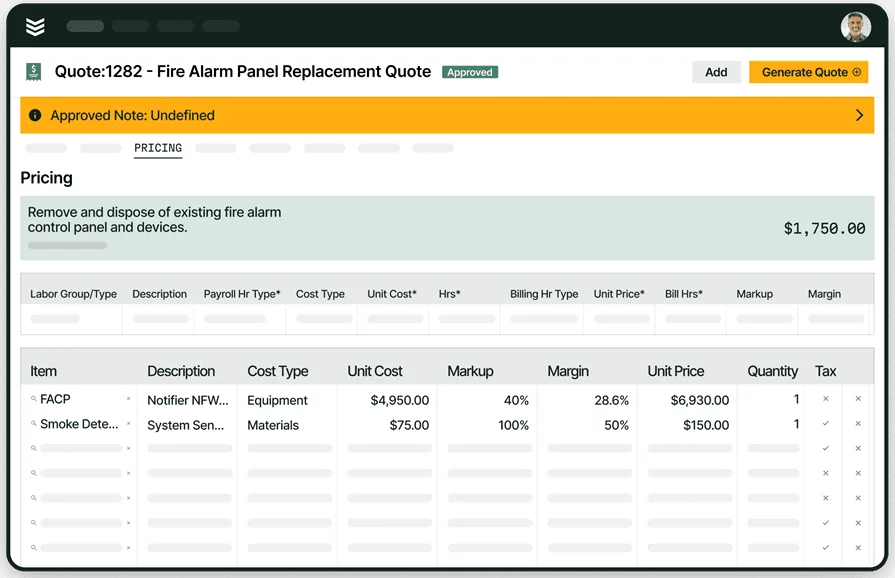
- Quoting tied to deficiencies — Turn failed devices and panel issues into priced repair scopes fast using service quoting software that carries over photos, notes, and line items from the service or inspection record.
- Time and fleet visibility — Validate labor and travel across multi-site alarm routes with time tracking while keeping trucks, zones, and tech coverage aligned through fleet management.
- Invoice and payment flow — Push approved fire alarm repair work into invoicing and close out faster with payments that match how your customers prefer to pay.
With these pieces in place, you can judge fire alarm service software by how well it keeps inspections, repairs, and recurring service connected to the rest of your FLS operation.
8 best fire alarm service software for field management
End-to-end fire alarm service software that connects inspections, repairs, dispatch, and billing so proof is captured once and shared everywhere.
1. Best for commercial: BuildOps

BuildOps is purpose-built fire alarm service software for commercial fire and life safety teams. Manage ITM, service calls, repairs, and contracts in one place—across every property, system, and recurring visit. With inspection history, work orders, and deficiency follow-ups built directly into your everyday workflows, every device-level check, service task, and repair stays tied to the same service record, so your office never has to chase down updates.
How pricing works: BuildOps uses custom pricing based on team size and the fire alarm workflows you want to streamline.
Features beyond fire alarm service: Run the entire commercial job cycle in one platform—now supercharged with OpsAI. From intelligent dispatch and guided inspection and service workflows to auto-documented findings, AI-powered deficiency tracking, quoting, and streamlined billing and reporting, BuildOps keeps every step connected. When an alarm inspection turns into same-day repair work, a return visit, or a bundled test-and-inspect and service package, AI ensures consistent, compliant documentation so your team can move faster with fewer gaps.
What sets it apart for commercial: Commercial fire alarm programs live in asset history, customer standards, service contracts, and portfolio-wide reporting. BuildOps centralizes all of that in one platform, so supervisors can see complete site and system history, track open deficiencies and service work by property, and keep inspectors, technicians, and office teams aligned on the same source of truth—without chasing updates or rework.
See how BuildOps powers fire safety teams
We help fire safety pros identify and track deficiencies with fewer delays.
2. Best for residential: ServiceTrade

Image Source: ServiceTrade
ServiceTrade works well for residential-focused fire alarm service operations that need consistent scheduling, fast dispatch, and a clear structure for recurring service visits. It stands out for teams that want a centralized place to manage customers, alarm service history, and technician activity across a busy service calendar. It may not be the ideal choice if your alarm program depends on deep commercial asset tracking and complex, portfolio-level closeout requirements.
How pricing works: ServiceTrade typically sells subscription plans, and final pricing depends on package and user count.
Features beyond fire alarm service: Residential fire alarm service often turns a trouble call or service visit into rapid follow-up repairs, customer updates, and repeat visits that have to stay organized. ServiceTrade supports that cadence with tools that help coordinate tech activity, track customer history, and keep recurring alarm service work from slipping off the schedule.
What sets it apart for residential: In residential and multifamily environments, access windows, tenant coordination, and fast turnaround drive the day. ServiceTrade supports that style of operation by focusing on the fire alarm service workflow that keeps techs moving and customers informed, which helps when alarm service findings need quick approvals and follow-through.
3. Best for general contractors: Zenfire

Image Source: Zenfire
Zenfire focuses on inspection execution and compliance documentation, which makes it a fit for general contractors managing inspection deliverables and deficiency tracking across multiple trades and stakeholders. It stands out for teams that want structured forms, repeatable reports, and a consistent way to package results when different crews touch different parts of the building. It may not be the ideal choice if you need an end-to-end field ops platform that runs dispatch, billing, and the rest of the workflow around the fire alarm service software platform.
How pricing works: Published listings show Zenfire pricing starting around $60 per month, with plan structure varying by package.
Features beyond fire alarm inspection: Zenfire puts weight on standardization, so teams can keep inspection inputs consistent and turn field data into finished reports without a lot of manual cleanup. That helps when a GC needs clean documentation for owner review, coordination with subs, or a compliance handoff that depends on consistent formatting across sites.
What sets it apart for general contractors: GCs live in coordination and documentation control. Zenfire supports that by giving teams a structured inspection system they can use to collect evidence, log deficiencies, and keep reporting consistent across projects where several parties need the same version of the truth.
4. Best for small service teams: InspectNTrack

Image Source: InspectnTrack
InspectnTrack works well for smaller crews that need tight control over asset-based inspections and repeatable field capture. It separates itself with barcode-driven workflows that keep inspection history tied to the specific device, which helps when panel tags, device locations, and past deficiencies need to show up fast for a customer review. It may not be the ideal choice if your alarm program needs dispatch, billing, and closeout to run inside the same system as your ITM service history.
How pricing works: InspectNTrack offers package options and enterprise subscriptions depending on asset counts and rollout size.
Features beyond fire alarm service: InspectNTrack leans into broader fire and life safety asset tracking, so your team can manage different inspection categories with the same scan-and-log approach. That helps when alarm checks sit next to other compliance items that still need consistent documentation and a clean audit trail.
What sets it apart for small service teams: If you run lean and rely on repeatable routes, barcode capture cuts down on field guesswork and office cleanup. Techs can move device to device, log results with consistent inputs, and keep history attached to the asset record instead of scattered across photos and notes.
5. Best for solo contractors: SafetyCulture

Image Source: SafetyCulture
SafetyCulture fits solo operators who want fast digital checklists, photo capture, and shareable reports without a heavy setup. It stands apart through flexible templates and quick report generation, which helps when you need to document alarm conditions and send a clean summary to a customer the same day. It may not be the ideal choice if you need device-level history, deficiency-to-repair tracking, and service ops controls tied directly to that inspection record.
How pricing works: SafetyCulture offers a free plan, plus paid tiers with per-seat pricing, and published pricing for annual Premium seats at $24 per user per month billed annually.
Features beyond fire alarm service: SafetyCulture supports follow-up actions and operational reporting around the inspection data you collect, which helps when a failed device needs a tracked corrective task and internal visibility. It also supports broad inspection programs that extend past alarms when you want one tool for multiple field checklists.
What sets it apart for solo contractors: Speed matters when you run calls alone and still have to deliver documentation. SafetyCulture lets you standardize your checklist, capture proof on-site, and send a finished report without waiting to get back to a laptop. For solo techs running fire alarm service software alongside other life safety checklists, that single-tool flexibility keeps the day moving.
6. Best for installation contractors: Onsite Software

Image Source: Onsite Software
Onsite Software centers on life safety inspection needs with a contractor-focused background, which can fit teams balancing installs, acceptance documentation, and ongoing inspection records. It separates itself through deep roots in fire protection workflows and inspection software development, which aligns with contractors who want inspection documentation that matches how life safety work actually gets delivered. It may not be the ideal choice if you want a general field platform that also runs dispatching, invoicing, and customer management across non-life-safety service lines.
How pricing works: Onsite Software typically prices by quote based on scope, users, and deployment needs.
Features beyond fire alarm service: Onsite Software positions its inspection tools inside a broader life safety context, which can help when alarm work ties into larger compliance deliverables that need consistent documentation and reporting practices. That matters for install contractors who need inspection records to support closeout and ongoing service expectations.
What sets it apart for installation contractors: Installation teams live in documentation, handoff, and proof of completion across jobsites. Onsite Software's life safety focus can support that style of work by keeping inspection reporting and recordkeeping aligned with commercial compliance expectations.
7. Best for ITM contractors: firepro365

Image Source: firepro365
firepro365 runs on Microsoft Dynamics 365 and aims at fire protection contractors who want inspection work, service work, and customer data tied together inside one system. It stands out when your ITM program needs clean handoffs between the office and the field, with inspection reporting that stays connected to the account, the site, and the service history. It may not be the ideal choice if you need a lighter, checklist-first workflow for alarm-only crews who want a simple fire alarm service system setup without the weight of a CRM implementation.
How pricing works: firepro365 typically uses quote-based pricing based on users, modules, and implementation scope, since it sits on the Dynamics ecosystem.
Features beyond fire alarm service: firepro365 leans into broader inspection reporting and operational tracking across common ITM work, which helps when alarm deficiencies trigger follow-up work orders, customer approvals, and compliance documentation that the office needs in one place.
What sets it apart for ITM contractors: If you manage multi-site customers and want consistent reporting across a full compliance portfolio, a Dynamics-backed platform can keep accounts, site contacts, and inspection outputs organized at scale. That structure helps when alarm inspections sit inside bigger service contracts and the customer expects standardized documentation across properties.
8. Best for FLS auditors: Array

Image Source: Array
Array fits auditing teams who live in forms, evidence capture, and defensible reporting across high-volume inspections. It stands out with inspection-focused workflows that generate final PDF reports from structured forms, which helps when you need consistent documentation across devices and zones and you want a fire alarm service solution that keeps the record tight for review. It may not be the ideal choice if your operation needs dispatch, quoting, invoicing, and service follow-ups to run inside the same platform as the complete ITM service lifecycle.
How pricing works: Array promotes usage-based pricing and positions plans around the products and features you select.
Features beyond fire alarm service: Array supports workflow automation, enterprise security, and reporting around inspection data, which helps when your audit team tracks corrective actions and needs rollups across sites, customers, and inspection types.
What sets it apart for FLS auditors: Auditors who cover large portfolios need repeatable forms, consistent evidence capture, and reports that hold up when a customer or AHJ asks for proof. Array's inspection-first approach fits that reality, especially when you standardize how every device and zone gets documented across multiple properties.
7 benefits of using a fire alarm service software as a contractor
Alarm work can derail a day—locked rooms, missing photos, undocumented tests, repeat visits. Fire alarm service software centralizes inspections, history, photos, and test results in one record, tied to scheduling and dispatch, so your team controls the work and the proof.
1. Cut return trips from missed details
Equip techs to capture photos, notes, and pass/fail results on-site at the panel, so nothing gets missed and you cut down on callbacks and rework.
2. Stay on track when the day changes
Access delays are part of fire life safety work — tenants lock suites, hospital wings shut down, security windows shift. With inspections tied to solid scheduling and dispatching practices, your office can reroute techs in real time while keeping a clean inspection trail, so dispatch always knows zone status and every task stays tied to the right work order and site.
3. Cleaner closeout packages that owners accept on the first send
A fire alarm inspection app helps you standardize how you document devices across inspectors, buildings, and customers. If you already manage structured reporting in other scopes, the mindset carries over from tools like fire door inspection software, where consistent formats and clear deficiency rollups reduce back-and-forth after delivery.
4. Faster deficiency approvals that turn into billable work
A tight alarm workflow turns a failed device into a clear scope with proof attached, which helps customers approve repairs without extra site walks. Your team spends less time rewriting the same deficiency across email, PDF, and spreadsheet, and more time closing repairs.
5. Better continuity across a portfolio and every stakeholder
Alarm systems touch property managers, facility leads, tenants, monitoring companies, and AHJs, so the contact trail matters. When you keep site history and communication organized through a system like fire CRM, your office can answer “what happened with that third-floor panel?” in one call thanks to consistent data across recurring inspections.
6. Consistent asset ID habits across all inspection work
The same tagging discipline that makes extinguisher routes clean also helps alarm devices, especially on campuses with mixed labeling standards. If you already lean on fire extinguisher barcode inspection software, carry that scan-first workflow into alarms so device history always matches the right panel and zone, keeping quarterly and annual tests aligned without confusing device IDs.
7. Stronger defensibility when an incident triggers scrutiny
After an event, customers want timelines, corrective actions, and proof that your team acted on documented deficiencies. A clean digital record supports that same standard of defensibility you see in workflows like fire investigation software, where teams need fast access to history, evidence, and the full chain of actions.
Choosing the right fire alarm service software for your team
Turn every alarm finding into reports, quotes, and closeout packages from one field entry—no office rework needed.
- Traceability by device – Can you assign a unique device or zone ID that stays consistent across buildings, risers, and campuses? Can techs pull prior inspections, service notes, and photos at the panel or device? Can you generate a full device history on demand for owners, AHJs, or monitoring companies?
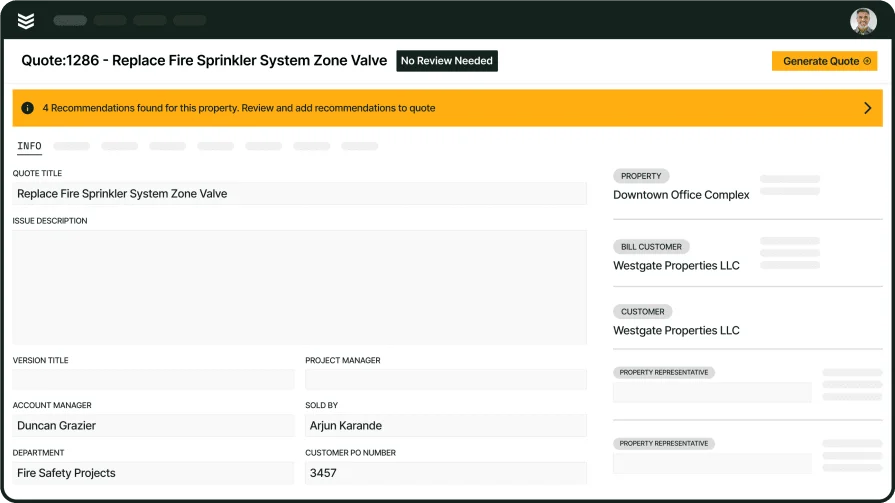
- Deficiency to follow-up workflow – Can a failed device instantly convert into a deficiency with parts, labor notes, and priority set? Can office staff create follow-up service calls without breaking the link to the original visit? Can you see deficiency status from found to scheduled to repaired without side spreadsheets?
- Reporting your customers will sign off on – Can you batch reports and proposals by building, floor, zone, or panel group without manual cleanup? Can you standardize language and layouts so every tech’s reports look consistent? Can you export PDFs that keep photos, annotations, and signatures in the same place every time for AHJs and customers?
- Accountability and change control – Does the software log who recorded each finding and when it happened? Can you see a clear audit trail of edits made after submission? Can you lock reports after approval while still allowing controlled corrections?
- Field conditions and data integrity – Can techs work fully offline in riser rooms and basements and sync later without losing data or photos? – Do timestamps, GPS, and photo metadata stay intact after syncing? Does the software keep every service record tied to the correct work order when techs hit multiple sites a day?
- Connection to wider field ops – Does your fire alarm service software feed directly into scheduling, dispatch, billing, and customer records? Can deficiencies automatically trigger quotes, repair work orders, and invoices without re-keying data? Does your service team avoid double entry because alarm testing, repairs, and contracts all live in one system?

4 important FAQs about fire alarm service software answered
These FAQs cover what matters in the field and at closeout—where your fire alarm service software either keeps records tight across inspections, testing, maintenance, and repairs or creates cleanup.
1. What is fire alarm service software?
Fire alarm service software manages inspections, testing, maintenance, and repairs across every device, logs results and photos, and generates audit‑ready reports and work orders tied to each job and site.
A strong platform assigns each asset a unique ID, logs photos and service history, and tracks every deficiency from discovery to verification—without disrupting job history or billable work.
2. What are the different types of fire alarm service software?
Fire alarm service software generally falls into four types:
- Mobile-first service apps: Phone/tablet apps for fast capture, scanning, offline use, photos, and quick notes in the field.
- Cloud-based service platforms: Web portals that standardize reports, tickets, contracts, and deficiencies across buildings and teams.
- Desktop-first service software: Office-focused tools for documentation, report assembly, and scheduling, but slower for field data capture.
- End-to-end field service management platforms: Connect inspections, scheduling, work orders, contracts, quoting, and invoicing so issues go from “found” to “fixed” in one system.
Once you know which model fits how your team works, you can quickly narrow options and pick a workflow that supports both field and office.
3. Is fire alarm service software worth the cost for contractors?
It quickly pays for itself by cutting admin work, tightening schedules, and preventing repeat trips. Accurate records and clear deficiency tracking reduce callbacks, avoid disputes, and help you capture more repair revenue from existing jobs.

4. What are the best practices for running a fire alarm service software across your ops?
Treat your fire alarm service software as a core operating standard—not just a tool—so every visit follows the same workflows and delivers consistent data and reports.
- Standardize device/zone IDs across sites and link to accounts pre–go-live.
- Require scan-to-open or verified device ID for every record.
- Use a fixed photo order: label, full device, close-up of issue.
- Match deficiency codes and priorities to how you quote, schedule, and dispatch.
- Use structured notes with required fields: location, symptom, cause, resolution.
- Add supervisor reviews for exceptions, high-risk sites, and recurring issues.
- Tie every deficiency to the next step, owner, and due date in the system.
- Train techs on offline use, sync timing, and attachment checks.
- Audit a weekly sample for IDs, photos, and note quality; coach on gaps.
- Lock templates, terminology, and pass/fail rules to your SOP for consistency.
Fire alarm service runs on precision—clean device IDs, photo-backed work, and a service history your team can trust. BuildOps fire alarm service software pulls all of that into one connected platform, tying inspections, repairs, testing, and maintenance to scheduling, dispatch, quoting, and reporting across alarms, sprinklers, doors, and extinguishers.
With OpsAI built in, your techs get smarter routes, cleaner data, and faster follow-up work on every visit—so you’re not just checking boxes, you’re building a complete fire life safety program.
See how it all comes together in BuildOps, from the first device scan to the final AHJ-ready report, with a quick demo.
Unify fire safety ITM service work with BuildOps
One platform for mobile capture, reporting, and closeout across FLS teams.