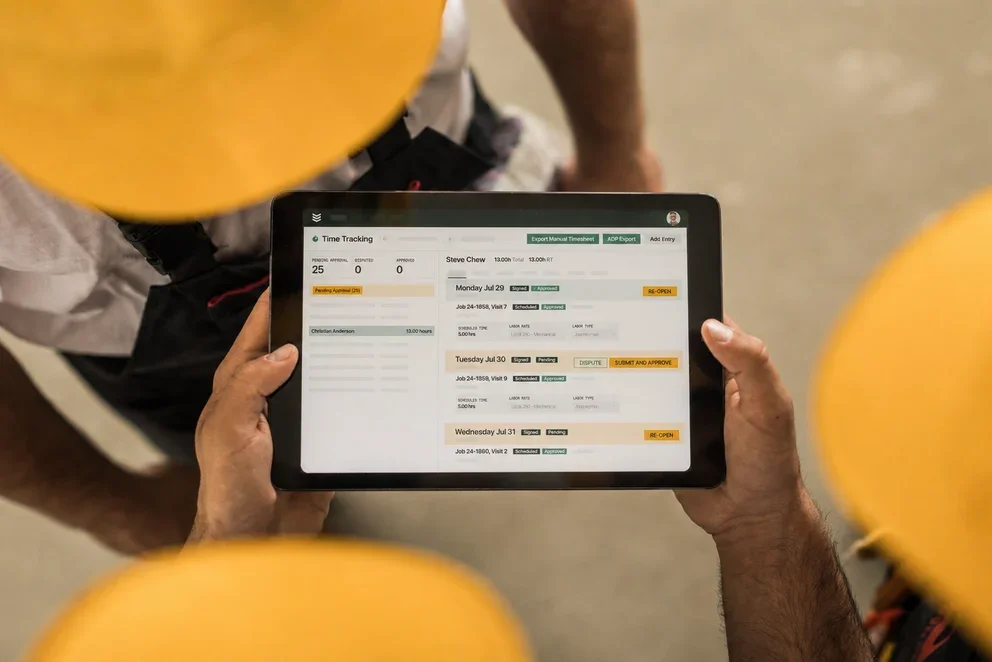


AI is reshaping how commercial contractors handle everything from dispatching and scheduling to invoicing and reporting. Across the field service management industry, teams are finding that the tools they relied on for years can't keep up with the speed, accuracy, and coordination that AI-powered platforms now deliver.
But adopting field service AI effectively takes a clear understanding of what these tools actually do, why they matter, and how to roll them out without disrupting the work your crews are already doing.
Here's what this guide covers:
- Why smooth adoption of AI tools is critical for field service teams
- 7 key benefits of adopting an AI-powered field service solution
- How to adopt field service AI automation tools—and get it right the first time
- 6 features to look for in an AI field service tool
We'll start with why getting adoption right from the beginning makes such a big difference for field service operations, and what's at stake when it goes wrong.
Why smooth adoption of AI tools is critical for field service teams
AI can automate dispatching, speed up invoicing, and surface the insights contractors need to run tighter operations—but none of that matters if your team won’t use it.
The issue usually isn’t the tech, it’s the rollout. If adoption is clunky, techs fall back to old habits, office staff double-enter data, and leadership questions the investment.
Contractors who treat adoption like part of the build—aligning workflows, training teams, and phasing AI in with a clear purpose—see results fast: fewer callbacks, faster cash, and techs who actually trust what’s on their screen.
For a closer look at how AI fits into each phase of a technician's workday, from dispatch to reporting, this breakdown of AI tools for field technicians covers the full picture.

7 key benefits of adopting an AI-powered field service solution
When adoption goes smoothly, the payoff reaches every part of the business. Here’s what contractors gain when AI tools are truly built into daily work.
- Faster, smarter dispatching: AI auto-assigns jobs in seconds based on skills, location, and availability.
- Reduced windshield time: Route optimization cuts drive time so techs spend more time on billable work.
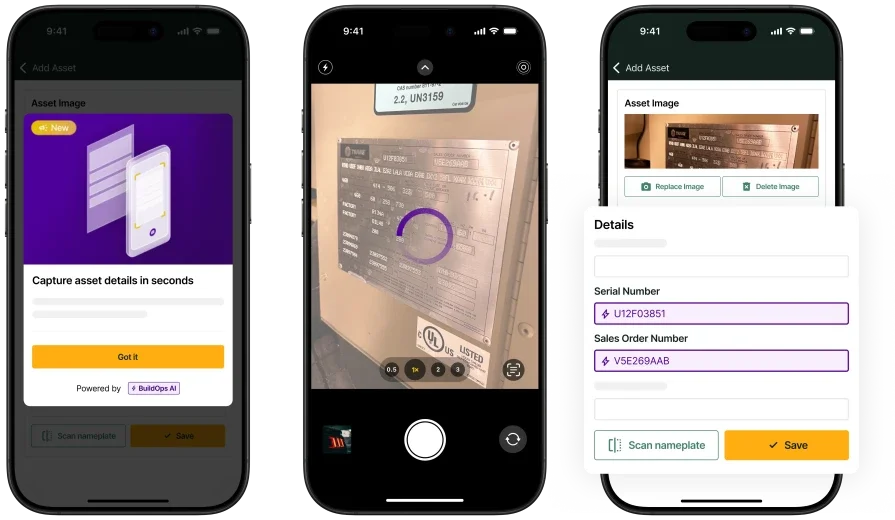
- Fewer manual data-entry errors: Automated notes, invoices, and asset capture eliminate re-keying mistakes.
- Shorter service-to-cash cycles: AI creates invoices instantly and supports on-site payment for faster revenue.
- Stronger first-time fix rates: Techs get full job and asset history upfront to resolve issues in one visit.
- Proactive maintenance scheduling: AI auto-schedules recurring visits to prevent costly emergency calls.
- Clearer performance visibility: Real-time reporting highlights trends so managers can quickly optimize teams and jobs.
AI’s potential is clear—adopting it without disrupting operations is harder. The next part is all about getting it right the first time.
How to adopt field service AI automation tools—and get it right the first time
Knowing what AI can do and getting your team to use it are two different things. The fastest-moving contractors follow a clear plan: align workflows first, involve people early, and phase in automation to build trust.
1. Audit your current workflows before you automate anything
Map how work really moves through your business to spot broken handoffs, duplicate entry, and time-wasters—then use that audit as your blueprint for what to fix and automate first, so AI doesn’t just speed up bad processes. For a closer look at how AI-powered platforms handle these workflows end to end, this breakdown of AI field service management software covers what to evaluate and why.
2. Start with high-impact, low-risk workflows
Start small. Automate one or two high-impact workflows—usually dispatching and scheduling—for quick, measurable results. Once your dispatchers see AI dispatch software filling the board faster and with fewer conflicts, buy-in spreads naturally to the rest of the team.
From there, expand into field documentation, invoicing, and reporting in phases so each rollout builds on proven results rather than promises.
Did you know
AI has already started shifting how field service contractors handle their workflows. What used to take hours can now happen in minutes — with more accuracy and fewer surprises.
In our 2025 survey, The Pivot Point: AI and the Future of Commercial Contracting, 78% of contractors said they believe AI improves efficiency, and 47% are already using AI in some capacity for their field ops.
3. Train your team on the why, not just the how
The biggest barrier to AI adoption is training: teams must learn not just what to click, but why AI makes each recommendation, so they trust rather than resist the system. Platforms with built-in AI field service assistant capabilities make this easier by surfacing context directly in the workflow so techs can see the reasoning without leaving their mobile app.
4. Connect AI to your full operation from day one
AI is most powerful when it’s built into your whole workflow—so field data flows directly into billing, reporting, and customer records without re-entry. That's where contractor workflow AI tools make the difference — they eliminate the gaps between systems that force your office staff to chase missing information after every job.
5. Let AI learn before you override it
Let the AI dispatch run for at least two full scheduling cycles before heavily overriding it, so it can learn your team’s patterns. Then review its accuracy, tune technician profiles and job types, and set firm rules for jobs it should never auto-assign (like high-risk, VIP, or highly specialized work). Contractors using agentic AI in field service operations take this a step further by letting AI not only assign techs but also surface asset history, trigger follow-up work, and adjust schedules in real time as conditions change.
Want to see how we can help?
Equip your crew with the AI-powered tools they need to get jobs done faster
6 features to look for in an AI field service tool
AI only delivers if your platform supports your team’s real daily workflows. Most tools don’t—these six capabilities define a truly complete AI field service platform.
1. Scheduling & dispatch

AI-powered scheduling and dispatching evaluate technician skills, certifications, proximity, and live availability to recommend assignments in seconds, replacing the manual board shuffling that eats up dispatcher time every morning. When cancellations or emergencies hit, the system reshuffles the day automatically and pushes updates straight to techs in the field. Look for a platform where smart dispatching works from the same board so every change syncs instantly without a second tool or a phone call.
2. Technician mobile app

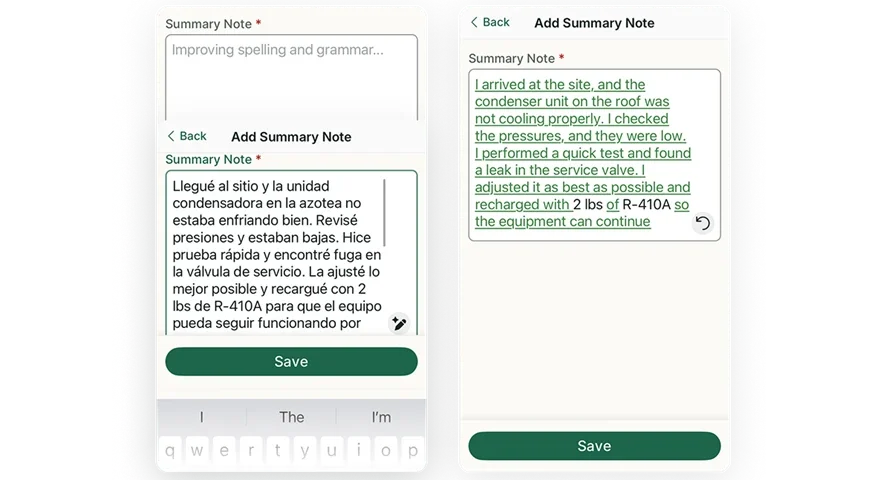
Your techs are the ones generating the data that drives every downstream workflow: invoicing, reporting, customer updates, and asset history. A dedicated technician mobile app lets them capture photos, complete checklists, dictate notes, and close out visits from any device, even offline. When that data syncs to the office in real time, nobody has to chase a tech the next morning for missing job details.
3. Field service CRM

AI field service tools should keep customer context close to every job, not buried in a separate system your dispatchers have to toggle into. A field service CRM that connects directly to your dispatch board and job records gives your team instant access to service history, property details, contact hierarchies, and open quotes. That visibility helps dispatchers assign the correct tech, helps techs arrive prepared, and helps account managers spot upsell opportunities without digging through spreadsheets.
4. Reporting & analytics

Clean data only matters if you can act on it. AI-powered reporting surfaces patterns across technician utilization, callback rates, job margins, and response times so managers can make staffing, routing, and pricing decisions based on real performance, not gut feel. Dashboards that pull from live job data also eliminate the end-of-week scramble to build reports manually, giving leadership a clear picture of field operations at any point during the day.
5. Service quoting & estimating

The faster a quote gets to a customer after a site visit, the higher the close rate. Field service quoting lets techs log recommendations in the field — photos, scope, and parts — and the office can turn that into a professional quote in minutes instead of days. Pre-filled descriptions, standardized pricing, and automatic labor calculations keep quotes consistent across your team and reduce the back-and-forth that delays approvals.
6. Service agreements & maintenance contracts

Recurring revenue stabilizes contractors, but manual service-agreement management causes missed visits, expirations, and lost renewals. A platform with built-in service agreement management ties each agreement to specific assets and locations, auto-triggers maintenance tickets on schedule, and tracks pull-through work so you can measure the real profitability of every contract.AI flags renewals, surfaces weak contracts, and helps prioritize PMs so recurring work stays on track.
One platform. Every workflow with AI built in.
Most AI field service tools only nail one or two workflows and leave the rest to disconnected add‑ons and spreadsheets—creating rework, blind spots for dispatch, and incomplete job records that slow billing down.
BuildOps brings scheduling and dispatch, mobile, CRM, reporting, quoting, and service agreements together in one platform, so job data flows straight from the field to the invoice. At the core is OpsAI, our AI engine built for commercial contractors that auto-assigns techs, surfaces asset history, builds invoices from completed work, and delivers in-workflow recommendations to every team.
If you want to see how that works for your operation — your routes, your job types, your team — schedule a demo and walk through it with our team.
Unify your FSM with BuildOps OpsAI
See how we connect scheduling, invoicing, and reporting in one AI-native platform