


Every electrical job depends on the right material at the right time. And getting that flow right—fast—can make or break your margins. If you’re still managing purchasing, inventory, and vendor orders with spreadsheets or disconnected, outdated systems, it’s time for an upgrade. Contractors across the electrical industry are turning to electrical distribution software that streamlines the supply chain, reduces stockouts, and keeps projects moving.
This guide breaks down how electrical distribution software works, why it’s gaining traction, and what features matter most when choosing a tool for your team.
Here’s what we’ll cover:
- How software has changed electrical distribution processes
- 5 key features to look for in an electrical distribution software
- Top 6 electrical distribution software for all team types
- 7 benefits of using electrical distribution software
- How to choose the right electrical distribution software for your team
- 4 important distribution software FAQs answered for electrical contractors
The right electrical distribution solution can transform your supply chain and operations, from major purchases to routine inventory. Below, we explore how specialized software streamlines the distribution process specifically for electrical contractors.
How software has changed electrical distribution processes
Contractors are still wrestling with the chaos of electrical distribution—chasing orders, reconciling inventory, and managing vendors across disconnected systems and messy spreadsheets. AI transforms the electrical distribution and service process by connecting every operational role with a single, real-time data thread to improve accuracy and efficiency
It has already begun to shift how contractors handle distributions, pricing, and bid prep. What used to take hours can now happen in minutes—with more accuracy and fewer surprises. In our 2025 survey The Pivot Point: AI And The Future of Commercial Contracting, 78% of contractors said they believe AI improves efficiency, and 47% are already using AI in some capacity for estimating.
AI‑powered electrical distribution software now does the heavy lifting—automating purchasing and stock control in real time to boost accuracy, prevent stockouts, and give contractors an essential, always‑on digital partner.
Here is how software is transforming the electrical distribution landscape:
What software can do for electrical distribution
- Optimizes inventory through data insights - Distribution tools can track usage patterns, flag low stock levels, and help you adjust procurement strategies in real time.
- Eliminates procurement busywork - Streamlines vendor orders and reduces manual data entry by pulling historical pricing and order information instantly.
- Enhances order accuracy and reduces shortages - Automated tracking prevents the human errors and oversights often associated with manual inventory logs and material requests.
- Centralizes your entire supply chain - Connects material data from the warehouse to the job site, ensuring that field technicians and office staff have a single source of truth for all parts.
While these tools provide a massive boost to efficiency, they are designed to support your team, not replace their expertise. Here are some areas where manual oversight remains essential.
What software can’t do for electrical distribution
- Act as your primary data source - Your team still needs to input accurate initial material specs and vendor details to build a reliable database for the software to manage.
- Completely replace professional judgment - These tools are meant to optimize your workflow and make your supply chain more efficient, but PMs and warehouse managers should still review major orders and stock allocations before they are finalized.
- Substitute for external market relationships - Most distribution software focuses on your internal data; you will still need to handle personal negotiations with vendors and monitor broader market shifts yourself.
In the following section, we will break down the essential features you should prioritize in an electrical distribution software to give your operations a competitive edge.

Don’t get left behind
We surveyed hundreds of North American contractors to see what the future looks like.
5 key features to look for in an electrical distribution software
Effective electrical distribution requires tight material management so the right parts reach every job. Software that uses historical and real-time data keeps inventory accurate, avoids stockouts, and protects margins.
1. Smart inventory and material coordination

Electrical projects operate on strict timelines where a single missing component can stall an entire crew. Prioritize a system with a field service scheduling tool that allows you to coordinate material deliveries alongside labor routes. Integrating these workflows with smart dispatch gives your office real-time visibility into parts availability, ensuring that technicians have what they need to transition from approved estimates to completed jobs without delays.
2. Mobile field tech app

Electrical distribution software is most effective when connected to the job site. A dedicated mobile app for field techs provides technicians with instant access to material specs, stock levels, and part requests—directly from the field—boosting order accuracy and reducing unnecessary trips to the warehouse.
3. Invoicing and procurement sync

Specialized distribution tools don’t just track parts—they connect to invoicing and payment processing tools to automatically account for material costs, ensuring that every wire nut and breaker is billed accurately and reducing disputes over project overhead.
4. Reporting and analytics

By analyzing procurement data, AI-powered reporting tools help distribution teams identify usage trends, flag vendor price shifts, and optimize stock levels—allowing contractors to see exactly what is driving their material costs and where margins are being lost.
5. Maintenance and service agreements

The right software helps electrical teams manage recurring service work by using past project data to forecast material needs and optimize supply chain timing. With an AI-driven service agreement management tool, your team can build precise, multi-phase inventory plans for long-term contracts using real usage history.
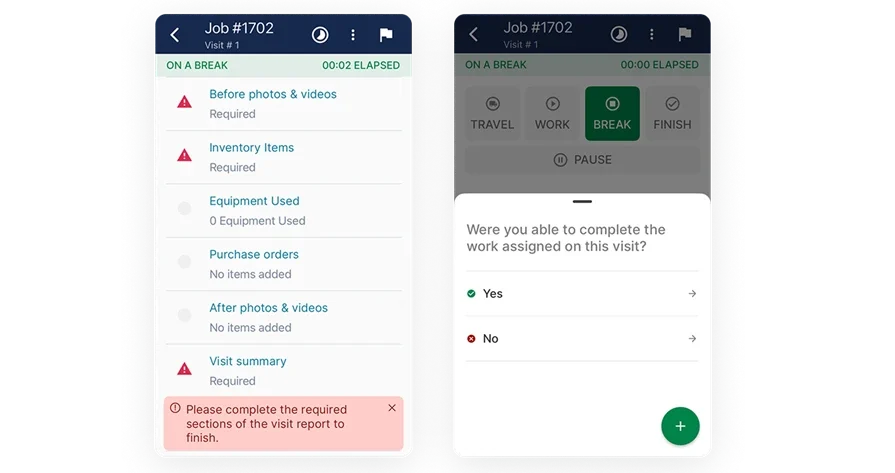
Plan, bid, and execute with BuildOps
See how quantities move from dispatch to billing without duplicate entry.
Other valuable features to look for in electrical distribution software
Beyond the core material coordination, specific specialized features make electrical distribution software faster and more efficient for field-to-office handoffs.
- Integrated Scheduling: Linking scheduling with procurement allows you to align project timelines with available stock. AI leverages historical job data to suggest optimized schedules as soon as a work order is created.
- Time Tracking: Connecting real-world labor data directly into your distribution workflow allows AI to evaluate actual durations against initial quotes, sharpening future material and labor estimates.
- Field Service CRM: Allows your team to instantly access a client's full history of material costs, notes, and labor data—ensuring that distribution plans for new buildouts are built with full operational context.
Even with these advanced capabilities, your electrical distribution tool must perform in real-world conditions across different project scopes and team sizes.
Top 6 electrical distribution software for all team types
Every electrical contractor works differently, so your tools must fit your workflow. The right electrical distribution software keeps pace with your operations while ensuring accuracy and field visibility. Here are six top options, each best suited for a different type of contractor.
1. Best for commercial electrical teams: BuildOps

BuildOps is built for commercial contractors who manage high-volume distribution routes and complex portfolios. The platform streamlines material coordination, centralizes procurement data, and automates billing workflows, helping teams reduce errors, speed up invoicing, and keep usage records accurate and audit-ready.
How pricing works: BuildOps utilizes a custom pricing model based on company size and user count, ensuring your team only pays for the specific operational tools you need.
Features beyond high-volume distribution management: BuildOps streamlines route planning, field data capture, and material tracking through a dedicated mobile app for techs. Orders sync in real time to a centralized database, where automated validation, exception alerts, and usage history tracking keep records accurate, organized, and always audit-ready.
What sets it apart for commercial contractors: For teams managing complex portfolios and dense distribution routes, BuildOps connects material data directly to customer accounts, service agreements, and billing profiles. Invoices can be auto-generated from approved material logs, while configurable workflows flag anomalies, reduce manual data entry, shorten billing cycles, and help prevent revenue leakage across every project.
Rating: 4.5 on Capterra from 151 user reviews
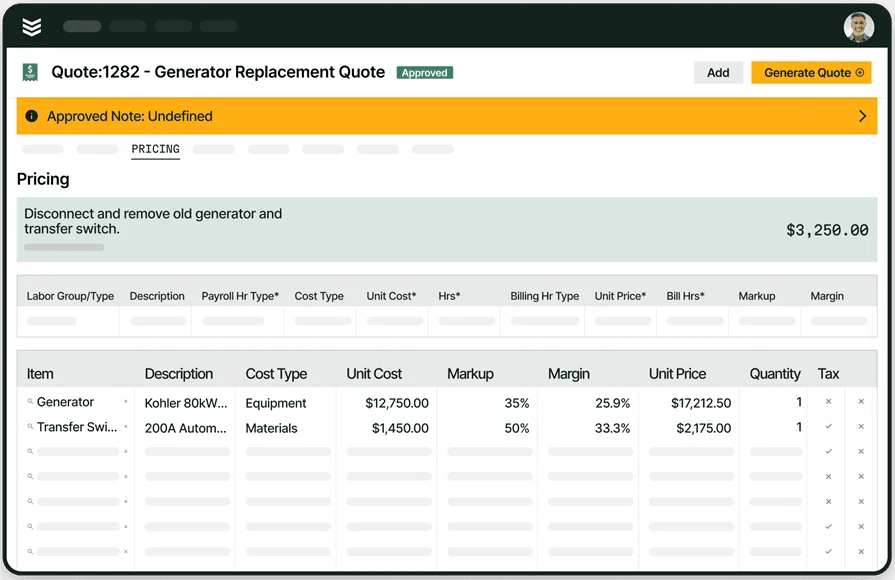
Built for the challenges of commercial contractors
BuildOps has helped contractors see 30% revenue growth + 75% quote approval rates.
2. Best for residential: Housecall Pro

Image Source: Housecall Pro
Housecall Pro is built around simplicity. Its clean interface makes it a solid pick for small residential electrical shops that prioritize fast, accurate inventory tracking and tight scheduling. It streamlines basic material capture, work orders, and invoicing while helping owners manage field techs and appointments with minimal training.
However, it may not offer the advanced supply chain analytics or large-scale commercial customization some complex operations need.
How pricing works: Tiered monthly pricing, starting around $59/month, depending on the number of users and access to features.
Features beyond basic material tracking: Includes online booking, automatic follow-ups, payment processing, and customer communication tools. You also get a mobile app that keeps your field team in sync with office dispatch and scheduling.
What sets it apart for residential contractors: For shops handling dozens of home service calls and stock checks each week, Housecall Pro keeps operations streamlined. Techs can log parts used, attach photos, and generate invoices in just a few clicks.
Rating: 4.7 on Capterra from 2739 user reviews
Check out our feature comparison of Housecall Pro vs BuildOps right here to decide which one is the better fit for your team.
3. Best for general contractors: Jobber

Image Source: Jobber
Jobber helps general contractors manage clients, quotes, jobs, and payments in one place. It’s easy to use, with templates and tools that streamline scheduling and documentation for distribution visits. For electrical contractors doing mixed trade work or supporting GC-led projects, it’s a flexible choice.
That said, its distribution workflows are more basic and may feel limited for teams needing advanced supply chain optimization and bulk inventory handling.
How pricing works: Starts at $25/month for one user, with pricing tiers based on feature access and user count.
Features beyond material tracking: Offers client communication tools, mobile job tracking, appointment scheduling, and basic reporting. The integrations are solid, but geared more toward general field service than highly specialized electrical operations.
What sets it apart for general contractors: Jobber gives GCs visibility across all job stages without complex setups. For teams wearing multiple hats—material tracking, service calls, scheduling, and dispatching—it offers a centralized place to stay organized.
Rating: 4.6 on Capterra from 1439 user reviews
4. Best for small to mid-sized businesses: Workiz

Image Source: Workiz
Workiz is built for smaller teams that need fast turnaround on material logs, work orders, and invoicing without dealing with complex setup. It supports quick mobile data entry, smart scheduling, and automated follow-ups—ideal for growing electrical shops that juggle multiple service routes and material inspections at once.
However, its customization and depth may feel limited for commercial teams handling highly specialized distribution programs.
How pricing works: Workiz offers tiered pricing starting at around $65/month, depending on user count and features included.
Features beyond material tracking: Workiz includes built-in VoIP calling, team messaging, calendar syncing, and technician GPS tracking. These features help owners keep tight control of field activity without bouncing between apps.
What sets it apart for small to mid-sized teams: Workiz makes it easy for lean electrical teams to manage material tracking, service visits, and billing in one place, reducing manual data entry and keeping jobs flowing from field to office.
Rating: 4.4 on Capterra from 218 user reviews
5. Best for independent contractors: Workiz

Image Source: FieldEdge
FieldEdge provides field management tools that support integrated scheduling, live job status updates, and customer tracking, which are essential for electrical service operations. The platform’s real-time dispatch board offers the office a single-view look into open electrical work orders and technician availability. However, its foundational structure is built for general field service, which can limit its utility for electrical contractors handling specialized distribution and complex inventory management.
How pricing works: FieldEdge uses tailored pricing models determined by business type and user count, requiring a custom quote to address specific operational needs.
Features beyond core service: The platform includes service agreement management, quoting tools, maintenance tracking, and performance dashboards for field oversight.
What sets it apart for independent contractors: A simplified interface makes it a dependable choice for independent electrical service teams who prioritize maintaining high-frequency service schedules with minimal administrative friction.
Rating: 4.2 on Capterra from 306 user reviews
6. Best for installation & maintenance contractors: PlanSwift

Image Source: PlanSwift
PlanSwift helps contractors digitize plan review and takeoff, but it’s not purpose-built electrical distribution software. It doesn’t natively handle route management, field material capture, or automated vendor order uploads.
How pricing works: One-time license cost starting at roughly $2,000, with optional yearly maintenance and add-on modules.
Features beyond material tracking: Includes drag-and-drop assemblies, measurement tools, Excel integration, and plugins for supplier pricing. It also offers customizable formulas for job costing, but no native tools for large-scale distribution workflows.
What sets it apart for installation and maintenance teams: PlanSwift is best when jobs are blueprint-heavy and demand precise takeoff work. For contractors doing occasional material coordination as part of larger projects, its digital takeoff and measurement tools can still support accurate planning and costing.
Rating: 4.3 on Capterra from 398 user reviews
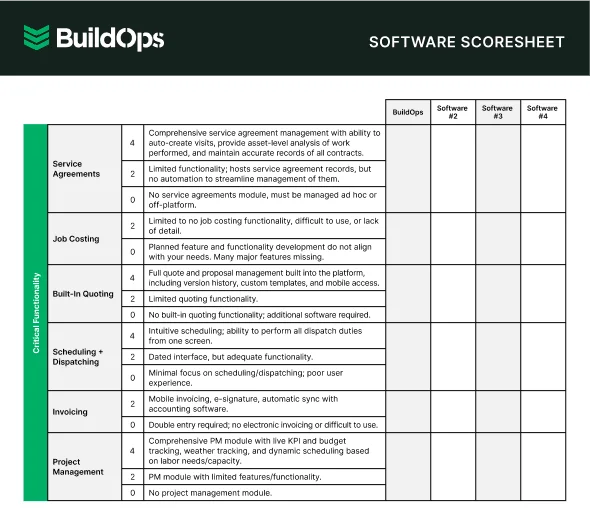
Get the software scoresheet
Compare top tools at a glance with this easy-to-use scoresheet.
7 benefits of using electrical distribution software
An integrated electrical distribution platform accelerates the entire supply chain—from procurement to final billing—directly enhancing field service profitability and operational flow.
1. Accelerated material dispatch and response
When coordinators can view stock levels, technician proximity, and project status on a single board, material allocations happen in seconds. Real-time distribution visibility eliminates the lag between a field request and delivery, driving first-time fixes and better customer retention.
2. Centralized client and project material history
Reviewing a commercial account's full material history, installed assets, and past order patterns before a technician arrives transforms the service interaction. A platform with a built-in CRM for electrical contractors centralizes every part and piece of data, ensuring field teams have full operational context for every site visit.
3. Accurate inventory logs and field billing
Capturing material usage on-site with mobile tools removes manual entry errors and shortens the gap between the field and the back office. Tools that integrate specialized procurement data can layer historical pricing and part details onto those logs, helping teams produce accurate, timely invoices while protecting project margins.
4. Real-time material visibility across operations
Knowing the status of every part—whether it is in the warehouse, en route, or installed—allows managers to make supply chain decisions without waiting for end-of-day reports. Field service reporting tools surface this data automatically, turning live inventory activity into actionable intelligence for the office.
Did you know
Software is revolutionizing how electrical contractors handle inventory, procurement, and closeouts—aligning technicians with specific materials by project need, flagging stock issues early, and reducing manual friction across the distribution lifecycle.
The top AI software use cases in field service detail how electrical teams are leveraging automation of distribution data to drive faster response times, fewer stockouts, and healthier margins.
5. Streamlined documentation and supply chain compliance
Electrical distribution is subject to strict, evolving compliance standards. Distribution software that captures photos, GPS-tagged material logs, and digital signatures in the field keeps every part tied to its project, reducing missing documentation during internal audits or vendor reviews.
6. Enhanced job costing and material profitability
Identifying which material vendors, part types, or project teams yield the best margins requires live data, not post-project spreadsheets. Platforms with built-in field service dashboards give leaders real-time visibility into material spend, procurement trends, and revenue per project, allowing for adjustments before profitability declines.
7. Minimized administrative friction
Manual handoffs between warehouse staff and the office waste valuable time. Electrical distribution software automates everything from order assignments to billing exports, removing bottlenecks so the office can focus on customer service. Modern automation tools take this further by managing routine procurement decisions—like reordering low stock or flagging price anomalies—without requiring human oversight.

How to choose the right electrical distribution software for your team
The right supply chain tool must fit your field workflows and handle complex routes—so ask the key operational questions before choosing electrical distribution software.
- Team scale and route architecture – Assess how many technicians or readers are deployed daily and whether you manage distinct crews for residential, commercial, and industrial portfolios across multiple service zones.
- Material complexity and exception handling – Determine if you are managing AMI, AMR, and manual data simultaneously and how your team handles re-reads, inaccessible assets, and usage anomalies in real time.
- Field-to-office data synchronization – Evaluate how urgent material requests and route adjustments reach the field, ensuring dispatchers and technicians utilize a single source of truth to capture site issues as they happen.
- Invoicing integration and procurement flow – Analyze the speed of data transfer into your billing system and whether field teams can attach photos and notes to material logs to reduce disputes and shorten billing cycles.
- AI-driven automation and analytics – Prioritize tools that leverage historical data to optimize routes, flag suspected tampering or waste, and automate the entire lifecycle from assignment to export.
- Operational depth and scalability – Ensure the platform supports route planning, live tracking, and reporting in one centralized system that scales alongside your assets, territories, and service types.
4 important distribution software FAQs answered for electrical contractors
Purpose-built distribution tools keep electrical teams aligned and accurate—no double entry, no messy spreadsheets. Here are clear answers to the most common questions from field crews and office managers about modern distribution tech.
1. What is electrical distribution software?
Electrical distribution software centralizes and streamlines usage tracking. It replaces manual logs with mobile tools so technicians can capture usage data, site photos, and GPS coordinates—instantly synced for full office visibility.
Enterprise-grade platforms support both recurring and on-demand cycles, enabling teams to scan assets and automatically feed that data into billing, service history, and preventative maintenance workflows.
2. How does electrical distribution software work?
The software uses a mobile app to connect field staff to a central database, allowing them to follow optimized routes, access asset profiles, and document readings without the need for end-of-day data entry.
Key operational capabilities typically include:
- Route and location mapping - Provides clear visibility into assigned routes and precise asset locations.
- Real-time field data capture - Enables technicians to log readings, photos, and critical notes directly from the job site.
- Automated anomaly detection - Flags irregular usage patterns or missed assets before a technician leaves the site.
- Instant database synchronization - Automatically pushes field data into billing records to shorten the revenue cycle.
- Audit-ready tracking - Maintains a detailed record of every technician action with exact timestamps.
- Full service lifecycle integration - Connects usage data directly to work orders, inspections, and long-term service agreements.
3. Is electrical distribution software worth the cost?
The investment provides a rapid return by eliminating the administrative friction of manual entry and reducing billing disputes. It standardizes complex data for large organizations—building client trust through transparent invoicing while flagging operational issues before they erode project margins.
Did you know
Leading electrical contractors have leveraged BuildOps to transform their profitability. Explore how these teams are scaling their operations:
- Classic Electric: Achieved a 300% growth milestone
- Dane Electric: Reduced invoicing cycles by 30%
- Jolma Electric: Realized a 50% increase in operational efficiency
4. What are the best practices for getting full value from electrical distribution software?
Driving maximum ROI requires establishing consistent habits across the workflow, from initial planning to final project closeout.
- Standardize field procedures – Use uniform routes, checks, and digital closeout.
- Enforce mobile-first data capture – Log all readings and photos in the app.
- Optimize data at onboarding – Build complete customer and asset profiles.
- Leverage daily reporting dashboards – Review field activity every day.
- Maintain dynamic rate tables – Keep billing rules aligned with current rates.
- Connect work to PM schedules – Auto-schedule inspections from usage data.
- Automate exception alerts – Trigger instant alerts for usage anomalies.
- Analyze operational hot spots – Use reports to find rework and staffing gaps.
- Institutionalize software training – Train new hires on standard workflows.
- Audit workflows quarterly – Review and remove manual workarounds.
Modern distribution technology gives commercial contractors a real edge by tying technicians directly into a live data stream—removing manual friction and delivering real-time visibility into material usage across every job and site.
BuildOps unifies distribution, scheduling, dispatch, CRM, and reporting in one purpose-built commercial platform—connecting field and office so every work order flows from quote to final invoice without delays, guesswork, or revenue leakage.
Ready to tighten up your operations and protect your margins? Schedule a live demo to see how BuildOps can streamline your supply chain and service workflows from one connected system.
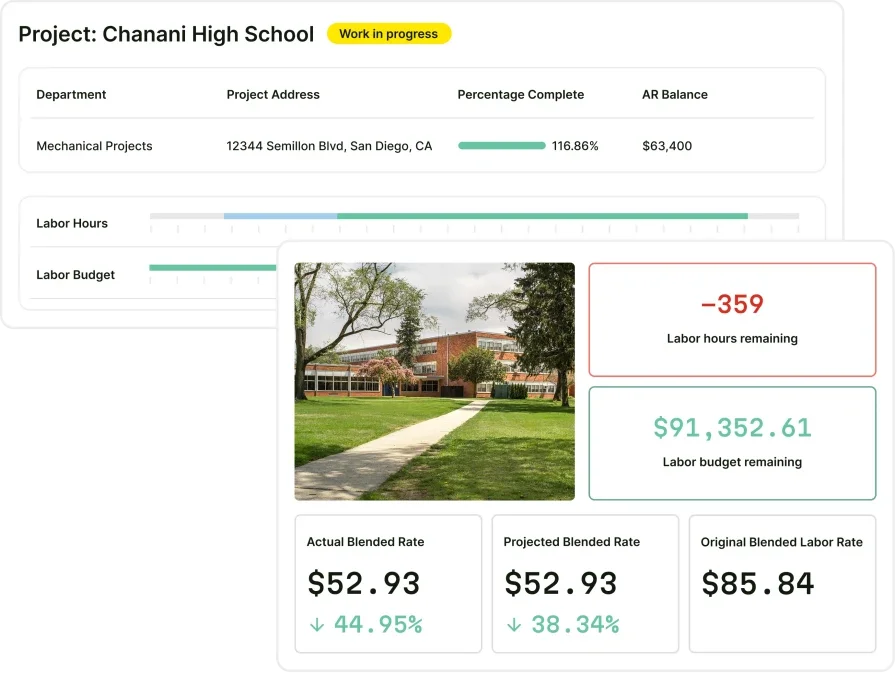
Unify your FSM with BuildOps
See how BuildOps helps commercial electrical contractors manage day-to-day ops with ease.


