Top Questions Contractors Ask About Field Service Apps



Field service work gets harder to scale when technicians have to write notes on paper, text updates to the office, or re-enter job details after they leave the site. The Benchmark Report measures why field productivity matters: best-in-class commercial contractors generate 65% more revenue per technician than the platform average.
A mobile field service app helps teams capture work where it happens. Technicians can open a visit, review job and equipment context, log time and parts, add photos and forms, collect signatures, and sync the completed record back to the office. The questions below examine those app workflows in practice, from offline visits and asset history to documentation, dispatch visibility, and after-hours response.
Top 6 questions we get about field service apps from our prospective customers
Commercial service contractors evaluating a field service app usually want to know one thing first: will it make life easier for technicians without creating more work for the office?
The questions below reflect the mobile concerns contractors raise during field service app evaluations, implementation planning, and day-to-day operations. They focus on whether the app fits the way commercial technicians actually work.
1. Will our field technicians actually adopt and use the app, or is it too complicated?
Adoption depends on whether the app fits the technician’s day. If technicians have to move through long forms, search across disconnected records, or wait until they get back to the office to finish basic documentation, the workflow will not stick.
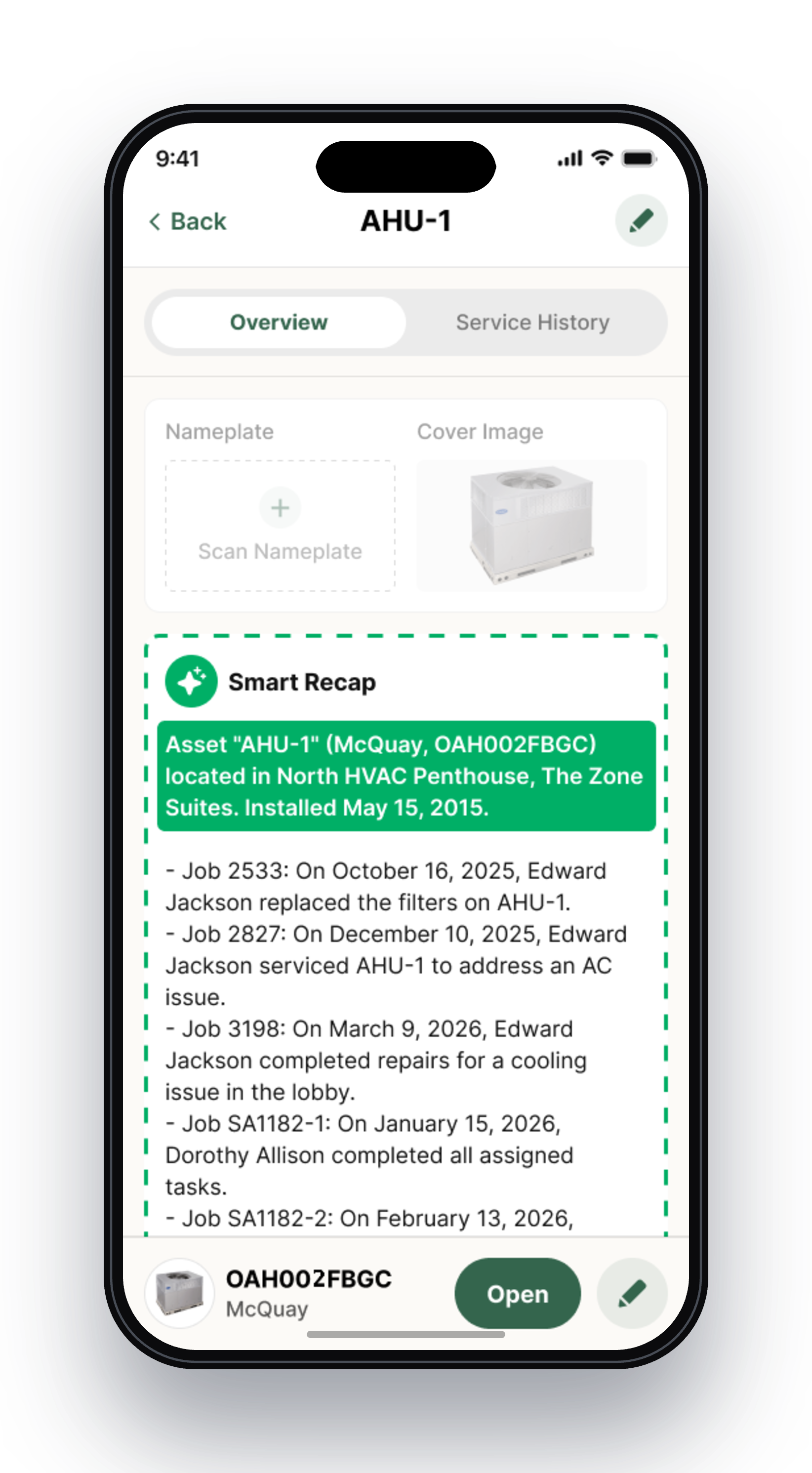
BuildOps Mobile gives technicians a focused view of assigned visits and upcoming work, along with the job, property, and equipment context they need on site. Technicians can capture notes, time, parts, photos, forms, and customer sign-off as they complete the work instead of recreating the visit later from memory. Features such as Smart Recap and nameplate scanning also reduce repetitive typing and help technicians start the visit with more context.
2. What happens when my technicians lose cell service in a mechanical room or basement?
Commercial technicians cannot choose where a job takes them. A mobile app that only works with a strong connection can leave technicians without the information they need to complete the visit and require the office to follow up for missing details.
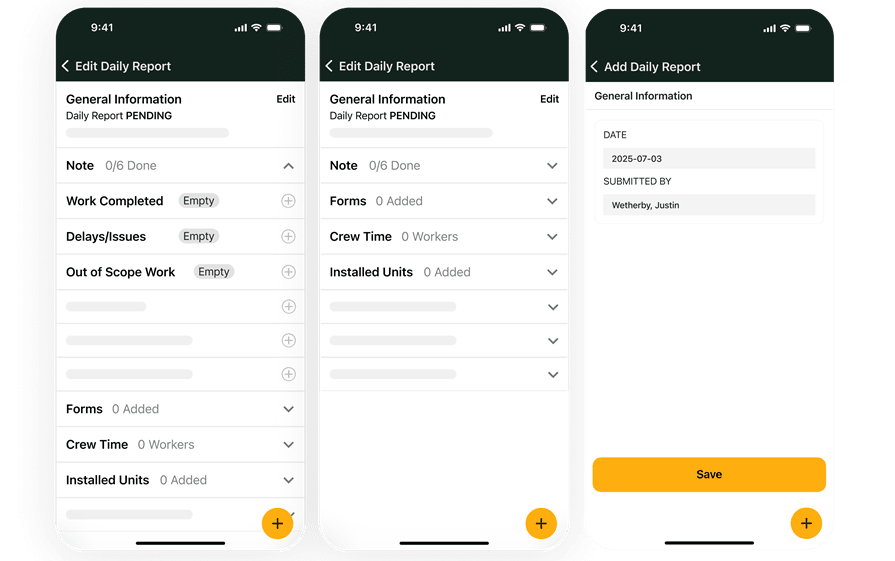
The BuildOps technician mobile app supports offline work for key field workflows. Technicians can access downloaded job and property details, complete visit transactions, track time and breaks, add photos and attachments, complete daily reports and forms, and capture customer signatures. The app syncs captured information when cellular or Wi-Fi service returns.
3. Can technicians see equipment history and update asset records from the app?
Technicians need more than the current work order when they arrive at a commercial site. They may need the equipment’s service history, specifications, past parts, and previous work before deciding what to inspect, repair, or recommend.
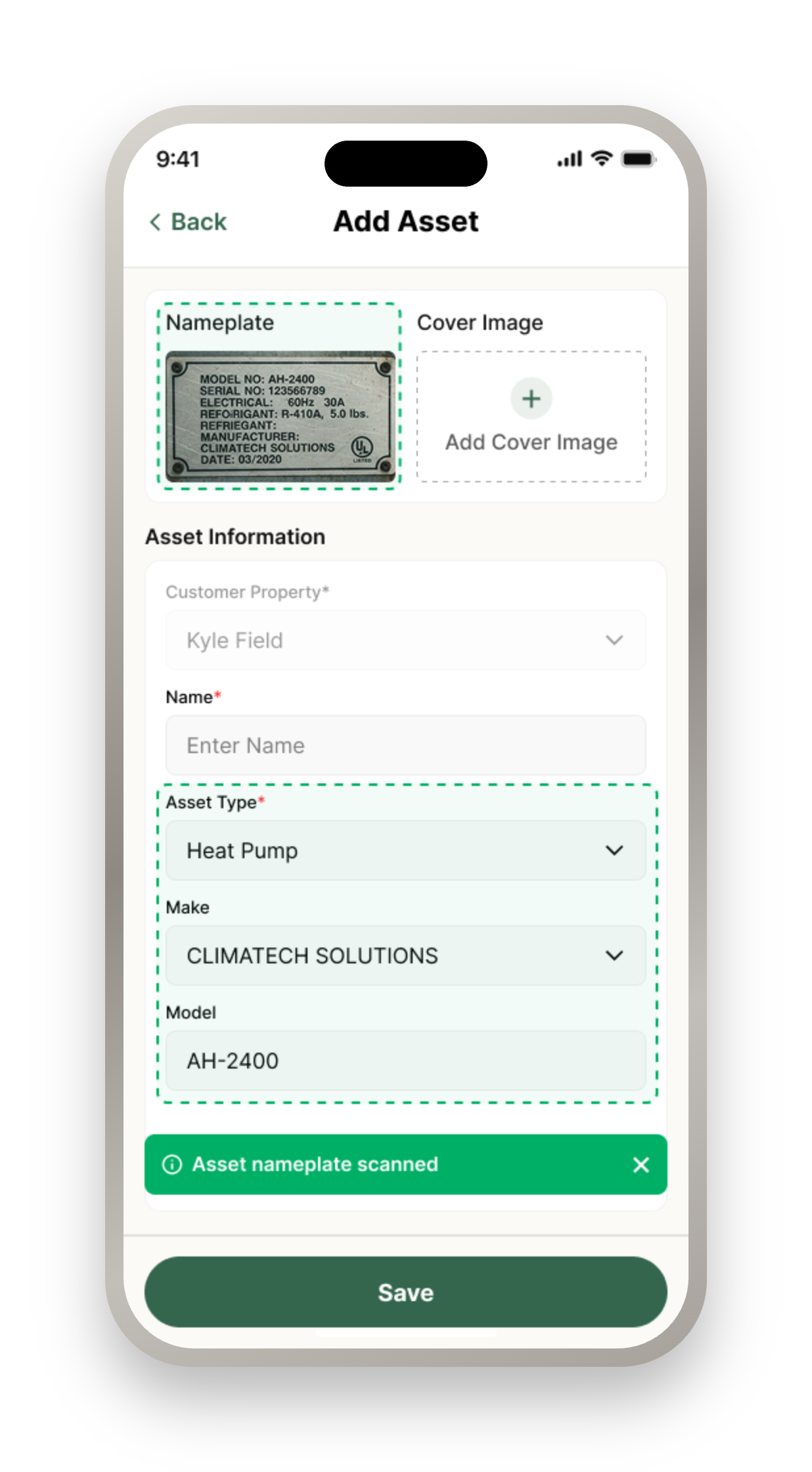
BuildOps asset management puts full service history, equipment specifications, and past work on the technician’s phone. Technicians can update asset details from the field, including when they are offline, and sync photos, notes, and nameplate information when connectivity returns.
4. Can we make certain forms or signatures mandatory before a technician closes a job?
Commercial contractors often need proof that required safety checks, work summaries, inspections, or customer approvals were completed before a visit is marked finished. Optional paperwork can create inconsistent closeout records across crews.
Required checklists, safety forms, technician work summaries, and customer signature requirements can be configured so the required information is completed before the job is closed. BuildOps field execution gives commercial crews structured forms, daily reports, photos, and offline capture so documentation is completed as part of the work instead of recreated afterward.
5. How do we restrict technicians from seeing jobs before they are scheduled?
Dispatchers and service managers need control over when work reaches a technician’s mobile schedule. A visit may need to stay hidden until it has been assigned, reviewed, or released for field execution.
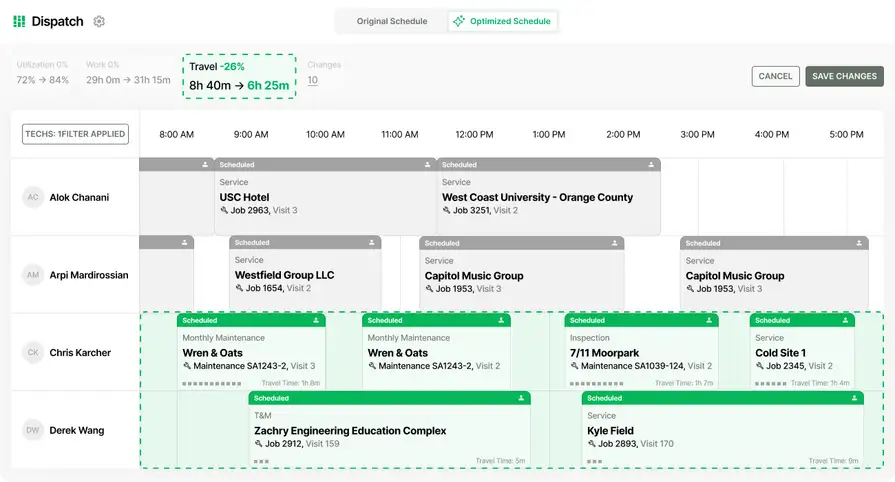
Field service schedule & dispatch helps teams manage technician assignment, job details, and schedule visibility. In the mobile workflow, Gated Visits and Release to Tech ensure a job or visit appears on a technician’s mobile calendar only after dispatch or service management releases it. Role-based permissions can also control which users can view schedules, self-schedule, reschedule, or assign visits.
6. How do we handle emergency or after-hours service calls from the mobile app?
Emergency work does not always arrive during office hours. If technicians have to wait for someone in the office to create every after-hours job or visit, the response can slow down and the work may be documented after the fact.
Depending on company settings and permissions, select technicians can use self-scheduling or after-hours access to create a job or visit from mobile for night or weekend emergency calls. That gives the team a way to start the right mobile workflow while keeping access limited to the people authorized to use it.
How a field service app can improve billable field time
Certified Fire, a fire protection services company in Utah and Nevada, had a field-to-office problem many commercial contractors will recognize: paper-based processes made service billing slow, and the company was sometimes two to three months behind on billing.
After implementing BuildOps, Certified Fire increased service employee billable time from 75% to over 95%. Monthly service billing increased 54%, and profit margins increased 250%. Read the Certified Fire customer story for the full breakdown.
For contractors comparing field service apps, the practical question is how smoothly field work flows into office and billing operations. It should connect field updates to the office and billing workflow so completed work can move forward without avoidable delays. Once that foundation is in place, contractors can introduce AI more effectively by aligning workflows, training teams, and phasing automation into high-impact processes.
{{related-content-block="/resources/adopting-field-service-ai"}}
Choosing the right field service app for you: questions to ask in a demo
Use these questions to see how the mobile workflow handles the conditions your technicians face in the field:
- Will technicians be able to keep working offline and sync notes, photos, and time later? — A demo should show what happens when a technician loses service in a basement or mechanical room: which actions remain available, what is stored locally, and when the office sees the updates.
- Can technicians create purchase orders from the mobile app? — Have the demo trace a field purchase through PO creation, job assignment, and office approval so you know whether technicians can buy what they need without creating cleanup work.
- Can mobile permissions differ by role? — Test a dispatcher, on-call user, and technician account separately. The question reveals who can create visits, view schedules, or use mobile dispatch without giving every user broad access.
- Can technicians track customer equipment, service history, serial numbers, manuals, and maintenance checklists in the field? — Ask to see how an equipment item is assigned, located, documented, and updated so tools such as analyzers do not disappear between jobs.
- Do technicians have to finish one visit before starting the next? — This exposes the app’s rules for back-to-back calls, emergency pull-offs, additional technicians, and time entry when a job is paused or unfinished.
- How are travel time and first-call travel handled? — Use a real technician schedule to see when travel starts, whether it is paid or billable, and how it appears in timesheets and payroll.
- Can the office schedule a follow-up visit after a job is completed? — A closeout demo should include a missed item or return trip, showing how dispatch reopens work, preserves the original record, and assigns follow-up work.
Give technicians a connected mobile workflow
Commercial contractors need a field service app that helps technicians capture the work accurately the first time; whether they are working offline, documenting equipment, tracking time and materials, completing required forms, or closing out a visit. BuildOps connects technicians, dispatchers, and office teams across customers, properties, jobs, visits, service agreements, closeout, and financials, while OpsAI helps reduce administrative work and surface the next action from the data your team captures in the field.
See how BuildOps can fit the way your crews work. Book a demo to walk through the mobile workflows that matter most to your technicians and office team.