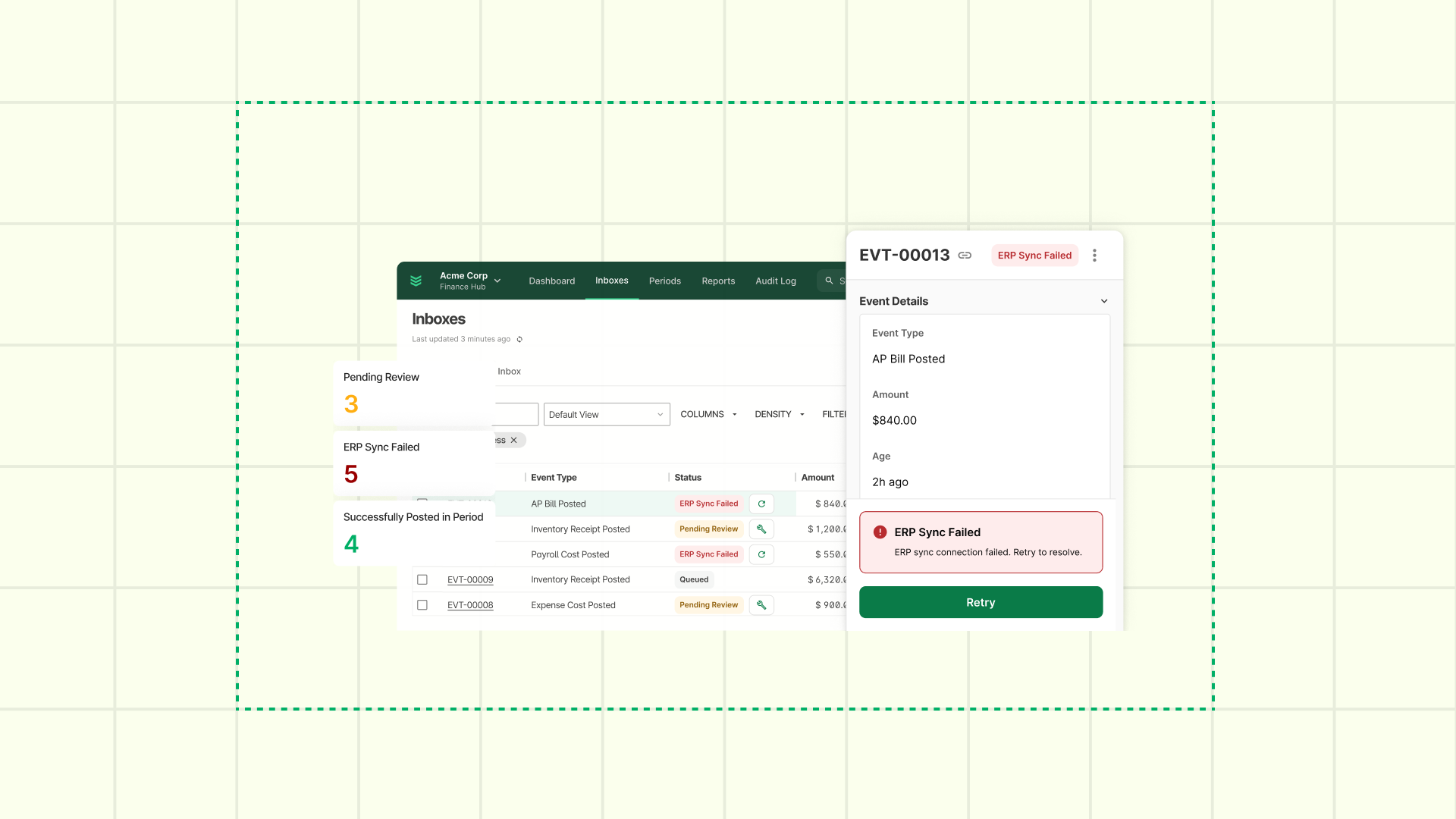
Built for Action with OpsAI: How Commercial Teams Stay in Sync, On Budget, and Moving Fast
BuildOps + OpsAI updates built for the way commercial work actually gets done.
Jobs stall when the right information isn't in the right hands at the right time. Change orders sit in limbo. Foremen call the office to check submittal status. Payroll admins spend Friday correcting overnight timesheets.
They may be small friction points, but they have big consequences. Here's what we’ve built, how it powers OpsAI, and what it means for your team.
One Source of Truth, From the Drawing to the Dashboard – OpsAI’s Document Backbone
When details live in email threads and phone calls, handoffs break down. Now they don't have to — and OpsAI finally gets the clean, structured document trail it needs to keep work moving on its own.
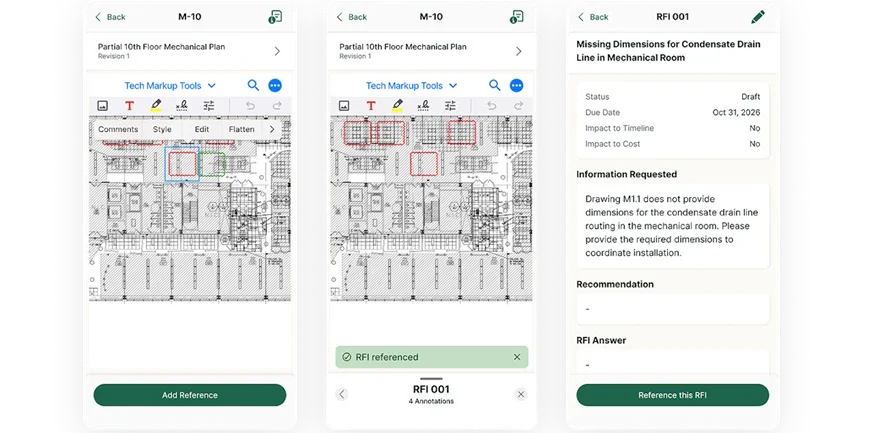
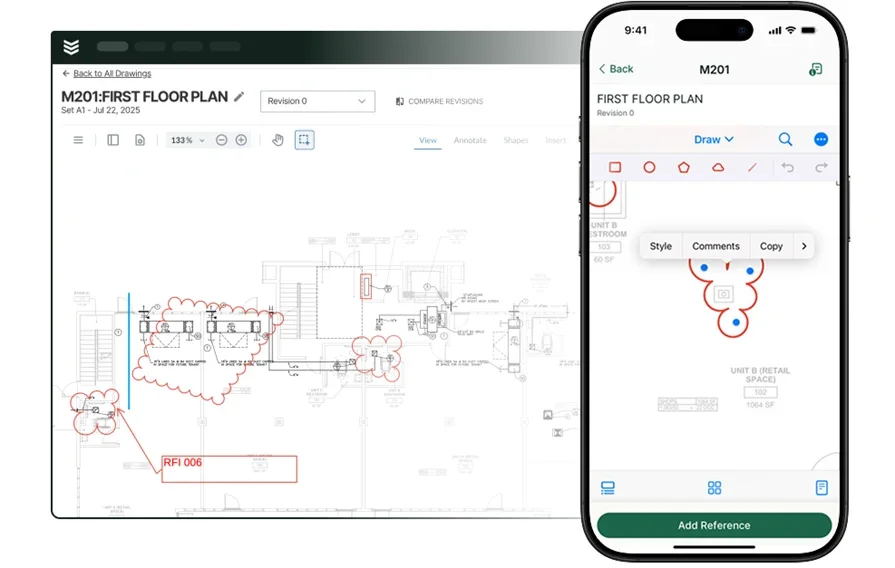
Mobile RFIs tied to drawings. Foremen can now create RFIs directly from their mobile device — pinned to the exact location on a drawing, with photos and markup attached. The office sees the issue in context, not just a description. No more "where exactly?" No more back-and-forth to reconstruct what happened. When an RFI goes unanswered too long, that's the kind of stall OpsAI is built to catch and flag before it becomes a delay.
Change orders that move. The redesigned change order workflow includes expanded statuses — including "Tentatively Approved" — plus custom tags and one-click email. Approvals don't stall. Billing doesn't lag behind the work. With structured status data now built into every change order, OpsAI can watch for stalled approvals and unbilled CORs before they slip through month-end.
Submittals on mobile. Field inspectors can now view submittal packages, items, and attachments from their phones — no GC portal login, no call to the office. Less downtime waiting on confirmation. Fewer interruptions to the crew. OpsAI can see what’s approved, what’s pending, and where field work is at risk of getting ahead of paperwork.
Job reports that look the part. Optional toggles for task descriptions and notes let the same job produce a polished client version and a detailed internal version — no manual editing required.
Every RFI, submittal, and change order now travels with the job — from the drawing on a foreman's phone to the PM's approval queue — without a single handoff getting lost. That's the structured foundation OpsAI needs to keep documents moving while your crews keep building.
See What's Working — and What's Costing You, So OpsAI Can Guard Your Margins
This release cycle locks down cleaner job cost data from day one — and gives OpsAI the financial “single source of truth” it needs to spot risk before your month-end does.
Labor cost codes that only show what's valid. Daily Reports now filter to labor-budgeted cost codes only — so mis-coded time gets stopped at the source, not cleaned up at month-end. Clean data in, clean data out — and data OpsAI can trust for anomaly detection when something looks off.
Finance views that remember how you work. Project managers and controllers can save custom views with filters, columns, and groupings that persist across sessions, plus frozen headers on budget tables. No more re-sorting every time you open a project.
Dashboards that replace the spreadsheet. The new Finance Dashboard gives owners a consolidated view of billings, profit, and cost performance across jobs, service agreements, and projects. The Service WIP Dashboard surfaces earned revenue, margin, and over/under billings — no manual exports required. That's the unified source of financial truth OpsAI needs to surface margin drift and billing gaps automatically — not just report what already went wrong.
Project cost data is now clean by design — from the first timesheet entry to the final WIP run — so your team (and OpsAI) can catch what's costing you before it's too late to act.
Built for How Commercial Crews Really Work — Fuel for OpsAI in the Field
The best tool is the one crews actually use. That means it loads fast, handles real-world edge cases, and doesn't create paperwork to fix the paperwork. Every improvement here also gives OpsAI better, more timely operations data — straight from the field, without extra steps.
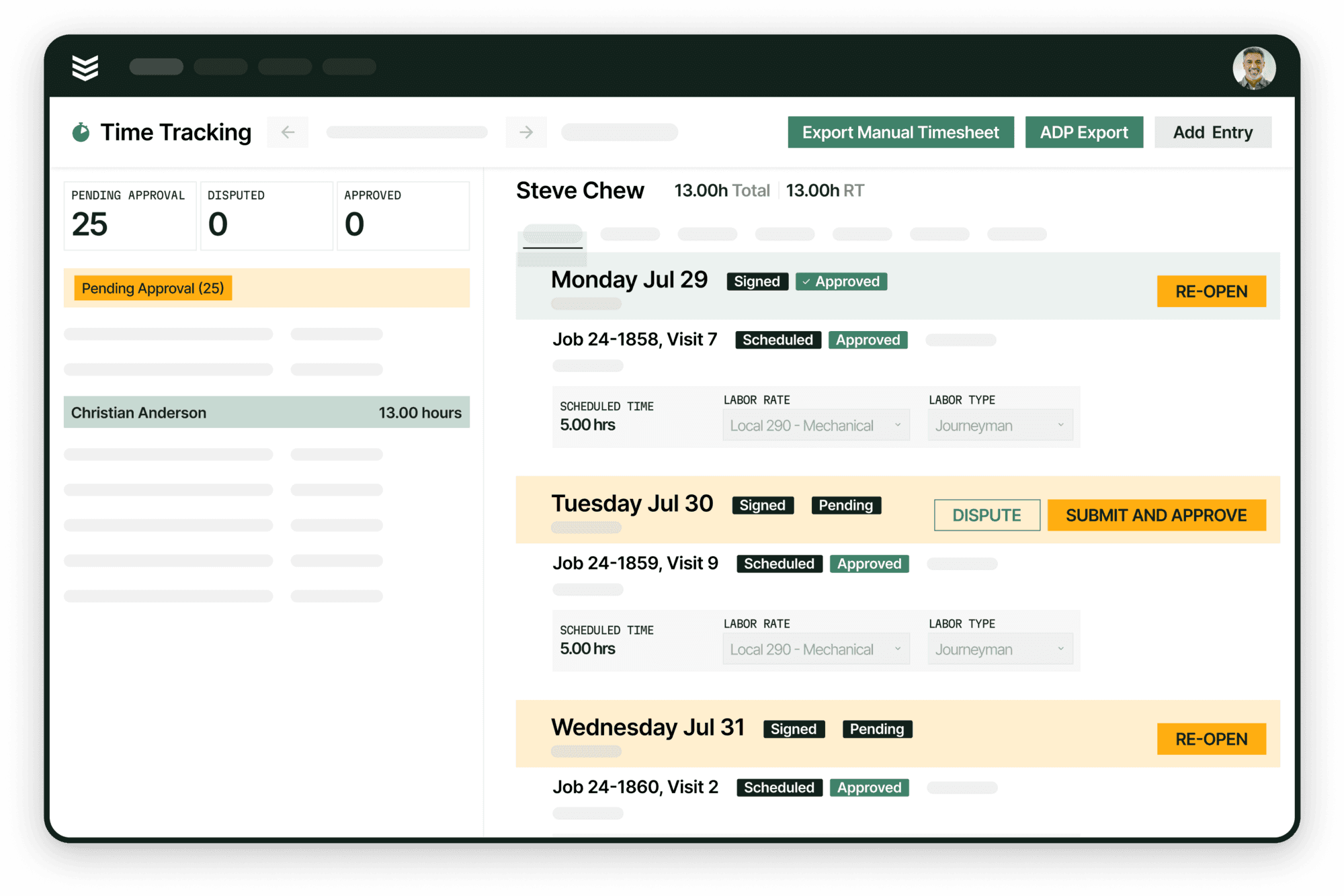
Overnight shifts, handled correctly. Techs can now select the next calendar day in the time picker for shift end, event start and end, and break times — so overnight entries submit cleanly without manual correction. Payroll admins stop spending Monday morning fixing what the system couldn't handle Friday night. Accurate time flows through from the first entry — which means OpsAI is working from real data, not corrected data.
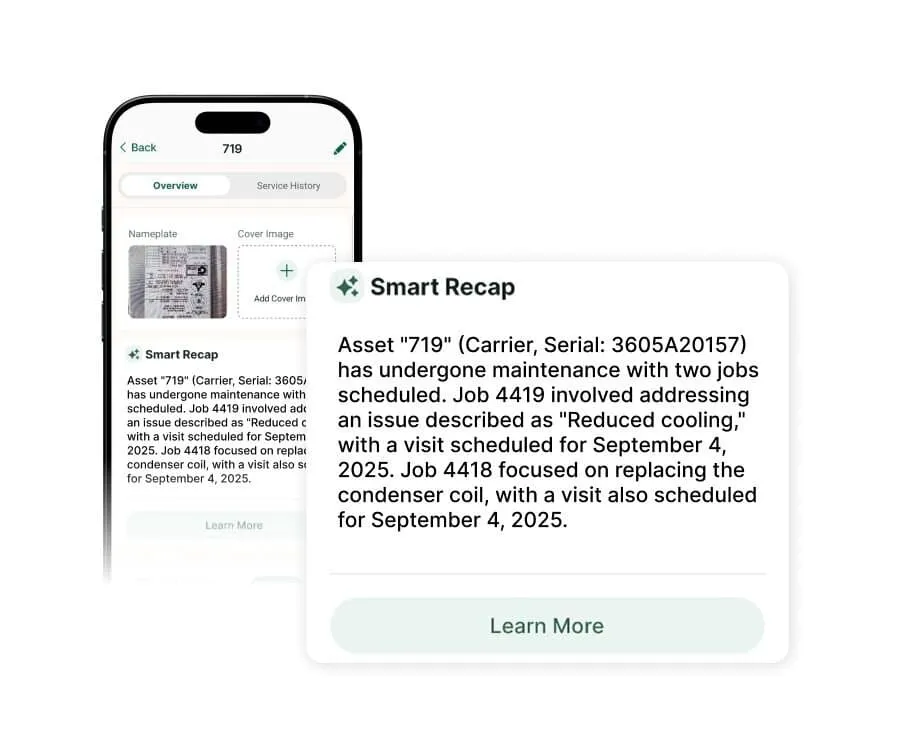
Get the whole picture instantly. Smart Recap delivers AI-powered summaries of Daily Reports and Asset Work History — so the full story is there in seconds, not after scrolling through old tickets. The context that used to live in someone's head now lives in the system.
Faster startup, every morning. The mobile app now loads faster with smarter, incremental sync — so crews get into the app and get to work, especially at large accounts where sync times used to drag.
Your crews pick it up fast. Their focus stays on the job, not the system — while OpsAI quietly turns every visit, shift, and timesheet entry into structured, trustworthy operations data.
Quoting and CRM That Move at the Speed of the Sale, So OpsAI Can Keep Deals Moving
Quicker quoting, fewer clicks. Quote faster with one-click section duplication, direct version editing, and smart Customer/Property prefills. When a deal closes — whether it's a field job, a service call, or a construction project — it moves straight from CRM+ into operations with a single click. No re-entering details or chasing down your sales rep for job info. Everything they captured during the sale is already there, ready for your team to act on.
OpsAI helps your sales reps spend less time in the software and more time doing what actually grows your business: winning work.
A CRM that keeps up with the calendar. Opportunities open in a side drawer — no more lost data from an accidental click. Calendar sync with Google or Outlook keeps schedules current without manual updates.
{{related-content-block="/resources/rfis-from-drawings"}}