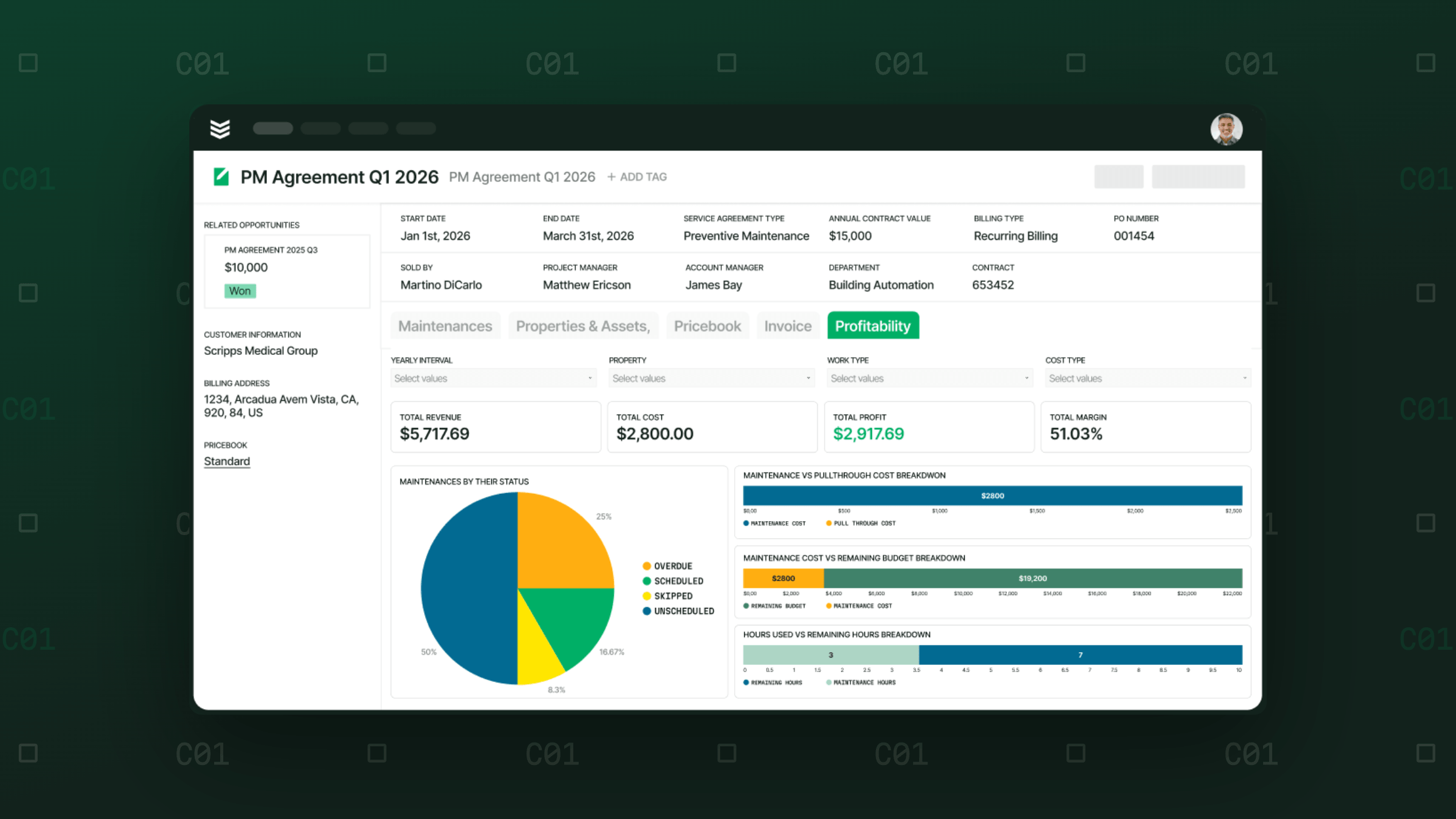
How to See Job Margin Before Month-End—and Build Financials Your CFO Can Stand Behind
BuildOps gives operations and finance a shared view of the work before close, while there is still time to respond.
Reliable financials depend on accurate, connected data reaching your accounting system from across the operation. In commercial contracting, that includes labor, materials, purchase orders, job costs, WIP, billing, and work completed in the field.
When those records fall out of step, the impact reaches well beyond extra accounting work.
The risks of unreliable financial data
- Margin slipping before anyone can act: When the field and finance work from different numbers, teams can miss an overrun or assume a job is healthier than it is.
- Unreliable WIP: If progress, costs, billing, and fully burdened labor do not line up, you can misread revenue and profitability and make cash or forecasting decisions from incomplete information.
- Poor operating decisions: Without a current view of job profitability, operations may commit spend, adjust staffing, or keep a crew working without knowing the margin they are protecting.
- Slower close: Reconciliation and cost questions delay final numbers, leaving leadership to wait or make decisions using outdated information.
Reliable financials are not just an accounting outcome. They give operations and finance a shared view of the work before close, while there is still time to respond.
Where the numbers start to drift
The gaps usually show up as information moves between people and systems.
A cost may be assigned to the wrong job or financial code, a transaction may hit a sync error, or an exception may need someone to resolve it before posting. Manual re-entry and reconciliation create more opportunities for the field record and accounting record to separate.
That is how contractors end up with systems that technically work but still spend their days reconciling one system against another.
An FSM and accounting system can each support important parts of the business, but having both does not guarantee that the data moving between them is accurate, complete, or current enough to guide an open job.
BuildOps captures the field and job-level activity that feeds financial data, including labor, materials, purchasing, billing, and payments. Finance Hub is the bridge between those workflows and your accounting system, where transactions are allocated, reviewed, reconciled, and synced.
That gives the field and finance a clearer view of what is ready to post, what needs attention, and how each transaction ties back to the work that created it.
The earlier your team can review and correct a transaction, the less cleanup finance has to do at close—and the sooner operations can work from numbers they can use.
Build reliability into every transaction
The goal is to give operations a current view of job performance while the job is open and give finance a reliable starting point before close. Finance Hub supports that through routing, exception handling, traceability, and financial controls.
1. Was it routed to the right place?
A cost can post successfully and still end up in the wrong place. A material purchase might be charged to the wrong job, or labor might be assigned to the wrong cost code.
Those mistakes can distort job costs and WIP, making it harder to see where a job actually stands and whether margin is slipping.
Finance Hub uses controller-set rules to route costs to the right job and financial coding before they post to the ERP. That helps keep incorrect coding from becoming part of the financial record.
2. Was the exception surfaced early enough?
Commercial contractors move financial records from field and operational systems into their accounting system, including labor entries, purchase orders, invoices, and job costs. If a record is missing information or does not match what the accounting system expects, it can fail to sync or post correctly.
With disconnected workflows, there may be no clear place for finance to see which records failed or why. Those problems can sit unresolved until someone finds them during reconciliation or close.
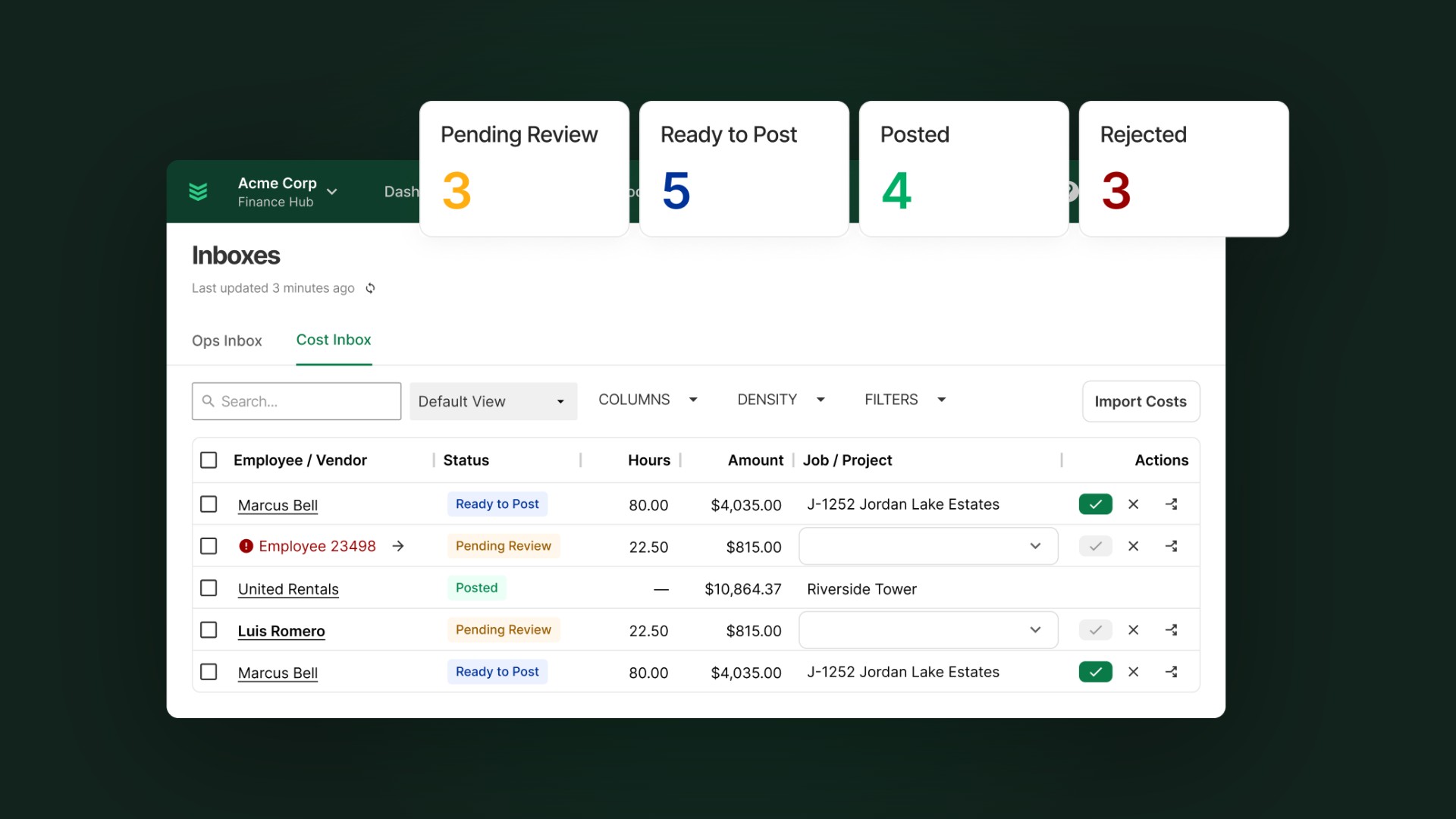
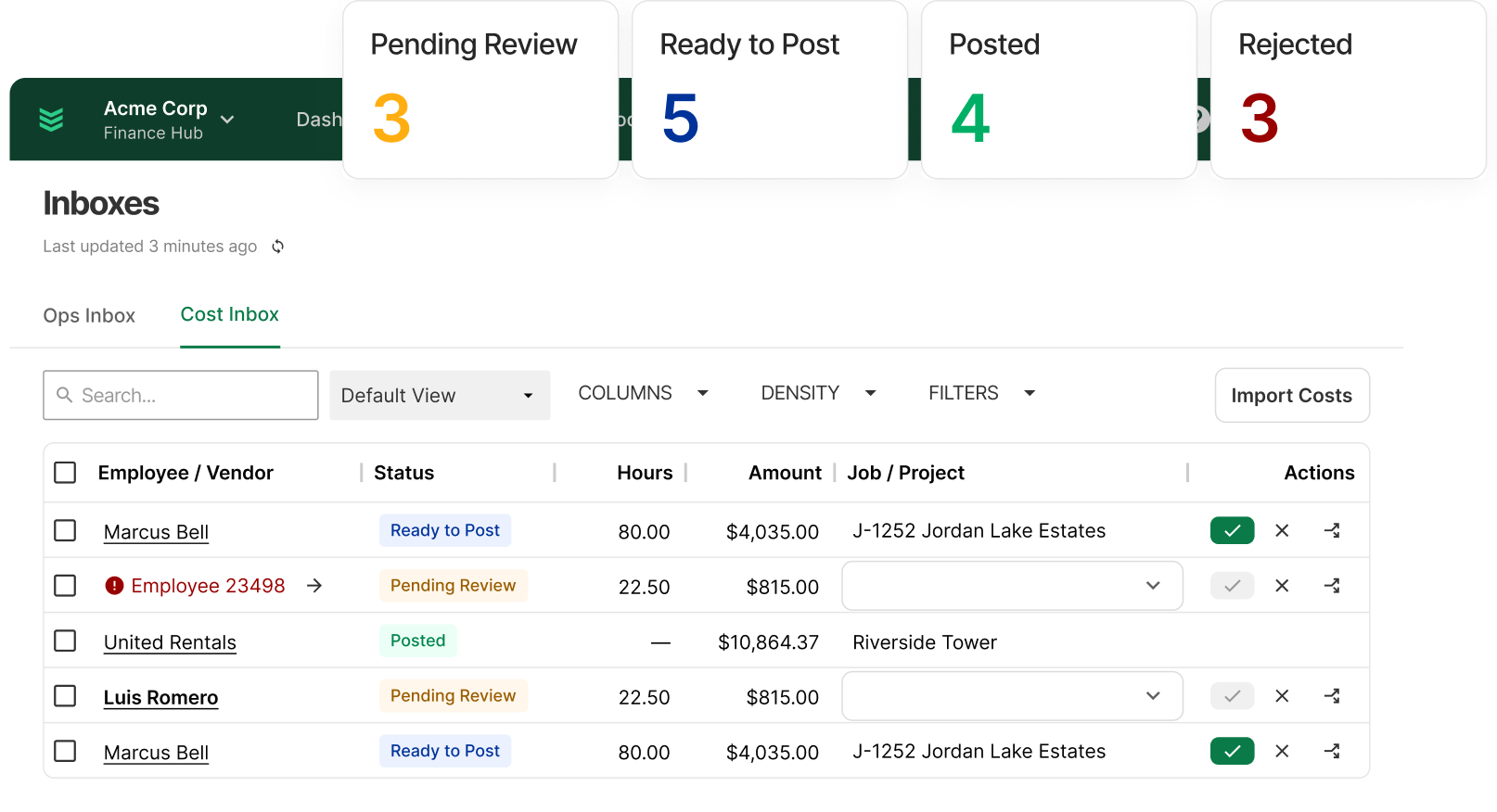
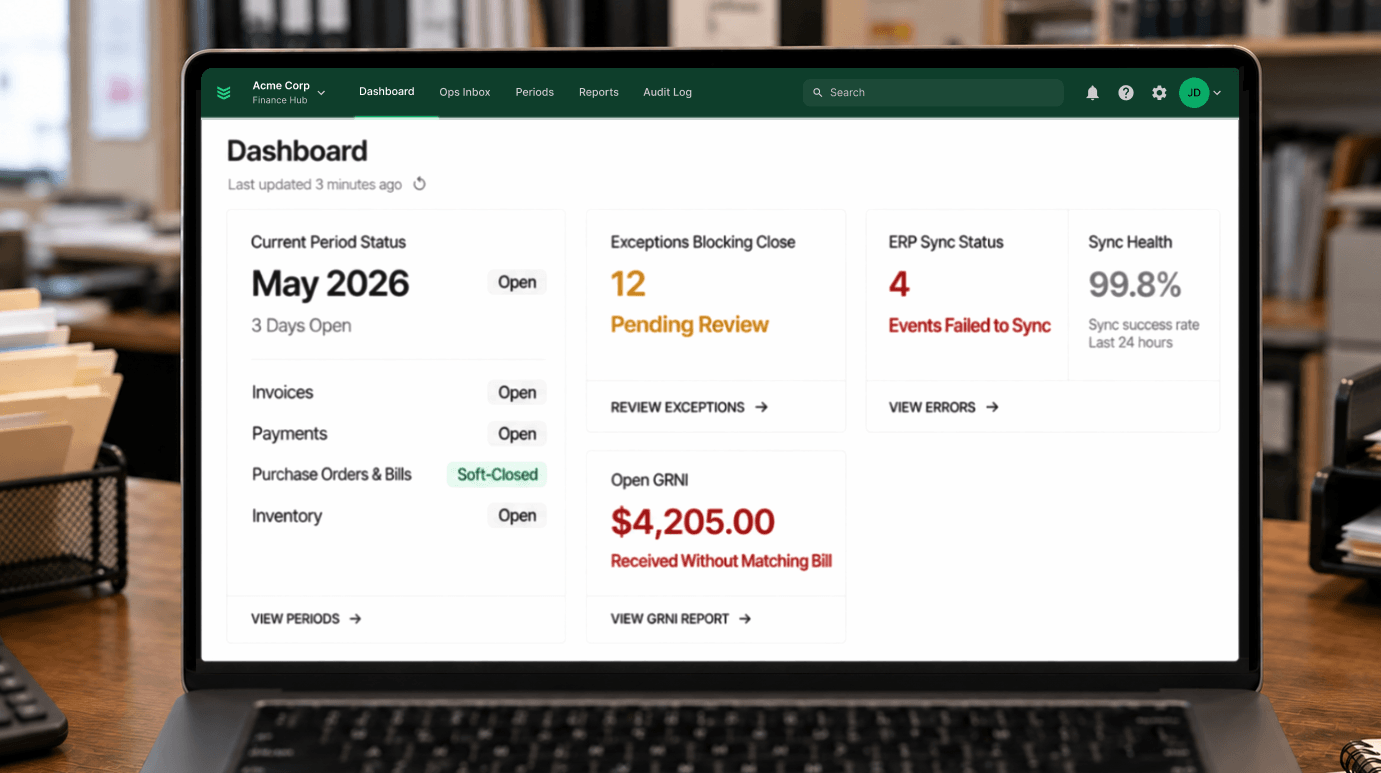
Finance Hub surfaces policy and sync exceptions for review. The Ops Inbox and Cost Inbox show what needs attention, the likely cause, and the next step so your team can fix the source and retry.
Your team can resolve exceptions before close instead of uncovering them one by one during reconciliation.
3. Can the number be traced back to the work?
A financial record should connect back to the activity that created it: hours logged, materials used, purchases made, technician notes, and invoice details.
That connection gives finance the context to verify the record, answer questions from the CFO, and confirm that the number reaching the accounting system reflects what actually happened in the field.
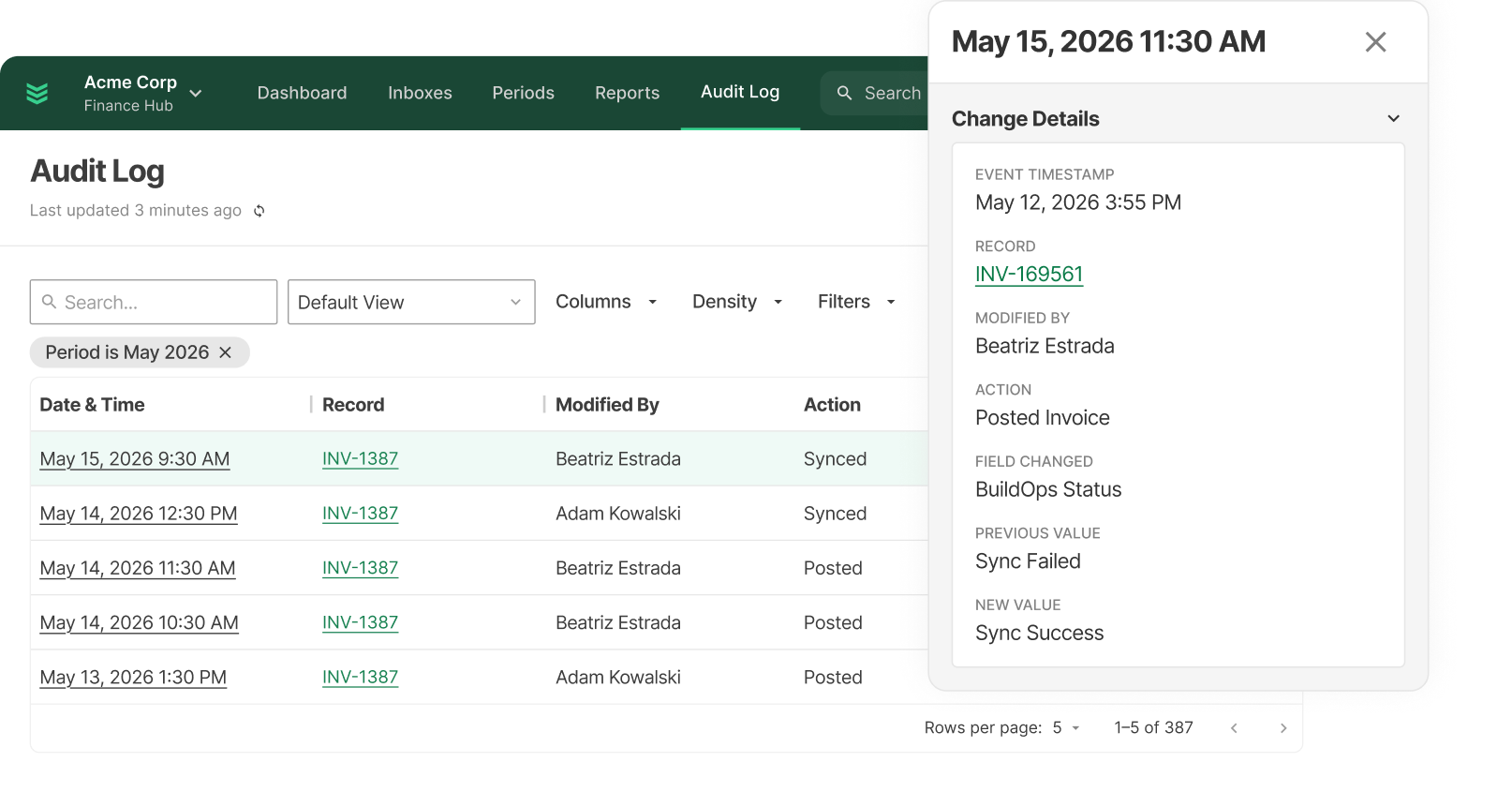
Finance Hub’s Audit Log records financially significant actions, including sync status and what happened to the transaction as it moved through the process.
It creates an audit-ready history your team can reference when questions come up later.
4. Are the right controls in place?
Finance Hub lets your team set the rules for which transactions can post, where they can post, and who can review or approve them.
Accounting Periods and Ledger Controls can stop activity from posting into closed periods, enforce the right ledger destination, and require review before certain transactions move forward.
That gives your team more confidence that what reaches the accounting system has already passed the right checks and approvals.
Make your accounting system more reliable without replacing it
Routing, exception handling, traceability, and financial controls all serve the same goal: cleaner, more reliable financial data before it reaches your accounting system.
Your accounting system stays the ledger of record. Finance Hub adds control over how field activity, job costs, purchasing, billing, and other operational data are validated, reviewed, and posted as they move into it.
That means operations and finance can work from the same current numbers before month-end, while your team keeps the accounting system it already relies on.
Financials your CFO can stand behind
Your CFO needs to know where the numbers came from, what controls they passed, and how exceptions were handled before close. Operations needs to know whether a job is still profitable while there is time to change course.
Finance Hub helps both teams work from one current set of numbers as transactions move from BuildOps into the accounting system and through the sync process.
Operations can approve a PO or change orcomder against the current budget, catch an overrun while there is still spend left to control, and see fully burdened margin while the crew is still on the job. Finance can settle cost questions as they come up, reach month-end with the books already reconciled, and report revenue, WIP, and margin with greater confidence.
The result is a more reliable, defensible close—and financials leadership can use before the month is over.
Learn more about how Finance Hub helps you see margin slipping while there is still time to fix it and build financials your CFO can stand behind.

.png)