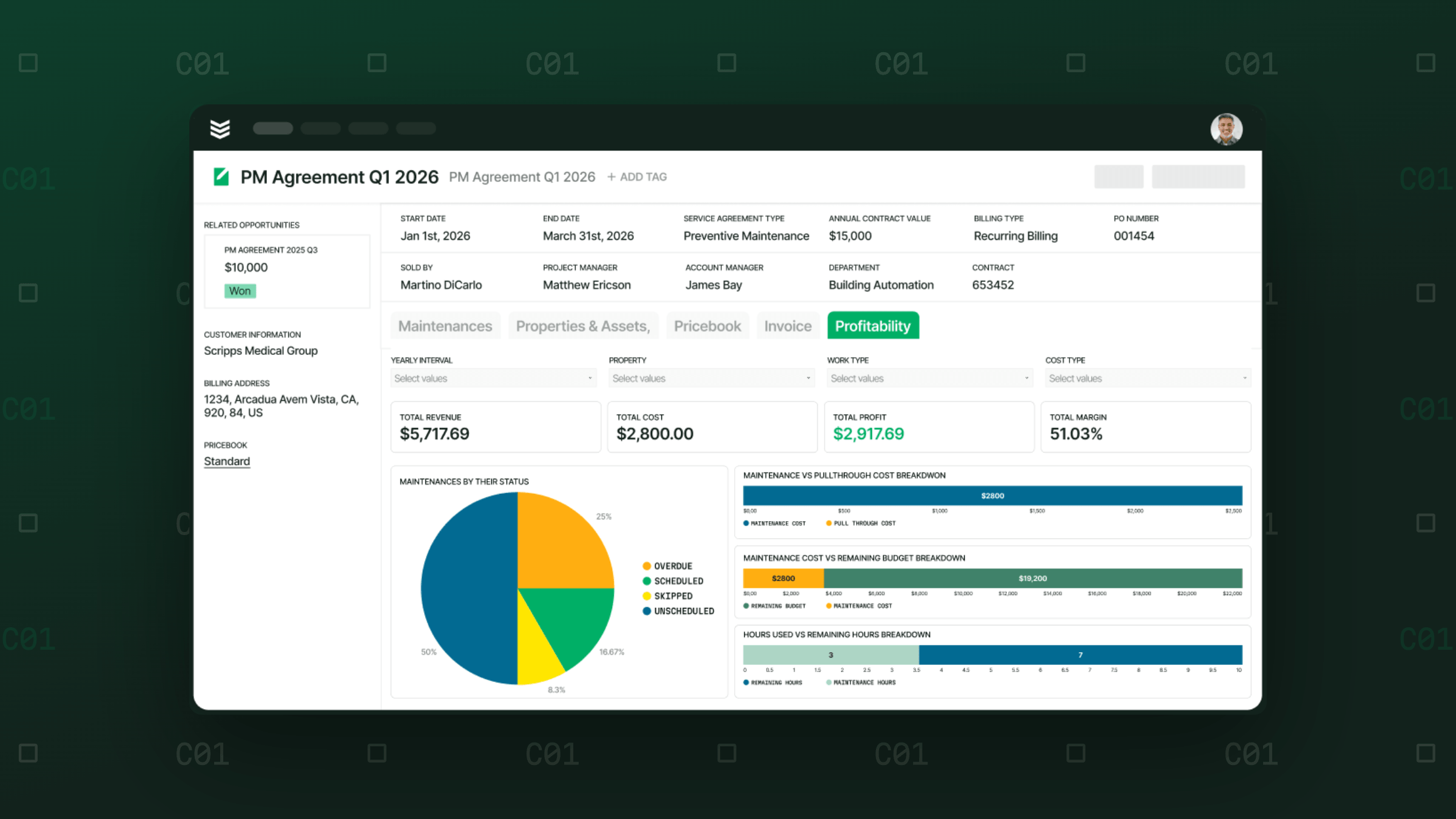
October Product Update: What’s New in BuildOps
Introducing Smart Deploy, plus updates across BuildOps that give your teams more control over complex projects, a clearer view of pay applications, and better invoice routing.

Switching software usually means weeks of double entry, parallel systems, and setup that pulls your team away from the actual work. Contractors need a faster path to go live, one that fits around the business, not the other way around.
Smart Deploy is a new way to get up and running on BuildOps. Your team moves through a guided implementation that saves progress, connects QuickBooks, and covers the essentials you need to get started. An implementation expert and on-demand training are there when you need them.
Central Service Group's GM expected to go live in seven to eight weeks. Smart Deploy had them ready in five, all while running the business day to day. Connect Technology Group went live in under a month. Their president shared, "I would pick Smart Deploy 100% of the time, for what we experienced."
Most commercial contractors go live in weeks, not months, on a path built by people who know the trades.
Check out more info on Smart Deploy here
That's not the only thing new this month.
Here's what's shipping in October.
Multi-department projects
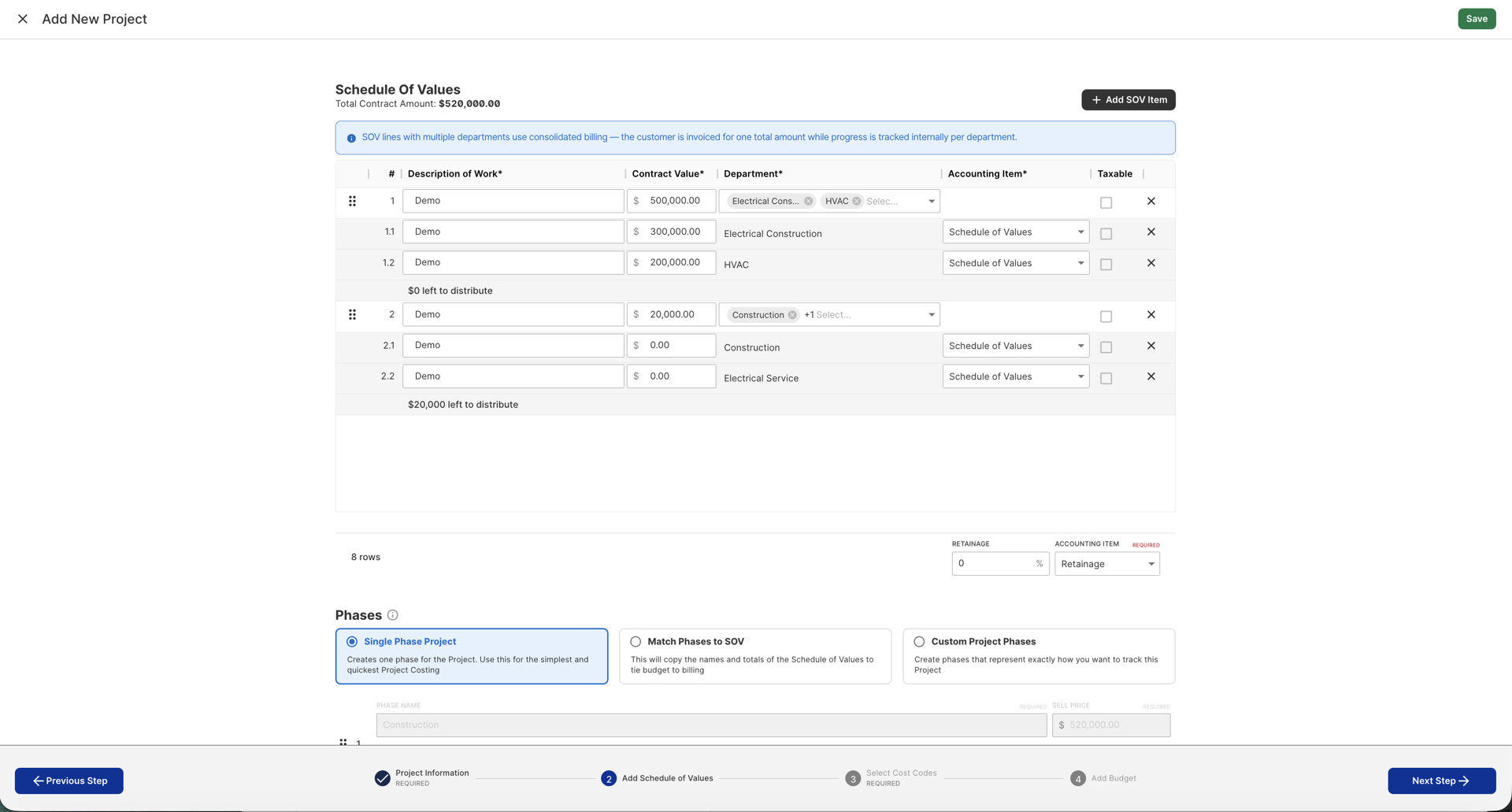
Module: Projects
Availability: Beta. Available now by request for Sage Intacct customers.
What's new: A single billing schedule line on a quoted (fixed-price) project can now split across multiple departments while the customer still sees one consolidated line. Budgets, change orders, and pay applications all work at the department level. The Projects WIP Dashboard shows the breakdown.
Why it matters: Contractors running complex, multi-trade fixed-price projects get department-level cost, revenue, and WIP accuracy inside a single project and SOV. Sage Intacct sync reflects it all.
Available for Sage Intacct customers on quoted, fixed-price projects. Posted or voided pay applications stay locked for editing. Attachments are the one exception.
Updated pay app management and review
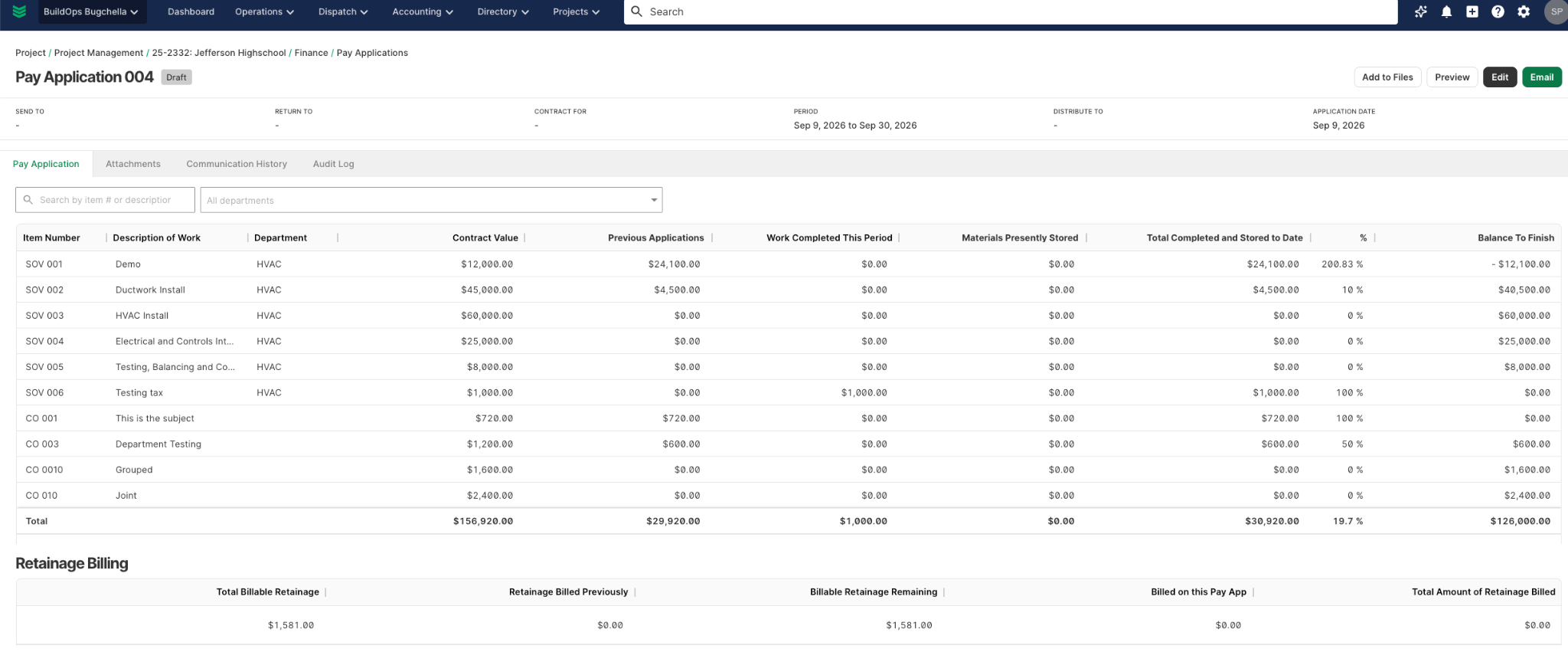
Module: Projects
Availability: Available now
What's new: Every pay application now opens into its own detail view with billing details, line items, and attachments in a cleaner layout. A new Audit Log tab shows every change: field edits, status updates, attachment additions, who made it, and when.
Attachments can still be added, renamed, or deleted after a pay application is posted.
Why it matters: PMs, billing, and AR teams see a pay app's full history in one place and keep supporting documents current at any status.
Pay applications in draft status are fully editable. Once posted or voided, they're locked. Attachments are the one exception and can be updated regardless of status.
Default invoice email recipients
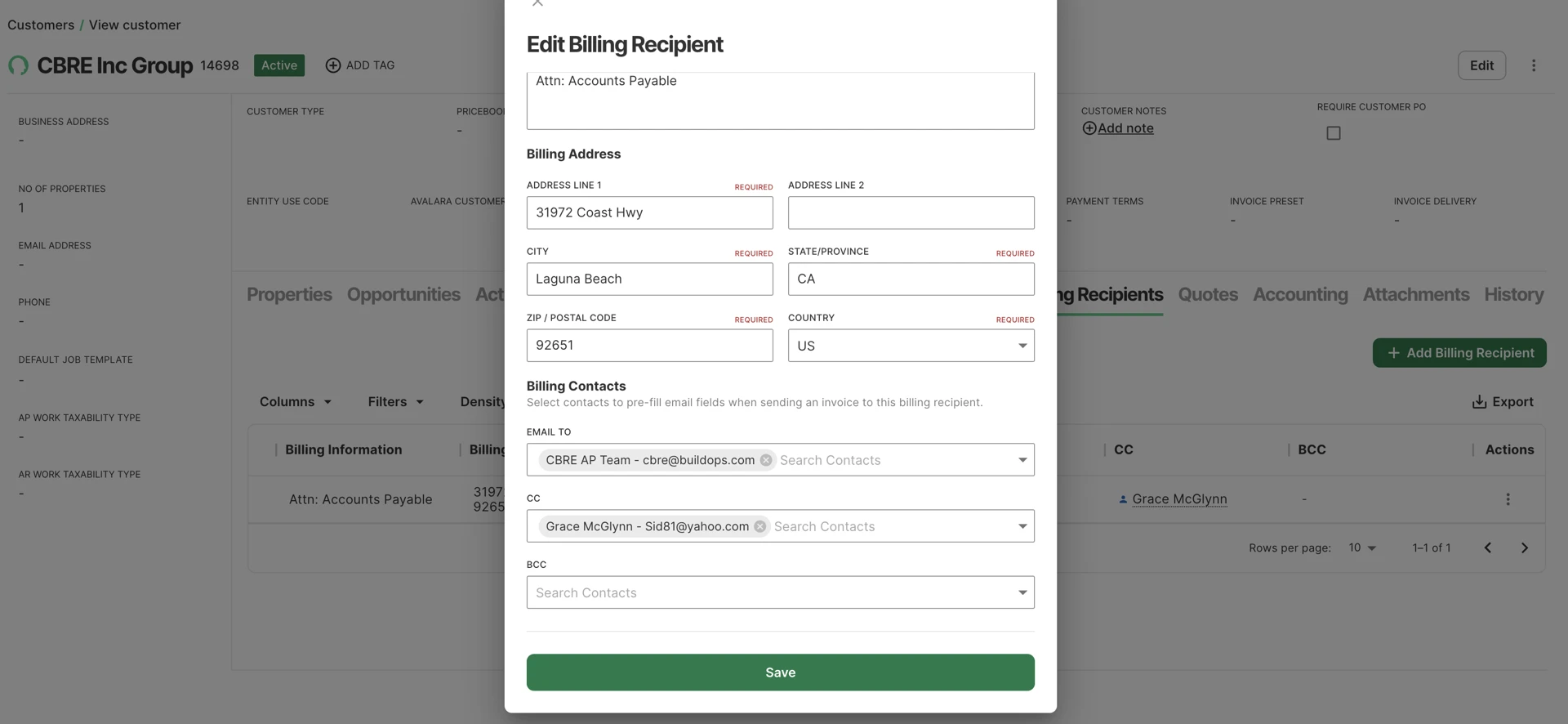
Module: Directory (Customers)
Availability: Available to those with Multiple Bill To and Contacts enabled.
What's new: Billing Recipients on a Customer now carry default email contacts for Email To, CC, and BCC. Send Invoice pulls those fields from the resolved Billing Recipient automatically. When a Service Agreement Invoice Template exists, it takes priority.
Why it matters: Set the right AP contact once per Billing Recipient. Every invoice generated against it goes out pre-filled and ready to send.
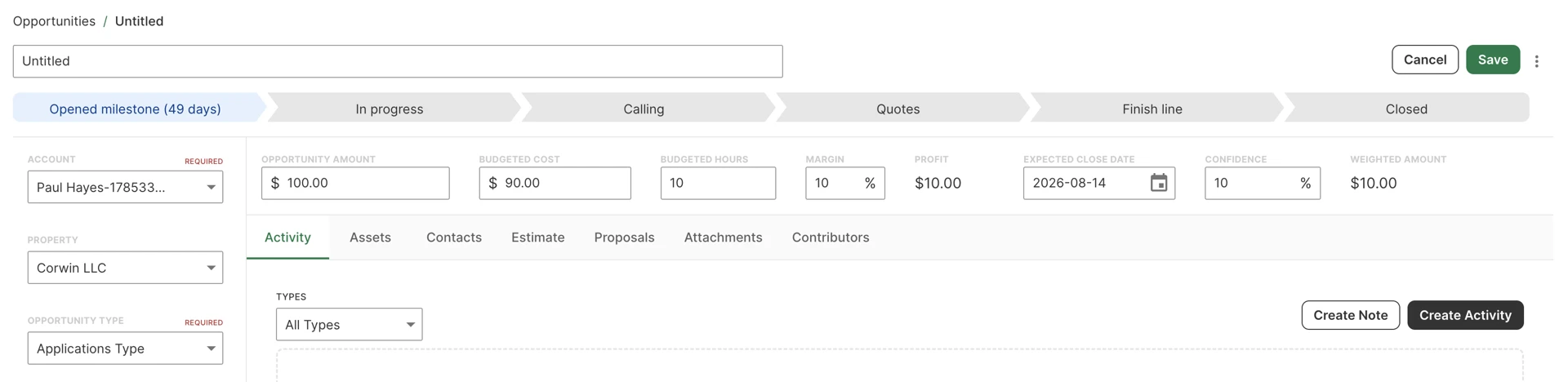
Editable customer field on opportunities
Module: CRM+
Availability: Available now
What's new: The Account field on an Opportunity is now inline-editable on the detail page.
Why it matters: On multi-bid deals, reps can correct or update the awarding customer directly on the record. The Opportunity keeps its full activity history intact.
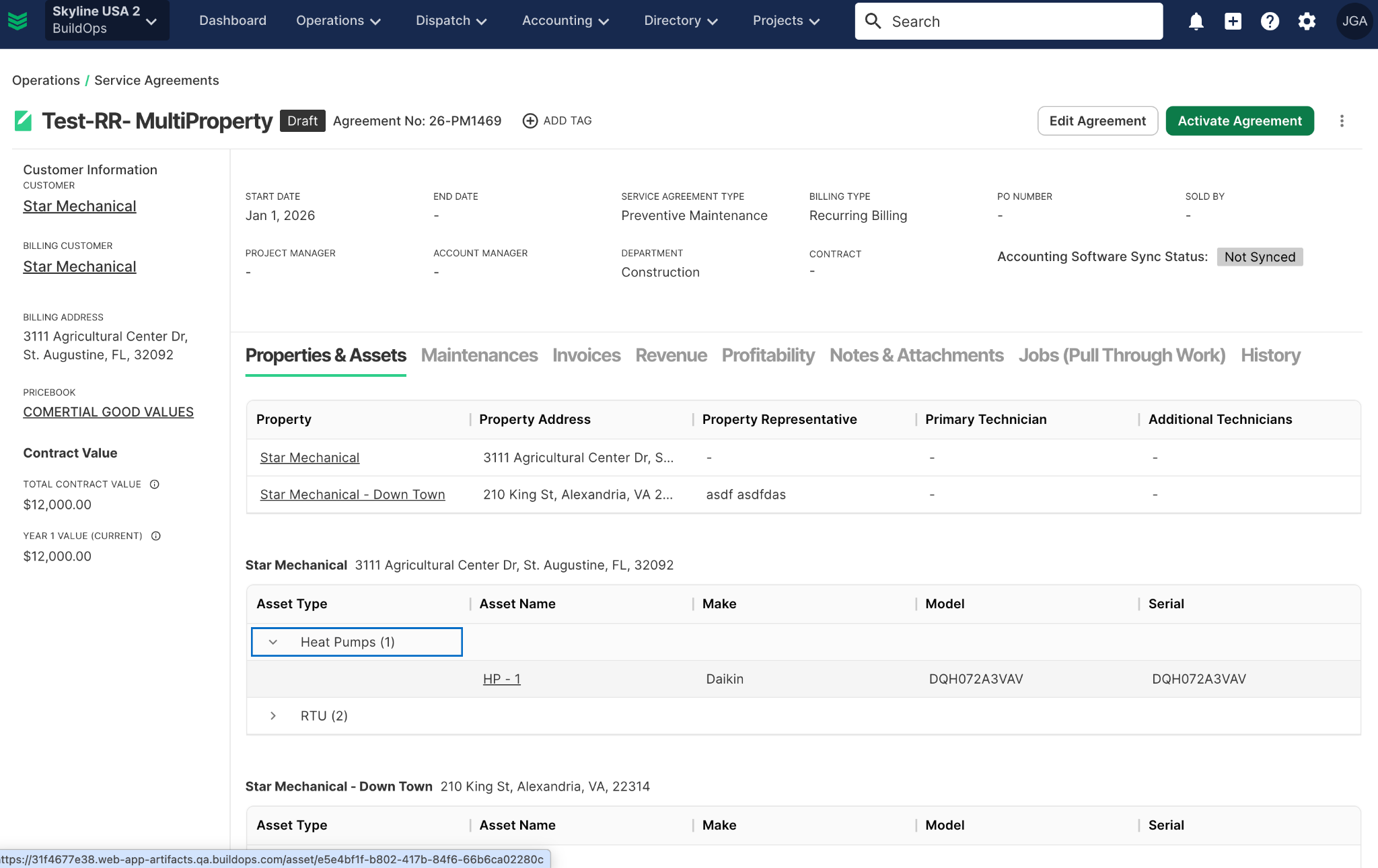
Full visibility on every service agreement
Module: Service
Availability: Available now
What's new: The Properties & Assets tab on service agreements uses BuildOps's updated tables, with property and asset names that link straight to their records. The Invoices tab now appears on agreements in every state, including Draft, Under Revision, and Cancelled.
Why it matters: Back office teams get one consistent place to review coverage and invoices at every stage of an agreement. Jump from an agreement to its property or asset in one click.
The Invoices tab requires the existing Invoice permission. Recurring invoice schedules on a Cancelled agreement can be generated once the agreement moves back to Active.
A refreshed, steadier BuildOps
Module: Web and Mobile
Availability: Available now
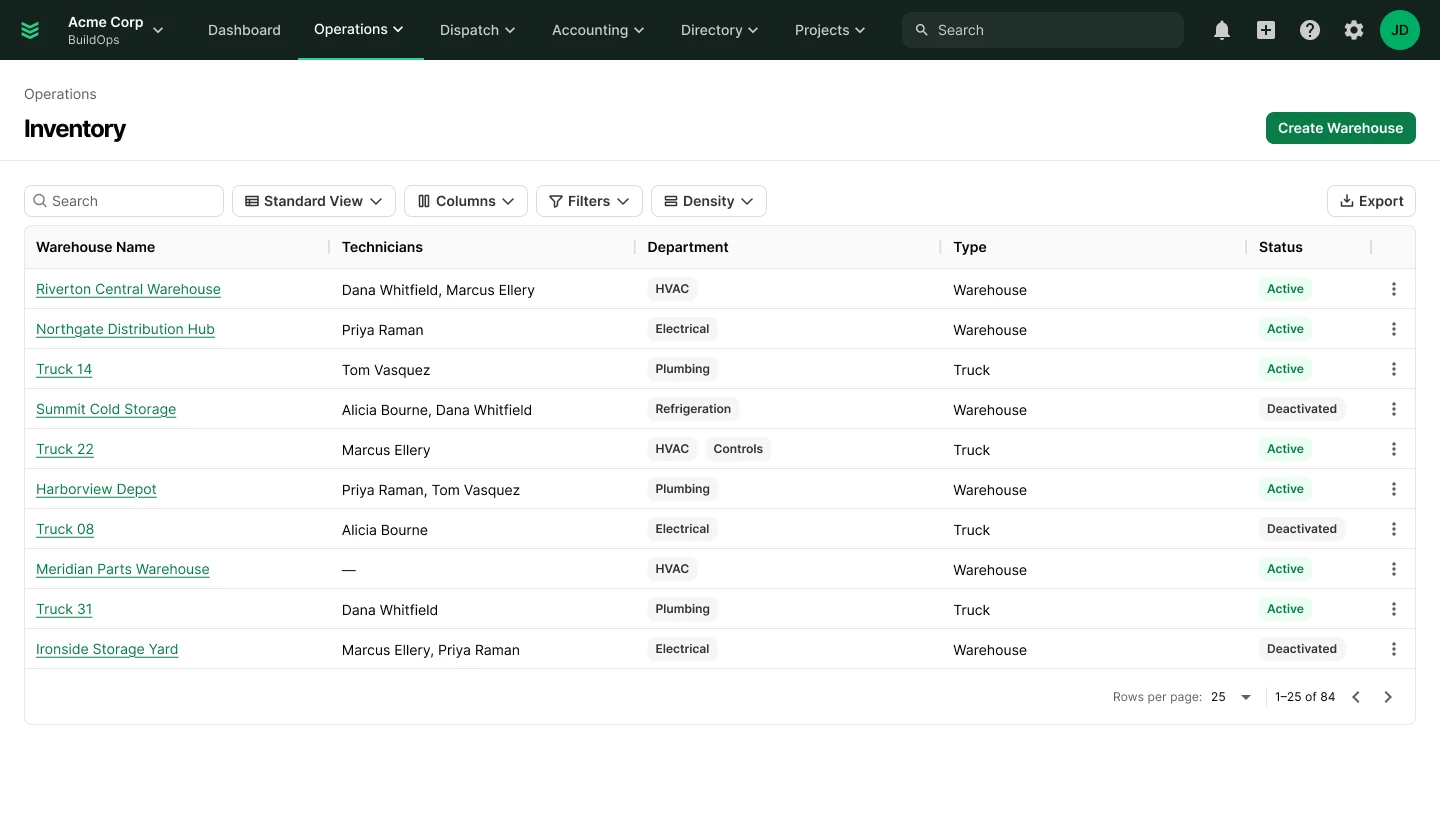
What's new: BuildOps has a new header on web and mobile, matching the style of the BuildOps website and Finance Hub. Tables across the web app are moving to a new responsive design, rolling out page by page through October.
On mobile, floating action buttons now sit in a consistent spot on every screen. This release also fixes an Android tab-swipe crash, reduces iPhone sheet and date-picker crashes, and helps phones catch up more reliably after a connectivity gap. Time tracking records regular and overtime hours accurately, and the invoice screen refreshes automatically after a card payment.
Why it matters: Every screen looks and works the same way, on web and in the field. Techs find actions where they expect them, the app keeps up after a dropped signal, and hours and payments land right the first time.
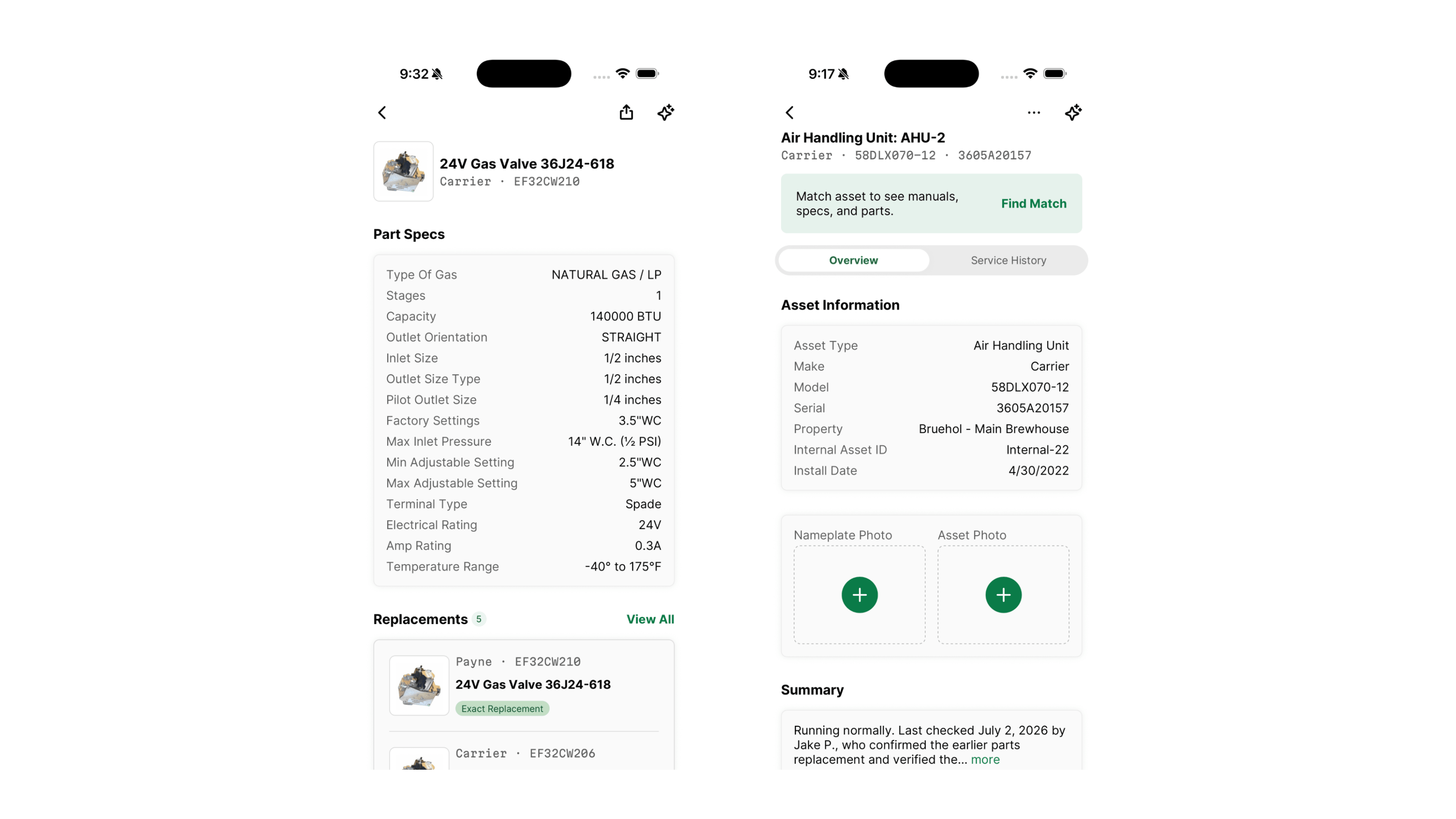
Bluon asset intelligence in OpsAI
Module: Mobile
Availability: Available for Bluon users October 15
What's new: A redesigned Asset Details screen brings Bluon's equipment data into OpsAI: a collapsing header, Overview and Service History tabs, Ask OpsAI, and the HVAC Assist footer. Manuals, schematics, match management, and photos land on it as each piece is ready.
Why it matters: Bluon customers get equipment specs, manuals, and troubleshooting support right inside the tech's workflow instead of a separate app.
Stay tuned for what's coming next
That’s a wrap on October. As always, for questions on rollout timing or access to any of the above go straight to your CSM.