Why Field Issues Never Turn Into a Quote (and How to Fix It)
Why opportunities get lost and how to build a process that turns more field findings into quoted, followed-up work that creates revenue.

We asked 24 commercial contractors where they’re leaving money on the table.
Over 37% said field issues never become quotes, and 29.2% said quotes go out but never get followed up.
Let’s look at why those opportunities get lost and how to build a process that turns more field findings into quoted, followed-up work that creates revenue.
Why field opportunities get lost in the handoffs
Turning field issues into revenue seems like it should be simple: your tech spots the problem, your team does the work, your company gets paid. But the actual process of moving potential pull-through work from field issue to payday is complicated.
Each step comes with its own challenges that can stall or completely derail the process.
- Field capture: Key details are hard to capture in the moment, so the tech leaves a vague note and the office has to chase down context later.
- Office review: The issue gets buried in job notes with no clear flag that it needs attention and no quote ever gets created.
- Quote creation: The office has to manually build quotes from scratch and duplicated details from the job notes, so quotes don’t get to the customer as soon as they should.
- Follow-up: No one clearly owns the quote for follow up, and the team can’t easily see which quotes need attention.
If your field-to-quote-to-revenue pipeline is bogged down with issues like these, the sections below will help you clean up the process.
How to build a clearer path from field issue to follow-up
Here’s how to tighten each step and turn more service opportunities into quoted, approved work.
1. Field capture: Make it easy to document what the office needs
A vague “needs replacement” note often comes down to how hard it is to document details in the field. Typing out equipment information with gloves on or dirty hands isn’t exactly practical.
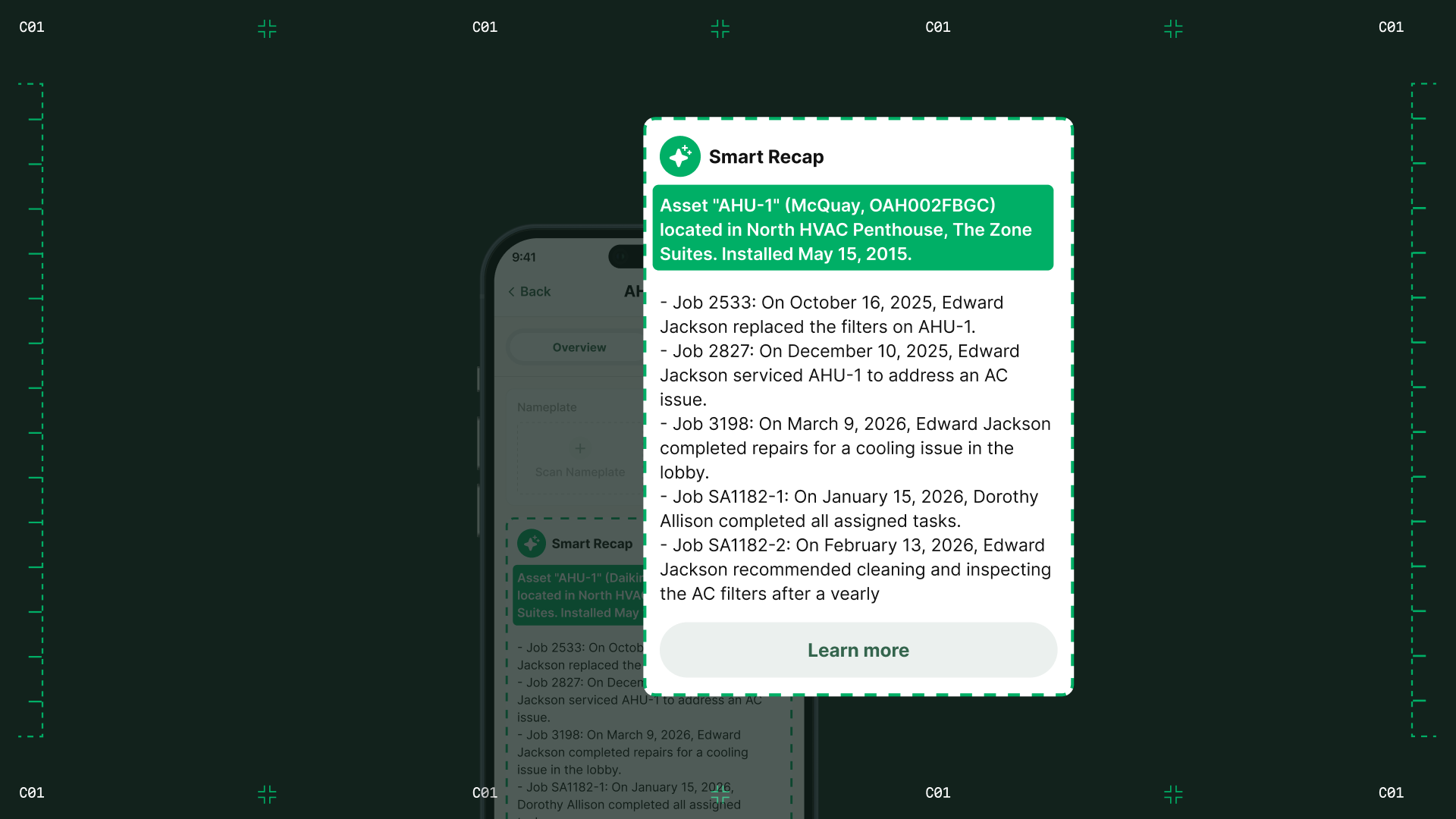
Give techs easier ways to capture what the office will need later. Voice-to-text lets them dictate notes instead of typing, while a quick photo of the nameplate can automatically pull in details like make, model, and serial number.
“If one of my newer guys forgot to write something down, we’d have to go back just to double-check a measurement. Now we don’t have to guess. We know what glass we used, what we installed, what needs replacing.” — Naomi Fritzinger, Operations Manager, B&L Glass
The result is a more complete record at the time of the visit, with less cleanup for the office and less reliance on the tech remembering the details later.
2. Office review: Make sure recommendations get seen
Even a well-documented issue can go nowhere if no one in the office knows it needs attention.
When findings are buried in completed visit reports or job notes, they compete with everything else the office is already tracking.
Use a clear “needs pricing” flag and a shared recommendation queue so the office can see what needs review, what’s in progress, and what’s already been quoted.
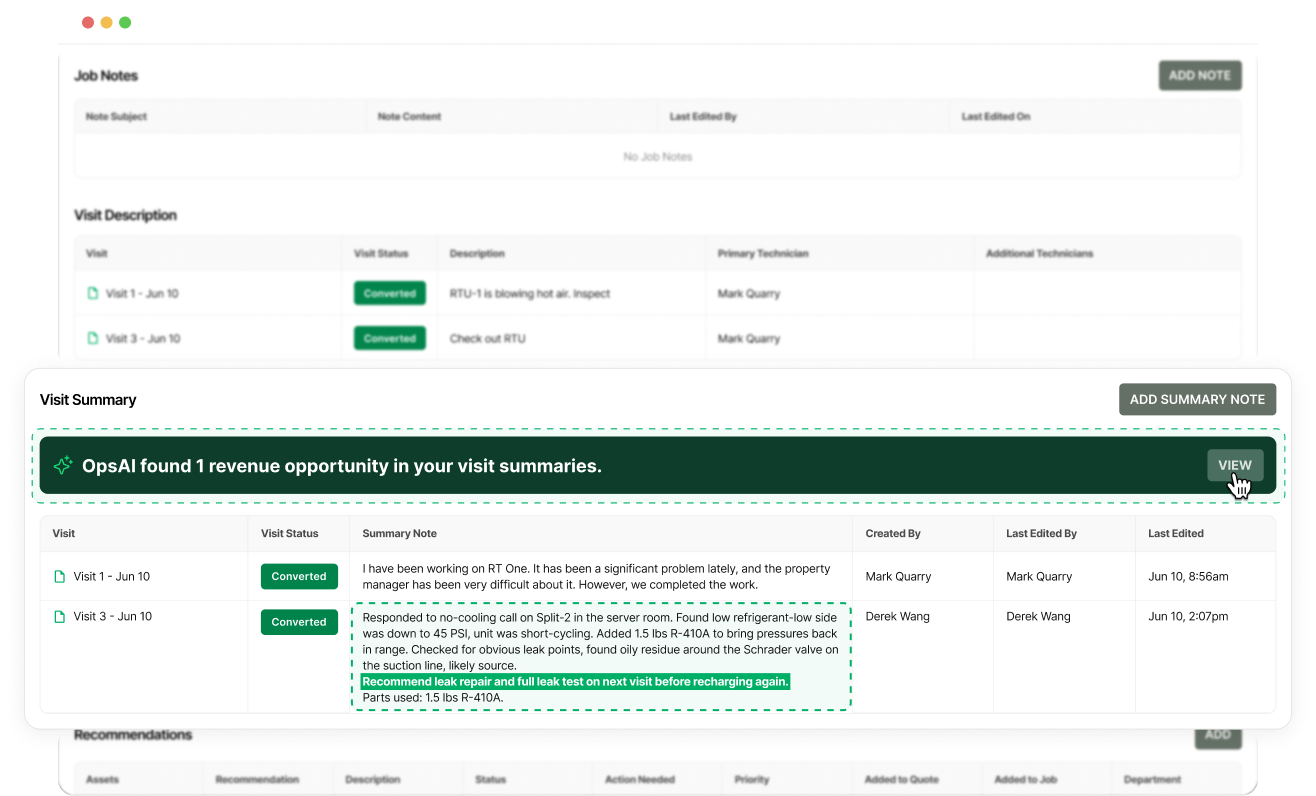
For anything that still slips through, BuildOps’ Revenue Finder can scan completed visit summaries and flag potential recommendations for office review.
3. Quote creation: Carry recommendation details into the quote
Once the office decides an issue needs pricing, the estimator shouldn’t have to re-enter everything the tech already documented.
Use quoting software that can pull the recommendation and its supporting details directly into a new or existing quote. That keeps the scope, photos, forms, and attachments connected without duplicating the work.
The person pricing the job gets a cleaner starting point and can get the quote out faster.
“If a customer calls with a dead unit, and they get a quote an hour later, they’ll approve it right there. Wait three days? It’s off their radar.” — David Sloan, Sloan Mechanical
4. Follow-up: Give every open quote an owner and a next step
A quote doesn’t sell itself once it hits the customer’s inbox. They may need time to review it, get approval from a facility manager, compare priorities, or ask questions before they’re ready to move.
That’s why follow-up needs a clear owner and a date. In BuildOps, your team can assign responsibility for the quote, see how long it’s been open, and check whether the customer has viewed it.
With follow-up dates and aging alerts, open quotes come back up when they need attention instead of relying on someone to remember to circle back.
Consistent follow-up gives customers the answers they need to say yes and helps turn more open quotes into approved work.
Close the field-to-revenue loop
Once you’ve made each handoff clearer, the next step is making sure the whole process stays visible.
You should be able to see where every recommendation stands without piecing it together from notes, inboxes, and memory.
A useful test is whether you can answer these three questions without digging through reports or asking around:
- Which field recommendations still need a quote?
- Which open quotes are due for follow-up?
- Who owns the next step on each one?
When recommendations, quotes, and follow-up are easy to see, your team can act sooner, win more of that work, and generate more revenue from existing customers.