OpsAI in the Office: Quicker Decisions, Fewer Phone Calls, Faster Follow-Through
For office teams, the problems start after the field work is done.
A dispatcher has to decide who goes where. A service manager has to turn the tech’s recommendations buried deep in their notes into follow-up jobs. Finance has to translate raw field activity into an invoice. Accounting has to key in purchasing docs and match remittances by hand.
That is the workflow OpsAI is tightening in the office.
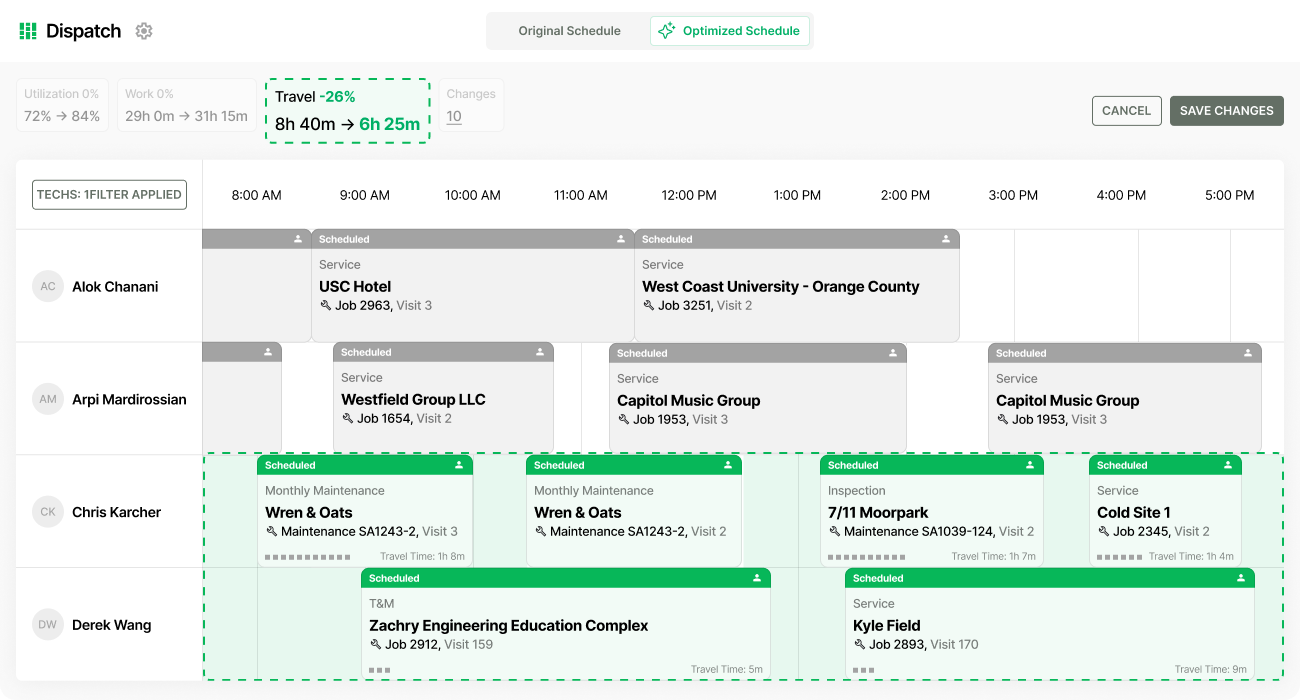
On the dispatch board: make the call faster
Everyday dispatchers make a key decision over and over again: who should go to the next job.
Instead of working that out manually every time, OpsAI ranks techs by skill, certification, proximity,service level agreements, and workload, then lets the dispatcher confirm the suggestions with one click.
This means less bottleneck on the board, stronger SLA compliance, and faster decisions during the part of the day when the schedule is most likely to move around.
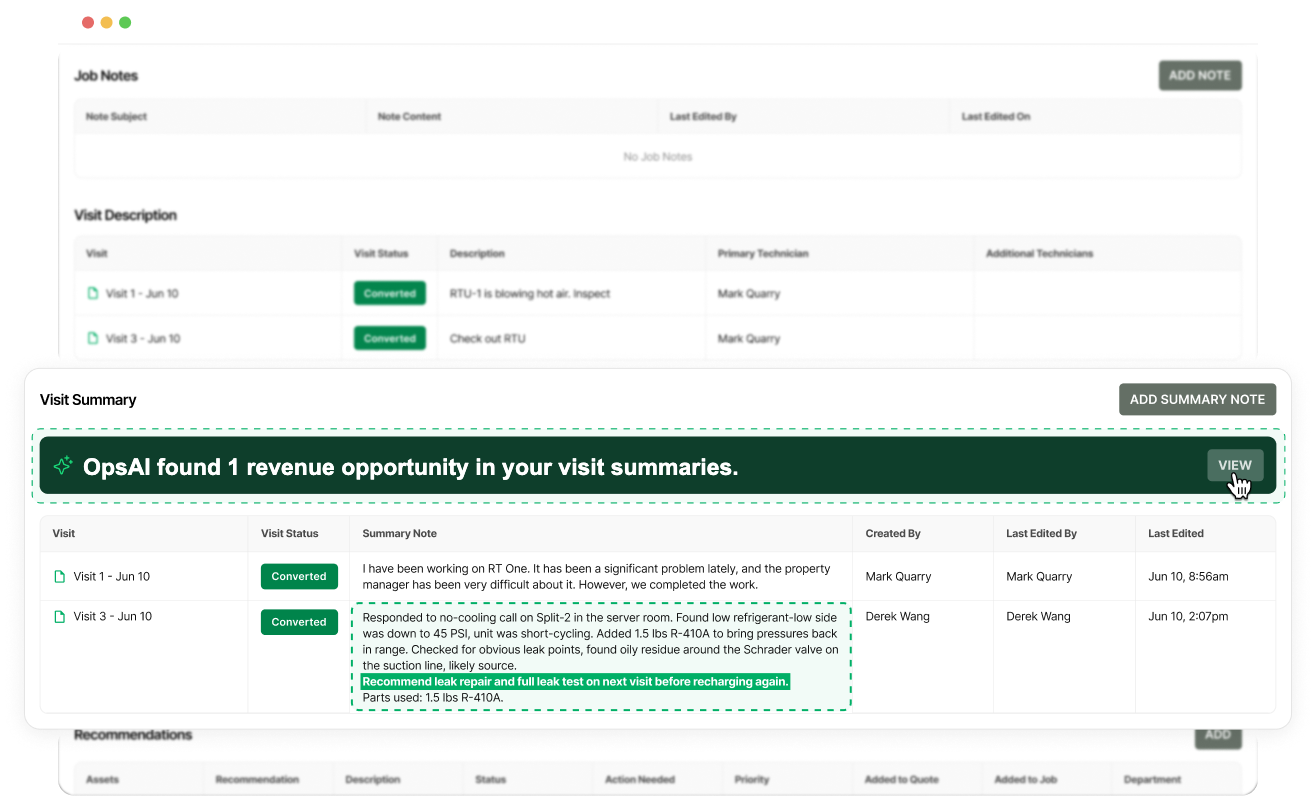
After the visit: turn notes into what’s next
A lot of office follow-through depends on what happens right after a visit closes.
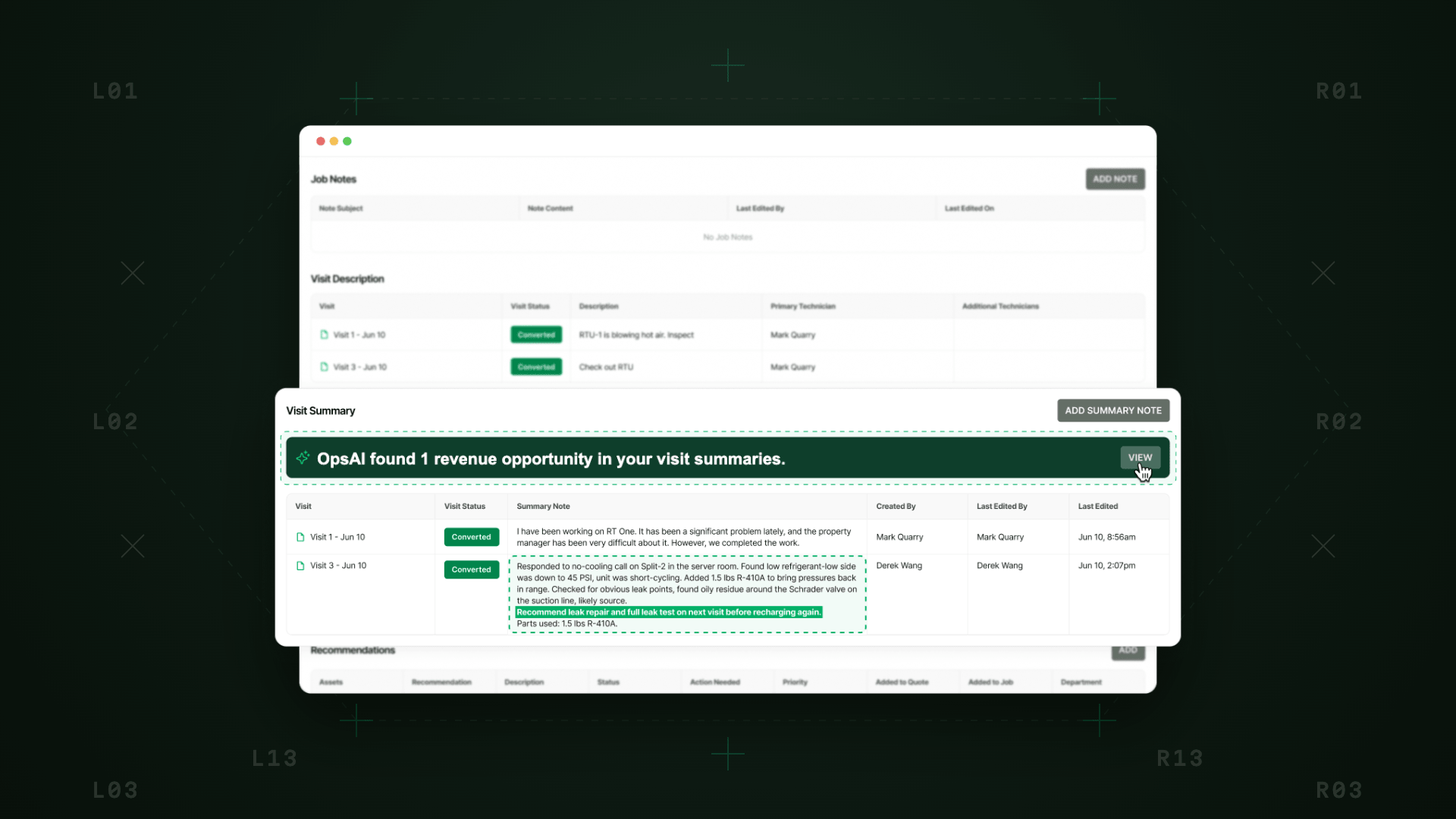
OpsAI scans visit summaries, finds deferred repair and replacement signals, and surfaces pull-through work the office can turn into quotes in one click.
Instead of asking a service manager or coordinator to dig through technician notes looking for what might turn into more work, the system brings those opportunities forward while the job is still fresh.
With BuildOps, the office isn’t stuck reconstructing what the tech meant. Instead, they’re reviewing a recommendation and moving it into action.
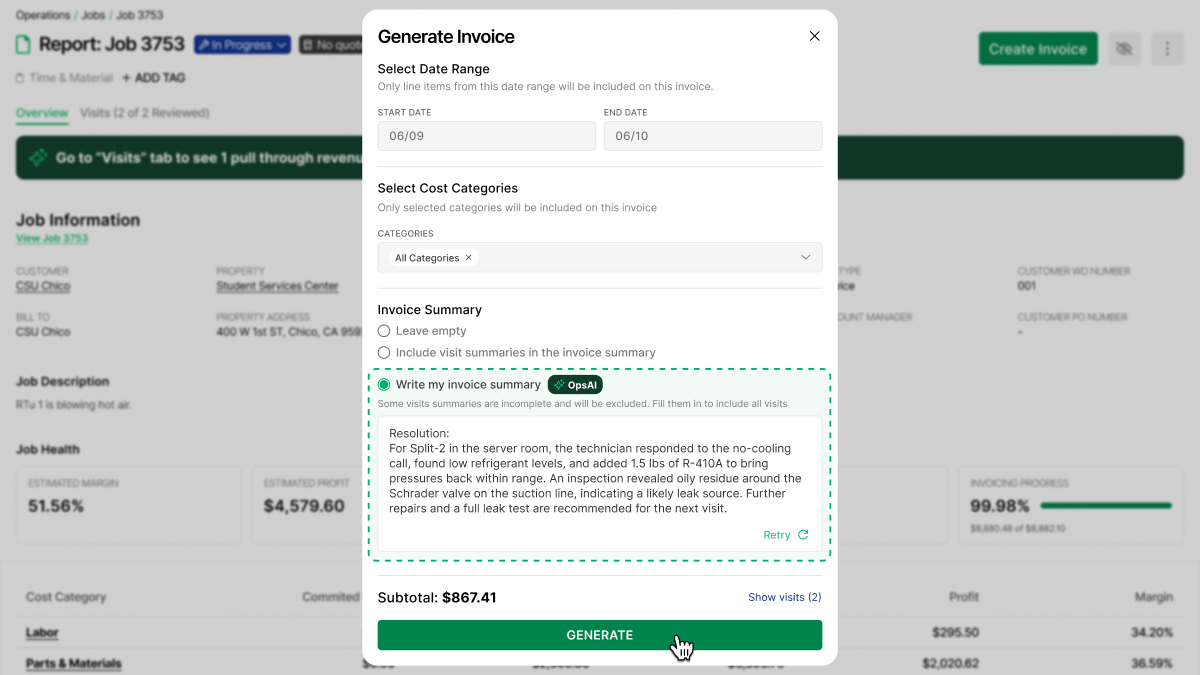
When the job closes: make billing easier to finish
BuildOps also tightens another painful office handoff: turning completed work into something finance can actually bill.
When a job closes, OpsAI structures labor, materials, equipment, and travel into a customer-ready invoice summary and cleans raw field notes into plain language. That changes the office workflow from rewriting and reconstructing to reviewing and sending.
The result is faster billing with less disputes and better cashflow.
In purchasing: stop re-entering and start planning for the future
No one likes repetitive data entry– especially teams that already have full plates and busy days.
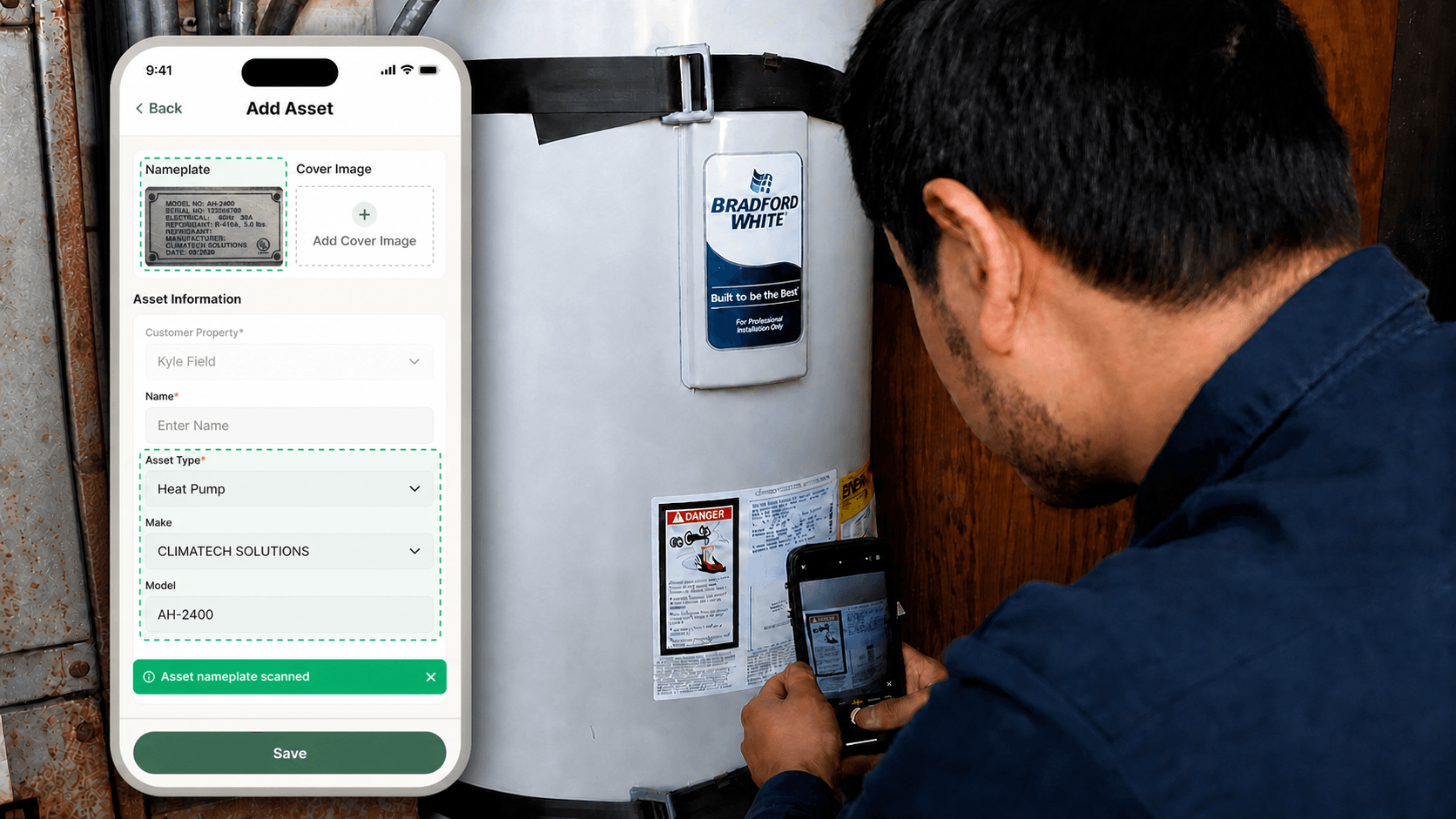
With BuildOps, upload a PO, receipt, or bill, and OpsAI extracts vendor, line items, quantities, costs, and cost codes to pre-fill the PO form. That means the accounting or purchasing team is not manually re-entering everything from a source document just to get structured cost data into the system.
When the office can focus on where their judgment is actually needed it means more bandwidth for additional revenue and pull-through work– the things you actually want to spend time.
What changes for the office
On the front end, dispatch gets faster. In the middle, service managers get clearer follow-through from field notes. At closeout, finance gets cleaner billing input.
Less work getting stuck between field activity and office action, and a much cleaner path from what happened on the job to what the business does next.