Contractor’s Guide to Choosing the Best Procore Alternative
If Procore feels stronger on construction management than on day-to-day service work, you’re not the only one looking for other options. Many contractors need software that fits both project work and field service management without forcing crews, office staff, and job data into separate systems.
In this guide, we’ll cover what to look for in a Procore alternative, which platforms stand out, and how to make the switch without slowing your team down.
Before you compare tools, it helps to get clear on what your team actually needs the new system to handle every day.
3 key questions to consider when choosing a Procore alternative
For construction contractors, the best alternative isn’t just the one with the longest feature list. It’s the one that fits how your team runs projects, handles service work, and keeps field and office teams on the same page.
1. Does the new tool have features built specifically for commercial projects?
Some platforms handle drawings and project documentation well, but fall short once you need tighter coordination across service, scheduling, quoting, invoicing, and ongoing work in the field. If your team manages both project-based work and day-to-day operations, you need software that can support both without creating extra handoffs.
Questions to ask yourself about this when looking for an alternative:
- Can it connect project work, service work, and billing in one workflow?
- Does it support scheduling and dispatch without forcing your team into separate tools?
- Can field teams, PMs, and office staff all work from the same job information?
2. Does the solution cater to the industries and trades you support?
Construction software can look strong on paper but still miss the mark for specialty contractors. The needs of mechanical, electrical, plumbing, and fire protection teams are different from those of general contractors. The closer a system matches your workflows, the less your team has to work around it.
Questions to ask yourself about this when looking for an alternative:
- Does it handle the mix of service calls, maintenance work, and larger projects your team runs every week?
- Can it track customers, sites, assets, and job history in a way that makes sense for your trade?
- Will it still fit if you grow into more crews, more properties, or more complex contracts?
3. How difficult will it be to transition to a new system?
Switching platforms always takes work, but the real issue is how much disruption it creates. A good alternative should make it easier to move your data, train your team, and clean up workflows instead of dragging out the change for months.
Questions to ask yourself about this when looking for an alternative:
- How hard will it be to migrate project, customer, asset, and job data?
- Does the platform give you enough structure to standardize workflows during the switch?
- Will your field and office teams be able to learn it quickly and use it with confidence on day one?
3 best Procore alternatives for field service management
Contractors looking at Procore alternatives usually need more than project tracking. They need software that can support service work, field coordination, asset history, and billing without forcing teams to patch together extra tools.
1. Best for commercial: BuildOps
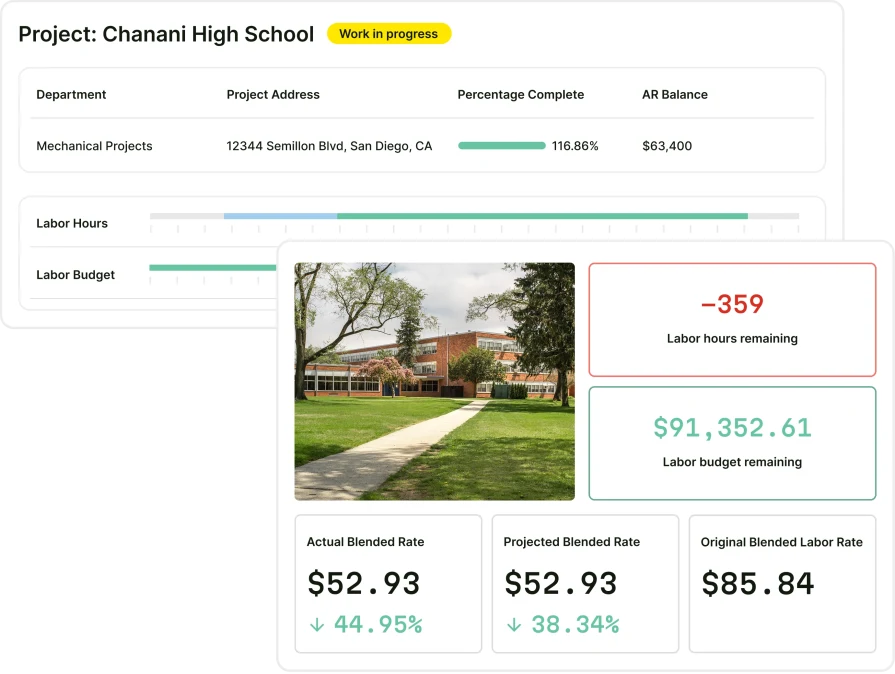
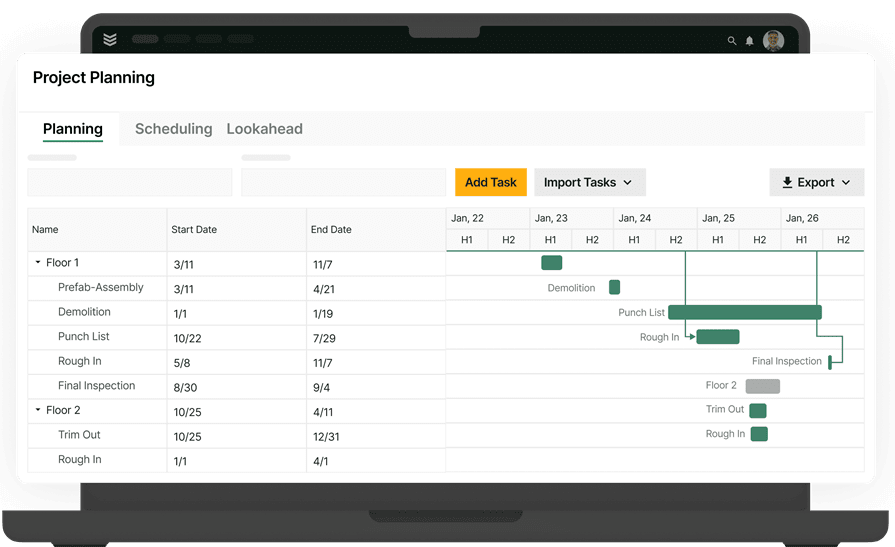
BuildOps is built for commercial contractors who need true field service automation software, bringing scheduling, dispatching, invoicing, and reporting into one connected platform. It streamlines complex operations while keeping field technicians, service managers, and office teams aligned in real time.
Most field service tools were built for simple residential work, then stretched to fit commercial use. OpsAI takes a different approach, with AI built directly into commercial workflows. It automates repetitive tasks, supports large-scale jobs and service contracts, and simplifies asset management so your entire service operation runs faster and more accurately.
Cost: BuildOps pricing is tailored to your business based on team structure, workflow complexity, and the capabilities you need. Book a demo to get a personalized walkthrough and pricing for your operation.
Rating: 4.7 on Capterra from 177 user reviews
Standout Feature: OpsAI and connected service-plus-project workflows. BuildOps brings together scheduling, dispatch, quoting, invoicing, job costing, reporting, and project coordination in one system, while OpsAI helps cut manual admin, tighten documentation, and keep work moving between the field and office. For contractors managing construction projects alongside service work, that means better visibility, fewer handoff issues, and stronger control across the entire operation.
Why It’s Best for Commercial: BuildOps is best for commercial contractors because it was designed around the way commercial work actually runs — complex projects, ongoing service, multiple stakeholders, and constant coordination between the field and office. It gives commercial teams the control, visibility, and connected workflows they need to manage both sides of the business in one system, instead of forcing them to piece together separate tools.
Link To a Platform Tour: Schedule a Demo with BuildOps.
What BuildOps has that Procore doesn’t:
We sourced all of this information directly from Procore’s website, with references, and it is accurate as of June 2026:
A) A true field service ERP for commercial projects
BuildOps combines project work, service operations, and financial workflows in one system for specialty contractors. That matters when your team needs to manage recurring work, asset history, quoting, billing, and field execution alongside active projects. It also gives contractors stronger coverage in areas like business intelligence and workforce management: See how Procore compares to BuildOps.
B) Synchronized scheduling and dispatch
Procore appears to offer scheduling in some areas, but it does not present dispatch as a core solution in the way commercial service contractors typically need it. BuildOps stands out here because scheduling and dispatch are built into the day-to-day operational workflow, helping teams keep techs, job details, and office coordination aligned as work changes in real time.
C) Robust reporting & predictive analytics
When service and project data live together, reporting becomes much more useful. BuildOps gives contractors a clearer view of job performance, billing progress, tech activity, and operational bottlenecks so leaders can make faster decisions with fewer blind spots.
D) AI automation that streamlines job management
OpsAI helps remove busywork from the flow of running jobs. It supports work like summarizing activity, tightening documentation, and helping teams move faster from field updates to office follow-up, which matters when crews are juggling a high volume of jobs across multiple sites.
E) Expedient, reliable customer support
Procore clearly offers implementation, training, and integration support. The difference for commercial contractors is that BuildOps pairs onboarding and support with workflows built around specialty trade service and project operations, which can make the rollout more practical for teams that need both sides of the business working together in one system.
2. Best for residential: Buildertrend
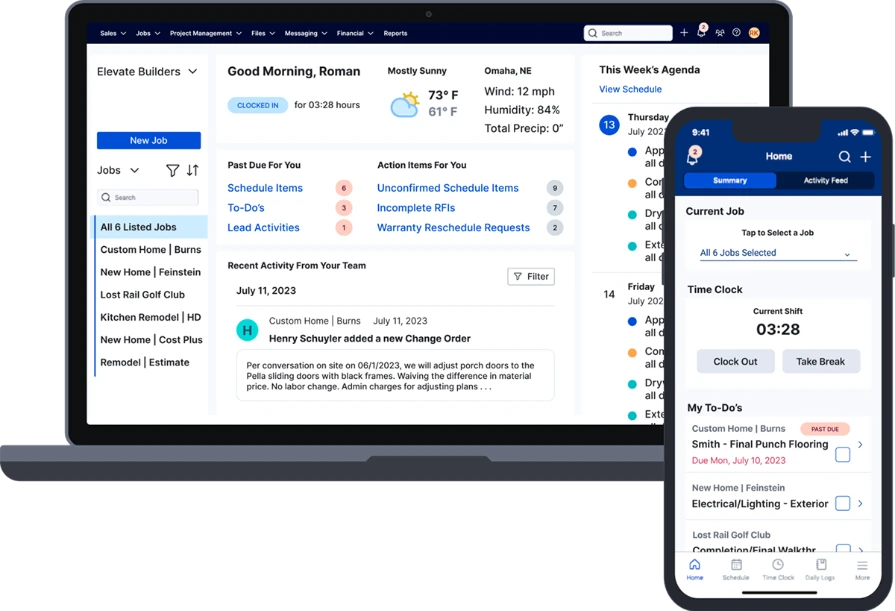
Buildertrend focuses on residential construction business management, helping home builders and remodelers centralize sales, financials, and operations. By moving beyond basic project tracking, it provides a hub for managing the full business lifecycle, from lead capture and automated client communication to job costing and final handoff, giving residential teams the data visibility needed to protect margins on every build.
Buildertrend is built for residential construction and remodeling, not the complex multi-trade, multi-property service work commercial contractors need, so key workflows like dispatch, asset tracking, and recurring service are lacking.
Cost: Buildertrend offers tiered pricing plans. Specific pricing details are available through their website, with plan levels scaling based on features and team size.
Rating: 4.5 on Capterra from 2,486 users
Features:
- End-to-end sales management with CRM, email marketing, and professional proposals
- Centralized project management connecting schedules, change orders, and daily logs
- Financial management with budgets, job costing, and connected accounting
- Dedicated client portal with online payment options
Why It’s Best for Residential: Buildertrend integrates the financial and operational sides of a residential construction business into a single AI-assisted workflow. It standardizes how builders manage leads, estimates, and client updates, ensuring that business-critical data flows seamlessly from the first sales call to the final payment.
Link to a Platform Tour: Check out a Buildertrend demo.
What Buildertrend has that Procore doesn’t: Buildertrend puts a much bigger focus on residential sales and homeowner communication, with end-to-end sales management through a CRM hub, email marketing tools, professional proposals, and a dedicated client portal with online payments. That makes it especially useful for home builders and remodelers who want lead capture, client updates, and project delivery tied together in one customer-facing workflow.
3. Best for general contractors: Contractor Foreman
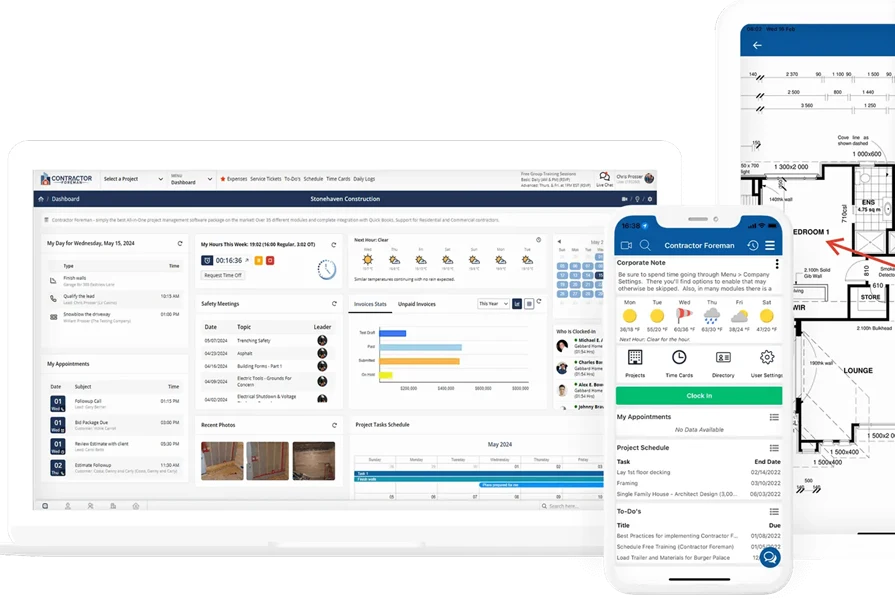
Contractor Foreman is built for general contractors who need to keep projects, people, and paperwork tightly coordinated across field and office. Often used for project tracking, its real strength for small-to-medium residential and commercial GCs is centralizing core operations—including financials and crew management across devices.
Contractor Foreman delivers broad operational coverage for growing general contracting teams, but firms managing highly specialized or large, multi-entity commercial portfolios may outgrow its capabilities compared to more enterprise-focused construction management platforms.
Cost: Plans start at $49 per month, making it one of the most affordable construction management platforms available. Higher-tier plans unlock additional features and user capacity.
Rating: 4.5 on Capterra from 832 user reviews
Features:
- Project management with daily logs, scheduling, work orders, and inspections
- Estimating, bid management, and change orders
- AIA and progress invoicing with online payments
- Time cards, crew scheduling, and incident tracking
- RFIs, submittals, drawings, and PDF markup
Why It’s Best for General Contractors: Contractor Foreman delivers a full business management toolkit at a fraction of the cost of enterprise platforms, giving general contractors powerful financial oversight, workforce coordination, and client communication tools without a steep monthly commitment. It is an ideal entry point for GCs looking to modernize their field and office operations with AI-assisted workflows.
Link To a Platform Tour: Check out a Contractor Foreman demo.
What Contractor Foreman has that Procore doesn’t: Contractor Foreman combines project management with service tickets, work orders, crew scheduling, time cards, incidents, and a client portal in a platform that starts at $49 per month. That makes it useful for smaller general contractors who want broad operational coverage and more transparent entry pricing without stepping up to a larger enterprise-style platform.
6 migration strategies for switching from Procore to a commercial alternative
Most construction contractors moving from Procore to a new platform are looking for a solution built specifically for commercial service and project management, not a one-size-fits-all construction tool. With BuildOps, you’re not just lifting and shifting data. You’re restructuring it so your team can fully tap into features like service management, PM, quoting, and advanced reporting.
That’s why a Procore-to-BuildOps migration is not a 1:1 transfer. You’ll import your data, but you’ll also re-map it to fit a system designed for ongoing service work and complex construction operations.
Below are six essential migration tips when switching from Procore to BuildOps.
1. Outline all essential steps and set a realistic timeline
Moving from Procore to a commercial-grade FSM like BuildOps won’t be instant. It takes planning, configuration, and testing.
Define a clear timeline that covers:
- Account and configuration setup
- Data extraction from Procore and import into BuildOps
- Workflows and permissions setup for office and field
- Team training and go-live support
Balance speed with accuracy so nothing is lost, everything works as expected, and your team is ready to use BuildOps on day one.
2. Build a migration team with clear ownership
To ensure your data and workflows are set up correctly in BuildOps, you’ll want a dedicated internal team.
Include stakeholders from:
- Operations / project management
- Service management / dispatch
- Finance / accounting
- Field leadership
Assign clear owners for data, workflows, approvals, and training so the BuildOps configuration reflects how your construction business actually operates.
3. Automate and streamline data migration where possible
Migrating from Procore can be tedious: jobs, projects, customers, assets, documents, and more.
Automate or bulk-import as much as possible, including:
- Customers and sites
- Projects and work orders
- Assets/equipment and maintenance histories
- Contacts and key documents
Use this as a chance to clean and optimize your data structure in BuildOps so you can fully leverage scheduling, service agreements, project tracking, and reporting.
4. Document your migration and setup for future scale
Ad-hoc fixes might have worked in Procore, but as you grow, you need repeatable processes.
During the migration:
- Capture how data is mapped from Procore to BuildOps
- Document naming conventions, workflows, and approval paths
- Record how integrations (e.g., accounting) are configured
These records help your team troubleshoot faster, onboard new employees, and maintain consistency as you expand operations.
5. Test thoroughly and fix issues before go-live
You don’t want to discover missing data or broken workflows on your first live day in BuildOps.
As you migrate:
- Validate data accuracy (customers, projects, work orders, assets)
- Confirm scheduling, quoting, and invoicing workflows function as intended
- Track reliable FSM metrics to ensure you’re actually improving visibility and efficiency
Fixing issues during migration means you hit the ground running—with better performance than you had in Procore.
6. Lean on BuildOps onboarding and support
BuildOps knows how to get the most out of the platform for construction contractors. Their team has seen hundreds of migrations and knows the patterns that work.
During migration and onboarding:
- Collaborate with BuildOps implementation and support teams
- Align your workflows with BuildOps best practices
- Structure your data to unlock advanced customer profiles, site hierarchies, and asset tracking
Choose BuildOps not just for the product, but for a partner that’s committed to getting you successfully migrated from Procore and fully operational, not one that leaves you on your own after the sale.
4 important FAQs about Procore competitors
These questions can help narrow the list fast.
1. What are the main reasons people look for a Procore alternative?
Usually, it comes down to fit. Some contractors want lower cost. Others need stronger service workflows, simpler rollout, or software that matches their market better, whether that’s residential, commercial, or specialty trade work.
{{related-content-block="/resources/how-service-1st-got-rid-of-the-work-arounds"}}
2. How does field service software like Procore work?
Procore is mainly construction management software. Field service software is built around scheduling, work orders, dispatch, quoting, invoicing, and job updates from the field. If your business runs a lot of service, maintenance, or inspection work, those tools matter more.
3. What are the biggest factors that affect the price of Procore alternatives?
Price usually changes based on how many people use the system, how much functionality you need, and how much setup is involved.
Include a short bulleted list of the factors:
- Users and team size: More people and more departments usually mean a bigger investment.
- Features and modules: Service, financials, reporting, and integrations can raise the total cost.
- Setup and support: Onboarding, training, and implementation work can also affect pricing.
4. How can I easily and effectively compare Procore alternatives?
Start with your must-have workflows. Then compare each platform based on who it serves, how it handles daily work, what it costs, and how hard it is to roll out. A live demo usually makes the differences clear much faster than a feature list.
If Procore is not the fit, the best alternative is the one that matches the way your team actually runs work. For commercial contractors that need service, projects, and financials in one place, BuildOps gives you one connected system, and OpsAI helps cut the busywork and keep jobs moving.
A lot of the features contractors need most are still not standard across most tools. That is where BuildOps stands out for commercial teams that need clear visibility, tighter coordination, and faster follow-through from the office to the field.