BuildOps and Sage Intacct Integration for Contractors



Connecting Sage Intacct to the wrong field service management software can create a mess fast: double data entry by techs, delayed invoices that reflect in the office, and constant second-guessing about which system is right.
BuildOps solves that by giving commercial contractors a clean, reliable link between the work happening in the field and the financial records inside Sage Intacct through our field service management software.
In this guide, you will see exactly what the integration does, what data flows between BuildOps and Sage Intacct, how setup works, and the limitations to know before you roll it out.
Why Sage Intacct integration matters for commercial contractors
Field teams do not have time for cleanup work. When dispatch, labor, purchasing, and billing live in different systems, the office spends its day chasing missing details. That is where financial management software tied to Sage Intacct starts to matter.
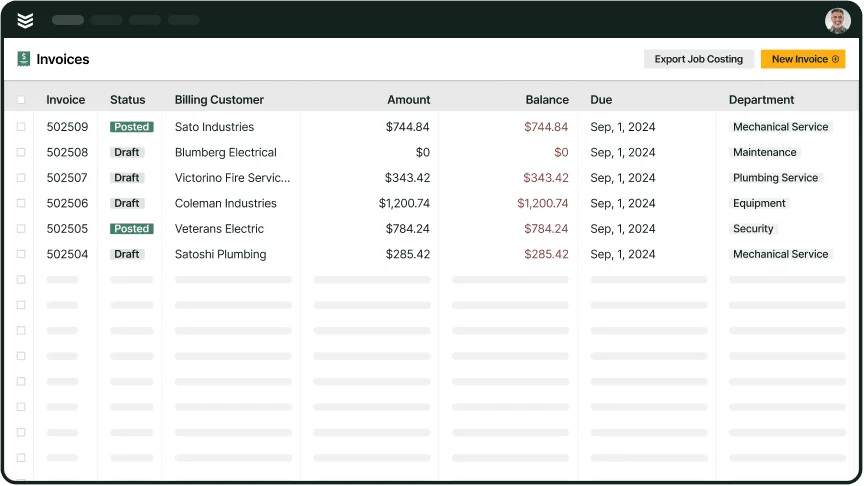
The goal is not just to have an integration. The goal is to keep job activity, purchasing, invoicing, and payments tied together so the handoff into Intacct is faster and cleaner. BuildOps customer proof on the Sage Intacct integration page calls out that the connection helped speed up billing time. And BuildOps research shows why that is essential: getting invoices out quicker can get you paid up to 5x faster.
For contractors evaluating Sage Intacct integrations, the real value is simple: less re-entry, cleaner job cost visibility, and a faster path from completed work to posted invoice.
{{related-content-block="/resources/invoicing-sweet-spot"}}
What syncs between BuildOps and Sage Intacct
At the core, the integration is built to keep the field and the back office working from the same record.
Here’s what that looks like in practice:
- Customers, vendors, items, and jobs or projects can sync from BuildOps into Sage Intacct as core records.
- PO receipts can post into Intacct purchasing records, while AR invoices export into Sales Invoice records in Accounts Receivable.
- Payments V2 creates both an Advance and a Posted Payment in Intacct, which gives finance teams better visibility into unapplied cash and invoice application.
- BuildOps departments can map into Intacct dimensions like entity, location, class, and department for cleaner financial reporting and routing.
- WIP recognition is available for teams that configure it, with BuildOps generating journal entries in Intacct when recognition runs.

One detail finance teams often care about is invoice content. BuildOps maps the invoice summary into Intacct’s message field, while line-level invoice data carries items like quantity, product, tax status, department, class, entity, location, and subtotal pricing.
For contractors comparing systems, that’s where invoicing, procurement & inventory, and the technician mobile app matter far more than a basic export.
How setup works and what finance teams need ready
The biggest setup mistake is treating the BuildOps side as the whole project. Most of the important groundwork happens inside Sage Intacct first.
A typical rollout starts with these steps:
- Turn on the Intacct modules the integration depends on, including Accounts Payable, Accounts Receivable, General Ledger, Purchasing, Order Entry, and Projects.
- Create a dedicated web services user, assign the right BuildOps role, and add the BuildOps sender ID authorization so the systems can communicate correctly.
- Set up the custom text field on AP Bill Details so purchase-related records can be tracked and updated cleanly.
- Decide how your team wants to handle projects, then create the matching Intacct project types, such as Projects, Service Jobs, and Service Agreements if those records will sync.
- Create and configure the transaction definitions that control posting behavior, especially Sales Invoice-BuildOps and Purchase Order-BuildOps. If your team uses three-way matching or more complex purchasing workflows, you may also need additional PO Receipt and PO-BuildOps Bill definitions.
- If your team plans to use WIP recognition, create the WIP journal and complete the related posting setup before testing.
- Validate everything in a training environment before go-live so your finance team can catch mapping or workflow issues early.
Who benefits most, and what to watch for
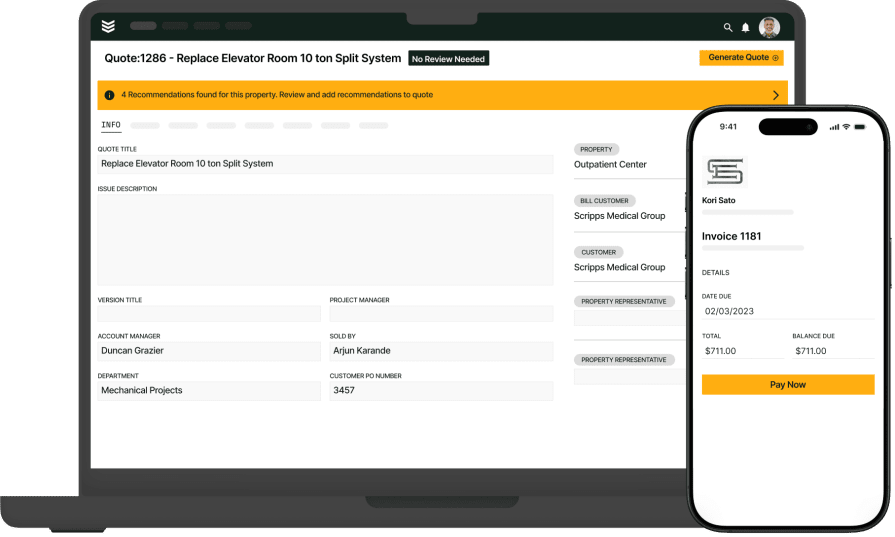
This integration is a strong fit for commercial contractors that want field activity, purchasing, and billing feeding into Sage Intacct without extra re-entry.
It’s especially useful for:
- Finance leaders who want invoices, payments, and adjustments moving into Intacct with less manual cleanup.
- Operations teams that need job costs, purchasing activity, and billing tied back to the same job record.
- Contractors with entity, location, class, or department reporting requirements inside Intacct.
There are a few rollout details worth confirming early:
- Posting behavior depends on your Intacct transaction definitions and GL mapping, so results vary based on how your environment is configured.
- BuildOps syncs items to Intacct as Non-Inventory Items, even when inventory is enabled in BuildOps.
- If you void an invoice in BuildOps, Intacct attempts to delete the matching invoice only if the accounting period is still open. It does not create a reversing entry.
- WIP recognition is available for jobs and maintenance jobs, but it does not support partial recognition and it does not work with three-way matching.
- If you use three-way matching, you may need additional Intacct transaction definitions beyond the standard Sales Invoice-BuildOps and Purchase Order-BuildOps setup.
When the setup is right, your team captures the work once in BuildOps and pushes the financial record into Sage Intacct with less back-office cleanup.
{{related-content-block="/resources/hvac-and-mechanical-contractors-get-invoices-out-faster-with-buildops"}}
For contractors looking for a Sage Intacct integration that actually helps the business run better, BuildOps gives your field, office, and finance team one connected place to manage the work while Sage Intacct stays your accounting system of record.
And because OpsAI is built into the workflow, your team can cut busywork, speed up billing, and keep job and financial data cleaner as work moves from the field to the books.