8 Best Open Source Field Service Management Software



Key Takeaways
- The main ways to get field service management software for free are to find an open source software, set up a custom demo, or use a free trial offer
- Any field service management software that’s truly ‘open source’ will likely not come close to any typical field service businesses’ needs
- There are ways to set up a product demo to hard-test your business in the platform without making a firm commitment

Instead of relying on rigid software with locked features, some contractors and technical leads are exploring ways to shape their systems from the ground up. Using open source field service management software, they’re building custom tools that reflect how their teams work. To understand how these solutions compare to traditional field service management setups, we’ll break down the benefits, features, and top choices available now.
Let’s start with understanding how these open source and free tools work and what they’re made of.
What makes open source FSM software unique from other types of software?
Open source field service management software stands apart because of its flexibility, transparency, and ownership. Unlike proprietary tools that lock teams into specific workflows or vendor pricing, open source gives you access to the underlying code. That means your team or your partners can modify the system to better match how your business operates. Whether you’re customizing workflows, adding integrations, or adjusting user permissions, you're not waiting on a vendor's timeline.
Open source software also tends to grow with community input. Developers across the globe contribute to its improvement, which can lead to faster updates, security patches, and new features. While proprietary systems often charge for every add-on or license upgrade, open source options usually come with fewer restrictions and more room to experiment.
How can you get field service management software for free?
There are a few ways:
1. Find a true open source platform
You can look for a tool that’s truly free forever, and won’t charge you anything to use it.
Pros of a true open source tool: This is the only method that gets you a tool that’s free forever.
Cons of a true open source tool: They don’t even come close to paid tools in terms of their features and functionality, so they likely won’t actually work for your business long-term.
2. Set up a fully customized demo for a paid tool
Get the vendor to customize your demo, using actual workflows, checklists, and jobs you do for your customers to see exactly how your setup will work in their platform.
Pros of the product demo: This is the only way to access a quality tool for free, and test if it will work for your particular field service workflows depending on the type of work you do.
Cons of the product demo: You won’t actually get to jump in and use the tool yourself, and can really only ‘see’ it in action.
3. Look for a free trial offer
Some tools will offer a grace period where you can try out the software for free, usually for 1-2 weeks.
Pros of the free trial: This is the best way to try out a quality software yourself with no firm commitment.
Cons of the free trial: It is a LOT of work to get your whole operation set up well enough in the platform to truly test it out, to find out within 2 weeks that it’s not a good fit, and then have to start over with a new tool.
5 types of open source field service management software
These are some of the available platform types out there if you’re looking for an open source field service management platform:
- Proprietary FSM software: These platforms come as closed systems. You get a polished interface and vendor support, but little room to customize how it works. Features are fixed, pricing is often tiered, and updates are on the vendor’s terms. For teams that want more flexibility or hate being boxed in, this model can be limiting.
- SaaS FSM software: Software-as-a-service models offer convenience. You sign in, set up your users, and start working right away. But with that convenience comes a recurring fee, minimal backend access, and limited integration flexibility. You trade control for ease of use.
- Custom-built FSM tools: Some larger companies develop their own systems in-house. This gives total control, but it also means higher upfront costs and a need for ongoing development resources. Open source strikes a middle ground by being customizable without building from zero.
- Hybrid FSM systems: These mix open source foundations with commercial support. You might use open code at the core, but pay for certain features, updates, or vendor assistance. This model helps balance cost savings with support.
- Legacy FSM systems: Older systems still in use often require heavy maintenance and offer limited integration. They’re rigid, slow to update, and typically built for a world that didn’t rely on mobile access or real-time updates. Open source platforms can fill the gap with modern flexibility.
What to ask for in a field service management software open source demonstration
If you’re opting for a product demo to test out the software with no commitment, here is how you should instruct the vendor to customize your demo, and what you should ask to see live proof of while in the demo, so the demo is custom enough that you can really test it out for free in this environment before committing.
- Specify what trade you are in: electrical, HVAC, plumbing, etc. and make sure the platform works for that trade
- Specify what scale of work you do: commercial, residential, general, contractor, etc.
- Ask to build a quote or proposal based on a common job type you often estimate for customers
- Ask them to build a custom workflow for your most typical type of job, seeing what steps a field tech would work through when on the job
- Test out the schedule and dispatching board, and see if it’s smart enough to make suggestions for your techs based on skill or industry certifications
- Check how you can set up custom inventory for your trade, including specifying parts and serial numbers
- Have them build custom forms based on any industry or niche compliance rules you need to follow
- Take a look at time tracking to see how your techs can enter accurate hours while in the field
- Determine how assets are tracked, and if they can be tracked granularly at the job level, and how they can be customized based on the trade you work in
- Ask to see how invoices are sent out when a job is complete, and what information from job reporting can be automatically leveraged into invoice summaries
- Find out how service agreements, preventive maintenance agreements, and pull-through work recommendations all function in the platform
- Check out the analytics and dashboards, and set up a report based on something your team uses weekly and monthly
- Take a close look at the desktop and app versions, making sure both have the capabilities that you need
- Get full clarity on which features come standard, what are third-party integrations, and what are add-ons that are going to cost you more money once you start paying
- Ask what AI-powered features are available on the platform today and proof of what they can do
Crossing these all off the list will really help you get the most out of a demo, hard-testing the product for free before you make a commitment, if the field service management software you need can only be acquired for ‘free’ using this method.
{{related-content-block="/resources/field-service-software-pricing"}}
5 best open source field service management software tools, demos, and offers
The tools below all offer a demo, a free trial, or access to a tiered subscription where some components are free to start with, paying more as you grow. Here’s our list of the top 5 open source field service management offers out there currently.
1. Best demo offer for commercial field service teams: BuildOps
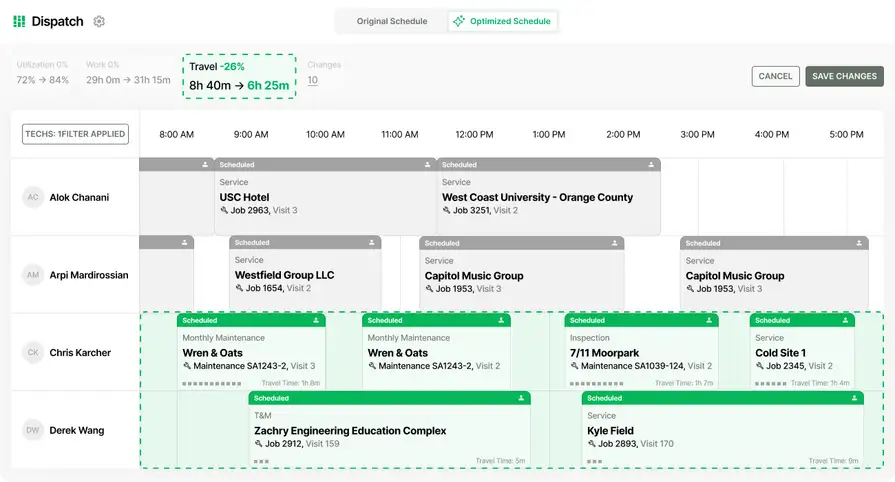
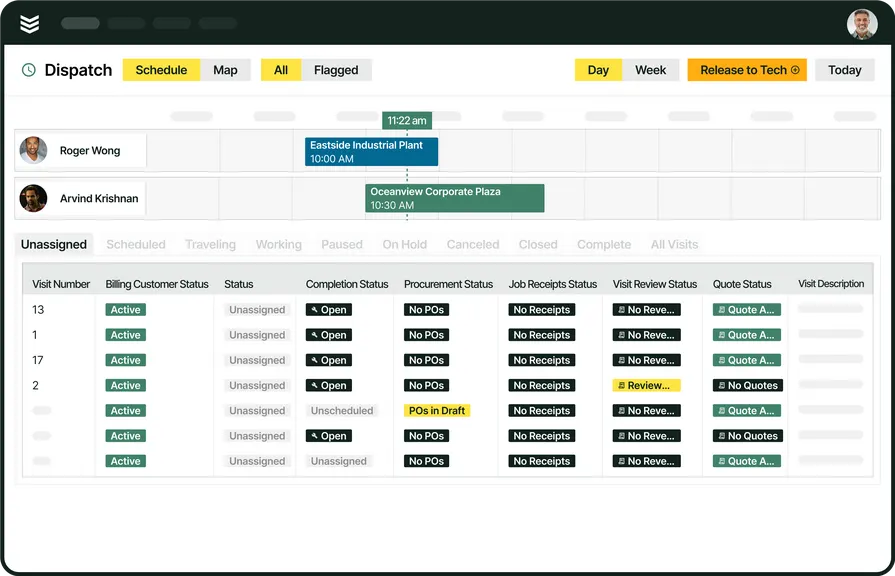
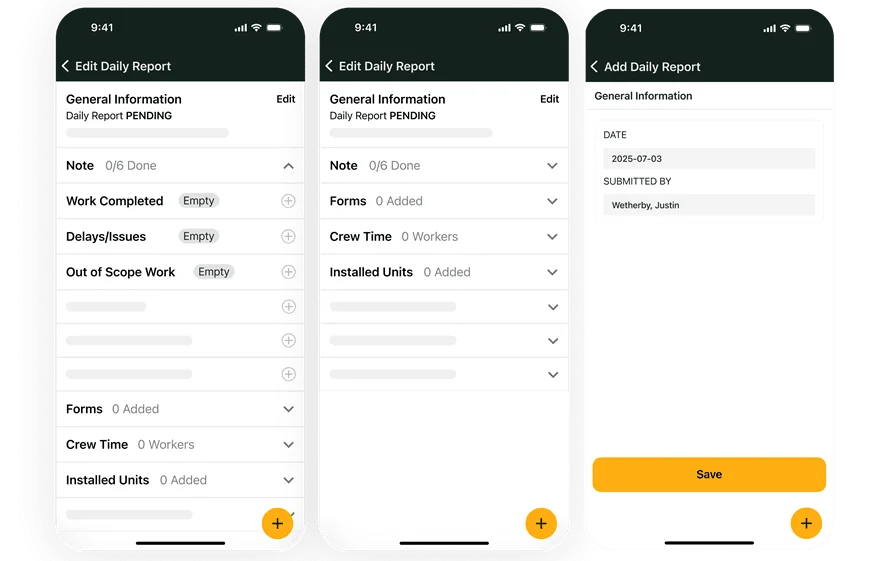
BuildOps is designed specifically for commercial contractors who need full control over scheduling, dispatching, quoting, and technician tracking in one unified platform. It supports complex workflows across multiple job types and roles, making it a strong choice for companies that handle large-scale operations with high coordination needs.
How pricing works: BuildOps offers custom pricing based on business size and scope of use.
Open source offer: Our teams focus on commercial contractors, and tailor our demos specifically to your business so you can see exactly how it would work with your custom workflows before you onboard. We have designated integration specialists for every new account who work with you every step of the way to move your system onto BuildOps. You would have plenty of time to ask every question and see your exact use cases before you ever get started with BuildOps.
What sets it apart for commercial field service teams: BuildOps stands out with its native support for complex service management, including asset tracking, recurring maintenance, and technician mobility. Its tools are designed to support high-volume operations without adding bloat or unnecessary steps.
Rating: 4.4 on Capterra from 177 user reviews
2. Best free trial for general contractors: Field Complete
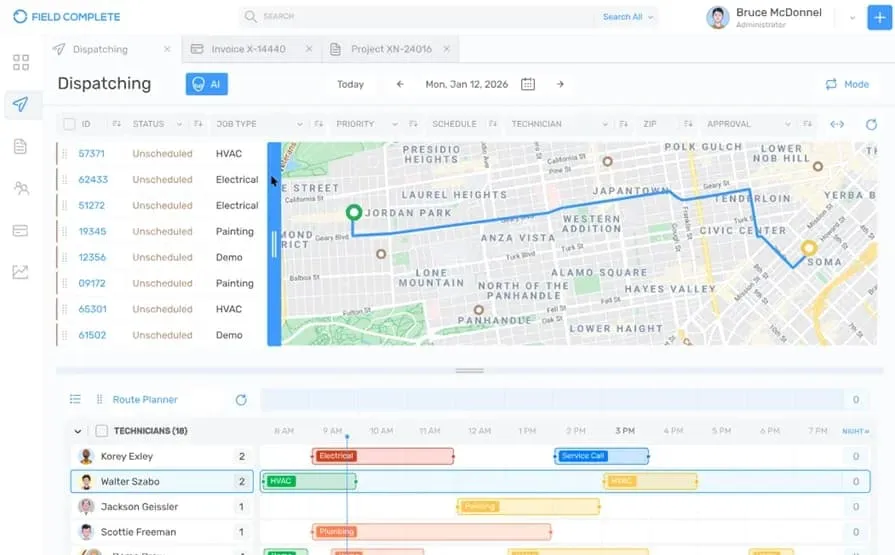
Field Complete targets general contractors who need lightweight, easy-to-adapt tools to manage various job types across multiple trades. Its mobile-first approach makes it appealing for teams that move fast and work across job sites. That said, the platform may lack the robust API support needed for deeper custom workflows or larger operational scaling.
How pricing works: 3 pricing plans, ranging from $59.99-$399.99 per user per month, and custom enterprise pricing available
Open source offer: 14-day free trial
What sets it apart for general contractors: Its balance of usability and flexibility makes Field Complete a solid fit for contractors managing a mix of short-term and long-term projects with varied staffing.
Rating: 4.9 on Capterra from 22 user reviews
3. Best free trial for residential field service teams: Housecall Pro
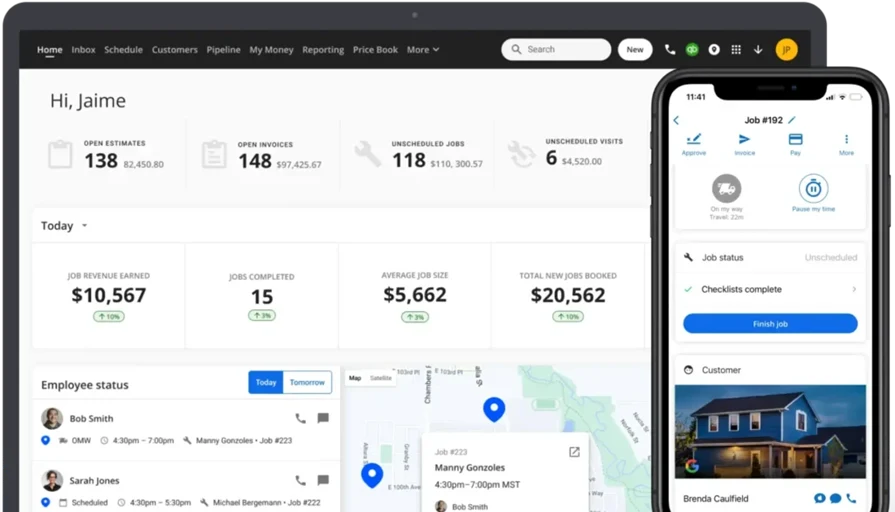
Housecall Pro is built to support residential service providers with tools that simplify scheduling, invoicing, and customer communication. It’s easy to use out of the box, with mobile features designed for single-tech businesses or smaller home-service teams. However, it may not be ideal for businesses looking for deep customization or integrations beyond the app’s core features.
How pricing works: Tiered pricing based on features and number of users; starts around $59/month for one user.
Open source offer: 14-day free trial
What sets it apart for residential: Housecall Pro’s strengths lie in simplicity. It offers clear workflows for one-off jobs and home service visits, making it accessible to businesses focused on smaller-ticket, high-frequency residential work.
Rating: 4.7 on Capterra from 2742 user reviews
We’ve put together a feature comparison of Housecall Pro vs BuildOps if you want to take a deeper look at both tools.
4. Best limited-functionality trial for industrial operations: ServiceNow
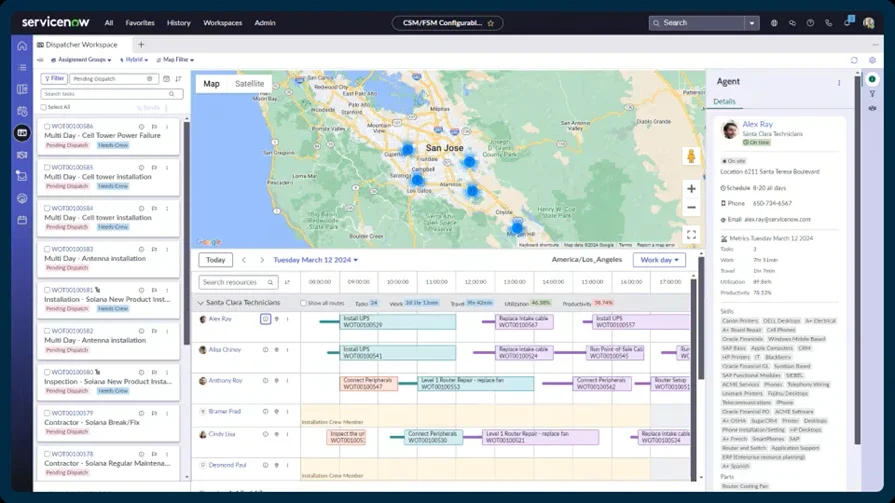
ServiceNow is built to support large, complex service environments, often those tied to internal IT, manufacturing, or industrial operations. It provides workflow automation, integration with enterprise systems, and a high degree of configuration. That said, ServiceNow is likely too resource-heavy for smaller service shops or those without dedicated IT support.
How pricing works: Custom pricing for each business
Open source offer: You can request a 30-day trial, with limited functionality
What sets it apart for industrial operations: ServiceNow excels at connecting field service with other enterprise functions like procurement, HR, and IT, making it ideal for internal teams that need alignment across departments.
Rating: 4.5 on Capterra from 353 user reviews
5. Best starter access for specialty contractors: Odoo
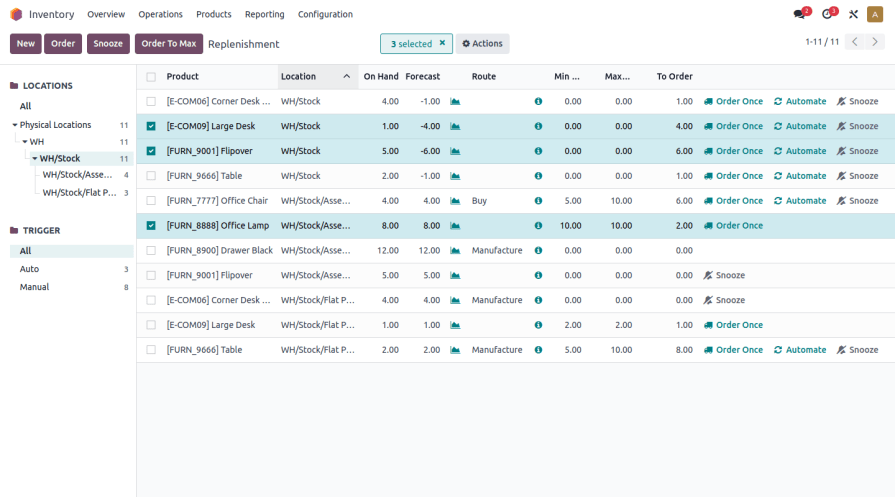
Odoo is an open source business management suite with a wide range of modules, including field service, CRM, accounting, and inventory. For specialty contractors like fire protection, refrigeration, or telecom, its modular approach allows teams to select only what’s needed. However, because Odoo is a general business platform, its field service features may feel too broad or underdeveloped for teams needing industry-specific workflows.
How pricing works: $40 per month per user for access to all apps
Open source offer: Access to 1 app is free
What sets it apart for specialty contractors: Odoo’s strength is in flexibility. Its modular setup works well for contractors who need a little of everything from scheduling to quoting to field documentation, especially when those needs shift between projects.
Rating: 4.2 on Capterra from 1318 user reviews
{{related-content-block="/resources/field-service-management-software"}}
7 benefits of using an open source field service management software
Whether you’re managing technicians, tracking assets, or customizing dispatch processes, these benefits of open source or free field service software go straight to the core of daily operations.
1. Freedom to control your tech stack
With open source, you’re not tied to a specific vendor’s rules or limitations. You can run your system on your own infrastructure, host it how you want, and decide which components to use or skip. That level of control makes it easier to shape your tools around your current field service management solution, rather than rebuilding your operation to match a software vendor’s roadmap.
2. Adaptability to evolving workflows
Field service operations change. Whether you’re shifting to longer service contracts, adding new trades, or expanding into new regions, open source software allows you to adjust workflows as you grow. You can customize how tasks move from dispatch to completion, building a system that supports your exact field service management process workflow instead of forcing teams into rigid sequences.
3. Long-term cost efficiency
While open source software may require more setup work at the start, it often saves money in the long run. You avoid recurring license fees, paywalls for basic features, and upgrade charges. Instead of paying for bundled extras, you spend on what adds value and keep costs aligned with actual usage, especially as your needs grow and the field service management software market continues to evolve.
4. Greater data transparency
Open source systems give you full access to your data and how it's handled. That’s critical for businesses who need to audit activity, monitor technician performance, or manage sensitive job information. When your dashboards are built on open code, you can customize your field service dashboards to show exactly what matters without relying on pre-set reports or limited metrics.
5. Faster issue resolution
When you’re in control of the backend, you don’t have to wait on support tickets or vendor updates to fix issues. Whether it’s a dispatching glitch or syncing problem, open source gives you the tools, and often the community support, to solve it directly. That speed is a major advantage when you’re managing time-sensitive jobs and need to keep your field service dispatching running without interruptions.
6. Stronger integration possibilities
Unlike closed systems that limit integrations to pre-approved vendors, open source allows you to connect with nearly any tool your team already uses, whether that’s for accounting, inventory, or CRM. APIs, custom scripts, and data bridges are all within reach, helping you build a connected system that supports real-time coordination across teams.
7. Community-driven development
Open source platforms benefit from wide developer communities that push updates, add features, and solve problems faster than many proprietary teams. That constant innovation means you're part of something that evolves with the industry without waiting on a roadmap or paying for the next version upgrade.
3 open source field service management software FAQs answered
Field service teams exploring open source options usually have the same questions: how it works, who it’s for, and whether it’s really worth the effort. Here’s a breakdown of what contractors and service managers ask most when weighing open source field service management software.
1. What is open source field service management software
Open source field service management software is a customizable system used to schedule, dispatch, track jobs, and manage field techs, but built with source code that users can freely modify, adapt, or integrate with other tools according to their needs without relying on vendor-locked platforms. Unlike proprietary solutions, open source FSM tools can be hosted internally, customized to match specific workflows, and adjusted over time. They’re built for teams that want more control over how their system runs and how it scales.
2. How does open source FSM software work?
Open source FSM software works by giving users access to the underlying source code that runs the platform. This means companies can:
- Host the software on their own servers or cloud platform
- Modify system logic to match how jobs flow through their team
- Integrate with CRMs, invoicing tools, or custom databases
- Update features independently, often using a developer or IT partner
Most open source FSM tools come with a base version that includes essential functions like scheduling, dispatch, and job tracking, allowing users to expand or remove modules based on operational needs.
3. Who needs open source FSM software?
Open source FSM software is ideal for field service teams that:
- Need more flexibility than standard SaaS platforms can offer
- Manage specialized workflows that don’t fit out-of-the-box solutions
- Want to reduce long-term software costs by avoiding licensing fees
- Have in-house or contracted developers who can maintain the system
This applies to a wide range of teams from midsize commercial contractors to growing service businesses that expect to scale and want to build their tech stack on something adaptable from the start.
{{related-content-block="/resources/commercial-workflow-northwest-mechanical-group-success-story-buildops"}}
Open source field service management gives contractors the ability to shape their tools around real-world workflows. From technician mobility to dispatch control, it unlocks flexibility that traditional platforms often gate behind premium plans or rigid structures. But with that freedom comes the complexity of setting things up, keeping systems updated, and stitching together different tools, which can stretch smaller teams quite thin.
That’s where a comprehensive field service management platform like BuildOps comes in. While most commercial-grade software locks you into fixed workflows, BuildOps offers an all-in-one solution tailored for complex field service operations, without sacrificing customization. Many of the features we’ve outlined here aren’t even available in most tools, but BuildOps delivers them all in one unified system, purpose-built for the commercial trades.