HVAC Inventory Software Features, Benefits & Best Tools



Key Takeaways
- Some of the most important features to look for in HVAC inventory management software is 3-way PO matching, mobile access to inventory updates, and connections to other aspects of the field operation
- Choosing the best software depends on what scale of HVAC service work you do: commercial, residential, niche, or other work types
- The benefits of implementing an HVAC inventory software revolve around improving profit margins and cutting down on costly mistakes
Managing HVAC inventory is a constant challenge. A single missing part can stall a job, disrupt schedules, and leave both techs and customers frustrated. Whether you’re tracking materials across warehouses, restocking service trucks, or cutting down on wasted supplies, integrating an HVAC inventory management software helps HVAC businesses keep project margins tight, unnecessary spend low, and profits high.
We work with commercial HVAC teams every day, helping them improve their operation using our software. In this guide, we’ll summarize for you some of the key things we’ve learned about how teams choose an HVAC inventory management software, what features are most important to them, and what the top tools for each type of HVAC service work are.
Let’s start with what you need to look for when evaluating the tools that might be right for your HVAC team.
7 key features to look for in an HVAC inventory management software
From discussions with our HVAC customers, these are the most important features they look for when it comes to inventory management in their field service management platform.
1. AI-powered 3-way PO matching
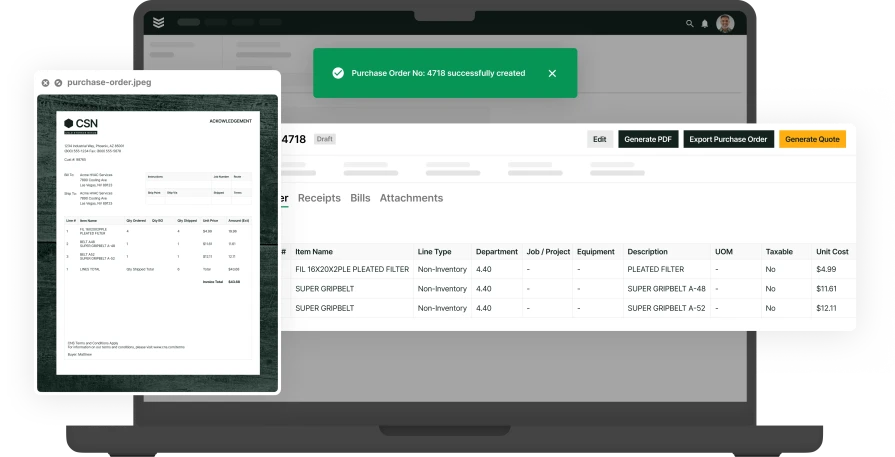
Ideally an HVAC inventory management software would have the capability for anyone to use the mobile app, take a photo of a PO or receipt in the field, and then have the software automatically fill in information like vendor, dates, and line items. Instead of spending minutes filling that in yourself, you can take a few seconds to review, adjust, and save in seconds.
{{related-content-block="/resources/ai-inventory-optimization-contractors"}}
2. Real-time inventory tracking
Live inventory tracking provides instant updates on stock levels, helping techs locate essential materials like refrigerants, motors, or control boards without making unnecessary calls to the office. A technician arriving at a job site to replace a faulty condenser fan motor can instantly check stock levels in nearby service trucks or warehouses. Without this visibility, they might waste time driving across town only to find the part isn’t available—delaying the job and frustrating the customer.
3. Mobile access for field technicians
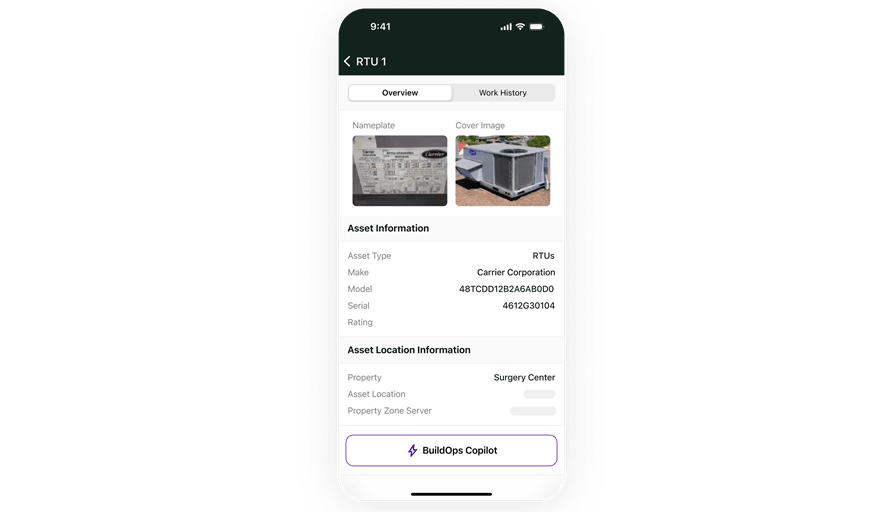
Techs in the field need quick access to inventory data without jumping through hoops. A mobile-friendly field service system for technicians allows them to check stock levels, request parts, and log usage from their phones or tablets. This feature eliminates extra trips to the warehouse and helps them complete jobs faster.
4. Barcode and QR code scanning
Barcode and QR code scanning speeds up the inventory process by allowing techs to scan parts as they’re used. This eliminates paperwork, reduces errors, and keeps inventory records up to date in real-time. A technician grabbing a compressor from the stockroom before heading to a job can simply scan its barcode, instantly updating inventory. Without this, they might forget to log it, leading to stock discrepancies that cause confusion the next time another tech needs the same part.
5. Automated stock alerts and re-ordering
Automated restocking and low-inventory alerts ensure materials like contactors, filters, and capacitors are replenished before they run out. A business handling back-to-back AC repairs in the middle of a summer heatwave can’t afford to run out of refrigerant. With automated tracking, the system detects high usage, triggers a reorder, and ensures stock is replenished before it’s too late, which prevents costly delays and keeps customers comfortable.
6. Serialized inventory tracking
Some HVAC parts, like compressors, control boards, and heat exchangers, come with serial numbers that must be tracked for warranties and service records. Serialized inventory tracking allows contractors to log, track, and reference individual components, ensuring accurate warranty claims and service history. For example, if a tech installs a new furnace under warranty, they can scan its serial number into the system, making future service calls easier by pulling up detailed records on that exact unit.
7. Seamless integration with field service management operations
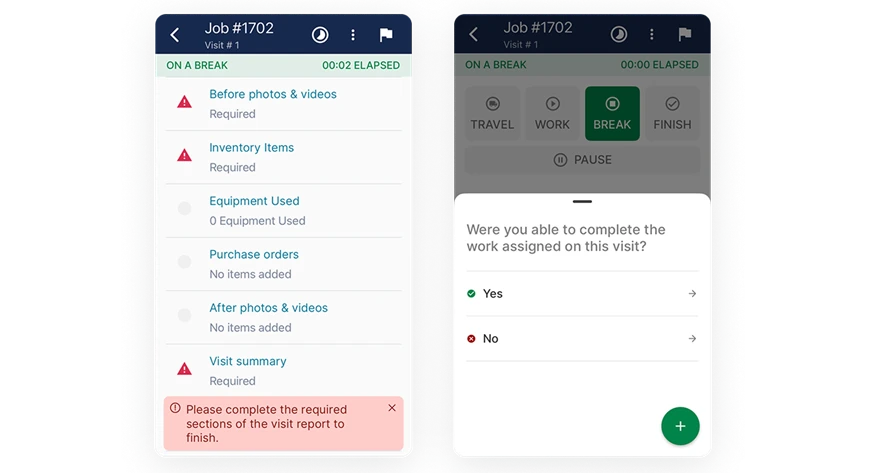
Frequently, a standalone inventory management software isn’t ideal for HVAC service businesses, because if it doesn’t link to other aspects of the operation like work orders and invoicing, inevitably, multiple team members need to update information in multiple tools. This wastes time, but when it comes to inventory, also often creates inaccurate information about item stock and jobsite usage. A tool where the information is updated in a single source of truth across all aspects of the operation will generally be more effective for HVAC service teams.
Now that you know what you’re looking for, let’s compare the top tools out there with these features.
8 best HVAC inventory management software for different service work types
While some HVAC inventory management software solutions specialize in residential, commercial, or contractor-specific workflows, there are other tools that offer valuable features for different business needs. These platforms provide inventory tracking alongside scheduling, invoicing, and team management tools, making them useful additions to HVAC operations.
Below are the most notable inventory management solutions for every type of HVAC service work:
1. Best for commercial HVAC service work and projects: BuildOps
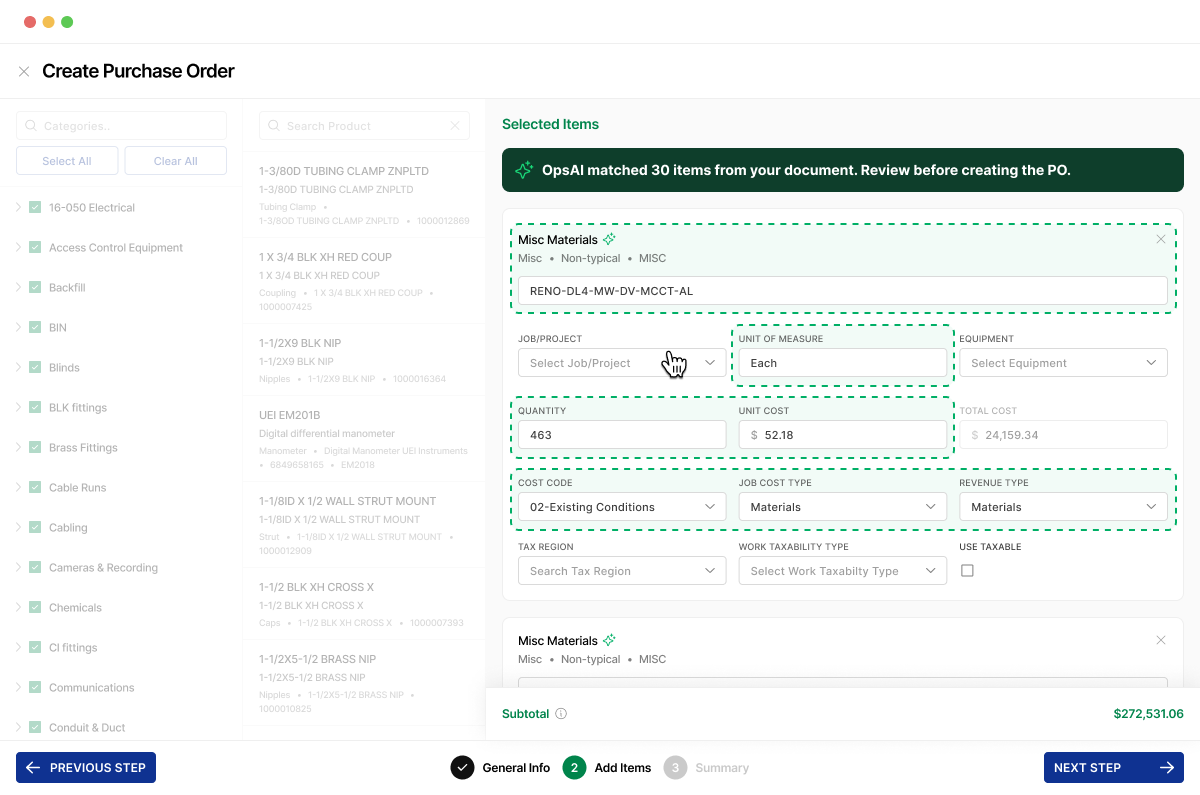
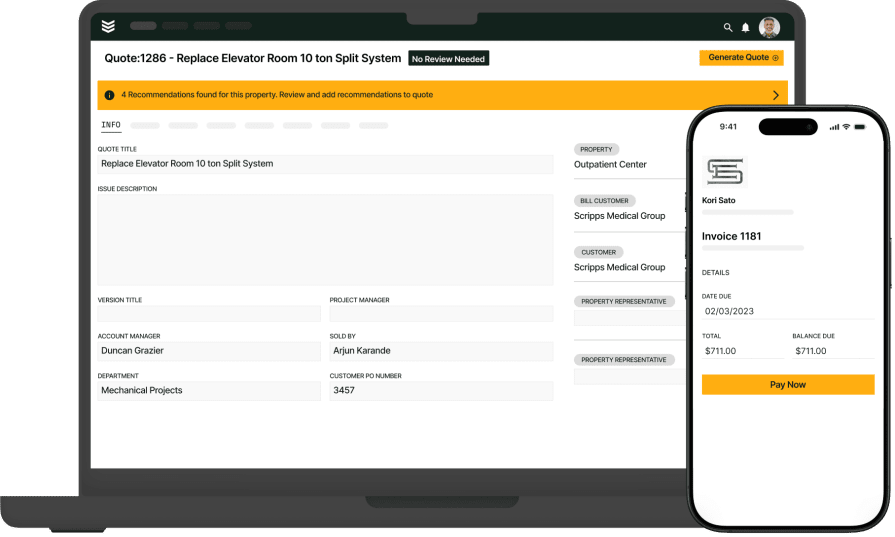
For commercial HVAC contractors managing multiple job sites, warehouses, and service trucks, BuildOps is built to handle the complexity. Unlike generic inventory solutions, BuildOps is designed specifically for commercial field service businesses, offering seamless inventory tracking, real-time job costing, and integrations with other critical field service management tools like dispatching, and invoicing.
On BuildOps, OpsAI is built right in, saving critical time with inventory management with features like the ability to snap a photo of a PO and have OpsAI fill in crucial information automatically like vendor, items, and costs. In our technician mobile app, techs can see what’s on the truck automatically before they head out, and make requests immediately if anything is missing.
How Pricing Works: To explore features and discover a solution that meets your needs, we provide weekly live demos and the opportunity to schedule a customized session.
Top Features Beyond Inventory Management:
- End-to-end field service management—From scheduling and dispatch to invoicing and reporting, everything is centralized in one platform
- Automated invoicing and payments—Track material usage per job and automatically assign costs, ensuring accurate billing
- Asset management—Keep detailed records of customer equipment, service history, and warranties, reducing callbacks
- Mobile technician access—Techs can check inventory, request parts, and update usage from their phones in real-time
What Sets BuildOps Apart for Commercial: BuildOps is tailored for commercial HVAC contractors, supporting large-scale projects, multi-location inventory, and advanced reporting. Unlike other platforms that try to fit multiple scopes of work, BuildOps is tailor-made for commercial service companies, ensuring every feature is relevant to HVAC workflows.
Rating: 4.4 on Capterra from 177 user reviews
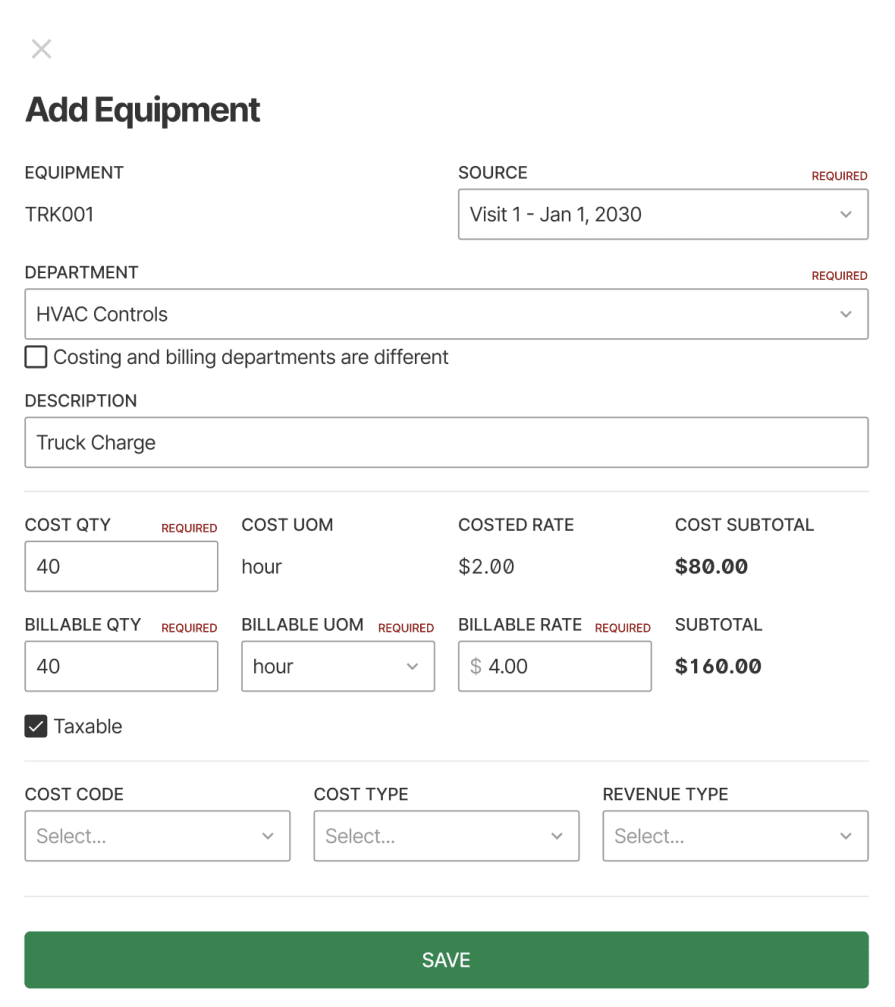
2. Best for residential HVAC service teams: Housecall Pro
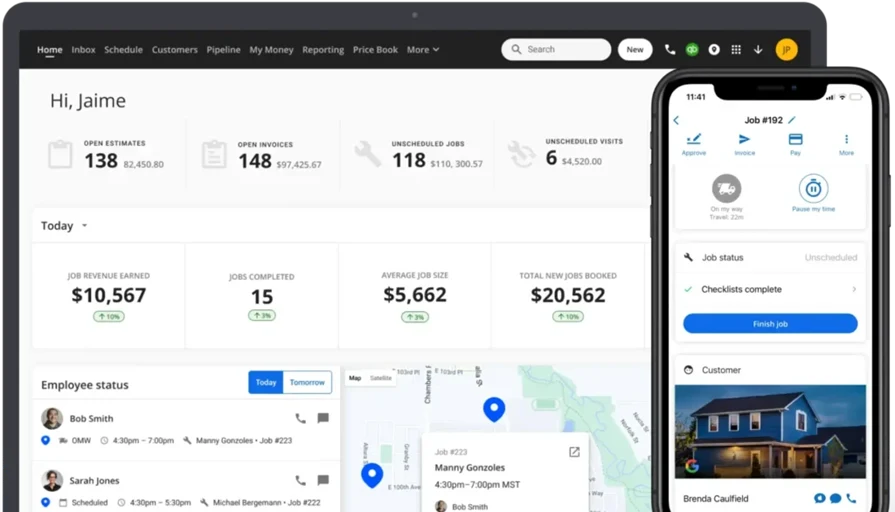
Housecall Pro is a user-friendly platform designed for residential HVAC contractors offering scheduling, invoicing, and inventory tracking in a single app. It streamlines ops by automating job bookings, customer communication, and payment processing.
Housecall Pro is more focused on service-based businesses and lacks advanced inventory tracking for high-volume material management. It does not support large-scale inventory control, making it less ideal for contractors managing extensive stock across multiple locations, but is a good fit for smaller scale, residential jobs.
How Pricing Works: Housecall Pro offers subscription-based pricing with different tiers depending on business size and needs.
Top Features Beyond Inventory Management:
- Automated scheduling and dispatching
- Invoicing and payment processing
- Customer communication tools
What Sets Housecall Pro Apart for Residential Contractors: Housecall Pro is a great fit for residential HVAC contractors who need an easy-to-use platform for managing jobs, customer relationships, and payments in one place.
Rating: 4.7 on Capterra from 2742 user reviews

3. Best simple inventory tool for small businesses: Sortly
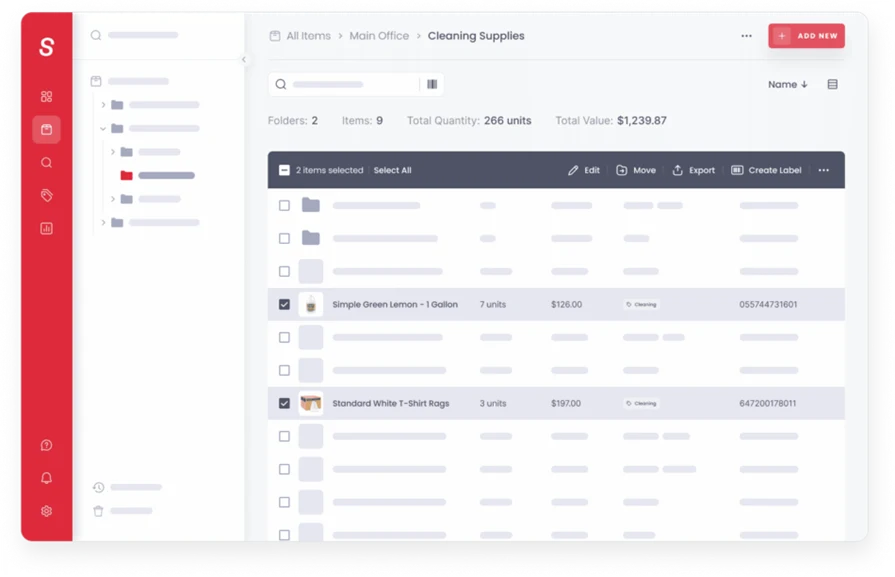
Sortly is an intuitive inventory management software that helps HVAC businesses keep track of parts and tools efficiently. It offers features like barcode scanning and photo-based asset tracking that can really help get your business’ inventory organized.
Sortly may not provide the depth of integration with other business processes that larger HVAC companies require, and was built as an inventory software rather than a field service software, so it may not necessarily meet some very specific needs of certain HVAC businesses.
How Pricing Works: Sortly provides various subscription plans, including a free tier with basic features and paid plans that unlock advanced capabilities. Specific pricing details can be found on their official website.
Top Features Beyond Inventory Management:
- Barcode and QR code scanning
- Customizable alerts
- Multi-user access
What Sets Sortly Apart for Small Businesses: Sortly's visual approach to inventory management, including photo-based tracking, makes it easy for teams to identify and manage assets. Its simplicity and ease of use are particularly beneficial for businesses seeking a straightforward solution without extensive training requirements.
Rating: 4.5 on Capterra from 953 user reviews
4. Best heavy-lift inventory management software: Ply
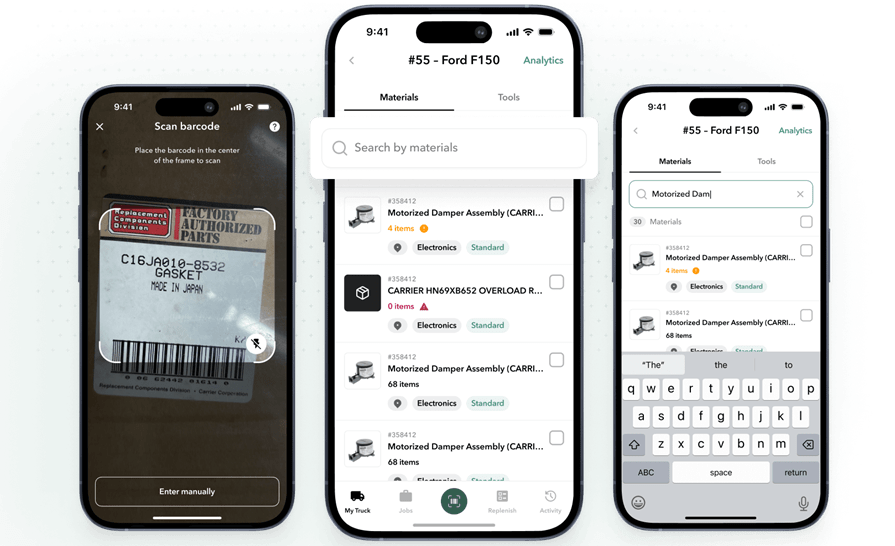
Ply is an inventory management software built for the trades, so it works well for HVAC teams. They have very robust inventory management features, including 3-way PO matching, cycle counts and audits, truck stock control, RFQs, and voice POs.
Ply is really strong in these inventory management areas, but it wasn’t built as a field service management platform, so to connect to other aspects of field operations will require a lot of other integrations, which will likely increase costs as well.
How Pricing Works: Ply offers customized pricing based on the specific needs and scale of your business. For accurate pricing information, it's recommended to contact their sales department.
Top Features Beyond Inventory Management:
- Automated parts tracking
- Job preparation tools
- Integration capabilities
What Sets It Apart as a Heavy-Lift Software: Ply was built for inventory first, so it has very well thought out inventory-related features, and is strong if this is the biggest gap or priority in your operation currently.
Rating: 4.8 on G2 from 2 user reviews
5. Best for niche service industries: Jobber
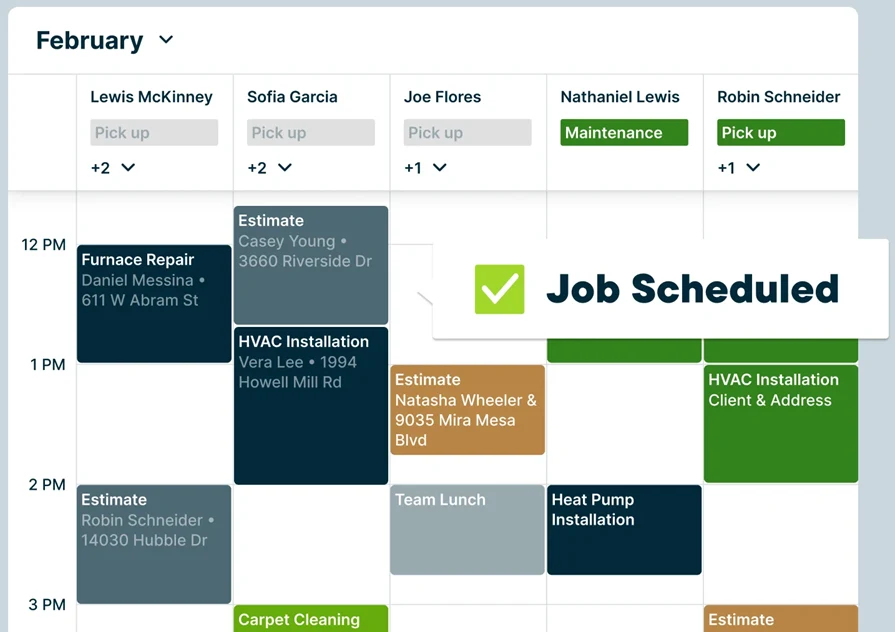
Jobber is a versatile field service management tool for general contractors, helping with job scheduling, quoting, and team coordination. It’s well-suited for small to mid-sized contractors looking for an easy-to-use system. Jobber lacks built-in inventory management though, so it requires third-party integrations for stock control.
How Pricing Works: Jobber provides tiered pricing, with different plans based on company size and required features. Contractors can get detailed pricing by visiting their website or speaking with their sales team.
Top Features Beyond Inventory Management:
- Job scheduling and dispatching
- Quoting and invoicing
- Time tracking
What Sets It Apart for Niche Service Industries: Jobber is ideal for contractors handling a variety of field service jobs, and can be customized towards the particular type of business you do.
Rating: 4.6 on Capterra from 1469 user reviews
6. Easiest field service inventory software to use: FieldBin
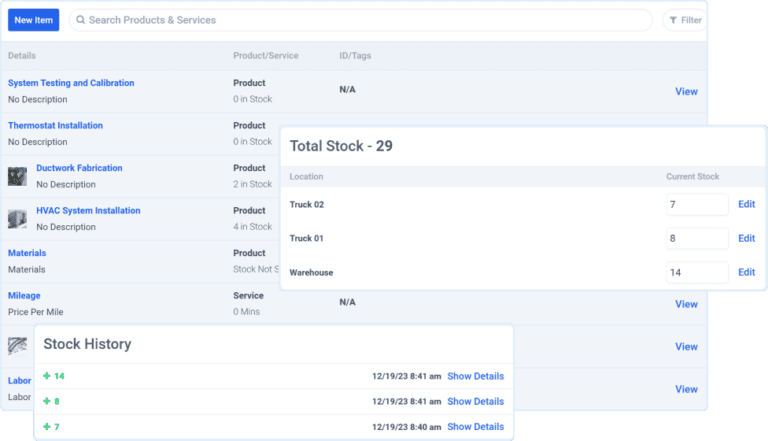
FieldBin is a business management software designed for field service businesses like HVAC companies, offering features like inventory tracking, job scheduling, and invoicing. It aims to improve day-to-day operations with real-time updates on stock levels and technician tool usage.
FieldBin is meant to be an easy to set up and use tool, so it’s quick to get going, but it may not offer the advanced analytics and reporting features that larger HVAC enterprises might require, and may not have everything an HVAC businesses needs, especially when it comes to connecting with other aspects of the field service operation.
How Pricing Works: FieldBin offers various pricing plans to accommodate different business sizes and needs. For detailed information, visiting their official website or contacting their sales team is advisable.
Top Features Beyond Inventory Management:
- Job scheduling and dispatching
- Invoicing and payment processing
- Technician tool tracking
What Sets It Apart as Easy To Use: FieldBin does not have a steep learning curve, so it’s well-suited for businesses looking to digitize operations without a lot of downtime.
Rating: 5.0 on Capterra from 3 user reviews
7. Best for home services businesses: Workiz
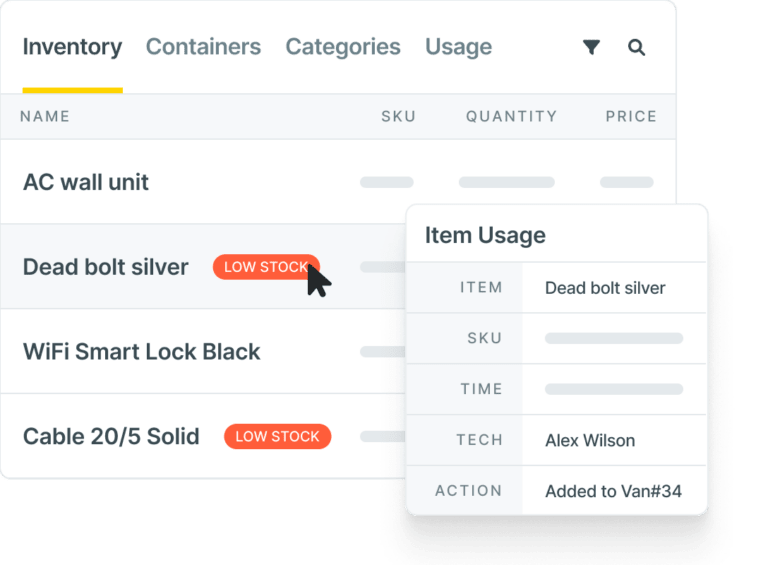
Workiz is a cloud-based platform tailored for small to mid-sized HVAC businesses. It offers features like scheduling, invoicing, and customer interaction management, aiming to enhance operational workflows. Workiz was designed to be user-friendly in mind, making it accessible for businesses transitioning from manual to digital systems.
Its focus on core functionalities ensures that small to mid-sized HVAC companies can manage their operations effectively without unnecessary complexity. However, Workiz may lack some advanced inventory management capabilities required by larger enterprises.
How Pricing Works: Workiz offers tiered pricing plans based on the size and specific requirements of your business. For detailed pricing information, it's advisable to contact their sales team directly.
Top Features Beyond Inventory Management:
- Scheduling and dispatching
- Invoicing and payment processing
- Customer relationship management (CRM)
What Sets It Apart for Home Services: Workiz is designed with home services in mind, specializing in HVAC, plumbing, electrical, appliance repair, garage door, and locksmiths.
Rating: 4.4 on Capterra from 218 user reviews
8. Best for small to mid-market HVAC teams: FieldEdge
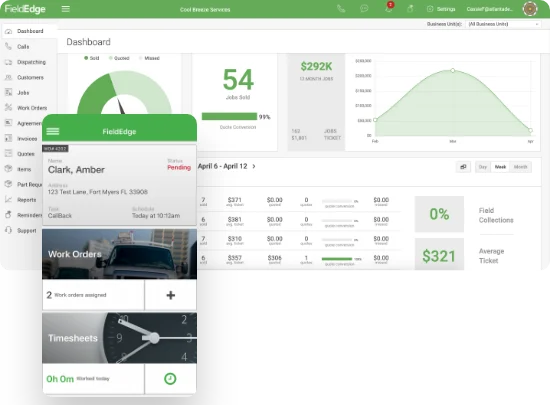
FieldEdge is a comprehensive platform designed for residential HVAC businesses. It offers real-time inventory tracking, seamless integration with accounting systems, and mobile access for technicians. These features help smaller teams manage parts efficiently, reduce stockouts, and streamline operations, but it may not be ideal for larger commercial contractors who require advanced project tracking or inventory forecasting across multiple job sites.
How Pricing Works: FieldEdge offers customized pricing based on the size and needs of your business. To get detailed information, it's best to contact their sales team directly.
Top Features Beyond Inventory Management:
- Proposals and quoting
- Scheduling and dispatching
- Marketing and email
What Sets It Apart for Small To Mid-Market: FieldEdge is tailored for small to mid-market, focusing on the specific challenges they face, such as managing high volumes of service calls and maintaining customer relationships. Its user-friendly interface and robust mobile app ensure that technicians and office staff stay connected, leading to improved efficiency and customer satisfaction.
Rating: 4.2 on Capterra from 304 user reviews
7 cost-saving benefits of using an HVAC inventory management software
HVAC service businesses rely on inventory software to streamline operations, eliminate wasted time, and improve profitability. Here are seven major benefits of using an HVAC inventory management system.
1. Fewer job delays and last-minute part shortages
When inventory is tracked in real-time, contractors ensure that essential parts like compressors, contactors, and refrigerants are always available when needed. Instead of a technician arriving at a job site only to realize the required component is missing, the low stock is identified before the tech ever went to the job, which keeps projects on track and eliminates unnecessary downtime.
2. Increased profitability by reducing wasted stock
With an inventory management system in place, HVAC teams can monitor usage trends and prevent unnecessary bulk orders. For example, a business that repeatedly purchases excess copper piping without realizing how much is already available can avoid tying up cash in unneeded inventory, allowing that money to be used elsewhere.
3. Improved compliance with warranty tracking and serialized parts
Many HVAC parts, such as heat pumps and compressors, come with manufacturer warranties that require serial number tracking. Inventory software allows contractors to quickly pull up warranty details, preventing unnecessary out-of-pocket replacements. Imagine a tech replacing a faulty condenser, only to find out later that the unit was still under warranty. An inventory management system ensures these details are checked before ordering a new part.
4. Faster service calls with truck and warehouse inventory tracking
HVAC techs waste valuable time searching for parts or making extra trips to the supply house. With an inventory system that tracks stock across trucks, warehouses, and job sites, techs can instantly see what’s available and where. A technician responding to a no-cool emergency in the middle of summer, for example, can check the system to see which nearby truck has the correct capacitor, rather than driving all the way back to the shop.
5. Better vendor management and smarter purchasing decisions
An HVAC inventory system helps contractors track which suppliers offer the best pricing, availability, and lead times. Instead of overpaying for last-minute rush orders, businesses can plan purchases in advance and negotiate better rates. For example, if a contractor sees that a specific vendor consistently has back ordered heat exchangers, they can shift to a more reliable supplier before it disrupts service.
6. Reduced billing errors and more accurate job costing
When inventory is tracked in software rather than spreadsheets, every part used on a job is automatically linked to the work order and invoice. This prevents revenue loss from forgotten parts and incorrect billing. For instance, if a technician replaces a blower motor but forgets to add it to the invoice, a connection between inventory management and invoicing within the software will ensure it’s accounted for, helping HVAC businesses recover costs and improve profitability.
7. Streamlined end-of-year inventory audits and tax deductions
Manual inventory counts at the end of the year are time-consuming and prone to errors. With an automated system, HVAC businesses can generate accurate reports for tax deductions, depreciation tracking, and financial planning. A contractor preparing for tax season can quickly pull a report showing total inventory value and deductible expenses without spending days manually counting stock.

How to choose the right HVAC inventory management software: what to ask in a demo
Before choosing an HVAC inventory management system, here are some questions you can bring up in a product demo to make sure the software is going to meet your HVAC businesses’ unique needs.
- How is data synced between inventory and other aspects of the operation? Ask to see what happens when the work order requested 5 of a part but the tech needs to indicate only 4 were used on the job.
- How does inventory connect to invoicing? Find out if parts used on jobs need to be entered by another team member separately, or can the information from the inventory system be automatically leveraged into invoice line items?
- How customizable is the interface to HVAC parts & equipment? A common issue with more generic inventory management software is the uniqueness of HVAC doesn’t fit in that ‘out of the box’ type solution. Ask to see examples of your parts in the system to see what they look like, and determine how big the lift would be to customize the inventory management system for HVAC businesses.
- What does onboarding training look like? Ask about timeline, ease of use, and who will be dedicated to your account to ensure all team members receive the training they need.
- Which AI features are available now? It’s trendy to throw AI around like a buzzword, but ask which inventory-specific features can they show on a demo today that will cut down on manual inventory planning time on the platform.
- Can I import my current inventory data into the new system easily? Are there options to automate this? Will their team help you import and clean up that data? How long will it take? These are all important questions to ask.
Then close out the demo by asking them to show you any other features that are mentioned on their website, and ones that you have identified as crucial to your operation. Remember: if they can’t show it to you in a demo, that feature is probably not live on the platform, so ask for proof when shopping for your HVAC inventory management software.
6 HVAC inventory management software FAQs answered
Here are some more answers to common questions we get about HVAC inventory management software from people interested in using BuildOps for their HVAC service management.
1. What is HVAC inventory management software and how does it work?
HVAC inventory management software helps contractors and techs track standardized HVAC components by part numbers, serial numbers, and warranty details. The software offers an inventory interface that you can customize based on the types of parts and equipment you need to track, and you then enter information to keep track of inventory stock. You can also use the system to order and re-order new parts, and send parts out with techs on each job.
HVAC inventory management is uniquely challenging because each asset in HVAC work (furnace, AC unit, compressors) are made up of hundreds of specialized parts. Detailed and digitized tracking in an inventory management system ensures techs have the right components to solve specific problems without delays or extra costs.
Most HVAC software have an inventory management component built into the full field service management platform so inventory is connected to other critical components of the operation that use inventory, like tech dispatching, work orders, job report notes, and invoicing. Some tools are standalone for inventory only, but would integrate with another field service management platform.
2. How much does HVAC inventory management software cost?
Pricing for HVAC inventory management software varies quite a bit, as the type of tool (inventory software or field service management software) can really affect the price. Here's a breakdown of the most common HVAC inventory management system pricing models:
- Subscription-based (monthly or annual): Ideal for small to mid-sized teams. Expect costs to range from $50–$300 per user/month, depending on functionality.
- License-based (one-time fee): Often used by legacy systems or larger operations that want offline access. Can range from $2000–$10,000 upfront.
- Custom enterprise pricing: For companies needing integrations, custom tool builds, ongoing support, and user roles across departments. Typically requires a demo or consultation to quote.
3. Should I get a stand-alone HVAC inventory management program, or an FSM software that has inventory management capabilities?
For most HVAC service businesses, a field service management platform with inventory management built in is the better choice because it prevents you from using two different tools (costing more), and from the inventory stock information not being the same across both tools. If stock amounts are not updated in one tool but are in the other, your system is already broken. This is why an FSM software with inventory management built in is usually the right call.
If inventory tracking is your primary need and you typically rely on external suppliers or distributors for ordering parts and HVAC systems, a stand-alone system can probably manage what’s on hand.
{{related-content-block="/resources/customer-success-highlight-on-site-with-jackson-mechanical"}}
4. How does three-way PO matching work in an HVAC inventory management software?
Three-way matching connects the PO (what you ordered), the receipt (what arrived), and the vendor bill (what you're being charged), all in one place. This helps HVAC teams identify discrepancies in bills before payments are processed. Having accurate inventory counts is critical to nailing this process in your field service management platform.
5. How does HVAC inventory software help protect margins on large-scale projects?
When inventory purchasing connects directly to a project, phase, and cost code, you can see the committed costs of your project against the budget in real time, and long before you’re sending out the bill. This kind of early visibility helps HVAC project managers and finance department team members catch project overruns early enough to be fixed. Inventory management is a big component of being able to piece together those potential issues quickly.
6. What inventory costing methods are used in the BuildOps platform?
BuildOps supports Standard, Weighted Average, FIFO, and LIFO, and different methods can be applied per item within the same tenant.
Staying on top of inventory is one of the biggest challenges HVAC contractors face. Implementing an HVAC inventory software eliminates wasted time, prevents stock shortages, and keeps jobs moving without delays. While many inventory tools cover the basics, most don’t offer everything in one place, forcing contractors to rely on multiple systems that don’t always sync.
That’s where BuildOps stands out. It brings inventory tracking, job management, and financial tools under one roof, built specifically for commercial contractors who need real-time visibility across warehouses, service trucks, and job sites. OpsAI superpowers inventory tasks, helping you identify small issues before they become big problems. With BuildOps, instead of juggling separate platforms, everything is integrated to make HVAC operations smoother and more profitable.