RFIs From Drawings: See Issues Where They Start
Drawing‑linked RFIs bring the questions, decisions, and documentation back to where the work really lives.
Big jobs don’t blow up because people stop caring. They blow up because nobody’s looking at the same information.
On most projects, RFIs sit in one system, drawings in another, and field conditions in a third (texts, photos, memory). By the time PMs, supers, subs, and owners piece it together, you’ve already lost time and margin.
On large, high‑stakes builds like datacenters and other mission‑critical facilities, that’s not just inconvenient — it’s a direct threat to uptime, safety, and profitability. When thousands of coordinated components have to go live together, operational visibility isn’t a nice‑to‑have; it’s the only way to keep risk, schedule, and cost under control.
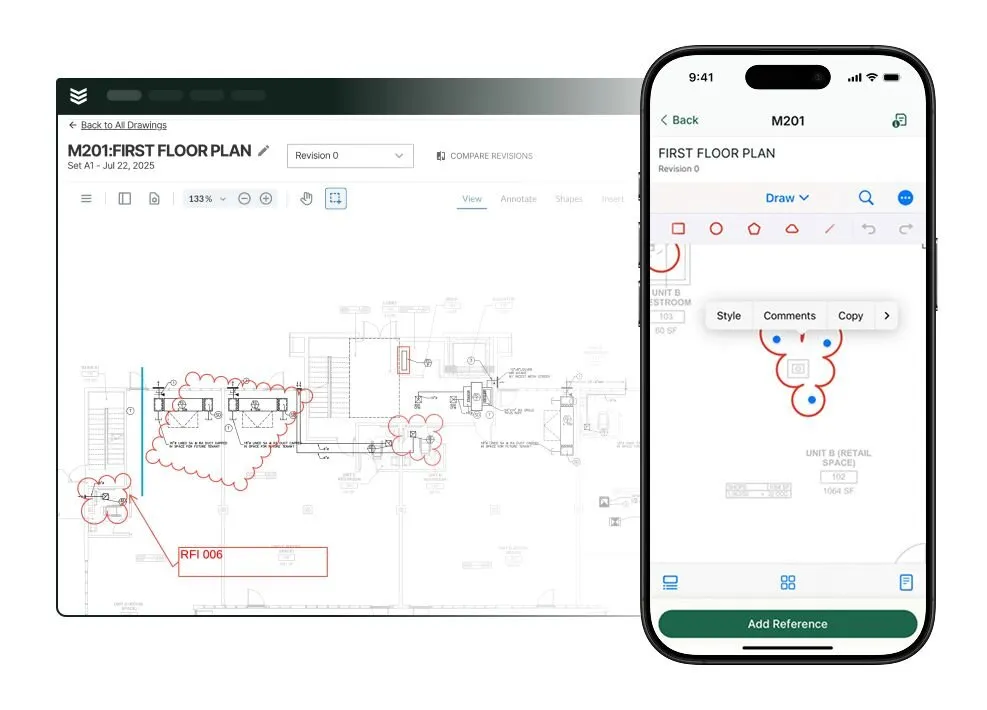
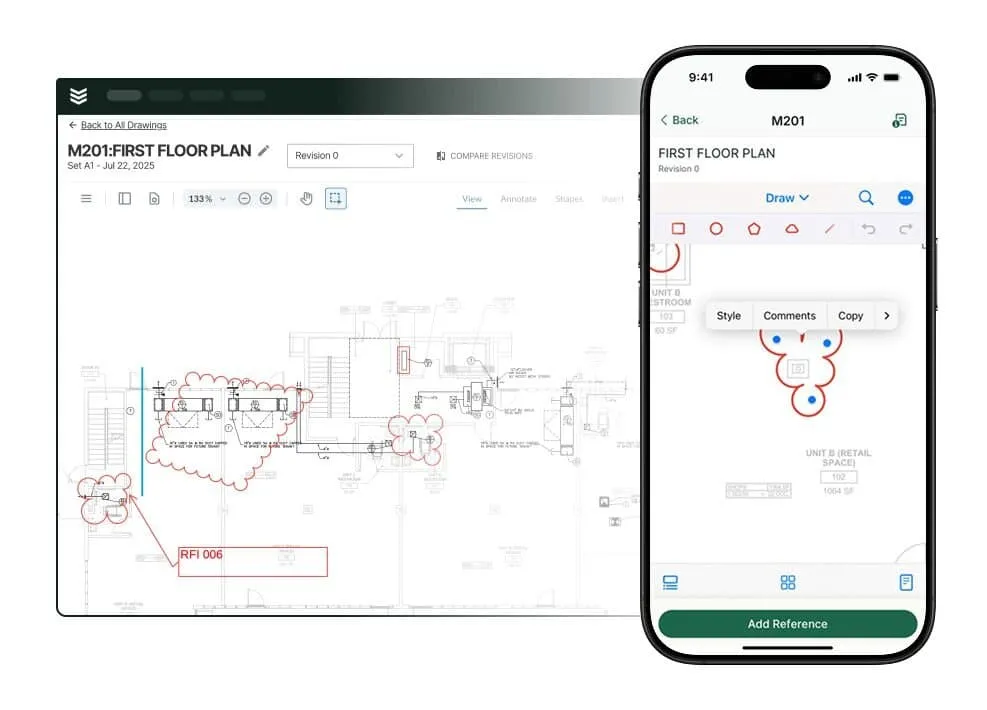
BuildOps closes that gap by letting teams create and manage RFIs directly from drawings on web and mobile.
RFIs Where the Work Actually Happens
With drawing‑linked RFIs, field users can:
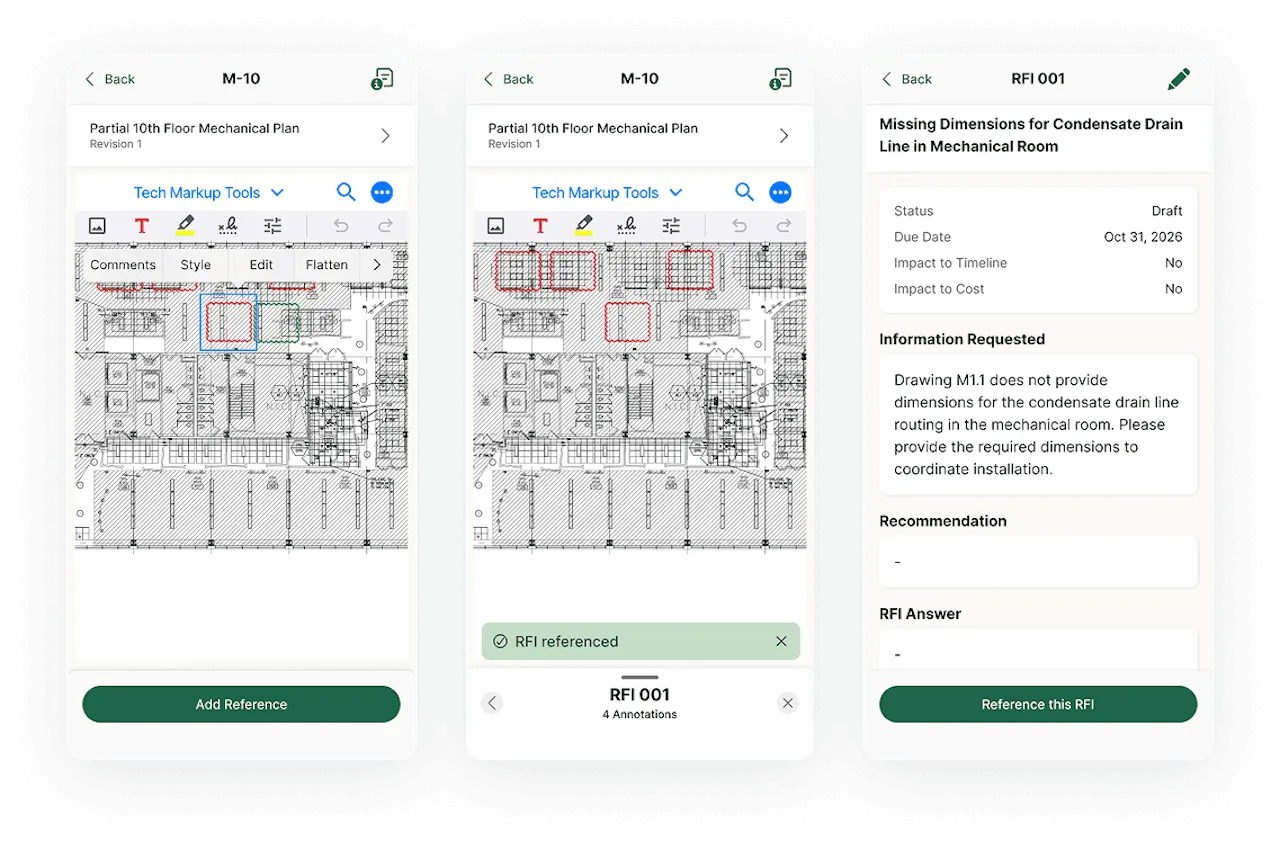
- Open a project drawing on mobile, drop a markup where the issue is, and spin up an RFI from that markup.
- Add notes and photos on the spot — even offline — and save as a draft.
On web, PMs can:
- See exactly where each RFI lives on the drawing, with the markup that triggered it.
- Add clarifications, assign stakeholders, send the RFI, and track it through closure, without losing that context.
Every RFI is anchored to a specific location on a specific drawing version, so everyone is literally looking at the same thing.
Why It Matters for Operational Visibility
This isn’t just a nicer way to log questions. It changes what you can see about your projects.
- One source of truth. RFIs, drawings, markups, and photos live together, instead of scattered across email, PDFs, and personal devices.
- Faster field-to-office loops. Foremen capture issues in seconds, in context, which shortens RFI cycle times and keeps work moving.
- Stronger documentation. RFIs are timestamped and tied to drawing conditions, improving legal defensibility and backing up change orders and dispute resolution.
- Clearer risk signals. When RFIs are mapped to drawings, patterns emerge — where clashes, design gaps, or scope questions actually concentrate on the plans — giving owners and PMs earlier warning on risk and margin.
Operational visibility is everyone seeing the same reality at the same time. Drawing‑linked RFIs bring the questions, decisions, and documentation back to where the work really lives — on the plans your teams build from every day