7 Best Scheduling and Invoicing Software That Cut Costs



Key Takeaways
- The most critical feature to look for in a scheduling and invoicing software is the way the tool unifies those two aspects of your operation, without the need for data double entry
- Choosing the best software depends entirely on what scale of field service work you do, whether that’s commercial, residential, general contracting, or something else
- Asking to see how scheduling connects to invoicing in a demo built around your custom workflow is one of the best ways to vet a scheduling and invoicing software when shopping
Our research into thousands of contractor invoices showed one clear thing: the longer you take to get your invoices out, the longer it takes for you to get paid. And the longer you delay, the bigger that gap gets to actually getting paid. To get invoices out quickly in field service takes a unified system where scheduling and invoicing work together seamlessly, so you can get work done quickly, and invoices out even faster.
Scheduling and invoicing software helps streamline these processes by keeping job assignments organized and payments on track. It eliminates manual errors, reduces admin work, and makes it easier to manage everything in one place. Whether you’re handling service calls, project-based work, or maintenance contracts, the right software helps businesses stay efficient and profitable.
To choose the scheduling and invoicing software that’s right for you, we’ll go over the top tools, what to ask in a demo, and how to get benefits from implementing the software. Let’s start with understanding what scheduling and invoicing specific features you need to look for, and how to evaluate them.
5 key features to look for in scheduling and invoicing field service software
To keep operations running efficiently, these scheduling and invoicing features should be at the core of any field service software.
1. Clear, uninterrupted, and automated connection from job scheduled to invoice sent
From the moment a job is worked into the schedule, information entered into the platform should automatically move through every step of the workflow, all the way through to invoicing. Team members should not have to enter data two, three, or even more times, and all information should exist within the single source of truth so job data is always accurate.
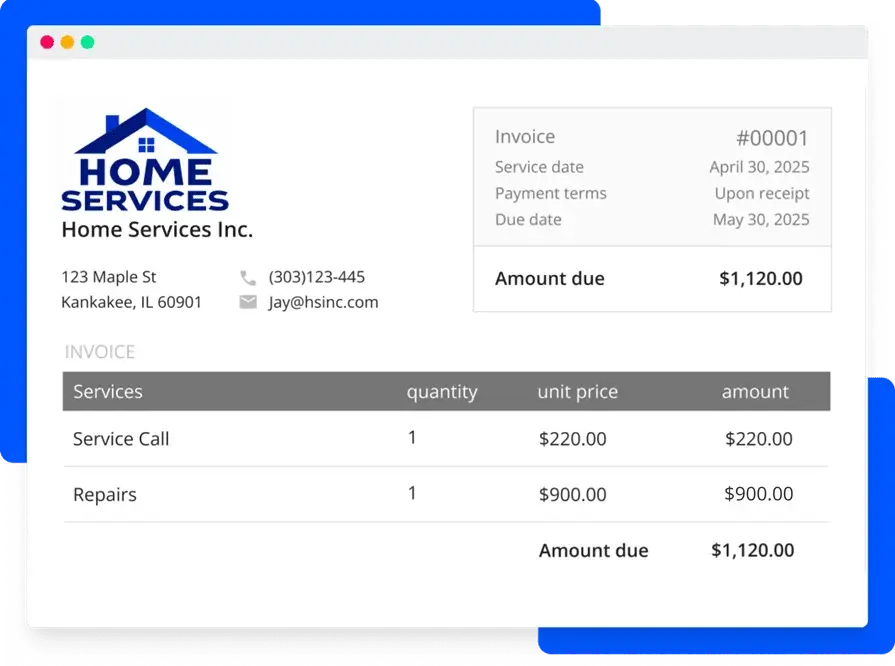
An example of a scheduling and invoicing software that does this well would be that once a job is scheduled and a work order is generated with a custom flow of steps a tech needs to complete, the inventory items indicated on the job, the hours, and any other notes the tech take can automatically be leveraged into the invoice, without a finance team member needing to do it manually.
2. Smart scheduling based on contractor skills & certifications
The scheduling interface should offer a place to indicate technician skills and industry certifications, and then have the capability to use that information to make scheduling suggestions, including recommending the best tech for each time slot based on those qualifications, their distance to the jobsite, or anything else relevant. Ideally the software can make these suggestions for you to approve, rather than you doing the manual work of piecing that puzzle together.
3. AI-powered automated invoice summaries for customers
The AI in the software can review field notes, optimizing grammar and fixing spelling mistakes to make the notes customer-facing and clear, and ready to leverage directly into an invoice summary. Using professional language, both back office and customers get a clear picture of the work done without anyone entering the information a second time.
4. AI can detect potential scheduling & invoicing conflicts and offer improvement suggestions
When a scheduling conflict arises, the AI flags it in on the scheduling board, and can make suggestions about how to fix that issue or which techs can be moved around to solve the problem. When customers have a history of not making payments, the software can flag potential credit issues and provide suggestions on how to proceed.
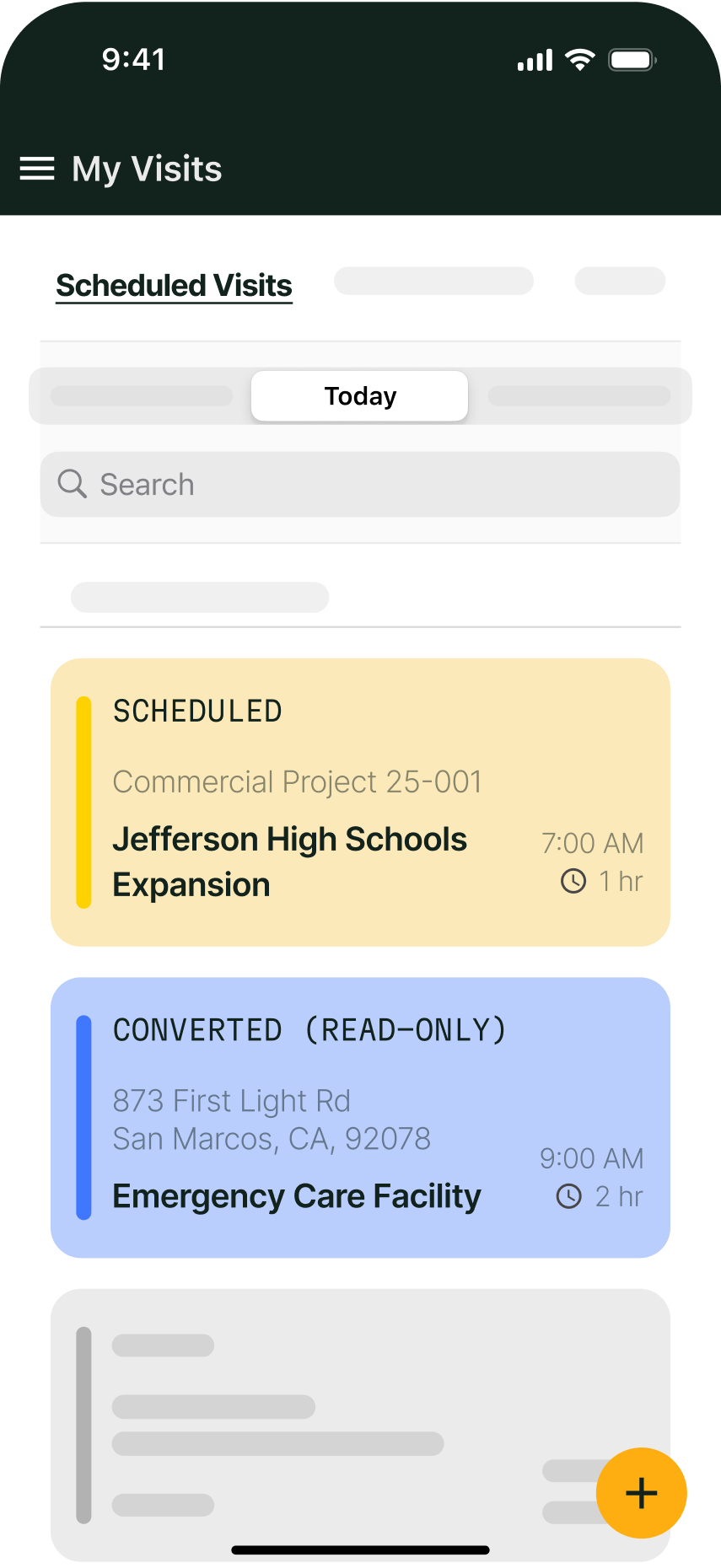
5. All scheduling and invoicing features are available (and work the same) on mobile
If scheduling and invoicing is ‘set it and forget it’ at the office, but things come up in the field, the software isn’t very useful. Make sure the app offers full matching capabilities to what can be done on desktop so that techs can take real actions in the field that keep things moving without delay. When the software works this well on mobile, techs can review their billable work and notes on site, and sometimes send invoices out before they even leave the parking lot.

7 best scheduling and invoicing software for different field service work types
The list below includes a variety of field service management platforms that have scheduling and invoicing built into the software. Because these tools are suited to very different types of businesses, we’ve broken them down by field work type, so jump down to the one that best matches the scale and type of work you do to find your ideal fit:
1. Best for commercial field service scheduling and invoicing: BuildOps
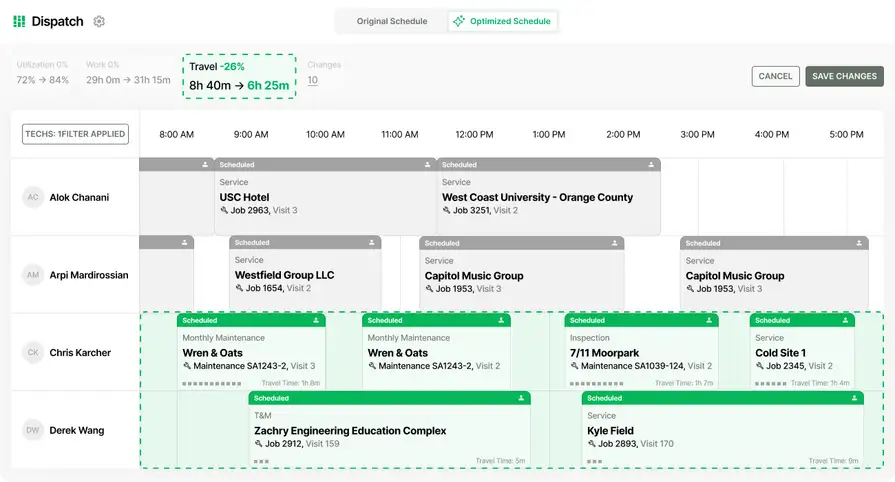
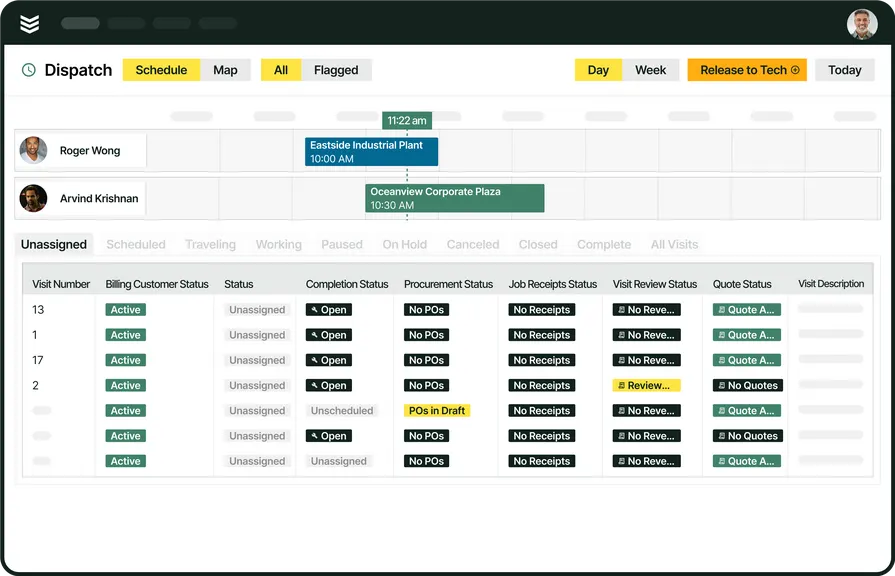
BuildOps is designed specifically for commercial contractors, offering a complete solution for job scheduling and invoicing at scale. It provides real-time scheduling tools that prevent job conflicts, automated invoicing that eliminates manual data entry, and a mobile-friendly platform that keeps technicians connected to office teams.
OpsAI superpowers both scheduling and invoicing. With scheduling, it can auto-build your scheduling taking technician skills and certifications into account, and with invoicing, it can read job notes and turn them into customer-facing invoice summaries.
How Pricing Works: BuildOps offers tailored pricing based on the size and needs of your team. Contractors can schedule a personalized demo to explore the platform’s features and see how it fits their workflow.
Features Beyond Scheduling and Invoicing: BuildOps goes beyond basic scheduling and invoicing by integrating payment processing, and advanced reporting into a single platform. Technicians can generate invoices directly from completed work orders, ensuring no job is left unbilled. The system also supports automated recurring billing for maintenance contracts, reducing admin time for back-office staff. Real-time job tracking allows dispatchers to monitor technician locations and adjust schedules as needed, improving response times for urgent calls.
What Sets It Apart for Commercial Field Service Contractors: BuildOps stands out with its ability to manage multi-location clients, complex scheduling needs, and large-scale service teams. Its seamless integration between scheduling and invoicing software ensures that no job goes unbilled, and payments are processed without delays.
Rating: 4.4 on Capterra from 177 user reviews
2. Best for residential field service contractors: Housecall Pro
Housecall Pro is a popular choice for residential contractors, offering easy-to-use scheduling invoicing software with built-in customer communication tools. The platform is designed for small to medium-sized residential trades businesses, providing automated job scheduling, real-time technician tracking, and integrated payment processing. While Housecall Pro is feature-rich for residential operations, it may lack the advanced reporting tools commercial contractors need.
How Pricing Works: Housecall Pro offers monthly plans with pricing based on the number of users and features required.
Features Beyond Scheduling and Invoicing: In addition to job scheduling, Housecall Pro provides automated customer reminders, mobile-friendly invoicing, and integrated credit card processing. Technicians can collect payments in the field, reducing delays and eliminating the need for follow-ups on unpaid invoices. The software also allows customers to book appointments online, helping residential service businesses fill their schedules faster without back-and-forth phone calls.
What Sets It Apart for Residential Contractors: Housecall Pro’s built-in communication features, including automated appointment reminders and real-time status updates, make it ideal for customer-focused residential contractors. Clients can book online, receive notifications about their technician’s arrival, and pay invoices directly through the platform.
Rating: 4.7 on Capterra from 2742 user reviews
If you want to dive in deeper, see how BuildOps and Housecall Pro stack up against each other when it comes to your scheduling and invoicing needs.
3. Best for general contractors: Jobber
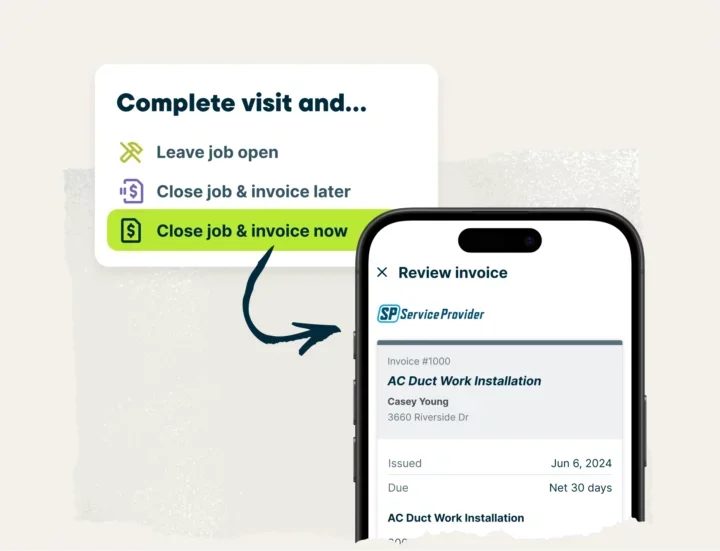
Jobber provides a comprehensive scheduling and invoicing software solution for general contractors handling various project types. It includes job scheduling, client management, and automated invoicing, all in a simple, user-friendly interface. While Jobber excels in ease of use and mobile accessibility, larger contractors may find its reporting features limited compared to more enterprise-level tools.
How Pricing Works: Jobber offers pricing plans starting at $129 per month for teams up to 5, with additional tiers for more users and features.
Features Beyond Scheduling: Jobber enhances scheduling with features like automatic job follow-ups, recurring work orders, and team time tracking. The software provides job status updates in real time, helping contractors manage multiple projects simultaneously without losing track of completed work. Its invoicing system allows users to set up batch billing, generate quotes that convert into invoices, and send payment reminders to reduce overdue balances.
What Sets It Apart for General Contractors: Jobber’s flexible scheduling and customizable workflows make it a great fit for general contractors handling a mix of service calls and project-based work. The platform’s automated follow-ups ensure invoices don’t go unpaid, while its mobile-friendly design keeps field teams updated on job assignments.
Rating: 4.6 on Capterra from 1469 user reviews
4. Best for small field service businesses: mHelpDesk
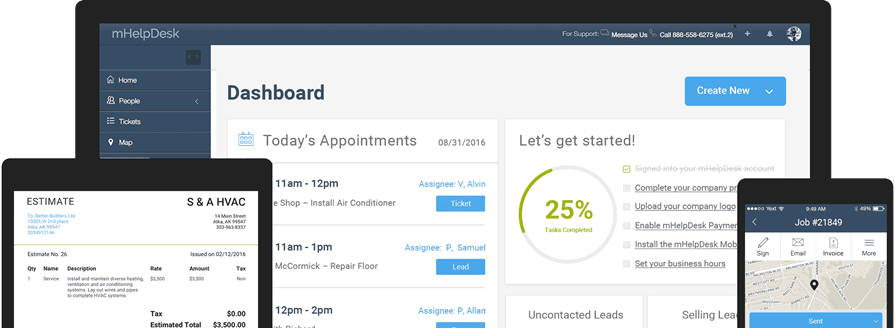
mHelpDesk offers an all-in-one scheduling and invoicing software designed for small to mid-sized field service businesses. It combines job scheduling, automated billing, and real-time customer management into a single platform. However, some users have reported that mHelpDesk’s customer support and mobile app functionality can be inconsistent, which may be a drawback for teams relying on real-time updates.
How Pricing Works: mHelpDesk provides tiered pricing based on the number of users and features required, with options for small businesses and larger teams.
Features Beyond Scheduling: Custom job workflows, recurring billing, and lead management
What Sets It Apart For Small Field Service Businesses: mHelpDesk stands out with its fully customizable workflows, allowing businesses to tailor job scheduling and invoicing processes to match their unique needs. It’s a great fit for businesses that require flexibility in managing service requests and payments.
Rating: 4.3 on Capterra from 824 user reviews
5. Best for small to mid-market HVAC, plumbing, and electrical: FieldEdge
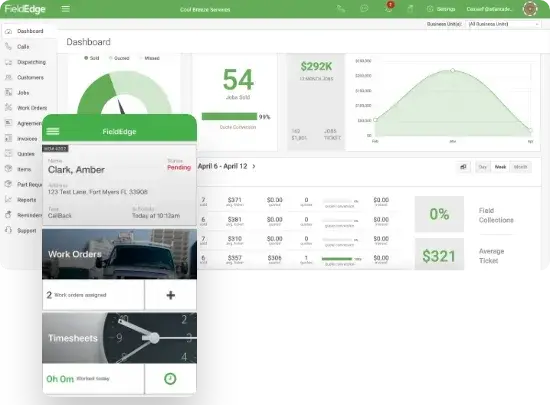
FieldEdge is a cloud-based scheduling and invoicing software designed for field service businesses. It offers real-time job tracking, integrated invoicing, and mobile accessibility to help service teams stay connected and efficient. That said, businesses that require robust project management tools or advanced automation features may find FieldEdge somewhat limited.
How Pricing Works: FieldEdge offers subscription-based pricing tailored to the needs of small to mid-sized service businesses.
Features Beyond Scheduling: Customer management, service agreement tracking, and real-time financial reporting
What Sets It Apart For Service Contractors: FieldEdge specializes in helping service businesses maintain long-term customer relationships by tracking job history, service agreements, and past invoices in one place—making follow-up work seamless and reducing miscommunication with clients.
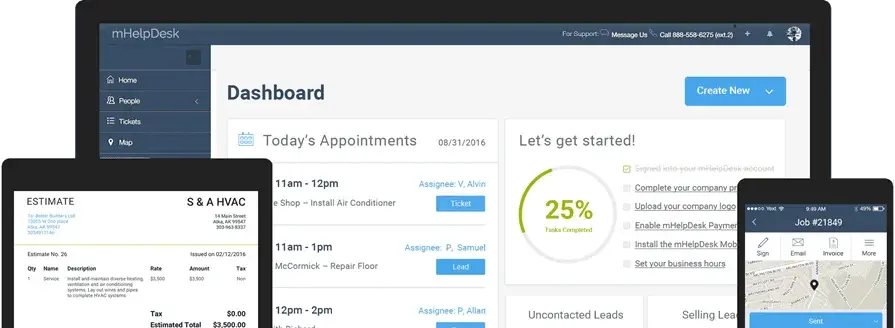
6. Best for small field service businesses: mHelpDesk
FieldEdge is a cloud-based scheduling and invoicing software designed for field service businesses. It offers real-time job tracking, integrated invoicing, and mobile accessibility to help service teams stay connected and efficient. That said, businesses that require robust project management tools or advanced automation features may find FieldEdge somewhat limited.
How Pricing Works: FieldEdge offers subscription-based pricing tailored to the needs of small to mid-sized service businesses.
Features Beyond Scheduling: Customer management, service agreement tracking, and real-time financial reporting
What Sets It Apart For Service Contractors: FieldEdge specializes in helping service businesses maintain long-term customer relationships by tracking job history, service agreements, and past invoices in one place—making follow-up work seamless and reducing miscommunication with clients.
Rating: 4.2 on Capterra from 310 user reviews
6. Best for customer-focused service businesses: Kickserv

Kickserv is a user-friendly scheduling and invoicing software platform built for service-based businesses. It simplifies job scheduling, invoice management, and customer communication, helping contractors stay on top of their daily operations. That said, Kickserv may not be the best choice for businesses that require complex job tracking or multi-location scheduling capabilities.
How Pricing Works: Kickserv offers flexible monthly pricing with free options for small teams and premium plans for businesses with growing service needs.
Features Beyond Scheduling: CRM functionality, automated invoicing, and customer self-service portals
What Sets It Apart For Customer-focused Service Businesses: Kickserv’s customer self-service portal allows clients to schedule appointments, review invoices, and make payments online, reducing administrative workload while improving customer satisfaction.
Rating: 4.4 on Capterra from 387 user reviews
7. Best for fleet-based operations: WorkWave
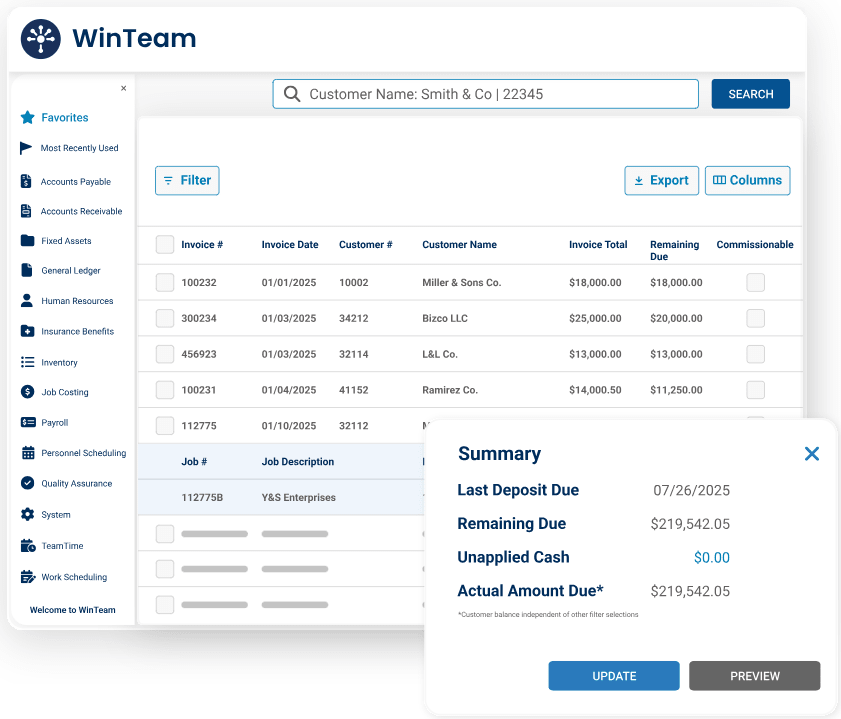
WorkWave provides a cloud-based scheduling and invoicing software solution tailored for service businesses that rely on efficient scheduling and route management. The platform helps automate scheduling, invoicing, and dispatching while keeping operations streamlined. However, WorkWave may not be the best choice for contractors looking for in-depth job costing or advanced financial reporting features.
How Pricing Works: WorkWave offers custom pricing based on business size and needs, with scalable options for growing companies.
Features Beyond Scheduling: Route optimization, automated invoicing, and mobile workforce tracking
What Sets It Apart For Fleet-based Contractors: WorkWave is ideal for businesses that need advanced route optimization and fleet tracking. Its GPS-powered dispatching system reduces travel time, increases job efficiency, and ensures technicians reach their job sites as quickly as possible.
Rating: 4.1 on G2 from 303 user reviews
That’s our list. Now let’s learn how exactly to compare these tools based on your unique use case and the type of field service work you do in a product demo.
How to choose the best scheduling and invoicing software: what to ask in a demo
Scheduling and invoicing are both very common features in a number of ‘out of the box’ contractor and service work software, so don’t get caught up in this idea that the tool is just going to ‘work for you.’ Get your vendor to prove it. This is how you do that in a demo for scheduling and invoicing software:
- Specify what type of field service work you do and provide a workflow for a typical example job your crew would do
- Have the vendor map out that workflow in the software, setting up the example
- Have them run through the workflow from the moment a job is scheduled to when the invoice is sent out
- Ask specifically what happens to data when it’s changed in one place vs the other (will you have to enter the invoice information separately after a job is done or is the job data automatically applied to invoices)
- Ask how you change the schedule, and how easy that is to do, if something like an emergency job comes up
- Ask to see how invoices are sent out to customers (email, what payment methods are available, etc.)
- Find out what AI-powered features are available to optimize the scheduling and dispatching on the board, or identify problems with customers invoices, credit, and payments
For this demonstration, make sure you use a real example of a past job or customer so you can test exactly how the software will work once you get up and running.
Top 6 benefits of implementing a scheduling invoicing software in your field operation
Here are the biggest ways you can expect to see immediate ROI when switching to a digital scheduling and invoicing system.
1. Fewer scheduling conflicts and double bookings
Without a clear system, double-booked appointments and last-minute rescheduling can cause delays, frustrate customers, and waste valuable technician hours. Scheduling and invoicing software provides automated job tracking and technician availability updates, reducing scheduling errors and ensuring work is assigned efficiently.
Consider a plumbing company that regularly handles emergency calls. Without an automated system, dispatchers manually track technician availability, often leading to overlapping jobs. With scheduling software, open time slots are updated in real time, preventing costly double bookings.

Learn more about how to eliminate scheduling conflicts to increase productivity in our comprehensive guide to field service scheduling, where we break down 10 actionable best practices you can implement into your scheduling operations starting today.
2. Faster invoice processing and fewer payment delays
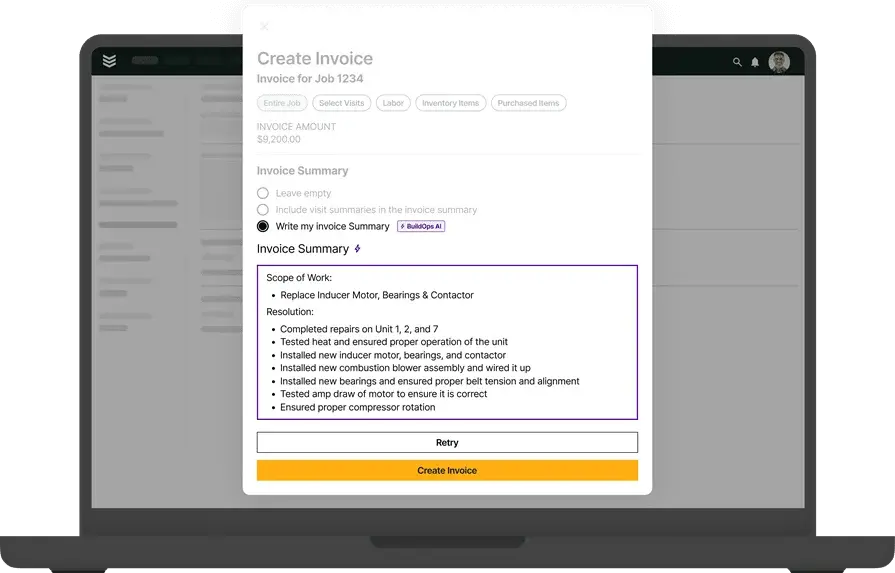
Manual invoicing slows down payments, especially when paperwork gets lost or customers forget to pay on time. A scheduling and invoicing software solution automates invoice generation, sends reminders for unpaid bills, and offers online payment options, reducing delays and improving cash flow.
Imagine an HVAC technician who completes a furnace repair and immediately generates an invoice on their mobile device. The customer pays on the spot through an integrated payment system, eliminating the need for follow-ups and reducing outstanding balances.

3. Reduced administrative workload
Field service businesses deal with a high volume of scheduling and invoicing tasks, and manual processes create unnecessary admin work. Scheduling and invoicing software automates recurring tasks like appointment confirmations, invoice generation, and follow-up reminders, allowing office staff to focus on more critical business operations.
For example, a general contracting company that manages multiple job sites no longer needs to manually create invoices at the end of each project. Instead, completed work orders automatically generate invoices, saving hours of admin time each week.
4. Improved technician productivity and job tracking
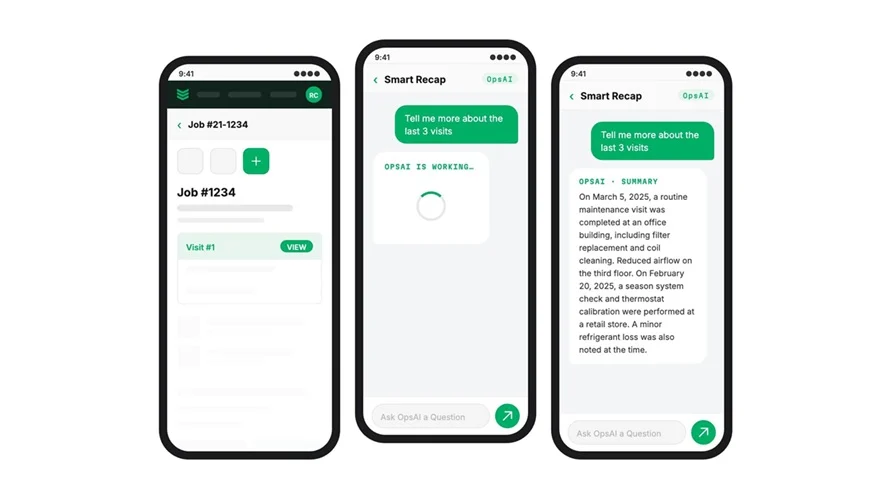
Keeping technicians on schedule and ensuring they have the right job details is key to maximizing efficiency. Scheduling and invoicing software allows field teams to access job assignments, customer history, and invoicing details from a mobile app, reducing time wasted on back-and-forth communication. Picture an electrician who arrives at a job site and discovers missing details about the service call. Instead of calling the office for clarification, they pull up the work order, previous job notes, and the customer’s invoice history on their phone—keeping the job moving without delays.
Keeping technicians on schedule and ensuring they have the right job details is key to maximizing efficiency. Scheduling and invoicing software allows field teams to access job assignments, customer history, and invoicing details from a mobile app, reducing time wasted on back-and-forth communication.
Picture an electrician who arrives at a job site and discovers missing details about the service call. Instead of calling the office for clarification, they pull up the work order, previous job notes, and the customer’s invoice history on their phone. This keeps the job moving without delays.
5. Enhanced customer experience and trust
Customers appreciate clear communication and fast service. Scheduling and invoicing software provides automated appointment reminders, real-time technician tracking, and instant invoicing, improving the overall service experience and building long-term customer trust.
For instance, a pest control company sends an automated text reminder the day before an appointment, along with a live technician tracking link. The customer knows exactly when to expect service, reducing missed appointments and last-minute cancellations.
6. Better financial insights and reporting
Understanding business performance requires accurate financial data. Scheduling and invoicing software offers reporting tools that track revenue, outstanding invoices, and technician efficiency, helping businesses make smarter financial decisions.
For example, a commercial refrigeration service company can track which service contracts generate the most revenue and which customers frequently delay payments. With this insight, they can prioritize high-value clients and implement stricter payment policies.
4 scheduling and invoicing software FAQs answered
Even with the best scheduling and invoicing software, contractors and field service businesses often have questions about how these tools fit into their operations. From integrations to pricing, here are answers to some of the most common questions businesses ask us before making the switch.
1. What is scheduling and invoicing software?
In field service, scheduling and invoicing software is a tool that incorporates both of these aspects of field service work in a single management platform, in a meaningful way. Many standalone scheduling or invoicing software tools exist, but not many are built with the needs of field service businesses in mind. A scheduling and invoicing software links these two components of a job together, moving information from scheduling through to invoicing to reduce the need for jobsite data to be entered separately after the job is complete when invoices are sent to customers.
Think of it like this: A scheduling software schedules a tech to a jobsite. They complete the work and do field notes. Then someone in finance at the back office has to hunt down those notes to close out the work, entering what parts and materials were used and what can be billed to the customer in their invoicing software. Data was entered twice by at least two team members (and may not match), and the information in one tool wasn’t used in the other.
Alternatively, a scheduling and invoicing software does all of this in one tool so those extra steps (and potential mistakes) aren’t necessary. The same notes entered by the field tech are leveraged into an invoice summary, and all the billables were already noted in the app when the tech completed the work. Invoices can go out automatically, and nearly instantly when the work is completed.
2. How does scheduling and invoicing software help with job management?
Scheduling and invoicing software centralizes job assignments, technician availability, and invoicing. It automates scheduling, prevents double bookings, and ensures jobs are invoiced immediately—reducing common issues. For businesses, paper schedules or manual invoicing will be a thing of the past.
3. Can scheduling and invoicing software integrate with other business tools?
Yes, most modern scheduling and invoicing platforms integrate with accounting software like QuickBooks, CRM systems, payment processors, and even fleet tracking tools. These integrations help streamline operations by syncing financial data, automating follow-ups, and improving job tracking. Before choosing a platform, check its compatibility with the tools your business already uses.
4. How much does scheduling and invoicing software cost?
Pricing varies based on the platform, the number of users, and the level of features included. Some solutions charge a monthly subscription fee, while others offer tiered pricing based on business size. Many providers also offer free trials, allowing businesses to test the software before committing.
Typically, you could expect the cost of a scheduling and invoicing software to range from $50–$300 per user/month, depending on functionality and add-ons.
By implementing scheduling and invoicing software, contractors eliminate scheduling conflicts, speed up payments, and reduce administrative headaches. Whether you're a small team or a large-scale operation, finding the right solution ensures smoother day-to-day operations and better cash flow.
For commercial contractors managing complex workflows, an all-in-one platform that ties the entire job together, helping each team member move from schedule to work to invoice, is what’s necessary. That’s where BuildOps scheduling and BuildOps invoicing is your solution. One tool. All team members in sync. AI cuts out the busywork. Try BuildOps out today.