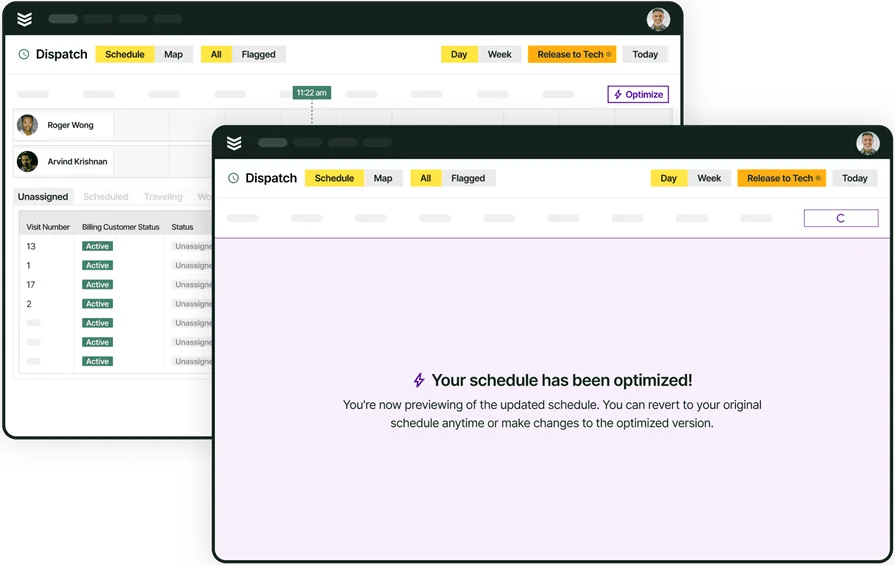
Using AI Asset Nameplate Capture Tools for Contractors
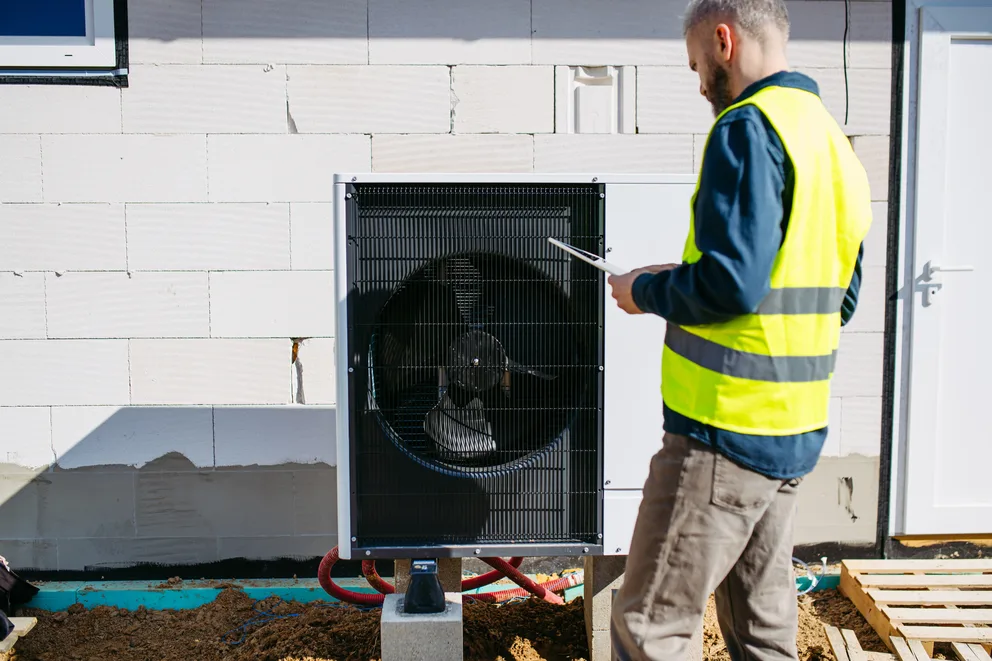
Every unit has a nameplate with everything you need—model, serial, specs, refrigerant, and voltage.
The real headache? Getting that info off a rusty plate and into your system. Techs are squinting in dark rooms, thumbing in long numbers, and praying they don’t screw one up. By the time the data’s in, the job’s already gone.
For contractors across the field service industry, asset nameplate capture tools with intelligence built into the workflow change entirely, letting a tech snap a photo and have the software read, extract, and structure the data automatically.
To explain how AI can power nameplate capture tools, we'll break down:
- What does an AI asset nameplate capture tool do & how does it work?
- How does AI power an asset nameplate capture tool?
- How BuildOps OpsAI does asset nameplate capture
- Who benefits most from using AI nameplate capture tools?
This process transforms a simple photo into a clean asset record, fueling faster dispatch and smarter maintenance. Let’s take a closer look at how these tools actually work.
What does an AI asset nameplate capture tool do & how does it work?
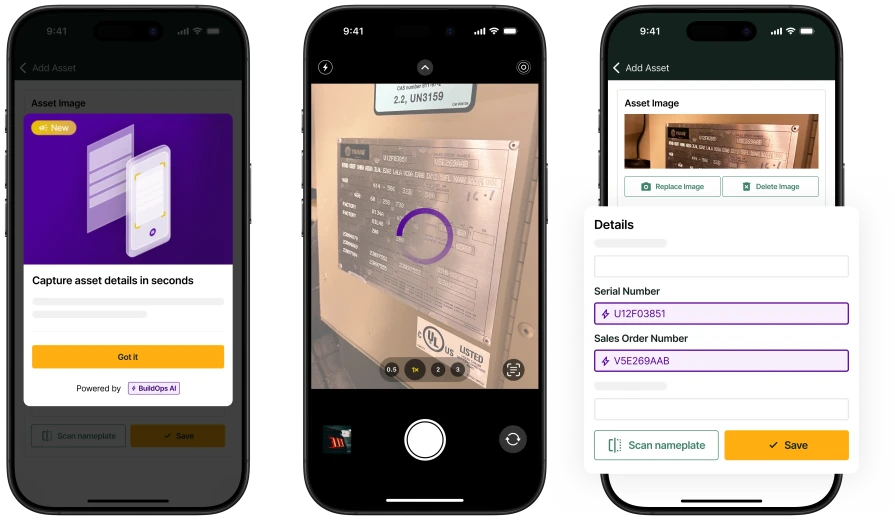
The tool lets a field tech photograph an equipment nameplate on their mobile device and automatically converts the visible text into structured asset data — make, model, serial number, capacity, refrigerant type, and other specs — without typing anything by hand.
Instead of squinting at faded labels and typing endless codes, the tech snaps one photo. The software reads everything, fills in the fields, and builds a complete asset record on the spot. This turns three minutes of manual data entry into about ten seconds of work.
The technology behind it combines optical character recognition with AI models trained specifically on real-world equipment labels like metal plates with embossed characters, faded ink, grease, glare, and layouts that vary by manufacturer.
Unlike generic OCR, which pulls raw text off a surface, purpose-trained AI identifies which text belongs to which field, distinguishes a model number from a serial number based on formatting and label position, and maps everything to the specific fields commercial service records need.
Here's an example of how a tech actually uses asset nameplate capture on a job, using BuildOps:
- Go to the asset from the job or visit. If the tech finds a new unit, they usually open Assets Worked On and tap Add Asset. If the asset already exists, they can open the existing asset record and scan from there.
- Tap Scan Nameplate and take or upload a photo of the equipment tag in the field. This is typically done on mobile, right where the tech is standing in front of the unit.
- Let the AI read the image and pre-fill the asset details. In GA, the core flow fills make, model, and serial, attaches the nameplate photo, and internal positioning also describes broader extraction like capacity and refrigerant in the asset record.
- Review the results and finish the record. The tech still confirms or corrects fields, chooses the asset type if needed, and the app is designed to populate empty fields without overwriting existing values. Lower-confidence make values may be left for manual confirmation.
- Save the asset so the clean data flows into the rest of the workflow. Once captured, the asset record becomes usable for history, work orders, and downstream service records, and in some customer workflows the model/serial data also helps connect the asset to Bluon enrichment and reference information.
{{related-content-block="/resources/ai-for-contractors/"}}
How does AI power an asset nameplate capture tool?
Without AI, a nameplate photo is still a manual job. The tech reads a faded label, keys in a model number, serial, tonnage, and refrigerant one field at a time on a phone screen, and hopes nothing gets transposed. That takes about three minutes per unit. AI cuts it to ten seconds. One photo, structured data, and a clean record the first time.
What separates purpose-trained AI from generic text recognition is specificity. A basic scan pulls raw characters off a surface. It doesn't know a model number from a serial number, and it doesn't understand that every manufacturer arranges labels differently.
AI trained on real equipment nameplates maps each value to the exact fields commercial service records need, like the make, model, serial, capacity, refrigerant — and does it without overwriting data that's already in the record. When confidence is high enough, the value auto-applies. When it's not, the tech confirms it manually.
Field teams who use these tools call nameplate scanning the easiest way to get the correct model and serial into the asset. There’s no re-keying, and no second-guessing. As Michael Powell at Layer One put it: "I'm in BuildOps everyday. From the time I sit down I'm checking everything from the schedule for where the guys are at today, to quotes for customers or change orders for jobs, job costing, checking hours."
When the platform removes friction from every touchpoint, including asset capture, that kind of daily reliance is what follows
The honest limitation: it works best when the plate is readable. Faded or corroded tags are still a challenge, even with scanning.

A Kickstand report based on a survey of 606 contractors across the U.S. and Canada found that 78% are using AI tools on the jobsite, while 47% say one in five positions remain unfilled.
That combination explains why AI-backed workflows matter in field ops: they reduce admin load and help teams keep output steady with the headcount they have
How BuildOps OpsAI does asset nameplate capture
Nameplates are a slog without AI. Techs squint at faded labels, tap model, serial, tonnage, and refrigerant into tiny fields, and lose three minutes per unit. With OpsAI — the intelligence layer inside BuildOps — that changes. One snap, ten seconds, clean structured data. Here’s how it works:
Instant field extraction
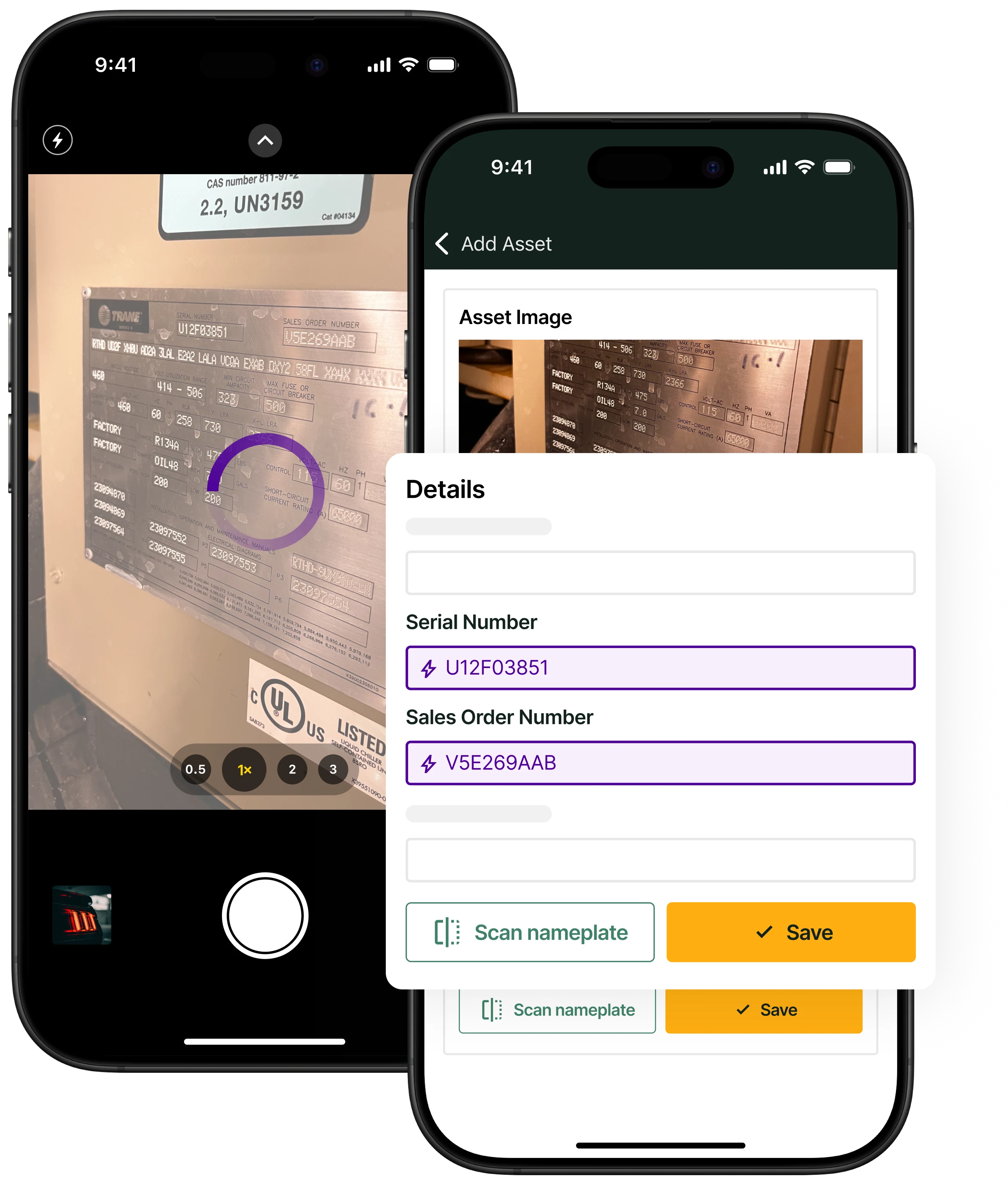
OpsAI reads the nameplate the moment the photo is taken and structures the output into categorized fields. There’s no typing, no squinting, no re-keying long alphanumeric strings on a phone screen. The capture happens right where the tech is standing, inside the technician’s mobile app, so there's no separate tool to open and no extra steps between the scan and the record.
That's what intelligence built into the work looks like. OpsAI acts where the work happens, not in a separate app nobody opens.
Purpose-trained recognition
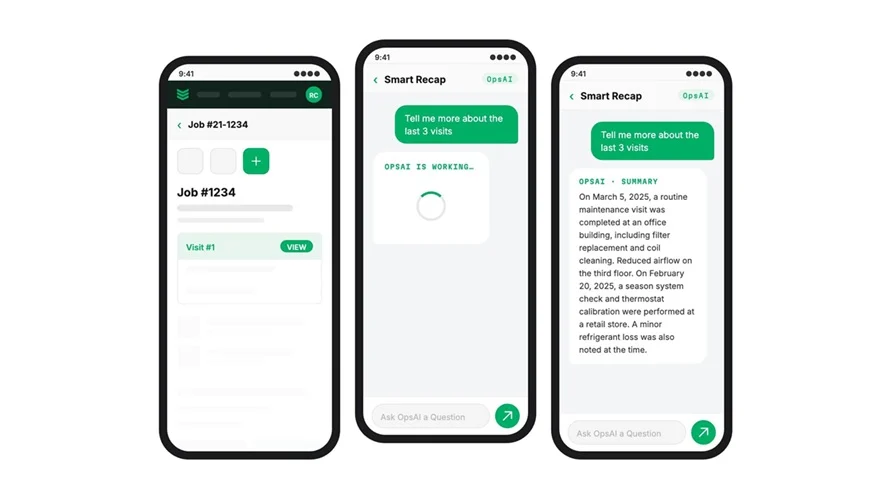
A generic scan pulls raw characters off a surface. It doesn't know a model number from a serial number, and it doesn't understand that every manufacturer arranges labels differently. OpsAI is trained on commercial contracting workflows, not generic business logic, so it maps each value to the exact fields commercial service records need: make, model, serial, capacity, refrigerant. Those values write directly into the asset management record where they're immediately usable for dispatch, history, and future service.
The longer your team runs it, the sharper it gets. Every scan adds a signal, and OpsAI draws on OEM knowledge, industry-specific patterns, and your own equipment history to improve accuracy over time.
Confidence-aware autofill
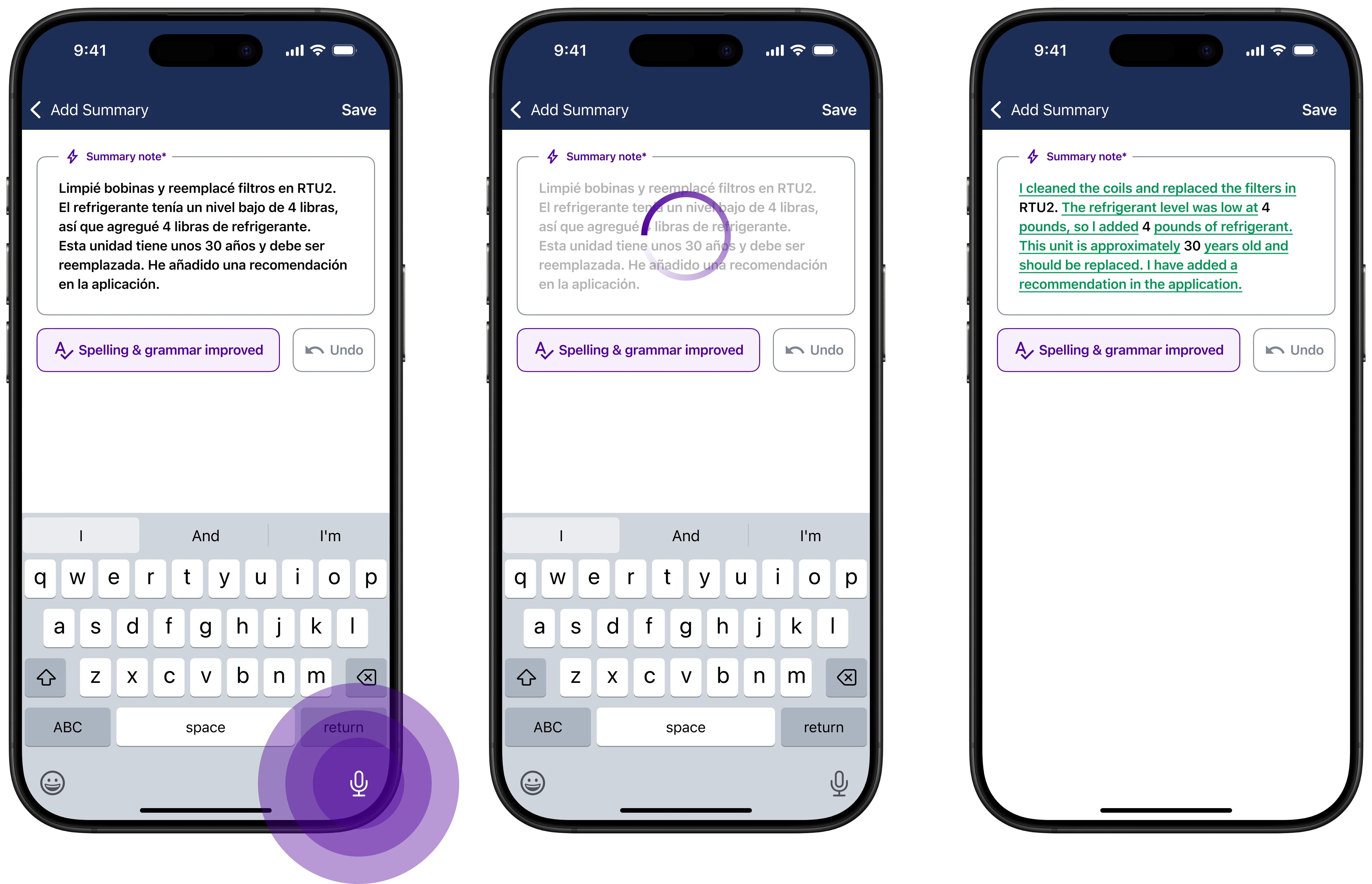
OpsAI is assistive, not destructive. It populates empty fields without overwriting data that's already there. When confidence in a recognized value is high enough — typically above an 80% accuracy threshold — it auto-applies the data.
That means the tool adds information without wiping out what your team has already captured, and it flags uncertainty instead of guessing silently. Every confirmed value becomes a reportable data point through reporting workflows.
Downstream data flow
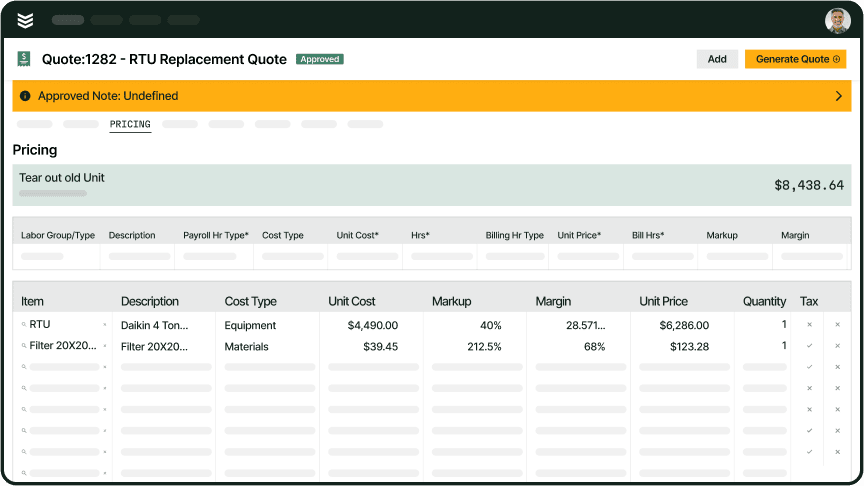
Clean asset data captured at the point of service feeds directly into quoting, parts ordering, warranty verification, and invoicing, all from the same record, captured once.
Fewer bad records mean fewer wrong-parts orders and fewer warranty disputes caused by mis-keyed equipment data. Captured model and serial data also bridge into equipment enrichment databases and manufacturer manuals, so the next tech who touches that unit arrives with full context instead of starting from scratch.
Who benefits most from using AI nameplate capture tools?
Field techs feel this the most. They’re the ones in front of the unit, burning time thumb‑typing tiny model numbers into a phone. Exactly how valuable AI nameplate capture is depends on your mix of equipment and how you use data downstream, but for most commercial contractors, it quickly shows up in faster jobs, cleaner data, and fewer headaches across the business.
- HVAC & mechanical techs — Rooftop units, split systems, chillers, boilers, air handlers, VRV/VRF systems, and cooling towers. These units carry dense nameplates with make, model, serial, tonnage, refrigerant type, and voltage — all critical for parts ordering, warranty verification, and compliance documentation. One scan replaces five minutes of squinting on a rooftop in July.
- Electrical contractors — Panels, switchgear, transformers, generators, and automatic transfer switches. Electrical nameplates often include voltage ratings, phase configurations, and amp ratings that need to be exact. A transposed digit on a transformer spec can mean ordering the wrong replacement or quoting the wrong scope entirely.
- Plumbing contractors — Commercial water heaters, booster pumps, backflow preventers, grease interceptors, and recirculation systems. Backflow devices in particular require annual testing and compliance reporting tied to specific serial numbers. Clean capture at the point of service keeps those records audit-ready.
- Fire & life safety contractors — Fire alarm control panels, sprinkler system components, fire pumps, suppression systems, and extinguisher banks. FLS work runs on compliance, and compliance runs on accurate equipment records. Scanning the nameplate on a fire pump or alarm panel ties the correct model and serial to the inspection record the first time.
- Refrigeration contractors — Walk-in coolers and freezers, reach-in units, rack systems, condensing units, and ice machines. Refrigeration techs often service dozens of units across a single grocery store or restaurant chain location. Scanning nameplates instead of hand-entering data on every compressor and evaporator saves hours across a single route.
Across all five trades, the pattern is the same: the tech who touches the unit captures the data, and that data feeds directly into dispatch, quoting, and service history. Nameplate capture is one of several contractor workflow tools with built-in intelligence that removes admin from the field without adding headcount, and it's the one techs notice first because it replaces the single most tedious part of their day.
{{related-content-block="/resources/how-service-1st-got-rid-of-the-work-arounds"}}
Most software helps you store information, but commercial service businesses need more than a digital filing cabinet. They need AI that actually runs the workflows for them.
When techs snap photos of equipment nameplates that never turn into clean, structured data, and when scheduling, invoicing, asset records, reporting, and field communication all live in separate tools, work slows down, revenue slips, and customers feel the disconnect.
BuildOps brings it all together in one platform, and turns every step into an AI-powered workflow. With OpsAI embedded across the lifecycle of your operation, contractors can auto-capture and structure nameplate data from a single photo, create or update asset records in seconds, dispatch smarter, capture cleaner field data, invoice faster, and see the state of the work in real time.
No manual retyping from nameplate photos. No double entry. No disconnected workflows. Just one AI-native system built to help commercial contractors move faster, operate smarter, and get paid sooner.