How to Choose the Best Construction Submittal Software

Getting submittals right isn’t optional. It is the price of staying in business. One missing spec, old cut sheet, or mislabeled file can stall approvals, push back schedules, and put your reputation at risk.
Manual workflows and generic tools only slow you down and invite mistakes. Construction submittal software is built for this stage of the project. It standardizes documentation, tracks approvals, and keeps everyone aligned so submittals move faster with fewer surprises.
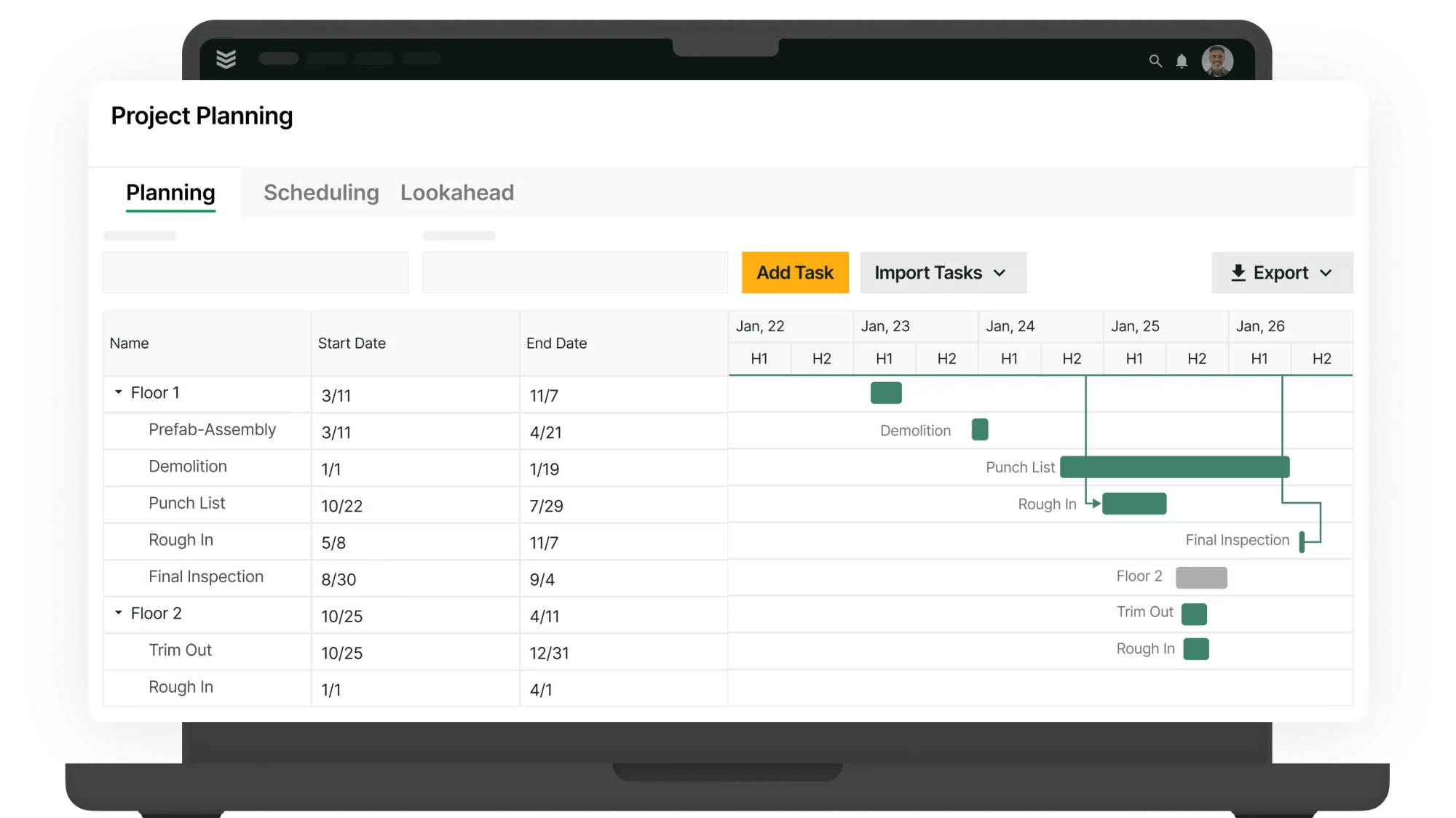
And because submittals are only one piece of the larger workflow, more contractors are tying their submittal tools into systems that manage everything from scheduling to invoicing. That’s where understanding how field service management fits into your operations can help you build a more consistent, connected project delivery process.
Let’s start by walking through the key features to prioritize as you evaluate construction submittal software.
5 key features to evaluate in construction submittal software
Construction submittals go deeper than almost any other project paperwork. You are tracking specs, cut sheets, shop drawings, finishes, approvals, revisions, and constant coordination with architects, GCs, subs, and vendors. Your construction submittal software has to do more than hold PDFs. It must keep every submittal moving, accurate, and clearly documented across projects, trades, and teams.
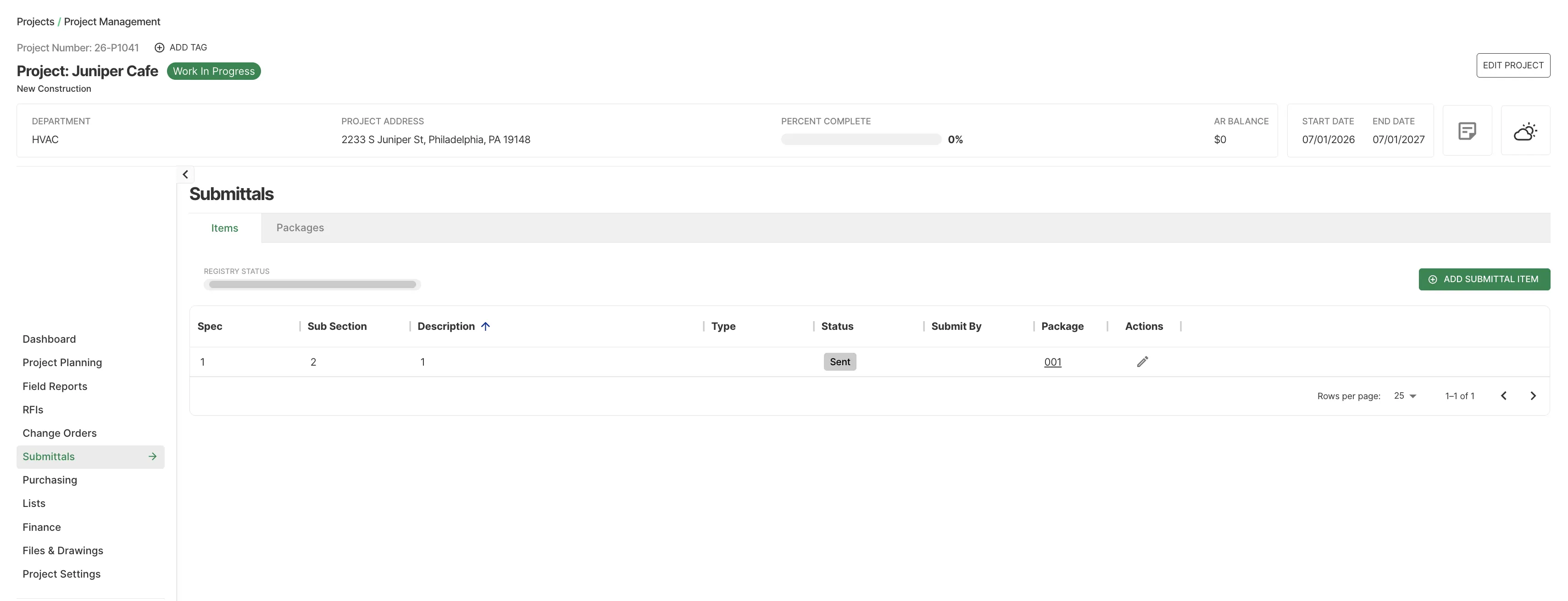
Here are the top features you should look out for, and make sure they are built into the core of any tool you use for managing construction submittals.
1. Mobile-friendly app accessible to field teams
Most of your submittal questions, RFIs, and clarifications happen in the field, not at your desk. With a field service technician app, foremen and techs can review submittal details, verify installed materials, and capture on-site changes right from the job site.
During a punch walk, your superintendent can pull up approved hardware submittals on their phone, confirm what was installed, and flag deviations immediately, with no printing, no guessing, and no outdated binders. Mobile tools also let you attach photos and notes to submittal records to document compliance and prevent disputes.
2. Connection between submittals and your CRM
Connecting submittal management to your field service CRM pulls project history, contacts, contract details, and site requirements straight into your logs. This reduces manual entry and keeps submittals consistent across customers and sites.
If you manage a roll-out for a national retailer, past data tied to the account lets you reuse approved materials, preferred vendors, and standard finishes in minutes, without rebuilding documentation or risking non-standard products.
3. Submittals synced to scheduling & dispatching
When submittals are approved, linking them to your field scheduling and smart dispatching lets you plan labor and material delivery with confidence, without re-keying data. Crews stay productive, approvals do not hold up work, and install dates align with lead times.
If a mechanical equipment submittal is approved, your scheduler sees delivery dates, crew type, and install duration, and can assign the right team in seconds. When door and hardware submittals are fully approved, dispatch knows which openings are ready, what is compliant, and how long install will take, so they can schedule without risking rework.
4. A field to invoice link that enables automated invoicing and payments
Invoicing and payment systems tied to submittals and approved changes speed up billing and lower disputes. You connect approved products and scopes directly to line items, so you bill faster with clear backup and no duplicate data entry.
If a finish substitution is approved, your team records the new cost in the field. When work is done, that approved change flows into an invoice, with no need to search through emails or PDFs. A field-to-invoice solution makes this possible by turning specs and approved submittals into field work details, then into invoice summaries.
5. Reporting and cost visibility
Clear field reporting tools show how submittals affect schedule, cost, and risk. Tracking approval durations, resubmittal rates, and material variances reveals what keeps jobs on track and what erodes margins.
If several projects are delayed by structural or MEP submittals, your team can see where reviews slowed, how long they took, and then adjust planning and contract language. Over time, you can tighten processes, standardize preferred materials, and make more accurate commitments on future jobs.
3 construction submittal software for contractors
Choosing the right construction submittal software starts with how your team actually works. Whether you are pushing submittals on a fast-track high-rise, coordinating shop drawings for a school renovation, or tracking RFIs and approvals across multiple phases, the right platform can keep your projects moving or bring them to a stop.
Below, we highlight leading options, each with strengths tailored to different contractors, and point out where they may fall short based on how your projects are structured and managed.
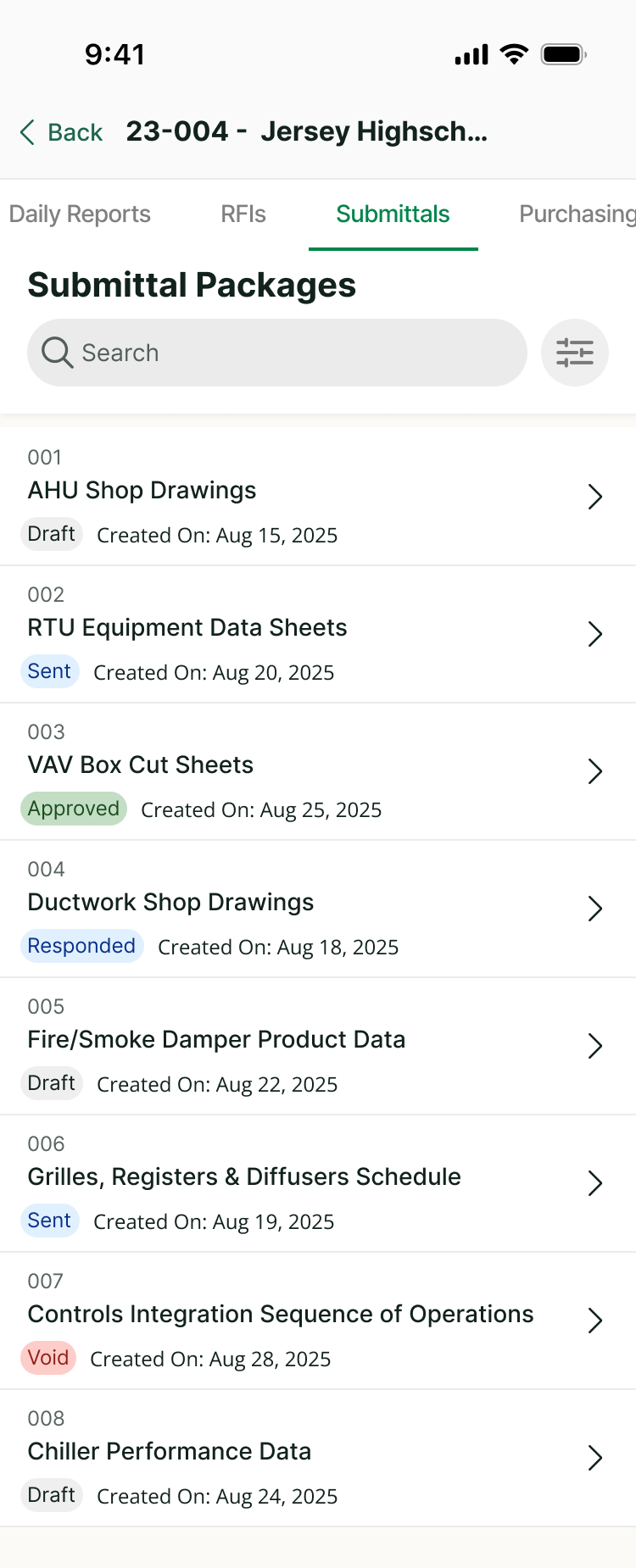
1. Best for commercial construction contractors: BuildOps
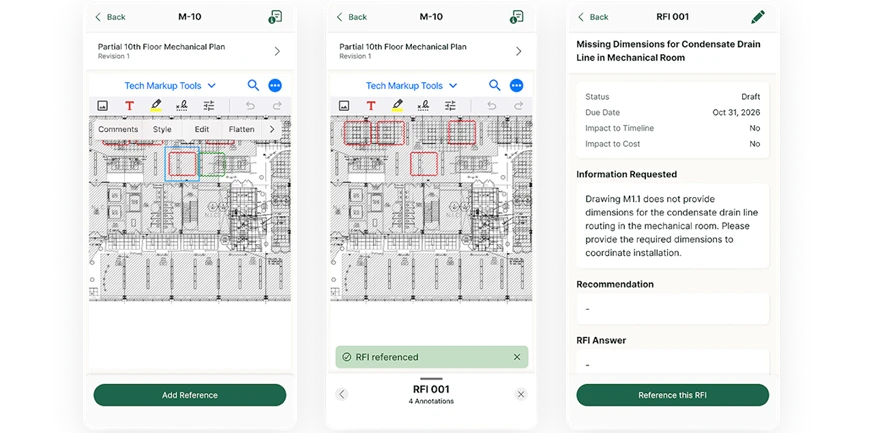
BuildOps is built for commercial contractors across the trades, including construction teams, who manage complex jobs at scale. Its construction submittal tools are purpose-built for high-volume, detail-heavy documentation, so you can track specs, cut sheets, approvals, and revisions without drowning in version chaos.
OpsAI takes the mess out of submittals by turning raw field inputs, crew notes, photos, receipts, and markups into clean, structured documentation your back office can trust. From emergency break-fix calls to tenant improvements and large HVAC retrofits, every job, contract, and service agreement follows the same disciplined submittal process, so nothing slips between the field, the office, the GC, or the balance sheet from first dispatch to final closeout, including the submittal packages that keep projects moving.
How pricing works: BuildOps prices are based on team size, user count, and the capabilities your operation needs, quoted per user per month with options scaled for larger construction teams and multi-branch businesses.
Features beyond submittals:
- Real-time cost tracking and job costing
- Automated labor and material calculations
- Seamless integration with scheduling and invoicing
What sets it apart for commercial: BuildOps streamlines how commercial contractors manage construction submittals and project handoffs, making it ideal for multi-phase jobs that demand tightly coordinated documentation, approvals, and closeout packages across teams.
Rating: 4.4 on Capterra from 177 user reviews
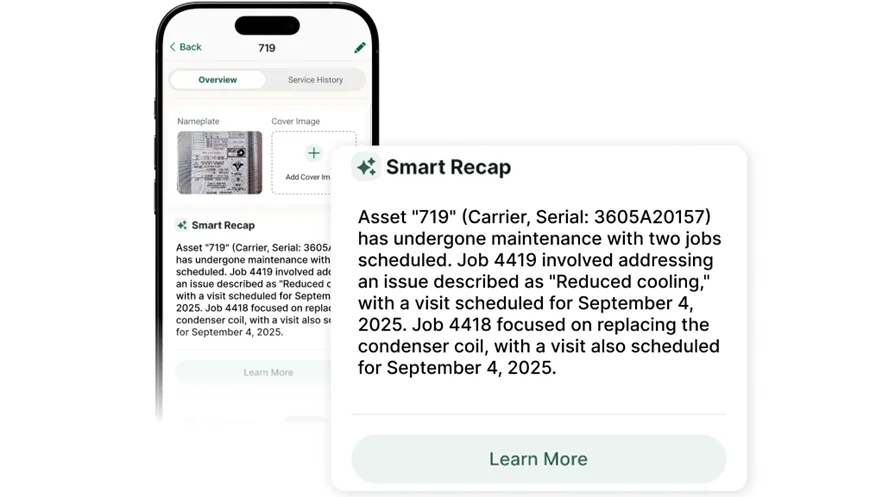
2. Best for residential service teams: Kickserv
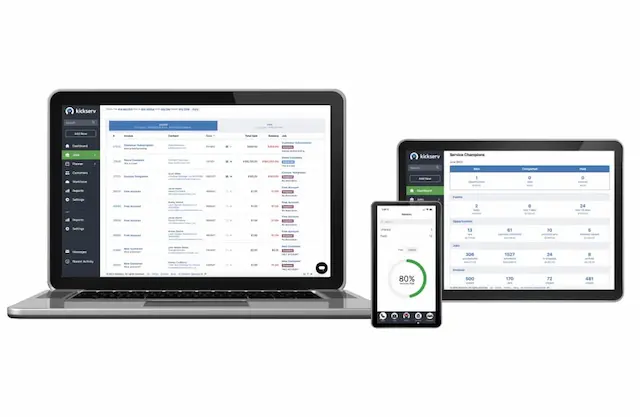
Kickserv works well for residential contractors who need a simple way to track customer interactions and basic job details from the field. Its self-service portal lets homeowners manage jobs and payments while field teams log notes and photos to each customer account.
However, Kickserv lacks advanced submittal tracking, formal review workflows, and the document control that commercial service operations require, making it a less practical fit for contractors managing large-scale portfolios with strict submittal requirements.
How pricing works: Kickserv offers tiered pricing, with core features like payment processing and customer management unlocked at higher tiers. Entry-level plans cover basic scheduling and invoicing, while any document-related capabilities vary by plan.
Features beyond submittals:
- Customer self-service portal for estimate approvals and payment
- Integration with payment systems like Stripe and QuickBooks
- Simplified job scheduling for smaller-scale teams
- Basic equipment notes and photo attachments per job
What sets it apart for residential service teams: Kickserv's customer portal reduces back-and-forth communication between the office and homeowners, saving administrative time on routine service calls and follow-ups where formal construction submittals are rarely required.
Rating: 4.4 on Capterra from 387 user reviews
3. Best for general contractors: Procore
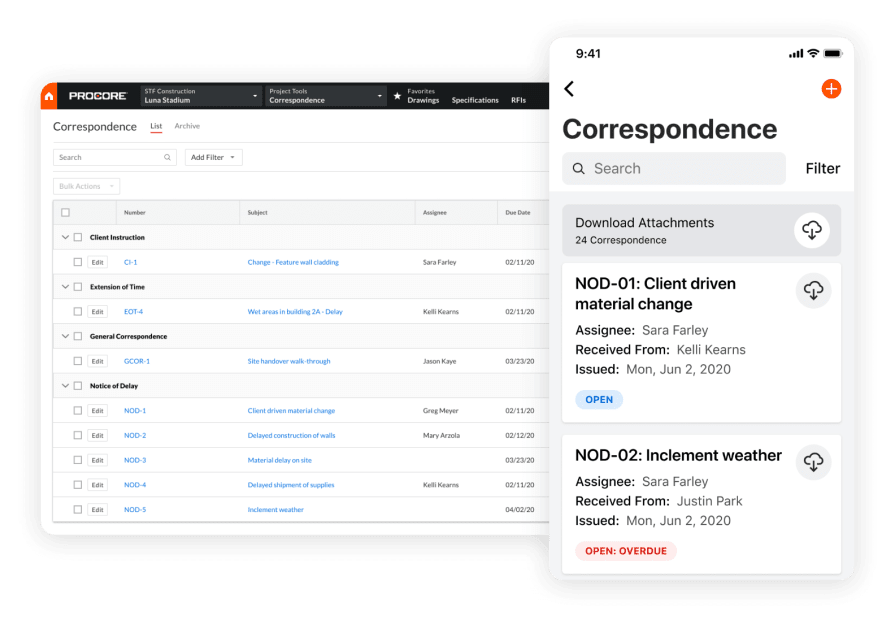
Procore is designed for general contractors coordinating complex construction projects across multiple trades and teams. Its tools span pre-construction through daily job logs and document control, giving specialty contractors on large projects strong coordination and submittal tracking.
That said, its focus on broad project delivery means it lacks the trade-specific field data capture workflows, recurring maintenance scheduling, and asset lifecycle tracking that field service contractors depend on for day-to-day operations once the project moves beyond submittals and into ongoing service.
How pricing works: Procore uses a custom pricing model based on company size and annual construction volume. Demos are available to evaluate the platform before committing to a contract.
Features beyond submittals:
- Robust project management with submittals, RFIs, and change order tracking
- Daily logs and job site documentation tools
- Multi-trade coordination across subcontractors and vendors
- Drawing and document management with version control
What sets it apart for general contractors: Procore excels at managing the full lifecycle of a construction project from preconstruction through closeout, with strong submittal and document workflows. For general contractors running multi-million-dollar builds with dozens of subcontractors, its project-level visibility and document control are hard to match.
Rating: 4.5 on Capterra from 2,661 user reviews
{{related-content-block="/resources/modernizing-procurement-in-construction"}}
7 benefits of using a construction submittal software
Construction submittals only matter if they change how you build. When submittal packages are accurate, accessible, and tied into scheduling, procurement, and billing, commercial construction teams see real impact across the entire project lifecycle.
1. Accurate submittals captured at the source
Project teams capture product data, drawings, and cut sheets directly into the system as submittals are created, eliminating duplicate data entry, reducing errors, and improving accuracy over time. When your team manages more on-site field services and complex installs across dozens of commercial projects, clean submittal logs mean fewer RFIs, fewer rejected materials, and less rework caused by outdated specs or unapproved substitutions.
2. Faster reviews through advanced submittal tools
A digital submittal management platform can do far more than store PDFs. Platforms with field service capabilities let teams auto-populate submittal fields from templates, tag spec sections, and instantly reference related drawings and RFIs, all before the package is routed for review. Historical decision patterns give project engineers and PMs instant context and save hours on busy coordination days.
3. Stronger compliance and audit-ready documentation
Hospitals, data centers, pharma, and food service facilities need tightly controlled submittals to prove compliance with project specs, codes, and regulatory standards. A digital submittal workflow lets teams attach approvals, comments, and revision histories to each item, so when owners, inspectors, or commissioning agents ask for proof, your office can pull complete submittal records by spec section in seconds instead of digging through binders and email chains.

AI taps thousands of past bids and job records to surface real costs, flag margin risks, cut estimating errors, and uncover scope gaps, so you grow capacity without adding headcount.
The top AI use cases in field service breaks down exactly how leading contractors are turning field data into faster, smarter job management.
4. More profitable projects driven by AI workflows
AI-powered workflows streamline the submittal and approvals process, giving preconstruction and operations teams a critical advantage. These systems use historical project data to flag high-risk submittals, suggest standard products, and pre-check compliance against spec requirements. Contractors who integrate AI into their workflows can build submittal packages faster, reduce approval cycles, and keep materials flowing to the site, protecting margins and reducing schedule risk.
5. Deeper customer relationships through submittal visibility
Owners and GCs expect their contractors to know every approved product and system on the job. When your team can pull up every submittal on a project, including what was approved, when, and by whom, it builds trust that generic bidders cannot match. A strong contractor CRM links submittals to project and account hierarchies, giving account managers review-ready insights that turn one-off projects into long-term program work.
6. Smarter scheduling aligned to submittal status
Some activities can’t start until critical-path submittals are fully approved. Using submittal data, schedulers can align start dates and sequences based on approval status, not just a static baseline, so long-lead and mission-critical materials get priority. Contractors leveraging construction scheduling optimization can match the correct crews to activities only after submittals clear, reducing downtime, resequencing, and costly last-minute changes.
7. Less admin drag on your project team
Digital submittal workflows sync documents, comments, and approvals in real time so engineers process packages faster, office staff stop chasing signatures and latest versions, and managers get accurate logs and closeout documentation, turning submittals into a built-in part of project delivery, not a constant fire drill at each phase milestone.
{{related-content-block="/resources/construction-knowledge-management-system"}}
How to choose the right construction submittal software for your team
Construction submittals come with their own set of challenges. You are not just passing along documents; you are coordinating specifications, product data, shop drawings, samples, approvals, and revisions. Every submittal is connected to schedules, sequencing, and risk. These packages require precision, and your management process needs to be just as exact and dependable.
The system you choose should support the unique variables that come with submittals across trades, spec sections, and project types. Here are some questions to ask yourself that will help you make the decision:
- Workflow fit – Can you create, track, and route submittals without wading through menus or extra steps? Does it support fast creation of submittal logs from specs, schedules, or templates? How quickly can your team process reviews, comments, and resubmittals when deadlines tighten or multiple packages land at the same time?
- Review and approval flexibility – Can you configure review paths by trade, spec section, discipline, or role? Does it support clear comments, conditional approvals, and required revisions in a way that’s easy to track? How easily can you manage versions so everyone is working from the latest approved documents, office and field alike?
- Project type versatility – Does it support submittal management for both small tenant improvements and large, complex, multi-phase projects? Are there templates for common submittal packages (for example, finishes, equipment, life safety, or building envelope)? Can you adapt workflows for design-build, plan-and-spec, or fast-track delivery models without rebuilding your process from scratch?
- Accessibility for field and office – Can project managers, coordinators, and field leaders review, comment on, or reference submittals from anywhere? Is it cloud-based so owners, design teams, general contractors, and subcontractors can collaborate on reviews and responses in real time? Will the tool work on mobile devices without stripping out essentials like markups, comments, attachments, or status updates?
- Automation features – Are there preloaded submittal log templates aligned with common spec formats or standards? Does it automate reminders, due dates, and status changes for items awaiting review or resubmittal? Can you generate clean, professional transmittals and submittal packages with consistent branding, clear tracking information, and a history of who approved what and when?
Bring these questions to any demos you schedule with a potential construction submittal management provider, and make sure they can give you answers that fit your projects, your documentation standards, and the way your team actually works in the real world.
3 important construction submittal software FAQs to help with service work
Still figuring out if paying for construction submittal software is worth it? Whether you're juggling dozens of RFIs, managing multiple trades, or just tired of chasing down PDFs in email threads, these common questions can help clear things up:
1. What is construction submittal software?
Construction submittal software is a digital tool that helps contractors create, track, review, and approve submittals like product data, shop drawings, samples, and closeout documents. It streamlines submittal logs, workflows, and communication, reducing delays and missed requirements.
Unlike generic document tools, construction submittal software is set up to handle specification sections, required submittal types, deadlines, and review statuses. That makes it a better fit for contractors managing complex projects with tight schedules and multiple stakeholders.
2. What kinds of roles get the most value from using construction submittal software?
Construction projects involve multiple team members across preconstruction, project management, and field execution, and software helps each role stay aligned, whether you're starting a new job or managing revisions. Here's who benefits most from using it:
- Project managers – Build and manage submittal logs, track reviews, and keep the schedule aligned with material approvals
- Project engineers – Organize packages, push reviews forward, and keep documentation complete and consistent
- Superintendents – See what’s approved, what’s pending, and what could delay work in the field
- Procurement teams – Coordinate ordering based on approved submittals and lead times
- Operations leads or owners – Monitor review times, bottlenecks, and overall project risk across the portfolio
{{related-content-block="/resources/bl-glass-buildops"}}
3. What are some best practices when using construction submittal software?
To get the most out of your software investment, here are proven practices that keep your submittals timely, accurate, and easy to track:
- Build your submittal log directly from the project specs before work starts
- Standardize templates for common submittal types (product data, shop drawings, O&M manuals)
- Define clear review workflows and responsibilities for each project
- Keep due dates and review statuses updated as soon as they change
- Train both office and field teams on how to read, filter, and use submittal logs
- Review overdue and rejected submittals weekly to prevent schedule impacts
- Use notifications and reminders so reviews don’t stall in inboxes
- Customize reports to track review time, approval rates, and outstanding items
Missed submittal deadlines, scattered spec sheets, and manual email chains do more than slow projects down. They put approvals at risk, invite rework, and eat away at your margins on every job.
BuildOps replaces disconnected spreadsheets and inboxes with a single submittal hub built for commercial contractors. From initial log creation and package assembly to reviewer comments, revisions, and final approval, every document moves through one connected workflow your office and field teams can actually follow. No double entry. No hunting through email for the latest version. No guessing which revision is current, just clear, auditable progress for every submittal on every project.
With OpsAI, every submittal record becomes an advantage. Auto-structured logs, faster package creation, smarter routing to the right reviewers, and early detection of bottlenecks keep your teams ahead of deadlines instead of reacting to them. Your data does not sit in PDFs. It drives quicker approvals, tighter compliance, stronger documentation, and better protection against disputes across your entire portfolio.
See how AI-native submittal management can work on your next project. Schedule a free demo.