Choosing a Service Fusion Alternative for Your Team

Service Fusion is a well-known field service management software that helps contractors manage scheduling, dispatching, and customer records from a single dashboard.
With features like GPS tracking and a technician mobile app, it provides helpful visibility into day‑to‑day field operations. That said, as your business grows into larger, longer-term, or multi-property projects, its more basic reporting, limited marketing and lead generation capabilities, and lack of dedicated service agreement management may start to feel restrictive.
To help you evaluate your options and make a confident switch to a Service Fusion alternative, we cover the following:
- 5 key questions to consider when choosing a Service Fusion alternative
- Top 10 Service Fusion alternatives with field service management
- 6 migration strategies for switching from Service Fusion
- 4 important FAQs answered about Service Fusion competitors
To start, let's walk through the key criteria you should weigh before comparing platforms, so you know exactly what to look for when evaluating Service Fusion competitors side by side.
5 key questions to consider when choosing a Service Fusion alternative
Your Service Fusion alternative should cover the core capabilities you already rely on — scheduling, dispatching, and customer management — but if you're exploring other options, chances are you need functionality that goes beyond what Service Fusion currently offers.
Look for tools with deeper feature sets, stronger alignment with your specific trade, and usability improvements that will actually move the needle for your team.
Below, we break down the main criteria to evaluate when comparing Service Fusion competitors:
1. Is it built for commercial projects, residential work, enterprise, or your specific project level?
Choose a field service platform that fits your operation’s size and complexity. Service Fusion works for basic scheduling and dispatch, but growing commercial and enterprise teams usually need more advanced software. Pick a system built for your main market so it’s neither too simple nor overly complex.
Questions to ask yourself about this when looking for an alternative:
- Is the tool designed and tailored for commercial, residential, general, enterprise, or some other type of work?
- Can the system handle your projects and workflows, without being too complex for what you need?
- Will this tool work for all team members that will need to use it?
- Can this operation scale alongside your business?
2. Is it specifically compatible with the industry niche you work in?
Contractors share many needs, but each trade has its own compliance rules, workflows, and field realities. Because Service Fusion is built broadly, it can miss the deeper, trade-specific tools HVAC, plumbing, electrical, and fire protection teams rely on to run at full efficiency.
Choose a platform with workflows tailored to your trade, so your team can finish jobs faster and avoid clunky workarounds.
Questions to ask yourself about this when looking for an alternative:
- Does the tool have functionality and features suited to my industry?
- Does this provider have a page on their website dedicated to my particular industry?
- Are they able to showcase product use cases that are specific to my industry?
3. Does it have the features you need to manage your customers and projects?
Your field service team will need to prioritize certain capabilities based on your day-to-day needs, primary service offerings, and the types of customers you serve. Things like field service reporting, invoicing, billing, scheduling, dispatch, and service management tools are all critical to keeping operations running smoothly.
Make sure the tool has all the baseline features you need built in, or offers add-ons and higher tiers that include things like how to track field employees or perform field service routing optimization.
One area where Service Fusion falls short is in marketing, sales, and lead generation capabilities — so if growing your customer base is a priority, pay close attention to whether your new platform includes those tools natively.
Questions to ask yourself about this when looking for an alternative:
- Does this have the core features I need?
- Does it have the higher-level or top-tier features I need, either built in or as add-ons?
- Are the base features easy enough to use that I'll be able to train my whole team to use them effectively?
- Are these features actually available now, or is the sales team making promises based on things that are still "in development"?
4. What kind of tool implementation and customer support am I going to receive?
During onboarding, you’ll need the software team’s support to train your staff and migrate your existing systems. Without a dedicated specialist, this transition can drag on for weeks or months and disrupt your operations.
Strong customer service is just as critical. In field service, downtime leads to lost business, dispatching errors, and bad data. Make sure any tool you evaluate offers clear documentation and responsive support that can quickly resolve issues when they arise.
Questions to ask yourself about this when looking for an alternative:
- Is the new software offering me a person dedicated to my account that can help me through the transition?
- How available will their customer service team be later on?
- Are they going to bail on me the second they make the sale and not stick around through the migration process?
5. How hard is it going to be to transition to this new system?
If you’re switching from Service Fusion, you need a tool that’s easy to migrate to, lets you bring over what already works, and then improves the areas that weren’t. Avoid platforms so complex that moving your existing setup takes forever.
Questions to ask yourself about this when looking for an alternative:
- Does the new tool have the customizations I need to bring in my workflows and other critical information?
- Do I have any data the new tool can't take in, and am I losing anything critical in the migration?
- Is the time it takes to make this transition going to make up for itself in operational efficiency later?
- How can I measure how much time the new system will save me once I get it up and running?
Top 10 Service Fusion alternatives with field service management
Switching platforms is a significant commitment, and getting it wrong can cost your team time, money, and momentum. To help you land on the best fit, we break down the top Service Fusion competitors below, highlighting what each one does well and where they stand out.

1. Best for commercial projects: BuildOps

BuildOps is mission control for your entire business, giving you the power to manage projects faster and with greater precision. We're purpose-built for commercial contractors, with features designed around the specific demands of construction companies and tradespeople across field service industries. From managing recurring service agreements to streamlining invoicing and payments, we make sure your operations stay on track, and that you always get paid on time.
Cost: Schedule a demo to get a custom quote
Capterra Rating: 4.6/5
Standout Feature: BuildOps unifies field service and projects on one AI‑powered platform, making it easy to manage recurring work and long‑term customer relationships across repairs, preventative maintenance, installation, and construction projects.
Why It's Best For Commercial: Unlike Service Fusion, BuildOps is a dedicated ERP engineered to handle the full complexity of commercial operations, from enterprise customers managing large teams across multiple locations to contractors juggling dozens of active projects at once.
Link To a Platform Tour: Schedule a no-pressure demo.
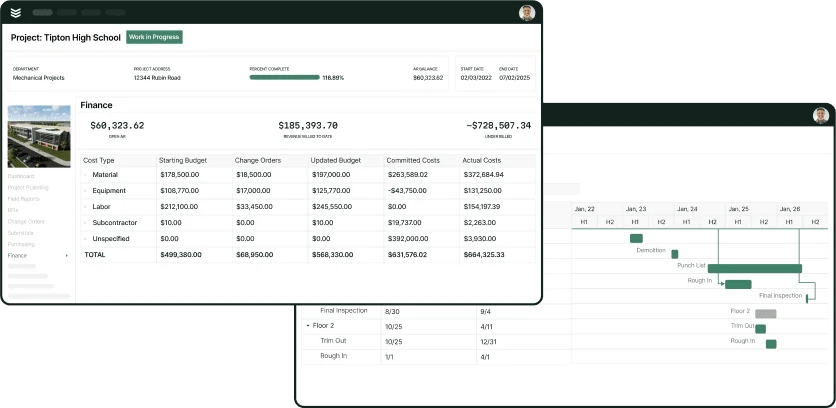
What BuildOps has that Service Fusion doesn't: Service Fusion handles basic scheduling and dispatch, but it’s built for general field service, not complex commercial work. BuildOps is purpose-built for commercial field service, with AI-powered Smart Dispatch, advanced service agreement management, and custom reporting across every field—capabilities Service Fusion often can’t match without add-ons or higher-tier plans.
A) A specialized field service ERP designed for commercial clients
Service Fusion handles scheduling, dispatching, and customer management well for general field service operations, but it's a broad-purpose FSM tool, not a platform engineered for the scale and complexity of commercial construction.
BuildOps is a field service ERP designed to handle the needs of enterprise companies that have a wealth of clients (and data) and need a robust reporting tool to help them understand these customers. We're made for construction professionals and poised to help organizations keep their businesses running smoothly and efficiently.
B) Robust reporting & analytics that drive deeper insights
Service Fusion includes reporting across all of its plans, but the depth is limited. You won't find granular technician performance data, estimated conversion rates by business unit or lead source, or the ability to slice data across every dimension of your operation.
BuildOps, on the other hand, understands the critical importance of custom reporting, and lets you generate a report from every single field in our platform. These powers insights that enable your team to make decisions with extreme confidence every time.
C) Establish recurring service agreements with commercial clients
Service Fusion offers progressive billing and recurring invoicing as add-ons on its Starter and Plus plans, and includes them natively only on the Pro tier. However, it lacks dedicated service agreement management capabilities designed for commercial maintenance contracts.
As an FSM designed specifically for commercial clients, BuildOps has dedicated capabilities for managing service agreements, helping teams establish workflows that keep operations running smoothly (and payments coming in on time!).
D) Seamless scheduling & dispatching to make sure operations stay on track
Service Fusion's scheduling and dispatching dashboard is one of its strongest features, with drag-and-drop scheduling, automatic route planning, and real-time GPS tracking. Anyone looking for an alternative is going to want capabilities that match or exceed that standard.
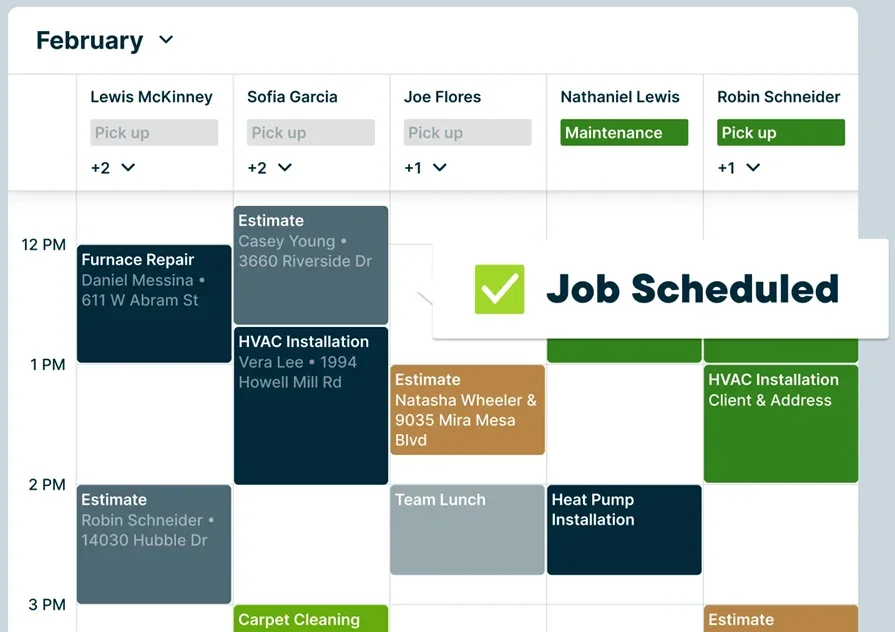
Here at BuildOps, we understand that some techs are better qualified for certain jobs. Our job is to empower you to assign the best individual to the best job to help you maximize your operational output and increase productivity. Our Smart Dispatch board empowers you to do just that, allowing you to leverage your team's skillsets and availability for greater success. Toggle between Assigned and Unassigned views with a single click to gain instant access to technician availability, so you can fill open slots and improve productivity.
2. Best for residential: Jobber
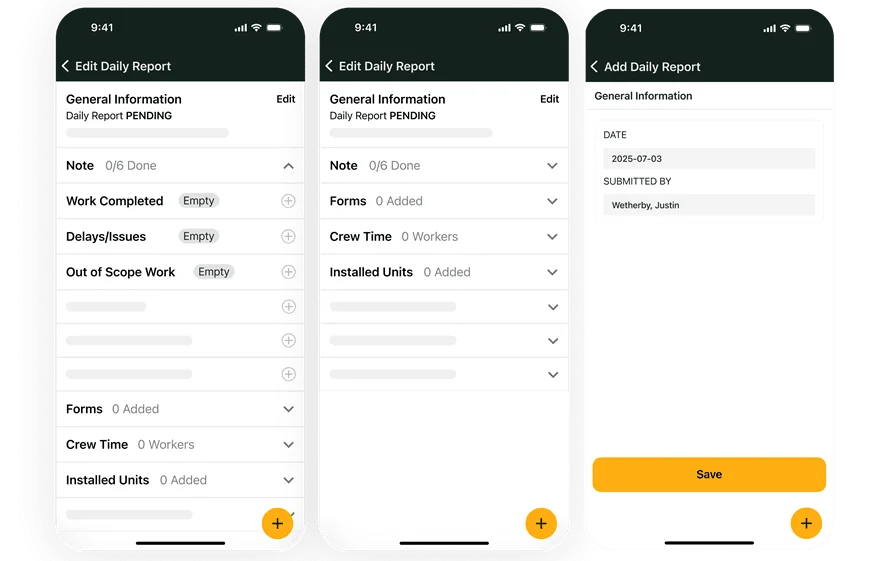
Jobber is an all-in-one platform trusted by over 350,000 home service professionals, bringing together quoting, scheduling, dispatching, invoicing, and payments in a clean, intuitive interface.
It also includes tools you won't find in Service Fusion, like a built-in website builder with SEO, a marketing suite with automated review requests and referral programs, and Jobber AI for voice-powered quoting and scheduling. However, its focus on home service and small business workflows means it may lack the depth commercial contractors need for managing complex, multi-phase projects.
Cost: Core at $19/mo (1 user), Connect at $65/mo (1 user), Grow at $97/mo (1 user), or $299/mo (10 users), Plus starting at $344/mo (15 users). Annual billing available at lower rates.
Capterra Rating: 4.6/5
Standout Feature: Jobber's CRM is designed to help teams manage clients from their very first interaction, from generating leads and closing jobs to increasing profits and managing customers throughout their lifetime.
Why It's A Good Service Fusion Alternative: Jobber is made for tradespeople who want to spend less time on admin and project management, and more time on the jobs themselves. If you're moving away from Service Fusion because you want a simpler, more intuitive tool with built-in marketing capabilities for residential work, Jobber delivers exactly that.
What Jobber has that Service Fusion doesn't: Jobber includes a full marketing suite with automated Google review requests, referral programs, and email campaigns, plus Jobber AI Voice, which lets techs create quotes, update schedules, and send messages using just their voice while they're in the field.
3. Best for general contractors: Workiz
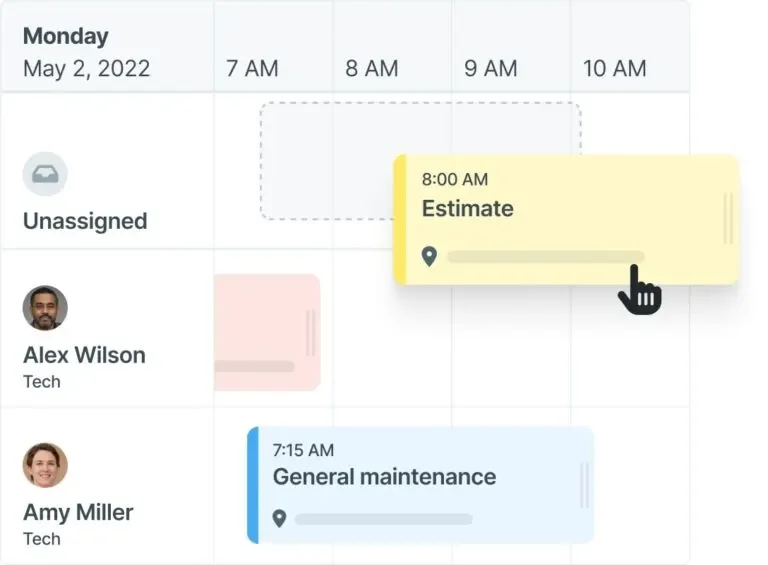
Workiz is an FSM platform trusted by over 120,000 field service professionals, positioning itself as "built by the pros for the pros."
Their system brings together scheduling, dispatching, invoicing, CRM, inventory management, and a full built-in phone system with AI-powered call answering, all from a single dashboard. However, because of its focus on small businesses and general contractors, its offerings may not be comprehensive enough to serve commercial contractors managing complex, multi-phase projects.
Cost: Free tier available with limited features (includes basic scheduling, mobile app, and up to 20 invoices, jobs, & estimates); paid plans require contacting Workiz for custom pricing
Capterra Rating: 4.4/5
Standout Feature: Workiz Genius Answering is an AI-powered call answering and dispatching tool that picks up missed or overflow calls 24/7, books jobs, answers customer questions, and handles dispatching, so you never lose a lead to voicemail.
Why It's A Good Service Fusion Alternative: Workiz caters to growing field service businesses that need an affordable, easy-to-implement platform with strong communication tools. If Service Fusion's lack of built-in phone capabilities and AI-powered lead capture is holding you back, Workiz fills that gap directly.
What Workiz has that Service Fusion doesn't: Workiz offers an AI-powered communication suite that Service Fusion doesn’t, including a built-in phone system with call recording and masking, 24/7 AI call answering and job booking, automatic AI lead capture from emails, and AI call insights.
4. Best for sales management: ServiceTitan

ServiceTitan is a leading project management and FSM platform trusted by over 100,000 contractors across both commercial and residential trades.
It covers a wide range of industries, from traditional ones like HVAC, plumbing, and electrical to specialized niches like roofing, garage doors, pest control, irrigation, painting, and chimney sweep. With dedicated solutions for service & replacement, construction, and enterprise operations, ServiceTitan helps teams get a platform customized to their unique needs.
Cost: Starter, Essentials, and The Works packages available. Per-technician pricing; contact directly for a custom quote.
Capterra Rating: 4.4/5
Standout Feature: ServiceTitan's Adaptive Marketing solution ties your ad spend directly to incoming revenue, showing you in real time which campaigns are driving calls and which are wasting budget, so you can optimize every marketing dollar.
Why It's A Good Service Fusion Alternative: One of Service Fusion's biggest gaps is the complete absence of marketing, sales pipeline management, and lead generation capabilities.
ServiceTitan fills that gap head-on with a full CRM and sales management suite, including pipeline management, deal tracking, quotes and proposals, and sales insights and reporting, all as part of their core product offering.
What ServiceTitan has that Service Fusion doesn't: ServiceTitan includes robust CRM and sales management capabilities with pipeline visualization, deal tracking, automated sales plays, and sales performance reporting, none of which Service Fusion offers.
It also features Atlas, an AI-powered assistant that helps techs troubleshoot equipment, find parts, and pull manuals directly in the field.
Check out our feature comparison of how BuildOps and ServiceTitan stack up against each other.
5. Best for CRM: FieldPulse
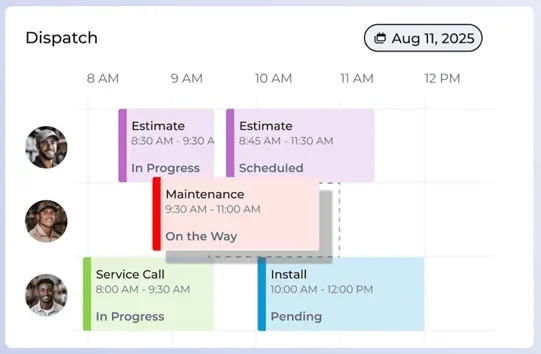
FieldPulse is an FSM platform that excels at CRM, analytics, and workflow customization, helping teams manage their customers and operations from a single, adaptable system.
They serve a wide range of industries, including HVAC-R, electrical, plumbing, garage door, locksmith, property management, appliance repair, commercial equipment, and fire and security.
With over 60 prebuilt reports, custom workflow automation, and a dedicated customer portal, FieldPulse gives teams deep visibility into every aspect of their business.
Cost: Essentials, Professional, and Enterprise packages available. Per-technician pricing; contact directly for a custom quote.
Capterra Rating: 4.6/5
Standout Feature: FieldPulse's Dashboards & Reporting engine includes over 60 prebuilt reports and the ability to create custom reports, giving you granular visibility into scheduling, job costing, customer trends, and team performance without needing to upgrade to a higher tier.
Why It's A Good Service Fusion Alternative: While Service Fusion has a CRM that lets you manage customer records and contact details, FieldPulse takes customer relationship management several steps further with a fully integrated CRM, custom workflows that adapt to your specific processes, and a customer portal that lets clients book appointments, approve proposals, and pay invoices on their own.
Link To a Platform Tour: Check out their interactive demo to get an idea of how the product works.
What FieldPulse has that Service Fusion doesn't: FieldPulse's Operator AI is a 24/7 AI-powered dispatcher that answers phone calls, books appointments, and handles after-hours requests, a capability Service Fusion doesn't offer.
FieldPulse also includes Engage, a built-in VoIP phone system that keeps personal numbers private and stores all customer voicemails and text messages inside the app, along with a Sales Suite and custom workflow builder that Service Fusion lacks.
Compare how BuildOps stacks up against FieldPulse.
6. Best for dispatch-heavy teams: FieldEdge

FieldEdge combines quoting, booking, scheduling, dispatching, and invoicing in a single dashboard to keep operations on track. Its real-time scheduling and dispatching give dispatchers clear visibility into technician availability, job status, and open slots so they can make quick decisions. However, it lacks robust CRM tools, making long-term customer relationship management more difficult.
Cost: Contact directly for custom pricing
Capterra Rating: 4.2/5
Standout Feature: FieldEdge's unified dispatch board makes scheduling and dispatching easy to manage from one screen, helping teams that run a high volume of daily service calls execute with precision and keep operations running smoothly.
Why It's A Good Service Fusion Alternative: FieldEdge offers far more flexible integrations than Service Fusion, letting contractors tailor the platform to their workflows. For dispatch-heavy teams that need smooth connections to existing accounting, payment, and communication tools, FieldEdge is the stronger choice.
What FieldEdge has that Service Fusion doesn't: FieldEdge’s basic plan includes built-in service agreements tied to quoting, so you can easily bundle recurring maintenance into proposals. The Premier plan adds advanced tools like automated renewals and tracking—features that Service Fusion only partially offers through lower-tier add-ons.
7. Best for growing teams: Housecall Pro
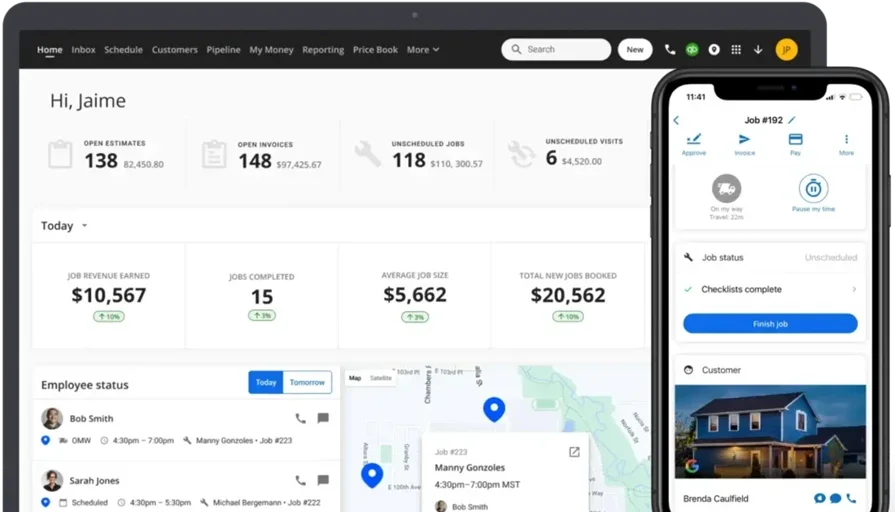
Housecall Pro is a popular field service management platform designed to help residential teams that are actively scaling their operations. It brings together scheduling, dispatching, invoicing, and payments in a clean, mobile-friendly interface, and also includes built-in review management and a customer-facing booking portal that helps teams capture leads around the clock. However, its focus on smaller-scale operations means it may lack the depth needed for teams managing complex commercial projects or multi-property service agreements.
Cost: Basic at $59/mo (1 user), Essentials at $149/mo (1–5 users), MAX pricing at $299/mo (up to 8 users)
Capterra Rating: 4.7/5
Standout Feature: Housecall Pro's online booking portal lets customers schedule appointments directly from your website or Google Business Profile, reducing back-and-forth communication and helping growing teams capture new business without adding admin overhead.
Why It's A Good Service Fusion Alternative: Housecall Pro offers stronger built-in marketing and customer engagement tools than Service Fusion, including automated reviews, email campaigns, and online booking—without needing third-party add-ons.
What Housecall Pro has that Service Fusion doesn't: Housecall Pro includes built-in marketing features like automated Google and Facebook review requests, email marketing campaigns, and a branded online booking page that lets customers self-schedule. Service Fusion lacks these marketing and lead generation capabilities entirely, requiring third-party tools to fill the gap.
See how Housecall Pro stacks up against BuildOps.
8. Best for cross-functional teams: mHelpDesk
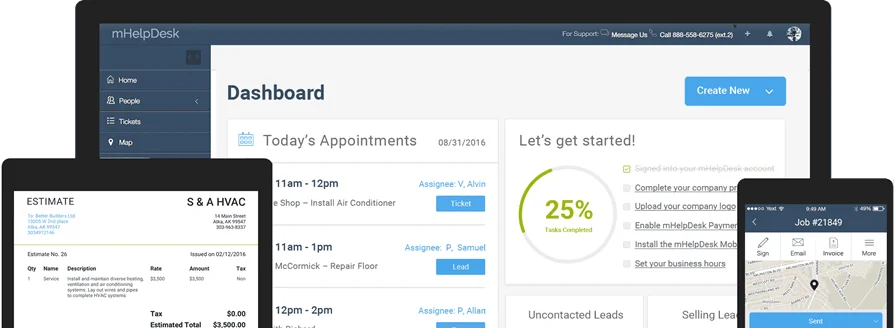
mHelpDesk serves a wider mix of industries than most FSM platforms, from construction and trades to healthcare, hospitality, education, utilities, real estate, and insurance. This broad experience helps them support cross-functional teams and uncover productivity insights, but it also means they may lack the deep, purpose-built workflows that dedicated construction and trades contractors need.
Cost: Contact directly for a quote
Capterra Rating: 4.3/5
Standout Feature: Personalized onboarding means setup is tailored to your specific business from day one. mHelpDesk starts early with a pre-launch review process, then assigns personal trainers to help your team learn and adapt to the new solution quickly so you can realize its full potential right away.
Why It's A Good Service Fusion Alternative: While Service Fusion focuses primarily on traditional field service trades, mHelpDesk goes well beyond this, catering to a wide range of markets and connecting customers to a broad assortment of features. If your team operates across multiple service lines or departments and needs a single platform that can flex across all of them, mHelpDesk delivers that versatility.
What mHelpDesk has that Service Fusion doesn't: mHelpDesk caters to far more niche and non-traditional industries than Service Fusion, including fencing, flooring, garage doors, landscaping, painting, pools, insulation, home media, IT, security, solar, windows & doors, tree removal, and more — giving cross-functional teams a single platform that covers all their verticals without needing separate tools for each.
9. Best for lean teams: Kickserv
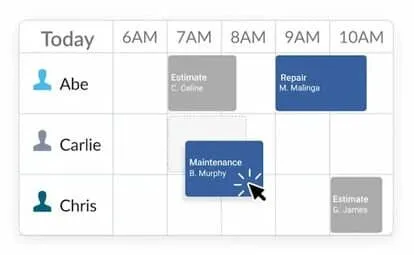
Kickserv is an FSM platform that streamlines estimating, job management, invoicing, and CRM in one easy-to-use system. With built-in Tap to Pay and ACH, it speeds up billing so small teams can quote accurately, stay on schedule, and get paid on time.
Cost: $60/mo for 5 users, $119/mo for 10 users, and $199/mo for 20 users
Capterra Rating: 4.4/5
Standout Feature: Kickserv's contact manager tool is a CRM that enables teams to track the full history of each customer, making it easier to stay in contact, follow up on open estimates, and strengthen customer relationships over time — all without needing a dedicated admin person to manage it.
Why It's A Good Service Fusion Alternative: Like Service Fusion, Kickserv covers the core FSM essentials — but it does so with a simpler, more affordable interface that's purpose-built for lean teams looking to streamline operations without the complexity. If Service Fusion feels like it has features you're paying for but not using, Kickserv offers a lighter alternative that still gets the job done.
What Kickserv has that Service Fusion doesn't: Kickserv lets you organize customers and jobs with tags, colors, and icons, then find them instantly using smart search and filters — a visual organization system that makes it faster to locate records and manage your pipeline compared to Service Fusion's standard search functionality.
10. Best for project-focused teams: Knowify
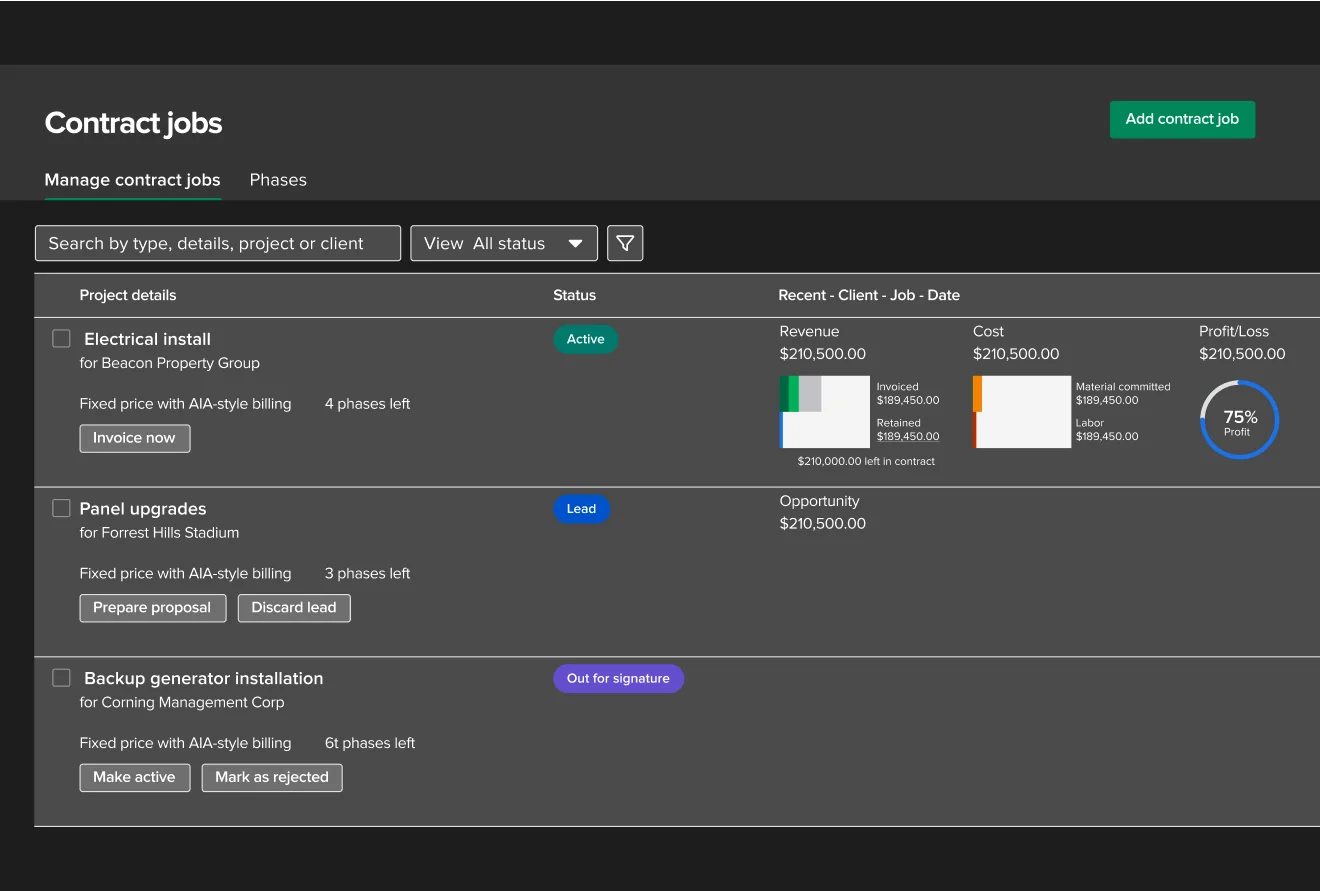
Knowify is a construction management platform for contractors that centralizes estimating, project management, time tracking, and accounting in one workflow. It provides clear job costing and budget visibility, and its built‑in QuickBooks integration keeps your books synced without double entry.
Cost: Contact for a custom quote
Capterra Rating: 4.5/5
Standout Feature: Knowify's job costing engine lets teams track budgeted vs. actual costs in real time across labor, materials, and subcontractor expenses — so you always know exactly where a project stands financially before it's too late to course-correct.
Why It's A Good Service Fusion Alternative: Service Fusion handles scheduling and dispatching well, but it doesn't give project-focused teams the depth of job costing, budget tracking, and contract management they need to stay profitable on longer or more complex jobs. Knowify fills that gap directly, giving teams granular financial visibility into every project without needing to piece together data from multiple systems.
What Knowify has that Service Fusion doesn't: Knowify includes dedicated contract management with AIA-style billing, change order tracking, and progress invoicing — capabilities that Service Fusion doesn't offer. For teams that manage projects with multiple phases, subcontractors, or milestone-based payments, this level of financial control is a significant operational advantage.
Check out our comparison breakdown of Knowify vs BuildOps if you want to learn about them more closely.
6 migration strategies for switching from Service Fusion
Organizations moving from Service Fusion usually want more advanced capabilities—like stronger reporting, service agreements, marketing tools, or commercial-scale features. Because of this, migration isn’t a simple 1:1 copy; you’ll move your data and also restructure it to fully benefit from the new system.
Below, we look at six essential migration tips when switching to a Service Fusion alternative.
1. Outline all essential steps and determine a realistic timeline
No matter which vendor you choose, migrating to a more advanced solution won't be instant — it will take a lot of time (and fine-tuning!). Obviously, it's crucial that your new system is up and running as fast as possible, but it's essential that you get this done right to ensure no data is lost, everything will be working correctly, and you'll be poised to take advantage of all the new capabilities at your disposal.
Teams need to make a realistic plan that considers how long it will take to install the new system, migrate your data, train your team, and establish ongoing maintenance routines, guiding the migration process and keeping it on track.
2. Appoint a team and designate clear responsibilities
To ensure data is set up so you're ready to get the most out of the tool from day one, with tools calibrated properly to make this possible. We recommend appointing a specialized team to complete the migration process. When doing so, ensure there are stakeholders from different departments so that the final solution works for everyone on your team.
3. Automate the migration process as much as possible
System migrations are tedious and time-consuming, but you shouldn't make your life harder than it needs to be. To save time and effort, automate as much of the migration process as you can, allowing you to transfer all data and customer information. Even if you only have a small amount of existing information to migrate, you'll want to save as much time as possible by transferring any existing data you can, making adjustments in your new system to leverage new features and capabilities.
4. Record and document the process for future reference
You may have been able to wing it up to this point, making ad-hoc fixes that work. But that won't work when you're operating at a larger scale and attempting to maximize the value you get from your features. Make sure you document the entire migration and setup process so that you can not only replicate steps in the future, but so you have records to refer to when you run into issues. This way, your team will be able to troubleshoot issues yourselves so you can keep your business running smoothly (with no down time).
5. Test and fix issues during the migration process
You don’t want day-one issues that cause downtime or prevent you from using new features. Continuously test during migration to ensure data is in sync and all features work. Ensure you're measuring reliable field service KPI metrics that actually help you identify where your strengths and weaknesses are.
With all issues sorted out prior to launch, you'll be ready to get rolling and maximize your efficiency on day one.
6. Leverage customer support available from your vendor
Vendors know their products better than anyone and can help you get maximum value from every feature. Coordinate closely with their customer support team during onboarding and migration so they can streamline the process, properly map your data into their system, and help you use advanced customer profiles and organizational hierarchies.

4 important FAQs answered about Service Fusion competitors
Before you're ready to make your selection, there are a few more things to cover. Here, we answer some of the most commonly asked — and important — questions about choosing a Service Fusion alternative.
1. What are the main reasons people look for a Service Fusion alternative?
The main reason people look to replace Service Fusion is because they need capabilities the platform doesn't offer — particularly built-in marketing tools, dedicated service agreement management, and deeper custom reporting. Onboarding is another common pain point: one user on G2 states that "you have to self train by watching videos provided in the portal. This is not ideal if you are a small business and do not have a team dedicated to train your techs in the software".
Here at BuildOps, we provide an all-in-one solution with AI-powered reporting baked into everything we do — every single field can produce an accompanying report to help you analyze and optimize your performance.
2. How does field service software like Service Fusion work?
Field service management software like Service Fusion simplifies your team's operations by helping you create estimates, schedule jobs, dispatch techs, manage invoicing and payments, and maintain your client list. When used effectively, these tools help teams save time and improve operational efficiency.
3. What are the biggest factors that affect the price of Service Fusion competitor software?
There are several things that dictate the price of FSM software, from basic offerings to add-on features and available integrations. Below are the main factors:
- Number of users: Most tools price by the number of seats, so user count is a major cost driver.
- Available features & add-ons: A more robust feature set and advanced capabilities typically come at a higher cost.
- Industry specializations: Make sure the tool has functionality designed for your niche so you can manage workflows seamlessly.
- Setup & implementation: The time it takes to get up and running is critical — make sure you can onboard and get operational quickly.
While many variables influence price, they don’t all carry the same weight—and every provider packages those variables in their own way. Ultimately, your job isn’t to chase the cheapest option; it’s to choose the software that aligns with how your business actually operates and what it genuinely needs.
4. How can I most effectively compare and price Service Fusion alternatives?
Ask the provider for a personalized, live demo focused on your real workflows and challenges, so they can show exactly which features help you most and avoid vague promises about features that may never ship.
Choosing a Service Fusion alternative is a critical decision that will shape how efficiently you manage operations and complete jobs. Research options that fit your industry and specific needs so you get the tools to work faster and more effectively. To do this, check out our guide on how to price field service software.
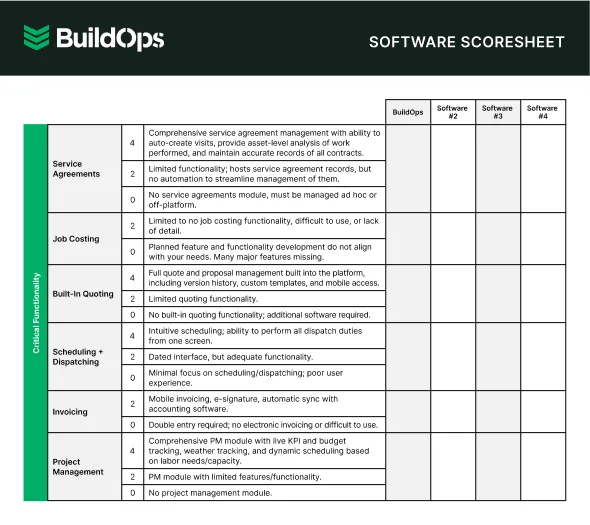
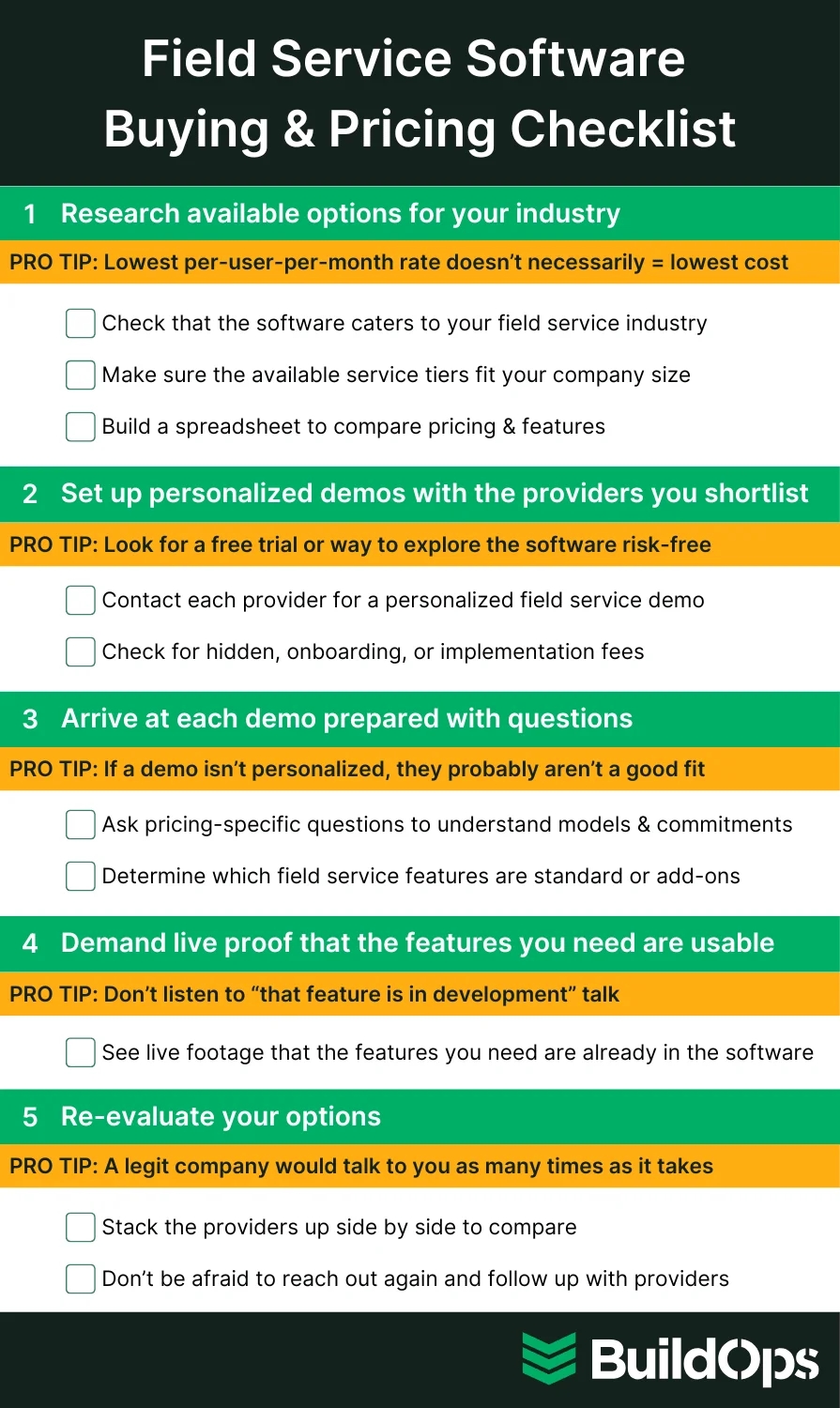
To make sure you have every step covered, we've developed a handy field service software buying and pricing checklist:
BuildOps is the modern, AI‑powered platform built exclusively for commercial service contractors—and a powerful alternative to Service Fusion. Purpose‑built for large‑scale HVAC, electrical, and plumbing operations, BuildOps connects your office and field in one system, uses AI to surface insights, reduce manual data entry, and optimize scheduling, and streamlines your workflows so your team can focus on delivering exceptional service and growing the business.