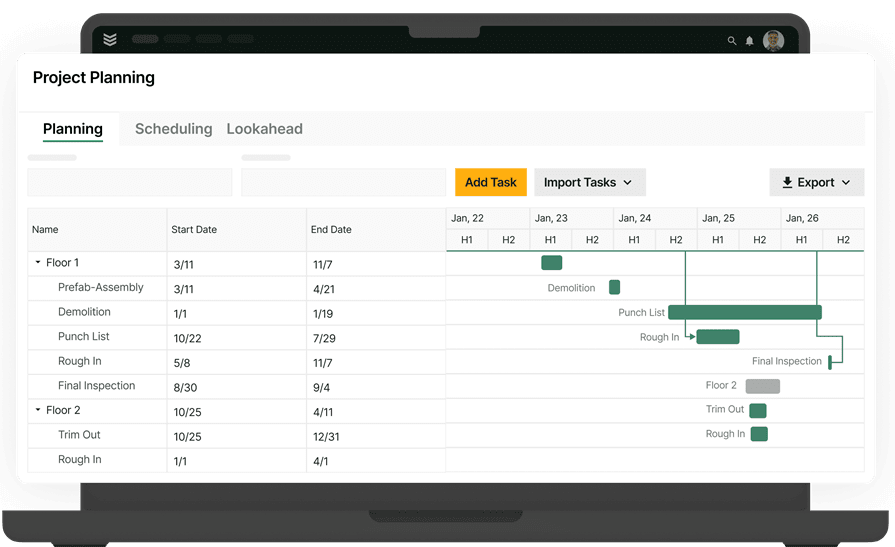
Construction Punch Lists: Commercial Team Priorities


Key Takeaways
- Construction punch lists create delays when ownership, field updates, location context, and closeout proof live in different places.
- Commercial contractors need punch list workflows that stay connected to the broader project record instead of getting buried in spreadsheets, portals, or side conversations.
- Strong punch list process keeps each item tied to its owner, status, location, completion backup, and retained project history from walkthrough to handoff.
Construction punch lists start putting pressure on a job long before closeout gets called out as the issue.
In our sales and implementation conversations with commercial contractors, the same patterns keep coming up: the field handles the fix, but the project team still has to chase status, photos, location details, and proof before anyone is ready to mark the item complete. That gap slows signoff because the record is still spread across too many places.
For teams running construction operations, a punch list should work like an active project record instead of a separate cleanup sheet. The team needs one place to see what is still open, who owns it, where it sits in the field, and what backup is attached before handoff.
Top 6 construction punch list priorities for commercial contractors
The value of a punch list shows up in how cleanly unresolved work moves from identification to completion. Construction punch lists start slowing the job down when teams cannot move items from walkthrough to field fix to final signoff without losing ownership, context, or proof along the way.
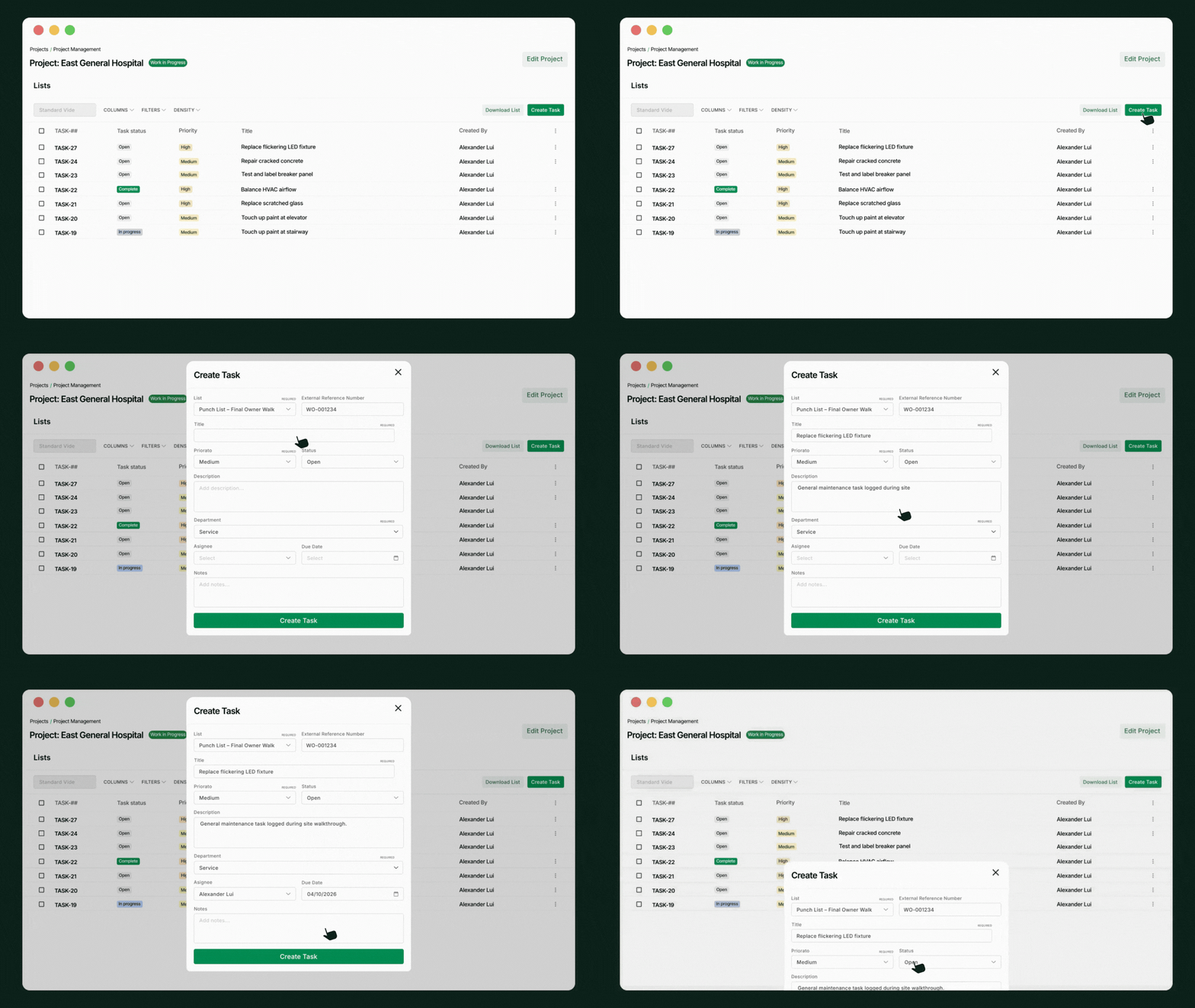
Construction punch lists do more than track final fixes. Construction punch lists show whether commercial contractors can keep field updates, ownership, location context, and closeout backup tied to one current project record instead of rebuilding the same story across texts, spreadsheets, photos, and outside portals.
1. Clear ownership on every punch list item
Open punch work stalls quickly when no one can tell whether the next move belongs to the project manager, foreman, or field crew. Commercial contractors need every item assigned to a specific person or role from the moment it is logged, so ownership stays visible and accountability does not get lost between the walkthrough and the fix.
2. Exact location context the field can use
Location detail determines whether a punch item gets resolved on the first return trip or turns into another walkthrough. Within field execution, crews can capture photos, notes, and jobsite context in a record another technician or foreman can understand later, without guessing which wall, room, or area the item refers to.
3. Fast updates from the field back to the project record
Office follow-up grows when field crews complete punch work but the status, note, or photo never makes it back to the project record. A usable punch workflow returns completed field updates quickly, giving project managers current information for signoff instead of forcing them to chase text threads, call crews, or verify the same fix twice.
4. A process that stays inside the broader project workflow
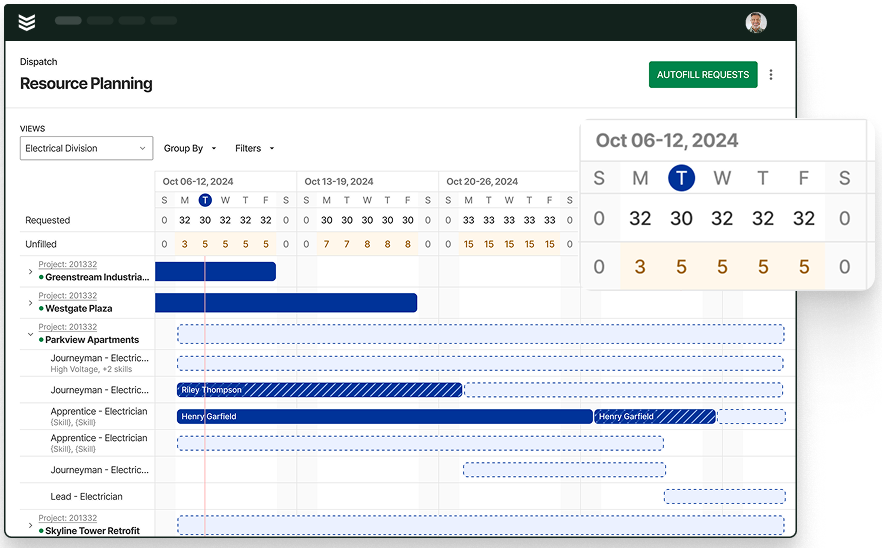
Staffing decisions get harder when open punch items live across email, spreadsheets, and side conversations instead of inside the job record. BuildOps, for example, keeps punch work tied to owners, due dates, priorities, and status inside the project, while resource planning gives teams a forward view of crew demand across jobs for cleaner sequencing and labor decisions.
5. Proof that stands up during closeout
Closeout moves faster when every resolved item carries a record of what changed, when it was completed, and what proof supports it. Commercial contractors need punch history that can answer owner questions, support final review, and reduce the back-and-forth that follows when completion details are missing.
6. A project record the contractor still controls
GC-facing workflows may start the punch process, but subcontractors still need a searchable record they control after the job ends. With document control, punch history can stay connected to the contractor’s broader project documentation, making it easier to support closeout backup, dispute review, and warranty follow-up from one retained record.
A connected punch workflow gives commercial contractors a clearer path through closeout because each item stays tied to the project, the owner, the location, and the completion backup. Teams spend less time rebuilding status from scattered tools when punch activity remains inside one current project record from walkthrough through handoff.
Questions to ask when evaluating construction punch list capabilities
Commercial contractors evaluate construction punch list software more effectively when the review stays tied to field execution, closeout, and day-to-day project control. Having useful questions test whether the workflow keeps ownership, updates, proof, and project context connected from the first walkthrough through final handoff, rather than simply checking whether the platform can store a list.
- Who owns each punch list item once it is logged? – Clear assignment keeps the next action from sitting between the PM, field lead, and crew.
- How does the field capture location details, photos, and notes? – The answer shows whether a returning crew can use the record later without another walkthrough.
- Where do project managers see status, due dates, and priorities? The platform should give them one place to manage punch work instead of chasing updates across separate tools.
- What happens when the field marks an item complete? – That reveals whether closeout decisions are backed by current notes, photos, and completion proof.
- Does the contractor keep a searchable punch history after the job wraps? – That matters when the team needs backup for closeout, disputes, or warranty follow-up.
- How does punch activity connect to broader project planning? – The goal is to see whether staffing, sequencing, and closeout decisions can happen without rebuilding the list in a separate tracker.
A strong evaluation process separates basic list functionality from punch workflows that can support field execution, closeout, and contractor-owned project records. Commercial contractors usually need a second layer of detail after those core questions, especially when they are comparing how different platforms handle updates, proof, ownership, and long-term recordkeeping.
{{related-content-block="/resources/adopting-field-service-ai"}}
5 common FAQs about construction punch lists
Commercial contractors usually ask the same punch list questions because punch work sits between field execution, closeout, and project documentation. The answers below stay focused on the practical issues that shape punch list control on active jobs: ownership, timing, field capture, retained records, and the kind of software support the workflow actually needs.
1. What is a construction punch list on a commercial job?
A construction punch list is a working record of incomplete, incorrect, or final-fix items that must be resolved before handoff or closeout. On a commercial job, each item should show what needs attention, who owns it, where it sits, and what proof supports completion.
That definition fits the broader job structure in construction project management, where field updates, documentation, and closeout backup all work better when they stay tied to one current project record.
2. What should every punch list item include?
Every punch list item should include the issue, owner, status, location, due date, and completion backup. Most commercial teams also need photos, notes, and a timestamped update history so the office and field can work from the same current record.
That level of detail mirrors the documentation discipline contractors already need in construction submittals, where status, supporting files, and decision history have to stay clear enough for the next move to happen without rebuilding context.
3. Do we still need our own punch list record if the GC already has one?
A GC system may drive the external workflow, but the contractor still needs a searchable internal record for closeout backup, disputes, warranty questions, and future job history. Relying only on a GC portal makes it harder to keep a usable record on the contractor side after the job ends.
The same record-control issue shows up in RFIs for construction, where contractors still need the working record, attachments, and response history on their side instead of relying only on a portal submission.
4. What should field crews be able to update from the jobsite?
Field crews should be able to update status, photos, notes, and location details from the jobsite while the work is happening. Faster field capture shortens the lag between the fix and office signoff, and it cuts down on the re-entry that follows when updates move through calls, texts, or separate uploads.
5. What should we look for in construction punch list software?
Commercial contractors should look for software that keeps punch work inside the broader project record instead of treating it like a separate checklist. A good setup supports assignment, field updates, location context, completion proof, and retained history from walkthrough to closeout.
Those expectations line up with what contractors should demand from construction project management software, where the real difference is whether field activity, documentation, and project decisions stay connected while the job is still moving.
{{related-content-block="/resources/how-davis-plomin-mechanical-took-their-business-to-the-next-level-with-buildops"}}
Keep construction punch lists connected before closeout slips
Construction punch lists create the most pressure for commercial contractors when ownership, field updates, closeout backup, and staffing decisions all live in different places. Inside BuildOps, teams can keep punch activity tied to the broader project record instead of rebuilding the same status across spreadsheets, texts, portals, and follow-up calls.
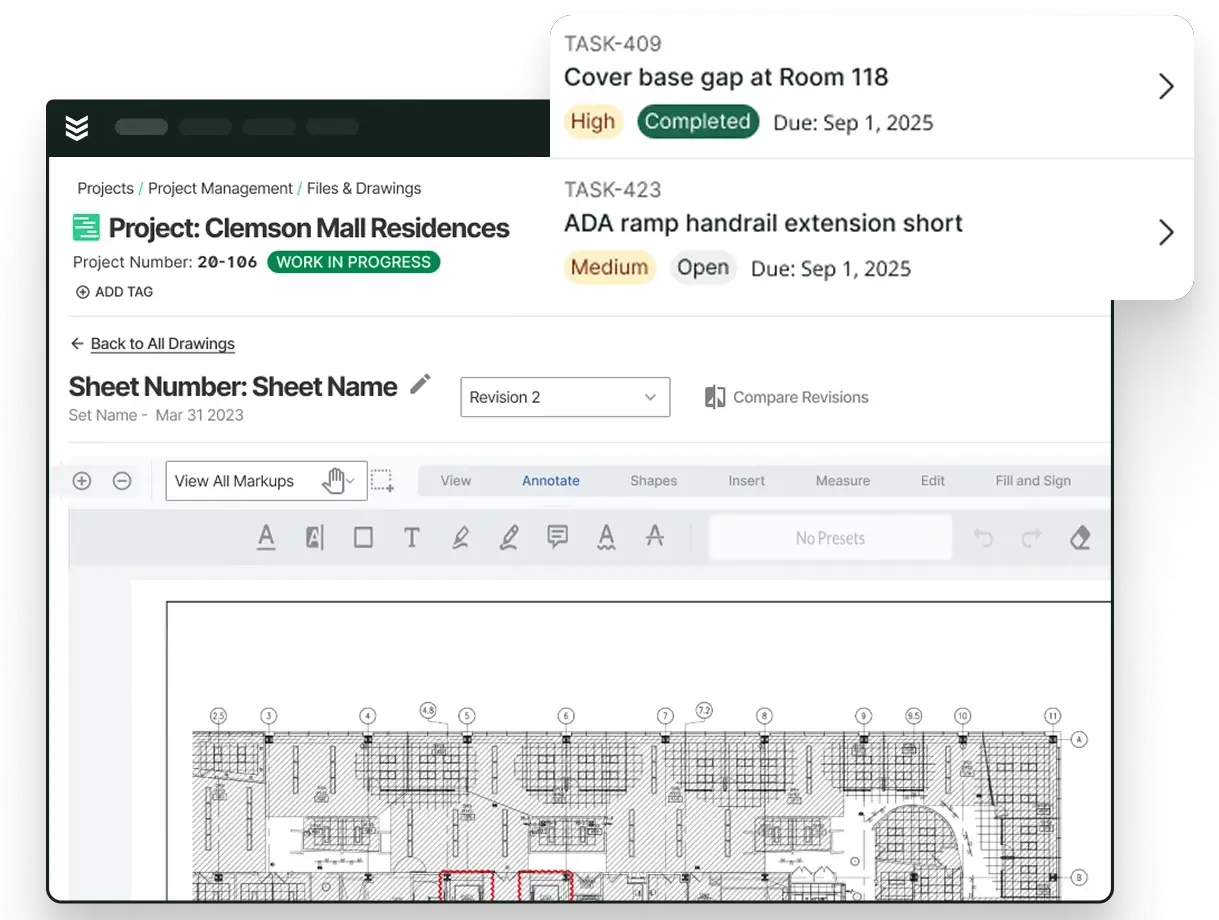
With punch lists stored in BuildOps as structured tasks, OpsAI can use owners, statuses, drawing references, and resolution notes to help surface open work and project risk earlier. That gives commercial contractors a clearer punch-list context for closeout without piecing together updates from screenshots, texts, and spreadsheets.
If your team wants to see how punch lists, project workflows, and AI fit together for commercial construction, you can book a demo to see the workflow in action.