RFI for Construction: Keeping Project Context Connected


Key Takeaways
- An RFI in construction is a formal request for information used to clarify drawings, specs, field conditions, or scope before work moves forward.
- Construction RFI management breaks down when field context, attachments, and response history are split across texts, email, folders, and GC portals instead of one project record.
- In BuildOps, RFIs live under Projects → Document Control, where teams can create drawing-linked records, keep photos and markup tied to the issue, and generate a clean document for GC portal submission while keeping the contractor-owned record in one place.
RFIs slow jobs down when the field sees the issue first, but the office has to rebuild the record later. For teams in construction operations, that usually means texts, screenshots, emails, and side calls before anyone sends a formal question. A good RFI process should shorten that chain, not add more admin.
This guide explains how the construction RFI workflow works, what slows it down, and how commercial contractors can keep the full record organized from question to response, based on the successes we’ve seen with our customers.
What is an RFI in construction?
An RFI in construction is a formal request for information sent when a contractor needs clarification before the work moves forward. It usually comes up when a drawing, spec, field condition, or scope detail leaves a question the team cannot afford to guess on.
A strong construction RFI does more than ask a question. It gives the receiving team enough context to answer quickly and clearly. That usually includes the drawing or spec reference, the exact issue, the question that needs an answer, and any supporting photos, files, or notes that explain what the field is seeing.
At a practical level, a good RFI should help the team do four things:
- Identify the issue clearly
- Route the question to the right person
- Track the response and timing
- Preserve the full record if the answer affects schedule, cost, or a later change order
On jobs where questions come straight off the plans, BuildOps supports a drawing-linked workflow that ties the issue back to the exact spot on the sheet. This guide stays broader and looks at how that process moves from the first field question to the final response and record.
{{related-content-block="/resources/construction-project-management-software"}}
How does an effective construction RFI process work?
The construction RFI process centers on one project record, so the question, supporting context, and response stay connected from start to finish. Keeping that record together matters on active jobs because PMs, supers, and project engineers do not have to reconstruct the story later from texts, emails, screenshots, and shared folders.
The process usually starts when a foreman, superintendent, project engineer, or project manager finds a conflict, missing detail, or unclear instruction in the field. They can log the issue with the drawing reference, spec section, photo, markup, or note that explains what needs clarification before the crew keeps moving.
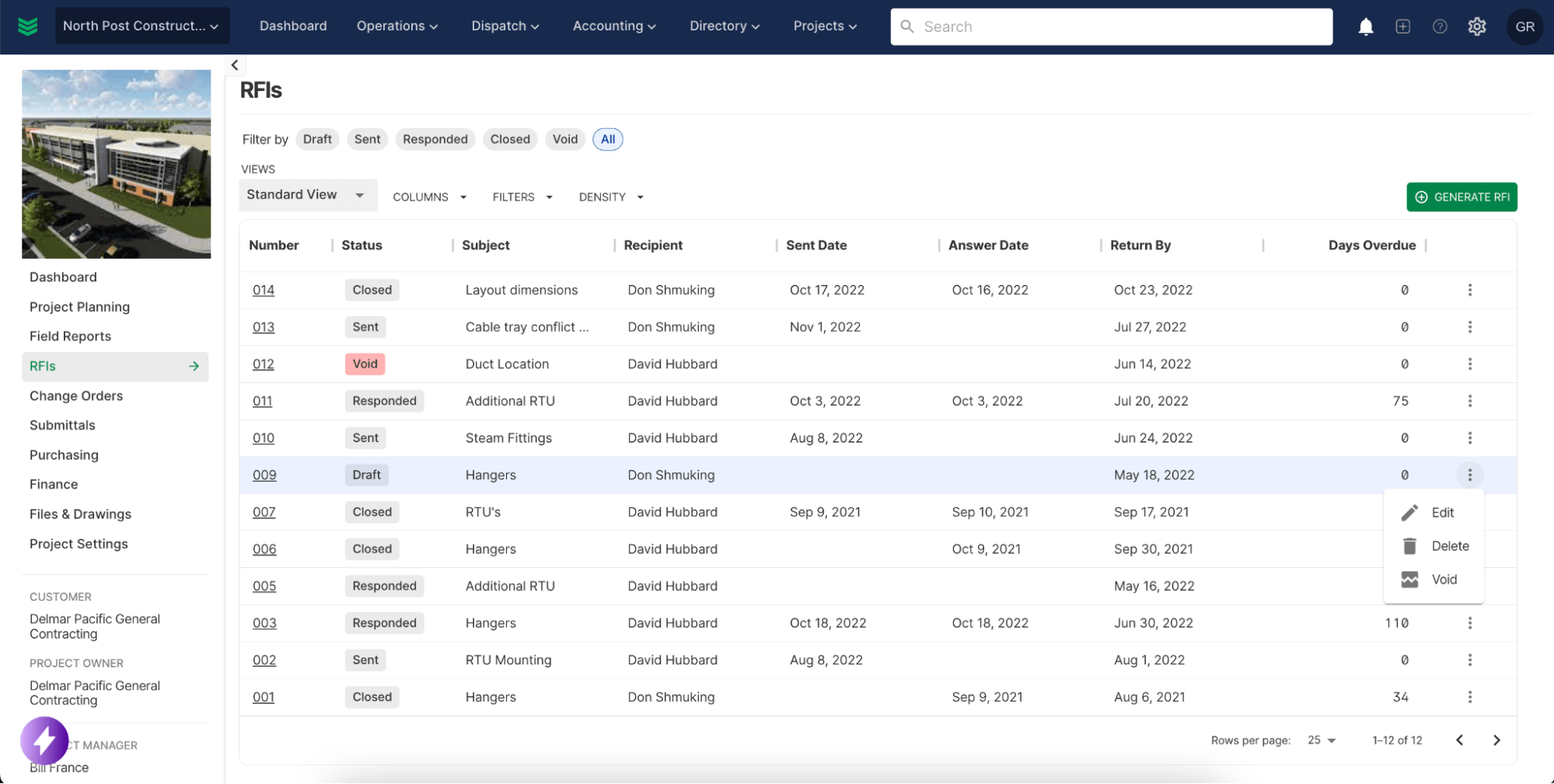
That field context becomes the formal RFI inside the project record. The team can clean up the question, assign a status, set a due date, and keep the communication history tied to the same item so the request does not disappear once the office takes over.
General contractor portal requirements still shape how many contractors send RFIs on live jobs. Teams can generate a clean, properly formatted document for the GC's portal in a few clicks while keeping the full working record, including drawings, photos, history, and status, in the same system.
The response stays attached to the original question and supporting backup. Keeping the answer connected to the job matters in day-to-day construction ops because the team can see whether the response changes the install, affects the schedule, or creates cost exposure that may need change-order support later.
A strong process does more than send a question and capture an answer. The same record gives PMs, supers, and project engineers one place to review what was asked, what came back, how that answer should inform field execution and documentation quality, and whether technician time is being spent on productive work instead of waiting, re-explaining the issue, or working around missing direction.
What slows construction RFI management down?
Construction RFI management usually breaks down when the surrounding documentation process is loose. Contractors do not just need a place to send the question. They need a reliable way to capture field context, track status, keep attachments together, and make sure the office and field are looking at the same record.
Here are five common problems customers bring up when RFIs start slowing the job down:
- Weak field-to-office handoffs — the field sees the issue first, but the office still has to rebuild the question from calls, texts, photos, and memory before it can be sent cleanly
- Scattered documentation — the question, drawing, attachments, and response end up split across folders, email threads, PDFs, and jobsite conversations, so teams waste time figuring out where the real record lives
- Portal rework — many contractors still have to upload RFIs and supporting files into a GC portal, which creates extra handling when the working record and the formal submission do not live in the same place
- Status and ownership gaps — teams need to know whether an item is drafted, sent, pending, or answered, and they need the right people to see those updates without chasing each other for them
- Hard-to-follow history — once responses, attachments, and follow-up notes start living in different places, it gets harder to prove why work paused, what changed in the field, or whether the answer should support a change-order conversation later
When those problems stack up, RFIs stop being a clean coordination tool and start turning into schedule drag. Crews wait on answers, PMs spend time hunting for documentation, and project engineers end up managing the paper trail instead of managing the work.
{{related-content-block="/resources/wrench-tax"}}
How BuildOps handles RFIs for construction contractors
Inside BuildOps Document Control, RFIs live in the same project record as drawings, submittals, and project files. That gives commercial contractors one place to manage the working record instead of splitting the question, backup, and response across email, Excel, shared folders, and the GC's portal.
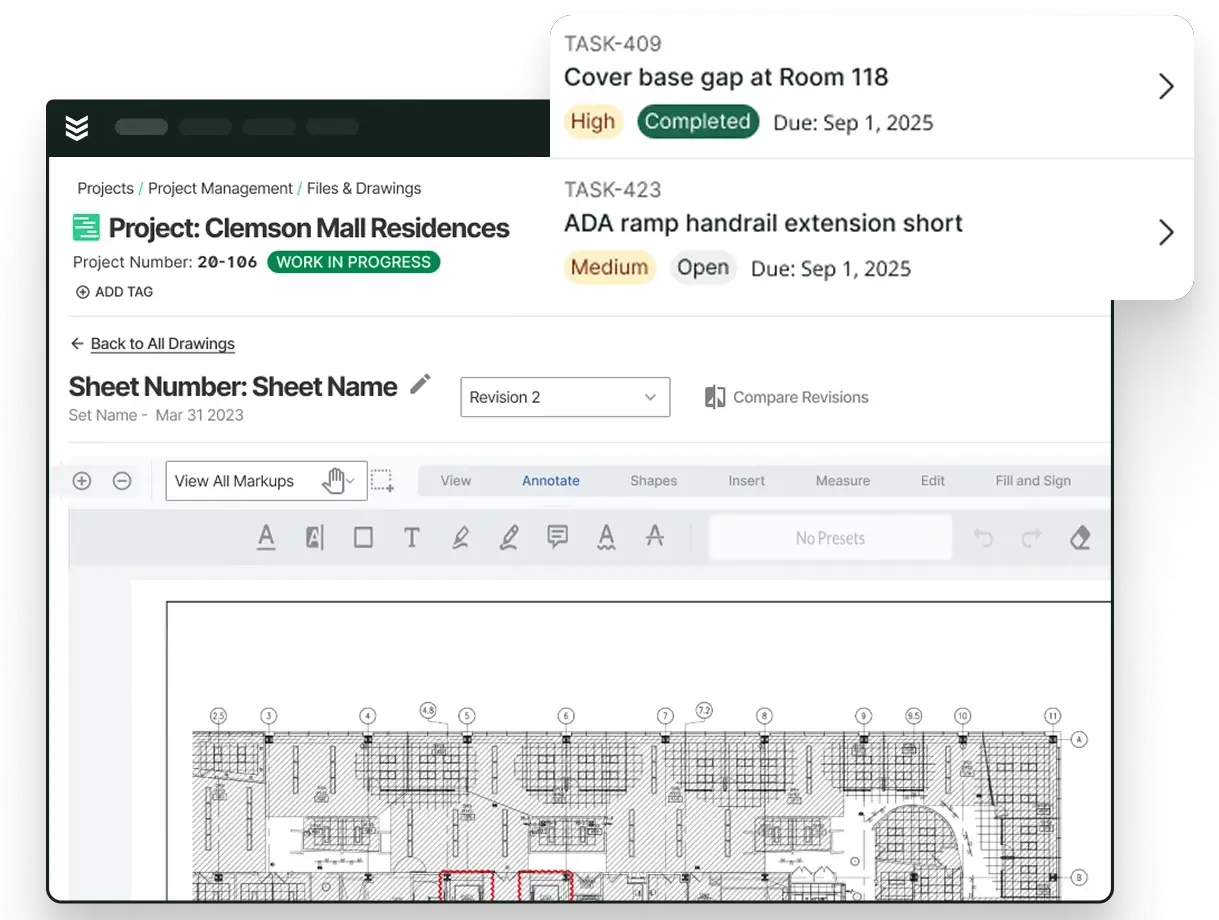
That structure matters because the RFI is not treated like a standalone PDF. The question stays connected to the drawing reference, field photos, markup, status, due date, and communication history, which is the kind of project record teams need in day-to-day construction project management.
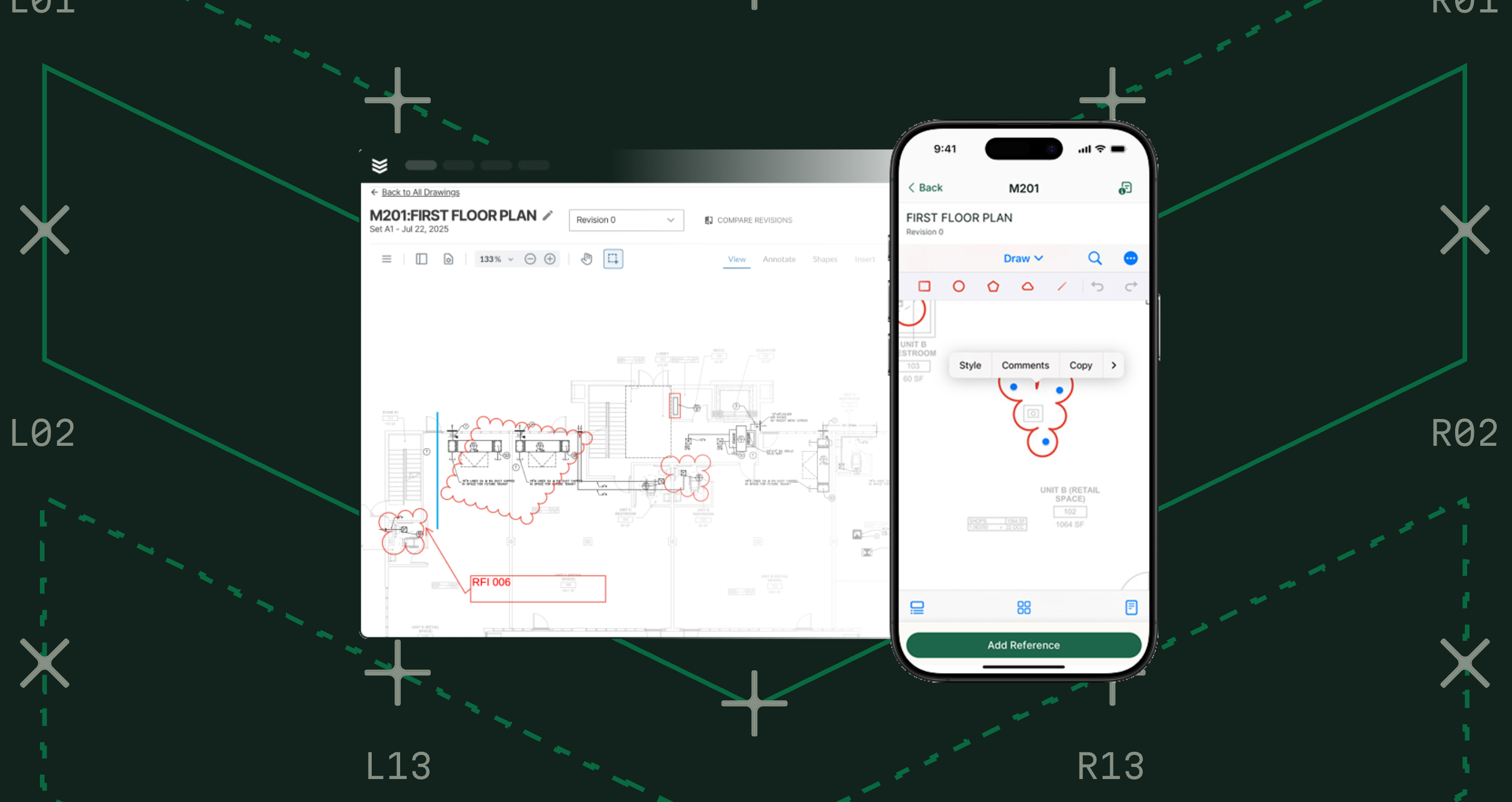
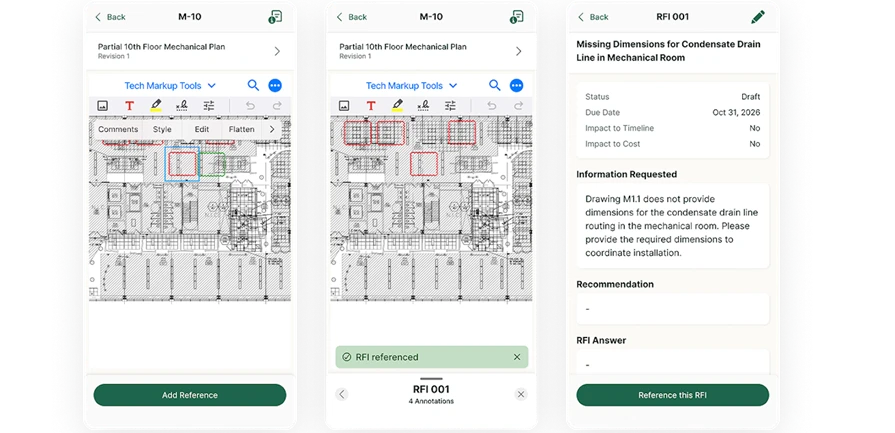
For teams using drawing-based workflows, the process can start directly from the plans. Field users can pin the issue to the exact location on the sheet, attach photos or markup, and create the record with the visual context already attached while keeping it connected to related submittals and other project documentation, so the office does not have to reconstruct what the field was looking at.
That record stays useful after the question is sent. Project managers and engineers can refine the request, track the response, and keep the full history tied to the same item, which makes coordination cleaner and gives the team stronger backup if the answer affects schedule, cost, or a later change-order discussion.
GC portal requirements still apply on many jobs. When a formal submission has to go through the GC's system, the team can generate a clean, properly formatted document to upload while keeping the contractor-owned record, including drawings, attachments, history, and status, in the same system.
Who benefits from better RFI workflows?
Different teams touch RFIs at different points in the job, but they usually run into the same problem when the record is loose: someone has to stop and reconstruct what the field saw, what was asked, and what came back. Here’s how each team member benefits from implementing a better RFI workflow:
- Construction operations — Project managers, superintendents, and operations leaders need to see the full record in one place when questions affect scope, schedule, or coordination. A cleaner process helps construction operations teams track what was asked, what is still pending, and what changed after the response came back.
- Project management — Project managers benefit when the question, backup, and response stay tied to the same item instead of getting scattered across inboxes and folders. That gives PMs cleaner documentation for coordination, faster follow-up on open items, and stronger support if the answer later affects cost or a change-order discussion.
- Project engineering — Project engineers are often the ones turning field context into a formal request and keeping the record current as responses come back. A better process reduces manual re-entry, keeps attachments and communication history together, and makes it easier to maintain accurate project documentation under deadline.
- Field leadership — Superintendents and foremen benefit when the issue can be captured close to where the work is happening with the right drawing reference, photo, or markup attached from the start. That cuts down on re-explaining the problem later and helps technician time stay focused on productive work instead of waiting on direction or repeating what the field already saw.

Some commercial contractors see the impact in time back and less admin overhead, not just faster paperwork. Check out their stories:
- Layer One saved a full week of manual work every month
- Jolma Electric cut admin work by 50%
The bottom line on construction RFI management
Commercial contractors lose time on RFIs when the drawing reference, field context, response, and follow-up history live in different places. When the record has to be rebuilt before work can move forward, coordination slows down.
BuildOps helps by keeping construction RFIs tied to the project record, while OpsAI captures, organizes, and surfaces information across workflow stages, making documentation more complete, consistent, and accessible. That gives project teams a cleaner way to track what was asked, what changed, and what still needs action.
If your team wants a cleaner way to manage construction RFIs without adding more admin, book a demo to see how BuildOps supports connected project records for commercial contractors.