How to Use AI Smart Dispatch Software for Contractors
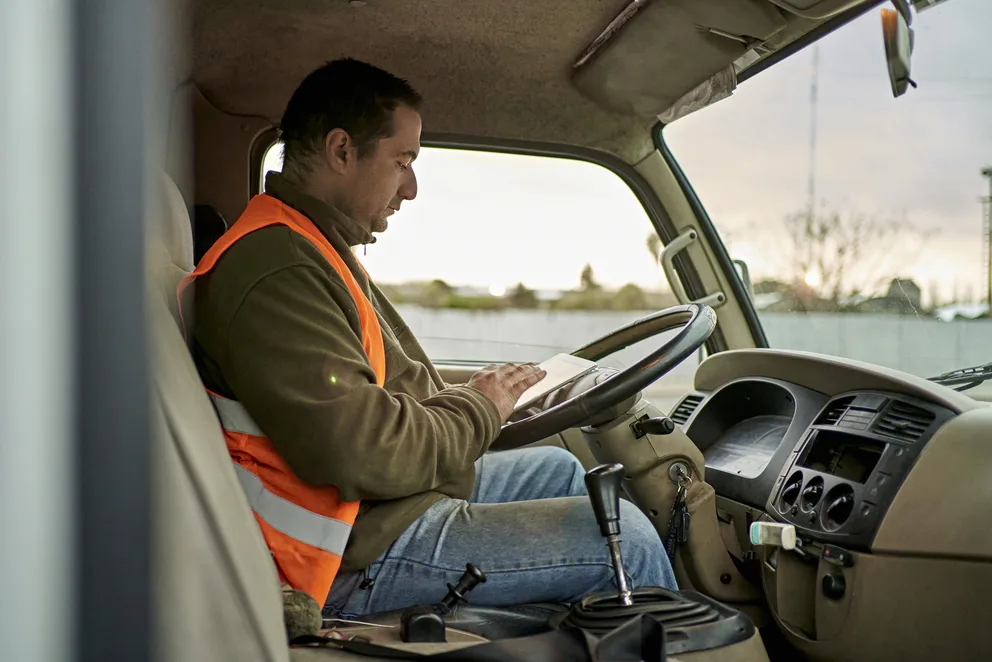
Constantly reassigning techs and juggling schedules in spreadsheets leads to missed windows, frustrated customers, and overtime you didn’t plan for. For field service management businesses, Smart Dispatch automatically matches the right technician to the right job in real time—so your team stays on track without manual reshuffling or last‑minute fire drills.
Let’s look at how AI-powered dispatch streamlines scheduling, reduces delays, and helps contractors get the right tech to the right job, fast.
What does AI Smart Dispatch software do for contractors?
Getting the right tech to the right job shouldn’t mean dispatchers living in spreadsheets, whiteboards, and guesswork. It should be fast, accurate, and flexible enough to handle last‑minute changes without blowing up the whole day.
That’s where smart field service dispatch software comes in. As new jobs arrive, AI analyzes technician skills, locations, availability, traffic, SLAs, and job priorities. It then recommends—or automatically builds—the best daily schedule and route, streamlining dispatch. No more dragging and dropping tickets for hours, guessing who should go where, or juggling changes by hand.
This becomes critical when the board is constantly moving due to emergency calls, callbacks, add‑on work, or delayed parts. With smart dispatch systems, your schedule updates in real time, so your team can:
- Reduce drive time and fuel costs by optimizing routes
- Increase completed calls per day without burning out techs
- Hit response-time and SLA targets more reliably
- Cut scheduling errors that lead to missed or double-booked appointments
Turn on Smart Dispatch when you want your dispatching to scale with your business: fewer manual decisions, fewer gaps between sales and operations, and a field schedule that continuously adjusts to what’s actually happening in your business and in the field.
{{related-content-block="/resources/ai-dispatch-software"}}
How does Smart Dispatch software work?
Smart dispatch takes everything you juggle in your head and on the whiteboard. It turns it into a live schedule that updates itself, using your work orders, priorities, SLAs, skills, time windows, drive times, parts, and overtime rules to assign the right tech to the right job, then quietly reshuffling in real time as new calls, overruns, and emergencies hit. Hence, you protect commitments, cut chaos, and keep your team fresh.
On your screen, AI dispatch becomes a live, moving board: every tech’s route, load, and status in one view, constantly updating. It spots conflicts, empty spots, and slipping appointments before you do, surfaces the best moves, and lets you override with a click, then learns from every choice so the next suggestion feels a little more like it came from you.
For field technicians, scheduling and dispatching are always live. As the system automatically reassigns jobs, inserts emergencies, or reshuffles routes to cut drive time, their mobile app updates in real time without confusion. The next job, address, notes, and parts adjust on the spot, so techs always see the true version of their day. That instant sync between AI-driven dispatch and the technician’s phone turns scheduling into a real-time operations engine.
What distinguishes a “Smart Dispatch” software from regular dispatching software?
When you rely on regular dispatch software, you are still guessing. You see the schedule, but you do not see the impact of every decision. The “next available tech” ends up on the “next job on the list,” even if traffic is brutal, the tech is the wrong skill fit, or the part is not in their truck. Dispatchers juggle calls by gut feel, reshuffle all day, and still watch drive time, callbacks, and customer complaints pile up.
Smart Dispatch software changes that. It looks at technician skills, job priority, travel time, traffic, parts availability, and SLAs in real time, then recommends or automates the best assignment. The board updates as jobs run long or emergencies hit, so dispatchers get clear, data-backed options instead of firefighting. The result is fewer reshuffles, more jobs done per day, higher first-time fix rates, and a schedule that finally supports your revenue and service goals.
{{related-content-block="/resources/ai-software-field-technicians"}}
How does AI power Smart Dispatch software?
AI powers Smart Dispatch by quietly handling the scheduling and routing work your team hates doing. In BuildOps, that means intelligence built into your everyday workflow, so technicians get to the right jobs faster, dispatchers stay ahead of changes, and customers aren’t left waiting.
- Auto-prioritize jobs — AI helps sort and rank work orders based on urgency, SLAs, and travel time
- Match the right tech to every call — Skills, certifications, and location are factored in automatically
- Optimize routes in real time — Schedules adjust when emergencies hit, cancellations happen, or jobs run long
- Reduce dispatch back-and-forth — Technicians get cleaner, smarter schedules with fewer manual updates
- Cut down on scheduling errors — AI-driven checks help prevent double-bookings, missed windows, and long drive times
- Make dispatch simpler, not harder — Fewer clicks, fewer reshuffles, and a faster path from service request to completed job
How BuildOps OpsAI does Smart Dispatching
OpsAI Smart Dispatch gives your team a single, live command center for scheduling and dispatching, with intelligence already embedded in the dispatch board, not bolted on as a separate tool.
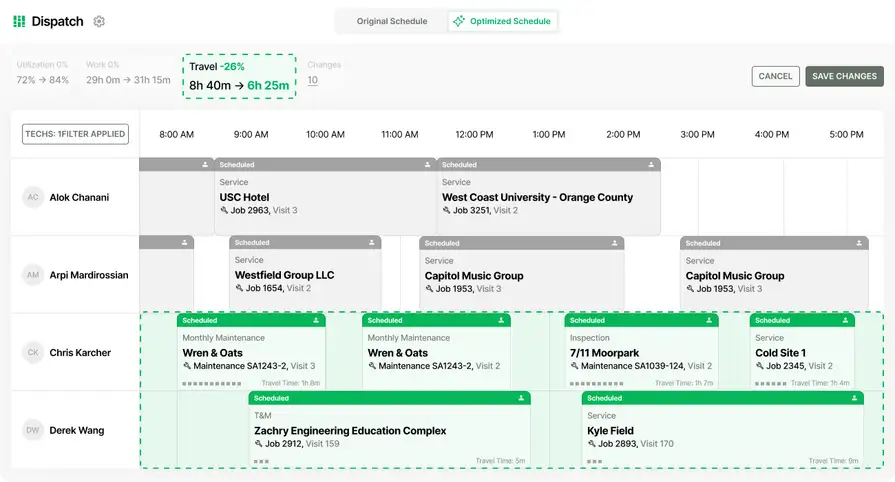
It includes two core capabilities: the Optimizer, which analyzes your full team's skills, certifications, locations, and availability to propose a reorganized schedule in seconds, and the Schedule Assistant, which surfaces available, qualified techs with suggested time slots in real time while you're creating a new visit.
Everything runs as a draft first. Your dispatcher reviews, adjusts, and saves, or discards, before anything touches the live schedule.
1. Real-time scheduling and dispatch coordination
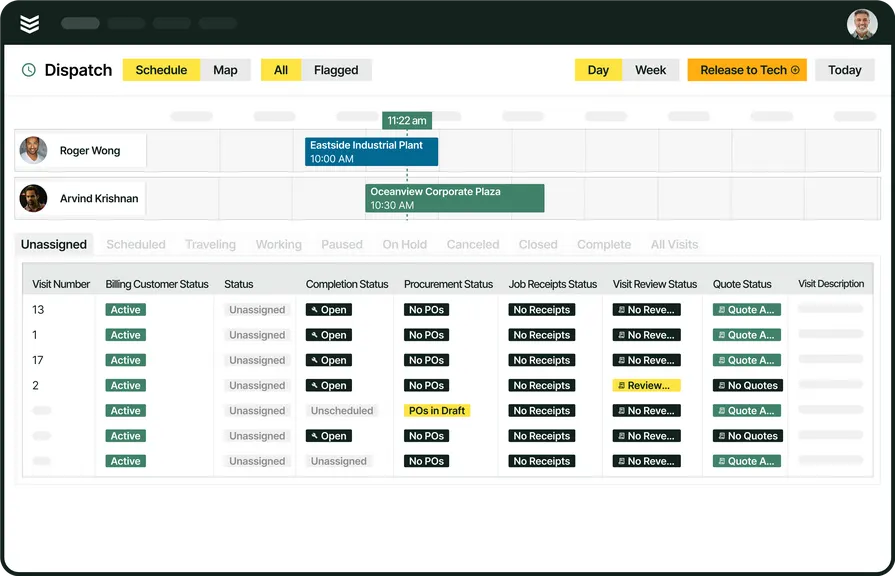
Smart Dispatch turns your board into a live AI scheduler, tightening routes, cutting drive time, and matching the right tech to every job in a click, while Schedule Assistant instantly surfaces qualified techs with their next opening and distance so you can book “by noon” calls in seconds.
One click fills in the technician, date, and time. The dispatcher confirms while the customer is still on the phone. A platform with built-in intelligence for scheduling and dispatching lets techs drag and drop assignments, adjust for cancellations or emergencies, and balance workloads across the team, all in real time. Scheduling flows straight to dispatch, so jobs run instantly, routes auto-update, and your board stays accurate.
2. Fleet management
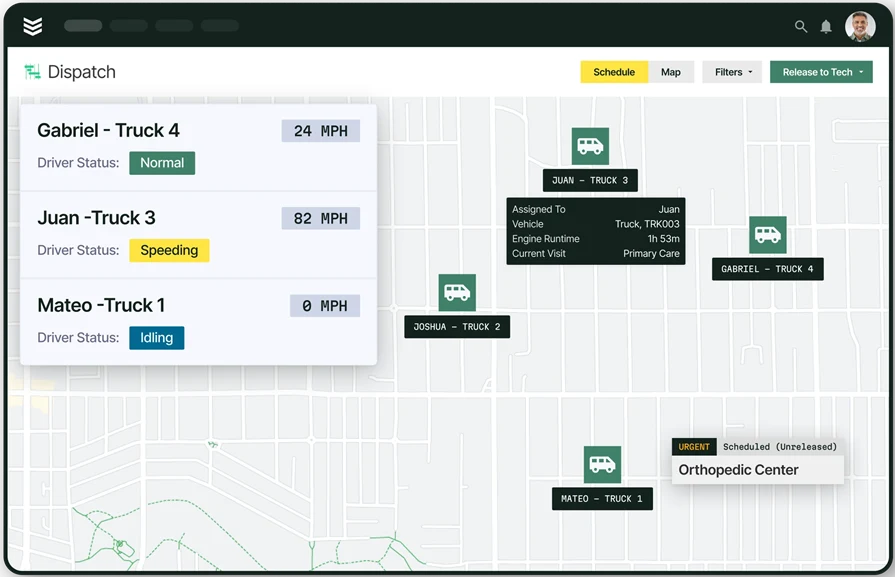
Dispatch decisions are only as good as the vehicle data behind them. Fleet management gives dispatchers real-time visibility into truck availability, location, and condition, so when OpsAI proposes a schedule, the closest truck with the capacity to handle the job is already factored in.
A platform with built-in fleet tracking and management tools lets you monitor vehicle locations in real time, track mileage and fuel usage, and schedule preventive maintenance before a breakdown sidelines a crew. That fleet data feeds directly into smart dispatching, assigning the nearest vehicle, rerouting around delays, and balancing vehicle use across the team, turning your fleet from a cost center into a competitive advantage.
3. Time tracking tied to field operations
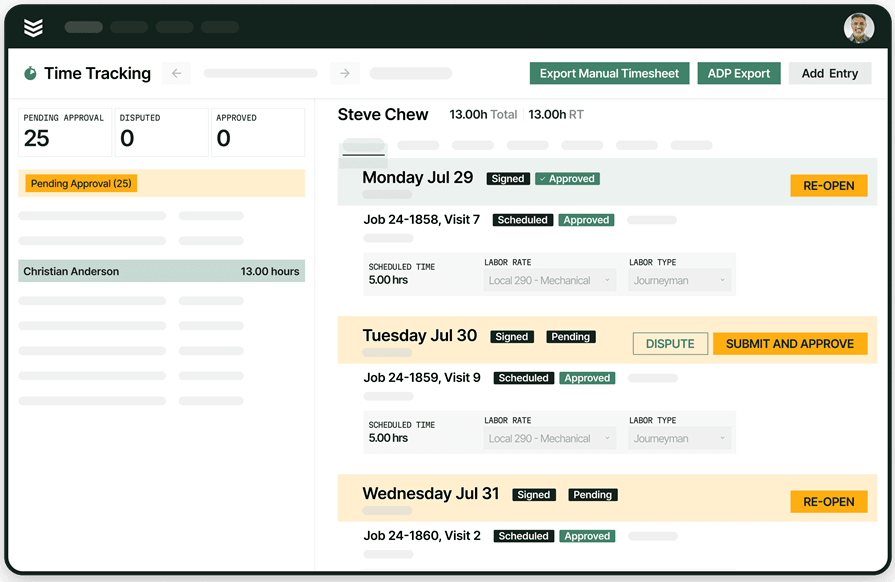
Time tracking is where Smart Dispatch plans meet real life.
Each time a tech clocks in and out, that data flows straight into Smart Dispatch. The system learns how long jobs actually take, how much buffer you really need between visits, and when overtime should kick in.
Settings like Working Hours, Buffer Time Between Events, and Default Travel Time stop being guesses and start reflecting how your team truly operates.
Time tracking for field operations keeps the dispatch board grounded in reality, not assumptions.
4. Technician mobile app
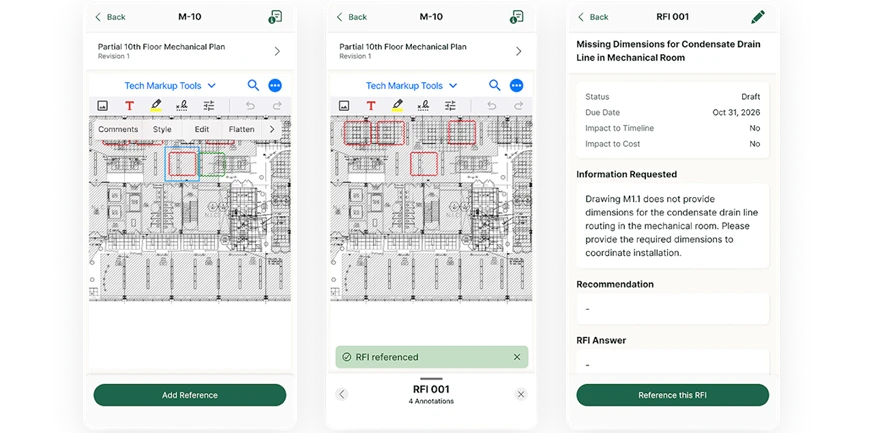
Once a dispatcher saves an optimized schedule, every reassigned visit, updated time, and new job detail reflects instantly in the technician's mobile app. No phone call, no text thread, no confusion about which version of the schedule is current.
As OpsAI reassigns jobs, inserts emergencies, or reshuffles routes to cut drive time, the tech's app updates in real time with the next job address, notes, and parts list.
That instant sync between the dispatch board and the field means techs always see the true version of their day, and dispatchers don't waste time chasing down confirmations.
The technician mobile app also gives techs the tools to act on what Smart Dispatch sets up, writing reports, collecting signatures, taking photos, and creating invoices from the job site. Everything a tech captures in the field feeds back into the system, adding a signal that makes the next dispatch cycle sharper.
5. Field-to-office reporting
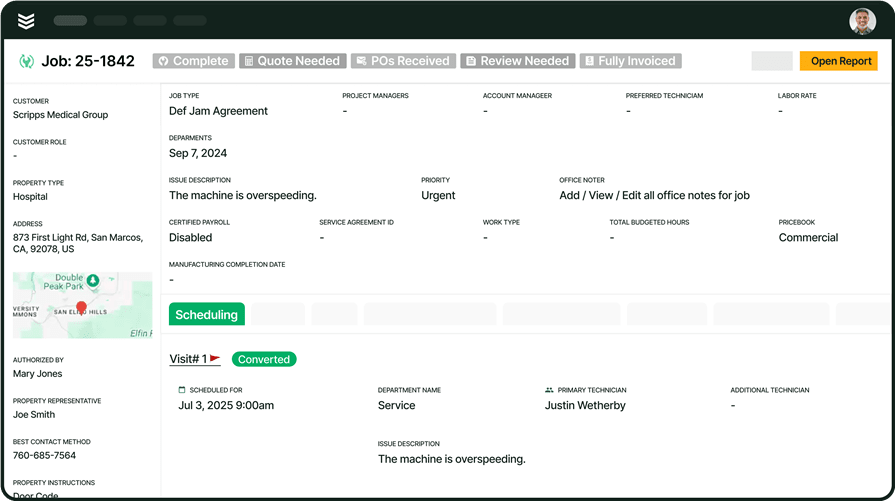
Smart Dispatch doesn’t just get techs to the job; it tracks what happens next. Every visit feeds real numbers back to the office: drive time, utilization, and time-to-complete, all surfaced in live dashboards.
After each optimization run, dispatchers see exactly what changed: how much travel time dropped, how many visits were reshuffled, and which jobs failed because no qualified tech was available, summarized in the metrics bar on the dispatch board.
With every completed job, OpsAI learns. It gets better at knowing which techs close fastest by property type, where drive times are consistently off, and which recurring skill gaps keep slowing teams down.
BuildOps’ field service reporting and analytics turn raw field data into the kind of visibility that lets you make real decisions about staffing, routing, and workload balance, not guesses.
6. Quoting, invoicing, and payments processing
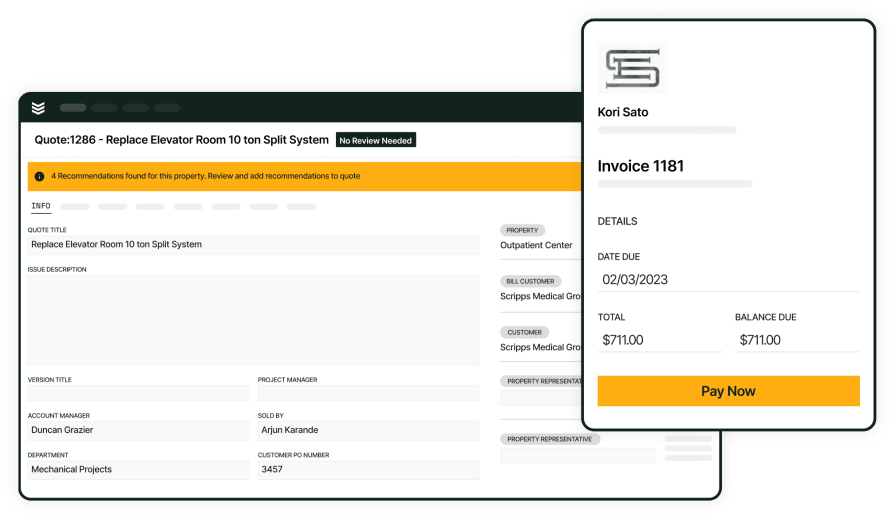
Smart dispatching falls apart if the work that happens after the visit, quoting, invoicing, collecting payment, lives in a separate system. In BuildOps, the same platform that dispatches the tech also handles the financial close. When a tech finishes a visit, the job data is already in the system: labor hours, parts used, customer details, and service history. From there, quotes can be built from real job data using quote-to-contract tools , invoices can be generated, and payments can be collected on-site or online.
This matters for dispatch because it closes the gap between fieldwork and revenue. There's no re-entering data, no chasing down techs for missing details, and no waiting days for paperwork to make it back to the office. The faster a completed visit turns into a paid invoice, the clearer your picture of job profitability, and the smarter your next dispatch cycle becomes.
{{related-content-block="/resources/how-jbs-took-back-control-with-build-ops"}}
Legacy dispatching systems are breaking and Smart Dispatch software is fixing what’s broken
Legacy dispatch systems aren’t failing because dispatchers don’t care; they’re failing because today’s crews move faster than yesterday’s software. BuildOps fixes that with Smart Dispatch powered by OpsAI, built for modern commercial service teams.
Techs, schedules, traffic, and priorities all sync in real time, so the right person hits the right job with the right info, every time. No more whiteboard chaos. No more guessing who’s actually available. Just a live, intelligent board that keeps the field moving and the office in control.
See how Smart Dispatch can replace your broken legacy system for good, book a demo built for commercial contractors.