How Construction Change Orders Protect Your Margin

Change orders can quietly wreck a project. One small scope tweak turns into three, the paperwork lags behind the work, and by the time anyone catches it, margins are gone, and everyone is arguing over what was approved.
That is where a clear, connected change order process inside a solid construction field service management system earns its keep. When the field, the office, and the client are all working from the same source of truth, every change is tracked, priced, approved, and documented before it hits the job. No guessing. No chasing signatures after the fact. No “I thought that was included” conversations at the eleventh hour.
In this guide, we will walk through how structured change order management ensures that what gets built is what gets billed. With the right workflows, your team can rein in scope creep, protect margins, and keep jobs moving without getting buried in paperwork. For modern construction crews, a tight change order process is not optional. It is how you stay grounded in the real conditions of every job.
Why construction change order management matters
Change order management matters for construction because the margin usually does not disappear all at once. It leaks out through missed scope, late approvals, weak backup, and work that keeps moving before the business has a clean record of what changed. When that happens, contractors lose leverage, owners lose visibility into cost and cash flow, and crews end up carrying confusion from the office to the field.
Done right, change order management keeps the whole business working off the same facts. Leaders get a clearer view of risk and revenue, project teams have a defensible path to bill and collect, and crews know what changed, what was approved, and what work should move next. That is how contractors protect margin, keep jobs moving, and avoid finding out too late that real work turned into a write-off.
{{related-content-block="/resources/how-to-take-the-chaos-out-of-construction-change-orders"}}
3 best construction change order management software
Choosing the right construction change order management software starts with how your field and office teams actually build. Whether you are pricing scope changes on a fast-track high-rise, managing owner-directed revisions on a school renovation, or tracking approvals and budget impacts across multiple phases, the right platform keeps labor, subs, and schedules aligned or creates costly disputes and delays.
Below, we highlight leading options built for contractors, call out which project types they fit best, and flag where they may fall short depending on how you structure teams, manage subs, and control documentation.
1. Best for commercial construction contractors: BuildOps
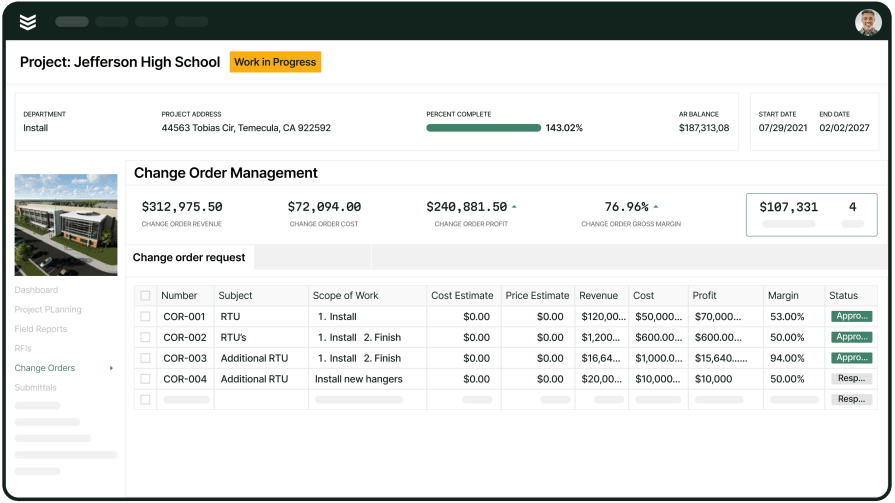
BuildOps is built for commercial contractors across the trades, including construction teams, who manage complex jobs at scale. Its construction change order tools are purpose-built for high-volume, detail-heavy documentation, so you can track scope changes, field directives, approvals, and revisions without drowning in version chaos.
OpsAI takes the mess out of change orders by turning raw field inputs, crew notes, photos, receipts, and markups into clean, structured documentation your back office can trust. Teams can capture change requests in the field, track status, and keep approvals moving between the office, the field, and final handoff without losing visibility on what still needs to be resolved.
How pricing works: BuildOps pricing is tailored to your business based on team structure, workflow complexity, and the capabilities you need. Book a demo to get a personalized walkthrough and pricing for your operation.
Features beyond change orders:
- Real-time cost tracking and job costing
- Automated labor and material calculations
- Seamless integration with AI-native scheduling and dispatch
- Invoicing and payments processing
What sets it apart for commercial use: BuildOps streamlines how commercial contractors manage construction change orders and project handoffs, making it ideal for multi-phase jobs that demand tightly coordinated documentation, approvals, and closeout packages across teams.
Rating: 4.4 on Capterra from 177 user reviews
2. Best for residential service teams: Procore
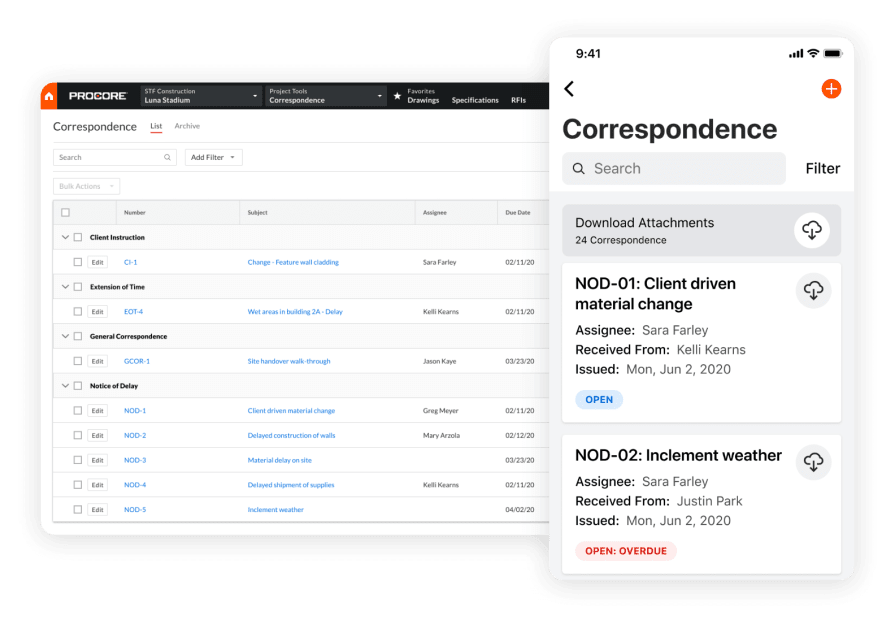
Procore is built for general contractors who need tight control over change orders across multiple trades and teams. Its platform connects pre-construction, project management, and field documentation so every scope change, RFI, and cost impact is captured in one place. Specialty contractors on large projects benefit from this coordination and clear visibility into approved and pending changes.
However, because Procore is optimized for broad project delivery, it falls short on the trade-specific workflows that service-focused contractors rely on after the build is complete. It does not prioritize recurring maintenance scheduling, detailed asset histories, or streamlined field service tickets once a project transitions from active build to ongoing service.
How pricing works: Procore uses a custom pricing model based on company size and annual construction volume. Demos are available to evaluate the platform before committing to a contract.
Features beyond change orders:
- Robust project management with RFIs, submittals, and schedule tracking
- Daily logs and job site documentation tools
- Multi-trade coordination across subcontractors and vendors
- Drawing and document management with version control
What sets it apart for general contractors: Procore stands out for managing the full lifecycle of a construction project from preconstruction through closeout, with strong change order and document workflows that keep project teams aligned. For general contractors overseeing complex, multi-million-dollar builds with many subcontractors, its project-level visibility and document control provide a centralized source of truth.
Rating: 4.5 on Capterra from 2,661 user reviews
3. Best for general contractors: Clearstory
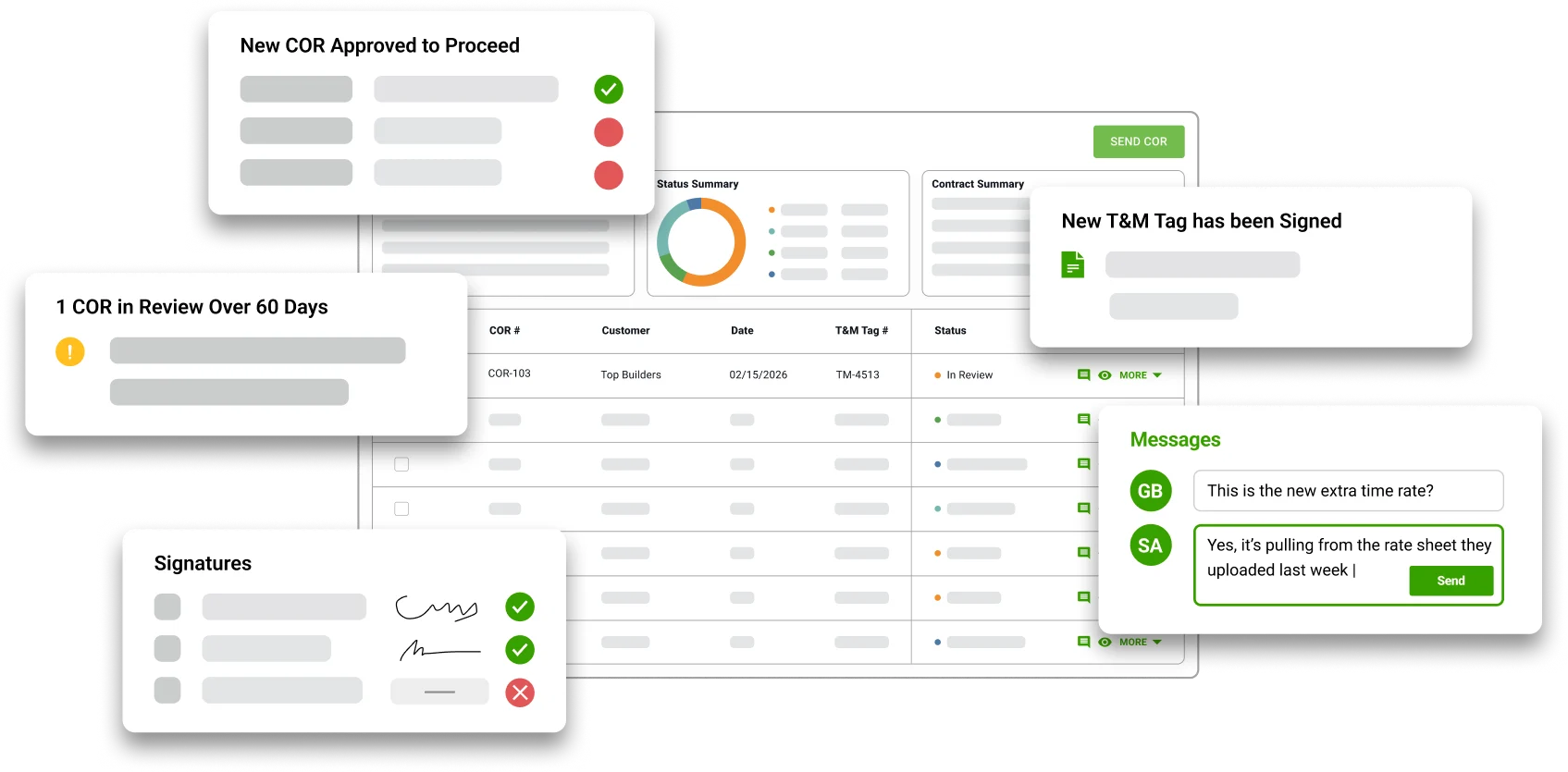
Clearstory is a dedicated change order communication platform. Unlike traditional project management tools, it focuses on aligning all stakeholders, GCs, specialty contractors, and owners on a shared, real-time change order log. It effectively eliminates the need for manual, spreadsheet-based tracking and confusing email chains.
Its primary strength lies in its ability to digitize the back-and-forth process. By providing a shared interface for reviewing and approving costs, it ensures that forecasts stay accurate and that every party sees the same data at the same time.
Features beyond change orders:
- Eliminates handwritten carbon copy tickets
- Creates a live, shared log that updates automatically when a COR is submitted
- Assigns scopes and tracks pricing responses in real-time, replacing mile-long email threads
- Provides real-time visibility into allowance buckets so budget overruns are identified early
- Built-in markup tools allow for direct commenting and markups on PDFs
What sets it apart: Clearstory is built to close the gap between stakeholders. It bridges the gap between field-directed work and back-office accounting, ensuring that what the contractor sees is exactly what the owner reviews, significantly accelerating approval times.
Rating: 4.8 on G2 from 87 user reviews
{{related-content-block="/resources/ai-construction-risk-delay-prediction"}}
Streamlining the construction change order process with BuildOps
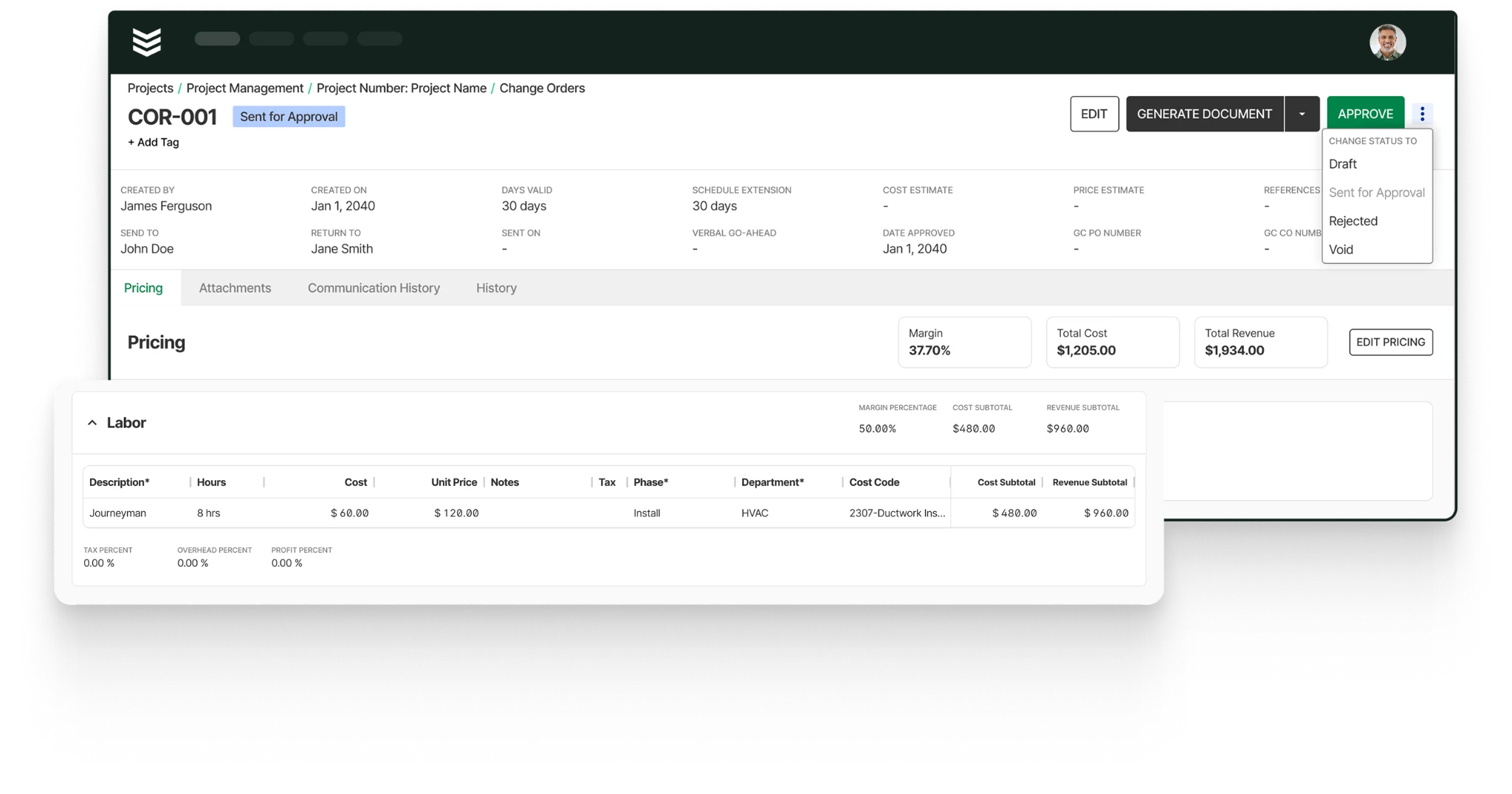
If you want a clearer picture of how change orders work in BuildOps, here’s the practical workflow:
- A project manager creates a Change Order Request and adds the scope, schedule impact, and estimated cost and price.
- They add line items for labor, materials, equipment, subcontractor work, and other costs while BuildOps updates totals automatically.
- The team can add attachments, review communication history, and generate a PDF to email or save to project files.
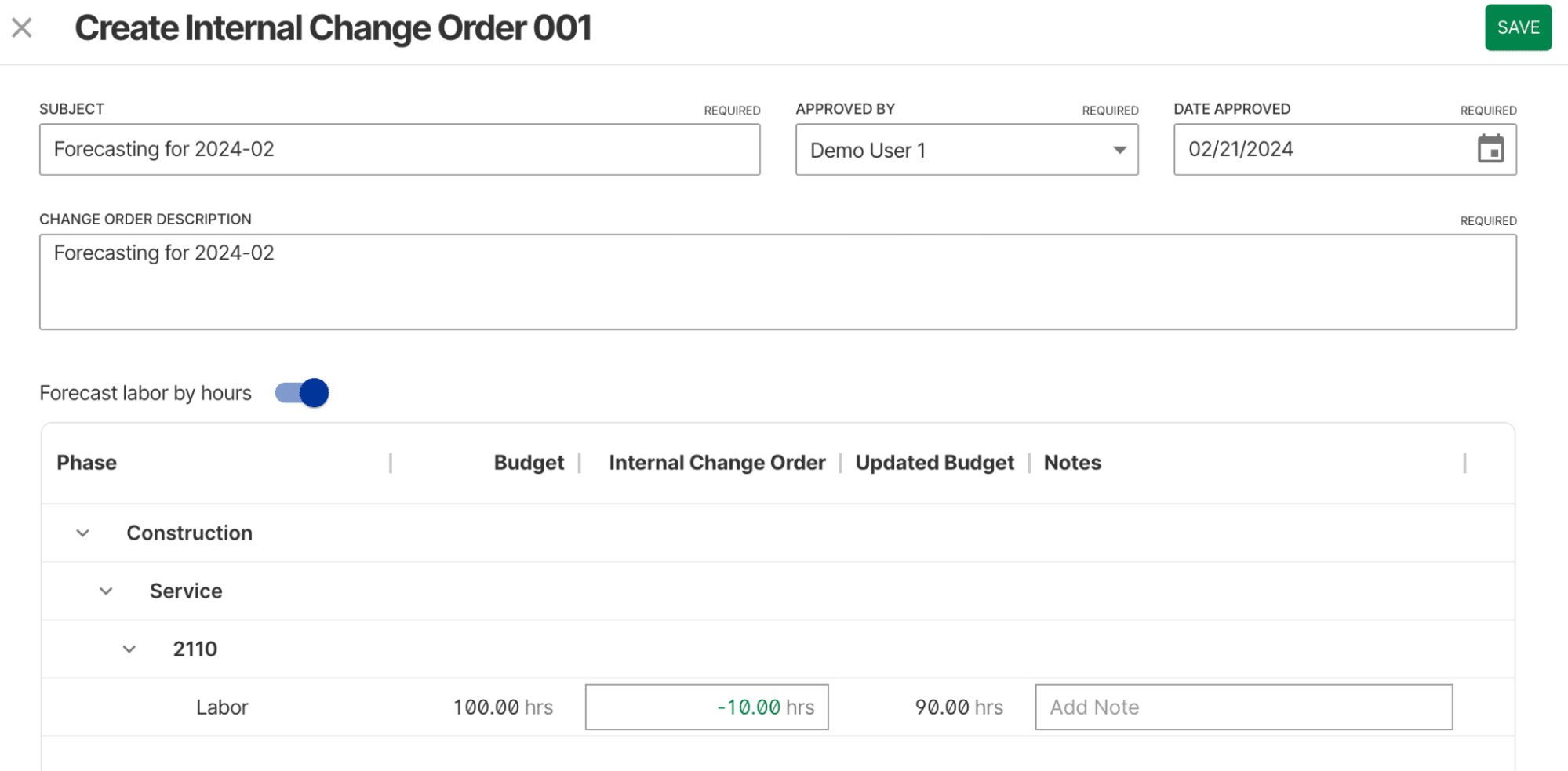
- Once the change is approved, the team can create a new external change order, add it to an existing one, or create an internal change order for cost tracking.
- After approval, the change updates the project budget and contract value, and it appears on the next pay application if it falls within range. Internal change orders stay off pay applications.
That keeps the scope, pricing, approvals, attachments, and project impact tied to the project in one place. BuildOps gives the office a clear record of each change order and keeps approved changes connected to billing, budgeting, and project visibility without relying on separate spreadsheets.
7 benefits of automated change order management
Change orders only matter if they change how you manage scope and finish. When change order tasks are accurate, accessible, and tied into scheduling, inspections, and billing, commercial construction teams see real impact across every late-stage project phase.
1. Accurate change orders captured at the source
Field teams can log scope changes, pricing impact, and extra work as soon as conditions change, which cuts duplicate entry and gives the office a cleaner handoff. For contractors handling on-site field services, clean change order records mean fewer disputes, faster approvals, and less rework when crews are juggling complex installs across multiple commercial sites.
2. Faster approvals through advanced change order tools
A digital platform should do more than hold spreadsheets. With agentic AI field service tools in the mix, teams can pull in standard scope language, tag the right project areas, and connect photos, RFIs, and estimates before routing the request. That gives supers and PMs the context they need to make the call faster on busy coordination days.
3. Stronger compliance and audit-ready change order documentation
In hospitals, data centers, pharma, and food service, the paper trail has to hold up. With an AI construction project management platform, teams can keep approvals, timestamped photos, cost breakdowns, and sign-off history tied to each change item and project area. When an owner, inspector, or auditor asks for proof, the office can pull the full record fast instead of digging through binders and email chains.

AI taps thousands of past bids and job records to surface real costs, flag margin risks, cut estimating errors, and uncover scope gaps, so you grow capacity without adding headcount.
The top AI use cases in field service breaks down exactly how leading contractors are turning field data into faster, smarter job management.
4. More profitable projects driven by AI contractor workflows
AI workflows help teams move change orders faster and with fewer misses. They can surface patterns from past jobs, flag scope or cost risks early, and keep the next step moving without extra office cleanup. Contractors who use contractor workflow AI tools can cut rework, shorten approval cycles, and keep crews focused on billable work instead of stalled paperwork.
5. Deeper customer relationships through change order visibility
Owners and GCs expect clear answers when scope shifts. When your team can pull up each change order, see what changed, when it changed, and who approved it, trust goes up. A strong contractor CRM ties change order activity to the full customer and project hierarchy, giving account managers the context they need to turn one project into repeat work.
6. Smarter scheduling aligned to change order status
Closeout and billing slow down when approved changes are still waiting on the right crew or the right timing. With live status data, schedulers can prioritize the work that actually clears the path forward instead of relying on a static plan. Contractors using AI construction scheduling can match the right techs to the right change work at the right time, cutting downtime, travel waste, and repeat trips.
7. Less admin drag on your project team
Digital change order workflows keep photos, comments, pricing, and approvals moving in real time. Field teams document changes faster, office staff spend less time chasing scattered notes, and managers get a cleaner record from request through approval. That makes change order management part of the job flow, not a scramble at the end.
{{related-content-block="/resources/construction-knowledge-management-system"}}
Choosing a construction change order management tool
Change orders carry real business risk. You are not just logging a scope change. You are managing cost exposure tied to photos, locations, trades, timelines, and approvals. Every open change order can affect sequencing, billing, and cash flow near closeout.
Your team needs a system that treats change orders like the office does: as a control point for scope, cost, and accountability across every project. If you want a clearer picture of what connected workflows should look like, AI-native tools are a good place to start. Here are a few questions worth bringing into every demo:
- Workflow fit: Can your team create, price, route, and close change orders without extra clicks or workarounds? Does the tool support templates, saved scope language, or quick pulls from job records and past projects? How fast can PMs and supers move a request when the schedule tightens?
- Review and approval flexibility: Can you set workflows by trade, location, phase, or role? Can your team track comments, photos, and approvals in one place? How easily can you manage status changes so the office and field are both working from the same live record?
- Project type versatility: Can it handle small tenant improvements and large multi-phase jobs? Can it support different change workflows across contract types, customer requirements, and billing structures without forcing your team to rebuild the process every time?
- Accessibility for field and office: Can PMs, supers, and field leaders create, update, or review change orders from anywhere? Does the mobile experience hold onto the details that matter, like photos, notes, pricing, and status updates? If customer visibility matters, a strong CRM should keep change activity tied to the full customer and project hierarchy.
- Automation features: Does it automate reminders, due dates, approval alerts, and document generation? Can it keep work moving when priorities shift? If schedule impact matters, AI construction scheduling should help connect change order status to crew planning instead of leaving dispatch to guess.
Bring those questions into every demo you schedule. The right answers should fit your jobs, your standards, and the way your team actually works in the field.
Change orders start eating margin when updates live in inboxes, approvals get buried, and cost impact shows up too late. What should be a controlled workflow turns into schedule drag, billing delays, and scope disputes.
BuildOps gives commercial contractors one connected place to manage change orders from request through pricing, review, approval, and project impact.
PMs, supers, and office teams work from the same live record, so nothing gets re-entered, lost in email, or held up by the wrong version. You get a clear trail of scope, cost, photos, notes, and status on every job.
With OpsAI, that workflow gets sharper.
It helps structure records, move supporting details faster, surface risks earlier, and keep the next step clear for the people who need to act. Instead of sitting in folders, your change order data helps protect margin, support cleaner billing, and keep customers aligned from the first request to final closeout.
If your team is tired of chasing approvals and cleaning up scope drift after the fact, see how AI-native change order management works inside BuildOps. Schedule a free demo.