Top 6 Reasons Contractors Switch Scheduling Software



Most contractors start looking for scheduling software when the board gets messy, dispatch is juggling changes all day, and techs are walking into jobs without enough context. You do not need another long feature list. You need contractor scheduling software that helps the office move faster and keeps the work on track.
This guide is for commercial teams in the field service industry who are trying to figure out what scheduling software will actually help once the day gets busy. We built it around the conversations our team has every week with commercial contractors who are replacing older systems, outgrowing patchwork processes, or trying to fix the bottlenecks that keep slowing the work down.
Top 6 reasons contractors switch scheduling software
We talk to commercial contractors all the time who are trying to get more out of their scheduling software. Some are dealing with a board that changes by the minute. Some are trying to get better visibility across the field and office. Across those conversations, the same reasons for switching come up again and again.
1. The schedule still lives in too many places
Manual scheduling usually breaks first when growth adds more crews, more job changes, and more people touching the board. Commercial contractors describe the same pattern over and over: whiteboards, spreadsheets, side notes, and memory all working at once. That setup makes every reschedule slower and turns simple updates into cleanup work for the office.
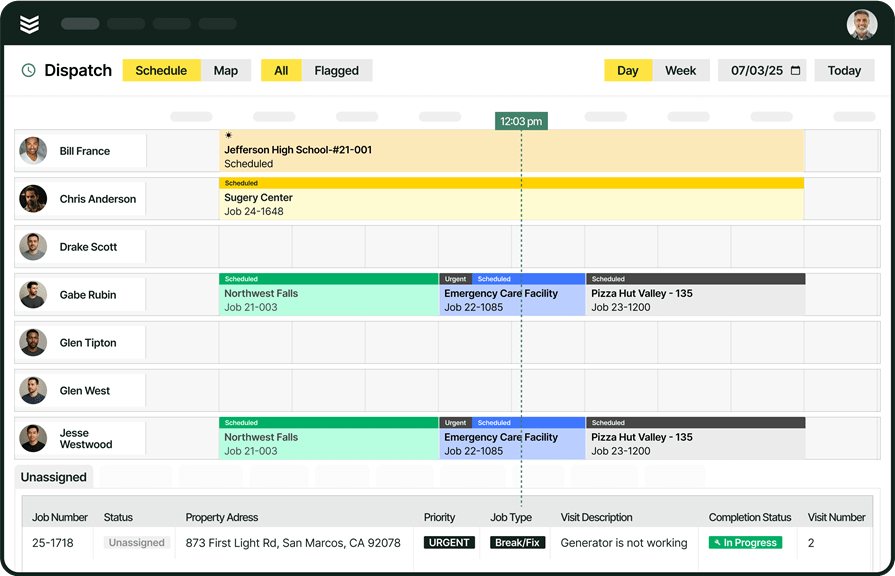
A live dispatch board matters because service teams do not lose time rewriting the day every time priorities change. The service operations view also helps leaders manage crews, assets, and SLAs from the same operating layer instead of stitching together updates from separate systems.
How BuildOps solves this problem: BuildOps fixes that by putting scheduling, dispatch, and visit details inside one service management software workspace. The scheduling & dispatch workflow gives dispatchers a live board instead of scattered tools, so schedule changes happen in one place and the field sees the same plan the office sees.
2. The office cannot see what is happening once trucks are on the road
A scheduling board only helps so much when the office still has to call around to find out where crews are, whether someone actually arrived, or how far behind the day has slipped. Commercial contractors bring this up when jobs move fast and nobody wants schedule updates based on guesswork.
Real-time fleet visibility matters because scheduling does not stop after the job gets assigned. Real-time fleet visibility helps teams route help faster, defend timecards, and answer customer questions with more confidence when the day starts moving. Better scheduling software should keep the office connected to the field after the truck leaves the yard.
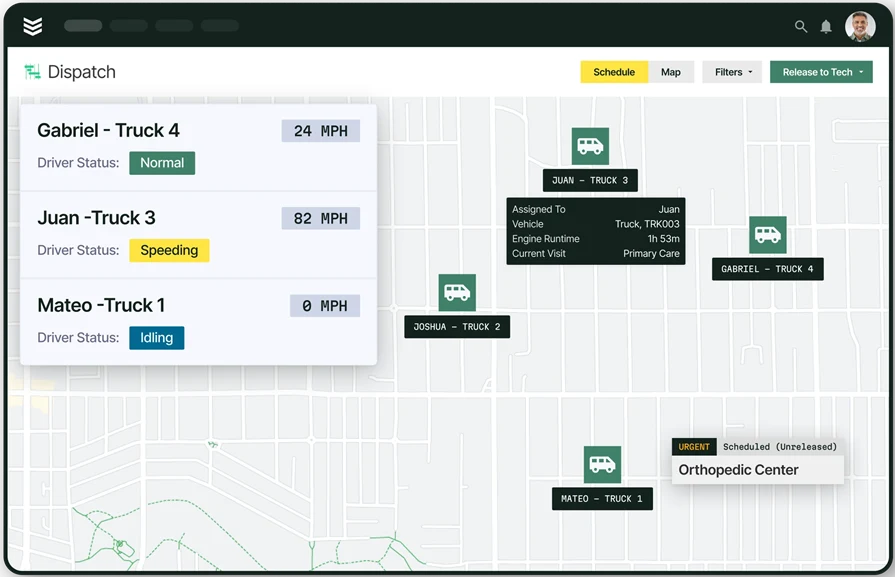
How BuildOps solves this problem: BuildOps closes that gap with Fleet+ and OpsAI for Field. Fleet+ puts live vehicle location and geofenced time data next to the work, while OpsAI helps the team act on the right field context faster. The result is a schedule that stays tied to what is actually happening on the road, not what the office hopes is happening.
3. Techs do not have enough context before they arrive
Field teams start pushing for better scheduling software when the schedule only shows a time slot and an address. Commercial contractors repeatedly ask for stronger job context because techs lose time calling the office for service history, site notes, manuals, and asset details that should already be attached to the visit.
Better field context matters because a prepared tech makes better decisions on site and closes out work faster. A stronger scheduling system does more than place a visit on a calendar. A stronger scheduling system gives the field enough information to walk in ready and keep the job moving.
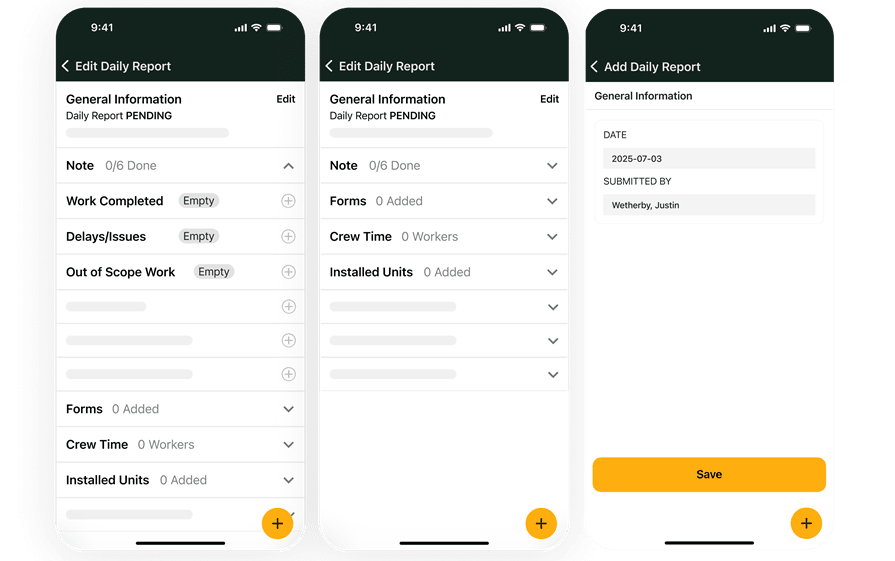
How BuildOps solves this problem: BuildOps connects the schedule to the technician mobile app and asset management. Techs can open the visit, review equipment history, check attachments, and confirm what happened last time without chasing someone in the office for the missing story. That connection keeps the schedule and the job record tied together.
4. Separate tools create double entry after the job is done
Scheduling software often gets replaced when the office finishes the visit and still has to rebuild the job in another system. Commercial contractors describe the same friction around separate tools for dispatch, time, payroll, and billing. Separate tools create double entry, delayed invoices, and more room for mistakes after the work is already done.
Cleaner handoffs matter because scheduling only pays off when the work turns into revenue quickly and accurately. A connected workflow keeps field tech time, labor, notes, and billable details moving together, so office teams do not have to chase hours before they can invoice the job.
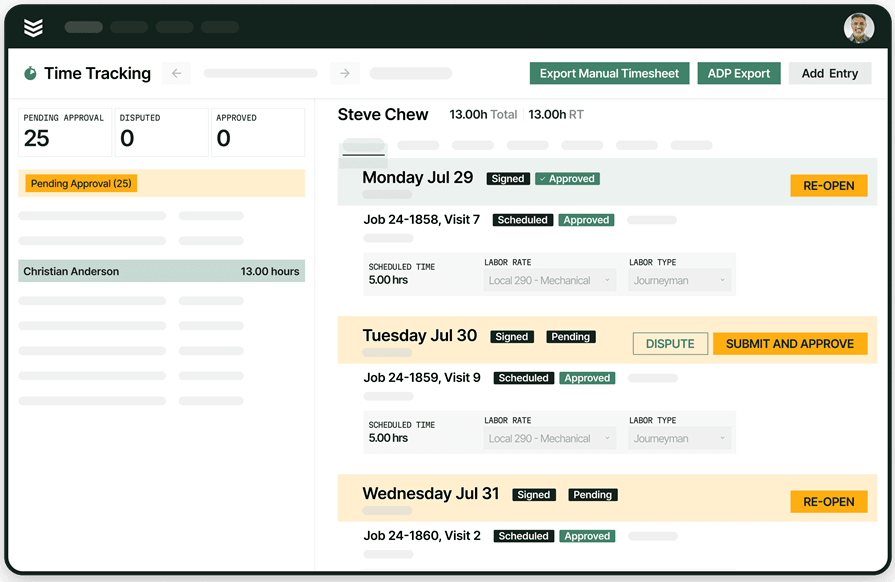
How BuildOps solves this problem: BuildOps closes that gap by tying time tracking and invoicing back to the same job record inside the same platform. Office teams can move from scheduled work to completed work to billing without re-entering the basics or waiting for paperwork to make its way back.
5. Labor gets harder to manage as service work expands
Growth creates a new scheduling problem when leaders can no longer tell who is available, who is overloaded, and where labor should go next. Commercial contractors bring this up when service calls, quoted follow-up work, and larger jobs all compete for the same people across the same week.
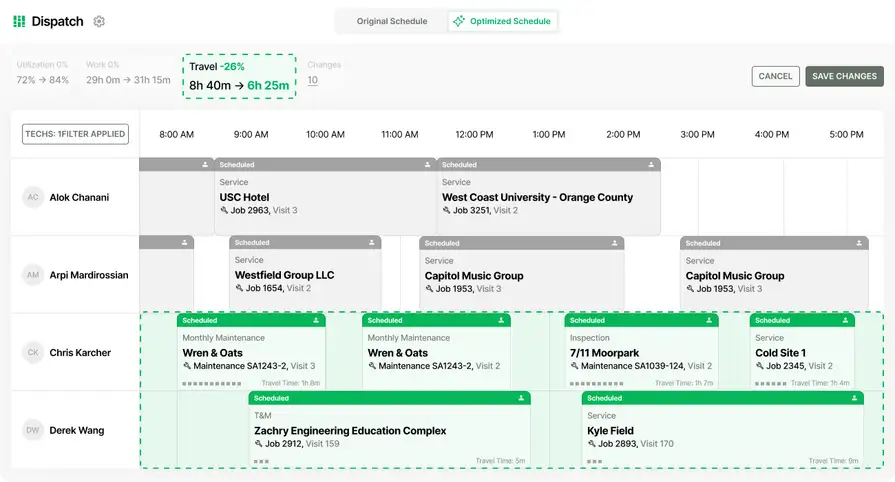
Labor visibility matters because schedule problems usually start upstream, when crews get committed without a clear view of capacity. Better forecasting helps commercial teams protect response times, balance workloads more confidently, and avoid treating every labor decision like a same-day emergency.
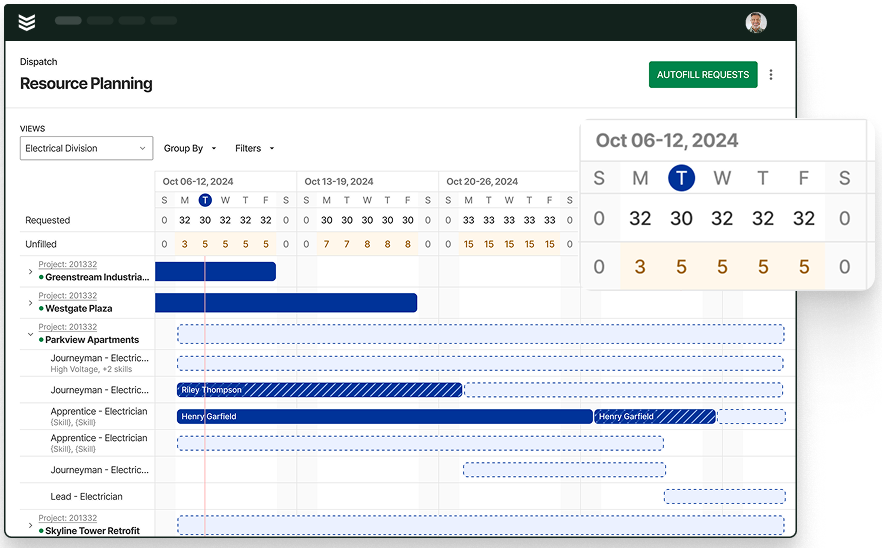
How BuildOps solves this problem: BuildOps helps teams plan ahead with resource planning and reporting & analytics. Dispatchers can manage the day in front of them, while managers can see labor pressure earlier across service demand and upcoming work instead of waiting for a packed board to reveal the problem too late.
6. The field can receive the job, but the office still gets weak closeout
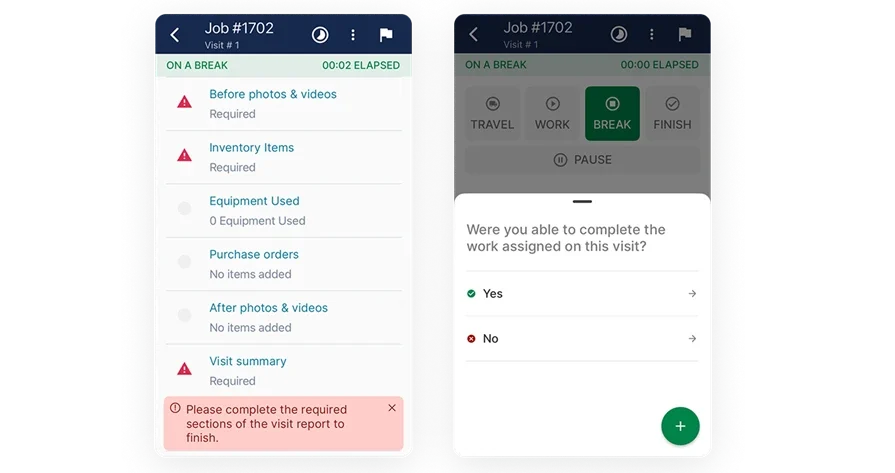
Scheduling software also stops working when the field can receive the job but cannot return a clean record. Commercial contractors care about that breakdown because incomplete notes, missing photos, and weak closeout force the office to chase details later. A schedule is only reliable when every visit ends with usable information.
Better closeout matters because the next schedule, the next invoice, and the next customer conversation all depend on what comes back from the field. Stronger scheduling software should carry the work forward after the visit, not leave the office guessing what actually happened on site.
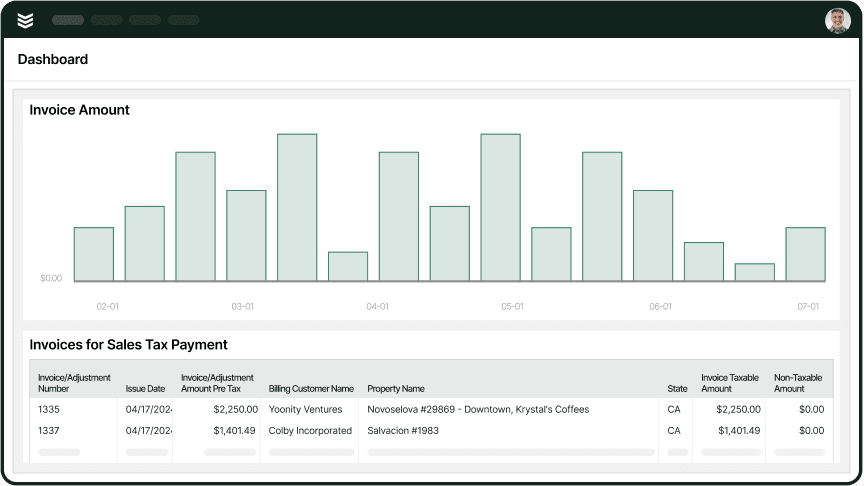
How BuildOps solves this problem: BuildOps strengthens that handoff with work order closeout and Payments+. Gated workflows make required steps harder to miss, while office teams can move from a clean field record to billing and payment collection without rebuilding the job after the visit.
Choosing the right contractor scheduling software for you: questions to ask in a demo
Once you know why teams switch, the next step is making the demo useful. These questions help you look past the polished walkthrough and figure out whether the software can actually handle your scheduling pressure, crew structure, and office workflow.
- What does the field actually receive when dispatch changes the plan? - A rescheduled visit is only helpful when the tech sees the updated time, job notes, photos, forms, and next steps right away from the same workflow.
- How does the board hold up when the day goes sideways? - Ask the rep to show what happens when an urgent call lands, work stays unassigned, or the whole board needs to shift before lunch. That is where weak scheduling tools usually show themselves.
- What rules shape who gets assigned to each call? - Strong scheduling depends on more than who looks open on the calendar. Commercial teams often need assignments based on certifications, geography, crew pairing, service history, or the type of work on deck.
- Can the team manage service calls, recurring visits, and larger work from the same view? - A split schedule creates blind spots fast. Shared visibility matters when labor has to move between reactive service, agreement work, and bigger planned jobs across the same week.
- What happens to labor, billing, and payroll data after the visit closes out? - Scheduling does not stop at dispatch. The demo should show how field time, job costs, and invoice data move forward without extra re-entry from the office.
- Can you run the demo using a workflow that looks like our business? - A generic sample account can make anything look clean. A better demo shows how the platform handles your actual handoffs, exceptions, job volume, and scheduling habits before you commit.
{{related-content-block="/resources/adopting-field-service-ai"}}
5 other contractor job scheduling software FAQs asked by our customers
Once contractors know what to look for in a demo, a few practical questions usually come next. The answers below help commercial teams sort through fit, not just features.
1. What is the best contractor scheduling software?
The right software depends on the kind of work you run every day. For commercial contractors, BuildOps works well because it connects scheduling to service, projects, and financial follow-through in one system.
BuildOps gives dispatch, techs, and the office a single shared workflow, keeping everyone aligned when service agreements, quoted follow-up work, and larger jobs compete for the same crew. Lighter-weight or residential-focused tools can be enough when your schedule mostly revolves around one-off visits to homes and you do not need scheduling tied closely to service agreements, project work, or deeper operational workflows.
2. How does contractor scheduling software work?
Most scheduling software starts with a job, turns it into a scheduled visit, assigns it to a tech or crew, and pushes the work to mobile in real time. When contractor scheduling tools are connected to a greater field service management platform, they can also send statuses, notes, labor, and photos back to the office so billing and reporting & analytics stay tied to the same workflow.
3. How does AI automate contractor scheduling software?
AI delivers the most value when it streamlines workflows inside the software itself, both before and after a job is scheduled. In practical terms, that means automatically recommending the best-fit technician, surfacing the right job data in fewer clicks, structuring and summarizing field notes, and feeding cleaner information back into the system so every screen is more reliable.
That’s exactly where OpsAI elevates your operations platform from a digital clipboard into a decision‑making engine.
4. What are the top benefits of using contractor scheduling software?
The best contractor scheduling software should do more than fill spots on the board. The benefits below show what commercial teams actually gain when scheduling stays connected to dispatch, field work, and the office after the job is done.
- Office and field teams work from the same live schedule, so updates reach everyone in real time
- Dispatch can reshuffle the board faster when urgent calls or delays come up
- Field teams get clear job details from the start without constant calls or texts
- Handoffs between the office and techs get cleaner and more predictable
- Job notes, photos, and updates stay tied to one shared record
- Billing and closeout move faster because the office has cleaner visit details to work from
- Managers get a clearer view of workload and capacity across the team
5. Is contractor scheduling software really worth the cost for business owners?
A scheduling software platform is worth the investment when it gives the office time back, helps the field move with less friction, and shortens the path from scheduled work to collected revenue. The Holmes Electric story below shows what that looks like when project managers can check manpower and schedules from anywhere, and service electricians can keep dispatch moving from their phones.
{{related-content-block="/resources/how-holmes-electric-manages-cybersecurity-and-data-accessibility-with-buildops"}}
See what stronger scheduling should actually do
Commercial service teams do not switch scheduling software for a nicer calendar. They switch because dispatch needs faster answers, techs need better job context, and the office needs every visit to keep moving toward billing. BuildOps was built for teams that need scheduling tied to the rest of the work, not stuck in its own lane.
That is where OpsAI starts to matter. OpsAI helps your team make quicker scheduling calls, pull the right job details without digging, and keep schedule changes from turning into cleanup later in the day.
Want to see what that looks like on a real board? Schedule a demo and walk through the way your team actually runs service.