A Guide to Smarter Electrical Inventory Management

Managing inventory and procurement might not be the flashiest part of running an electrical contracting business, but it’s one of the most critical. When tools and materials go missing or aren’t where they should be, crews lose time, jobs slow down, and profits take a hit. This guide breaks down how to bring order to electrical inventory management chaos.
Before we get into tools, templates, or tactics, let’s nail down the basics. What does electrical inventory management actually mean, and why is it such an important base for your entire electrical service work operation? Let’s break it down.
What is electrical inventory management?
Electrical inventory management is the process of organizing, tracking, and replenishing materials, tools, and equipment used by electrical contractors on individual jobs. At its core, electrical inventory management covers how parts and materials move through your business from the moment they are purchased, through how they are stored, when they are used on a job, all the way through to when those parts and materials are included on invoices sent to customers.
Managing electrical inventory effectively ensures two key critical aspects for service work:
- Everything needed for a job is available when and where it’s required by electricians and electrical contractors to avoid delays and maintain job readiness
- Increases profits (and minimizes losses) by accurately estimating the costs of parts and materials in quotes sent to customers before work begins
Whether you’re managing supplies across multiple job sites, service trucks, or a central storage hub, good electrical inventory management practices help you avoid overordering, cut waste, and reduce the number of callbacks due to missing parts. It’s about keeping your crew moving and your projects on track without wasting time hunting down a breaker or box of wire.
What are the phases of electrical inventory management?
Electrical inventory management connects the dots between supply and service, bringing control to the chaos of daily job demands and shifting material needs. Here’s how it typically plays out on the ground:
- Purchasing: Purchase orders are created when parts and materials are ordered based on upcoming jobs, stock levels, or predicted trends.
- Receiving: Once orders come in, inventory items are logged and labeled into a tracking system. This is traditionally done with pen & paper or spreadsheets, but more commonly using software that connects inventory to other aspects of your electrical operation.
- Stock Organization: Tools and materials are assigned storage locations like warehouse shelves, jobsite trailers, or van compartments. The goal: anyone on the crew should know exactly where to find what they need.
- Tracking Usage: Items are checked in and out as they’re used. This helps you spot what’s getting burned through fast and flag what’s sitting untouched. Some shops use barcode scanners or mobile apps. Others run on spreadsheets and clipboard logs.
- Reordering: Low-stock alerts or regular reviews trigger reorders. The smarter your system, the faster you catch shortages before they delay jobs.
- Job Costing & Reporting: Materials are tied back to specific work orders or service calls. This gives visibility into how much material each job actually uses, which improves estimating accuracy and helps reduce overages.
In short: it’s a loop. Order, store, track, replenish. Repeat. When the loop breaks, so does the job flow.
Why automating inventory management is so critical for electrical service businesses
When electrical inventory management is fully integrated into your field operations system, it works behind the scenes to keep your crew more productive and your business much more profitable. Here’s what that looks like in real life:
1. More accurate invoicing that goes out automatically
Connecting inventory to your invoicing means billing will match up with work actually completed in the field. When parts and materials were already accounted for in the mobile app while electrical contractors were doing the work, there’s no confusion later about what was used and what needs to be billed to the customer. This cuts down on mistakes, as well as the likelihood of customer push back due to missing or untracked parts.
2. Fewer job delays
Missing parts stall jobs. Integrated inventory systems help make sure that doesn’t happen. Before a tech even gets assigned, the system can check what’s in stock and flag what’s low. That means the crew shows up with everything they need, and jobs get finished on schedule, and not pushed because someone had to run out for a missing breaker or fitting.

3. More accurate job costing that stabilizes profit margins
If you’re not tracking materials to each job, you’re guessing at your margins. Integrated inventory systems automatically tag parts to work orders. You’ll see what each job actually costs. Not just the labor, but every foot of wire and every connector. That insight means tighter estimates, better quotes, and fewer surprise losses on bids.
4. Real-time visibility
An integrated system gives your team live insight into stock levels. There’s no need to call the shop or dig through paperwork. Warehouse, van, or jobsite: you know what’s where, right now. It helps avoid duplicate orders and stops the “I thought we had it” problem before it hits your bottom line.
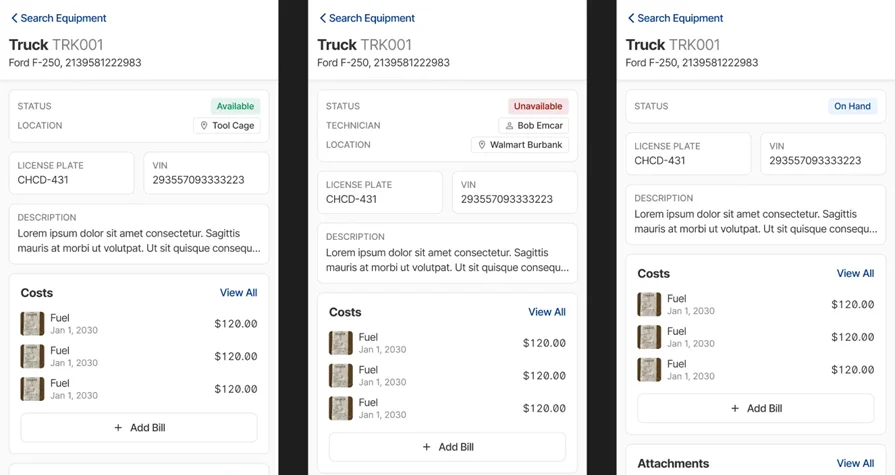
Tight inventory only works if the right gear hits the right job, and your team can see what’s available when. Get real-time visibility across trucks, jobsites, and the warehouse so nothing gets missed in the field.
5. Better material planning & faster re-ordering
Every job has its own material list. When your inventory connects with your scheduling and quoting tools, it becomes a forecasting machine. You’ll know exactly what parts are needed for upcoming jobs and whether you’ve got them. No more overbuying, underordering, or scrambling the night before. It lets you plan with confidence.
Manual checks lead to missed orders. But with integration, your system can automatically flag when an item drops below a set threshold. You’ll catch low stock early, keep jobs moving, and avoid overbuying that ties up cash in the wrong inventory.
6. More powerful inventory reporting that helps predict need & use for future jobs
Electrical inventory management is also about tracking what’s moving, what’s sitting, and what’s eating your margin. With integrated reporting, you can pull insights in seconds. Which items are used most? Which are getting lost? Which vendor gives you the best deal? That data helps you run a tighter ship.
7. Automated team communication without constant office check-ins
When inventory is built into your system, your office staff, techs, and warehouse crew all see the same thing. No more back-and-forth calls about what’s in the van. Everyone’s working from the same playbook. It reduces errors, cuts down miscommunication, and helps the whole team stay aligned on what’s needed.
Electrical inventory list management: how to keep track effectively
A strong electrical inventory list management process tracks what’s on hand, what’s low, and what’s missing, giving your team instant visibility without calling the warehouse or flipping through a binder. Here are the key components you need to keep track of for effective electrical inventory list management, regardless of the tool you’re using to track inventory.
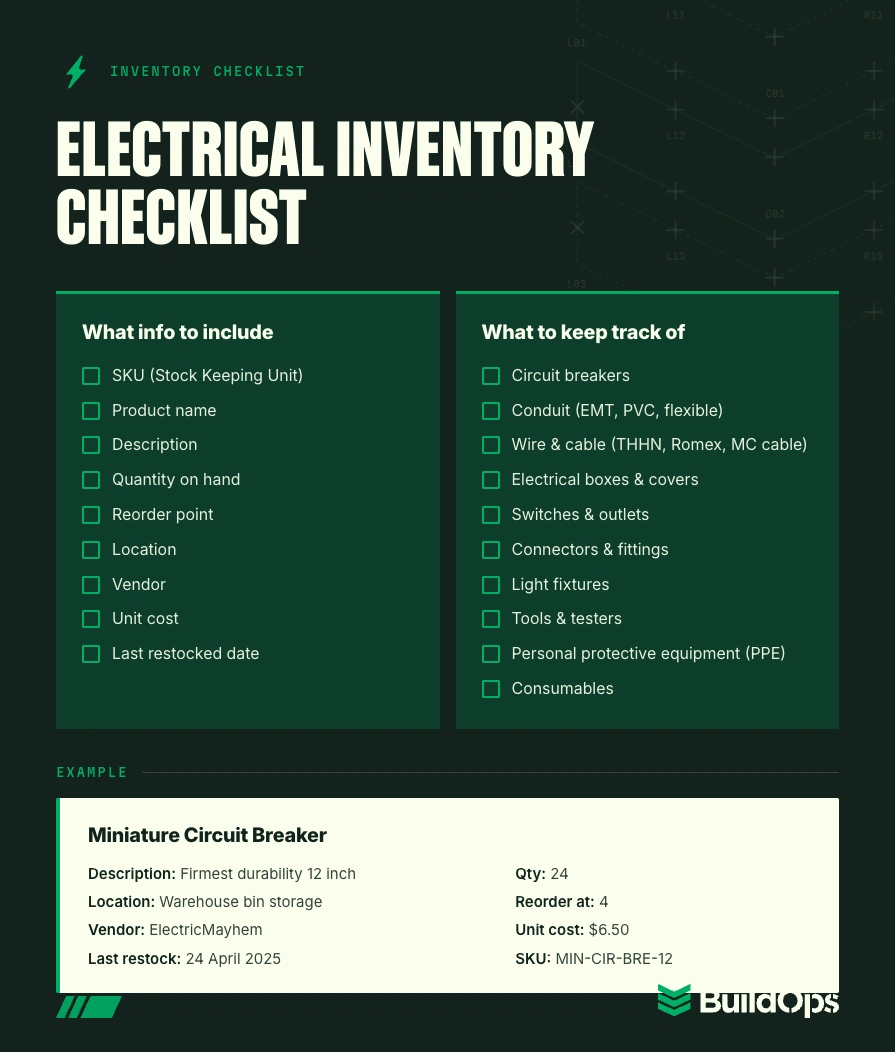
What information is included in an electrical inventory list?
Here’s what you’ll want to track for each item:
- SKU (Stock Keeping Unit): A unique code used to identify each product in your system. Helps prevent mix-ups between similar items, especially with things like conduit types or breaker models.
- Product name: The actual name used on packaging or vendor invoices. Make it searchable and consistent across systems.
- Description: Short details that differentiate it from similar items. For example, “THHN copper wire, 12 AWG, red jacket.”
- Quantity on hand: How many are currently in stock across all locations.
- Reorder point: The threshold where you want the system to flag low stock and trigger a restock.
- Location: Where the item is stored—warehouse bin, jobsite trailer, service van, etc.
- Vendor: Who you buy it from and any related contract pricing.
- Unit cost: What you paid per unit. Important for job costing and estimating.
- Last restocked date: Helps track material turnover and flag slow-moving stock.
Electrical items and materials to keep track of in an electrical inventory list
Here’s a solid starter list of high-priority materials that electrical contractors commonly track, and why each one matters:
- Circuit breakers: Essential for distribution panels. Different jobs require different amperages and models.
- Conduit (EMT, PVC, flexible): Needed on nearly every job. Keeping the right size and type stocked avoids unnecessary runs.
- Wire & cable (THHN, Romex, MC cable): Vary by job and code requirement. Color coding and gauge size must be accurate.
- Electrical boxes & covers: From junction boxes to switch boxes—these are the backbone of clean installs.
- Switches & outlets: Basic components, but they come in dozens of types and ratings. Easy to run out without tracking.
- Connectors & fittings: Tiny items, big importance. From wire nuts to strain reliefs, they add up fast if not monitored.
- Light fixtures: From recess cans to industrial bays. Often job-specific but worth tracking due to lead times.
- Tools & testers: Inventory should include shared equipment like multimeters, knockout sets, or megohmmeters.
- Personal protective equipment (PPE): Gloves, eyewear, arc flash gear—critical to track for safety and compliance.
- Consumables: Tape, labels, zip ties—cheap but vital. They’re the items you burn through quickly and need restocking often.
Top 3 electrical supply inventory list templates
When it comes to keeping your inventory list tight, these templates can give you a head start. Whether you’re managing gear in a single van or juggling stock across job sites and a warehouse, these tools help make the job easier without building a system from scratch.
- Smartsheet: This spreadsheet-based template lets you track stock levels, reorder points, item descriptions, and vendors, all in one view. It’s easy to update and great for shops already working in Excel or Google Sheets but needing more structure. It also includes visual indicators for low inventory, which helps you stay ahead of material shortages.
- Coefficient: Coefficient plugs directly into Google Sheets and turns your spreadsheet into a dynamic inventory system. You can set it up to auto-update quantities, pull in vendor data, and alert your team when stock hits reorder levels. It’s perfect if you want to stay inside the Google ecosystem but still get advanced features without code or custom builds.
- ProjectManager: This one’s made for teams juggling inventory alongside job schedules and project timelines. It blends inventory tracking with task management, so you can align material availability with deadlines. If your team handles a lot of jobsite coordination, this template keeps materials and project progress synced.
Templates are a solid start, but they only go so far compared to robust inventory purchasing features connected fully to your field service software. If your inventory isn’t connected to scheduling, work orders, and job costing, you’re still chasing parts and patching holes.

10 electrical inventory management best practices you should follow
The electrical service teams who stay ahead of inventory management don’t just “track stuff”. They build an operational system that connects inventory to other critical aspects of the operation, completely uniting both teams in the field and in the office. Here are some best practices from electrical service top shops to help you stay lean, keep your crew equipped, and eliminate surprises.
1. Set minimum stock levels for high-use materials
Don’t wait until you run out of 12-gauge wire or breakers to restock. Identify which items move fastest like wire nuts, outlets, or junction boxes, and instead, assign a minimum stock level. Once inventory dips below that number, it triggers a reorder. This stops downtime and avoids costly same-day delivery fees or supply house runs.
2. Assign inventory by van or crew
Each truck should be treated like a mobile warehouse. Assign materials and tools to individual vans or techs, and track usage by vehicle. That way, you’ll know what’s being used, what’s missing, and what needs replenishing without guessing. It also helps hold techs accountable for what they carry.
3. Use labels and bins for clear organization
When parts and tools are tossed into random drawers or boxes, they disappear. Use clear labels, barcode tags, and compartment bins to keep everything in its place, whether it’s in a warehouse or a service truck. Organizing by material type (lighting, conduit, fasteners, etc.) helps speed up loading and job prep.
4. Conduct regular cycle counts
Don’t wait for a big end-of-year inventory count. Instead, schedule small, regular cycle counts by item type or van. For example, count all switchgear components on the first Monday of the month, or all conduit fittings on Fridays. You’ll catch shrinkage, errors, or low stock before they become job-stoppers.
5. Link inventory to your work orders
When materials get pulled for a job, that usage should show up on the work order automatically. It’s the only way to accurately track job costs to avoid letting unbilled parts eat into your profit. This also helps with warranty tracking if there’s an issue down the line.
Check out these electrical bid examples to see how logging inventory changes supports tighter, more realistic bids before you create work orders.
6. Standardize kits for common service tasks
If your techs are handling similar types of service calls like panel upgrades or lighting retrofits, build pre-packed kits with all the parts they need. Label them clearly and stock them on every van. This saves time during prep, ensures nothing’s forgotten, and cuts waste from partial leftover materials.
7. Centralize vendor and pricing info
Keep all supplier contacts, SKUs, and pricing in one system. That way, you’re not wasting time tracking down part numbers or calling five different reps. Having vendor info at your fingertips makes reordering faster, helps compare prices, and even gives you leverage for better deals.
8. Track tool usage along with materials
Your techs aren’t just using wire. They’re using torque wrenches, fish tapes, and knockout sets too. Track tools the same way you track parts. Knowing where each tool is, who last had it, and when it’s due back helps reduce loss, improve safety, and keep the job moving.
9. Train your team to log inventory changes
Your system’s only as good as the info going into it. Train every tech and warehouse staffer on how to check materials in and out, whether that’s using a mobile app, scanner, or sheet. Make it part of the job, not a side task. This avoids blind spots and keeps your data solid.
If your inventory’s organized, your bids should be too—and your crew needs to log what they pull to make that happen. When your team tracks material usage consistently, your estimates stay accurate and your margins stay protected.
10. Review usage trends every quarter
Look at which items are getting used most often, which ones aren’t moving, and what you’re overordering. Maybe you’re stocking too many specialty breakers that rarely get used, or you’re burning through MC cable faster than expected. Reviewing trends quarterly helps fine-tune your ordering and saves money long term.
6 features to look for in an electrical inventory management tool
When you're picking a tool, it's not just about how it tracks parts in the system, but more critically, how well that tool plays with the rest of your operation. These are the features that actually make a difference for electrical contractors managing active inventory:
- Live inventory tracking across all locations: Whether it's on the shelf in your shop or in the back of Truck 5, you need to know exactly where everything is. Live tracking shows current stock levels by van, warehouse, or jobsite, and updates in real time as items are pulled or replenished.
- Job-linked material usage: A solid platform tracks what’s pulled for each work order automatically. That gives you tight control over material costs, helps your estimators get more accurate, and reduces the number of unbilled items slipping through the cracks.
- Mobile pull-and-log access for field crews: Your techs aren’t walking back into the warehouse to log what they just used. They need to pull parts and update inventory on the fly, right from the jobsite. Mobile access ensures usage gets logged instantly, and your inventory data stays reliable.
- Auto-restock triggers and low-stock alerts: When inventory drops below a set threshold, you get a heads-up, or even better, a PO gets generated. That keeps high-use items like wire, fittings, or fasteners from running out when you need them most.
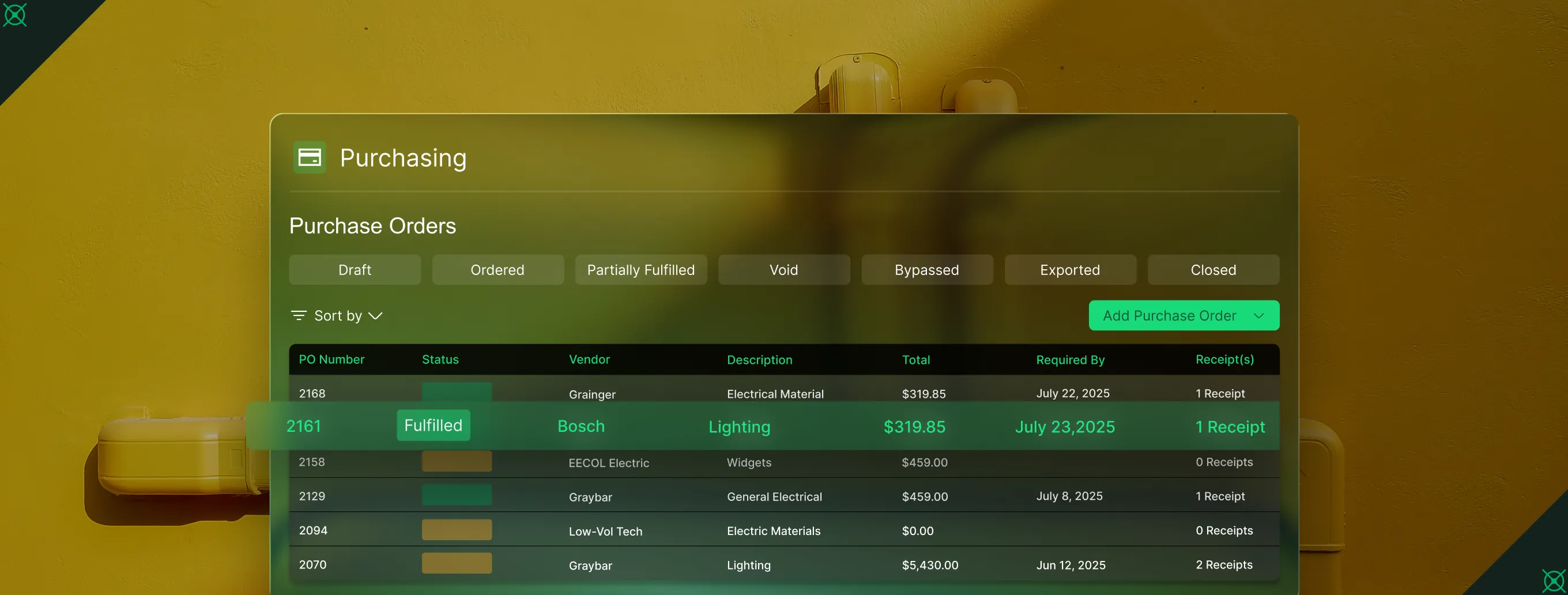
- Purchase order and vendor syncing: Good inventory tools don’t stop at stock counts. They pull in purchase orders, pricing, and vendor info so your reordering process is faster, cleaner, and fully tracked. No more hunting down part numbers or calling five different reps.
- Usage reports and cost trend analysis: You can’t manage what you can’t measure. With built-in reports, you can see what’s being used most, where waste is happening, and how pricing is trending across vendors or material categories. That insight helps you negotiate better pricing and cut back on excess.
The final question: which tools will actually deliver for you? Let’s break down the top inventory management software picks for electrical contractors and see how they stack up in the field.
Top 3 electrical inventory management solutions for different work scopes
This is our short list of the top 3 electrical inventory management software out there that are suited to different types of electrical service work: commercial, residential, and general contractors.
1. Best for commercial electrical inventory management: BuildOps
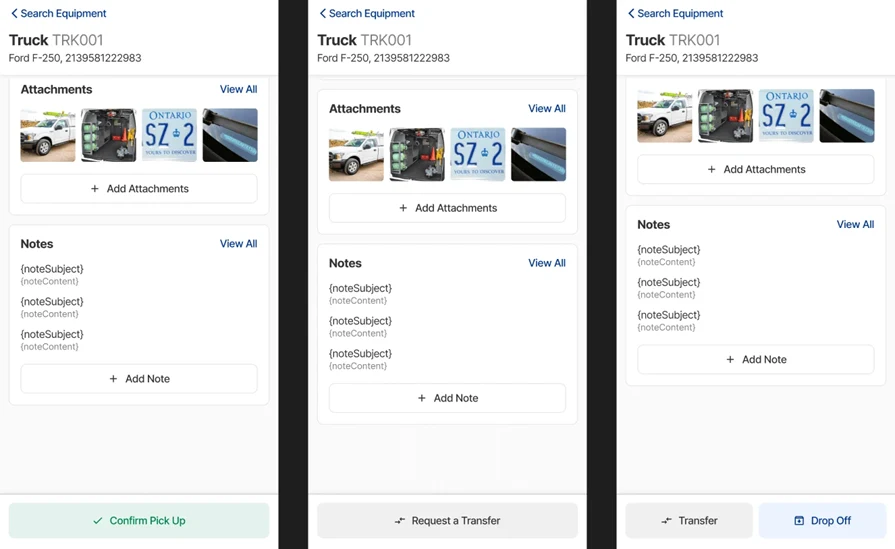
BuildOps was purpose-built for commercial contractors who manage large electrical service projects, multiple crews, and moving inventory across trucks, warehouses, and job sites. Inventory connects seamlessly to scheduling, quoting, dispatch, and job costing in a single system that works like an extension of your team, not a separate tool. Every material pulled gets tagged to a job, and you can track where it came from, who used it, and when it needs restocking.
What sets it apart for commercial electrical: It’s the only platform built specifically for the complexity of commercial field service teams. From client asset tracking to van-level stock management, everything is tied together in real time.
Rating: 4.4 on Capterra from 177 user reviews
2. Best for residential: Housecall Pro
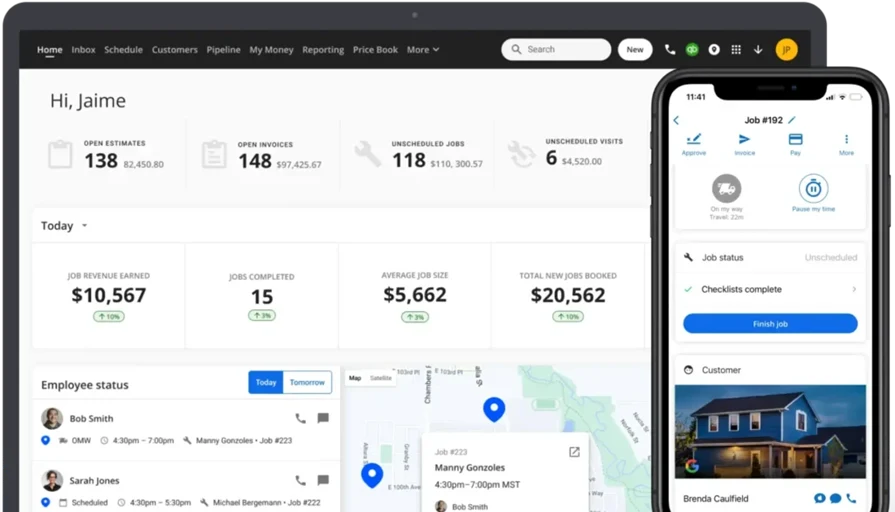
Housecall Pro is a well-known platform in the residential space, with tools for quoting, dispatch, invoicing, and CRM. It includes some inventory features, like part tracking and job material logging, but it’s mainly geared toward smaller-scale residential shops. For simple jobs and repeat service calls, it’s easy to set up and navigate. Although, inventory tracking here isn’t as robust or deeply integrated as platforms built for larger or more complex operations. You’ll have to manage some workflows manually or through workarounds.
What sets it apart for residential electrical: It’s user-friendly and lightweight, which makes it a great fit for small shops doing routine service and repair work.
Rating: 4.7 on Capterra from 2741 user reviews
Check out our breakdown of BuildOps vs Housecall Pro’s features here to decide which tool is the better fit for your electrical crew.
3. Best for general contractors: Workiz
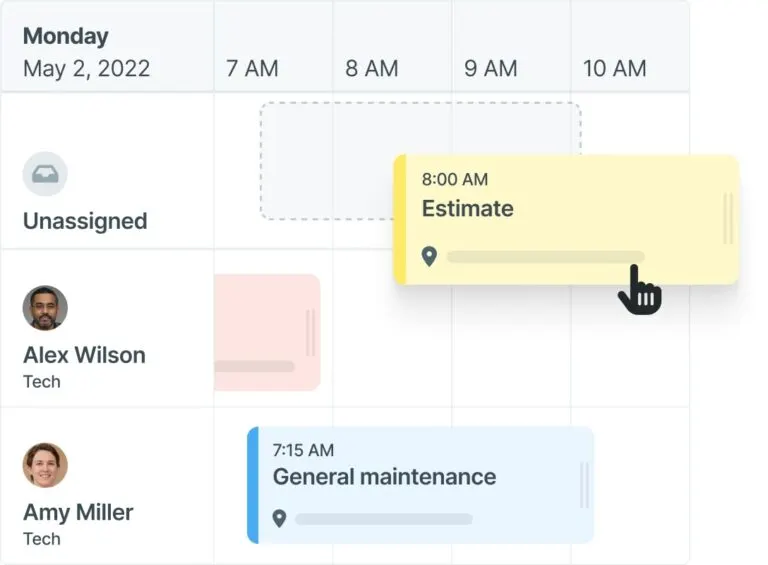
Workiz blends field service scheduling, job tracking, and customer communication tools into one dashboard. It offers basic inventory tools and allows you to assign parts to jobs, but it’s not as strong when it comes to managing complex stock levels or tracking across multiple locations. That said, it’s flexible for contractors who juggle multiple trades and service types. However, inventory functionality is limited. You’ll likely need to use outside systems or workarounds for real-time stock visibility or detailed material costing.
What sets it apart for general contracting: It’s adaptable for companies offering a mix of electrical, plumbing, HVAC, or handyman services and need a unified platform to coordinate everything.
Rating: 4.4 on Capterra from 218 user reviews
This is just our list of the top 3, but you can check out the full list in our guide to choosing an electrical inventory management software.
Electrical inventory management plays a bigger role than most give it credit for. It’s the difference between jobs that stay on track and jobs that stall out. Whether you're tracking materials in the warehouse, restocking vans, or trying to tighten up job costing, having a solid system makes a real impact on how smooth your operations run.
For commercial electrical contractors handling large teams and multi-phase jobs, an all-in-one platform like BuildOps that doesn’t just manage inventory but ties it together with everything else in your operation is the way to go. Set up a demo today to see exactly how our customer commercial electrical workflows will be the perfect operational backbone for you to scale your business on top of.