8 Best Plumbing Inventory Software: Track Tools & Parts



Key Takeaways
- Key plumbing inventory software features to look for include 3-way PO matching, mobile access to inventory updates, and connections to other aspects of the field operation
- Choosing the best inventory software depends entirely on what scale and scope of plumbing work you do, whether that’s commercial, residential, multi-trade, or something else
- Improving profit margins and keeping costly mistakes lower are some of the biggest benefits of implementing a plumbing software with inventory management
Tracking every valve, pipe, and coupling can feel like a full-time job, especially when projects start stacking up. For teams in the plumbing industry, inventory headaches often lead to job delays, lost revenue, and frustrated crews. When materials go missing or stock levels are off, your whole operation slows down. That’s why implementing a plumbing inventory software is so critical to giving your team real visibility into what’s in stock, what’s used, and what needs to be reordered.
We work with commercial plumbing service businesses every day, helping them improve their operation using our software. In this guide, we’ll summarize for you some of the key things we’ve learned about how those teams choose the right plumbing inventory software for their team, what features are most important to them, and which top tools are out there for each type of plumbing service work.
Let’s start with what you need to look for when evaluating the inventory tools you’re considering for your plumbing service team.
6 plumbing inventory management software features to evaluate
From discussions with our plumbing service customers, these are the key features they look for when it comes to inventory management in their field service platform.
1. Mobile access for techs to use it in the field
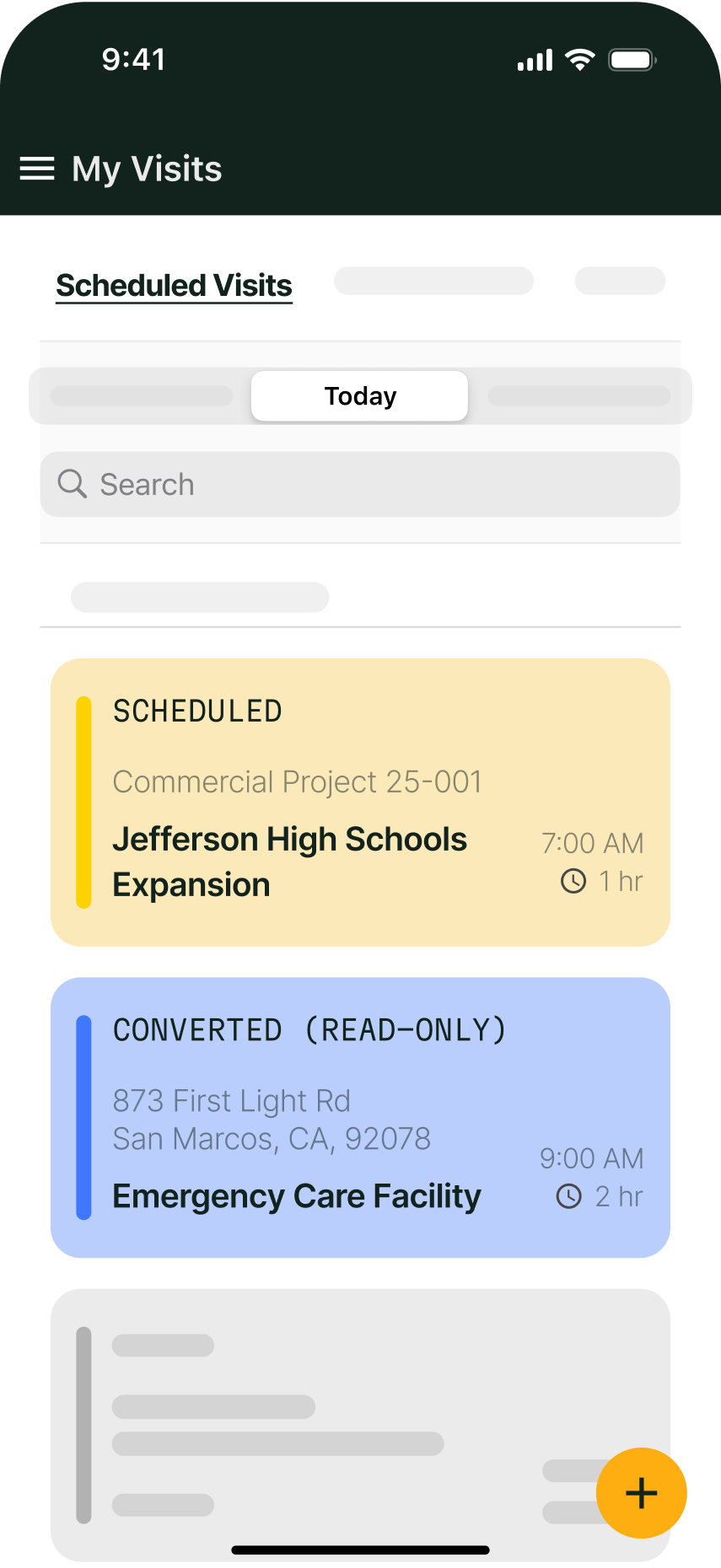
Many inventory platforms only work on desktop and not in the app, but having an inventory management system that works the same on mobile for your techs in the field means they can do anything needed while on the job. Plumbers should be able to access the same inventory information on the app that back office can see, and should be able to make requests instantly in their app.
Why this feature matters so much: Stops work from halting due to inventory issues.
2. AI-powered 3-way PO matching
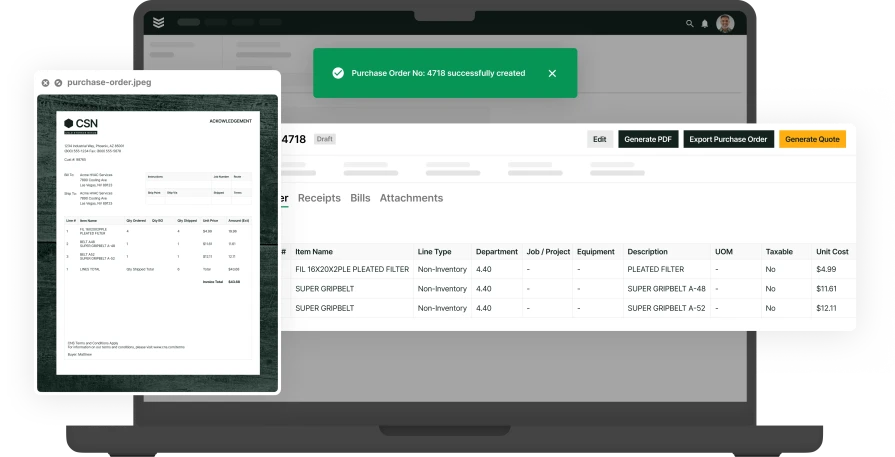
Take a photo of a PO or receipt in the field, and your platform automatically fills in all the data needed like line items, dates, and vendor information. Sales, finance, and field techs are all seeing the same information, and the platform flags issues or discrepancies right away, using AI to identify them.
Why this feature matters so much: This kind of feature cuts critical time off a very repetitive task done frequently, so you can cut this down to seconds instead of minutes.
{{related-content-block="/resources/ai-inventory-optimization-contractors"}}
3. Integration with other aspects of the plumbing service operation
An inventory management system as its own software rather than as a feature or component of a field service management software usually isn’t an ideal solution for plumbing service businesses because when inventory isn’t linked to things like work orders, job notes, and invoicing, team members have to update the information in multiple places, which creates mistakes and wastes time.
Why this feature matters so much: When the inventory is built in, you have a single source of truth when it comes to inventory that every team member can access in real time. You also really cut down on mistakes, as well as the time spent chasing down whether the work order, the invoice, or the inventory system has the ‘correct’ information.
4. Barcode and QR code scanning
Barcode and QR code scanning speeds up the inventory process by allowing plumbers to scan parts as they’re used. This eliminates paperwork, reduces errors, and keeps inventory records up to date in real-time. Simply scan the barcode and the system is updated automatically
Why this feature matters so much: Cuts down instances when plumbers forget to log items, or log the incorrect item by mistake.
5. Real-time inventory tracking
Live inventory tracking provides instant updates on stock levels, and helps plumbers locate essential materials like fittings and pipes without making constant calls to the office. A plumber arriving at a job site to replace a faulty system can instantly check stock levels in nearby service trucks or warehouses.
Why this feature matters so much: Without this visibility, plumbers in the field would waste time calling the office and driving across town only to realize that the part was never available, which really frustrates customers.
6. Automated stock alerts and re-ordering
Automated restocking and low-inventory alerts ensure parts and materials are replenished before they run out. Automated tracking means the system can detect high usage, trigger a reorder, and ensure the stock is replenished before it’s too late.
Why this feature matters so much: Prevents costly delays, keeping customers happy.
Now that you know what you’re looking for, let’s compare the top tools out there with these features.

9 best plumbing inventory software platforms for different types of service businesses
Not every software platform fits how plumbing contractors work. Some focus on simplicity, some are built inventory-first rather than for field service, and some fit inventory management into a more robust field service management platform. The best fit is often based on the type and scale of plumbing service work you perform, so here are our top choices for inventory software for every type of plumbing service work.
1. Best for commercial plumbing service work and projects: BuildOps
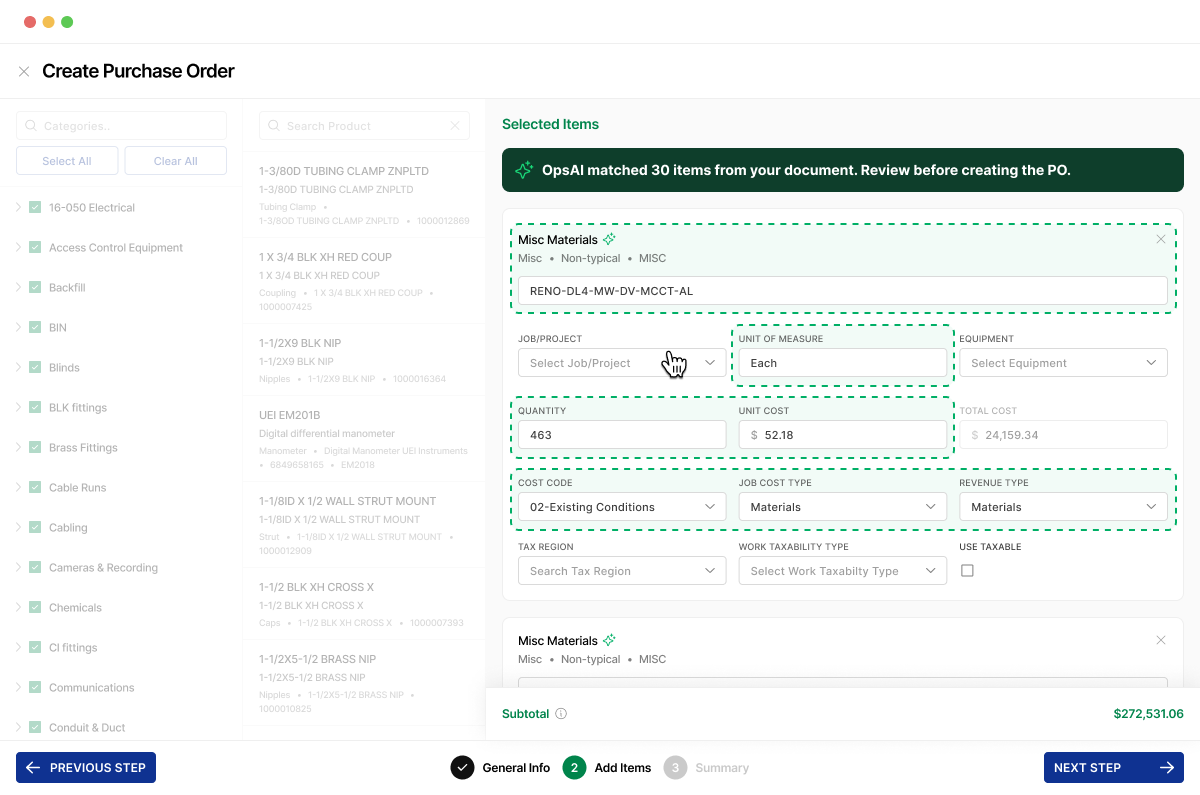
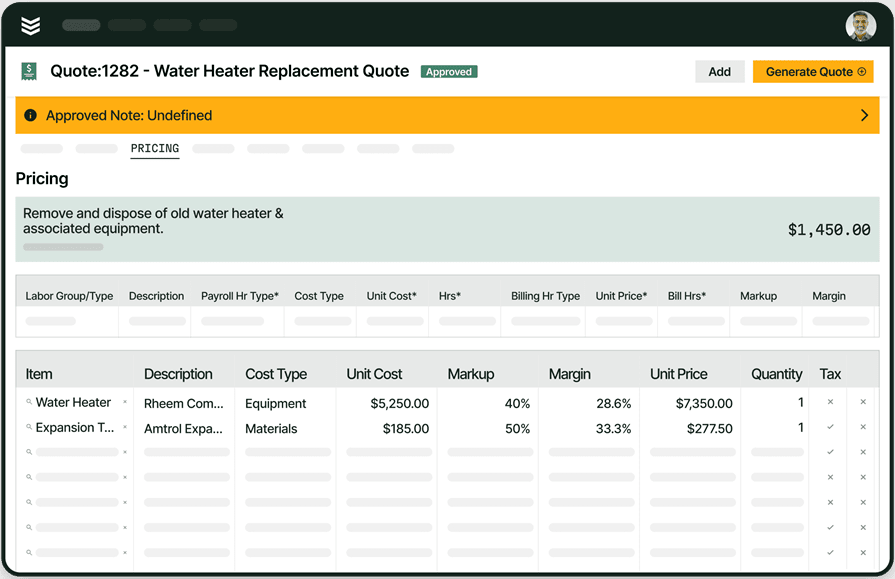
BuildOps is designed for commercial plumbing contractors managing inventory across large-scale projects and mobile crews. It gives real-time visibility into stock levels, tracks material usage by job, and ties everything into one platform. From the moment items are in your possession through to quoting to work orders to dispatching to invoicing and then reporting, the information stays in one unified source of truth for all team members.
BuildOps is also built for speed in the field, with inventory fully mobile-ready and easy to use on job sites in the technician mobile app. OpsAI is also built right in, saving critical time with inventory management with features automated PO information fill from a photo taken right in the field.
How pricing works: BuildOps offers custom pricing based on company size and features needed.
Features beyond inventory management: Includes technician time tracking, advanced reporting, CRM, estimating, mobile app access, and robust service agreement management
What sets it apart for commercial plumbing service work: BuildOps is built for high-volume operations. Whether you’ve got five vans or fifty, it handles complex workflows without lag or confusion.
Rating: 4.4 on Capterra from 177 user reviews
2. Best for residential plumbing service teams: Housecall Pro
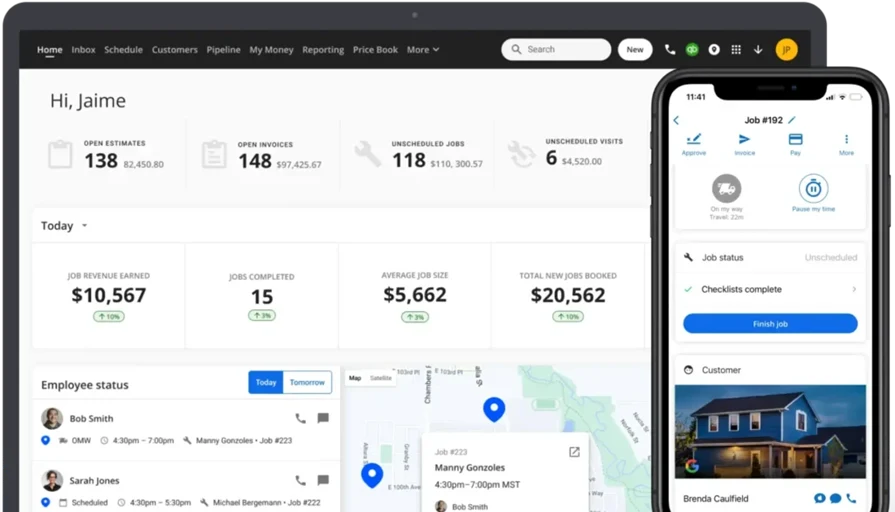
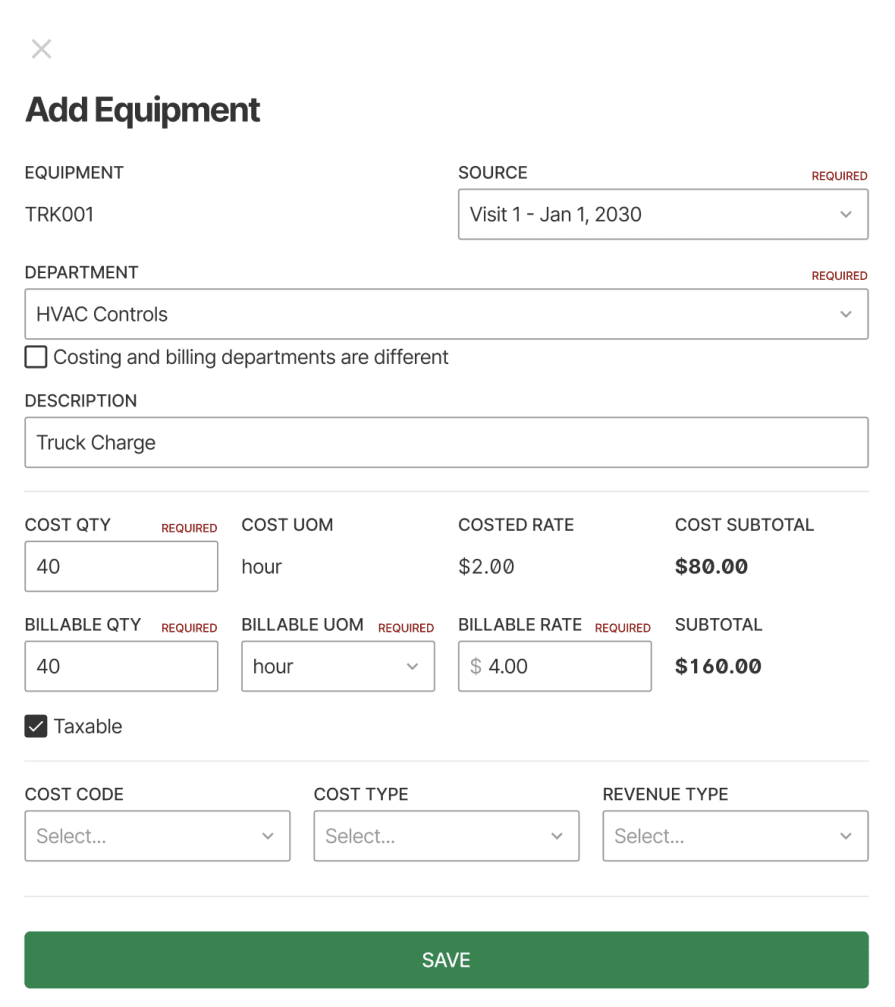
Housecall Pro is built for speed and simplicity, and is great if you’re running a residential plumbing outfit and don’t want to get buried in complex tools. It handles scheduling, customer updates, and payment processing with ease, making it ideal for smaller crews. But if you’re managing multiple vans, lots of part movement, or warehouse inventory, it may not have the depth you need.
How pricing works: Starts around $59/month, with more advanced features available in higher-tier plans.
Features beyond inventory management: Job scheduling, online booking, payment collection, automated customer communication.
What sets it apart for residential plumbing teams: Quick to launch and easy to use. Great for solo techs or tight-knit teams that need to get in, get out, and stay organized.
Rating: 4.7 on Capterra from 2742 user reviews
3. Best free platform for small teams and beginners: Zoho Inventory
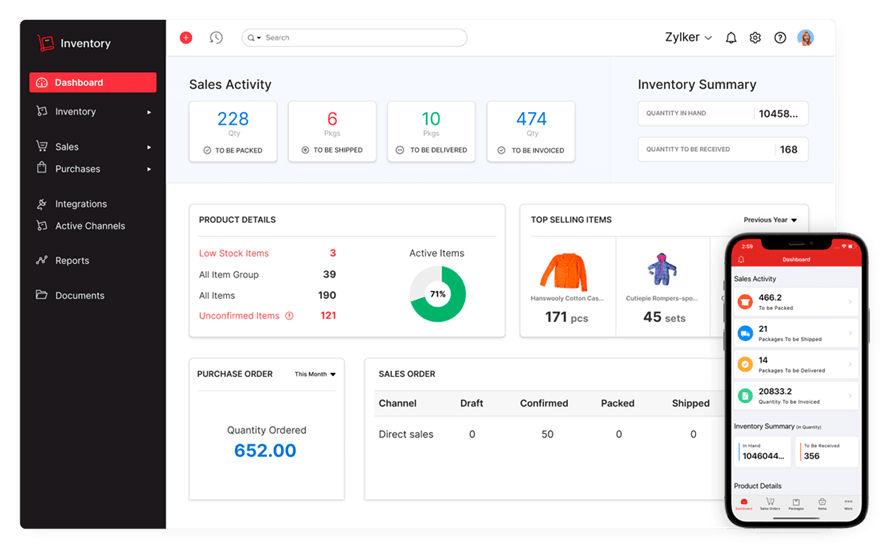
Zoho Inventory comes packed with features for a free platform like barcode scanning, order fulfillment, and multi-warehouse tracking. It’s a solid entry point for small plumbing teams moving off spreadsheets. It’s a great tool if you need to get into inventory management, but don’t have the funds to get yourself set up with a comprehensive system yet.
Zoho isn’t plumbing-specific or built for the trades, so you might have to adjust how you organize fittings, pipe types, and job kits. You’ll find this limiting, but it’s a free tool, so a great way to dip your toe in with plumbing inventory software if you aren’t ready to make a commitment yet.
How pricing works: Free for teams handling under 50 orders/month, while paid plans start at $59/month.
Features beyond inventory management: Order tracking, multi-channel sales, shipping integration, automation tools.
What sets it apart for businesses looking for free tools: It has strong capabilities for no cost, so it’s ideal for teams starting to take inventory seriously without any upfront spending.
Rating: 4.5 on Capterra from 417 user reviews
4. Best for warehouse-centric operations: inFlow Inventory
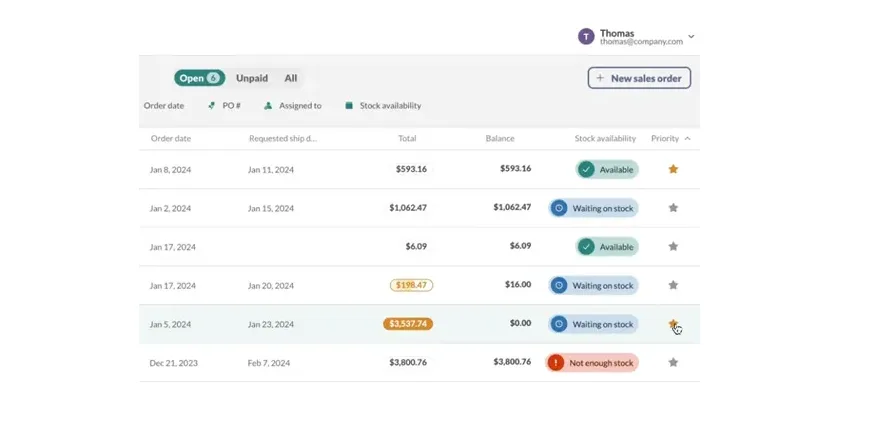
inFlow Inventory is built for businesses that rely heavily on warehouse stock. It handles vendor management, barcode scanning, purchase orders, and real-time tracking across locations.
If your plumbing company runs a centralized warehouse with high-volume stock movement, it’s a solid choice. Just know that it’s not made with plumbing fieldwork in mind, so mobile field access may be limited.
How pricing works: Plans start at $89/month with full inventory features.
Features beyond inventory management: Purchase orders, vendor catalog management, sales tracking, reporting dashboards.
What sets it apart for warehouse-centric operations: Excellent depth for managing bulk parts and warehouse flow, which is great for teams with a steady inbound/outbound materials process.
Rating: 4.6 on Capterra from 504 user reviews
5. Best for small teams: Xero
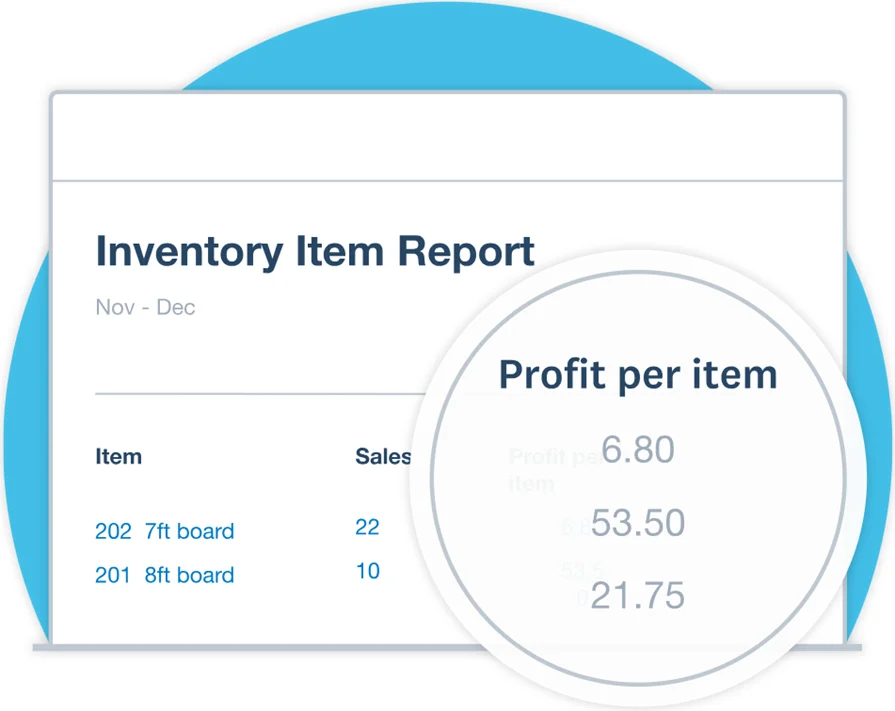
Xero isn’t a full-blown inventory solution, but was built for small shops that want basic part tracking baked into their accounting, so it gets the job done. You can assign materials to invoices, track usage, and keep tabs on costs, all while managing your books. It doesn’t support things like multi-van inventory, jobsite restocking, or warehouse tracking though, so it can be a bit more of a lightweight tool.
How pricing works: Entry-level pricing starts around $2.90/month, while inventory tools are included in all paid plans.
Features beyond inventory management: Accounting, bank reconciliation, invoicing, payment tracking.
What sets it apart for small teams: Simple and budget-friendly. A good match for tight crews who want accounting and basic inventory tools in one place.
Rating: 4.4 on Capterra from 3312 user reviews
6. Best for general contractors and multi-trade shops: Workiz
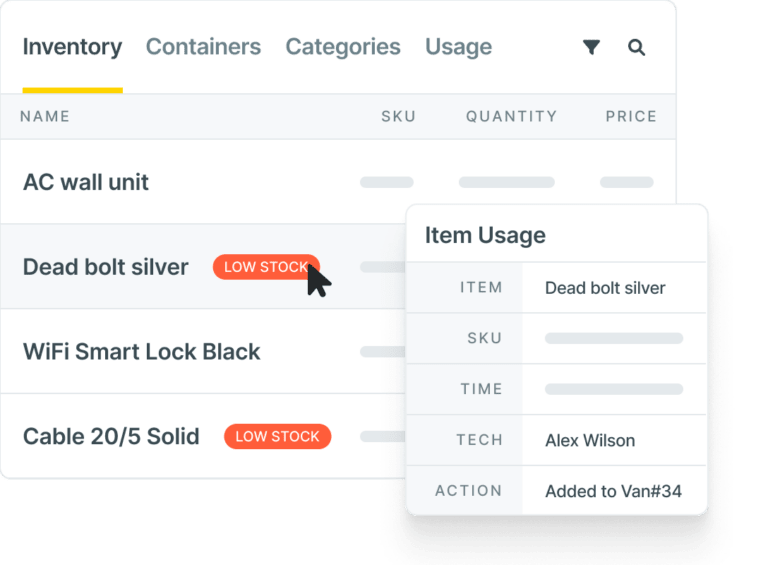
Workiz is a field service management platform, so in addition to some inventory tracking, it gives you the basics across dispatch, estimates, and invoicing. It’s a flexible system built for service businesses that handle multiple trades including plumbing, but it’s not tailored for plumbing-specific inventory like fittings, valves, and kits. If you’re mostly plumbing-focused, some features may feel generic.
How pricing works: Plans start at roughly $65/month per user. Costs go up with added integrations and automation tools.
Features beyond inventory management: Call tracking, customer portal, digital forms, lead pipeline tools.
What sets it apart for general contractors: Works well for teams juggling plumbing, electrical, and HVAC jobs under one roof.
Rating: 4.4 on Capterra from 218 user reviews
7. Best for visual inventory tracking: Sortly
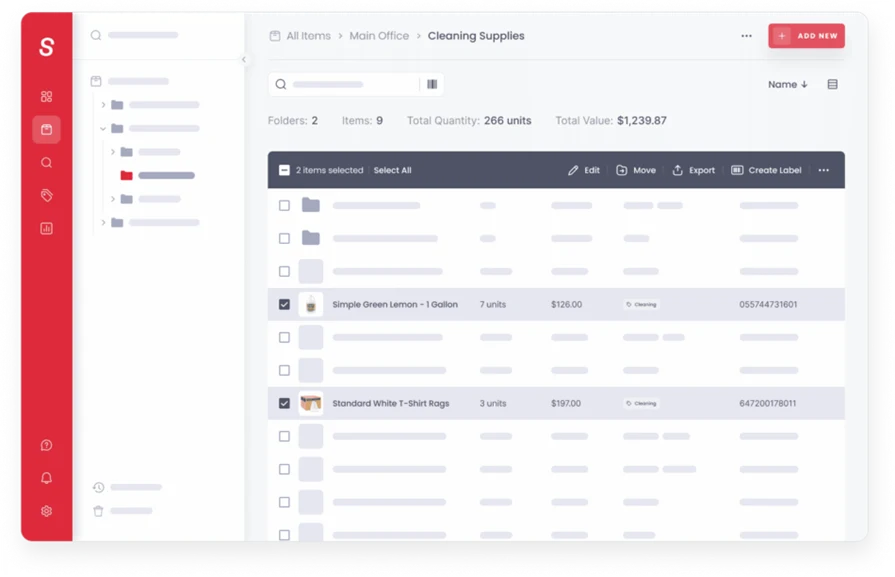
Sortly gives you a clean, visual way to manage parts using photos, tags, and folders. If your team prefers seeing inventory rather than scrolling through long lists, this setup works well, especially for organizing job kits or tracking assets in trucks. But for plumbing contractors handling complex restocks or syncing usage with job costing, it might feel a little too basic.
How pricing works: Free option available while paid plans start at $49/month.
Features beyond inventory management: Mobile access, custom folders, QR and barcode scanning, asset tagging.
What sets it apart for visual inventory tracking: Designed for teams that want an easy, image-first way to stay on top of tools and parts without a steep learning curve.
Rating: 4.5 on Capterra from 953 user reviews
8. Best heavy-lift inventory management software: Ply
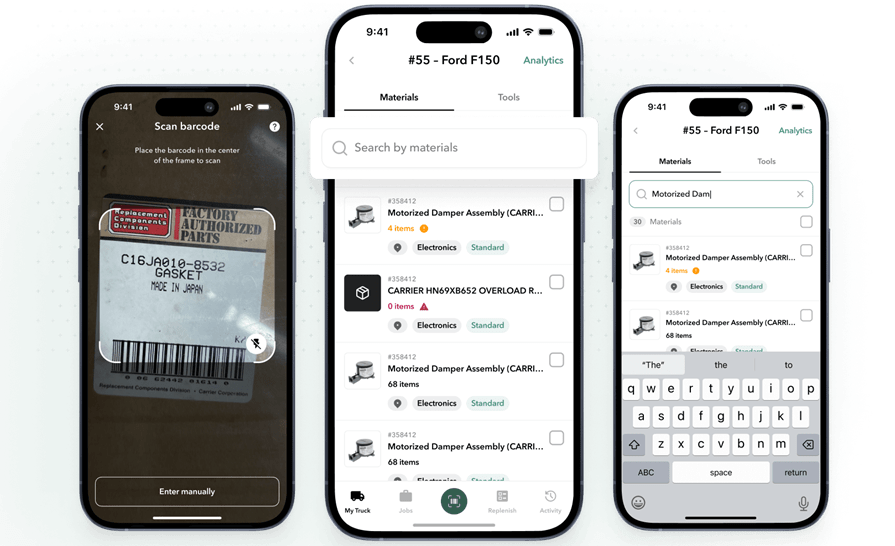
Ply is an inventory management software built for the trades, so it’s well suited to plumbing service teams. Ply has very advanced inventory management features like truck stock control, RFQs, cycle counts and audits, voice POs, and 3-way PO matching. Because of this, it can really do some heavy lifting when it comes to inventory management, however, it’s not a field service management platform.
This means you will need to use it in combination with other tools, or at least with a few integrations, which is likely to increase your costs, as well as the number of tools you need to implement.
How Pricing Works: Custom pricing based on your needs and the scale of your business.
Features beyond inventory management: Automated parts tracking, job preparation tools, and integration capabilities
What Sets It Apart as a Heavy-Lift Software: Ply was built for inventory first, so it has very well thought out inventory-related features, and is strong if this is the biggest gap or priority in your operation currently.
Rating: 4.8 on G2 from 2 user reviews
9. Best for integrated retail and inventory: Square POS
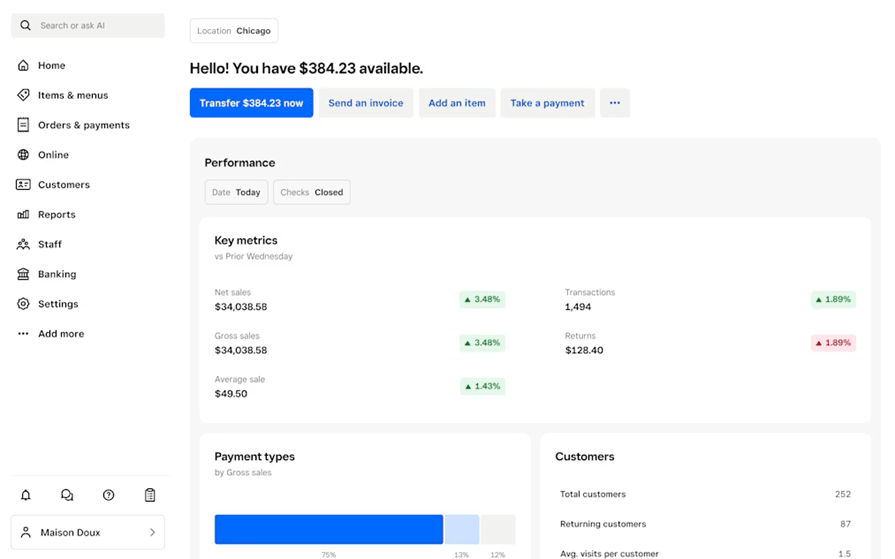
Square POS was built as a point-of-sale system, but it comes with inventory tools that work well for plumbing shops selling parts or fixtures at a counter. It adjusts stock in real time with every transaction, supports barcodes, and tracks item sales. It wasn’t built for field dispatch or managing inventory across service vans and job sites, so it’s better in a retail environment and less useful for a field service business.
How pricing works: Free to start, with optional add-ons and transaction fees.
Features beyond inventory management: POS tools, customer directory, permissions management, retail sales reporting.
What sets it apart for integrated retail and inventory: Solid option for plumbing shops running retail alongside service—helping sync what’s sold with what stays stocked.
Rating: 4.6 on G2 from 1209 user reviews
9 benefits of implementing plumbing inventory management software
Here are the biggest benefits our customers highlight when it comes to the effectiveness of implementing an inventory software in your plumbing operation.
- Invoicing becomes more accurate—When each part pulled is tied directly to the work performed, it reduces back-and-forth between teams and cuts down on plumbing billing errors.
- Fewer delays caused by missing parts—Inventory tools detect low quantities before they become emergencies.
- More and better visibility into customer service needs—You can link service history to parts usage and plan every visit with inventory already in mind.
- Smarter job planning—Knowing what parts are available and what’s assigned to each job keeps schedules on track and techs prepped.
- Better margin tracking—When finance teams get clarity into inventory reporting, it becomes a key part of margin control.
- Tighter purchasing decisions—Reviewing inventory usage reports show what’s moving quickly and what sits idle, helping you spend smart, avoid overstocks, and get ahead of rushes or seasonal demands.
- Real-time data helps you take action faster—Inventory that updates in real time supports smoother scheduling, cleaner dispatching, and fewer mid-job surprises, all without extra admin load.
- Easier job costing—When materials are logged by job, you gain clearer insight into what each project actually costs, which supports better estimating on future work and allows managers to adjust labor and material budgets as needed.
- Stronger coordination between teams—With connected systems, your warehouse, office staff, and field crews all work off the same data, so there’s no second-guessing stock levels or part availability.
How to choose the best plumbing inventory software for your team: what to ask in a demo
Before choosing a plumbing inventory management system, here are some questions to bring up with your potential vendors in a product demo to make sure that tool is going to meet the needs of your unique plumbing service business.
- How much can I customize the platform to fit plumbing inventory specificity? If the software is too generic, you might struggle to customize it enough to work well for a plumbing outfit. If you can customize it, will it take extra hours every week making those changes manually? Ask to see examples of your parts in the system to see what they look like, and determine how big the lift would be to customize things for your plumbing operation.
- How does inventory data move throughout the entire platform, linking to other parts of the operation? Get them to show you what happens when something is changed in one place, and how that change is reflected in others. For example, when a tech takes 5 fittings to a jobsite but only uses 4.
- What AI features does it have and are they available now? Companies throw the word ‘AI’ around like a buzzword, so make sure to look for proof of which inventory-specific features they can show you today, and how they will actually save your team time compared to the manual processes you’re doing currently.
- What can I import from my current inventory system and how easy will it be? Can they help you automate this? Can they import it for you? Will they clean up the data and discrepancies? How long will it take?
- How long will onboarding take and how will they train your team? Get clarity around the timeline, and how many sessions it will take to get your team used to the system. Will there be dedicated account managers for you and your team to make sure you have everything in working order before you go live with the software?
Make sure you also bring up any other features you are particularly interested in or think you would rely on, and ask them to demonstrate them in the demo as proof that those features are available today and will work for your team.
{{related-content-block="/resources/plumbing-company-growth-data"}}
6 plumbing inventory software FAQs answered
Here are some more answers to common questions we get about plumbing inventory software from people interested in using BuildOps for their plumbing service management businesses.
1. What is plumbing inventory software?
Plumbing inventory software tracks parts, tools, and fittings across your warehouse, vehicles, and job sites. It helps contractors monitor stock levels, assign materials to specific jobs, and avoid costly shortages or duplicate orders. The software also connects with other parts of the workflow including dispatching, work orders, and invoicing.
2. How does inventory management software for plumbing contractors work?
Plumbing inventory software tracks parts across your shop, trucks, and jobs. It shows you what’s on hand, what’s been assigned to work orders, and what needs restocking. Here’s what it typically handles:
- Logs inventory across multiple storage locations
- Tracks part usage in real time through mobile access
- Ties materials to specific jobs and service calls
- Updates stock levels automatically
- Triggers restock alerts when items run low
- Connects with quoting, invoicing, and dispatch systems
- Supports barcode scanning and digital check-outs
- Stores usage history for audits and job costing
- Syncs with scheduling and reporting tools
3. Is plumbing inventory management software worth the price for business owners?
Most plumbing businesses are going to see immediate ROI on an investment in an inventory management software because of the number of mistakes properly tracking inventory will reduce (which cost a lot of money over time). It also cuts down significantly on data double entry from using multiple tools, saving internal resource time and money.
The ROI you can expect to see on a plumbing inventory software will vary based on team size, though it is typically realized more quickly for larger scale companies doing commercial work, or businesses that are currently scaling quickly, because you’ll see more gains the more you automate tasks across multiple team members and departments.
4. What are some best practices for rolling out a plumbing inventory system?
Getting started with a new system takes some prep. Here are proven tips to help your rollout go smoother:
- Set minimum stock levels for frequently used items like fittings, valves, and PEX
- Organize inventory by truck and location so nothing gets lost in transit
- Use labels, bins, and scanning tools to improve accuracy
- Schedule regular counts to keep numbers tight year-round
- Tie inventory usage directly to job tickets for clear billing
- Standardize material kits for common services like water heater swaps
- Centralize vendor and pricing data to streamline reordering
- Train techs and warehouse leads on mobile logging and scanning
- Track tool usage along with materials to reduce loss
- Review part usage monthly to adjust ordering and catch trends
These steps help you avoid clutter, reduce waste, and make inventory a core strength in your day-to-day work.
5. How does plumbing inventory software help protect margins on large-scale projects?
When inventory purchasing connects directly to a project, phase, and cost code, you can see the committed costs of your project against the budget in real time, and long before you’re sending out the bill. This kind of early visibility helps plumbing project managers and finance department team members catch project overruns early enough to be fixed. Inventory management is a big component of being able to piece together those potential issues quickly.
6. What inventory costing methods are used in the BuildOps platform?
BuildOps supports Standard, Weighted Average, FIFO, and LIFO, and different methods can be applied per item within the same tenant.
When materials are tracked correctly, your crews stay efficient. When they’re not, delays, mistakes, and added costs pile up fast. Implementing a plumbing inventory software can bring clarity to the whole operation, helping you stay on top of what you have, what’s needed, and where it’s going.
That’s where BuildOps comes in. It brings inventory tracking, job management, and financial tools under one roof, built specifically for commercial contractors who need real-time visibility across warehouses, service trucks, and job sites. OpsAI superpowers inventory tasks, helping you identify small issues before they become big problems. With BuildOps, instead of juggling separate platforms, everything is integrated to make plumbing operations smoother and more profitable.