How Service Businesses Can Automate Estimating with AI
We surveyed 606 commercial contractors in our Pivot Point: AI and the Future of Commercial Contracting report, and the data paints a clear picture for anyone working in the trades: 30% say outdated tech is limiting their growth, and 80% believe AI will be essential to stay competitive within three years.
Estimating leaders at service businesses: bids, takeoffs, and proposals are already hard enough. Stop waiting to “figure out AI” someday. Use AI-powered estimating software now to automate estimates, speed up bid turnaround, protect your margins, and grow without burning out your team.
If you work in the commercial field service industry, see how AI is reshaping everything from first call to final invoice.
So how do you actually get started? This guide walks you through it, breaking down:
- What is AI estimating for service businesses and field service providers?
- Benefits of automating estimating using AI
- Common AI estimating use cases for service businesses and providers
- 7 best AI estimating tools for contractors and service businesses
- 5 best practices for AI service estimating
Let's explore how your estimating and sales teams can leverage AI tools to streamline workflows, capture precise job costs, and win more profitable service contracts.
What is AI estimating for service businesses and field service providers?
Smarter estimating uses machine learning to crunch past jobs, material costs, and labor rates, then spits out fast, accurate service quotes. It cuts out manual takeoffs and clunky spreadsheets so contractors move quicker, protect margins, and win work before the competition even replies.
Why AI estimating matters for service businesses and providers
Manual estimating slows everything down. Your top people lose hours hunting for labor rates, material prices, and scope details just to build one quote. While they’re stuck estimating, no one’s selling and impatient customers move on.
Using an agentic AI for field service uses real-time pricing and past job data to generate fast, accurate, and consistent estimates as part of a broader automated workflow. AI estimating means more quotes out the door, fewer costly errors, and higher revenue per job especially for lean service teams that can’t afford to waste time on manual number-crunching.
How AI-powered estimating works
At a high level, modern estimating systems remove the bottlenecks that used to demand your most senior estimators and hours of manual effort. Here’s how the process breaks down:
- Step 1: Data ingestion. The platform continuously pulls from your historical work orders, completed projects, supplier pricing, labor rates, and equipment costs to build a live, company-specific cost baseline for every service, project type, and contract you run.
- Step 2: Automated estimate generation. Using proven patterns from your past jobs and real-time market data, the system assembles a complete, ready-to-send estimate, including materials, labor, overhead, and margin, delivered in minutes instead of hours, and consistently aligned with your profitability targets.
- Step 3: Review and deliver. Your estimator or service manager quickly reviews the generated estimate, applies any job-specific adjustments (site conditions, customer preferences, strategic pricing), and sends a polished quote while the opportunity is still warm and competitors are still “working on it.”
Once the estimate is built, the real business impact shows up on the P&L. Faster quoting turns into faster decisions, your close rates climb, and your service pipeline stops bleeding high-value work to slower contractors.
{{related-content-block="/resources/adopting-field-service-ai"}}
Benefits of automating estimating using AI
Service businesses that automate estimating with AI gain a structural advantage over competitors still relying on manual processes. Here's where the impact shows up fastest.
- Speed to quote: AI generates estimates in minutes, not hours. When a property manager sends an RFP to five contractors, the one who responds first with a professional, accurate estimate wins the work. Automating your estimating process puts you at the front of that line consistently.
- Margin protection: Manual estimates leave room for missed line items, outdated material costs, and underpriced labor. AI pulls from real-time data and historical job records to build estimates that reflect actual costs, so you stop giving away profit before the job even starts.
- Estimator bandwidth: Your senior estimators are some of your highest-paid people. When they spend entire days assembling quotes by hand, you're burning capacity that should be spent on high-value pursuits and complex bids. AI handles the assembly work, freeing your estimators to focus on strategy and closing.
- Consistency across the team: Every estimator prices jobs differently when the process is manual. AI standardizes how labor rates, material costs, and overhead are applied across every estimate, so your pricing stays uniform regardless of who builds the quote or which office it comes from.
- Scalable growth without adding headcount: Most service businesses hit a ceiling where they can't take on more work because their estimating team can't keep up with bid volume. AI removes that bottleneck. You can double your quote output without doubling your estimating staff,. which means you grow revenue without growing overhead at the same rate.
With these advantages compounding over time, the next question becomes how to actually implement AI estimating inside your operation.

AI taps thousands of past bids and job records to surface real costs, flag margin risks, cut estimating errors, and uncover scope gaps, so you grow capacity without adding headcount.
The top AI use cases in field service breaks down exactly how leading contractors are turning field data into faster, smarter job management.
Common AI estimating use cases for service businesses and providers
From the rooftop to the month-end close, estimating shapes every move your service team makes. Here are five ways service contractors see the fastest payoff when they automate their estimating with AI.
1. Capturing field data that feeds accurate estimates
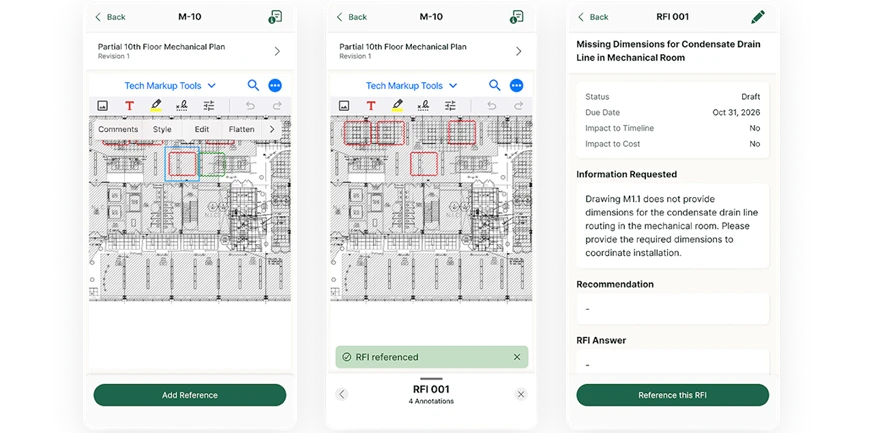
Every estimate starts with what happened on-site. When techs use a technician mobile app to log photos, asset details, and RFI responses in real time, AI pulls that data directly into the estimate. No phone calls back to the office. No guessing what the tech saw. The field becomes the single source of truth, and your estimates reflect actual conditions instead of assumptions built from memory.
2. Turning daily reports into estimating intelligence
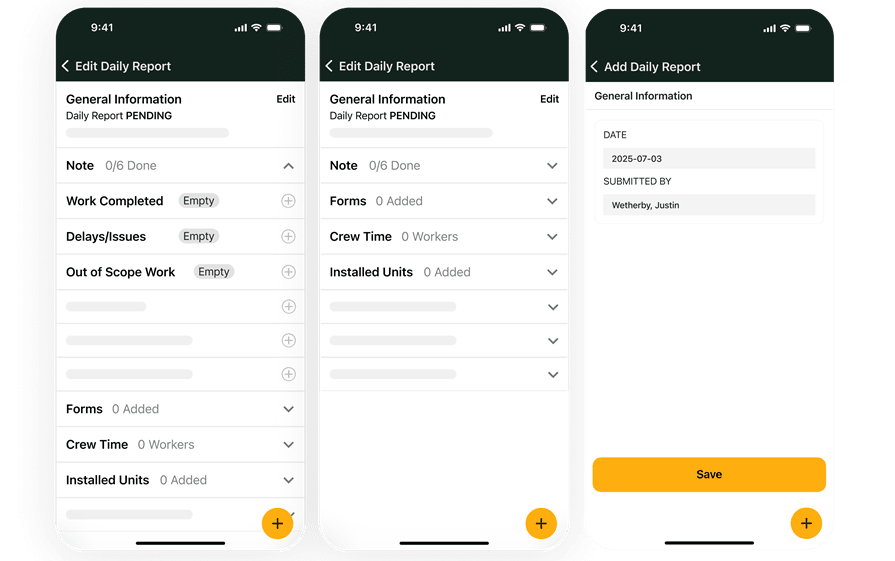
Daily field reports contain labor hours, material usage, and job conditions that most estimating teams never see until the job is already over budget. AI reads those field reports, identifies patterns across completed jobs, and adjusts future estimates based on what your crews actually experience.
3. Generating quotes directly from job context
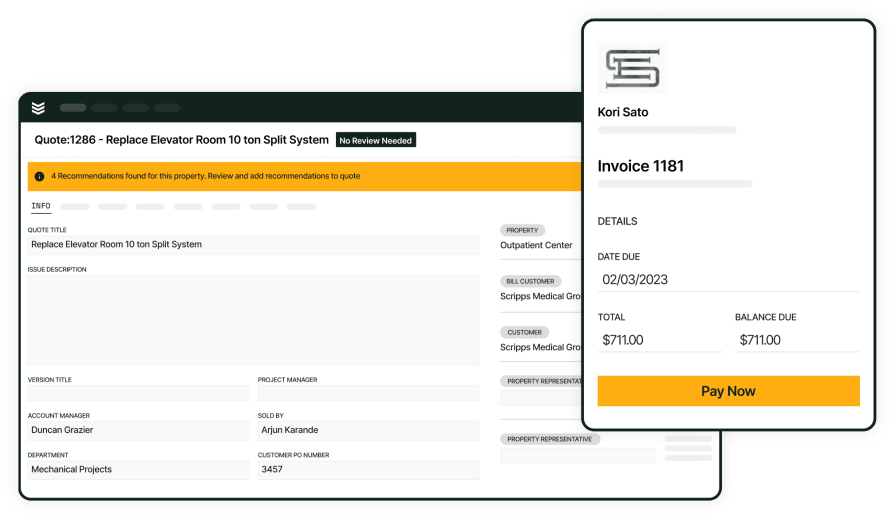
AI-powered service quoting pulls labor rates, material costs, and scope details from your pricebook and past jobs to assemble estimates in minutes. Techs and estimators build quotes from the field or office with consistent pricing, and customers get a professional proposal the same day, while the need is still fresh and the competition is still assembling theirs.
4. Connecting estimates to invoicing and financial close
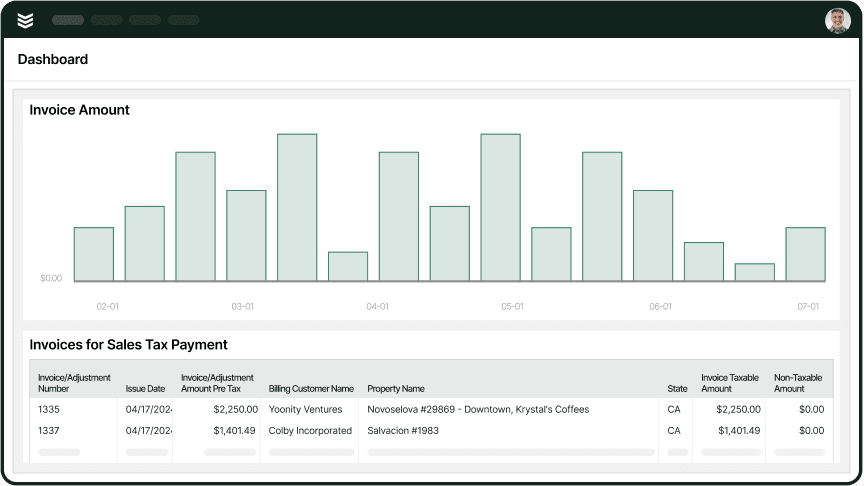
The estimate doesn't end when the customer signs. AI ties your original estimate to invoicing and payment collection, so you can compare estimated vs. actual costs at the job level. That feedback loop sharpens every future estimate and protects margin on every job that follows.
5. Scanning purchase orders to validate estimate accuracy
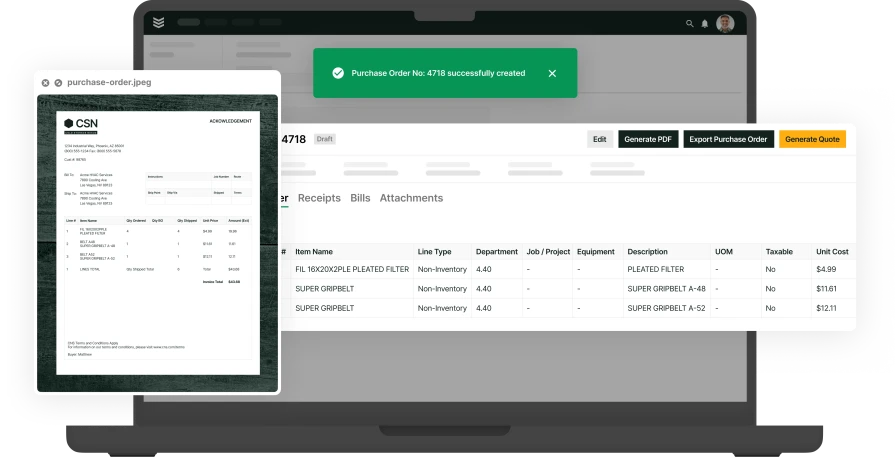
Using an AI for field service gives the possibility to scan purchase orders, extract line items, and match them against your estimate automatically. Instead of someone in the back office manually cross-referencing POs to quoted materials, AI handles the reconciliation, catching discrepancies before they become cost overruns and keeping your estimates honest against real procurement data.
7 best AI estimating tools for contractors and service businesses
For field service teams to get real value from estimating programs, the software must fit how crews bid and operate. Estimators manage site requirements, unit assemblies, alternates, and supplier quotes while field staff handle site walks and change control. The picks below highlight platforms that deliver essential capabilities and align with day-to-day service workflows.
1. Best for commercial service providers: BuildOps
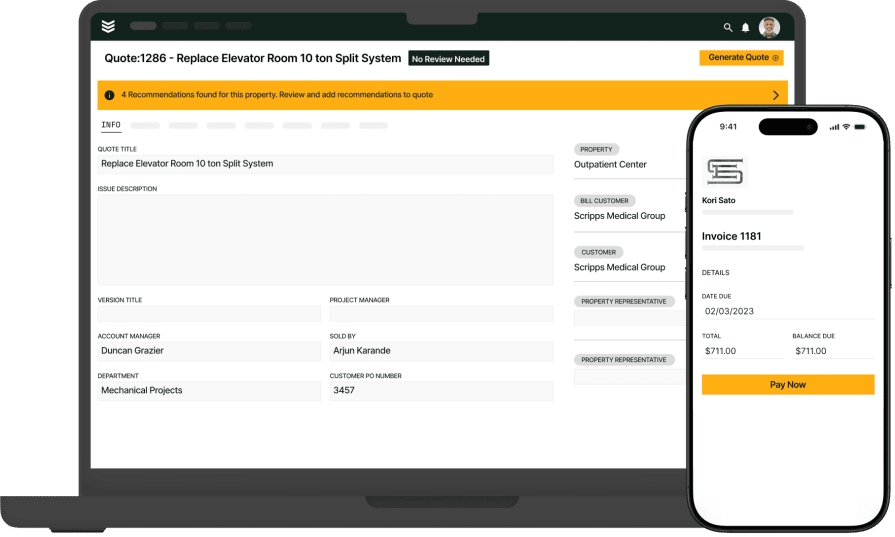
BuildOps suits commercial service businesses who need estimating tied tightly to field execution. The platform covers requirements, assemblies, labor and material pricing, and proposal creation, then hands off to scheduling, dispatch, job costing, invoicing, and reporting without reentry. That end-to-end flow keeps estimates accurate and mobilization clean.
With OpsAI built into estimating, teams can turn rough scopes into structured assemblies, surface live cost insights, and spin up polished proposals in a few clicks, without babysitting spreadsheets.
How pricing works: BuildOps provides customized pricing aligned to team size, bid volume, and operational scope, with modules matched to the functions you use.
Features beyond estimating:
- Real-time cost tracking and job costing
- Automated labor and material calculations
- Seamless integration with scheduling and invoicing
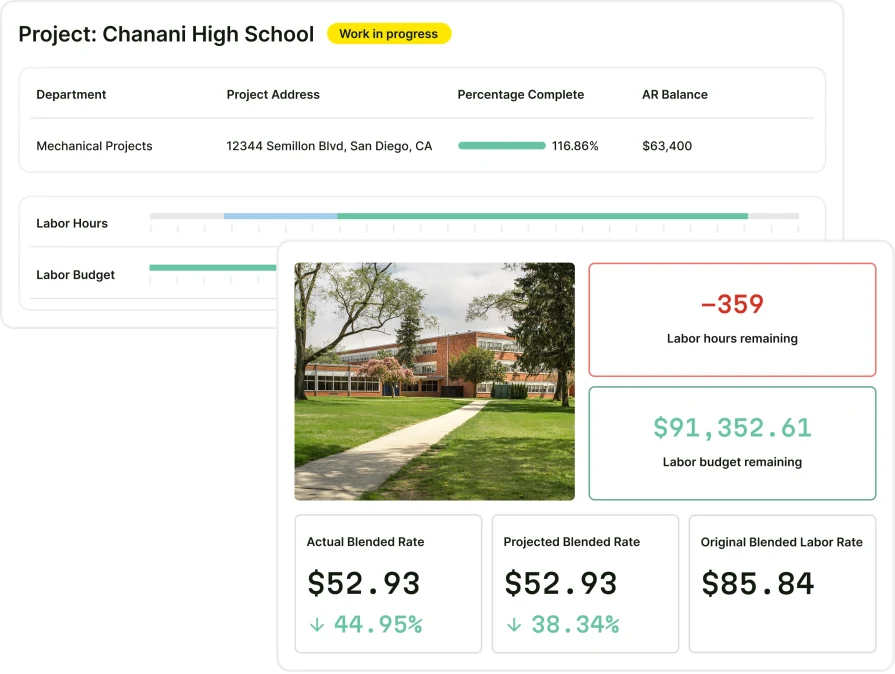
What sets it apart for commercial providers: BuildOps emphasizes complex scopes, tight cost control, and field-first workflows. Strong assemblies, mobile access, and full integration support large service divisions and project teams from initial bid through closeout.
Rating: 4.4 on Capterra from 177 user reviews
2. Best for residential service businesses: Housecall Pro
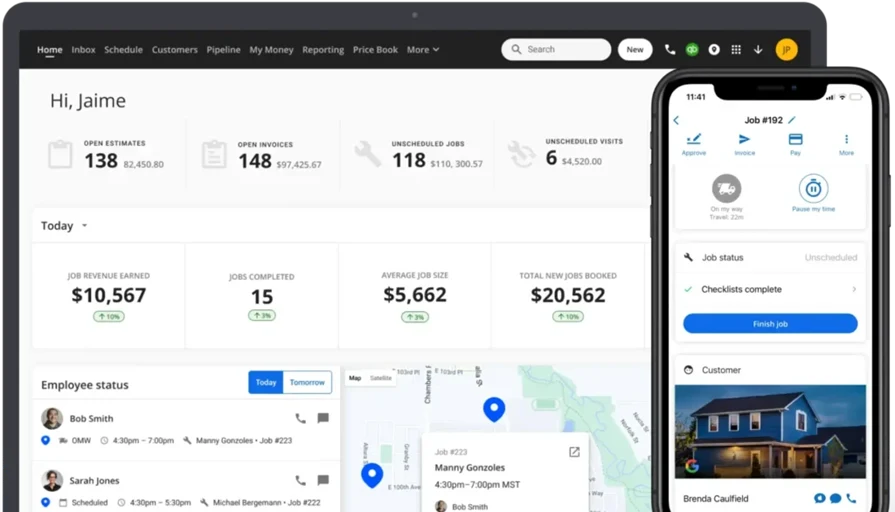
Housecall Pro gives residential service shops a straightforward path to create estimates, schedule work, dispatch crews, and manage invoices in one platform. The interface favors quick quoting and mobile use for installs and repairs. It may not be ideal for commercial outfits that require advanced job costing, robust assembly libraries, or structured buyout.
How pricing works: Housecall Pro offers tiered plans, allowing companies to choose packages that match team size and service needs.
Features beyond estimating:
- Built-in scheduling and dispatching tools
- CRM capabilities for customer management
- Mobile app for on-the-go creation
What sets it apart for residential: Housecall Pro focuses on speed and simplicity for home service work, keeping quoting, customer management, and scheduling accessible on mobile devices.
Rating: 4.7 on Capterra from 2,741 user reviews
Compare Housecall Pro and BuildOps here to see which one has the better project management tools for your team.
3. Best for general service providers: Jobber
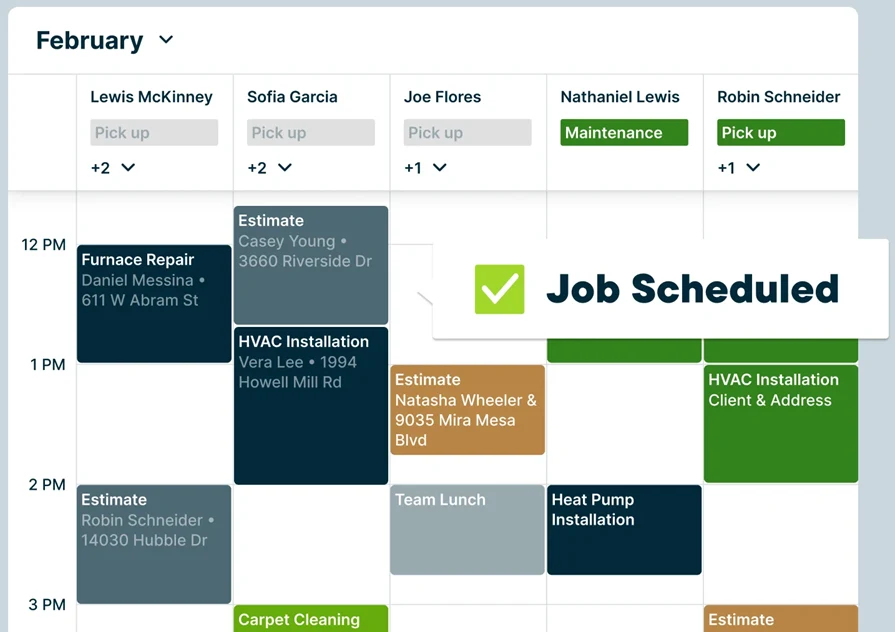
Jobber works for businesses that juggle varied service tasks alongside estimating and basic project coordination. The tool supports quick quotes, scheduling, and a clean mobile experience for field staff. It may not be ideal for firms that need deep reporting, detailed assemblies, or complex estimate structures common in larger commercial service operations.
How pricing works: Jobber offers three subscription levels, enabling service providers to select features that fit their operation.
Features beyond estimating:
- Real-time job tracking and management
- Drag-and-drop scheduling interface
- Mobile app for field access
What sets it apart for general service providers: Jobber balances quoting, scheduling, and task management for small to midsize teams handling a wide mix of work types.
Rating: 4.6 on Capterra from 1,462 user reviews
4. Best for large-scale projects: Simpro
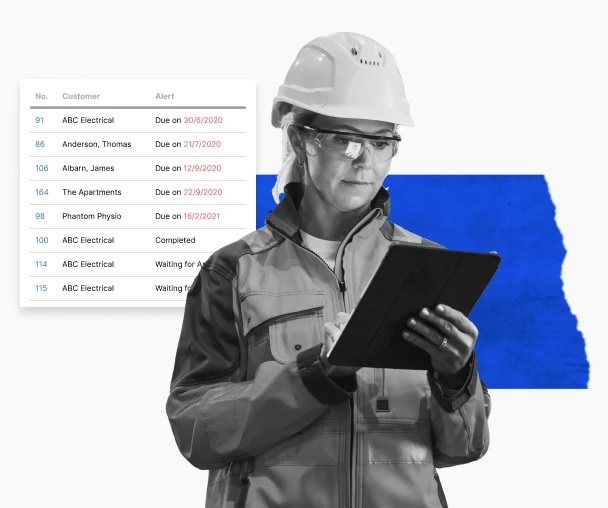
Simpro delivers advanced service estimating for high-volume commercial providers. It supports multi-phase jobs with job costing, automated requirements gathering, material databases, and detailed financial reporting. The depth helps teams track complex projects from bid through handoff. It may not be ideal for smaller service shops that want a lightweight tool with minimal setup.
How pricing works: Simpro follows a subscription model that scales by business size, user count, and feature set.
Features beyond estimating:
- Inventory control with real-time material tracking
- RFQ and takeoff tools that level supplier quotes
- Accounting and job management integrations
What sets it apart for large-scale projects: Simpro favors providers handling multi-stage jobs where cost control, audit trails, and structured buyout drive profitability.
Rating: 4.0 on Capterra from 147 user reviews
Check out our breakdown of Simpro vs BuildOps to see which one comes out ahead.
5. Best for fast quotes: Clear Estimates
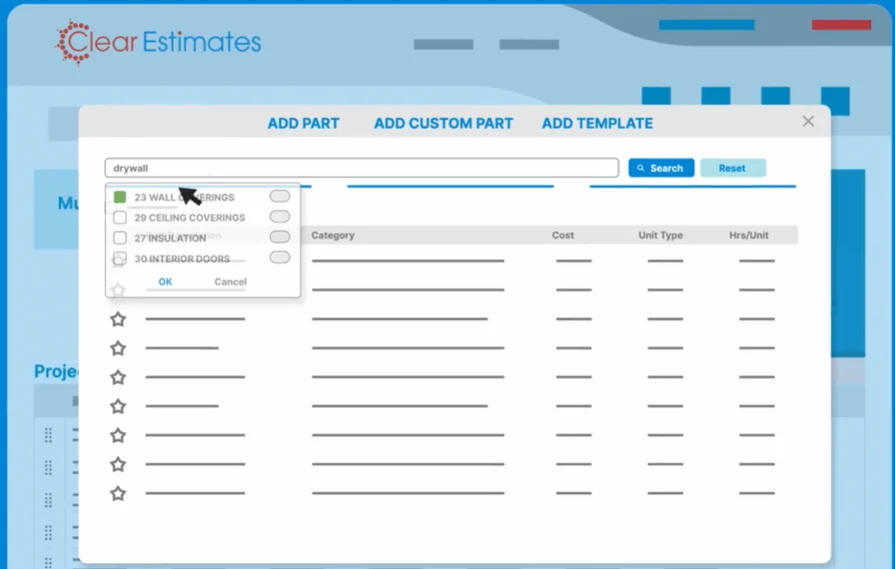
Clear Estimates focuses on speed. Prebuilt templates, a pricing database, and simple workflows help small service teams produce clean proposals quickly. It may not be ideal for firms that need deep integrations with field operations or rigorous cost coding for complex commercial work.
How pricing works: Clear Estimates uses a straightforward monthly subscription suited to small and midsize teams.
Features beyond estimating:
- Customizable pricing catalogs
- Templates for common project types
- Basic customer management tools
What sets it apart for fast estimates: Clear Estimates lets office staff and field leaders generate professional quotes with minimal onboarding.
Rating: 4.5 on Capterra from 117 user reviews
6. Best for electrical-heavy service: Vision InfoSoft
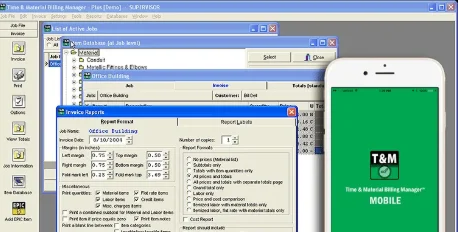
Vision InfoSoft targets providers who handle electrical scopes inside larger service projects. It offers detailed requirements, labor units, and extensive pricing libraries tailored to electrical installs and upgrades. It may not be ideal for general service providers seeking a single platform for every trade with broad management features.
How pricing works: Vision InfoSoft provides customized packages aligned to estimating complexity and team size.
Features beyond estimating:
- Trade-specific databases with thousands of preloaded items
- Automated takeoff with labor extensions for large jobs
- Flexible reporting to analyze bids and job costs
What sets it apart for electrical-heavy work: Vision InfoSoft brings depth for electrical assemblies, helping teams bid complex installs where labor units and material precision matter.
7. Best for sales-driven teams: Estimate Rocket
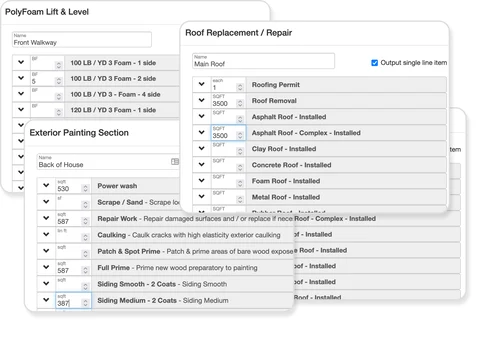
Estimate Rocket helps residential and light commercial providers emphasize proposals and customer follow-up. It streamlines quote creation, signatures, and lead nurturing to keep pipelines active. It may not be ideal for operations that require tight integrations with dispatch, scheduling, and advanced job costing.
How pricing works: Estimate Rocket offers monthly subscriptions based on team size and needs.
Features beyond estimating:
- Digital proposals with e-signature
- Automated reminders to close bids faster
- Basic invoicing and job tracking for small teams
What sets it apart for sales-driven teams: Estimate Rocket shines where rapid proposal turnaround and consistent follow-up convert estimates into booked work.
Rating: 4.9 on Capterra from 36 user reviews
{{related-content-block="/resources/field-service-erp-software-adoption"}}
5 best practices for AI service estimating
When the foundation is solid, AI estimating becomes a force multiplier. It speeds up what your team already does best, provided your data is clean, your workflows talk to each other, and your people know which numbers matter. These five practices are what separate contractors who turn AI estimating into real returns from those who simply bolt on another shiny tool.
1. Centralize your operational data before you automate
Customer data, job history, and asset details scattered across spreadsheets, emails, and disconnected tools turn AI into a guessing game, making its recommendations unreliable and hard to trust. Establish a unified field service system of record that connects field, office, and financial data into one source. Let AI pull from a single clean foundation instead of five broken ones.
2. Feed customer context directly into your estimating workflow
Your estimates should reflect everything you already know about the account: past jobs, property details, equipment history, and credit standing. When your field service CRM connects directly to your estimating process, AI builds quotes with full context instead of starting from zero every time. Faster proposals, fewer missed details, and pricing that reflects the actual relationship.
3. Standardize how your field teams capture on-site data
AI estimating depends on what your techs document at the job site. If field notes, photos, and asset conditions are captured inconsistently, the AI has nothing reliable to learn from. Standardize your on-site field service workflows, including checklists, photo requirements, and closeout steps, so every job produces data the AI can use to sharpen future estimates.
4. Close the loop between estimates and invoices
The fastest way to improve AI estimating accuracy is to compare what you quoted against what you actually billed. When your contractor's estimating and invoicing software runs on the same platform, AI tracks the variance on every job and adjusts future estimates automatically. That feedback loop is how your estimates get sharper over time without manual recalibration.
5. Track performance metrics and refine continuously
AI estimating is not set-it-and-forget-it. Track field service metrics and KPIs like quote-to-close rate, estimate accuracy, and margin variance by job type. Use that data to identify where AI is overpricing, underpricing, or missing scope, then adjust your inputs and templates accordingly. Contractors who treat AI estimating as a living system outperform those who treat it as a one-time upgrade.
{{related-content-block="/resources/sloan-mechanical-build-ops"}}
AI is redefining how service businesses operate, turning estimating from a bottleneck into a strategic advantage. BuildOps’ AI-native service platform automates plan-to-proposal workflows, then connects those estimates directly to field operations, procurement, and job costing, so leaders get margin control, fewer scope gaps, and real-time visibility from bid to closeout.
Download Pivot Point: AI and the Future of Commercial Contracting to see how top contractors are using AI to scale smarter, not just faster. Then set up a demo with BuildOps to see how OpsAI unifies estimating with your end-to-end field operation.