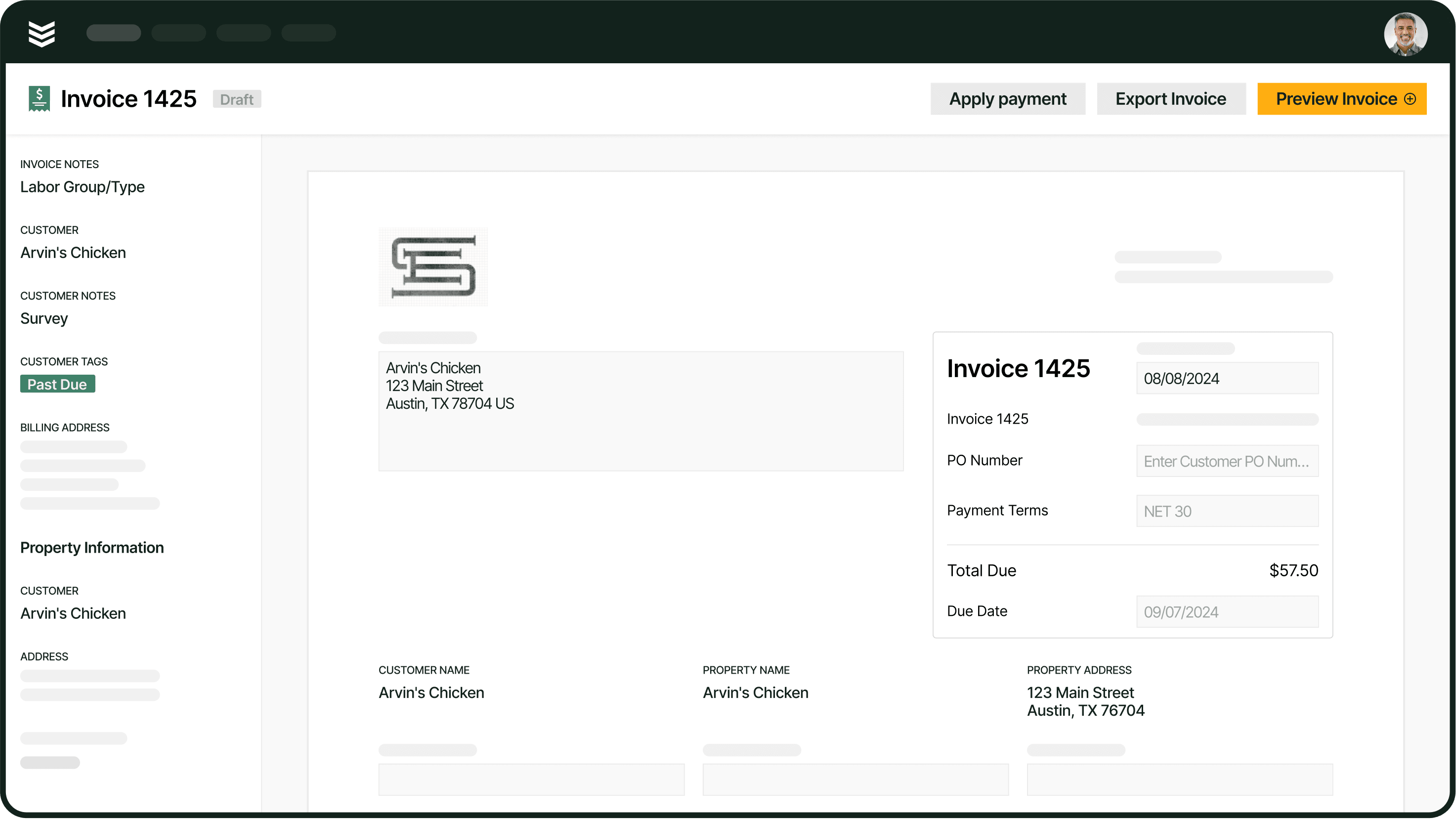
How to Cut Time with AI Field Service Invoice Summaries

Invoice summaries should close out a job, not slow it down. But for most commercial contractors in the field service industry, pulling together scope details, parts lists, labor hours, and approvals into one clean summary still eats up hours of office time per job. Intelligence built into the workflow changes that, turning scattered field data into accurate, ready-to-send summaries without the manual chase.
To show you how to level up your field summaries with AI power, here's what we'll cover:
- What is an AI-powered field invoice summary?
- How does AI power the work of generating field invoice summaries?
- How BuildOps OpsAI does AI-powered field invoice summaries
- Which departments benefit most using an AI-powered invoice summary tool?
- Happier customers, with work closed out faster than ever. That’s OpsAI.
This guide shows how AI-native field invoice summaries fit into real-world commercial contracting workflows, from the field to the back office—and sets the stage for why they matter for closing jobs faster and getting paid sooner.
What is an AI-powered field invoice summary?
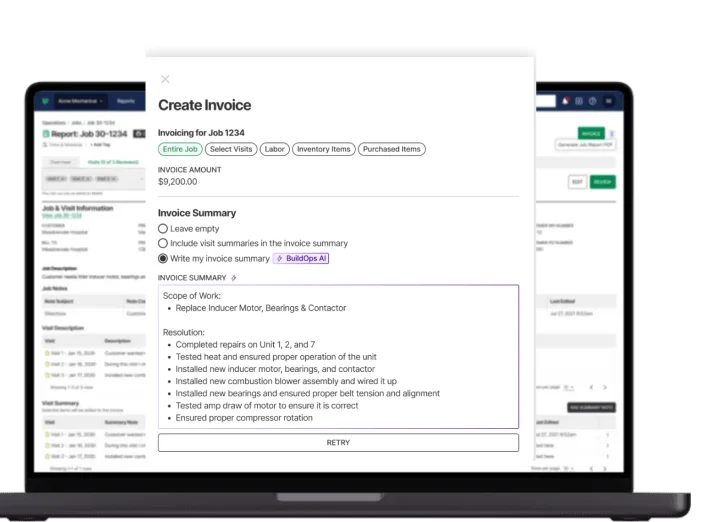
An AI field invoice summary automatically pulls together everything from a completed job — the scope, labor, parts, approvals, and change orders — into a clean, billing-ready recap. Instead of office staff hunting through tech notes and time entries, the system reads data across your tools and builds the summary for you. For busy commercial contractors, that’s the difference between invoicing the same day and losing a week chasing details.
A solid service summary is your bridge between work completed and cash collected. It shows customers exactly what was done, what it cost, and why—reducing questions and pushback. It also gives your team a clear record tied to the job for future visits, warranty issues, and financial reporting.
Leave gaps in that summary, and approvals slow down, disputes creep in, and payments take longer than they should.
{{related-content-block="/resources/field-service-invoicing-guide"}}
When are invoice summaries used in field service operations?
Invoice summaries sit at every handoff between the field and the office. They begin the moment a tech closes out on-site work, then follow the job through review, billing, payment, and finally into the permanent service record, with different roles stepping in at each stage.
- Tech logs field notes on-site. The technician captures labor hours, parts used, photos, and scope notes directly in the field service platform while the work is still fresh. This is where the raw data for the invoice summary originates. If the tech skips a line item or shortens a note, that gap follows the job all the way to billing. Techs who log details in real time, rather than filling things in from memory at the end of the day, give the office a much cleaner starting point.
- Field notes get translated into a customer-facing summary. A service coordinator or billing specialist takes the tech's raw input and shapes it into a professional, itemized summary. This means cross-referencing the original work order or quote, confirming any change orders were approved, and making sure the description of work is specific enough for the customer to understand exactly what was done and why. In shops without intelligence built into this step, it can take hours per job, especially when details are buried across emails, PDFs, and separate systems.
- Office reviews and finalizes the invoice. Before anything goes out the door, someone on the operations or finance side checks the summary against job costs, verifies labor rates and material markups, and confirms the total matches what was quoted or approved. This is the last quality gate. Errors caught here save days of back-and-forth with the customer later.
- Customer receives the invoice summary for review and approval. The finished summary gets attached to the invoice and sent to the customer. If the summary is clear, matches the agreed scope, and includes supporting documentation like photos or sign-offs, approval comes fast. If it's vague or missing details, it kicks off a cycle of questions, clarifications, and delayed payment. Our research shows that invoices sent within 10 days of job completion get paid in an average of 51.63 days, while waiting longer pushes that number well past 85 days.
- The summary becomes part of the permanent job record. Once the invoice is paid, the summary doesn't disappear. It becomes the historical record of what was done at that property, on that asset, by that crew. Future techs reference it before return visits. Operations managers use it to spot trends in job costs or recurring issues. And when a customer calls six months later asking what was replaced or what's still under warranty, the summary is where the answer lives.
What issues do invoice summaries commonly cause within an operation?
Even shops that have the lifecycle down still hit the same friction points when invoice summaries are handled manually. Here's where it breaks most often:
- Double or triple manual entry — The tech logs notes in the field. Someone in the office re-enters them into the billing system. A third person copies details into the accounting platform. Every re-entry is a chance to drop a line item or fat-finger a number.
- Customers don't get detailed enough notes — A summary that says "replaced compressor" doesn't tell the facility manager what was wrong, what was done, or why it cost what it did. Vague descriptions stall approvals and erode trust.
- No way to attach photos or video proof — If the summary can't include before-and-after photos or video of the completed work, the customer has no visual confirmation. That leads to disputes the office has to resolve after the fact.
- Work history stays shallow — Without detailed summaries tied to each job, there's no useful record when a tech returns to the same property six months later. They're starting from scratch every time.
- Tech notes and finance notes don't match — The tech writes one version of what happened. The billing team writes another. When the customer sees a summary that doesn't line up with what the tech told them on-site, credibility takes a hit.
- Summaries take too long, so closeout drags — When it takes 20 or 30 minutes to write a clean summary per job, techs skip it or rush through it. Work orders sit open for days, and invoices go out late.
- Spelling and grammar errors look sloppy — Typos and broken sentences on a customer-facing invoice summary make the whole operation look unprofessional, no matter how good the fieldwork was.

How does AI power the work of generating field invoice summaries?
Most of the time lost on invoice summaries isn't the invoicing itself. It's the gathering. Pulling tech notes from one place, parts data from another, and approvals from a third. Intelligence built into the workflow eliminates that chase by reading job data as it's created and doing the heavy lifting before anyone in the office has to touch it.
Here’s how AI-powered invoice summary tools speed that up and improve the overall process:
- Auto-drafting summaries from tech field notes — The system reads what the tech logged on-site, including scope, labor, parts, and photos, then drafts a complete, customer-facing summary without anyone retyping a word. What used to take 20 minutes of copy-paste happens in seconds.
- Pulling parts and labor data directly from the job — Instead of someone cross-referencing a parts list against a work order, intelligence in the platform matches materials used, labor hours logged, and rates applied, then drops them into the summary automatically. No toggling between systems.
- Matching scope to the original quote or work order — The system compares what was quoted against what was actually done, flagging discrepancies before the invoice goes out. Change orders, add-ons, and approved extras get included without the office having to dig through email chains.
- Cleaning up spelling, grammar, and formatting — Techs write fast. Intelligence in the workflow catches typos, fixes grammar, and applies consistent formatting so every summary that reaches the customer looks professional, regardless of who wrote the original notes.
- Attaching photos and documentation to the summary — Job photos, sign-offs, and supporting files get pulled into the summary automatically, giving customers visual proof of completed work without the office manually downloading and re-uploading files.
- Flagging missing information before closeout — If a required field is blank, a part isn't logged, or an approval is missing, the system catches it and alerts the right person. Incomplete summaries don't make it out the door.
Contractors using AI are closing out jobs faster, cutting billing disputes, and getting paid sooner. That's what agentic field service technology does when it lives where the work actually happens. BuildOps OpsAI puts that intelligence to work on invoice summaries, pulling field notes, parts, and approvals together automatically so nothing gets lost between the truck and the bill.
{{related-content-block="/resources/agentic-ai-field-service"}}
How BuildOps OpsAI does AI-powered field invoice summaries
Invoicing stalls when the office has to decode techs’ shorthand and scattered notes. OpsAI turns raw field data into clear, customer-ready invoice summaries the moment the job closes.
AI-drafted invoice summaries
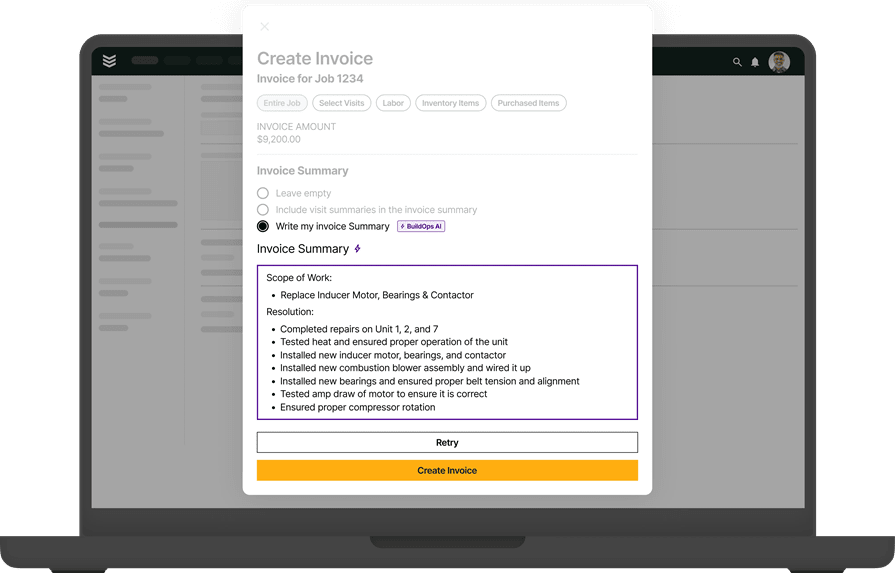
OpsAI reads the tech's field notes, visit details, and job scope, then drafts a clean invoice summary written for the customer — not in tech shorthand, but in language that explains what was done and why. The office reviews, adjusts if needed, and sends. No blank page, no missing context. It runs directly inside invoicing and payments workflows, so the path from completed work to collected cash has fewer steps and fewer delays.
Smart dispatch
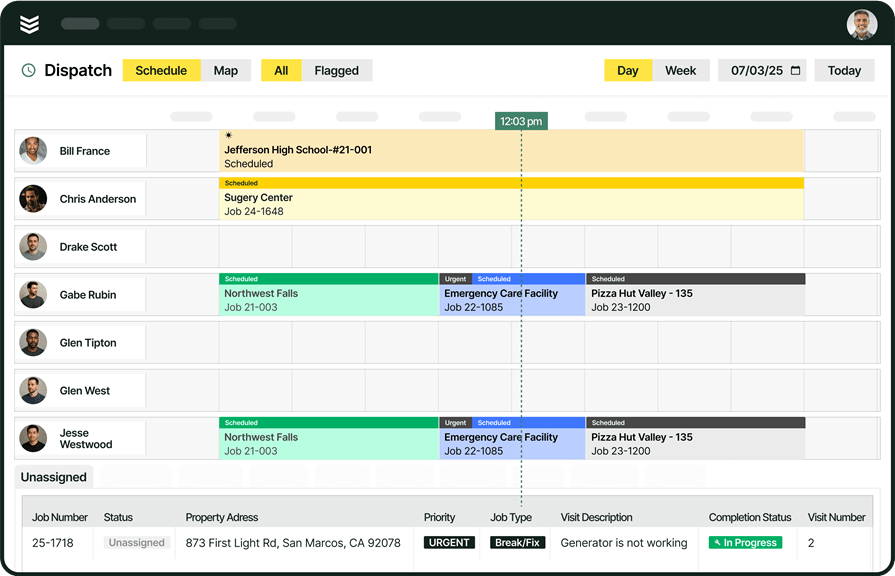
Before the invoice exists, the job has to land on the correct tech. OpsAI recommends the best match by skill, certifications, availability, and distance to the job, so dispatchers stop guessing and crews stop doubling back.
Smart Dispatch has cut travel time by 50% for contractors using it, and the Schedule Assistant surfaces the recommended tech and time slot the moment the dispatcher opens the job. That's intelligence built into scheduling and dispatch, not a separate step someone has to remember to check.
Visit smart recap
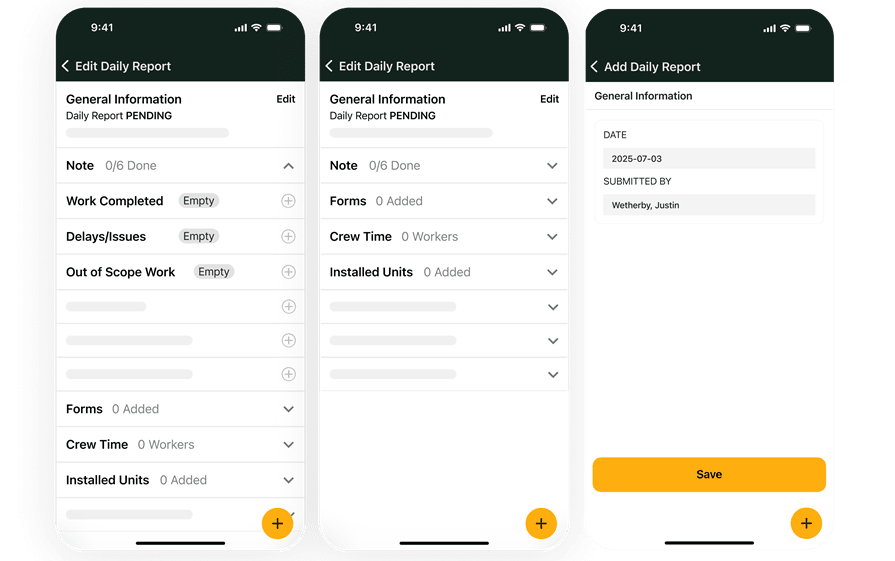
When a tech finishes a visit, OpsAI drafts the recap — summarizing what was done, what was found, and what's recommended next.
Field techs don't spend twenty minutes typing up what just happened. They confirm the summary and move to the next call. With 6,500 monthly active users on AI-generated visit recaps, Smart Recap is one of the most-used OpsAI capabilities in the field. It also feeds directly into the invoice summary downstream — clean visit notes mean cleaner invoices, faster.
Invoice and payment dashboard
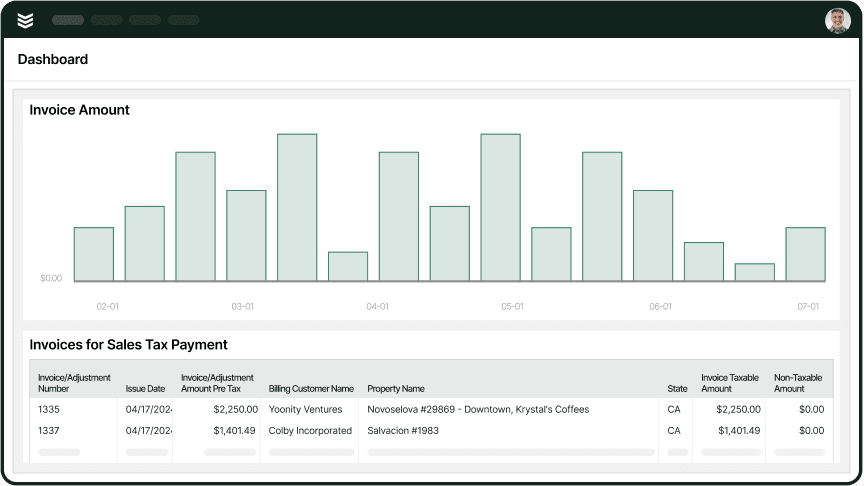
Every invoice OpsAI drafts ties back to the job, the visit, and the customer record. The office sees payment status the moment it posts, and OpsAI's bulk payment scanning auto-applies remittance amounts to invoices, cutting payment processing time by roughly 80%.
One contractor cut receivables from 120 days to 30 days on average after moving to BuildOps. That's the difference between chasing payments and collecting them. Invoices go out the day the job closes through the technician’s mobile app, not three weeks later when the details start to fade.
Job-level reporting
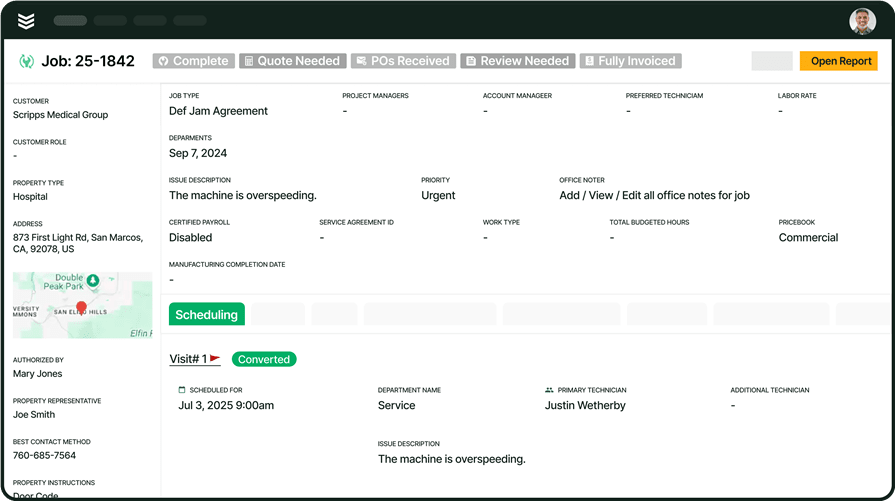
Clean field data captured by OpsAI doesn't stop at the invoice. Every visit recap, every invoice summary, every dispatched job becomes a reportable data point inside reporting. OpsAI surfaces overdue invoices, flags upsell signals, and answers operational questions on the spot, so your team acts on data instead of spending hours digging for it. The longer you run it, the clearer your operation becomes.
{{related-content-block="/resources/contractor-workflow-ai-tools"}}
Which departments benefit most using an AI-powered invoice summary tool?
Invoice summaries touch every department differently, but the bottleneck is always the same: someone has to turn field shorthand into language a customer can read and a controller can trust. AI removes that translation step. Here's where it shows up across the operation:
- Service operations — Service managers review dozens of closed jobs before invoices go out. AI drafts the customer-facing summary from field notes, labor, and visit details, so the ops team approves and sends instead of rewriting from scratch.
- Field technicians — Techs capture notes, hours, and materials as work happens. AI turns that raw field data into a formatted invoice summary before the truck leaves the lot. No end-of-day reconstruction, no callbacks from the office asking what happened on the job.
- Construction operations — Project managers track labor, materials, and change orders across multi-phase builds. AI summarizes completed work into billing descriptions tied to the correct phase and scope, so pay apps go out with accurate detail instead of vague line items.
- Finance — Controllers and AR teams need invoices that match the job report. AI generates billing descriptions automatically and matches incoming payments to open invoices, cutting manual invoice prep and speeding up cash collection.
- Sales & marketing — Account managers use invoice history to spot patterns: recurring repairs, aging equipment, rising service costs. When invoice summaries are clean and consistent, sales teams can pull customer-ready data for QBRs and renewal conversations without digging through raw job notes.
{{related-content-block="/resources/layer-one"}}
Happier customers, with work closed out faster than ever. That’s OpsAI.
Commercial contractors don’t lose days on invoicing because they’re disorganized. They lose them because details live in tech notes, PDFs, and scattered systems that never tell the full story.
BuildOps fixes that. It’s the AI-powered platform built for commercial contractors, connecting field tickets, asset data, and financials so every job tells a clear, complete story.
With OpsAI, invoice summaries write themselves. The right scope, parts, and approvals are pulled in automatically, so work is closed out faster than ever—and customers get clean, accurate invoices they actually trust.
Want to see how AI-powered invoice summaries can speed up closeout and keep customers happier? Book a demo built for commercial contractors.