Using Construction Software to Manage RFI Priorities


Key Takeaways
- Commercial contractors use construction RFI software to capture field questions with drawings, photos, and markups, then route drafts to the office for review and submission.
- RFI software keeps status, due dates, contacts, notes, communication history, and external responses connected to the contractor’s project record.
- The most useful capabilities replace text, spreadsheet, and drawing-file workarounds with mobile access, required fields, clarifications, suggested answers, and records that support cost and schedule follow-up.
Commercial construction RFIs often begin with a field conflict, not a formal request. A foreman may spot the issue, take a photo, and send a text, leaving the project manager to reconstruct the location, drawing reference, question, and supporting context from scattered messages, files, spreadsheets, and a GC portal. Conversations with commercial contractors during demos, implementation, and software evaluation repeatedly surface the same delay, documentation, and rework risks.
Construction RFI software gives commercial contractors a defined way to capture field issues, connect each request to the project record, and keep responses moving between field and office. The capability belongs within the broader construction operations workflow, where current RFI information helps PMs address schedule, margin, and change-order risks before they grow. The next section breaks down the capabilities that help commercial contractors move from a field question to a complete, trackable RFI record.
Top 5 construction RFI software priorities commercial contractors ask about
In demos, implementation sessions, and software evaluations with commercial contractors, recurring RFI questions center on one workflow: getting a field issue to the project manager with enough context to review, submit, track, and close it. Contractors ask how construction RFI software can keep the original question, supporting evidence, next action, response, and project record connected from the jobsite through final follow-up.
These five priorities reflect the questions commercial contractors bring to construction RFI software evaluations. Together, they show whether a system can keep field and office work connected without making the team recreate the same information in separate tools.
1. Capture the RFI where the field issue starts
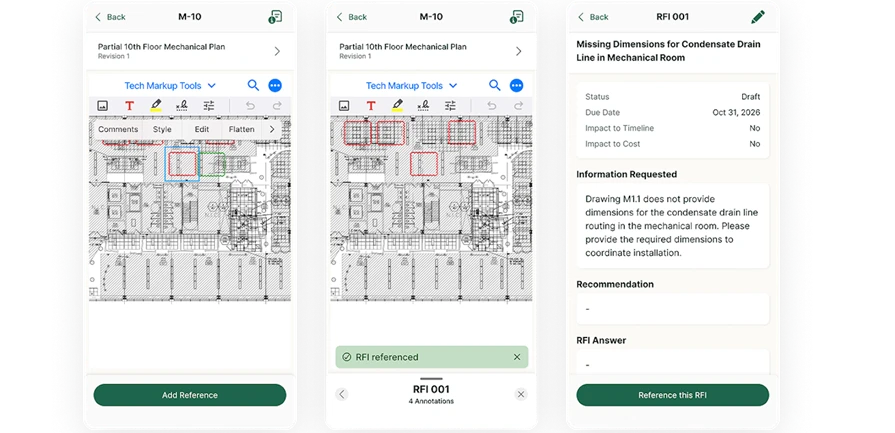
Construction RFI software should let field teams start with the jobsite issue, not a blank office form. A foreman should be able to use a mobile device to create an RFI, reference the relevant drawing, add a markup, and attach photos or other supporting files. Drawing-linked context gives the project manager a clearer starting point for review.
2. Review and refine the RFI before submission
Commercial contractors often want the field to document the question while keeping the project manager or coordinator responsible for the formal request. Construction RFI software should support a draft workflow in which the office can check the wording, confirm the drawing reference, add the recommendation, and decide whether the RFI is ready to send. Field capture and external communication should be connected without being the same step.
3. Track RFI status, due dates, and responses
An RFI is only useful when the project team can see what still needs attention. Construction RFI software should show status, due dates, notes, and communication history in a shared project view. PMs need to identify open and overdue RFIs, understand who has the next action, and follow up before an unanswered question affects field production.
4. Keep the RFI record through portal submission
General contractors and owners may require RFIs to move through a separate portal, while the specialty contractor still needs its own complete project history. The software should produce a clean RFI document with relevant attachments for formal submission and let the contractor add the external response back to the same record. The contractor-owned record remains available even when the GC controls the formal portal exchange.
5. Connect RFI impacts to cost and schedule
Commercial contractors need to know when an RFI may affect cost or schedule. In BuildOps, an RFI can be marked as affecting cost or schedule and linked to a potential change order, keeping the issue and supporting documentation connected for follow-up. Linking the RFI to the broader document control and project management software workflow helps preserve the evidence behind the decision.
BuildOps connects field capture, office review, status tracking, communication history, and contractor-owned records in one RFI workflow. When a GC requires a separate portal, teams can generate a document with attachments for upload and add the external response back to the BuildOps record. The next section traces that workflow from the first field question through review, submission, response tracking, and closeout.
How construction RFI software works from field issue to response
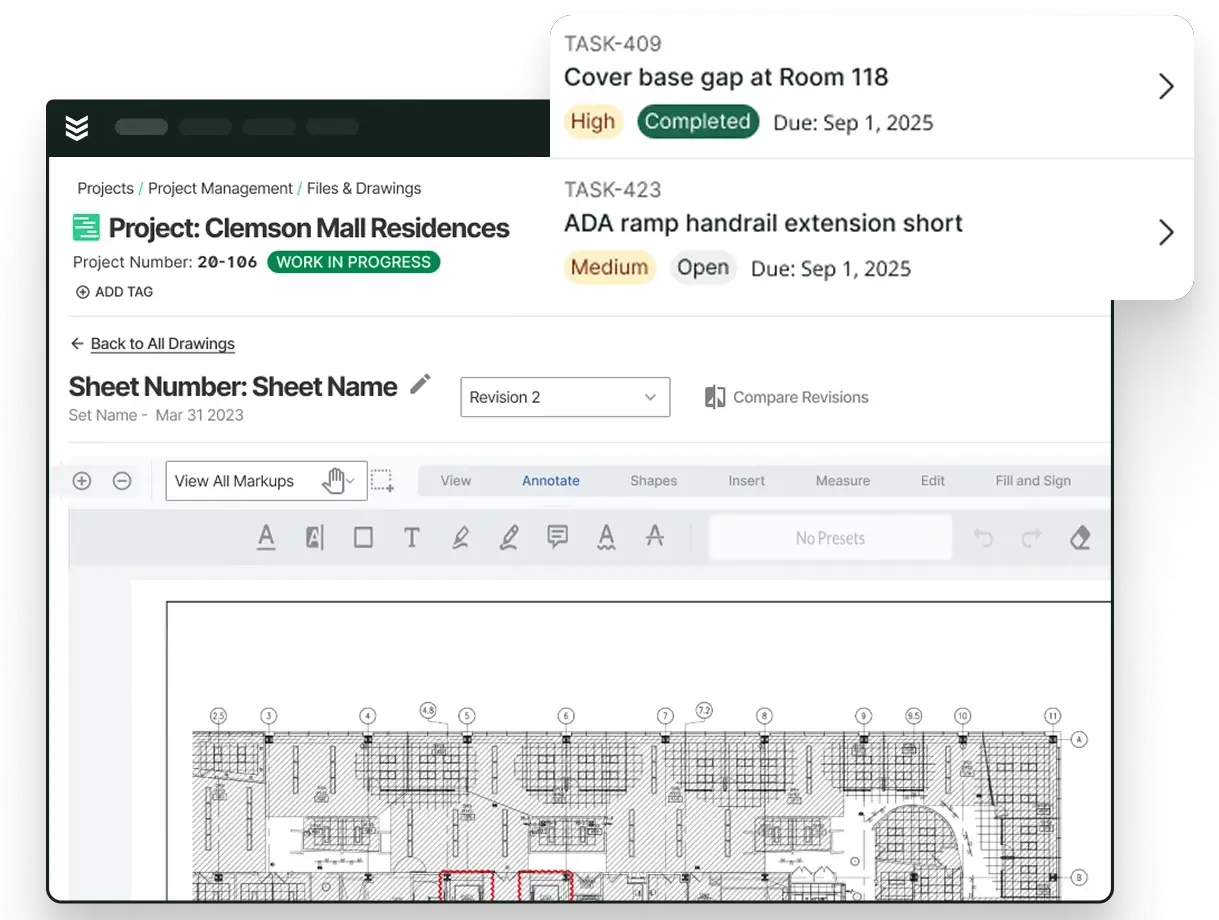
Construction RFI software starts with the field issue and keeps its context attached as the request moves through the project team. A foreman can open the project drawing, pin the affected location, add a markup or photo, and record the question while the details are clear. The project manager receives a usable RFI record instead of a text message that requires separate follow-up to identify the sheet, area, and supporting evidence.
The project manager or project engineer can then review the draft, refine the wording, add a recommendation, confirm the contacts, and submit a clean document through the required GC or owner channel. Status, due dates, answer dates, notes, and communication history remain connected to the contractor’s project record, even when the formal submission happens in a separate GC or owner portal.

The complete RFI workflow gives commercial contractors a clear path from field question to office review, formal submission, response tracking, and closeout. The next section examines the specific construction RFI software capabilities commercial contractors compare before a demo.
Construction RFI software capabilities to evaluate
The broad workflow matters, but the day-to-day experience often comes down to smaller RFI controls. Commercial contractors should look at how a system handles existing requests, draft requirements, contact routing, response preparation, and the history attached to each question. These details determine whether an RFI remains easy to manage after the initial field capture.
1. Mobile access to existing RFIs
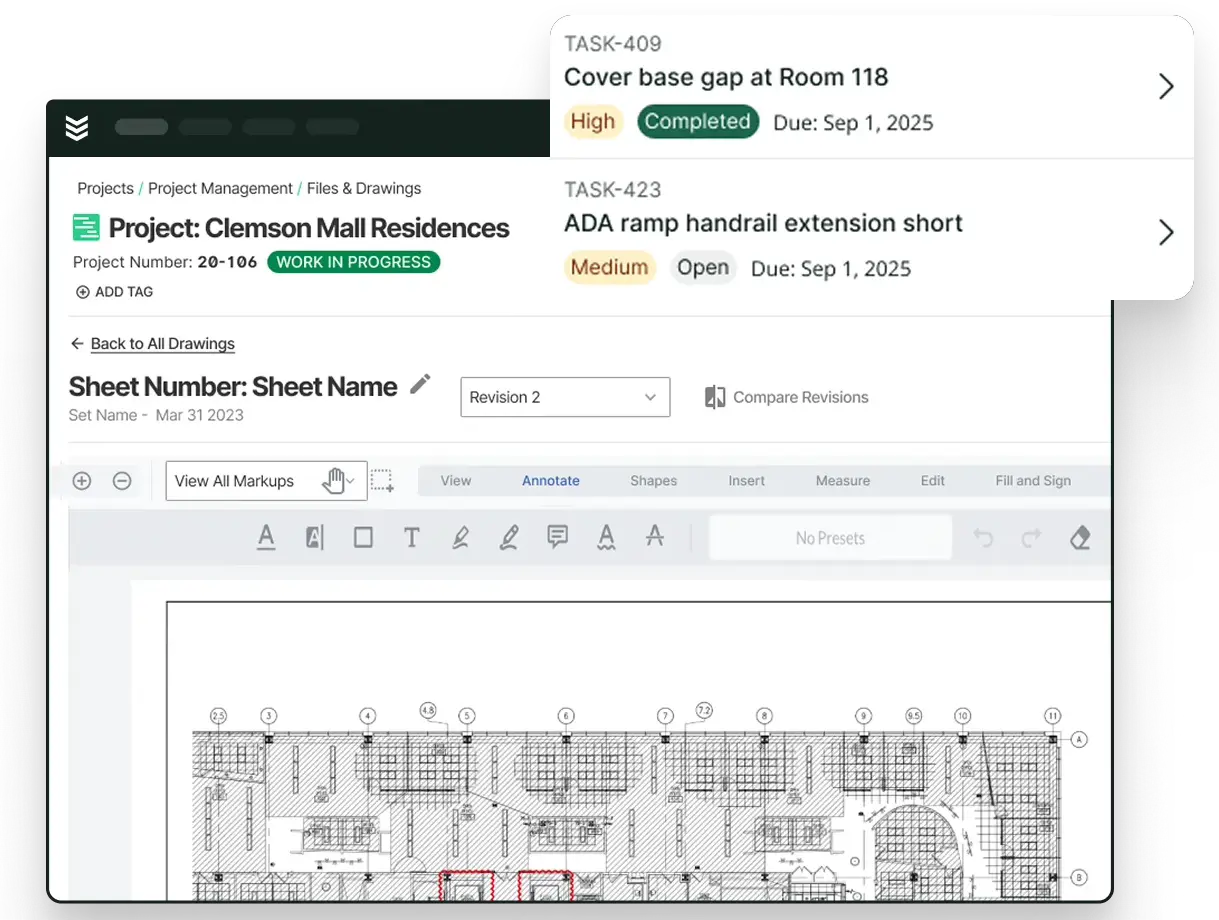
Construction RFI software should give field teams more than a way to create a new request. A technician mobile app should let users open the project RFI list on mobile, view existing requests, and follow up without returning to a desktop. Drawing-linked RFIs should also remain visible in the drawing viewer, so the field can review the issue in the same location where it was documented.
2. Drafts with the required details
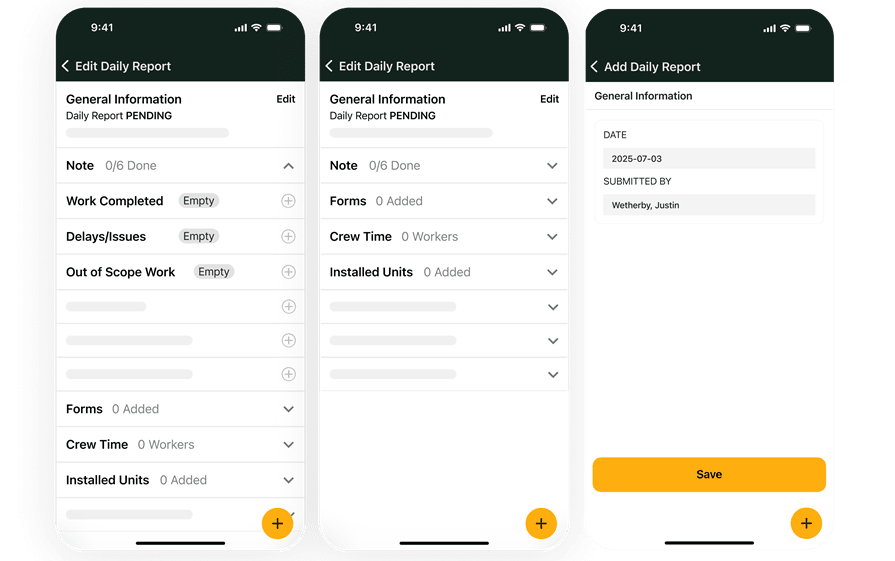
A field user may know the problem before the team knows the final wording or recipient. Look for field execution tools that support required fields, jobsite photos, and saved drafts for office review. The PM or project engineer can then review the draft, add any remaining context, and decide when the RFI is ready to send.
3. Contact routing from the project record
RFI software should help the team route a request to the right people without rebuilding a contact list for every question. BuildOps populates RFI recipients from contacts associated with the project. That keeps the send-to list tied to the job and gives the PM a clearer starting point when preparing the formal request.
4. A timestamped record with its backup intact
An RFI record should show when the question was created, what drawing or markup it references, which photos or files support it, and how the response progressed. BuildOps keeps the RFI time-stamped with its drawing, attachments, notes, status, due date, and communication history. That gives the team a usable record for reporting and analytics, closeout, and later follow-up instead of a loose PDF with missing context.
5. Clarifications and suggested answers
The office often needs to add more than a cleaner subject line before an RFI goes out. Project managers can review the field-created request, add clarifications or suggested answers, assign stakeholders, and send it to external contacts. These controls let the office improve the request while keeping the original field context attached.
Construction RFI software also helps remove the workarounds that grow around disconnected processes. Instead of moving a field question through texts, spreadsheets, separate drawing files, and a portal before rebuilding the record, commercial contractors can keep the request, supporting context, review, and response connected in one workflow. Replacing patchwork processes with a unified system gives teams less manual searching and more time to focus on the work.
{{related-content-block="/resources/how-service-1st-got-rid-of-the-work-arounds"}}
Keep construction RFIs moving
Construction RFI software gives commercial contractors a structured way to capture field questions, attach drawings and photos, route drafts for review, track responses, and preserve project history. By replacing texts, spreadsheets, disconnected drawing files, and manual portal workarounds with a connected workflow, teams can keep each request tied to its context from field capture through follow-up.
BuildOps keeps construction RFIs tied to the contractor’s project record, while OpsAI is built into the platform to handle repetitive work, surface what needs attention, and help teams act across project workflows. Together, these capabilities reduce duplicate entry and give commercial contractors a clearer view of what was asked, what changed, and what still needs action.
If your team is evaluating construction RFI software, book a demo to see how BuildOps can support a connected workflow for commercial contractors.