Best HVAC Credit Card Processing Tools for Field Crews

Key Takeaways
- An HVAC credit card processing tool helps techs collect payments and process invoices faster, even sometimes right in the field
- Choosing the right credit card payment processing tool for HVAC depends on your scale of work, like commercial, residential, general contracting, etc.
- Some of the top HVAC credit card processing platforms include BuildOps for commercial service teams, Housecall Pro for residential, and Jobber for general contractors
Collecting payment after a service call should be quicker than the repair itself. In the HVAC service industry, where techs move from one job to the next and the office manages billing for dozens of open tickets, your HVAC credit card processing system controls how fast money reaches your account once a job is done.
This guide focuses on the practical features and tools that actually matter when choosing a card processor that integrates with other aspects of your HVAC field ops. Here’s what we’ll cover:
- 6 key features to look for in an HVAC credit card processing tool
- 5 best HVAC credit card processing tools for service businesses
- How to choose the best card processor for your HVAC company
- 7 benefits of offering HVAC payments options directly to your customers
Dial in these six capabilities first, and you'll know whether a processing tool can actually handle HVAC field service volume or if it stalls out the moment techs start closing calls in the field.
6 key features to look for in an HVAC credit card processing tool
Payment collection in field service hinges on what happens between job closeout and cash in the bank. These six features determine whether a credit card processing tool can keep pace with daily HVAC service volume.
1. Invoicing & payments processing

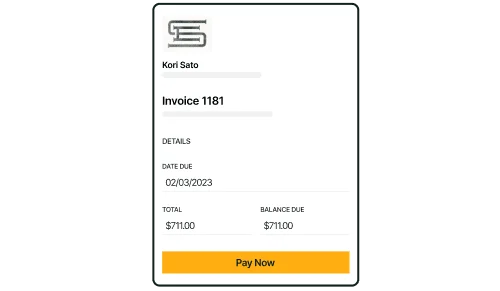
The foundation of any HVAC credit card processing tool is its ability to generate an invoice and collect payment in one motion. Tools that connect invoicing and payment processing inside the same workflow cut double-entry, reduce aging receivables, and keep cash moving on the same day the work gets done.
2. Service quoting
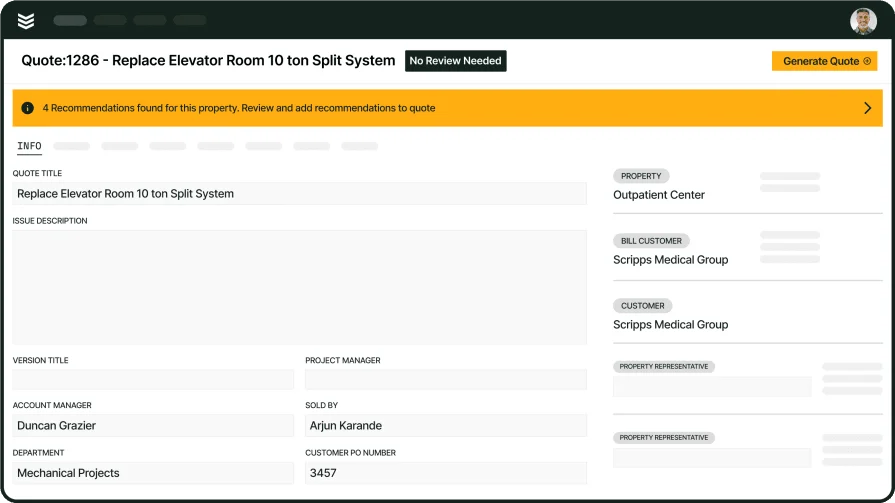
Accurate quotes set the stage for clean payment collection. When a quote includes detailed line items, labor rates, and material costs tied to actual scope, the invoice that follows requires zero rework. A service quoting software system that feeds approved quotes directly into work orders and invoices removes the gap where pricing errors and disputes slow down credit card payment for HVAC services.
3. Field service CRM

Knowing who owes what, who pays on time, and who drags out every invoice changes how you prioritize collections. A field service CRM stores customer payment history alongside service records, equipment data, and communication logs, giving the office a complete picture before sending a follow-up or scheduling the next call. That context turns billing from guesswork into a system.
4. Service agreements
Recurring revenue from maintenance contracts depends on consistent, automated billing. Service agreements that trigger invoices on a set schedule and store card-on-file details remove the monthly chase. For HVAC contractors managing dozens or hundreds of active maintenance plans, automated billing tied to agreement terms protects cash flow without adding admin hours.
5. Mobile app for techs
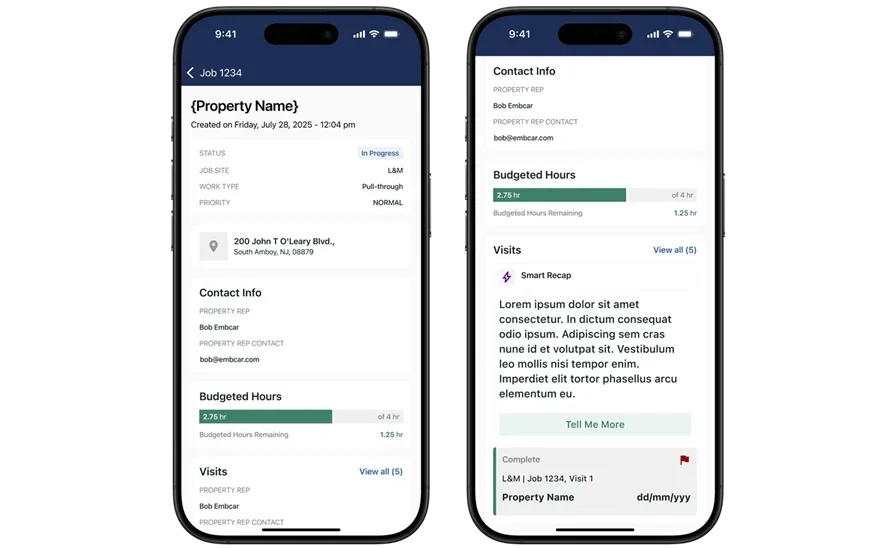
Payment speed starts at the truck. A technician mobile app that lets field crews capture signatures, present invoices, and process card payments on-site eliminates the delay between job completion and revenue collection.
Techs who can close out a call and collect before rolling to the next job keep the billing cycle tight and reduce outstanding receivables stacking up at the office.
6. Reporting
Collection rates, average days-to-pay, and outstanding balances by customer or job type need to be visible in one place, not buried across spreadsheets. A dedicated reporting dashboard gives contractors the data to catch slow-paying accounts and billing bottlenecks before they become cash flow problems.
AI for field service layers on pattern recognition, surfacing trends and flagging at-risk receivables that manual reviews miss. Together, data-driven oversight keeps margins visible and collection efforts targeted.
5 best HVAC credit card processing tools for service businesses
Choosing the right HVAC payment processor is about more than just the rates you pay. Service contractors need a tool that keeps fees under control, runs smoothly in the field, and fits neatly into the workflows they already rely on.
Here are five credit card processors for HVAC contractors, grouped by shop type and business model.
1. Best for commercial HVAC teams: BuildOps

BuildOps keeps payment collection inside the same platform where techs manage work orders, close out jobs, and update customer records. With Payments+, a tech finishes a repair, pulls up the invoice on the mobile app, and collects payment on-site — credit card, debit, or ACH. That payment record gets created automatically in BuildOps, applied to the invoice, and synced to your accounting system — QuickBooks, Intacct, or NetSuite — without anyone in the office re-keying it.
For commercial contractors processing payments across dozens of open jobs daily, that connected workflow cuts the lag between job closeout and cash hitting the books. No manual reconciliation. No chasing paper between three systems.
The platform is built with OpsAI woven into financial workflows — catching billing errors before invoices go out, generating invoice summaries from job and visit data, and scanning POs so your back office spends less time on data entry. Card payments, ACH, and digital invoicing all run through one system, so the money follows the work instead of the other way around.
Rating: 4.5 on Capterra from 149 user reviews
2. Best for residential: Housecall Pro
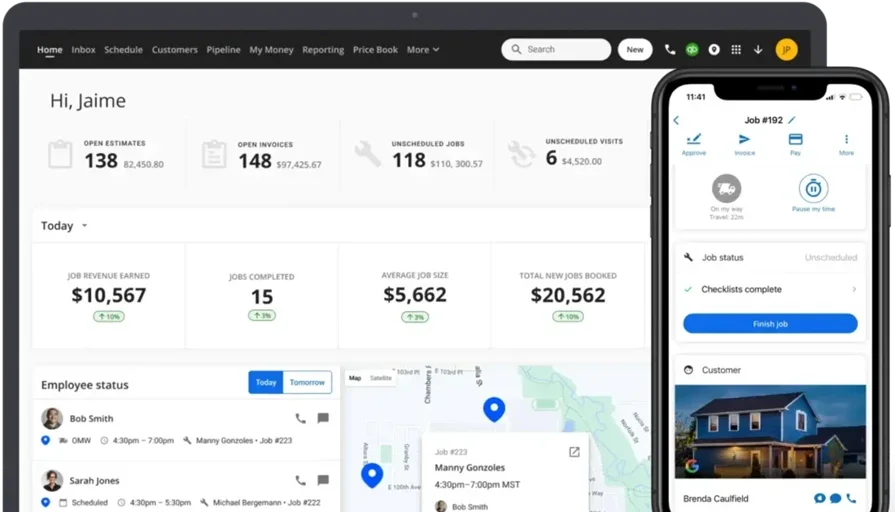
Housecall Pro gives residential HVAC teams a clean mobile interface for sending invoices, collecting card payments on-site, and depositing funds the same day through its Instapay feature. Techs accept cards, bank transfers, and mobile wallets directly from the app without switching to a separate terminal or payment portal. The platform bundles scheduling, customer notifications, and QuickBooks sync, which keeps smaller crews organized without juggling multiple tools.
Where it falls short is commercial depth: limited job costing, basic reporting, and no native multi-location management make it a tighter fit for residential service teams than for contractors scaling commercial operations.
Rating: 4.7 on Capterra from 2736 user reviews
See how Housecall Pro and BuildOps stack up against each other here.
3. Best for general contractors: Jobber
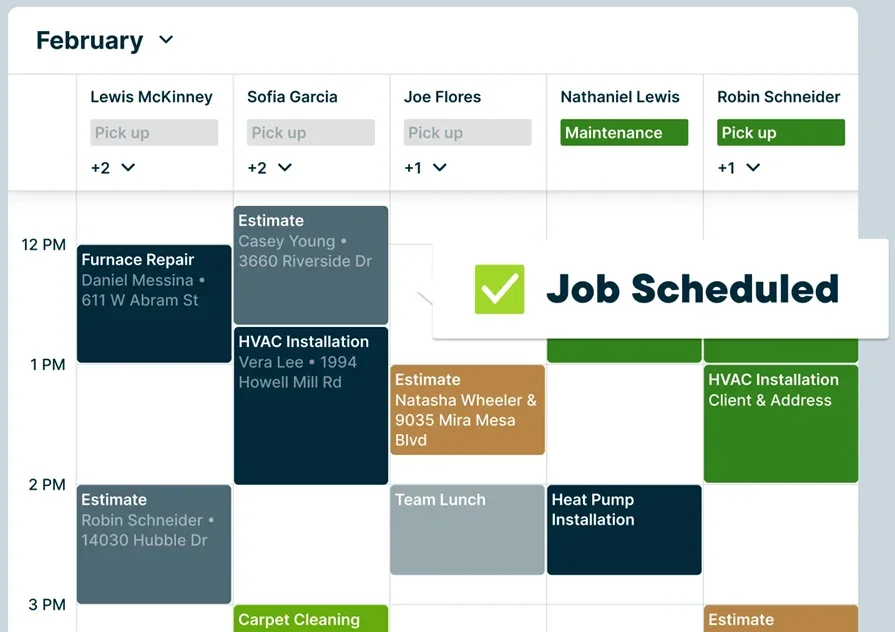
Jobber handles credit card processing through its built-in Jobber Payments system, supporting cards and ACH bank transfers on every plan. Contractors send digital invoices, set up automated payment reminders, and let customers pay through a self-service Client Hub that also handles quote approvals and job history. Its scheduling, quoting, and CRM tools work well for mixed-trade teams running HVAC alongside plumbing, electrical, or general maintenance.
The limitation shows up in scale: reporting stays basic, there is no native equipment or asset tracking, and contractors managing complex commercial projects or large crews often outgrow the platform before their operation hits full stride.
Rating: 4.6 on Capterra from 1404 user reviews
4. Best for small to mid-size HVAC teams: Workiz
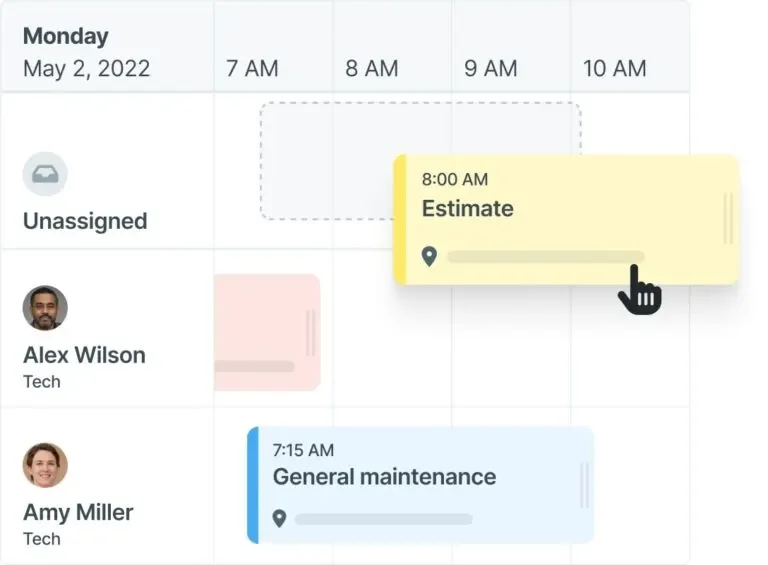
Workiz processes card payments through WorkizPay, backed by Chase Bank, and lets techs swipe cards or send payment links from the field. Transactions sync directly to invoices and QuickBooks without manual reconciliation. Where Workiz stands apart for smaller HVAC teams is its built-in phone system, which logs, records, and tracks every customer call alongside job records and billing data, keeping sales and service communication tied to the same customer profile.
The trade-off is depth at scale: enterprise-level reporting, advanced job costing, and multi-location management are limited compared to platforms built for larger commercial operations.
Rating: 4.4 on Capterra from 218 user reviews
5. Best for large residential operations: ServiceTitan

ServiceTitan ties payment processing into its dispatch, pricebook, and membership billing workflows. Techs present invoices and collect card payments through the mobile app right after job completion, and the platform supports financing options that help close higher-ticket HVAC installs on the spot. Its reporting suite tracks revenue by tech, job type, and marketing source, giving larger operations the visibility to manage performance across departments.
The barrier for many contractors is cost and complexity: ServiceTitan typically requires a bigger investment and longer onboarding timeline, and smaller teams often find the feature set heavier than what day-to-day service work demands.
Rating: 4.3 on Capterra from 324 user reviews
See how BuildOps stacks up when it’s compared directly to ServiceTitan.
How to choose the best card processor for your HVAC company
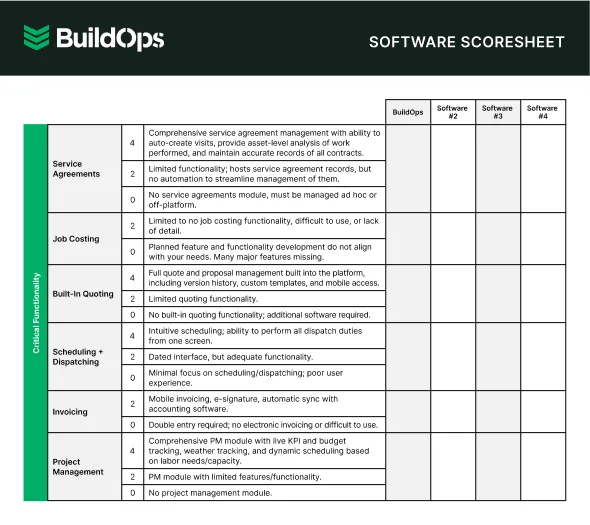
Every HVAC payment tool looks good in a demo. The real test is six months later, when volume spikes and your team is still reconciling by hand. These five factors show which systems actually hold up in the field.
- Transaction fees and payout speed – What does the processor charge per swipe, per ACH transfer, and per keyed-in transaction? How fast do funds actually land in your account after a tech collects in the field, and does same-day deposit cost extra?
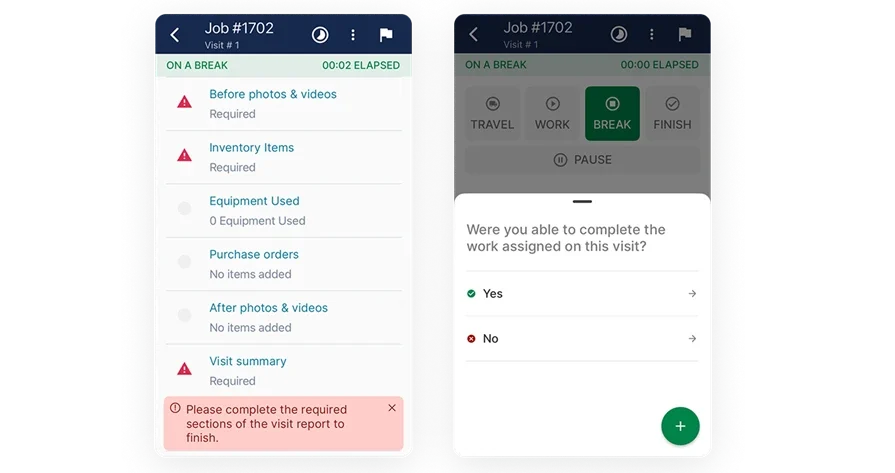
- Field usability – Can techs process a card payment at the job site without cell service dropping the transaction? Does the mobile app let crews pull up the invoice, collect a signature, and close out the job in one step, or does it require toggling between screens?
- Accounting integration – Does every completed payment sync automatically to QuickBooks, Intacct, or your GL without manual export? When a payment posts, does the system update the customer ledger, the job cost record, and the aging report at the same time?
- Recurring billing and card-on-file – Can you store customer payment details securely for maintenance agreements and service contracts? Does the system trigger automatic charges on a set schedule, or does someone in the office still have to run each one manually?
- Full-service connectivity – Does the processor live inside a broader field service platform that ties payments to scheduling, dispatch, invoicing, and service agreements in one system? Or are you bolting on a standalone terminal that forces double entry every time a job closes out?
Get clear on these five points before you sign, and you’ll know if a processor can handle your HVAC workloads as you grow.
7 benefits of offering HVAC payments options directly to your customers
Letting customers pay at the point of service changes how fast cash moves through your operation. Here are seven reasons credit card payment for HVAC services pays off for both the contractor and the customer.
1. Faster cash collection
Waiting on mailed checks or Net 30 terms ties up revenue that should already be working for you. On-site card processing closes the billing cycle the moment the job closes.
- Payment hits your account the same day or next business day, depending on the processor.
- Techs do not leave a job with an open balance sitting in the system.
- The office stops spending hours on follow-up calls and past-due notices.
- Aging receivables drop because there is no gap between completed work and collected payment.
2. Fewer billing errors and disputes
Manual invoicing creates gaps. A handwritten total that does not match the quote, a missing line item, or a transposed number turns a closed job into an open dispute. When the invoice pulls directly from the work order and the customer pays against that exact amount on-site, the math stays clean.
- Line items tie back to the approved quote and scope of work.
- Digital records replace paper trails that get lost between the truck and the office.
- Dispute resolution speeds up because both sides reference the same transaction record.
3. Stronger customer experience
Homeowners and facility managers both expect to tap a card and move on. Asking a commercial property manager to cut a check and mail it back creates friction that stacks up across every service call. A contractor using solid HVAC billing software to present a clean invoice and collect payment digitally signals professionalism and keeps the customer relationship tight.
4. Predictable recurring revenue from service agreements
Maintenance contracts keep trucks rolling during slow months, but only if billing runs on autopilot. Storing card-on-file details and triggering automatic charges on a set schedule removes the monthly chase and protects the revenue stream that service agreements are designed to create.
- Automatic billing tied to agreement terms fires without office intervention.
- Missed or late payments drop because the charge runs on a schedule, not on someone's memory.
- Renewal rates climb when customers do not have to re-authorize every cycle.
5. Better visibility into revenue and job profitability
When every payment flows through the same system that tracks jobs, labor, and materials, the numbers tell a story. Contractors can see which job types collect fastest, which customers drag out payment, and where margins hold or erode. Tools that support HVAC price book management tie pricing to payment data, so you know if the rate you quoted actually protected the margin once the job closed out.
6. Reduced admin hours in the back office
Every manual payment entry, every spreadsheet reconciliation, and every call to chase a past-due invoice burns admin time that compounds across dozens of open jobs. Integrated card processing eliminates the double entry loop. When paired with AI-driven HVAC scheduling optimization, the same platform that routes techs to the next call also closes out billing on the previous one, so the office runs leaner without adding headcount.

AI has already started shifting how contractors handle inspections, installations, and maintenance work. What used to take hours can now happen in minutes, with greater accuracy and fewer surprises.
In our 2025 survey, The Pivot Point: AI And The Future of Commercial Contracting, 78% of contractors said they believe AI improves efficiency, and 47% are already using AI in some capacity for their field ops.
7. Scalability during peak season
Summer and winter spikes push call volume to the ceiling. If your payment workflow depends on office staff manually processing invoices and chasing collections, busy season breaks the back office before it breaks the field crew. A processing system that handles volume automatically, from HVAC takeoff to final payment, lets you scale truck count and call volume without scaling admin overhead at the same rate.
Payment speed is margin speed. Every section in this guide circles back to one reality: when card processing runs disconnected from dispatch, work orders, and job costing, you bleed float on every call and burn office hours chasing what should already be in the bank.
The contractors who collect on-site, bill recurring agreements on autopilot, and see revenue data in real time are the ones who scale truck count without scaling headcount. That is the bar.
BuildOps puts invoicing, card and ACH collection, service agreements, reporting, and AI-native intelligence across every feature into one platform built for commercial contractors in the trades. The capabilities covered in this guide, from field payment collection to automated recurring billing to AI-flagged receivables, do not come standard in most tools. They all ship inside BuildOps.
Curious whether your current setup has gaps between job closeout and cash in the bank? Schedule a free demo and walk through your own workflow with the team. No pitch deck, no pressure. Just a look at where the money moves faster.