Using Quote Smart Field Auto Refresh for Contractors

Manual refresh steps slow down quote proposals and leave room for outdated details to slip through. For field service management businesses, Quote Smart Field Auto-Refresh updates smart fields automatically when a contractor generates a proposal, so the proposal reflects the latest quote information without extra clicks or last-minute checks.
Let’s take a look at where quote workflows usually slow teams down, how auto-refresh keeps proposal data current, and how contractors can get proposals out faster with fewer steps.
What is Quote Smart Field Auto-Refresh?
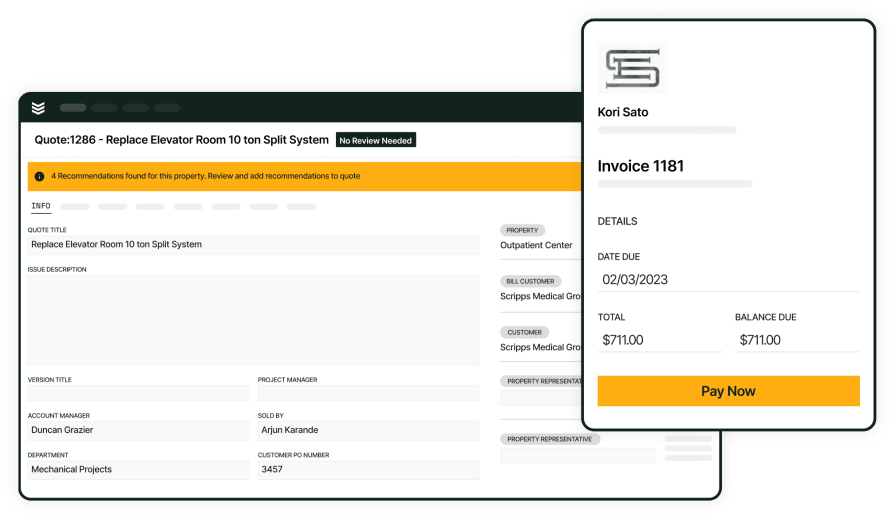
Quote Smart Field Auto-Refresh keeps every proposal locked to the latest version of your quote, without your team lifting a finger.
The moment a proposal is generated, it automatically pulls in the most up-to-date values from your quote for key fields like price, totals, and other quote-driven details. No more clicking “refresh,” hunting through tabs, or copying numbers from one screen to another.
This matters most when quotes change frequently. Scope adjustments, updated pricing, revised labor, or new equipment. With Auto-Refresh on, those changes are reflected in your proposal output right away, reducing the risk of:
- Sending a proposal with outdated pricing or terms
- Misalignment between what sales promised and what operations delivers
- Time-consuming rework when someone catches an error after it’s been sent
Turn on Quote Smart Field Auto-Refresh when you want to tighten your handoff from quoting to proposals: fewer manual steps, fewer places for human error, and proposals that consistently reflect the most current quote data your customer should see.
{{related-content-block="/resources/agentic-ai-field-service"}}
Quote Smart Field Auto-Refresh fixes a common quoting problem: the proposal can fall out of sync with the quote. Before this update, users had to click Refresh Smart Fields before generating a proposal. If they missed that step, the PDF could go out with outdated or incorrect information even when the quote itself had already been updated.
Now, when a user clicks Generate Proposal, BuildOps automatically refreshes the smart fields first. That means the proposal pulls in the latest quote data at the moment it’s generated, so the final document matches what’s currently in the quote.
The practical input is updated quote data. The output is a proposal that reflects those changes without requiring extra clicks. It removes a manual step, cuts down on stale proposal details, and helps contractors send more accurate documents faster.
What distinguishes a “Quote Smart” software from regular field service quoting software?
Regular field service quoting tools are great at building and organizing estimates, but they still lean heavily on people to keep proposal documents current. In this setup, someone had to manually refresh the smart fields before generating the proposal. If they missed that step, the internal quote and the customer-facing document slowly drifted out of sync.
A Quote Smart system removes that weak link by baking the update step directly into the workflow. Instead of simply storing quote details, it uses them at the exact right time—automatically refreshing proposal fields the moment the user generates the proposal.
Traditional tools record the work, while tools built with intelligence actively push the work forward by taking over steps that used to rely on manual follow-through.
{{related-content-block="/resources/ai-software-field-technicians"}}
5 issues Quotes commonly cause within a field service operation
Quotes create problems when the proposal doesn’t stay aligned with the latest job and pricing details. Manual steps, missed refreshes, and last-minute corrections slow the work down before the proposal ever gets in front of the customer.
- Outdated proposal details — The proposal can pull old smart field data even after the quote has been updated
- Extra manual steps — Teams have to stop and refresh fields before generating the proposal
- More room for mistakes — If someone misses that step, the final PDF can go out with incorrect information
- Slower quote turnaround — Every extra check and correction adds time before the proposal is ready to send
- More back-and-forth — When the quote and proposal don’t match, teams have to fix discrepancies instead of moving the job forward
Now, let’s see how Quote Smart Field Auto-Refresh streamlines daily work by removing a manual step, keeping proposal details up to date, and helping teams turn refreshed quotes into customer-ready proposals faster.
How Quote Smart Field Auto-Refresh software is used to improve field service operations
Work slows down when teams have to stop and manually refresh proposal fields before sending anything out. In BuildOps, Quote Smart Field Auto-Refresh updates smart fields automatically when a user clicks Generate Proposal, so the proposal pulls in the latest quote data without extra steps.
- Keeps proposals current — The latest quote updates are reflected in the proposal at the moment it’s generated
- Removes a manual step — Users no longer have to click a separate refresh button before generating the proposal
- Reduces outdated PDFs — Auto-refresh helps prevent old smart field data from carrying into the final proposal document
- Cuts down on quote-to-proposal mismatches — It helps keep the quote and the customer-facing proposal aligned
- Speeds up quote turnaround — Fewer checks and fewer clicks make it easier to move from quote updates to a ready-to-send proposal faster
- Simplifies the workflow — The refresh happens inside proposal generation instead of depending on a separate user action
- Lowers the chance of user error — Teams don’t have to remember one more step before sending a proposal out
- Supports cleaner quoting in BuildOps — Any user who can edit quotes gets this behavior when the feature is enabled, making quote generation more consistent across the team
How using AI tools can power field service quoting
AI delivers real value when it quietly handles the quoting work your team hates doing. In BuildOps, that means intelligence built into your everyday workflow, so proposals stay accurate, manual checks shrink, and your team stops wasting time fixing preventable errors.
- Keep proposal data current — Quote details can be refreshed automatically when the proposal is generated, so the document reflects the latest information.
- Reduce manual follow-up — Instead of relying on someone to remember a refresh step, the workflow handles it at the right moment.
- Cut down on quote errors — AI-driven workflows help lower the chances of outdated or incorrect information making it into the final PDF.
- Make quoting more practical, not more complicated — The value is simple: fewer clicks, fewer misses, and a faster path from updated quote to customer-ready proposal.
{{related-content-block="/resources/ai-in-field-service-management"}}
How BuildOps OpsAI does Quote Smart Field Auto-Refresh
AI job recaps stall for the same reason invoices do: the office is stuck decoding techs’ shorthand, loose emails, and scattered notes. With OpsAI, raw field data becomes clear, structured smart recaps the moment work is completed before details get lost or delay billing.
Quoting built with intelligence
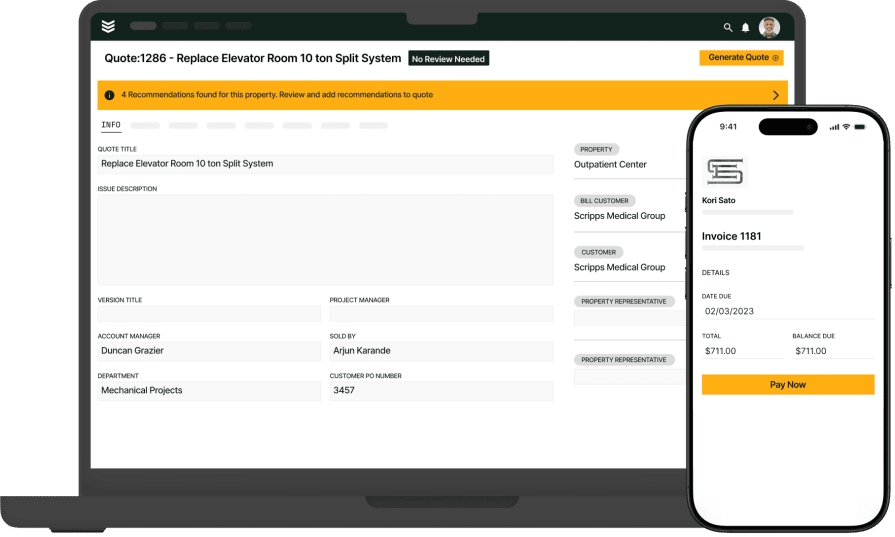
Quoting stalls when teams already know the scope and price—but still pause to fix proposal details. That’s where field service quoting comes in: BuildOps keeps quotes, pricing, photos, and approvals synced in one place, and Quote Smart Field Auto-Refresh pushes the latest updates straight into every proposal.
With OpsAI in the flow, you cut manual follow-up, avoid outdated details, and move from quote change to customer-ready proposal in less time.
Visit smart recap
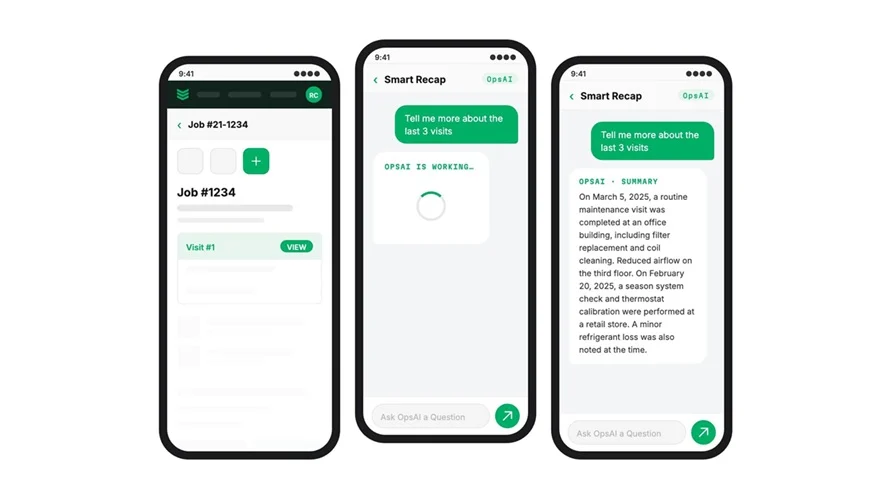
When a tech updates a quote in the field, Quoting Smart Field Auto-refresh works in the background, pulling in real job data from OpsAI for the field. Labor, findings, and materials stay in sync so the quote always reflects what’s actually happening on-site.
Techs don’t rebuild quotes from memory. They review the refreshed numbers, confirm materials, and move on. If new parts are needed, they’re added to the quote automatically so every change in the field is captured and ready to price.
Invoice and payment dashboard
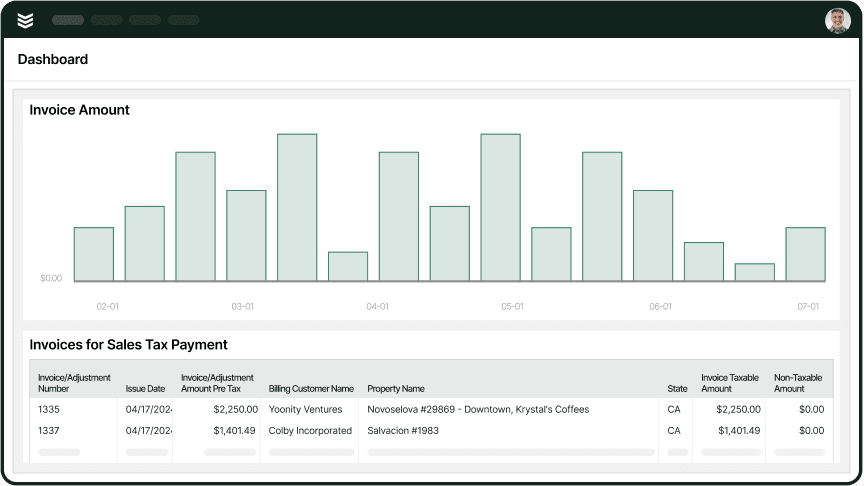
With Smart Field Auto-refresh, quotes stay aligned with the latest field notes, visit details, job scope, and material usage — so the handoff to billing is clean. By the time the office opens a quote, it’s already grounded in real work, not guesswork.
No more retyping or chasing updates. The office reviews, makes quick edits, and converts to an invoice in a few clicks. Because every quote flows directly into invoicing and payments workflows, approved work turns into collected revenue faster. That’s how one contractor cut receivables from 120 days to 30 days.
Smart dispatch
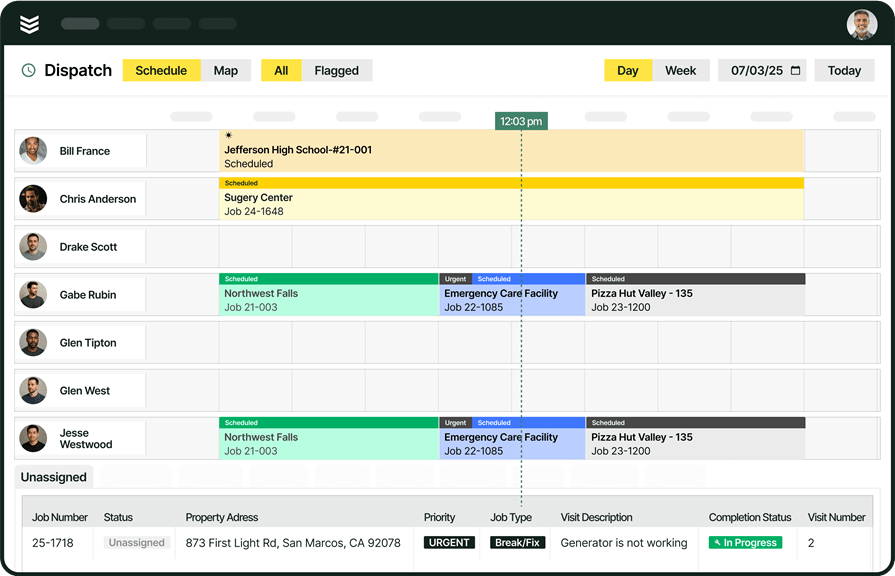
Accurate quotes start with accurate jobs. Before work begins, Smart Field Auto-refresh pairs naturally with Smart Dispatch: OpsAI recommends the right tech based on skill, certifications, availability, and distance. That means fewer surprise change orders and more predictable quotes.
Contractors using Smart Dispatch have cut travel time by 50%. And because the Schedule Assistant proposes the best tech and time slot as soon as a dispatcher opens the job, intelligence built into scheduling and dispatch feeds better job data into every quote — without adding another system or extra steps.
Technician daily reports
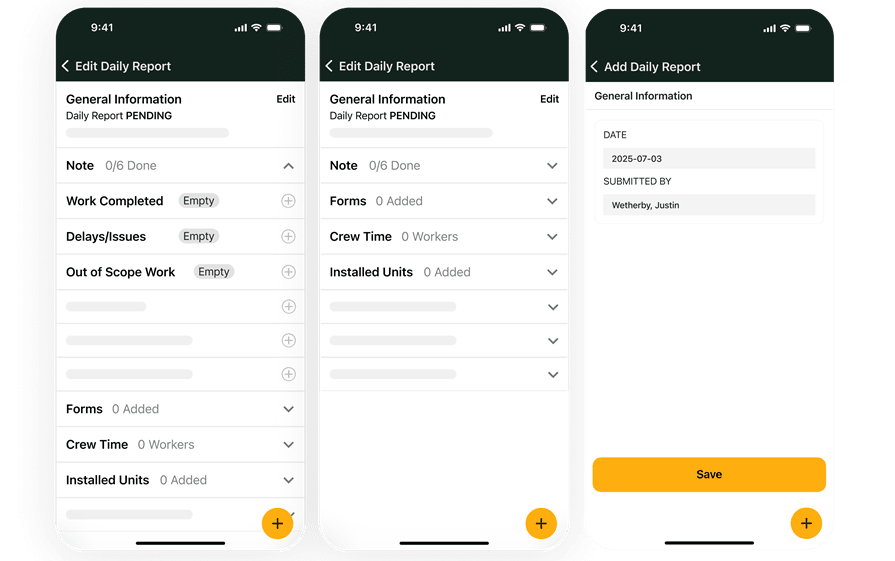
Techs submit detailed daily reports through the technician’s mobile app. Quoting Smart Field Auto-refresh pulls from those notes in real time, keeping labor, materials, and recommendations aligned with the quote on file.
By the time the job wraps, quotes, reports, and invoices all match. The office spends less time reconciling differences, payment scanning auto-applies remittances, and cash moves from quote to collected faster.

AI has already started shifting how field service contractors handle their workflows. What used to take hours can now happen in minutes — with more accuracy and fewer surprises.
In our 2025 survey, The Pivot Point: AI and the Future of Commercial Contracting, 78% of contractors said they believe AI improves efficiency, and 47% are already using AI in some capacity for their field ops.
Which departments benefit most using Quote Smart Field Auto-Refresh?
Different teams walk away from a site visit needing different things, but all battling the same chaos: scattered notes, lost photos, and quotes that never quite match the work on the ground. Quoting Smart Field Auto‑Refresh fixes that. It automatically syncs visit activity with the quote in real time, so every proposal reflects the job as it’s actually unfolding in the field.
- Service operations — Service managers normally chase techs for details after the visit: what was done, what’s pending, what the customer actually approved. Quoting Smart Field Auto‑Refresh uses those visit updates to automatically refresh scopes, parts, and pricing on related quotes, so ops leaders review a current, accurate quote instead of re-estimating from scattered texts and voicemails.
- Field technicians — Techs document while standing at the unit: issues found, tests performed, recommendations made. Quoting Smart Field Auto‑Refresh turns those on‑site findings into live quote updates: syncing parts, labor, and recommendations to the right asset and customer as they work. No re‑building quotes at the end of the day, no “did we price that?” calls from the office.
- Construction operations — Project managers rely on daily reports, site walks, and coordination meetings to understand progress and scope changes. Quoting Smart Field Auto‑Refresh converts these visit insights into up‑to‑date change order and T&M quotes mapped to phase, cost code, and scope, so everyone sees the latest impact on budget without combing through email threads and outdated spreadsheets.
- Finance — Controllers and AP teams need clean, consistent backup for every invoice, change order, and dispute. Quoting Smart Field Auto‑Refresh keeps quote values aligned with approved field work and time‑stamped visit activity, so finance can validate charges, reduce write‑offs from missed extras, and protect margins with quotes that match the job record line‑for‑line.
- Sales & marketing — Account managers depend on accurate quotes to show customers what’s needed now and what’s coming next. With Quoting Smart Field Auto‑Refresh, every visit update—recurring issues, deferred work, new recommendations—flows into structured, current quotes and proposals. Sales teams can launch targeted upsell and renewal plays and walk into QBRs with pricing that reflects real field conditions, not stale or incomplete estimates.
Some of our top customers certainly thought the cost of investing in BuildOps was worth it for them. Check out their stories:
- Layer One fixed their job costing process, saving 1 week of manual work every month
- Sloan Mechanical hit a 75% quote approval rate
Quoting done faster and smarter. That’s OpsAI.
Commercial contractors don’t struggle with documentation because they’re careless—they struggle because their work moves faster than their systems.
BuildOps changes that with OpsAI, built specifically for commercial service teams. OpsAI automatically turns field tickets, photos, and asset data into clean, accurate visit recaps—capturing scope, work performed, parts used, and next steps while techs stay focused on the job.
Layer on Quote Smart Field Auto-Refresh, and your quotes stay live and aligned with real-time field data. No stale info. No manual double-entry. Just accurate documentation that keeps leadership informed and the office ready to bill, quote, and dispatch with confidence.
See how OpsAI and Quote Smart Field Auto-Refresh can clean up your documentation for good. Book a demo built for commercial contractors.