Your Guide to Adopting AI in Your Field Service ERP

Running field service today means keeping dispatch, job progress, billing, and customer communication from pulling in different directions.
As the field service management industry keeps growing and software adoption picks up, AI in ERP is turning into a practical way to cut busywork, tighten decision-making, and keep the office and field on the same page.
That’s what this guide covers. We’ll break down where AI actually helps, what adoption takes, which features are worth paying for, and which platforms deserve a serious look. To do that, we’re going to talk about:
- 6 key benefits of using AI in your field service ERP
- How to successfully adopt AI into your field service ERP
- 7 core features to look for in an AI-powered ERP platform
- Top 8 AI field service ERP solutions
Let’s start with the why.
6 key benefits of using AI in your field service ERP
AI can make a field service ERP more useful faster, especially when it helps your team solve the daily problems that slow work down. These benefits show where AI can have the biggest impact first.
- Dynamic routing and smart dispatching: With AI supporting dispatch, teams can assign the right tech to the right job based on schedule, skill set, and location. That cuts drive time, reduces delays, and helps crews get more done in a day.
- Proactive service and asset uptime: By analyzing equipment history and service data, AI can spot patterns before a failure happens. That helps teams prevent breakdowns, improve uptime, and avoid costly emergency work.
- Streamlined inventory and supply chain: Better inventory control starts with AI tracking parts usage, stock levels, and reorder timing more accurately. That helps field teams avoid shortages, reduce excess inventory, and keep jobs moving.
- Real-time technician updates: From the office’s perspective, AI makes it easier to get live updates on job progress, delays, and field changes. That makes it easier to adjust schedules, keep customers informed, and avoid miscommunication.
- Back-office efficiency and SLA compliance: On the admin side, AI helps speed up work like invoicing, documentation, and service tracking while flagging jobs at risk of missing SLAs. That saves time, protects revenue, and helps teams stay on top of commitments.
- Personalized & transparent CRM: A clearer customer view becomes possible when AI pulls together customer history, service records, and job details in one place. That helps teams respond faster, communicate better, and deliver a more consistent customer experience.
When those core workflows start running smoother, AI stops feeling like a nice add-on and starts becoming a practical part of how field service teams work every day.
{{related-content-block="/resources/ai-for-contractors"}}
How to successfully adopt AI into your field service ERP
Successfully integrating AI into your field service ERP requires a focused strategy, not just flipping a switch. It needs a clear plan, practical use, and daily adoption—so it reduces busywork, sharpens decisions, and keeps field and office teams in sync.
1. Pinpoint core workflow problems
Before investing in any platform, pinpoint the operational issues draining time and margin. Focus on the breakdowns hurting performance most, whether that’s wasted drive time, excessive after-hours calls, or inventory gaps that delay work. Once you define the real bottlenecks, it’s much easier to choose tools that solve practical problems and deliver value fast.
2. Prioritize essential AI features
Once the problems are clear, focus on the capabilities that will make the biggest impact on daily operations. Look for an ERP platform with intelligent scheduling, predictive maintenance, and stronger inventory and supply chain visibility. These are the features that help contractors run a tighter back office while giving field teams what they need to execute without delays.
3. Integrate data flow and standardize capture
Strong automation starts with accurate, consistent data across every stage of the service cycle. When equipment history, service records, technician notes, and job updates flow into one connected system, teams eliminate silos, improve visibility, and build a stronger foundation for smarter operational decisions.
4. Conduct focused training and measure ROI
Technology only delivers results when your team can use it in the flow of work. Train office staff and technicians on the processes that matter most to reduce admin burden and improve execution. Then measure the outcomes that count, like efficiency, revenue protection, and SLA performance, so leadership can see the impact and scale with confidence.

A Kickstand report based on a survey of 606 contractors across the U.S. and Canada found that 78% are using AI tools on the jobsite, while 47% say one in five positions remain unfilled. That combination explains why AI-backed workflows matter in field ops: they reduce admin load and help teams keep output steady with the headcount they have.
7 core features to look for in an AI-powered ERP platform
AI helps commercial contractors go beyond tracking jobs—it automates the service lifecycle, speeds up decisions, and cuts admin work so teams can scale with fewer errors.
Predictive maintenance & repairs
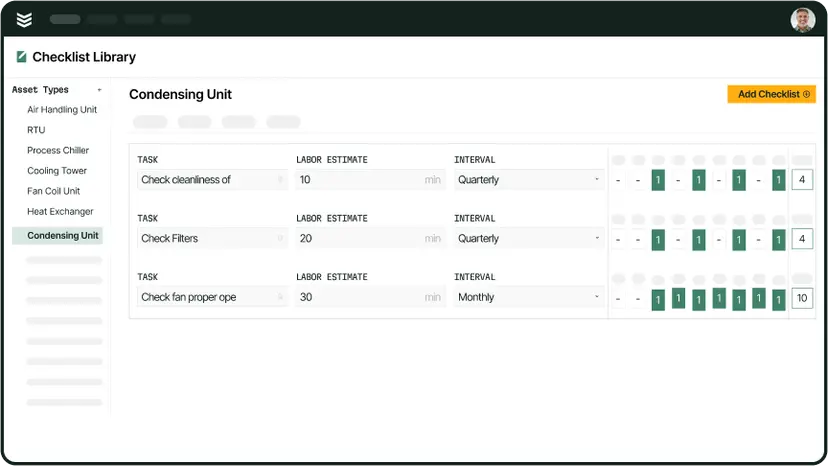
This feature uses historical asset performance and service data to forecast potential equipment failures before they occur. By analyzing patterns, the system helps teams proactively schedule service, move from reactive break-fix calls to high-margin planned maintenance, and ensure compliance with critical service agreements. This ensures higher asset uptime for customers and a more predictable revenue stream for the contractor.
Intelligent scheduling & dispatch
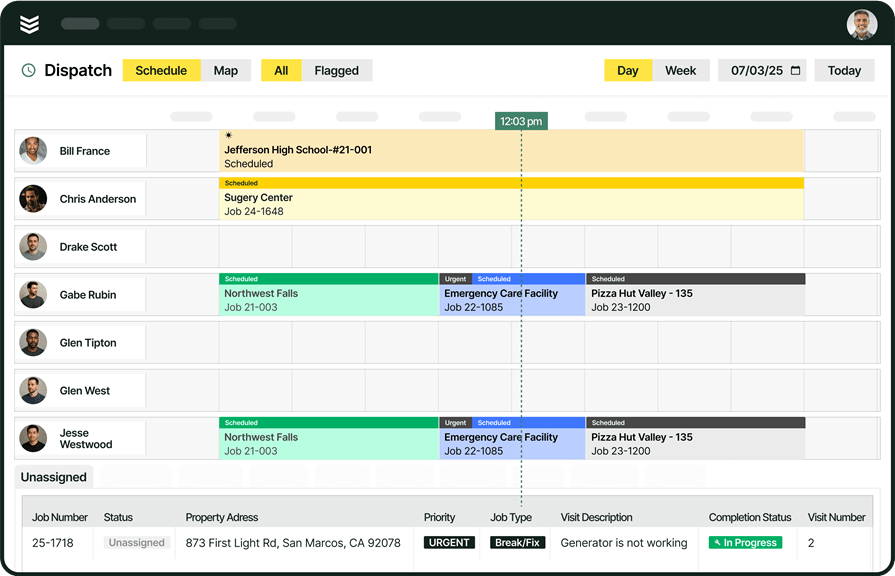
AI streamlines job assignment by matching the right technician to the right job based on location, certifications, skill level, and schedule availability. The system’s ability to optimize routing and proximity cuts down on costly drive time and improves job completion rates. Using advanced field service scheduling and smart dispatch software that integrates real-time field data means the office is always in sync with crew locations and job progress.
Inventory optimization & asset management
AI assists in maintaining accurate inventory levels by tracking parts usage in the field and predicting future needs based on upcoming maintenance schedules. When technicians use a mobile field service app, they can scan equipment nameplates, and the AI automatically captures and logs essential asset information like make, model, and serial number. This improves supply chain accuracy and reduces truck roll waste.
Customer experience enhancement
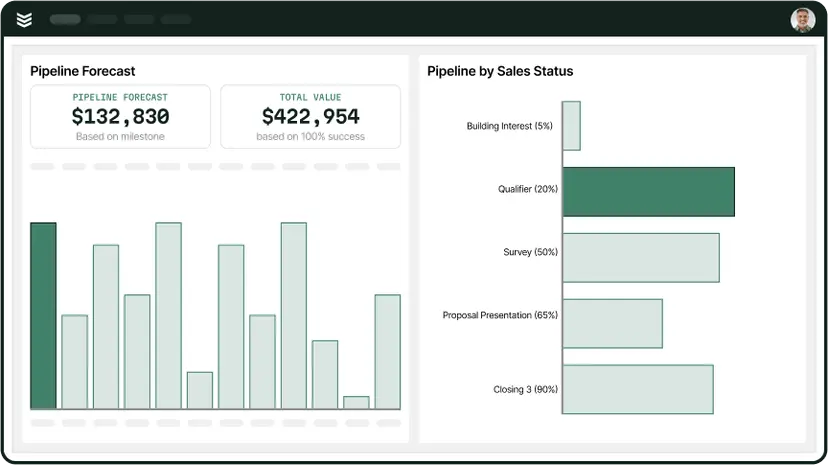
AI improves the customer journey by consolidating all client history, service records, and communication in one connected system. A strong field service CRM uses this complete historical view to help sales teams create better proposals and accelerate approvals through detailed and fast service quoting presentations. This personalized approach leads to faster response times and builds long-term client trust.
Workflow & operations management
This focuses on integrating every stage of the service call, from initial request to final paperwork, ensuring technicians follow standardized, gated processes. Using time tracking integrated with the workflow ensures accurate job costing and payroll, while features like automated checklists and digital forms reduce administrative busywork. This ensures data integrity and helps move jobs forward faster.
Invoicing and payment processing
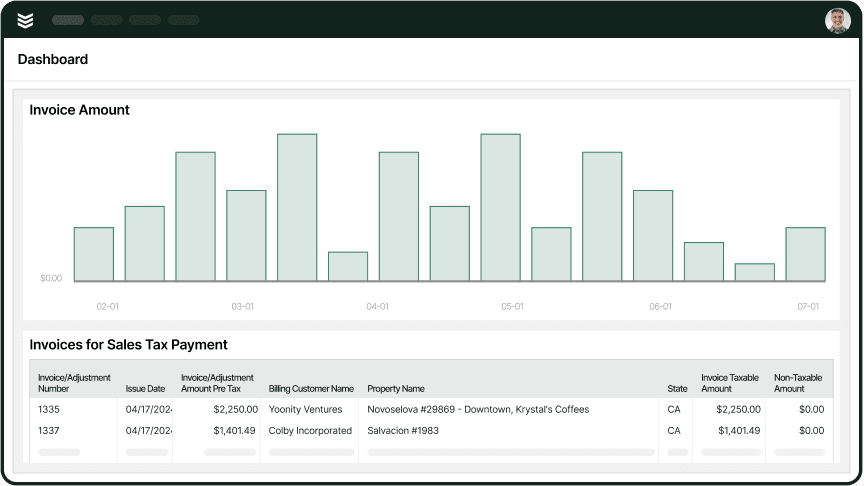
AI speeds up cash flow by automatically converting field notes, time logs, and approved quotes into accurate, error-free invoices. Integrated invoicing and payments processing allow customers to pay instantly via credit card or ACH through a direct payment link. This automation eliminates data entry errors and drastically slashes the time it takes to get paid.
Data-driven improvements
The AI analyzes operational data—from technician efficiency and parts usage to profit margins—to provide actionable insights that fuel continuous improvement. Robust reporting dashboards highlight key metrics like cost-per-asset, technician productivity, and revenue prediction, helping leadership spot bottlenecks and make proactive strategic decisions. This constant feedback loop helps refine operations and identify new revenue opportunities.
Top 8 AI field service ERP solutions
Not all field service ERPs take the same approach to AI. The platforms below show how contractors can use AI to improve office workflows, field execution, or unify commercial, residential, and construction teams in one system.
1. BuildOps: best for commercial contractors
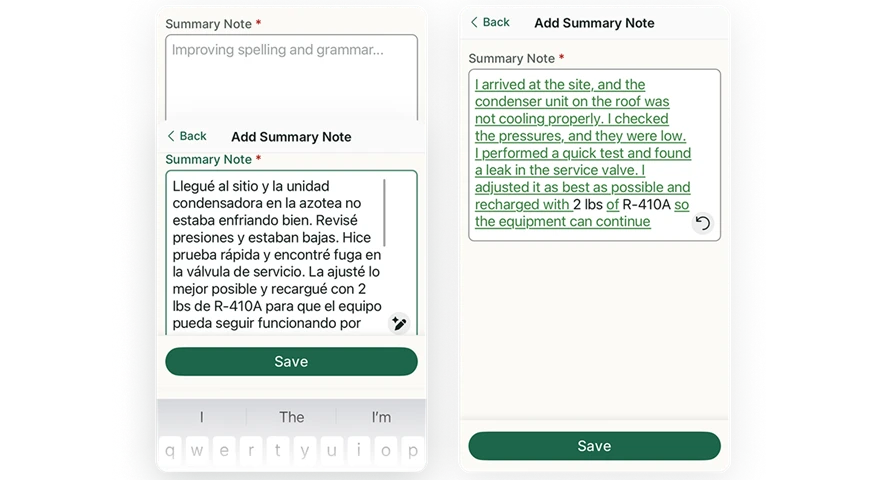
BuildOps helps commercial contractors adopt AI inside the ERP they already rely on to run field service — not as a bolt-on tool, but as part of the workflow from dispatch to invoice. Techs can capture photos, scan nameplates, dictate notes, and complete checklists from any device, even offline, while AI organizes that field data into clean, usable records tied to jobs, assets, and service agreements.
OpsAI brings practical AI into daily operations by turning technician input into structured insights, surfacing recurring equipment issues, and giving teams real-time visibility into asset age, service frequency, and cost-per-unit. Instead of asking contractors to change how they work, it helps them adopt AI through the systems and processes they already use — making dispatch smarter, maintenance more proactive, and replacement opportunities easier to spot.
How Pricing Works: BuildOps offers weekly live demos and personalized sessions so contractors can evaluate how AI fits into their existing workflows. Pricing is tailored to the size and complexity of the operation, allowing teams to align the platform to their service model before making a decision.
Features Beyond AI:
- Real-time drag-and-drop scheduling and dispatch with AI-assisted technician matching
- AI-powered nameplate scanning and automated asset record creation via OCR
- Advanced customer hierarchy management for multi-site commercial service operations
- Mobile tools for technicians including offline access, photo capture, digital checklists, and AI-cleaned job summaries
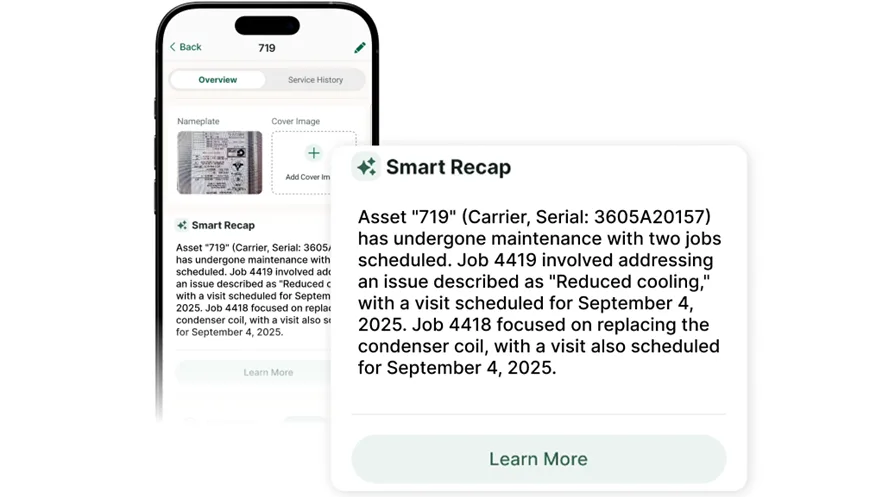
What Sets It Apart for Commercial Contractors: BuildOps makes AI adoption practical for field service businesses by embedding it directly into the ERP layer that manages scheduling, service history, quoting, invoicing, and reporting. That means contractors can modernize operations without adding disconnected tools, while getting AI capabilities like Smart Dispatch, Smart Recap, and AI-powered quoting as part of one connected platform.
Rating: 4.4 on Capterra from 177 user reviews

2. Kickserv: best for residential teams
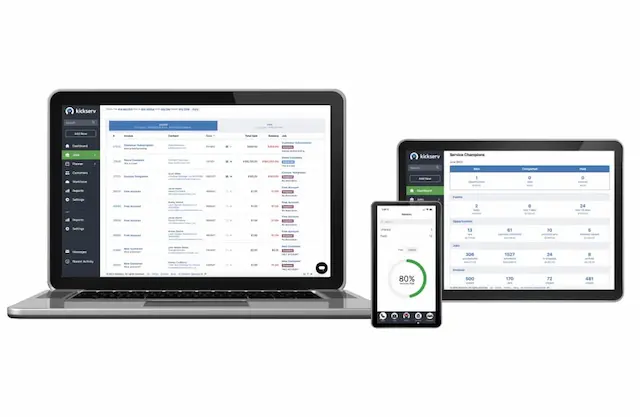
Kickserv offers a lightweight field service platform, but contractors focused on adopting AI in field service ERPs may find it limited. While it supports core workflows like scheduling, invoicing, and customer communication, it lacks the deeper AI capabilities many growing service businesses want for automating dispatch, improving quote accuracy, forecasting workload, and surfacing operational insights.
However, Kickserv does not provide the kind of advanced AI automation, asset intelligence, or portfolio-level visibility that commercial contractors often need when using AI to scale service operations across teams, properties, or regions.
How Pricing Works: Kickserv uses tiered pricing, with more advanced workflow and customer management features available on higher plans. Entry-level tiers focus on foundational field service functionality rather than AI-driven automation.
Features Beyond AI:
- Customer self-service portal for approvals and payments
- Integration with tools like Stripe and QuickBooks
- Basic scheduling and invoicing for field teams
- Notes and photo logging tied to service calls
What Sets It Apart for Residential Teams: Kickserv can support residential contractors getting started with digital field service workflows, but it is less suited for organizations prioritizing AI-driven ERP capabilities to optimize scheduling, service delivery, and decision-making at scale.
Rating: 4.4 on Capterra from 387 user reviews
3. Procore: best for general contractors
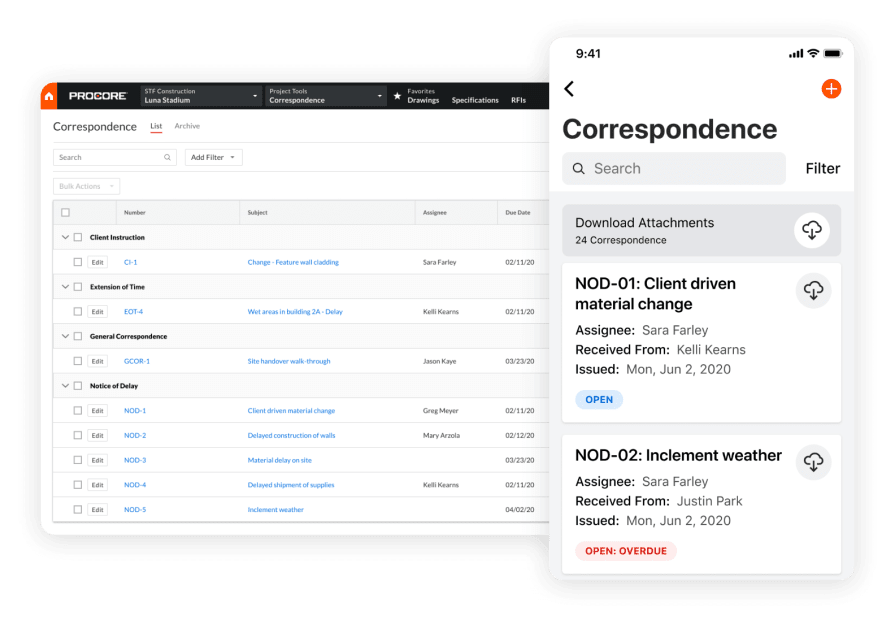
Procore is designed for general contractors managing complex construction projects, but adopting AI in field service ERPs requires more than project coordination. Field service contractors need AI built around dispatching, technician workflows, service history, and asset intelligence to improve daily operations in the field.
That said, while Procore supports construction project delivery well, it is not built around the AI-driven automation, preventive maintenance workflows, and equipment lifecycle management that service-focused contractors often need from an ERP.
How Pricing Works: Procore uses custom pricing based on company size and annual construction volume. Demos are available to evaluate the platform before committing to a contract.
Features Beyond AI:
- Project management with RFIs, submittals, and change orders
- Daily logs and job site documentation
- Document control and drawing versioning
- Coordination across subcontractors and project teams
What Sets It Apart for General Contractors: Procore stands out for overseeing large-scale construction projects end to end. But for companies evaluating AI adoption in a field service ERP, its strengths are more project-centric than service-operation-centric.
Rating: 4.5 on Capterra from 2,658 user reviews
4. mHelpDesk: best for small residential operations
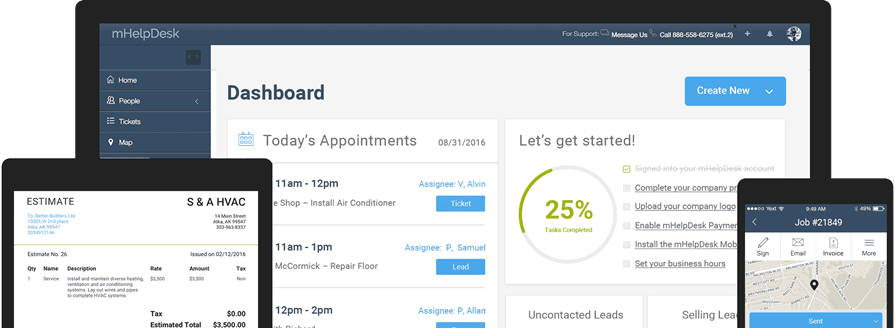
mHelpDesk gives residential contractors a simple field service platform for scheduling, dispatching, invoicing, and managing basic work orders. But as AI becomes more important in field service ERPs, its limited automation and lack of AI-driven workflows make it less suitable for contractors that want smarter scheduling, cleaner job documentation, and more connected field-to-office operations.
It works for small residential teams with straightforward service needs, but it is not built for businesses looking to adopt AI to improve efficiency, standardize data capture, or support more complex commercial and multi-trade workflows.
How Pricing Works: mHelpDesk offers a flat monthly rate per user, with most features included in one core tier. A free trial is available for teams evaluating whether the platform fits their needs.
Features Beyond AI:
- Drag-and-drop scheduling calendar for technician assignments
- Built-in invoicing with payment collection
- Customer portal for online appointment requests
- GPS tracking for field technicians
What Sets It Apart for Small Residential Teams: mHelpDesk stands out for its simplicity. For smaller shops that do not yet need AI-enabled automation or advanced operational workflows, it offers an easy way to manage everyday service activity without a steep learning curve.
Rating: 4.3 on Capterra from 824 user reviews
5. Tradify: best for multi-trade contractors
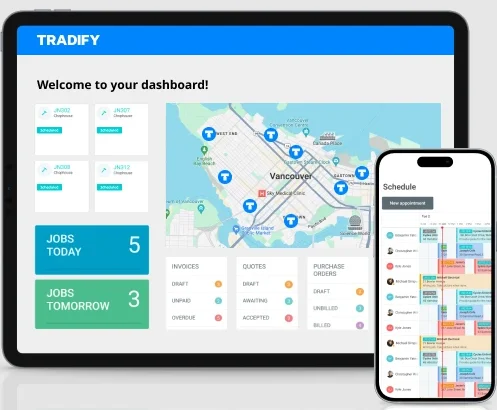
Tradify gives multi-trade contractors a clean quoting-to-invoicing workflow across electrical, plumbing, HVAC, fire protection, and more. For teams exploring AI in field service ERPs, it provides a solid digital foundation with mobile-first job updates, time tracking, photos, and office sync, but it does not appear built around deeper AI capabilities like automated workflow orchestration, predictive dispatching, structured field data capture, or asset intelligence.
It works well for shops standardizing core processes before adopting AI, but may fall short for commercial contractors that want their ERP to actively improve scheduling, reporting, service outcomes, and multi-property operations through embedded intelligence.
How Pricing Works: Tradify charges a per-user monthly fee with all features included at one price point. No tiered plans or feature gating.
Features Beyond AI:
- Mobile quote creation and approval tracking
- Time tracking tied to job costing
- Supplier purchase order management
- Xero and QuickBooks accounting sync
What Sets It Apart for Multi-Trade Contractors: Tradify makes it easy to unify field service workflows across trades in one system, which can help businesses digitize operations before moving toward more advanced AI-driven ERP capabilities.
Rating: 4.7 on Capterra from 152 user reviews
6. Buildertrend: best for home builders and remodelers
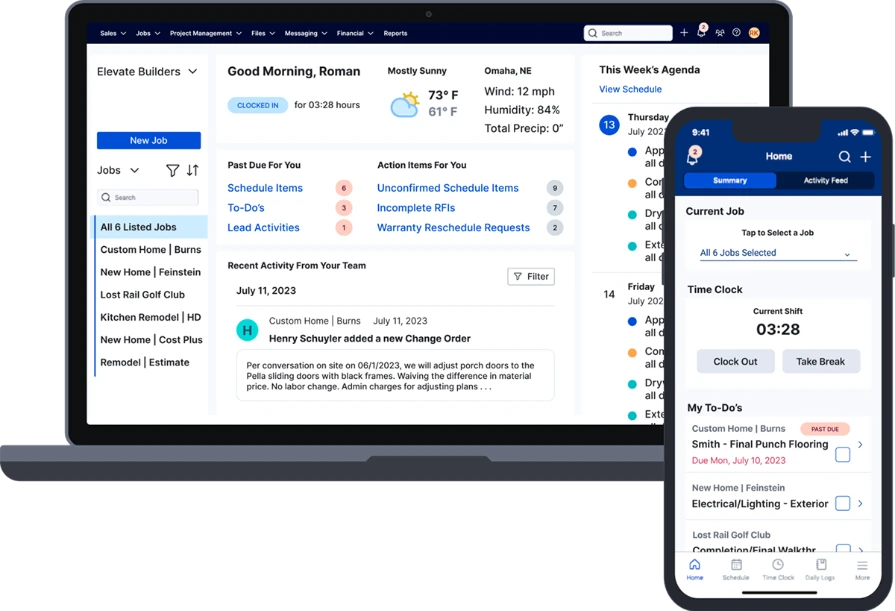
Buildertrend is a construction project management platform built for home builders, remodelers, and specialty contractors, but it is less equipped for field service businesses adopting AI within their ERP. While it supports project coordination, client communication, and scheduling, it lacks the service-specific data structure needed for AI-powered workflows like smart dispatching, predictive maintenance, technician performance insights, and asset-based service history.
However, Buildertrend falls short on the operational depth required to fully support AI adoption in field service—especially for contractors focused on recurring service, maintenance agreements, and data-driven decision-making.
How Pricing Works: Buildertrend uses tiered pricing based on active projects and users. Higher tiers unlock more advanced capabilities, but AI-ready service workflows may still require tools outside the platform. A demo is available to evaluate fit.
Features Beyond AI:
- Client-facing portal with messaging, selections, and change orders
- Bid management and subcontractor coordination
- Project scheduling with timeline and Gantt-style views
- Daily logs and photo tracking across project phases
What Sets It Apart for Home Builders: Buildertrend is strong for managing residential construction projects end to end, but for field service companies looking to adopt AI in their ERP, its limitations around service history, technician-level data, and recurring work make it a weaker long-term fit.
Rating: 4.5 on Capterra from 2,481 user reviews
7. ServiceTitan: best for large residential and light commercial
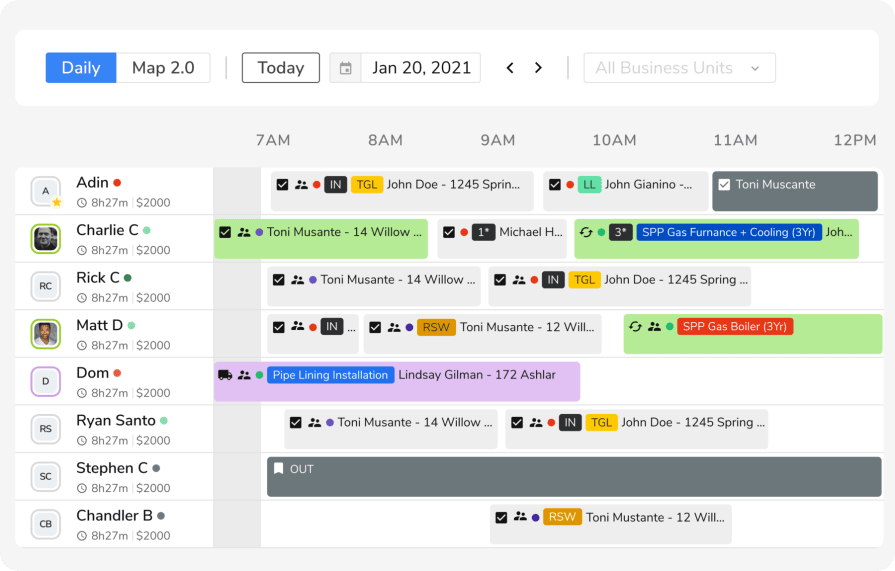
ServiceTitan is a field service management platform commonly used in residential and light commercial service businesses. As contractors evaluate AI adoption in field service ERPs, ServiceTitan represents a more traditional operational system focused on dispatch, sales, and service workflows rather than purpose-built AI capabilities for complex commercial environments.
ServiceTitan can support teams looking to layer AI onto existing service operations, but its core design is still centered on residential service volume and replacement-driven workflows. For contractors adopting AI in commercial field service, the bigger need is often deeper workflow intelligence—like smart technician-job matching, automated visit summaries, asset-level service context, and documentation that supports compliance across large portfolios.
How Pricing Works: ServiceTitan uses custom pricing based on the number of active technicians. Implementation typically includes onboarding and training, which can be an important part of adopting new AI-enabled workflows inside an ERP environment. A demo walkthrough is available to assess fit.
Features Beyond AI:
- Call booking, dispatch, and technician workflow management
- Visual pricebook with in-field sales support
- Membership and recurring service agreement management
- Marketing attribution and performance reporting
What Sets It Apart for AI Adoption Conversations: ServiceTitan is a strong example of how many field service ERPs help contractors digitize core workflows first. For businesses exploring AI, it shows the value of having structured operational data in place—but commercial contractors may still need more advanced AI-driven automation and facility-level intelligence than residential-first platforms were built to provide.
Rating: 4.3 on Capterra from 332 user reviews
Check out our breakdown of how ServiceTitan stacks up when compared to BuildOps.
8. FieldEdge: best for legacy service shops
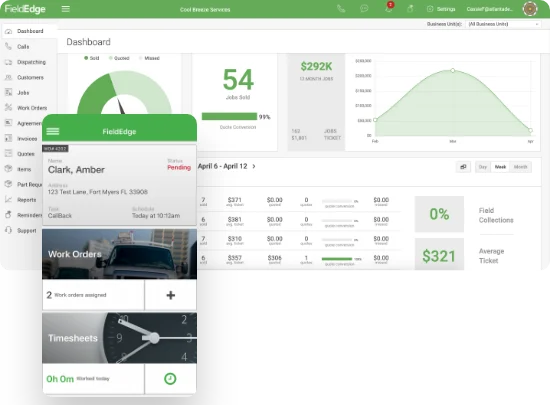
FieldEdge has been in the field service management space for decades, offering dispatching, invoicing, and customer management tools tailored to small and mid-sized service contractors. For teams looking at adopting AI in field service ERPs, it covers the operational basics but offers limited native AI automation, making it better suited for companies starting with digital workflows rather than those prioritizing advanced AI-driven efficiency at scale.
It handles core service operations well but lacks deeper AI capabilities, asset hierarchies, and robust reporting, which can limit long-term scalability for larger commercial contractors evaluating more intelligent, automated platforms.
How Pricing Works: FieldEdge offers custom pricing based on the number of users and selected modules. A guided demo is available to walk through the platform before purchase.
Features Beyond AI:
- QuickBooks integration for real-time accounting sync
- Flat-rate pricing book with mobile access for techs
- Service agreement tracking with renewal reminders
- Dispatch board with drag-and-drop scheduling
What Sets It Apart for Legacy Service Shops: FieldEdge is a practical option for contractors beginning to think about AI adoption but still focused on familiar workflows, accounting accuracy, and standardized billing. Its long-standing presence in the trades makes it appealing to legacy service shops not yet ready to transition to more AI-centric field service ERP platforms.
Rating: 4.2 on Capterra from 306 user reviews
{{related-content-block="/resources/ai-in-field-service-management"}}
Adopting AI in your field service ERP should feel practical, not risky: you should know exactly where it fits in your workflows, what it’s improving, and whether it can actually hold up in the field. Too often, disconnected tools, unclear value, and overhyped promises make AI harder to trust—and harder to turn into real operational gains.
BuildOps is purpose-built for commercial contractors, not residential or generic field service. Because scheduling, dispatch, quoting, CRM, mobile, reporting, and billing all live in one connected platform, OpsAI can work where your team actually works—inside the ERP that runs the business. That’s how adoption gets easier: less jumping between systems, more usable insights, and technology that supports the field instead of distracting from it.
If you’re evaluating how AI fits into your operation, a live BuildOps demo gives you a clearer view of what AI inside a true field service ERP looks like in practice.