How to Use AI Field Service PO Tools for the Trades

Paper POs, emailed invoices, parts dropped on-site with no matching receipt—every gap in the chain chips away at profit for busy field service management teams. AI field service PO tools close those gaps for the trades, automatically reading POs, receipts, and invoices, surfacing only the issues that need a decision, and keeping approvals moving so AP stops slowing the field down.
To understand how AI improves procurement, we’ll first define the field service purchase order and why standard processes often struggle to keep up with the demands of job-site delivery.
What is a field service purchase order?
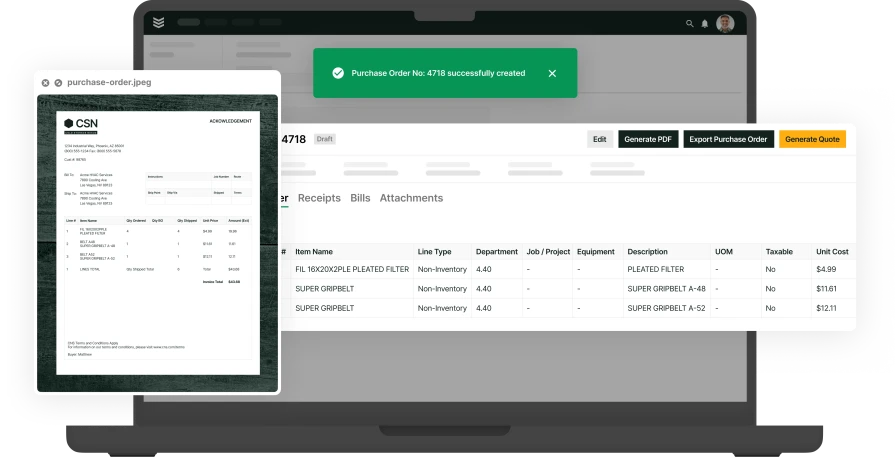
A field service purchase order is the written promise your company makes to buy specific parts or materials for a job in the field, not a warehouse. It’s the control document that should line up with what actually shows up on the truck and what the vendor eventually bills you for.
For contractors, it’s how you protect margin across dozens of jobs and vendors. Every PO becomes the benchmark: did we receive what we asked for, at the price we agreed to?
For techs, it’s the sanity check on the job site. The PO tells them what should be on the pallet or in the box. If it’s short, wrong, or late, they can flag it before it slows the work.
For finance and AP, the field service PO is one leg of the three-way match: PO, delivery, invoice. In a paper world, reconciling those three across fast-moving jobs buries them in spreadsheets. With automation, those POs are read, matched, and exceptions are surfaced automatically, so they only touch the problems including short shipments, price changes, duplicate invoices, before cash leaves the account.
BuildOps delivers three-way PO matching for commercial contractors, uniting POs, deliveries, and invoices in one workflow so finance catches issues in real time, locks in job costs, and closes the books without paper or drama.
{{related-content-block="/resources/ai-powered-3-way-po-matching-automation"}}
How is a field service purchase order used throughout a single field service job?
A field service purchase order is the job’s shopping list and receipt in one. Logging what you buy, when you receive it, and how it gets billed, so every cost lands on the right job.
- Create purchase order - The technician, dispatcher, or service manager identifies what’s needed for a specific work order (parts, equipment, subcontractor, etc.) and creates a PO linked to that job. They include job number, site, items, quantities, and pricing, so purchasing and accounting know exactly what’s being bought and why. This PO is then approved internally and sent to the chosen vendor as the official authorization to supply those goods or services.
- Post PO receipt - When the vendor delivers the parts or completes the subcontracted work, warehouse staff, receiving, or the technician confirms the delivery against the PO and posts the PO receipt. They verify quantities and items, record what was actually received, and tie it back to the same job. At this point, the system recognizes the materials or services as received and available to complete the work order, and job costing begins to reflect those committed costs.
- Create vendor bill - Once the vendor’s invoice arrives, the accounting/AP team creates a vendor bill matched to the original PO and the posted receipt. They confirm pricing and quantities, resolve any discrepancies, and then post the bill so the costs hit the correct job. This gives project managers and service leaders an accurate view of job profitability and allows billing to invoice the customer confidently, with a complete audit trail from PO creation through receipt and final payment.
What issues do field service purchase orders commonly cause within an operation?
Purchase orders should add control, but in many field service operations, they add friction. When field, office, and accounting aren’t aligned on what was ordered, received, and billed, billing slows, job costing suffers, and costs get missed.
- Slow billing and delayed job costing — When paperwork comes in late or purchasing details are recorded after the fact, invoices slip, payroll floats longer, and leaders lose confidence in what the job actually costs.
- Missed or unbilled material costs — When technicians do not clearly log what they used, or receipts are not tied back to the job, the office finds vendor charges later and either eats the cost or rebills awkwardly after the work is done.
- Manual reconciliation between field, office, and accounting — Purchase order data often gets stitched together through emails, spreadsheets, and work order numbers, creating extra admin work and making it harder to trust the financial picture.
- Poor visibility into what was ordered, received, and billed — Without a tighter PO workflow, teams struggle to see whether materials were actually received, whether pricing matches the vendor document, and whether the right costs hit the right job at the right time.
{{related-content-block="/resources/ai-for-contractors"}}
How can AI power field service purchase orders?
Purchase orders shift from static paperwork to a self-running workflow, where AI captures documents, matches them to what was received and billed, and keeps purchasing moving without all the manual busywork.
- Capture PO data automatically — AI can read purchase orders and related documents, pull the key details, and enter them into the workflow without the same level of manual data entry.
- Match what was ordered, received, and billed — AI is most useful when it supports three-way matching across the purchase order, the receipt, and the vendor bill so teams can catch discrepancies before costs hit the books.
- Cut back on office rework — When PO data is captured and matched earlier, teams spend less time stitching together emails, spreadsheets, and vendor paperwork just to understand what happened on a job.
- Improve job cost and AP visibility faster — Cleaner PO data helps purchasing and accounting teams see what costs are real, what is still waiting on a bill, and what should move forward next.
Transforming these operational benefits into reality requires a platform built to bridge the gap between procurement and fieldwork. BuildOps OpsAI leverages this intelligence to streamline the entire PO lifecycle, connecting your office and field teams through a single, seamless, and efficient workflow.
How BuildOps OpsAI does AI-powered field service purchase orders
AI purchase orders stall for the same reason invoices do: the office is stuck decoding techs’ shorthand, loose emails, and scattered notes. OpsAI fixes that, turning raw field data into clear, line‑item purchase orders the moment work or material needs are identified — before they jam up the schedule.
AI-drafted purchase orders
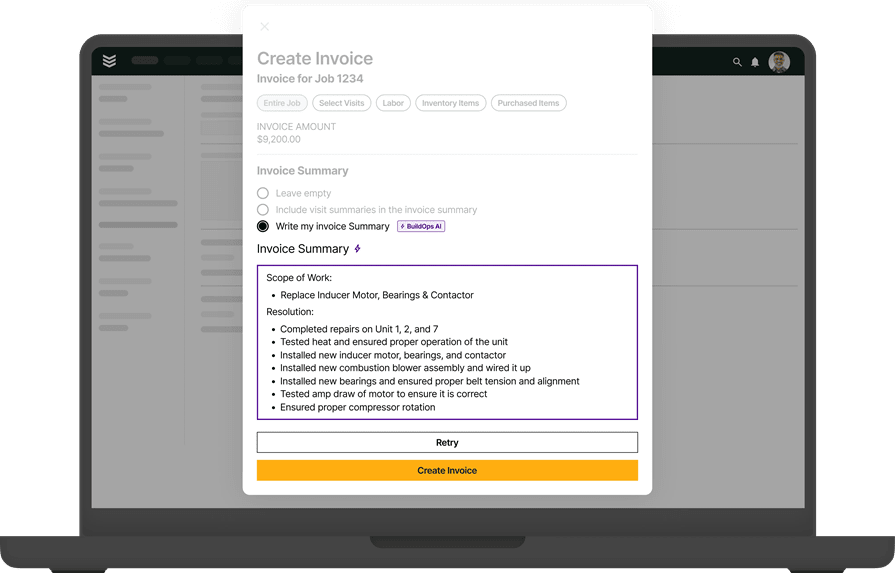
OpsAI pulls in field notes, visit details, job scope, and material usage to draft a clean, customer-ready purchase order, in plain language, not cryptic shorthand.
It lays out what’s needed, what’s ordered, and why, so approvers don’t chase context. The office reviews, tweaks if needed, and sends. No blank page. No missing parts list.
It runs directly inside invoicing and payments workflows, shrinking the gap between requested materials, approved spend, and recovered costs.
Smart dispatch
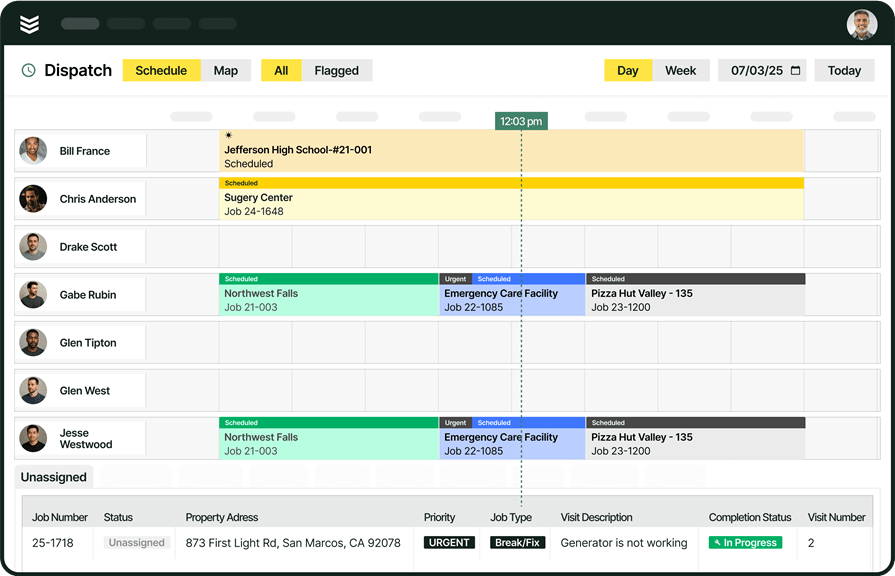
Before you even need a PO, the job has to land on the right tech with the right truck and inventory. OpsAI recommends the best match by skill, certifications, availability, and distance, so dispatchers stop guessing and techs stop making extra parts runs.
Contractors using Smart Dispatch have cut travel time by 50%. The Schedule Assistant surfaces the recommended tech and time slot as soon as the dispatcher opens the job. That’s intelligence built into scheduling and dispatch, not another system to remember.
Visit smart recap
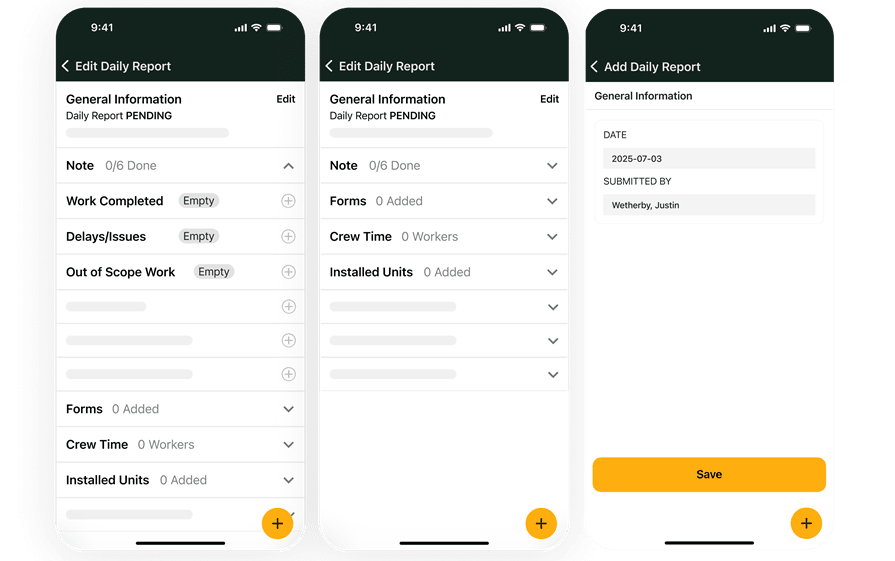
When a tech finishes a visit, OpsAI drafts the recap, what was done, what was found, and which materials were used or still needed.
Techs quickly confirm the AI summary, verify the materials list, and move on. If more parts are required, those details flow straight into a ready‑to‑approve purchase order.
Purchase, invoice, and payment dashboard
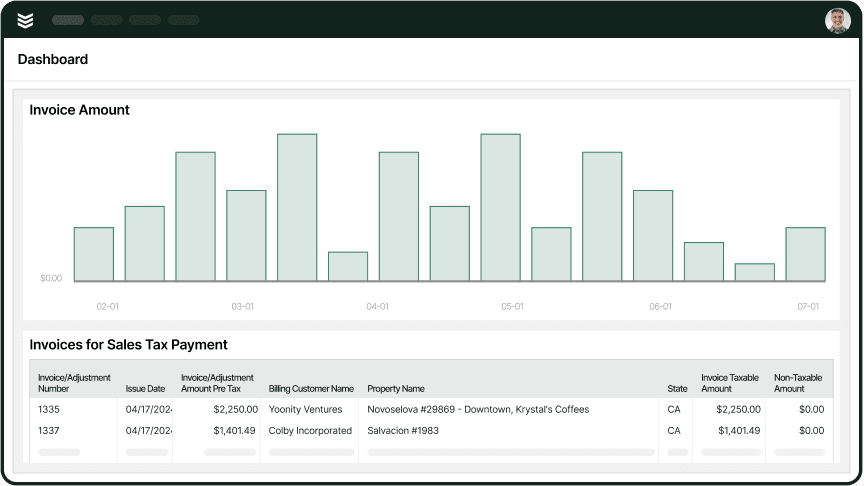
Every OpsAI-drafted purchase order ties back to the job, the visit, and the customer record, supporting accurate invoicing and faster payment downstream.
The office sees invoice and payment status as soon as they post, and OpsAI’s bulk payment scanning auto-applies remittances, cutting payment processing time by roughly 80%. Because POs are accurate and connected to the work, there’s less arguing over what was ordered, installed, and billed.
One contractor cut receivables from 120 days to 30 days after moving to BuildOps. Work, materials, and costs are captured correctly in the field and pushed through to POs and invoices the day the job closes via the technician’s mobile app.
Job-level reporting
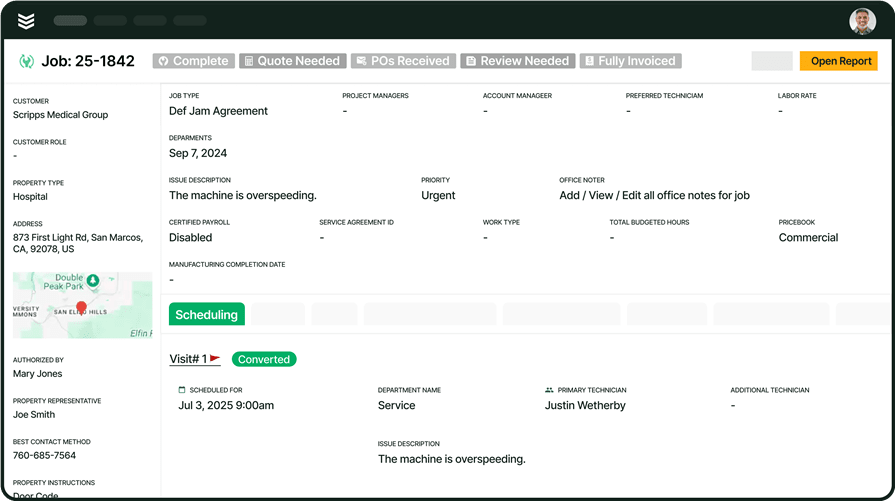
Every visit recap, every PO, every dispatched job becomes a data point inside reporting.
OpsAI surfaces overdue invoices, flags upsell signals, and highlights spending patterns on parts and equipment by job type or customer, so you can see which jobs trigger emergency orders, where standardizing materials would cut costs, and whether a contract is truly profitable, without a spreadsheet marathon.
The longer you run it, the clearer your operation becomes, from first site visit and purchase order to final invoice and payment.

AI has already started shifting how field service contractors handle their workflows. What used to take hours can now happen in minutes — with more accuracy and fewer surprises.
In our 2025 survey, The Pivot Point: AI and the Future of Commercial Contracting, 78% of contractors said they believe AI improves efficiency, and 47% are already using AI in some capacity for their field ops.
Which departments benefit most from using an AI-powered purchase order tool?
AI-powered field service PO tools touch every department a little differently, but the choke point is always the same: someone has to turn job chaos into a clean, traceable purchase order. AI removes that manual step. Here’s how it shows up across the operation:
- Service operations — Service managers juggle parts requests, rushed repairs, and vendor pricing before work even starts. AI builds draft POs from work orders, estimates, and preferred vendor catalogs, so ops leaders review and approve instead of building every PO from a blank screen.
- Field technicians — Techs flag what they need while they’re still at the unit: parts, materials, rentals. AI converts those field notes, photos, and part numbers into structured PO requests tied to the right job and asset. No guessing at illegible notes, no “what did you mean by this?” calls from the office.
- Construction operations — Project managers balance budgets, change orders, and long lead-time items across multiple phases. AI pulls from budgets, assemblies, and prior orders to generate POs mapped to the correct phase, cost code, and scope, so materials land on-site when needed, and the job cost report actually matches reality.
- Finance — Controllers and AP teams need every PO to reconcile cleanly with invoices and job costs. AI checks vendor invoices against approved POs, flags mismatches, and routes exceptions for review. The result: fewer manual matches, tighter cost control, and faster month-end close.
- Sales & marketing — Account managers use PO history to see what’s really happening in the field: high-failure parts, frequently ordered materials, and rising project costs. When PO data is structured and consistent, sales teams can surface trends, build proactive maintenance plans, and walk into QBRs with hard numbers, instead of hunting through emails and one-off spreadsheets.
{{related-content-block="/resources/layer-one"}}
End the double and triple PO data entry, with OpsAI
Commercial contractors don’t spend extra days on purchase orders because they’re sloppy. They lose them because critical details hide in tech notes, PDFs, and scattered systems that never connect the dots.
BuildOps changes that. It is the AI-powered platform built for commercial contractors, unifying field tickets, asset data, and financials so every PO reflects the real work happening in the field.
With OpsAI, purchase order summaries build themselves. The right scope, materials, and approvals are pulled in automatically, so POs go out faster, vendors get what they need, and your back office stays in sync with the field.
Want to see how AI-powered purchase order summaries can speed up procurement and keep projects moving? Book a demo built for commercial contractors.