Top 5 Questions Plumbers Ask Before Switching CRMs


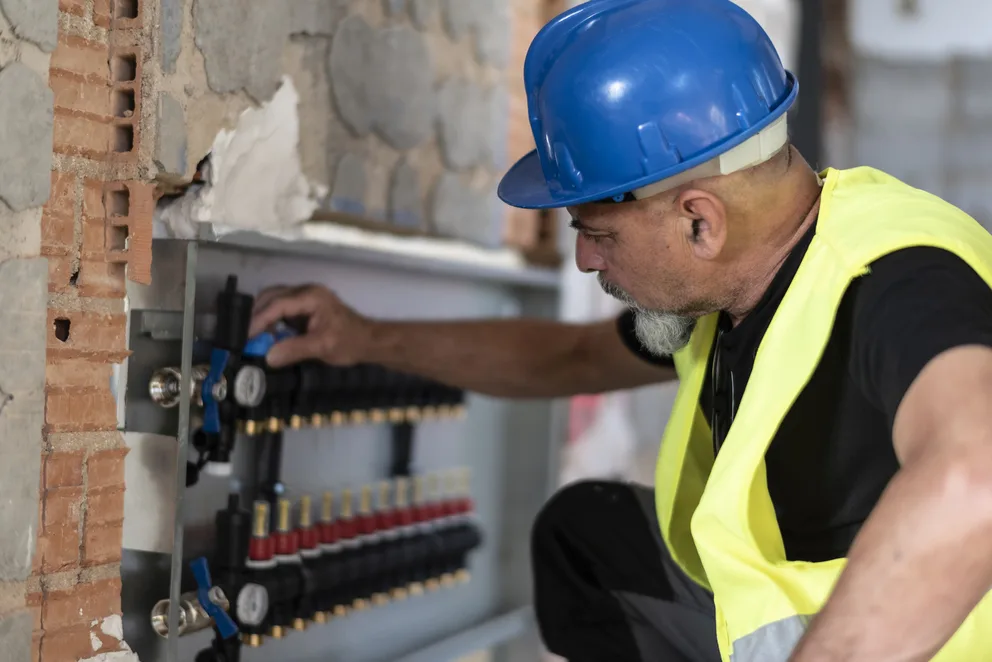
Switching CRMs usually is not about getting another piece of software. We talk to plumbing contractors every week who are trying to fix missed follow-ups, scattered customer history, and the gap between sales, service, and project work. Many operating in the plumbing service industry face the same issues trying to find a CRM that actually fits the way they work, so we’ve compiled a list of the top questions we get from plumbers looking to switch or set up a CRM.
A clear pattern came out of those conversations: no matter the size of the shop or the mix of work they handle, plumbers keep coming back to the same five questions when switching CRMs.
Top 5 questions we get from plumbers looking to switch CRMs
We talk to plumbing teams every week, from shops cleaning up customer records to crews trying to keep sales, service, and billing more connected. Across those conversations, the same five questions kept coming up about data, handoffs, field use, and whether a new CRM would really work for the way they run the business.
1. Can I move my customer history and data over without losing anything?
A CRM switch gets expensive fast when customer records, property details, and notes do not come over cleanly. Plumbing teams know that can mean weeks of cleanup, slower follow-up, and people working out of two systems at once. In our conversations, one team expected about a month to get fully configured, while another called their last software switch a six-month ordeal.
The Answer: Yes. BuildOps is designed to keep that data connected. CRM+ and core BuildOps share customer, property, contact, asset, and attachment data, so your team doesn’t have to manage one set of records in sales and another in operations. That’s a big reason to look at a system built around sales & CRM instead of patching together separate tools.
If the old system has duplicate or messy contact data, some cleanup may still be needed. But BuildOps supports contact import and customer/property associations, which makes it much easier to move over the history you need and keep it usable once your team is live.
2. Is this actually a CRM, or is it something broader?
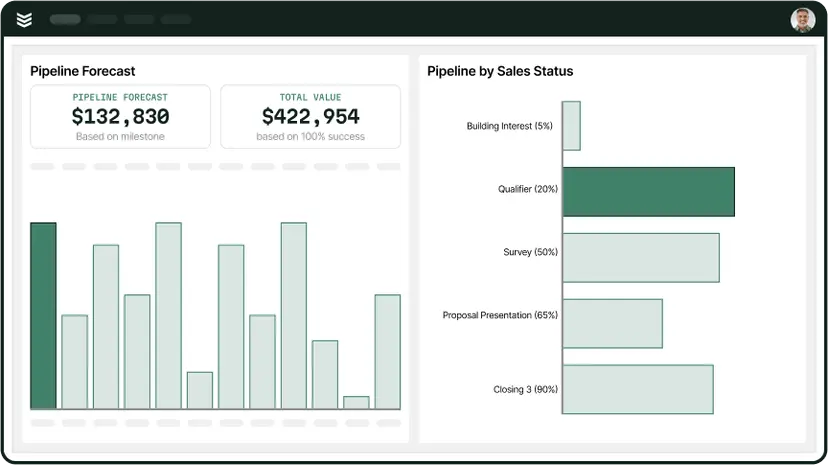
Plumbers ask this because they don’t want to buy a tool that only stores names, notes, and follow-up dates if the real problem is bigger than that. Usually, they’re trying to figure out whether this will just help the sales side stay organized, or whether it will actually connect sales activity to quoting, service, and the work that happens after a job is won.
The Answer: It’s broader than a basic CRM. BuildOps CRM is designed to manage pipeline, customer, and property details, activities, and opportunities, but it’s built inside the same system your team uses to run the work. BuildOps connects pre-sale activity to the rest of the customer lifecycle, keeping sales, service, and project work aligned as jobs move forward. You can see that in features like customer relationship management and sales-to-ops handoff.
For a plumbing company, that matters because the goal usually isn’t to get a CRM. The goal is to keep sales, estimating, and operations from drifting apart. BuildOps is built for that handoff, so when an opportunity turns into real work, the context doesn’t get left behind or re-entered from scratch.
3. Will this work for both plumbing service and project work?
A lot of plumbing companies are juggling more than one kind of job at a time. They may be handling recurring service calls, quoted repair work, and larger install or project work under the same roof. When a system only fits one of those workflows, teams usually end up splitting information across tools and creating extra handoffs that slow everything down.
The Answer: Yes. BuildOps is designed to support both service and project work inside the same platform. In CRM, opportunities can follow different workflows for projects, quoted jobs, and service agreements, so your team can manage the sale in one place and move it into the right type of work without starting over. That’s part of what makes quote to contract so useful for plumbing contractors.
That gives plumbers more flexibility as jobs move from lead to sold work. A smaller service opportunity and a larger project don’t need the same path, and BuildOps is built to handle that without forcing the team into one rigid process.
4. Can my field team create quotes, invoices, or job updates without all the extra office steps?
Plumbers usually ask this after dealing with the same slowdown over and over: the tech finishes the work, but the office still has to piece together notes, build the invoice, and chase down details before anything can move forward. That lag slows down closeout, delays billing, and gives recommended work more time to go cold.
The Answer: Yes. BuildOps gives techs the tools to handle that work in the field. In the technician mobile app, they can access work orders, add photos and reports, create quotes on-site, and send invoices before they leave the job. That cuts out a lot of the back-and-forth that usually slows plumbing teams down.
If you want that process tied directly to payment, Payments+ lets techs collect card payments or ACH in the field, with the payment record showing up in BuildOps right away. That gives the office fewer cleanup steps and gives the customer a faster path from completed work to paid invoice.
5. Will it fit into the tools my plumbing business already uses?
This question usually comes up when a plumbing company already has accounting software, email workflows, or other tools they rely on every day. They’re not looking to rip out everything at once. They want to know whether BuildOps can fit into the stack they already trust, or if switching creates another layer of manual work.
The Answer: Yes. BuildOps is built to connect with the rest of your operation, not sit beside it. BuildOps ties into email, ERP, and estimating tools, and the financial field service management software side syncs with systems like QuickBooks, Sage, and Intacct so invoicing, job costs, and payment records stay aligned without all the duplicate entry.
For plumbing teams, that usually means less disruption during the switch and fewer gaps afterward. Instead of creating another silo, BuildOps becomes the system that connects what sales, the field, and accounting are already doing.
{{related-content-block="/resources/ai-for-plumbing-companies"}}
5 key features to look for in a plumbing CRM software
The plumbing teams we talk to are usually not shopping for a CRM just to organize contacts. They are trying to keep customer history clean, move work through the field faster, and connect sales, service, and billing without adding extra steps. If that sounds familiar, these are five features to pay close attention to.
1. Job & customer tracking
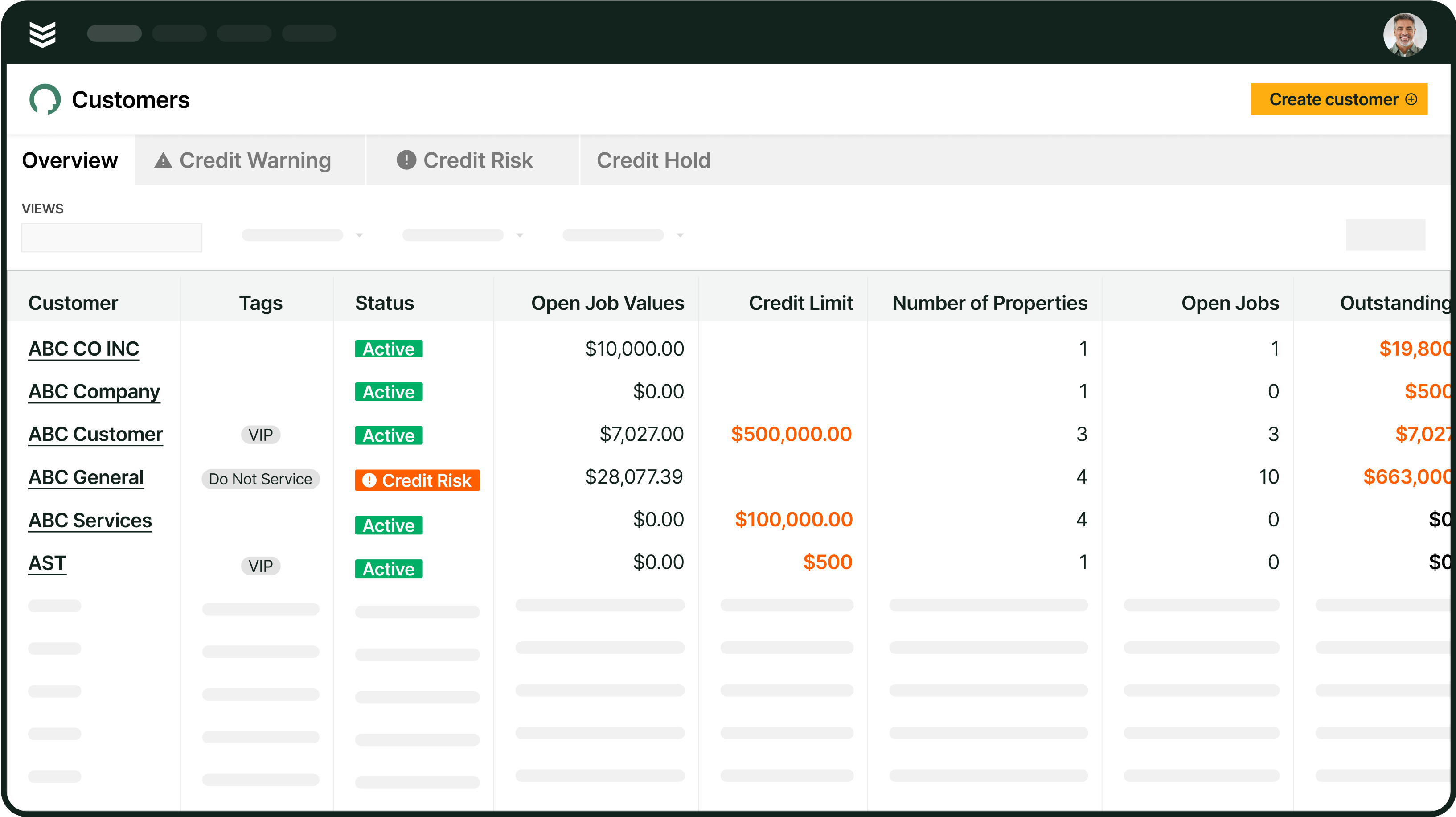
A strong CRM should give your team a clear view of every customer, property, contact, and service record without making them dig through separate systems. With customer relationship management, plumbers can keep customer history tied to the work itself, which makes it easier to track repeat issues, spot new sales opportunities, and keep the handoff from the office to the field clean. If sales is part of the workflow too, a connected sales & CRM setup helps the team manage both prospects and active customers in one place.
2. Automated scheduling & dispatch
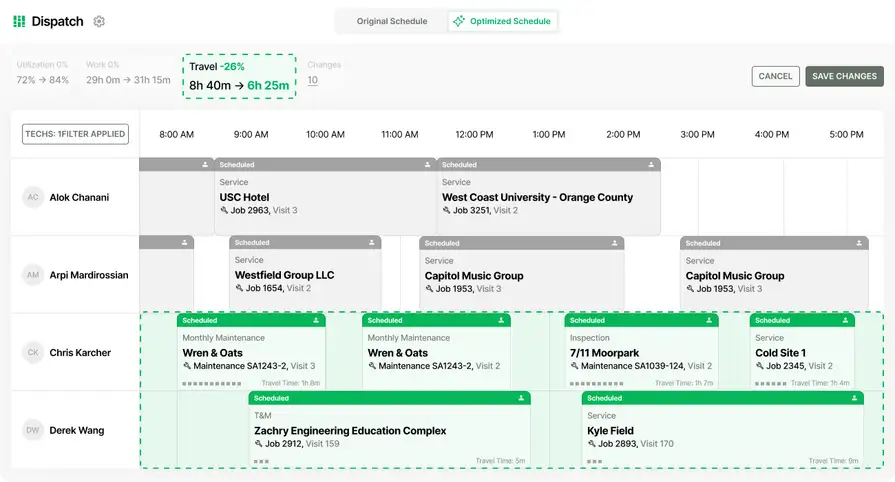
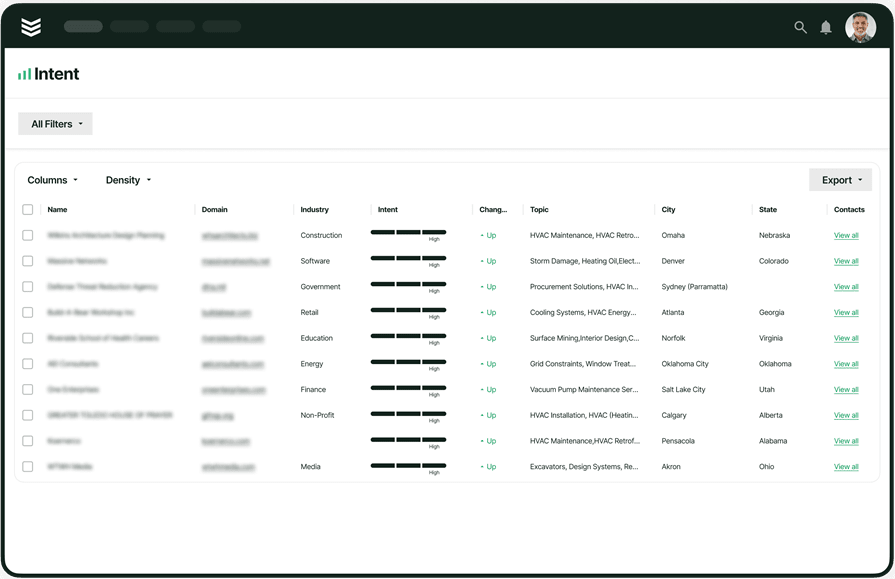
When calls stack up, dispatch cannot live on whiteboards and memory. Plumbing teams need scheduling that helps them assign the right tech based on skill, availability, and location, then adjust quickly when the day changes. BuildOps supports that with scheduling & dispatch, and OpsAI adds Smart Dispatch inside the workflow to recommend the best fit while helping cut wasted drive time and double-booking.
3. Mobile access for on-the-go updates
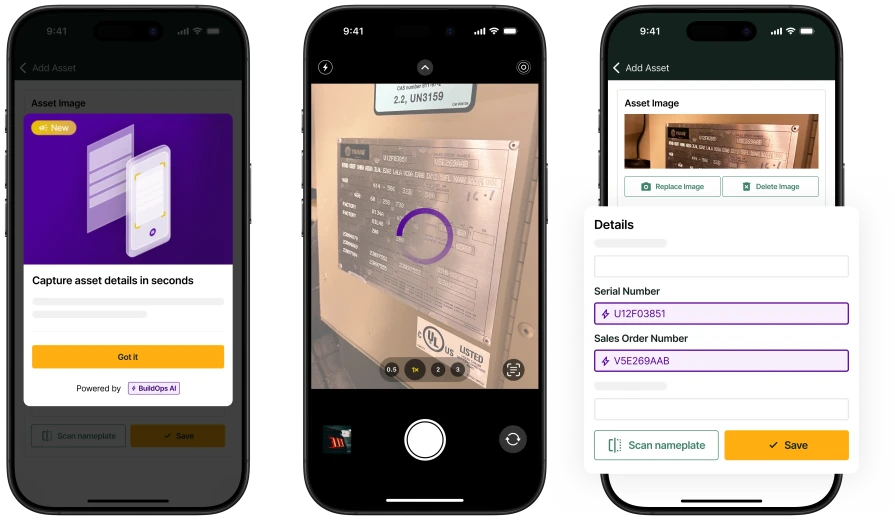
Plumbers do not work from a desk, so the CRM has to travel with them. A good system lets techs update notes, upload photos, check job details, and capture field information without waiting until the end of the day. The technician mobile app gives field techs real-time access to visits, quotes, and reports, so the office gets cleaner information and customers get faster follow-up.
4. Invoicing & payment integration

If your team finishes the work but billing gets stuck in the office, cash flow slows down fast. A plumbing CRM should connect the job to the invoice and make payment collection easier, not create another admin step. With invoicing, teams can bill from job-backed records, and Payments+ gives contractors a way to collect card or ACH payments and keep those records connected inside BuildOps.
5. Automated follow-ups & reminders

A lot of repeat work comes from staying in front of the customer before the next issue turns urgent. The right CRM helps plumbers follow up on open quotes, stay on top of service agreements, and keep recommended work from going cold. That is where tools tied to preventative maintenance and pull-through work can help, because they connect service history to the next sales opportunity instead of leaving it buried in notes.
Choosing the right plumbing CRM for you: questions to ask in a demo
A demo should tell you one thing fast: can this system handle the way your company actually sells and runs work? You are not there for a feature tour. You are there to see how customer info, quoting, scheduling, billing, and follow-up hold together when the day gets busy. Here are six questions worth asking when the demo starts.
- Can you show me how this works from the first call to the finished job? – Plumbing contractors do not need another tool that only handles one part of the job. Ask them to walk through the full path, starting with the customer record and ending with completed work and payment. That gives you a clearer picture of whether the system fits the way your team actually operates.
- What happens after a quote gets approved? – A lot of systems look fine until the sale turns into real work. Ask what the handoff looks like after approval and whether anyone has to re-enter customer info, scope, or job details. If the next step depends on extra office cleanup, that problem will show up every day.
- Can my field team update the job, build a quote, and invoice from the jobsite? – This gets to how much work your techs can finish in the field instead of pushing it back to the office. Ask them to show notes, photos, quote creation, and invoicing during the same workflow. The fewer delays between the work and the paperwork, the better.
- How much of our customer history can we bring over, and what usually needs cleanup? – Most plumbing companies are switching from something, even if that something is a mix of spreadsheets, inboxes, and old software. Ask what data comes over cleanly, what usually creates issues, and how duplicate records get handled. A straight answer here is better than a polished one.
- What can I actually track without building reports from scratch? – Owners and managers need quick answers on open opportunities, sold work, invoice status, and where jobs are getting stuck. Ask them to show what your office can see right away. If reporting depends on exports and manual spreadsheet work, you are still doing too much of it by hand.
- What will this need to connect with on day one? – No plumbing company wants a switch that breaks accounting, slows billing, or creates double entry. Ask what tools the system needs to work with from the start and what that setup looks like in the real world. That will tell you a lot about how disruptive the rollout will be for your team.
{{related-content-block="/resources/how-jbs-took-back-control-with-build-ops"}}
A plumbing CRM should keep customer history, quoting, service, and billing connected so your team can move work forward without extra handoffs. That is where BuildOps stands out. With OpsAI built into the workflow, your team can stay on top of follow-ups, keep the office and field aligned, and spend less time chasing details.
Ready to see how that looks in practice? Book a demo and have the team walk through the exact sales, quoting, and service workflows your plumbing business needs.