How AI Tools Help Contractors Unlock Business Growth

Contractors chasing growth hit the same wall: more work, same manual chaos. Spreadsheets lag. Dispatchers guess. Invoices stall.
AI built for contractors fixes that. It automates busywork across teams, connects field and office, and surfaces real-time insights—so you can grow every part of the business without piling on overhead.
This guide breaks down how AI drives measurable gains across field service operations and what to look for when evaluating platforms. Here's what we cover:
- How AI tools drive business growth for contractors
- 5 benefits of using an AI-powered tool for contractor business growth
- 4 key use cases for AI business growth solutions
- How to choose the right AI construction tool for business growth
- 6 key features to look for in an AI-powered business growth tool
- 7 best AI solutions for contractors looking to grow their business
Below, we show how AI enables contractors to shift from task-heavy management to a proactive, scalable system that compounds value across scheduling, billing, customer service, and strategic decision-making.
{{related-content-block="/resources/from-reactive-to-proactive"}}
How AI tools drive business growth for contractors
Growth in trade services isn’t about how many people you hire—it’s about how much value you get from every job. AI becomes a force multiplier for service leaders by turning manual, time-heavy tasks into streamlined, automated workflows. When those capabilities evolve into agentic AI workflows that can independently trigger actions, route information, and coordinate follow-ups, the impact compounds across every part of the operation.
This shift replaces constant firefighting with focused, strategic execution. By weaving AI and agentic workflows into daily operations, contractors capture and interpret real-time data, finally syncing the field with the office. With that visibility, leaders tighten schedules, accelerate billing, and deliver the always-on responsiveness customers expect—reducing admin drag and freeing the business to scale, protect margins, and double down on reliable, high-quality service.
5 benefits of using an AI-powered tool for contractor business growth
Smart, data-driven tools give contractors a measurable edge by automating the workflows that quietly drain margins and stall growth. Below are five essential advantages for service operations ready to push beyond their current capacity.
- Faster, smarter scheduling and dispatch: AI matches techs to jobs based on skills, certifications, location, and workload—eliminating the guesswork that leads to wasted drive time and mismatched assignments. An AI field service assistant handles the real-time reshuffling that dispatchers used to manage manually, keeping crews productive across every shift.
- Reduced administrative drag: From auto-generating service reports to syncing field notes with the back office, AI cuts the paperwork that buries office teams. Techs talk through what they did, and the system builds a clean job record with photos, parts, and readings—no end-of-day data entry required.
- Tighter cash flow through automated billing: AI converts completed work into accurate invoices the moment a job closes, slashing days sales outstanding and eliminating manual entry errors. When invoicing and payments live inside the same system techs already use, the service-to-cash cycle shrinks dramatically.
- Proactive maintenance over reactive break-fix: Predictive AI analyzes equipment history and usage patterns to flag failures before they happen, turning emergency calls into planned visits. Contractors who adopt AI across their field service ERP shift revenue from unpredictable break-fix work toward higher-margin service agreements.
- Scalable operations without proportional headcount: AI handles the coordination load—routing, follow-ups, documentation, compliance checks—that normally requires adding staff as job volume grows. With AI embedded in daily contractor workflows, teams take on more work while keeping overhead flat and execution consistent.
With these advantages compounding across every job, the next question is where AI delivers the highest-impact results. Let's look at the four use cases driving the biggest operational gains for contractors today.
4 key use cases for AI business growth solutions
AI delivers the strongest returns when it targets the workflows that touch every job, every customer, and every dollar moving through your operation. Here are four areas where contractors see the fastest compounding impact.
1. Operations & administration
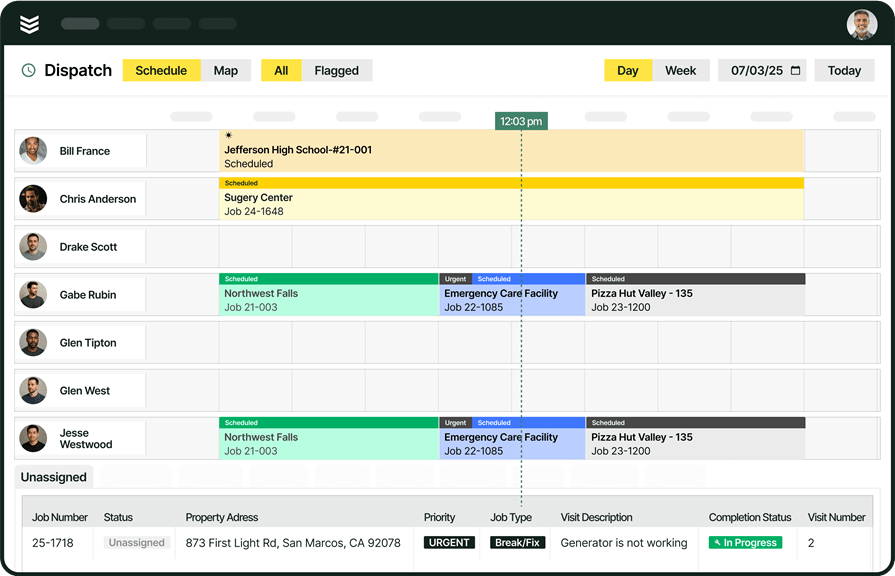
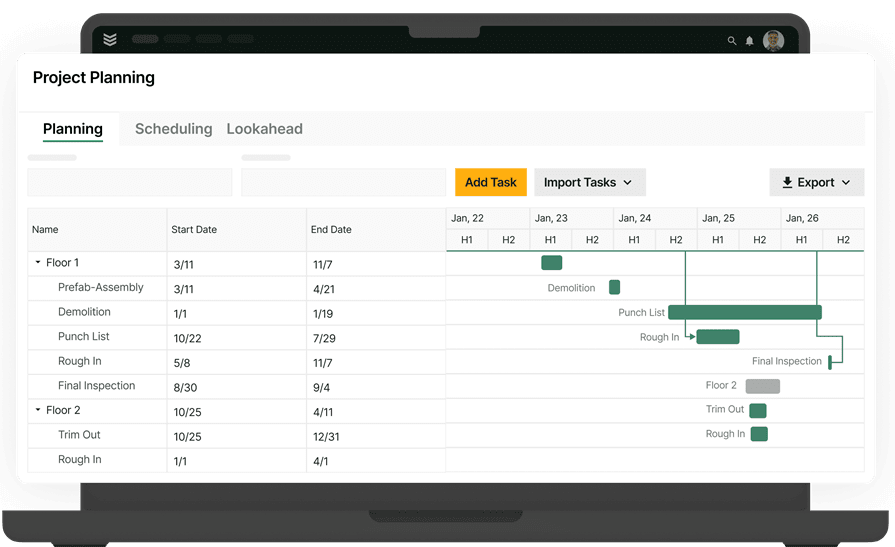
Eliminate the manual coordination that bogs down dispatchers and office managers by automatically matching techs to jobs based on skills, certifications, location, and real-time workload. Platforms with AI field service scheduling continuously rebalance the board as priorities shift, keeping crews productive and cutting idle time between calls so growing job volume doesn't require growing your back-office headcount.
2. Customer service
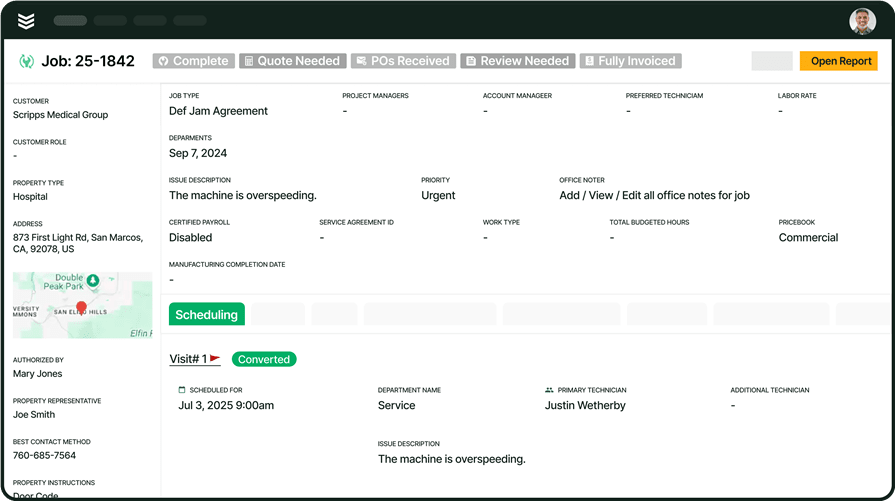
Missed appointments and communication gaps erode trust faster than any service failure. AI automates confirmations, sends real-time ETA updates, and flags high-risk appointments before they fall off the calendar, helping contractors reduce cancellations across their service schedule and keep customers engaged from booking through closeout.
3. Strategy & decision-making
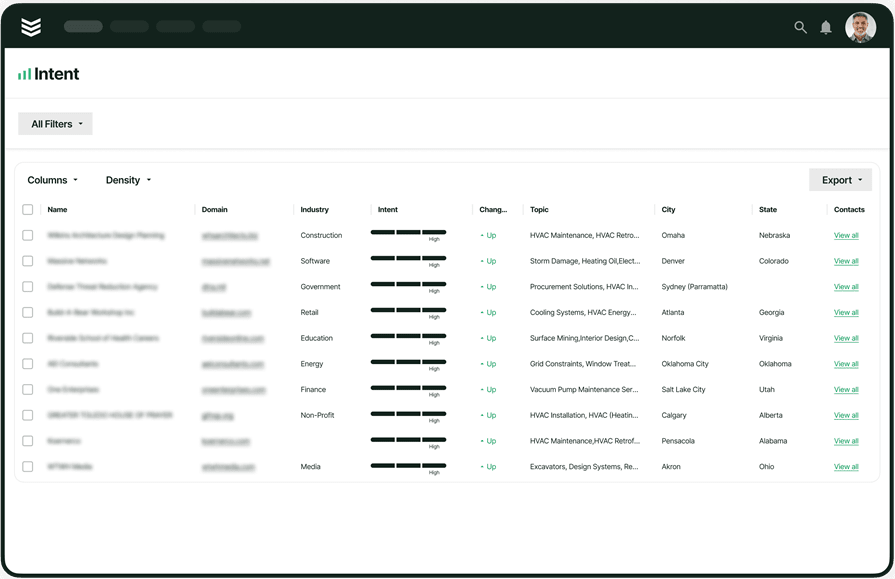
AI surfaces patterns buried in job data, including labor drift, material overuse, and underperforming service lines, and turns them into actionable insights before they show up in the P&L. Leaders can compare every job against its original estimate, spot margin erosion early, and reallocate resources based on real performance data instead of gut instinct.
4. Automated cash flow acceleration
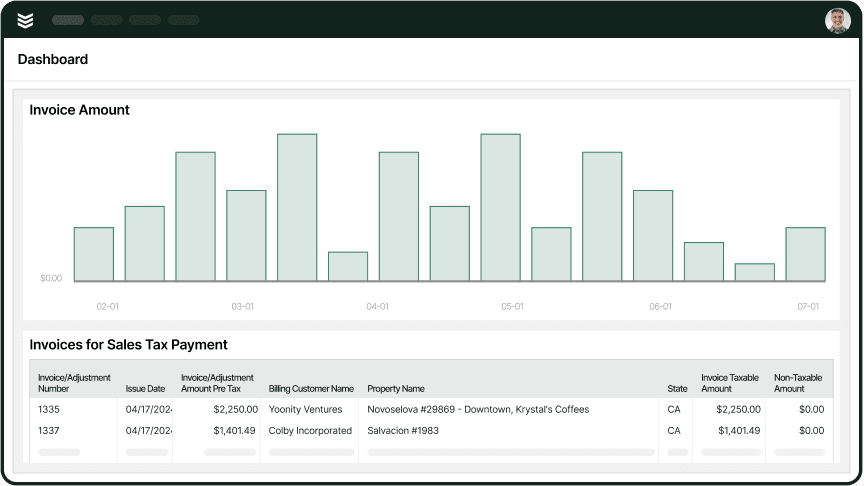
The moment a tech closes out a job, your completed work is already on its way to becoming cash. Smart automation turns every task, part, and change order into an accurate invoice—no manual entry, no second-guessing. The result: faster billing, fewer pricing disputes, and more working capital ready to fuel your next stage of growth.

AI has already started shifting how construction contractors handle their field service workflows. What used to take hours can now happen in minutes — with more accuracy and fewer surprises.
In our 2025 survey, The Pivot Point: AI and the Future of Commercial Contracting, 78% of contractors said they believe AI improves efficiency, and 47% are already using AI in some capacity for their field ops.
How to choose the right AI construction tool for business growth
Contractors require robust, scalable software that works out of the box, offering a comprehensive suite of field service tools built in to help run a more efficient and profitable operation.
Here’s what to consider before making a decision:
- Ease of Use – Service businesses need intuitive systems that minimize training time for field teams. The system you choose must be quick to learn, ensuring that technicians can access schedules, job details, and customer info easily without slowing down growing operations.
- Scalability – Managing increased volume and operational complexity means taking on more jobs and customers without overhauling your entire system. FSM software should allow you to add new users and expand features as your team grows—without expensive upgrades or complicated processes.
- Automation & Efficiency – Professional contractors often oversee multiple roles, which makes minimizing manual administrative work essential. Look for FSM software that automates scheduling, invoices, and customer updates. The less time spent on paperwork, the more time you have to focus on serving customers and growing the operation.
- Mobile Accessibility – Field teams are usually on-site, requiring full remote access to job details, payments, and updates right from their phones. Is the system truly built for mobile use, ensuring the office and field remain synced in real-time?
- Features – Growing operations must focus on software that simplifies core tasks like scheduling, dispatching, invoicing, and reporting. Does it offer the features that match your needs today, with the professional flexibility required for tomorrow?
6 key features to look for in an AI-powered business growth tool
The features in your platform decide if it saves time, boosts cash flow, and protects profits. Here’s what to look for in AI built to run the business side of construction.
1. Real-time resource optimization and dispatch
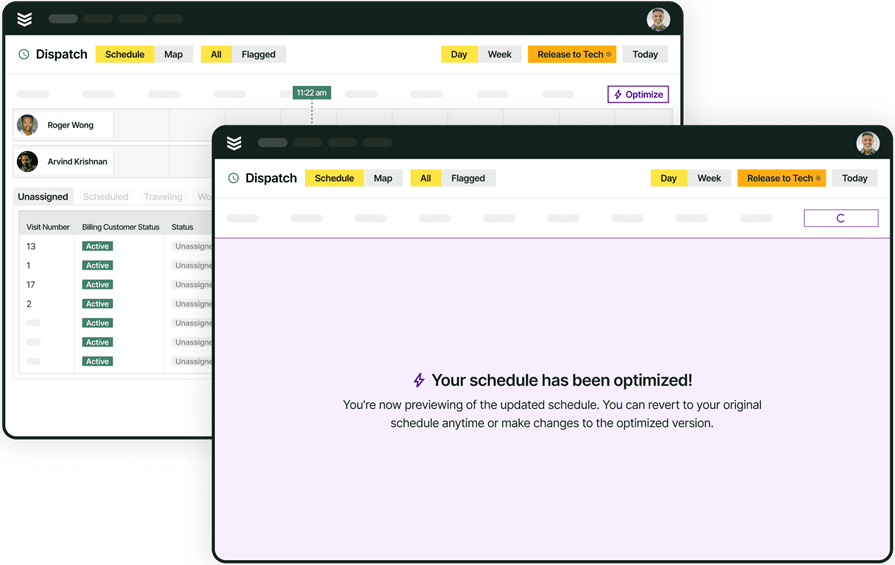
Coordinating crews and equipment across multiple jobs requires instant visibility into labor productivity and asset utilization. Scheduling and smart dispatch software uses AI to optimize assignments, reassign, and reroute crews on the fly—ensuring maximum billable time and reducing non-productive labor costs. This is critical for scaling a profitable operation.
2. AI-powered financial forecasting and risk management
AI should move beyond tracking tasks and actively help you protect profit margins. AI for field service analyzes historical and real-time job data to predict financial risks, flag potential budget overruns, and forecast cash flow. This intelligence allows leadership to make proactive business decisions that safeguard profitability across their entire portfolio of contracts.
3. Seamless field-to-office data integration
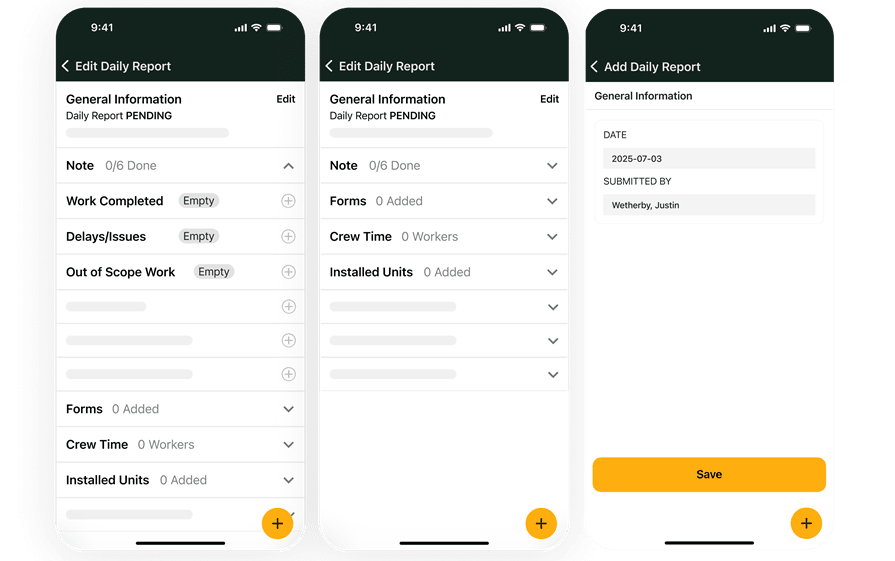
For accurate business reporting, data must flow instantly from the job site back to the financial systems. A technician mobile app gives field crews access to work orders, site documents, and reporting tools, ensuring all billable hours, change orders, and material consumption are captured accurately in real time—closing the gap between work performed and revenue recognized.
4. Invoicing & payments processing
Maintaining healthy working capital is vital for growth. Automated invoicing and payment processing tools generate accurate invoices immediately upon job completion and accelerate payment collection. By reducing days sales outstanding (DSO), this automation directly improves cash flow for the entire business.
5. Executive-level business intelligence and reporting
Profitability is driven by clear, actionable business data, not just project metrics. Construction reporting tools provide comprehensive business intelligence, tracking key performance indicators (KPIs) like profit margins, labor utilization rates, cost-of-goods-sold variances, and overall financial health—giving executives the oversight needed to strategize and scale the company.
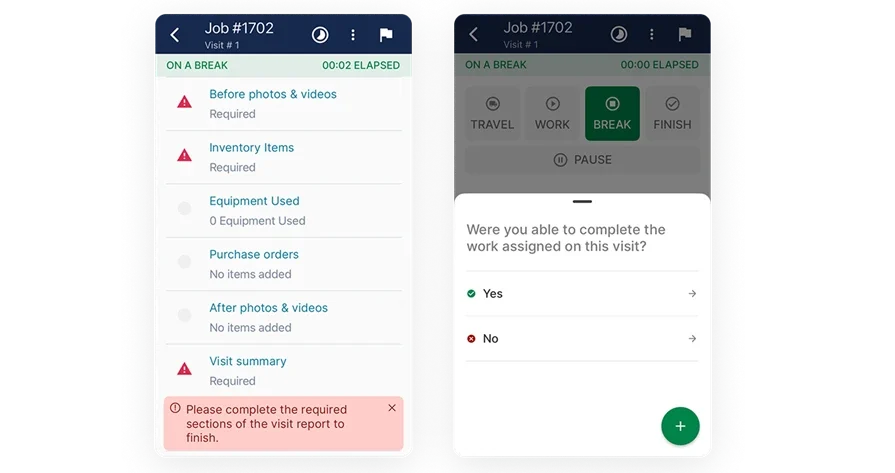
Other valuable AI capabilities for overall construction business intelligence
Beyond the core capabilities above, a few additional features add serious operational value for construction contractors managing complex field operations.
- Service quoting — Fast, accurate quotes keep the sales pipeline moving. Service quoting software lets teams build and send professional quotes from the field or the office, reducing turnaround time and improving close rates.
- Customer and project relationship management — Tracking client history, project details, and communication in one place prevents things from falling through the cracks. A field service CRM centralizes every interaction so teams can manage relationships without digging through emails or spreadsheets.
- Fleet tracking and management — Knowing where trucks and equipment are at all times reduces wasted trips and improves response times. Construction fleet management software provides real-time GPS tracking, maintenance alerts, and utilization data across your entire fleet.
- Service agreements and recurring work — Managing ongoing maintenance contracts manually leads to missed visits and lost revenue. Service agreement management tools automate scheduling, renewals, and reminders so no contract obligation slips.
- Automated time tracking — Manual timesheets create payroll headaches and compliance risks. Construction time tracking software logs hours automatically based on job check-ins, keeping labor records accurate without extra admin work.
With these business-critical features in mind, the next step is identifying which platforms provide the best AI tools for construction business management. Let’s evaluate the top solutions and how they impact your overall operational strategy.
7 best AI solutions for contractors looking to grow their business
The right tool for your operation depends on the specific services you provide to your customers. Check out our top choices organized by different service business types.
1. Best for commercial contractors: BuildOps
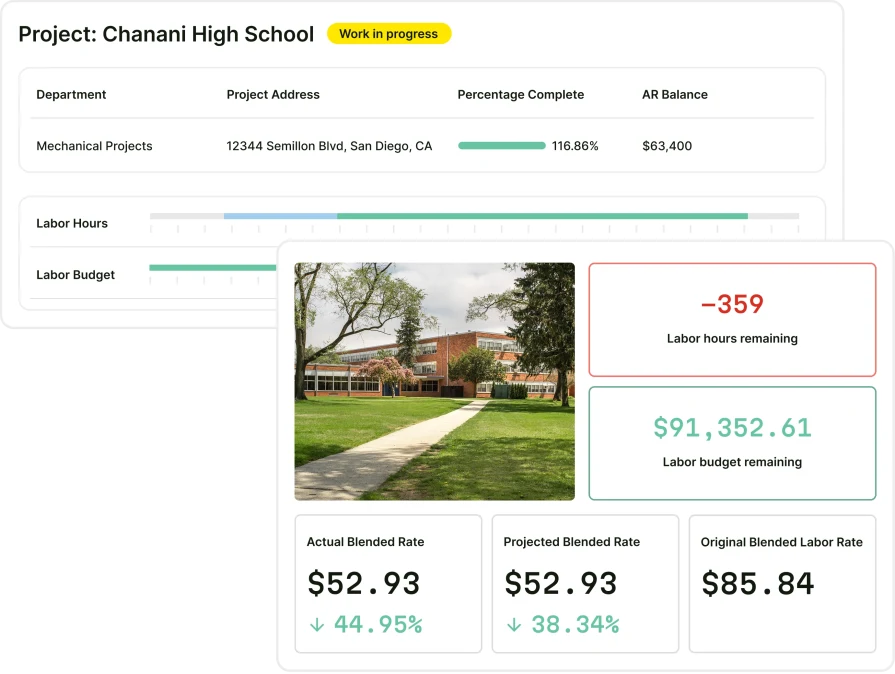
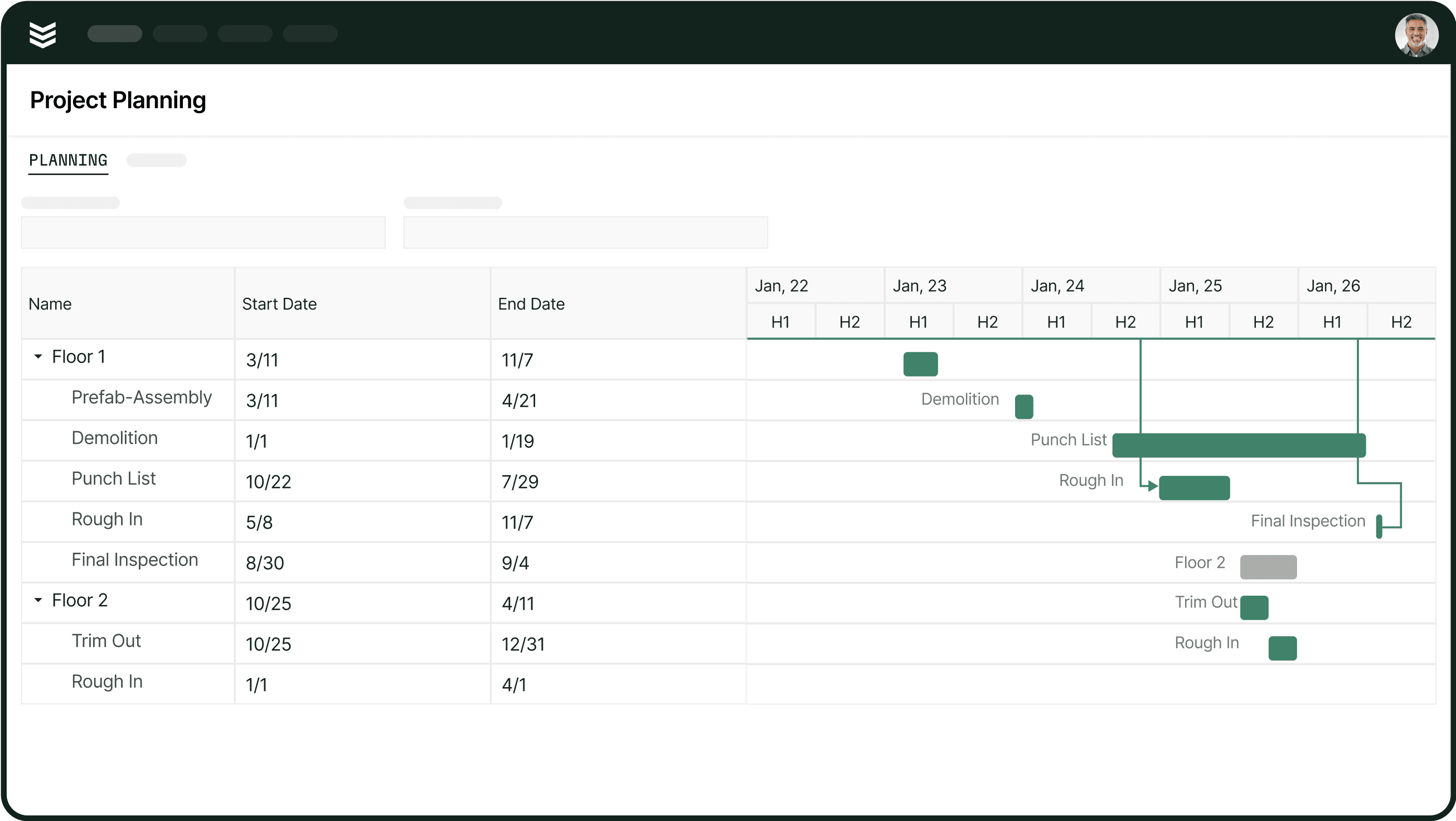
BuildOps gives commercial contractors an AI-powered platform to grow revenue and margins. It connects project management, scheduling, dispatching, invoicing, and reporting in one system so teams move faster, make better decisions, and scale without adding overhead.
OpsAI turns unstructured field data—crew notes, photos, receipts, and more—into accurate, actionable insights that drive business growth. It automates documentation, powers smarter pricing and forecasting, streamlines workflows from first dispatch to final closeout, and ensures every job, contract, and service agreement is captured cleanly for maximum profitability.
How Pricing Works: BuildOps offers pricing on a per-company basis, ensuring that service businesses only pay for the specific tools required for their operations.
What Sets It Apart for Commercial: BuildOps provides advanced job costing, project tracking, and multi-location service management—features that are essential for commercial contractors managing complex growth.
Rating: 4.4 on Capterra from 177 user reviews
2. Best for residential service specialists: Housecall Pro
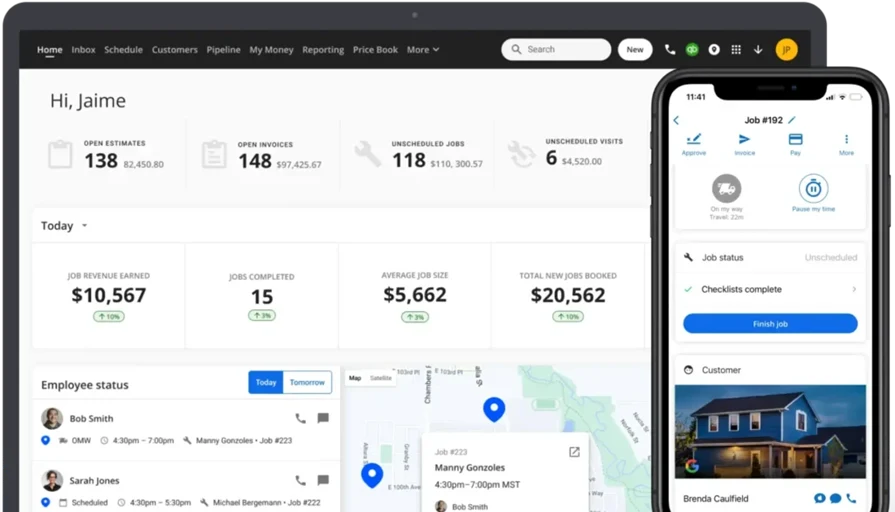
Housecall Pro is a strong choice for residential service specialists in trades like HVAC, plumbing, and electrical work. It offers streamlined job scheduling, automated customer communication, and efficient payment processing for residential contractors.
How Pricing Works: Housecall Pro offers tiered pricing, with plans covering core scheduling and invoicing, while premium options include advanced reporting and automation for growing operations.
What Sets It Apart for Residential Services: Housecall Pro excels in customer communication, offering automated appointment reminders, online booking, and a client self-service portal.
Rating: 4.7 on Capterra from 2,741 user reviews
Check out our head-to-head comparison of HousecallPro vs BuildOps.
3. Best for general contractors: Jobber
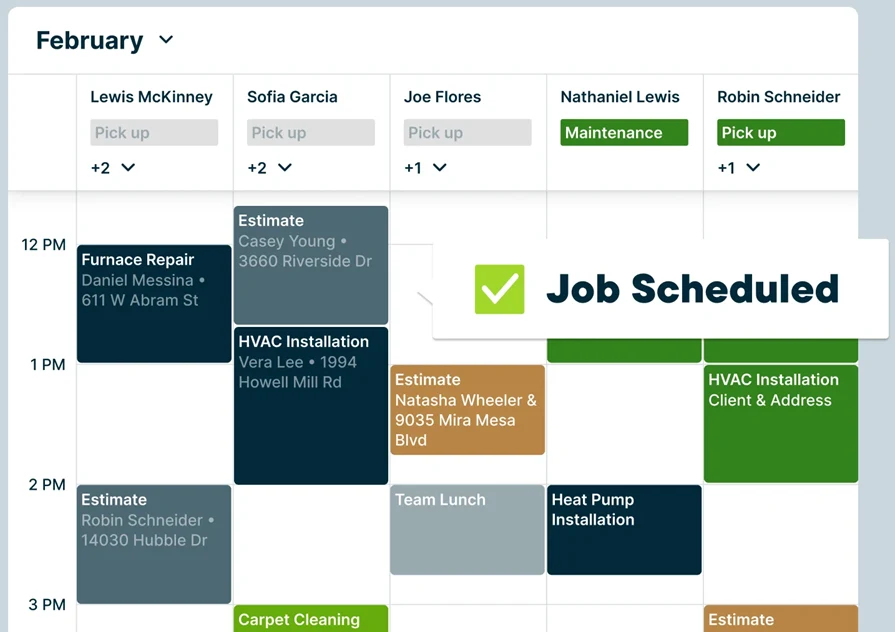
Jobber is a versatile FSM platform designed for general contractors who handle a mix of service calls, installations, and maintenance work. It offers comprehensive customer management and invoicing tools in a professional interface for service businesses.
How Pricing Works: Jobber provides multiple pricing tiers tailored to the scale of the contractor, with higher plans including advanced automation and reporting.
What Sets It Apart for General Contractors: Jobber simplifies client communication with automated follow-ups and allows contractors to track job progress with a mobile-friendly dashboard.
Rating: 4.6 on Capterra from 1,458 user reviews
4. Best for lead management: Workiz
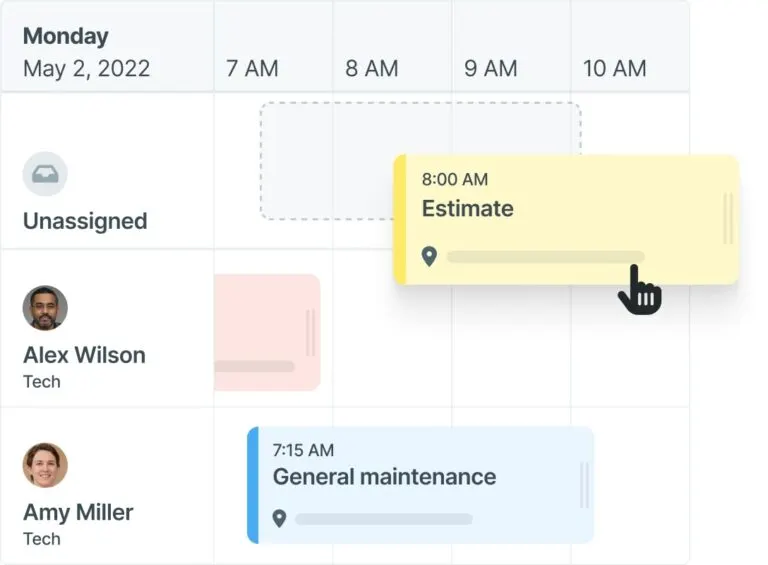
Workiz is a premier choice for lead-driven and sales-focused contractors. It integrates lead tracking, call management, and automated follow-ups to help service businesses convert inquiries into booked jobs with high efficiency.
How Pricing Works: Workiz offers subscription-based pricing that scales according to the operational volume and feature requirements of the contractor.
What Sets It Apart for Lead Management: Built-in automation helps sales-focused contractors respond to inquiries faster, ensuring growing operations never miss an opportunity.
Rating: 4.4 on Capterra from 218 user reviews
5. Best for scalability: Service Fusion
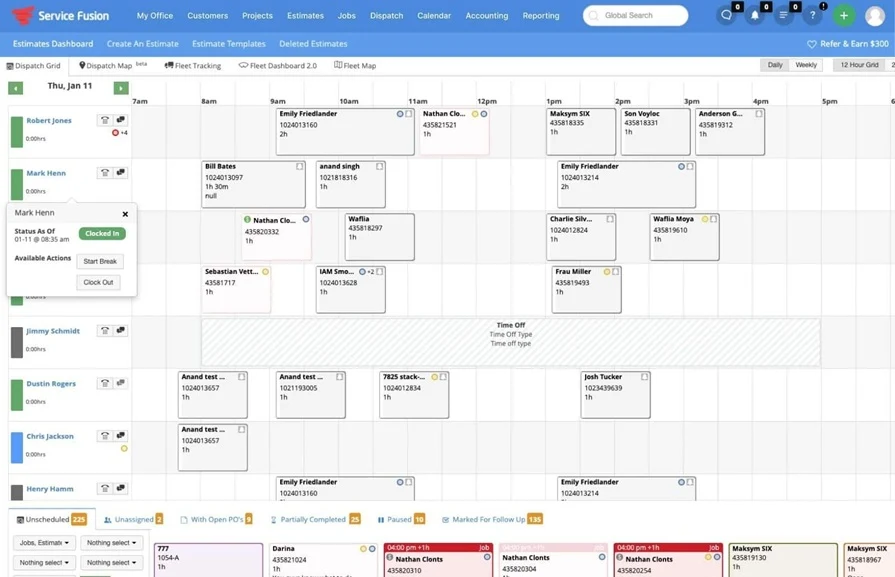
Service Fusion is designed for growing service operations looking to scale without overcomplicating their workflows. It maintains a professional focus on job scheduling, GPS tracking, and invoicing while supporting the expansion of the business.
How Pricing Works: Service Fusion offers flat-rate pricing, providing a cost-effective path for contractors planning to scale their field and office teams.
What Sets It Apart for Scalability: The support for unlimited users and integration with professional financial systems makes it a solid choice for contractors preparing for significant growth.
Rating: 4.3 on Capterra from 308 user reviews
6. Best for ease of use: Kickserv
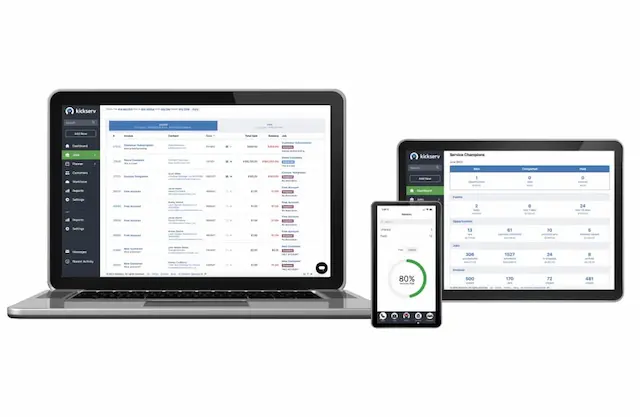
Kickserv provides an intuitive, streamlined FSM solution for efficient service management. It offers a professional interface for scheduling, invoicing, and customer management, making it an ideal entry point for contractors focusing on operational clarity.
How Pricing Works: Kickserv offers tiered plans that add capacity for more users and advanced features like automated follow-ups as the operation matures.
What Sets It Apart for Ease of Use: The streamlined scheduling and mobile-friendly updates ensure that field teams can maintain high productivity across all service tasks.
Rating: 4.4 on Capterra from 387 user reviews
7. Best for scheduling & dispatching: Service Autopilot
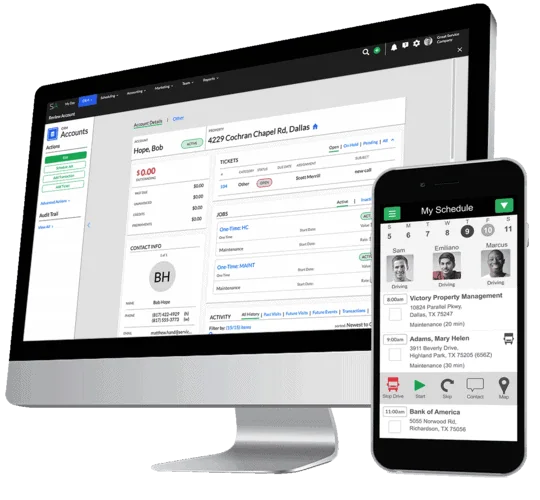
Service Autopilot is built for dispatch-heavy operations such as landscaping and maintenance. It automates job assignments and optimizes technician routes to maximize efficiency for high-volume service businesses.
How Pricing Works: Service Autopilot utilizes a model where higher tiers unlock advanced automation and route optimization for growing operations.
What Sets It Apart for Scheduling & Dispatching: The system reduces downtime for dispatch-heavy operations by automatically aligning technician location and skillsets with job requirements.
Rating: 4.1 on Capterra from 139 user reviews
{{related-content-block="/resources/how-service-1st-got-rid-of-the-work-arounds"}}
Fragmented tools and manual handoffs don’t just slow your teams down—they quietly erode the growth potential of every job, every contract, every customer relationship.
BuildOps gives commercial contractors an AI-powered operations hub that connects the field and the back office in real time. Dispatch, tickets, work orders, and financials live in one intelligent system of record, so your teams move faster, your data gets sharper, and your margins have room to expand.
With OpsAI, your operational history becomes a predictive growth engine. From job-level and portfolio forecasting to risk alerts and intelligent cash-flow acceleration, your leadership team gains the signal they need to scale with discipline and confidence.
See how AI-native tools built for commercial contractors can unlock your next stage of growth. Schedule a free demo.