5 Ways AI Reduces Operating Costs for HVAC Contractors

AI is a powerful way for HVAC contractors to cut operational costs across the board. By optimizing routing, predicting demand, automating dispatch, and keeping schedules full of profitable work, AI reduces wasted drive time, fuel, and payroll while boosting technician productivity.
When more of your day turns into billable work, your HVAC field service operation runs leaner, more predictable, and more profitable—without sacrificing service quality. To give you some actionable ways to do that and see exactly how AI can reduce operational costs for your HVAC operation, here’s what we’ll cover:
- 5 ways AI reduces operational costs for HVAC contractors
- 7 best tools that use AI to reduce operational costs for HVAC contractors
- 5 questions to ask when choosing AI software for reducing HVAC costs
- 4 important FAQs on reducing HVAC operational costs using AI
Vet AI tools for impact: choose ones that cut costs by automating follow-up, boosting job transparency, and deepening client engagement.
{{related-content-block="/resources/ai-automation-hvac-services"}}
5 ways AI reduces operational costs for HVAC contractors
Operational costs shrink when your team spends less time pushing paper and more time solving problems in the field. Smart dispatching tools forecast likely equipment failures, flag calls that don’t actually need a truck roll, and tighten routes so overtime, fuel use, and windshield time all start to drop.
1. Predictive scheduling & customer notification
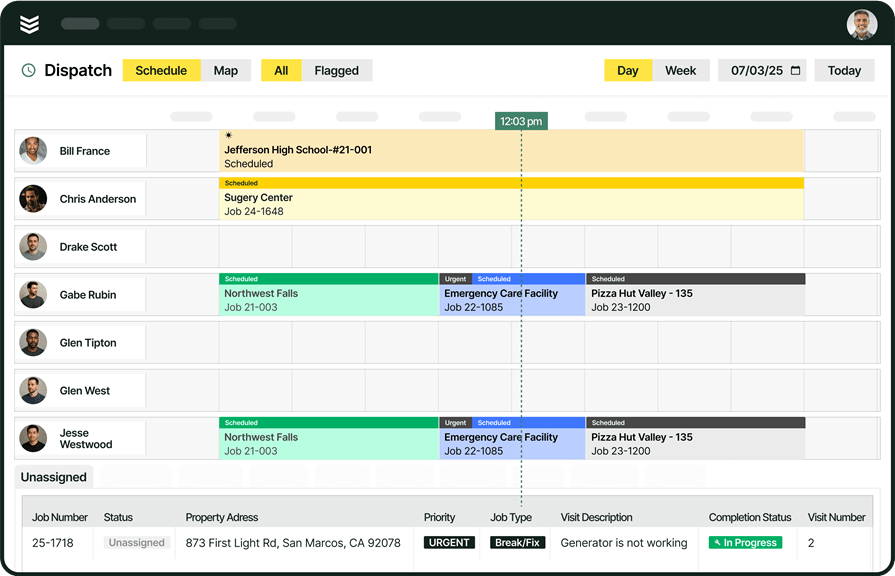
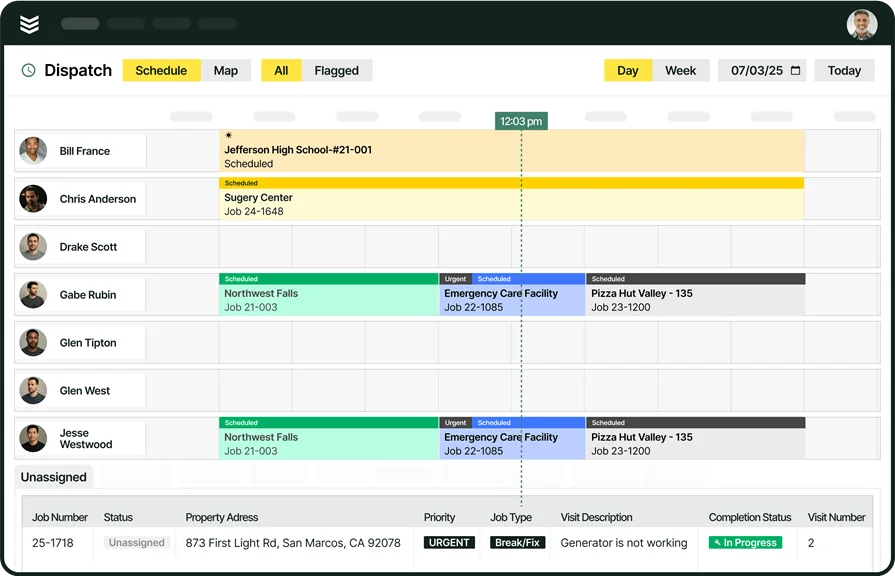
AI uses powerful automated scheduling to ensure the right technician is assigned instantly, matching their specific HVAC expertise to the job requirement. This efficiency minimizes wasted labor hours and ensures every service call is handled by the most qualified pro. Further boosting operational capacity, this system pairs with smart dispatch tools to automatically optimize technician routing, significantly reducing idle time and overhead between appointments.
2. Automated reporting for customer trust
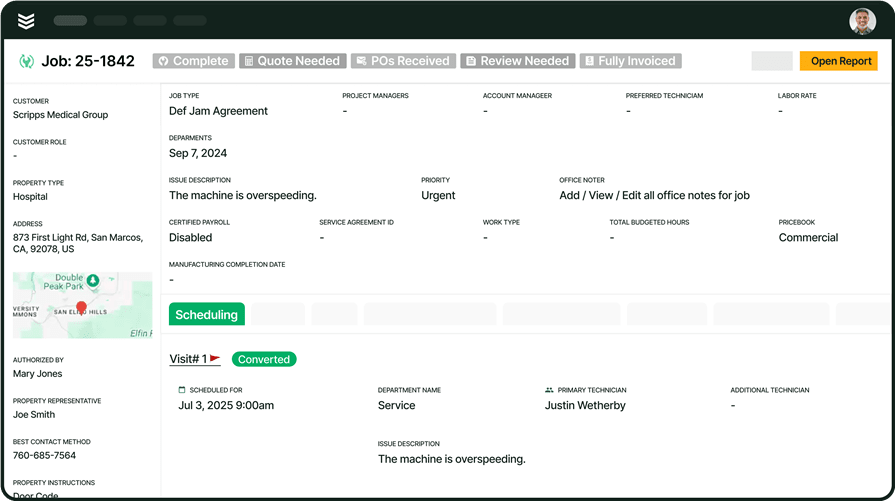
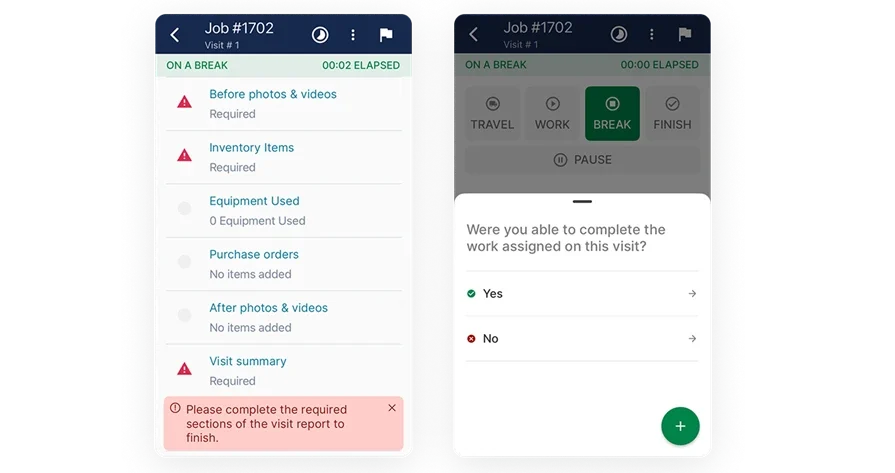
Efficiency drives profitability. AI-generated service reports provide technicians with instant, standardized templates that capture essential system data—reducing paperwork errors, accelerating billing cycles, and ensuring every maintenance visit is documented perfectly. Leveraging reporting automation, contractors can eliminate tedious manual data entry, allowing office staff to focus on higher-value growth activities and maximizing billable revenue.
3. Punctuality through route optimization
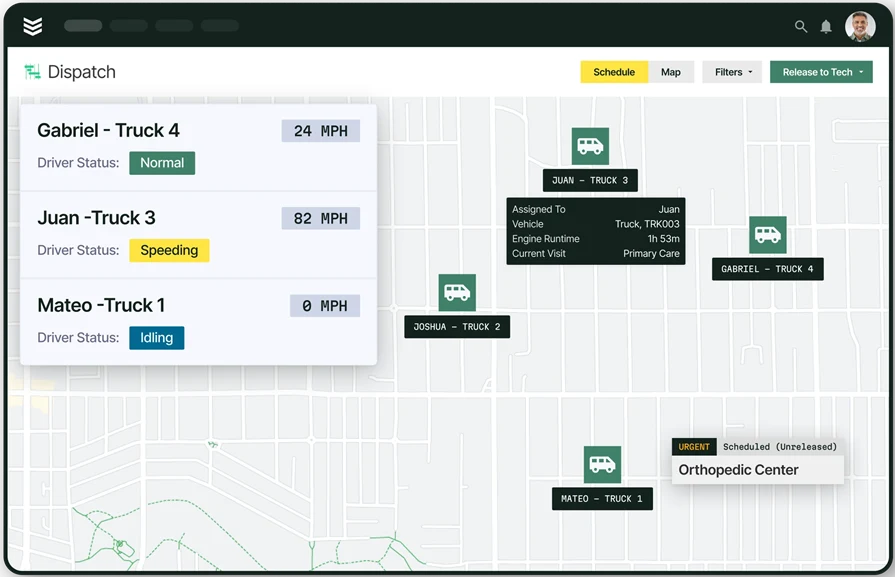
AI route optimization helps techs stay on schedule by finding the fastest path and adjusting in real-time when urgent service calls appear, so one delay doesn’t trigger a cascade of wasted fuel and overtime. By integrating with fleet management systems, AI consistently ensures techs arrive at every HVAC job site efficiently, eliminating the unnecessary drive time and fuel waste that erodes margins on every service ticket.
4. Automated billing and payment capture
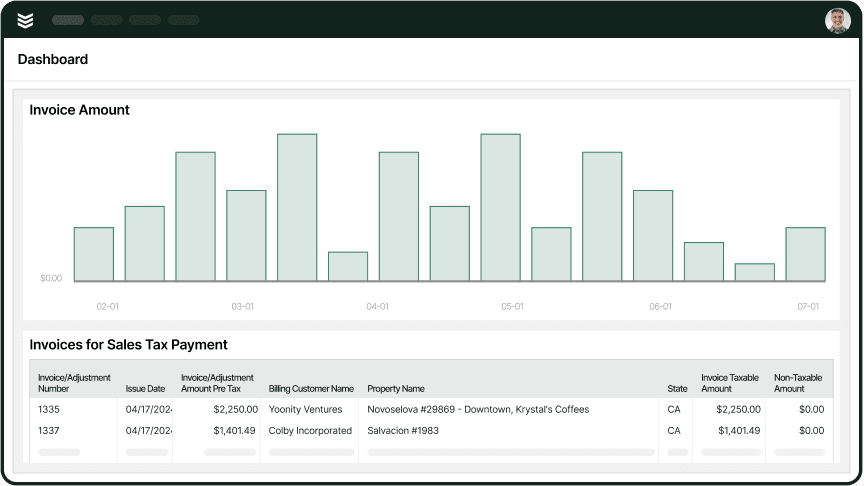
Streamlining the service-to-cash cycle is crucial for accelerating revenue growth. OpsAI helps field and office teams draft accurate, professional invoices faster by surfacing the right job details and line items, which can then be finalized and processed through BuildOps invoicing and payment processing tool. This automation frees up back-office staff from manual accounting tasks, allowing them to proactively manage inventory costs and dedicate time to pursuing lucrative service contract renewals.
5. Predictive maintenance and proactive scheduling
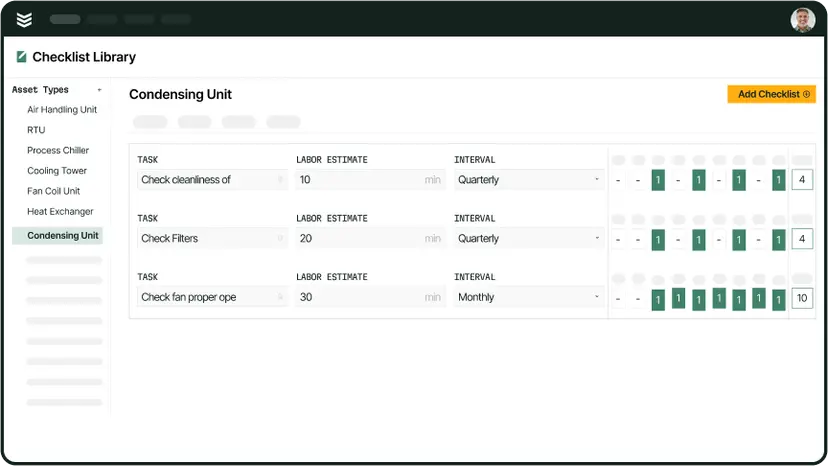
Reducing emergency repair costs is achieved through AI-driven asset capture that builds a comprehensive service history via the technician mobile app. This detailed historical data enables the office team to successfully upsell more profitable service agreements based on real-world asset health. When you schedule maintenance around specific equipment life cycles, you prevent costly equipment failures and drastically extend the value of your existing client base.
7 best tools using AI to reduce operational costs for HVAC contractors
AI booking tools help service contractors reduce operational costs by preventing scheduling mistakes, improving dispatch, and keeping customers updated. Here are eight options worth a look.
1. Best for commercial HVAC contractors: BuildOps
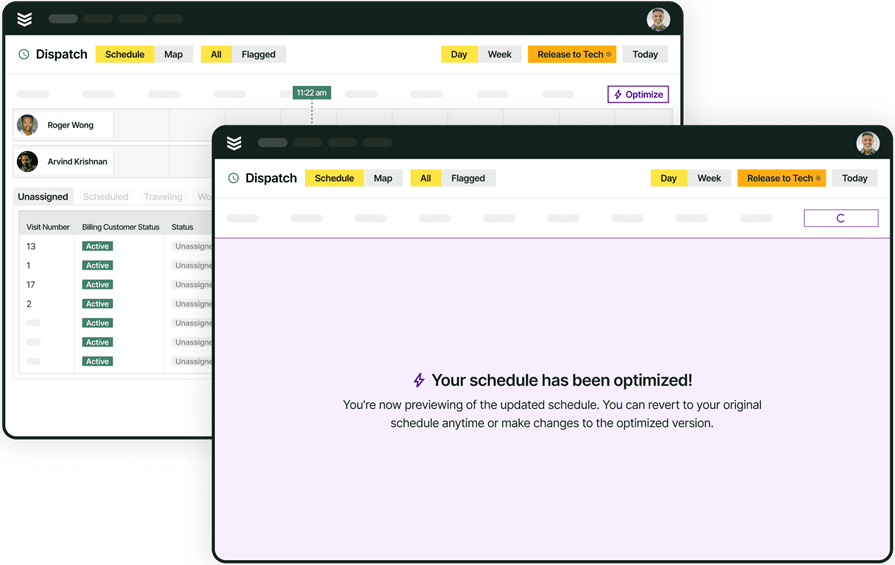
BuildOps leverages predictive AI across the entire service lifecycle to proactively reduce operational costs for commercial contractors. It uses automated scheduling and smart dispatching to ensure high-stakes jobs are always profitable, minimizing downtime and wasted resources. By unifying booking, reporting, and technician updates in one system, BuildOps cuts administrative overhead and maximizes the billable hours needed to boost your bottom line.
With OpsAI, HVAC and mechanical contractors get AI embedded directly in their workflows, helping techs auto-build asset records from a quick nameplate snap, dispatchers optimize boards to cut windshield time, and office teams turn cleaner visit data into faster, more accurate invoices across maintenance, repair, and install work.
How Pricing Works: We provide weekly live demos and an opportunity to arrange a personalized session to help you explore features and choose a solution that suits your needs.
Features Beyond Reducing Costs:
- Real-time inventory visibility across warehouses, trucks, and job sites
- Faster parts tracking and transfers in the field with a technician-friendly mobile app
- Smarter inventory reporting to help control stock levels and carrying costs
- Better planning with data-driven forecasting and reordering insights
What Sets It Apart for Commercial Service Teams: Made for commercial contractors, BuildOps helps cut cancellations with streamlined scheduling, clearer communication, and better execution across every job.
Rating: 4.4 on Capterra from 177 user reviews
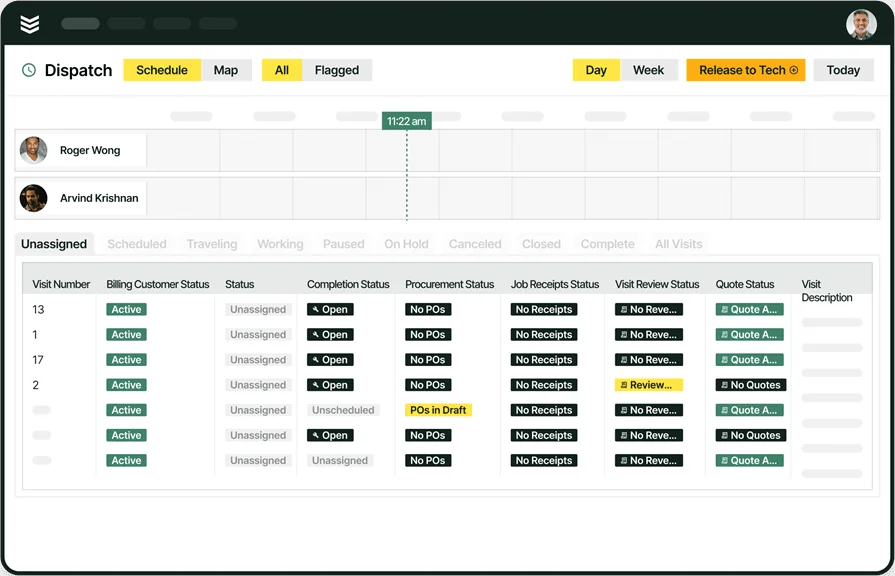
2. Best for residential service pros: Housecall Pro
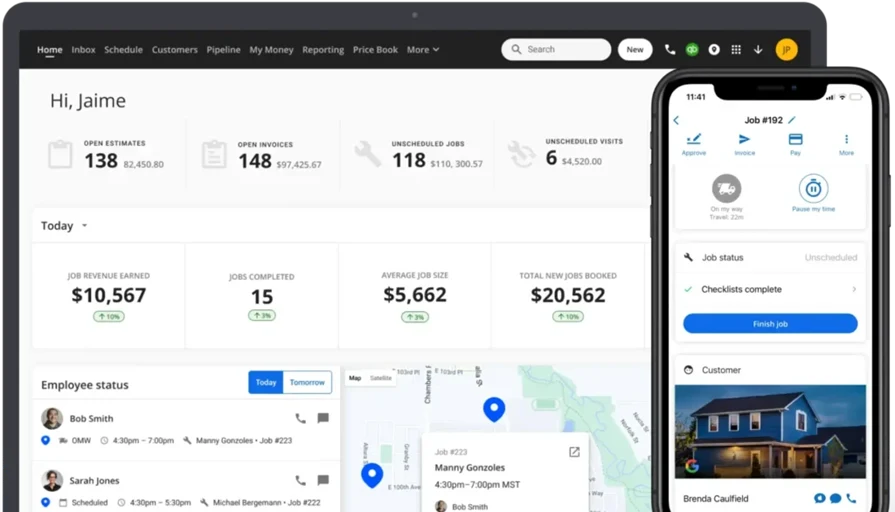
Housecall Pro helps residential service teams fight operational bloat using customer-centric automation and simple scheduling. The platform automates essential communication, including self-booking options and robust confirmation reminders, to ensure clients stay committed to appointments. While not AI-driven, its clean interface and proactive customer notifications directly address process gaps that lead to idle time and resource inefficiency.
How Pricing Works: Starts at $59/month. Higher-tier plans unlock more advanced tools like automated marketing and advanced reporting.
What Sets It Apart for Residential Teams: Built for ease—ideal for residential contractors who value client communication, live ETAs, and simple mobile scheduling.
Rating: 4.7 on Capterra from 2,740 user reviews
See how Housecall Pro compares to BuildOps in our head-to-head feature breakdown.
3. Best for mobile-first teams: FieldPulse
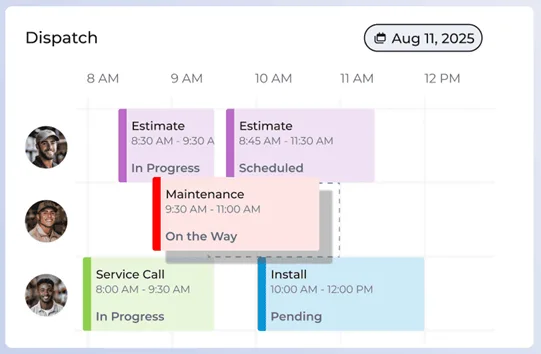
FieldPulse is a mobile-first solution designed to reduce operational costs by enabling rapid schedule changes and streamlined field communication. When disruptions occur, the platform's ability to instantly create and reassign jobs from a phone or tablet ensures minimal lost time. This responsiveness, combined with job detail updates available everywhere, helps maintain high technician productivity and margin integrity, even when schedules change unexpectedly.
How Pricing Works: Custom pricing through a demo with their team.
What Sets It Apart for Mobile Teams: It keeps your scheduling lean and responsive—perfect for service businesses that don’t sit still and need to make fast changes from a phone or tablet.
Rating: 4.6 on Capterra from 450 user reviews
Compare FieldPulse vs BuildOps right here to see whose field service features come out ahead.
4. Best for visual calendar scheduling: Service Fusion
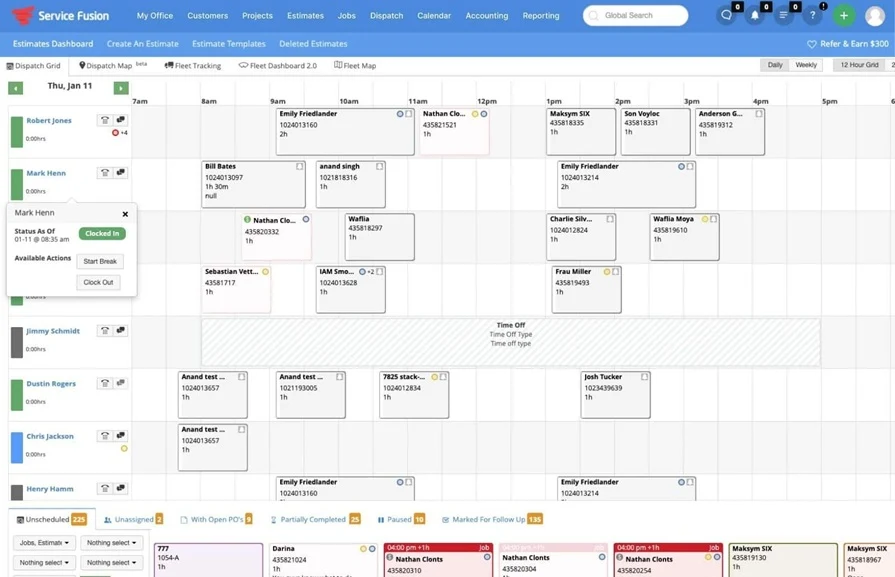
Service Fusion helps prevent lost billable hours and the resulting operational drain with its highly visual, centralized dispatch calendar. Dispatchers can instantly filter and reschedule jobs, providing the agility needed to fill last-minute gaps and maximize technician utilization. While its core features focus on visual scheduling, the instant notification capabilities are critical for quickly updating customers and reducing the operational friction that kills profit margins.
How Pricing Works: Custom pricing through a demo with their team.
What Sets It Apart for Visual Calendar Scheduling: Great for businesses that rely heavily on a centralized calendar and want one view of their entire team’s workload, updated in real time.
Rating: 4.3 on Capterra from 308 user reviews
5. Best for automation-heavy operations: Workiz
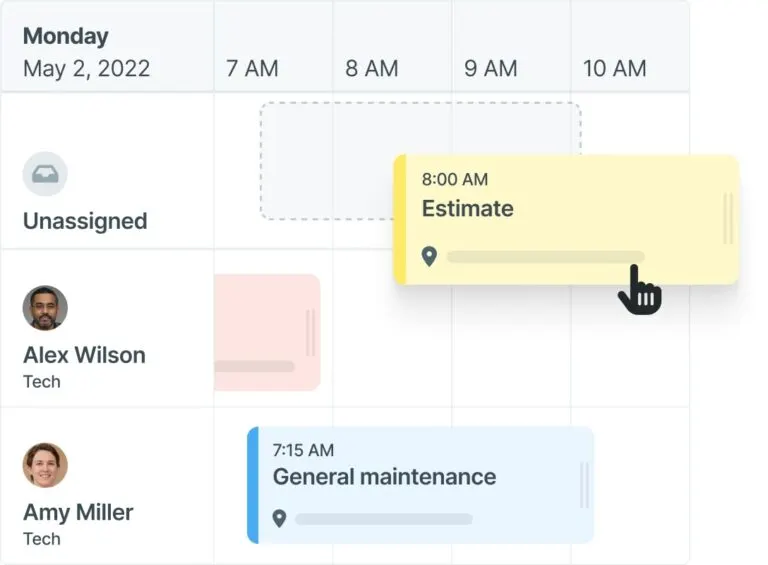
Workiz specializes in using powerful automation to drastically reduce the high volume of operational inefficiencies. By allowing users to set up advanced scheduling rules, the system intelligently auto-assigns jobs based on skills and location, preventing technician mix-ups and improving service margins. Its smart reminders and automated status updates are highly effective tools for streamlining field workflows and eliminating preventable waste across your daily operations.
How Pricing Works: Custom pricing through a demo with their team.
What Sets It Apart for Automation-heavy Operations: It cuts down admin time by automating repetitive booking tasks—best for companies moving fast and juggling dozens of jobs per day.
Rating: 4.4 on Capterra from 218 user reviews
6. Best for recurring service businesses: Service Autopilot
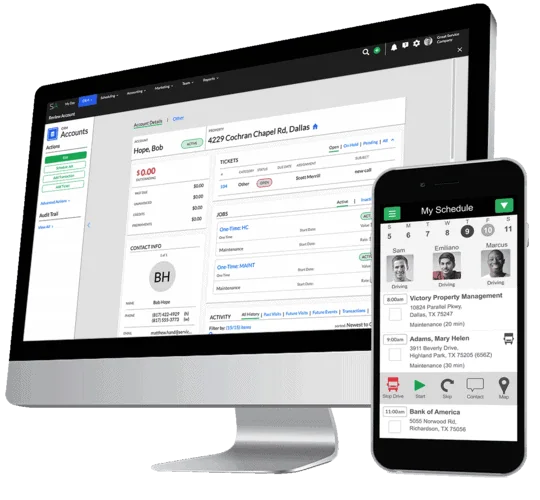
Service Autopilot is built for businesses focused on eliminating operational waste for recurring work by locking in long-term customer commitments. By enabling users to batch appointments and optimize routes far in advance, it guarantees efficiency and reliability, two key factors in maximizing maintenance contract margins. While setup requires patience, its strength in managing scheduled services at scale ensures field teams maintain peak productivity without costly service gaps.
How Pricing Works: Entry plans start at $49/month. Pro features require higher-tier subscriptions.
What Sets It Apart for Recurring Services: Its strength is scheduling at scale—batch out entire seasons in minutes and lock in revenue from long-term customers.
Rating: 4.1 on Capterra from 139 user reviews
7. Best for simplified crew coordination: Jobber
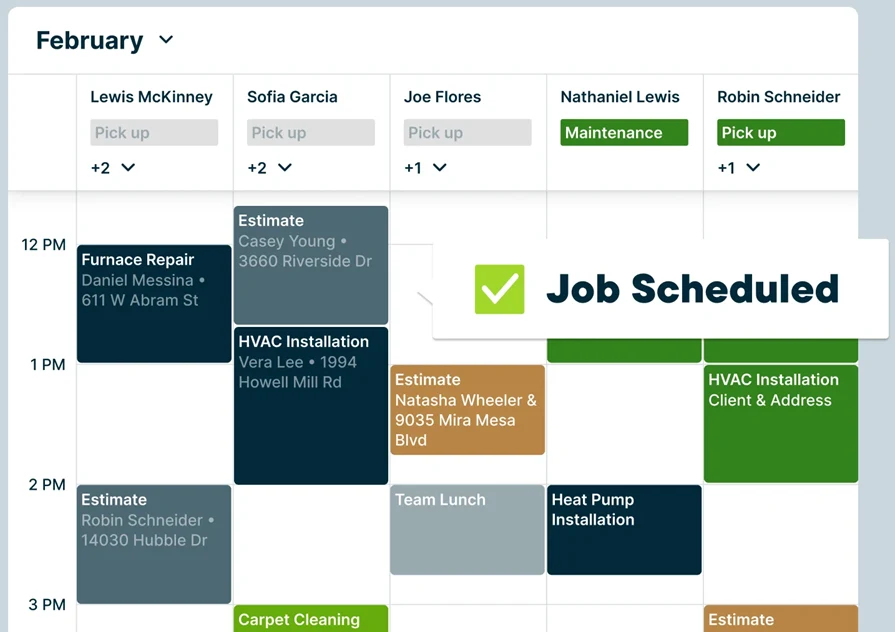
Jobber helps small field service teams reduce operational overhead through straightforward scheduling and automated client communication. The platform focuses on user-friendliness, making it easy to send automatic reminders and manage team assignments to keep field staff focused and reduce costly administrative errors. While lacking advanced AI features, its efficiency in synchronizing crews and managing basic client notifications directly contributes to improved margins and fewer wasted hours.
How Pricing Works: Solo plan starts at $19/month. Core team plans begin at $49/month and scale up based on users and features.
What Sets It Apart for Simplified Crew Coordination: It’s made for straightforward scheduling—less setup, faster bookings, and no unnecessary clutter in the interface.
Rating: 4.6 on Capterra from 1,457 user reviews

A Kickstand report based on a survey of 606 contractors across the U.S. and Canada found that 78% are using AI tools on the jobsite, while 47% say one in five positions remain unfilled. That combination explains why AI-backed workflows matter in field ops: they reduce admin load and help teams keep output steady with the headcount they have.
5 questions to ask when choosing AI software for reducing HVAC costs
Choose AI that does more than just schedule. For HVAC contractors, the best tools eliminate waste, streamline dispatch, and maximize technician productivity—protecting your margins and lowering operational overhead.
Here are the essential questions to ask when evaluating AI software for your business:
- Predictive operational insights — Does the system use AI to analyze historical data to proactively identify recurring inefficiencies or service gaps that drain your bottom line?
- Administrative automation — Will the software seamlessly bridge scheduling, dispatch, and billing to slash the manual work that inflates your back-office overhead?
- Cost-effective technician matching — Can the platform analyze real-time certification and location data to ensure the most qualified, cost-efficient technician is assigned to the job?
- Dynamic route optimization — Does the system provide automated, real-time routing adjustments to reduce fuel spend and ensure techs spend more time on billable work?
- Ease of field adoption — Will the mobile interface ensure your field teams can easily capture accurate job data, which is critical for powering AI-driven cost reductions?
The answers to these questions will guide you toward an AI platform that not only fulfills technical requirements but actively drives down your operational costs and protects your margins.
AI tools help trades reduce cancellations by optimizing dispatch in real time. By assigning the best technician based on availability, skills, location, and urgency, teams can avoid delays, keep appointments on schedule, and reduce the risk of last-minute cancellations.
The top AI use cases in field service break down exactly how leading contractors are turning field data into faster, smarter job management.
4 important FAQs on reducing HVAC operational costs using AI
Below are quick, no-fluff answers to the most common questions about how AI actually reduces your operational expenses, from fewer truck rolls to smarter scheduling and maintenance.
1. What is AI-driven HVAC operational cost reduction?
Reducing operational costs in HVAC means eliminating wasteful inefficiencies like unnecessary truck rolls, redundant travel, and administrative bottlenecks so that your technicians spend more of their day on billable work rather than overhead.
From there, intelligent automation tightens scheduling, streamlines routing, and sharpens communication so techs stay focused on billable work, not traffic or hunting for details—cutting labor, fuel, and overtime while protecting uptime and comfort.
2. Is AI-powered HVAC cost-optimization software worth the investment?
These tools typically pay for themselves by trimming non-billable time, consolidating visits, and reducing emergency callbacks. The result is lower drive time per ticket, higher technician utilization, and fewer unplanned disruptions to the schedule.
Over time, contractors see more revenue from the same headcount, more predictable margins, and a tighter handle on key cost drivers like overtime, fuel, and unbilled site visits—without adding back-office headcount.
{{related-content-block="/resources/sloan-mechanical-build-ops"}}
3. How do I get my techs to adopt an AI tool that reduces HVAC operational costs?
Ensuring technician buy-in and data quality are essential for success. To get your teams on board faster, try these strategies:
- Tackle your most expensive jobs first – Find the HVAC contracts, buildings, or customers that cause the most truck rolls, callbacks, and overtime (for example, a grocery store chain with constant RTU issues). Start your AI and process changes there so you see savings fast.
- Feed AI your HVAC history – Upload 6–12 months of HVAC work orders, equipment data (RTUs, chillers, boilers), routes, and labor hours so AI can spot patterns like “these 5 rooftops are eating all our overtime.”
- Automate customer updates for HVAC visits – Use AI to handle scheduling, reminders, and “tech on the way” messages for maintenance and repair calls, so you cut HVAC no‑shows and wasted trips without adding office workload.
- Train techs to capture HVAC data in the field – Have HVAC techs use mobile to log time, parts, photos, and equipment conditions at each visit. This makes AI‑driven dispatching (who to send, with what parts) and maintenance planning more accurate.
- Track HVAC-specific cost KPIs – Watch drive time, billable vs. non‑billable hours, callbacks on HVAC units, and overtime so you can keep tuning AI rules and job assignments to lower service costs.
AI helps HVAC leaders slash operational costs by turning scattered people, systems, and job data into one coordinated engine. With real-time visibility into jobs, tech performance, inventory, and scheduling, you plug profit leaks fast—before they show up in your P&L.
With OpsAI, you use live operational data to expose bottlenecks, tighten routes and labor, and make margin-protecting decisions at scale.
Built for commercial HVAC service, BuildOps unites the field, office, and customer so your team runs leaner, stays billable, and drives more profit from the operation you already own.