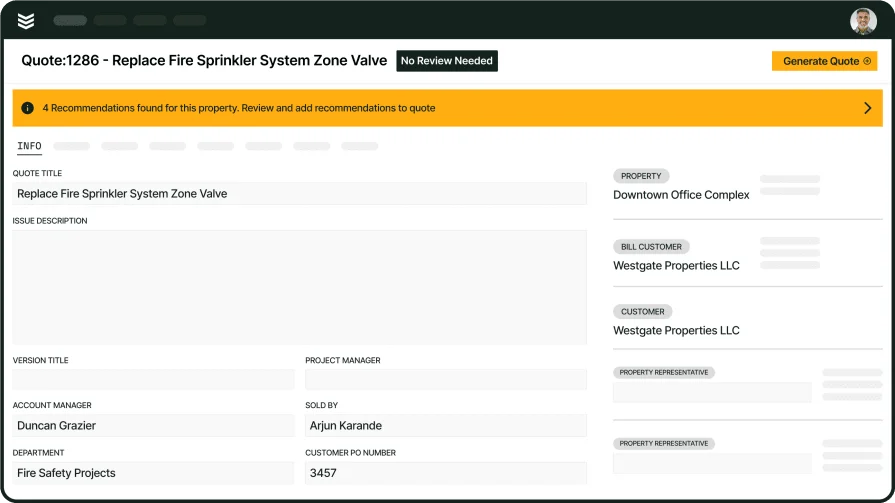
Scale Field Ops with Fire Protection Service Software
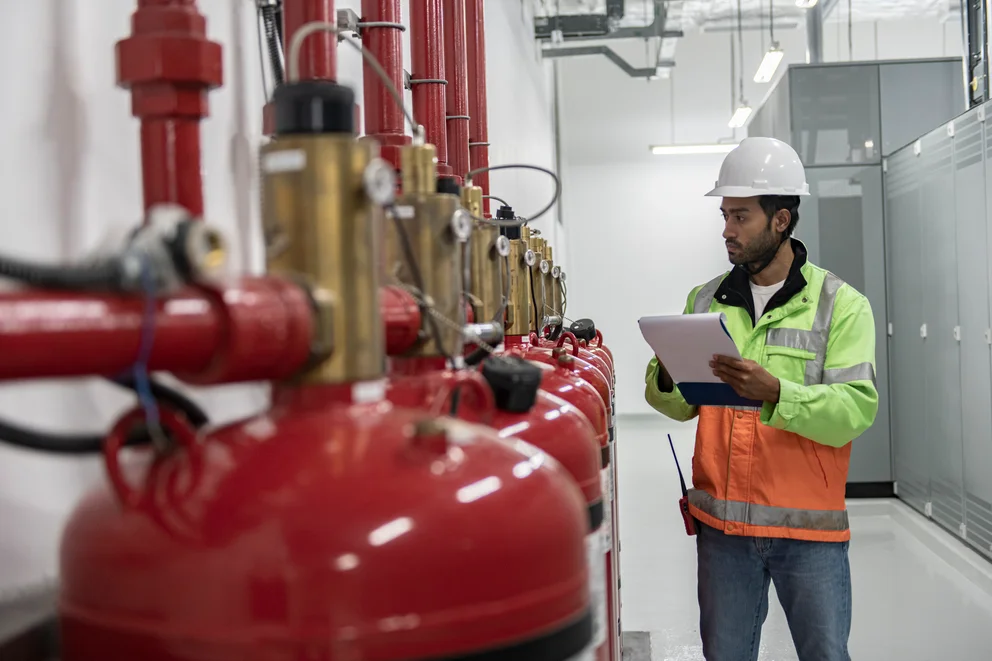
Running a fire protection business means juggling inspections, alarm testing, suppression system maintenance, and emergency calls across multiple sites. In the fire safety service industry, you need reliable technology and clear workflows to manage field crews, stay compliant, and keep customers confident.
In this guide, we highlight the top fire protection software to help contractors stay organized, work faster, and keep every job running smoothly. Here's what we'll cover:
- Choosing the right fire protection service software for your team
- 6 key features to look for in a service software for fire safety
- Best fire safety software for commercial
- Best fire safety software for residential
- Best fire safety software for general contractors
- Other notable fire protection service software
- 7 benefits of using fire protection service management software
- 4 important fire protection service software FAQs answered
Let's start with how to choose a fire protection service management software that fits your team.
Choosing the right fire protection service software for your team
Choosing the right platform is about more than checking off features. It is about how smoothly the software supports your team’s real work, from inspections and compliance to urgent, last‑minute dispatch calls.
Here are the key things to evaluate:
- Ease of use – Can your crew log inspections, update work orders, and close out jobs without fumbling through menus? Does the interface work for technicians who spend most of their day on ladders and in mechanical rooms?
- Scalability – Can the platform handle growth as you add crews, expand service territories, or take on larger contracts? Does it support multi-location management without creating bottlenecks?
- Integration – Does it connect with your accounting software, parts suppliers, or compliance tracking tools? Can it sync data across systems so your office team avoids double entry?
- Customization – Can you build workflows around your inspection types, service agreements, and reporting requirements? Does it adapt to how your team already operates, or does it force a generic process?
- Support and training – What does onboarding look like for a crew that has never used field service software? Is live support available when a technician hits a wall on a job site?
- Features – Does it cover scheduling, dispatching, invoicing, and compliance documentation in a single system? Can it connect field operations to back-office workflows so nothing falls through the cracks across your entire operation?
Once you have a clear picture of what your operation needs, the next step is identifying which features make the biggest difference on the ground.
{{related-content-block="/resources/fire-management-system"}}
6 key features to look for in a service software for fire safety
Strong fire and life safety software supports every step of field operations, from scheduling inspections and staying ahead of compliance to wrapping up paperwork and invoices after each job.
1. Real-time scheduling and dispatching

Fire protection contractors manage recurring inspections, system installations, and emergency service calls on any given day. A platform with field service scheduling drag-and-drop functionality lets dispatchers assign and reassign jobs in seconds based on technician certification, location, and availability. Having it with a smart dispatch system that tracks crew locations in real time keeps response times tight and eliminates the back-and-forth calls that slow down urgent alarm or sprinkler service requests.
2. Centralized customer information
Fire protection service management software should give every technician instant access to a client's full history: past inspections, deficiency reports, installed equipment, and active contracts. A field service CRM that stores all of this in one place means techs arrive on site knowing which suppression system they are servicing, what was flagged on the last visit, and what parts to bring. That level of preparation cuts repeat visits and builds client confidence.
3. Mobile work orders
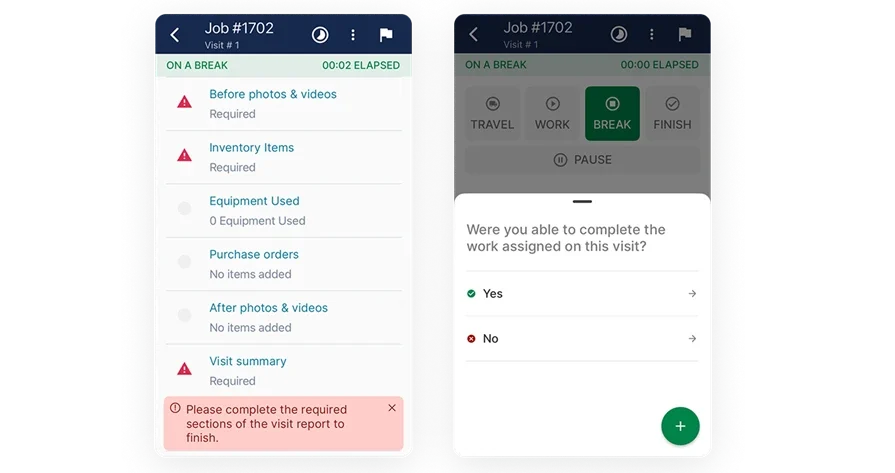
Technicians performing inspections, alarm testing, or suppression system repairs need job details in their hands, not back at the office. A technician mobile app lets field crews pull up work orders, update job statuses, capture photos of code violations, and collect customer signatures on the spot. This reduces paperwork, speeds up communication between the field and the office, and keeps every job documented as it happens.
4. Service agreement management
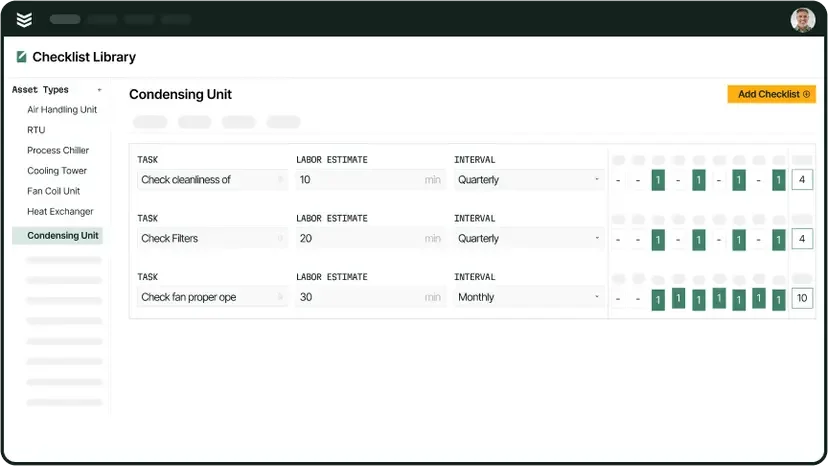
Most fire safety contractors run on recurring contracts: annual inspections, quarterly alarm testing, monthly sprinkler system checks. Fire safety service management software with built-in service agreement tracking automates renewal reminders, schedules visits ahead of time, and keeps compliance documentation organized per contract. This prevents missed inspections and protects revenue tied to long-term accounts.
5. Invoicing and payment collection
Delays between completing a job and sending a bill cost fire protection businesses cash flow. An invoicing and payments platform that lets technicians generate invoices immediately after completing an inspection or repair accelerates collections and reduces admin bottlenecks. Automated billing also creates a clean paper trail, making it simpler to reconcile accounts and track outstanding balances across active service agreements.
6. AI-powered reporting
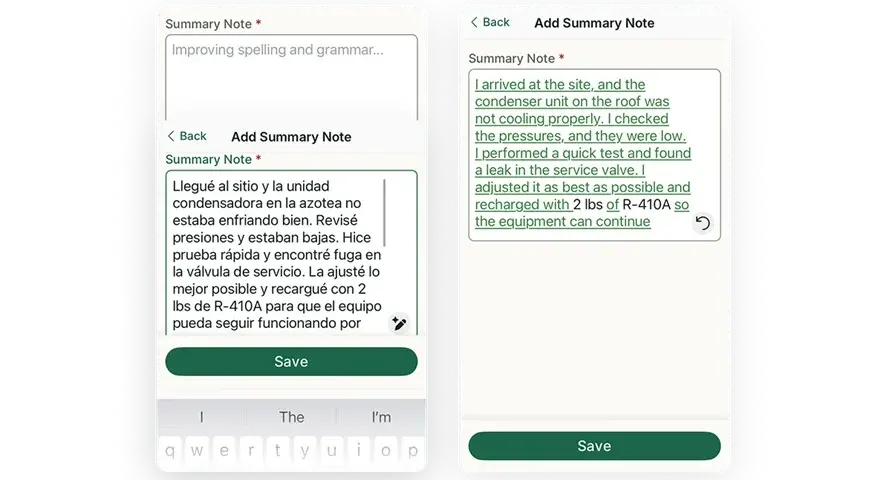
Fire protection service software with field service AI capabilities can auto-generate visit summaries, flag recurring deficiencies across job sites, and surface trends in technician performance. AI-driven reporting cuts manual data entry and gives owners a clear view of where operations are running well and where they need attention, without waiting on end-of-month spreadsheets.
Other valuable features to look for
Beyond the core six, a few additional capabilities round out a strong fire protection service platform.
- Service quoting – Fire safety contractors who handle system installations or large-scale retrofits benefit from service quoting software that builds accurate estimates tied to labor, materials, and scope, all before a single tech rolls out.
- Fleet tracking – Managing a fleet of service vehicles across inspection routes and emergency calls gets easier with fleet management tools that track vehicle locations, mileage, and maintenance schedules in real time.
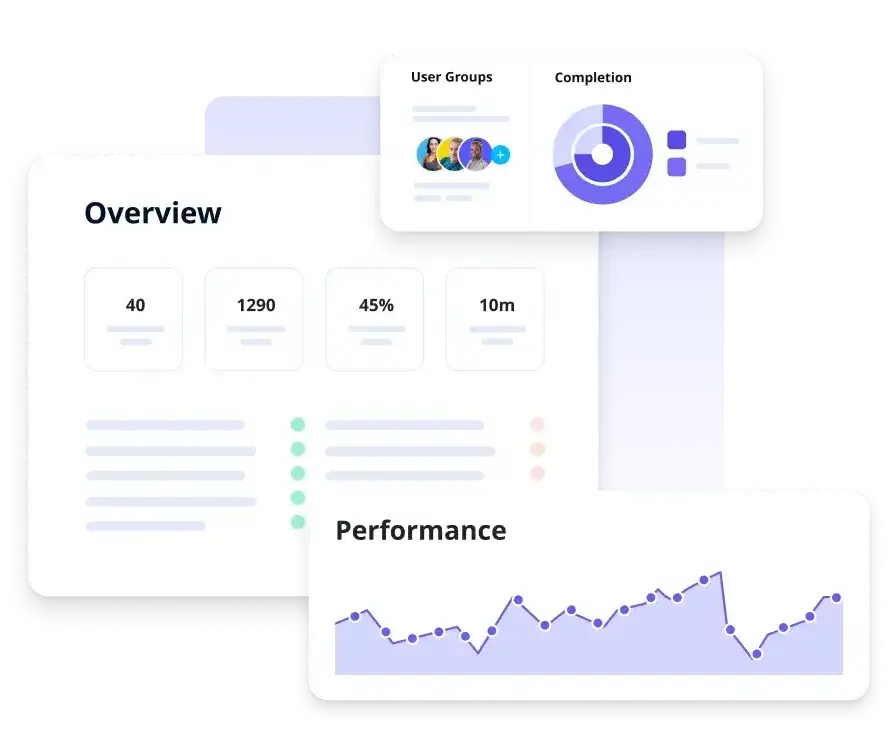
- Reporting dashboards – A dedicated reporting hub gives owners and managers visibility into job completion rates, revenue by service type, and technician productivity without pulling data from multiple systems.
- Time tracking – Accurate time tracking tied directly to work orders helps fire protection businesses calculate true job costs, run cleaner payroll, and identify where labor hours are being lost across crews.
With the features covered, let's look at which platforms deliver them best across commercial, residential, and general contracting operations.
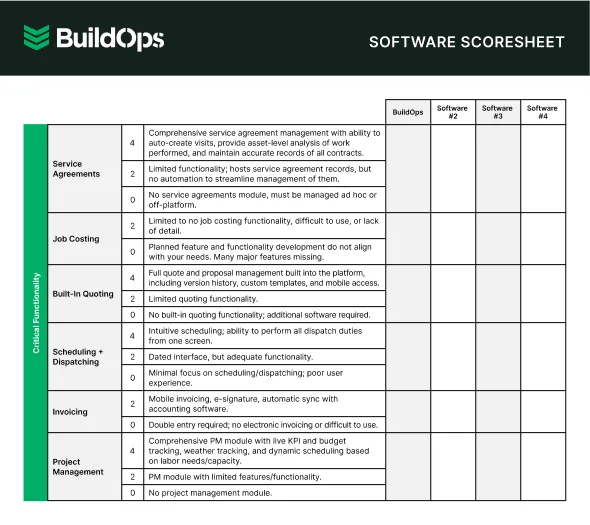
Best fire safety software for commercial: BuildOps

BuildOps gives commercial fire protection contractors one platform to manage inspections, deficiency tracking, alarm service, and suppression maintenance across every job site. Real-time dispatch and drag-and-drop scheduling keep crews moving and match the right certified tech to every call.
A centralized customer database tracks inspection history, equipment, and deficiencies so techs arrive prepared. AI-powered reporting automatically builds visit summaries and highlights recurring issues across portfolios, cutting the admin work after every inspection cycle.
How Pricing Works: BuildOps offers weekly live demos and personalized sessions to walk through features and find a setup that matches your operation.
What Sets It Apart for Commercial: BuildOps combines scheduling & dispatching, invoicing & payments, service agreement tracking, and AI-driven reporting, project management in one platform designed to handle the compliance demands and multi-site complexity of commercial fire protection work.

Best fire safety software for residential: ServiceTrade
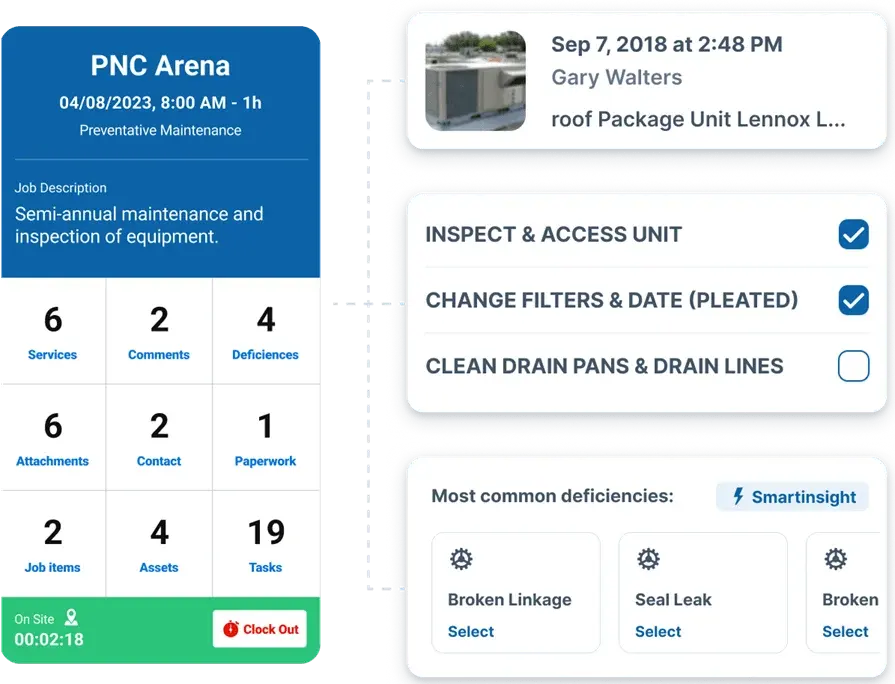
ServiceTrade focuses on inspection-driven workflows, making it a solid fit for residential fire protection contractors who handle smoke detector testing, extinguisher servicing, and smaller suppression system checks. The platform generates branded inspection reports with photos and deficiency notes that can be shared directly with homeowners, giving clients a clear record of what was done and what needs attention. ServiceTrade also supports recurring service scheduling, which helps crews stay ahead of annual inspection cycles.
That said, ServiceTrade leans heavily toward inspection documentation and may lack the depth needed for contractors who also run large installation projects or need advanced dispatching and job costing tools for bigger operations.
How Pricing Works: ServiceTrade offers tiered plans based on feature access and team size, with pricing details available through a consultation.
What Sets It Apart for Residential: ServiceTrade's branded, photo-rich inspection reports give homeowners full transparency into what was serviced and what needs follow-up, reducing callbacks and building trust.
Best fire safety software for general contractors: Zenfire

Zenfire is purpose-built for fire protection contractors, covering inspection management, deficiency tracking, and compliance reporting in a single system. General contractors who handle fire safety alongside other trades benefit from its structured inspection workflows, which organize jobs by building, system type, and code requirements. Zenfire also supports barcode and QR code scanning for equipment tracking, making it faster for technicians to log devices during large-scale inspections.
However, Zenfire's focus on fire protection-specific inspection workflows means it may not offer the broader field service management capabilities, like advanced dispatching, fleet tracking, or integrated invoicing, that contractors managing multiple trades typically need.
How Pricing Works: Zenfire provides custom quotes based on company size and feature requirements, with demos available on request.
What Sets It Apart for General Contractors: Zenfire's inspection-first design and equipment scanning tools make it a strong option for general contractors who need structured compliance workflows specific to fire protection codes and standards.
Other notable fire protection service software
Several platforms are built specifically for fire protection contractors, offering purpose‑built tools for inspections, compliance, and day‑to‑day field work. Below are five options to consider, depending on your team size and the type of services you provide.
InspectNTrack

InspectNTrack focuses on barcode-driven asset inspections with mobile capture, offline operation, and dynamic scheduling, which suits lean crews that need fast extinguisher and device rounds tied to NFPA checklists. Teams get EXIF-preserved photos, scan-to-record updates, and route planning without heavy admin overhead. This option may not fit contractors seeking a single platform for full FSM, quoting, and deep origin-and-cause reporting.
How Pricing Works: Subscription licensing; public listings indicate per-user tiers with feature add-ons.
What Sets It Apart for Small Service Teams: Strong barcode workflow and offline mobile app keep inspections moving when signal drops while keeping asset histories clean.
SafetyCulture
SafetyCulture offers a flexible inspection app with checklist templates, mobile capture, and instant PDF reports, which helps a single tech finish site walkthroughs and send documentation without office support. The platform spans many industries, so origin-and-cause workflows, AHJ nuances, and NERIS-focused outputs can require heavy customization and may feel basic for dedicated fire safety service software needs.
How Pricing Works: A mature mobile experience, a large public template library, and fast report generation let a one-person shop move from inspection to deliverable with minimal admin.
What Sets It Apart for Solo Contractors: A mature mobile experience, a large public template library, and fast report generation let a one-person shop move from inspection to deliverable with minimal admin.
Onsite Software

Onsite Software focuses on life safety inspections with forms mapped to NFPA codes and standards, producing detailed reports and dashboards that installation crews can use through commissioning and acceptance. The product sits squarely in inspection and reporting, so teams seeking broad field service management, construction workflows, or confirmed NERIS export options may find coverage limited.
How Pricing Works: Vendor-quoted SaaS with implementation support and modules based on scope.
What Sets It Apart for Installation Contractors: Deep NFPA-oriented forms and structured outputs help crews document installed assets, punch items, and acceptance results in a consistent package.
firepro365

firepro365 runs on Microsoft Dynamics 365 and pairs CRM, inspection reporting, and field service elements for fire protection companies that live inside the Microsoft stack. The approach supports asset histories, customer communication, and report generation in one environment, though licensing and administration tied to Dynamics can add complexity for lean teams.
How Pricing Works: Subscription pricing quoted by the vendor, often aligned to Microsoft seat counts and chosen modules.
What Sets It Apart for ITM Contractors: A Dynamics-based backbone, inspection reporting features, and native integrations with Outlook, Teams, and Power BI suit organizations standardizing on Microsoft.
Array
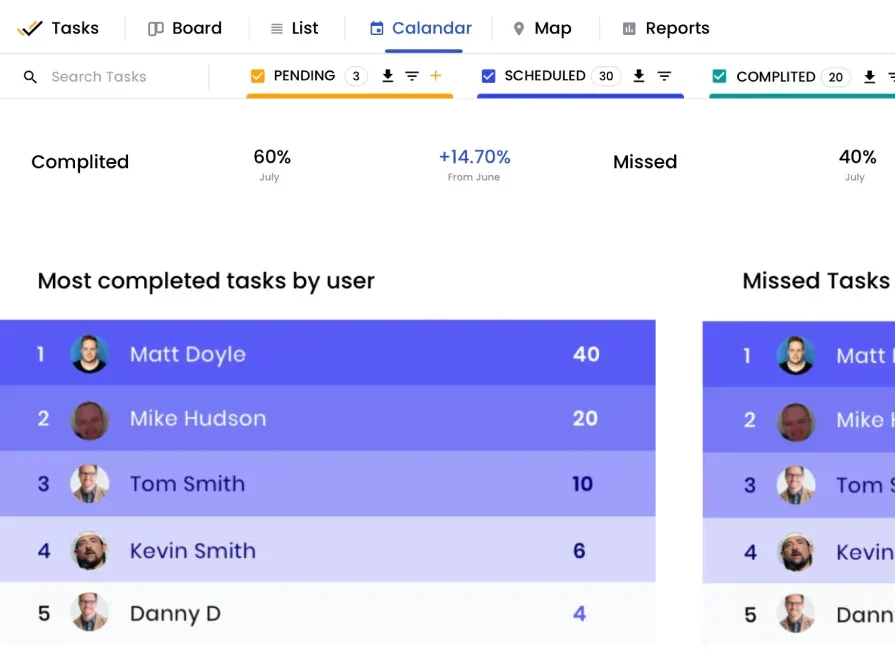
Array targets fire and life safety auditors with tools for managing inspection data, generating compliance reports, and tracking deficiencies across large building portfolios. The platform organizes findings by system, floor, and device type, which helps auditors working across complex commercial properties. However, Array is built primarily for the audit and reporting side of fire protection, so contractors who need full-service dispatching, invoicing, or crew management will likely need a second platform to cover daily operations.
How Pricing Works: Custom pricing based on portfolio size and module selection, with demos available through the vendor.
What Sets It Apart for FLS Auditors: Portfolio-level deficiency tracking and structured compliance reporting give auditors a clear view of outstanding issues across every building and system in their scope.
7 benefits of using fire protection service management software
A well-run fire protection operation creates real, measurable wins for FLS contractors. You see the impact in faster workflows, stronger compliance, more revenue opportunities, and higher customer confidence. At the center of it all is fire protection service software that keeps your field teams and office staff working in sync.
1. Faster handoff from inspection to scheduled work
Techs flag a fail code, the system preloads labor types, parts kits, and pricing from your book, then dispatch locks a slot without retyping. Coordinators auto-route by NICET level and device type so repairs land with the correct skills and truck stock. Tightening rules around priority, travel windows, and SLAs through structured scheduling and dispatching workflows keeps every handoff clean and fast.
2. Stronger compliance posture
Versioned ITM templates align to NFPA 10, 25, and 72. The app anchors evidence to each asset with gauge readings, flow data, cylinder weights, serials, and signatures. Leads who standardize steps across branches with dedicated fire safety inspection software prevent drift and protect licenses. This is where fire safety service management software proves its value.
3. AHJ-ready reporting without rework
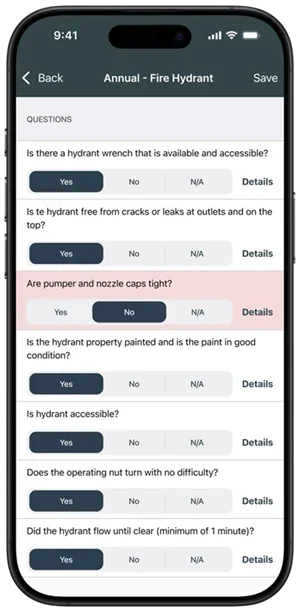
Reports pull device IDs, deficiency codes, tagged photos, and timestamps straight from the asset record. Admins export the packet in the format your local authority expects and avoid repeat site visits. Teams that structure outputs around fire alarm inspection report software standards meet regional requirements without rebuilding documents from scratch.
4. Shared visibility for field and office
Dispatchers, coordinators, estimators, and PMs view a single status board by property, building stack, and deficiency type. Aged items trigger escalations. Parts pulls sync with the calendar so trucks leave with the kit list that fits the job. A connected field service manager software platform sustains this alignment between fire safety service software users in the field and staff running operations from the office.
5. Higher win rates on deficiency repairs
Quotes leave the site with photos, device history, and clear scope. Estimators bundle work by building or floor, set expiration rules, and track acceptances through the portal. This context shortens approval cycles and raises hit rates on repair revenue.
6. Tighter cost control
Actual labor and travel flow from the ticket with rounding rules that match payroll. Inventory usage posts against the job, including valve kits and heads pulled from truck bins. PO sync keeps costs attached to the same work order, which protects margin before invoicing.
7. Stickier customer relationships
Property managers get portals with pass rates, renewal calendars, and deficiency status across sites. Account teams run targeted follow-ups through a dedicated fire CRM, turning the platform into a dependable fire protection service management software tool that keeps renewals steady year after year.

AI has already started shifting how contractors handle inspections, installations, and maintenance work. What used to take hours can now happen in minutes, with more accuracy and fewer surprises.
In our 2025 survey The Pivot Point: AI And The Future of Commercial Contracting, 78% of contractors said they believe AI improves efficiency, and 47% are already using AI in some capacity for their field ops.
4 important fire protection service software FAQs answered
Fire protection service software raises practical questions for contractors already running field operations. Here is what FLS professionals need to know.
1. What is fire protection service software?
Fire protection service software is a field operations platform that unites scheduling, dispatching, inspections, compliance, and invoicing in one place. It links the office to the field, so every team member works from the same system.
By automating slow manual tasks like inspection cycles, deficiency tracking, and billing, it replaces scattered spreadsheets and paper forms with a single workflow for compliance records, job history, and financials.
2. How does fire protection service management software fit into existing field operations?
Most fire life safety teams already know what works. Service software doesn’t replace that—it digitizes it.
Requests roll into one queue. Dispatchers assign the right tech based on certs and location. In the field, techs see device history, NFPA templates, and deficiencies before they start. As they work, real-time updates flow back to the office, keeping coordinators and property managers informed—no phone calls needed.
3. Is fire safety service management software worth the investment?
You get faster invoicing, fewer missed inspections, higher repair approval rates, and less admin time. Ditching paper or disconnected tools also tightens payroll, cuts compliance risk, and boosts renewals—far outweighing the cost of lost contracts, failed audits, and uninvoiced work.
{{related-content-block="/resources/certified-fire-250-percent-higher-profits"}}
4. What are the best practices for getting the most out of fire safety service software?
Adopting the platform is just the beginning. Running it smoothly across field and office takes real discipline. Here’s where seasoned FLS contractors put their focus once they’re live.
- Build NFPA-versioned inspection templates before onboarding a single technician.
- Map every recurring service agreement into the system with auto-scheduled visit dates.
- Assign technician certifications and NICET levels in the platform so dispatch filters by qualification.
- Require photo and signature capture on every deficiency to strengthen AHJ submission packets.
- Set aging rules on open deficiencies so escalations trigger automatically, not manually.
- Sync invoicing with job completion so bills go out the same day the tech closes the work order.
- Use reporting dashboards weekly to track first-time fix rates, inspection pass rates, and revenue per property.
- Standardize mobile workflows so field crews follow the same steps regardless of branch or region.
- Review cost-to-complete data monthly to catch margin erosion on fixed-price contracts early.
- Run quarterly audits on asset records to confirm device counts, locations, and service histories stay accurate.
Fire protection contractors still stuck on paper forms and disconnected tools are bleeding time, margin, and deals.
BuildOps changes that.
Our AI-native platform puts scheduling, dispatching, inspections, invoicing, and AHJ-ready reporting in one place—built specifically for commercial fire and life safety contractors. Crews and office staff work from the same system, so inspections close faster, invoices go out the same day, and customers stay informed without chasing updates.
See how BuildOps runs your fire protection operations end to end. Book a no-commitment demo and we’ll walk through your actual workflows.