5 Best HVAC Automation Software: Tools, Tips & Benefits
Manual scheduling and paper-based processes slow HVAC shops, causing missed calls, delays, and higher costs. The right HVAC software tightens schedules, connects field and office in real time, and keeps installs, maintenance, and service calls running smoothly.
Instead of chasing job updates and paperwork, your team can stay focused on delivering great work. This guide breaks down everything you need to know about HVAC automation software—and how it helps businesses in the HVAC service industry run smarter, faster, and more profitably.
Here’s what we’ll cover:
- How to choose the right HVAC automation software
- 6 key features to look for in an HVAC automation software solution
- 5 best HVAC automation software & tools for contractors
- 7 benefits of using HVAC automation software
- 4 important HVAC automation software FAQs answered
The best HVAC automation software fits how your field teams actually work and connects scheduling, dispatch, job tracking, and reporting in one platform—so crews stay productive and jobs stay on track.
How to choose the right HVAC automation software
For HVAC contractors and technicians, every minute on the schedule matters. Jobs change, calls stack up, and one missed update can derail the whole day. HVAC automation software keeps operations on track, but only when you have the right system that fits how your team actually work.
Here are the core areas to focus on before choosing an HVAC automation platform.
- Scalability - Can the system handle growth if your service calls expand across multiple job sites? Will it support both routine service visits and larger projects as your business takes on more complex work? Can you easily add users, locations, or job types without having to overhaul the entire system?
- Integration - Does it fully connect with your scheduling, estimating, dispatch, and billing tools? Will your field technicians be able to update job status, access work orders, and close out jobs directly from the field? How easily does the system link with accounting platforms or customer databases you already use?
- Automation options - What specific tasks can the system automate to cut down manual entry? Can it auto-generate job assignments based on technician availability and skill set? Does it support automatic updates for service agreements, recurring maintenance, and safety inspections?
- Field accessibility - Can technicians view work orders, upload job notes, and mark tasks complete directly from their mobile device? Will field teams get real-time updates if job details change after dispatch? How simple is it for techs to collect customer signatures or photos as proof of completed work?
- Features - Does it offer built-in reporting that tracks job completion rates, response times, and open work orders? Are there customer portals where clients can request service or review upcoming appointments? Can the system support multi-user access, role-based permissions, and location-based job tracking?
The right HVAC automation software keeps your team focused on field work, not paperwork. Next, we’ll cover six must‑have features to look for.
{{related-content-block="/resources/best-hvac-software/"}}
6 key features to look for in an HVAC automation software solution
HVAC contractors juggle packed schedules, tight job sites, and teams in the field. Doing it all manually leads to mistakes and delays. The right HVAC automation software keeps your team organized, gives techs instant access to job details, and frees your office from chasing paperwork and phone calls.
Let’s break down the six key features every HVAC business should look for when choosing among software providers that can help you operate your ops.
1. Smart scheduling and dispatching

HVAC operations run on tight windows — seasonal peaks, emergency breakdowns, and recurring PM visits all compete for the same crew hours. Strong scheduling paired with AI-capable smart dispatch software keeps every tech assigned to the job that matches their skill set, location, and availability without dispatchers toggling between spreadsheets and phone calls.
2. Mobile access for field technicians
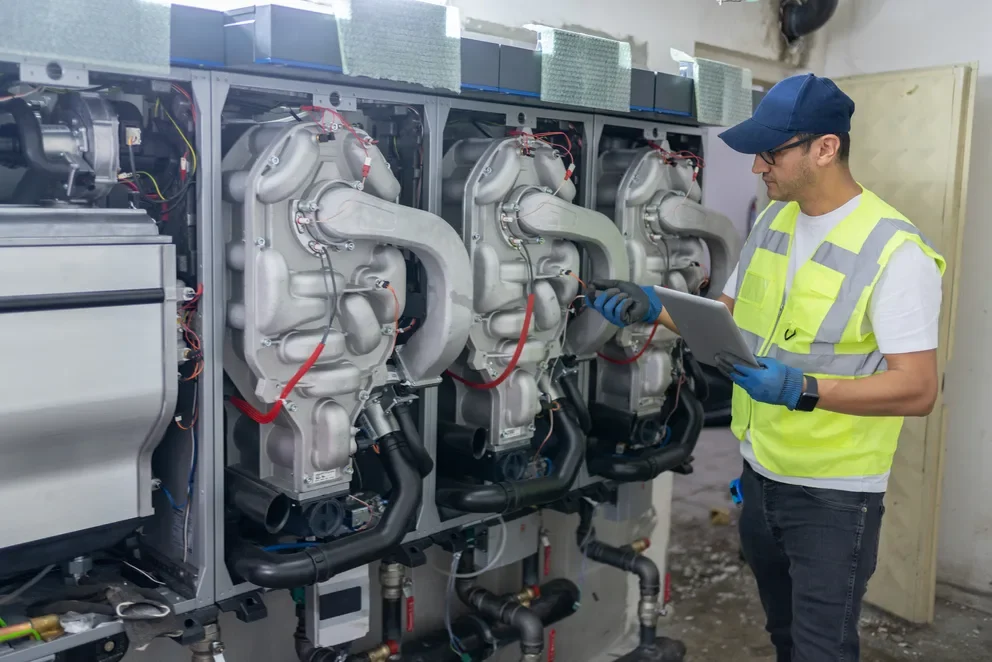
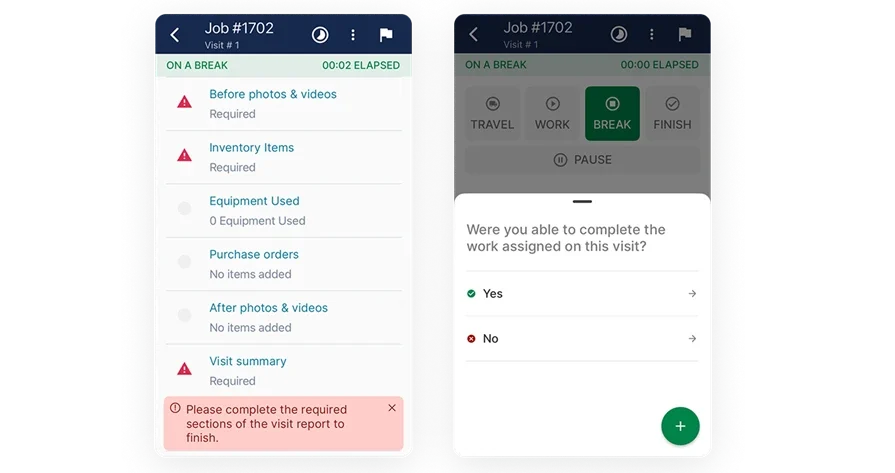
HVAC techs spend their days on rooftops, in mechanical rooms, and inside ceiling plenums — not sitting at desks. A purpose-built technician mobile app gives them real-time access to work orders, equipment history, and digital forms so they can document refrigerant levels, capture before-and-after photos, and collect customer signatures without leaving the job site.
3. Seamless quoting and estimating
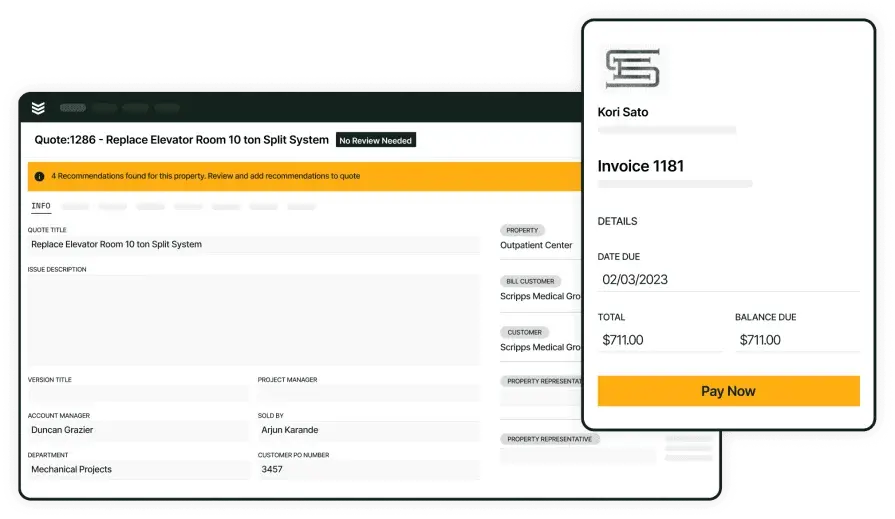
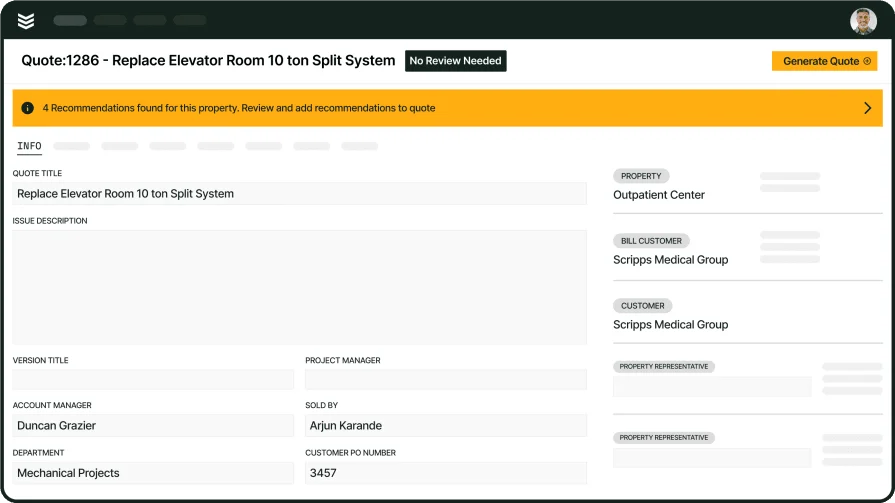
Accurate quotes protect margins on everything from rooftop unit replacements to full mechanical retrofits. HVAC automation software with built-in quoting and estimating tools lets your team build detailed proposals that account for labor, materials, refrigerant costs, and equipment specs — then send them to the customer for approval on the spot.
4. Service agreement automation
Preventive maintenance contracts are a revenue backbone for HVAC contractors, but tracking hundreds of recurring visits across commercial properties manually is a recipe for missed appointments and unhappy customers. Automated service agreement management generates recurring work orders on schedule, assigns techs in advance, and sends confirmations to facility managers without anyone in the office lifting a finger.
5. Fleet management integration

Service vans are the link between your warehouse and every job site on the board. Integrated fleet management tools track vehicle locations in real time, monitor fuel usage, and flag upcoming maintenance so dispatchers can make smarter routing decisions and avoid sending a van that's overdue for service.
6. Real-time reporting and financial tracking
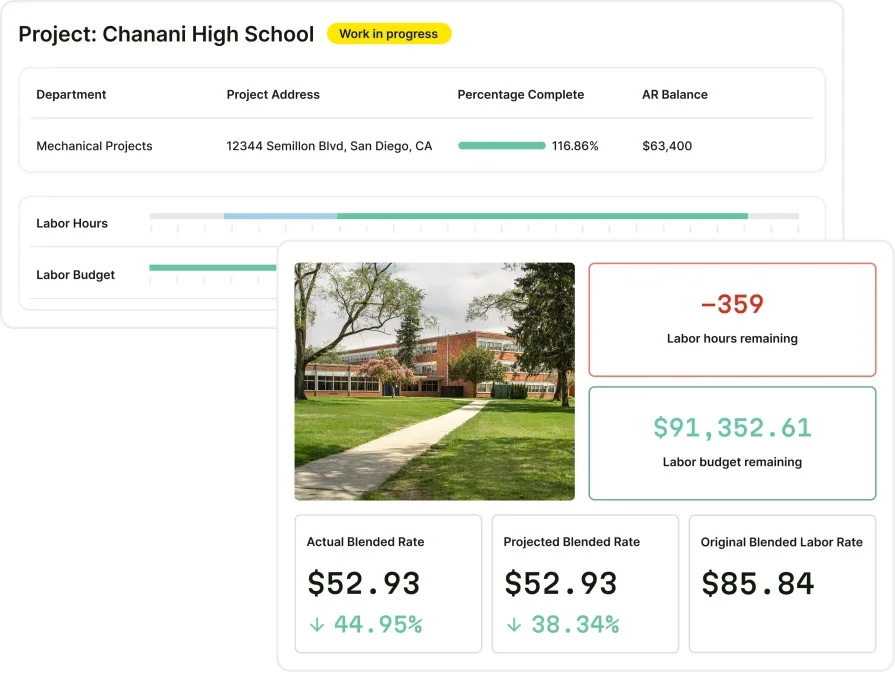
HVAC automation software should surface live reporting and analytics that give owners and managers visibility into job profitability, technician utilization, revenue by service type, and outstanding invoices — all from a single dashboard.
Other valuable features to look for in HVAC automation software providers
Beyond core daily operations, top HVAC automation platforms add specialized tools that streamline workflows, cut admin time, and elevate the customer experience.
- Customer relationship management: A built-in field service CRM organizes client records, tracks communication history, stores site notes, and helps office staff access customer data instantly when scheduling or billing.
- Time tracking: Time tracking features allow technicians to log hours on-site, automatically sync labor with job tickets, and help owners review productivity without relying on paper logs.
- Invoicing and payment processing: Invoicing tools pull job data directly into invoices for faster billing, while integrated payment processing allows customers to pay online or on-site, improving cash flow and cutting down on collections.
Next, we’ll look at some of the leading HVAC automation software providers that contractors rely on for dependable, field-proven solutions.
5 best HVAC automation software & tools for contractors
Finding strong HVAC automation software depends on your business type. Some platforms work better for large commercial operations, while others cater to smaller residential or independent HVAC contractors. Below are five options, each suited for different field service needs.
1. Best for commercial contractors: BuildOps
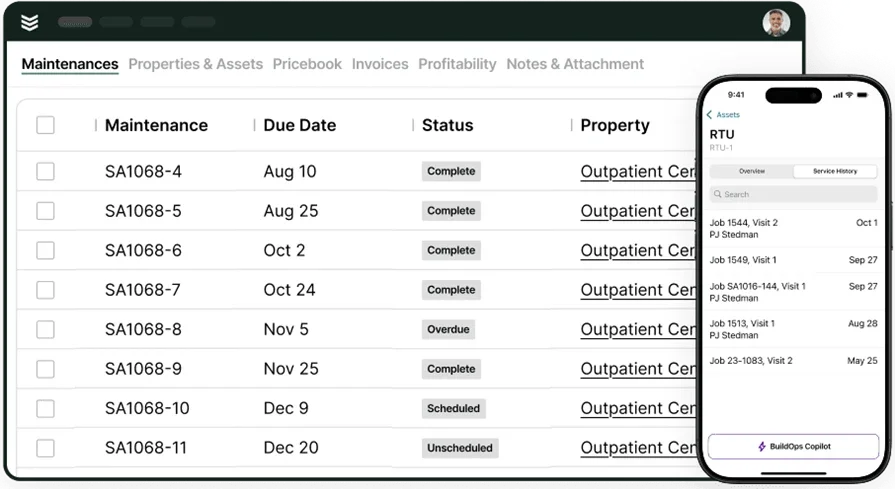
BuildOps is the all‑in‑one platform built specifically for commercial HVAC service contractors managing complex mechanical systems, maintenance contracts, and multi‑site portfolios. Our AI‑powered operations engine unifies job costing, scheduling, dispatching, quoting, service agreements, and technician management in a single, integrated system—giving you complete control over daily field operations across rooftop units, chillers, boilers, and building automation systems.
Unlike residential-focused tools, BuildOps connects every step from estimate to job closeout while intelligently automating workflows across the office and field, so your team can move faster, stay aligned, and grow profitably.
How Pricing Works: Live demos available weekly. Contractors can schedule personalized walkthroughs to explore the features tailored to their business.
Features Beyond Automation: Job tracking, service agreement automation, technician scheduling, and real-time reporting.
What Sets It Apart for Commercial: Full enterprise-level automation built for complex, high-volume commercial HVAC field service operations.
2. Best for residential: Housecall Pro
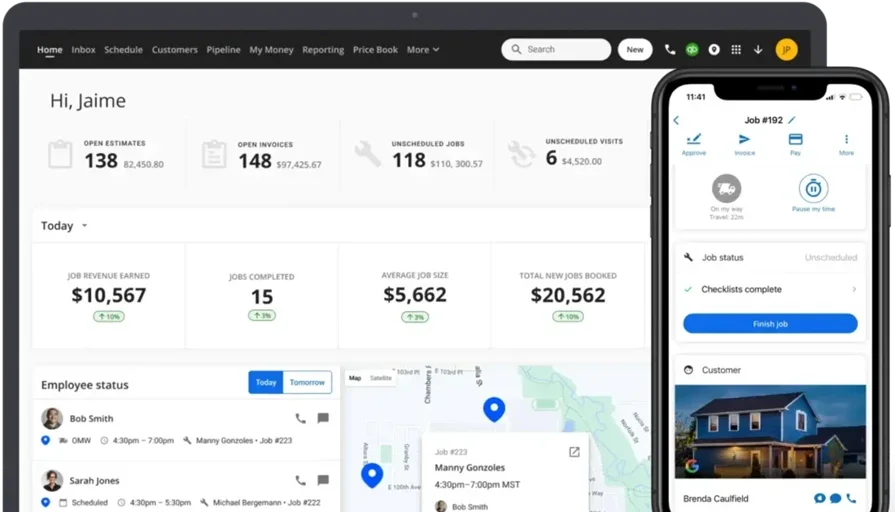
Housecall Pro offers a simple, all-in-one solution for smaller HVAC service businesses managing residential work. It allows techs to create invoices, process payments, manage scheduling, and send automated follow-ups — all from a mobile device. The system keeps small shops organized without extra admin burden, covering everything from AC tune-ups to furnace replacements.
However, larger commercial HVAC contractors may find Housecall Pro too limited for advanced automation, complex job costing, or multi-location operations.
How Pricing Works: Plans start at $59/month, with premium options adding automation and integrations.
Features Beyond Automation: Online booking, customer communication tools, payment processing, and marketing automation.
What Sets It Apart for Residential: User-friendly interface ideal for independent contractors and small residential-focused HVAC teams.
Check out how Housecall Pro stacks up against BuildOps.
3. Best for general contractors: Jobber
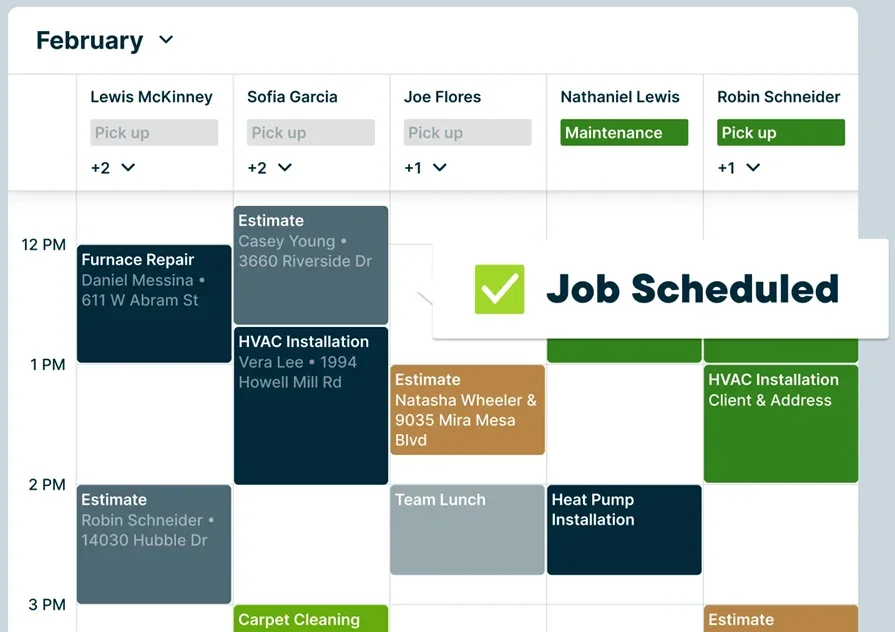
Jobber supports general contractors who manage a variety of HVAC projects that involve job tracking, customer communication, quoting, and billing. It reduces manual entry by pulling job details straight into invoices and sending automated payment reminders.
The platform integrates with popular accounting software, making it easy to manage multiple service types — from ductwork installations to seasonal maintenance calls. Still, HVAC contractors handling larger commercial jobs or needing deeper financial automation may find Jobber less equipped for complex field service demands.
How Pricing Works: Subscriptions start at $29/month for individuals, with premium tiers offering quoting, reporting, and automation features.
Features Beyond Automation: Client management, job tracking, quoting tools, and team scheduling.
What Sets It Apart for General Contractors: Blends invoicing and project management, helping general contractors track jobs, send invoices, and monitor payments in one place.
4. Best for small businesses: Workiz
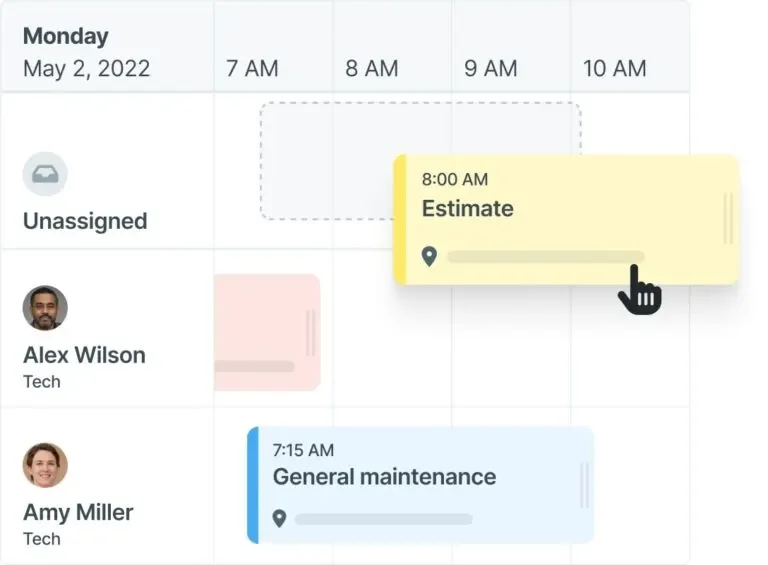
Workiz is designed for smaller HVAC service businesses that need straightforward automation for scheduling, invoicing, and basic dispatching. Contractors can generate invoices in the field, accept payments on-site, and track customer calls through its built-in CRM — covering day-to-day tasks like AC tune-ups, furnace repairs, and seasonal maintenance without requiring dedicated back-office staff.
The mobile-friendly platform keeps solo operators and small crews organized across their daily service calls. However, Workiz may fall short for larger HVAC operations that require advanced financial reporting, complex dispatching across multiple crews, or in-depth automation for high-volume commercial mechanical work.
How Pricing Works: Offers a free version for two users, with paid plans starting at $225/month that include automation tools and expanded features.
Features Beyond Automation: Call tracking, job dispatch, estimate approvals, and mobile invoicing.
What Sets It Apart for Small Businesses: Provides essential HVAC automation tools for day-to-day job management without overwhelming complexity — ideal for contractors running lean teams across residential and light commercial service calls.
5. Best for enterprise HVAC businesses: ServiceTitan

ServiceTitan offers an extensive platform tailored for larger HVAC businesses managing high-volume service calls, complex mechanical installations, and multiple crews across wide service areas. It combines dispatching, CRM, job costing, inventory, and advanced reporting in one system, giving managers visibility into every part of the operation — from seasonal demand planning to technician performance across commercial and residential accounts.
Its deep feature set makes it a strong fit for large-scale HVAC operations with dedicated office staff and multi-department coordination needs. However, smaller or mid-size HVAC contractors may find ServiceTitan too expensive or overly complex for day-to-day field service automation needs.
How Pricing Works: Custom pricing based on business size, user count, and selected feature sets.
Features Beyond Automation: Marketing management, inventory tracking, call booking, and advanced financial reporting.
What Sets It Apart for Enterprise: Full-scale HVAC field service automation with deep financial controls, capacity planning, and multi-department coordination designed for high-volume operations.
Compare ServiceTitan against BuildOps directly to see who comes out on top.

7 benefits of using HVAC automation software
HVAC automation software pays off across every layer of your operation — from the dispatch board to the balance sheet. Here are seven measurable benefits contractors see when automation replaces manual processes.
1. Faster scheduling and smarter tech assignments
Automation matches technicians to jobs based on certifications, proximity, and workload in real time — removing guesswork from the daily board. Contractors leveraging AI-powered HVAC scheduling optimization consistently reduce idle time between calls and increase completed jobs per tech per day.
2. More accurate estimates that protect margins
Mispriced bids erode profit whether it's a rooftop unit swap or a full mechanical retrofit. HVAC automation software with integrated estimating tools pulls real-time material costs, applies consistent labor rates, and accounts for overhead automatically — eliminating pricing inconsistencies across your team.
3. Stronger customer relationships and higher retention
Tracking service history, equipment details, and communication preferences across hundreds of commercial accounts requires a centralized system. HVAC automation platforms with built-in CRM capabilities give your staff and techs instant access to past work orders, open quotes, and contract terms — making every interaction with a facility manager feel informed and driving repeat business.
4. Scalable operations without adding headcount
With nearly half of commercial contractors reporting that a quarter of their positions remain unfilled, hiring your way out of growing demand isn't realistic.
Contractors using AI in field service management are scaling daily job volume by automating scheduling, invoice generation, and reporting — keeping overhead flat while revenue climbs.
5. Reduced administrative burden on field techs
Manual data entry alone costs companies an average of $28,500 per employee annually.
Platforms that incorporate agentic AI into field service workflows handle repetitive tasks like logging visit summaries, organizing asset records, and updating job statuses automatically — freeing techs to focus on diagnostics, repairs, and customer-facing work.
6. Fewer missed maintenance visits and service gaps
Preventive maintenance contracts generate steady revenue, but only if every scheduled visit actually happens. HVAC automation software tracks recurring work orders across your entire customer base, assigns techs in advance, and sends confirmations to facility managers — flagging at-risk visits before they become missed appointments.
7. Real-time visibility into job profitability
Knowing whether a job made money shouldn't require waiting until month-end close. HVAC automation software surfaces live data on labor costs, material spend, technician utilization, and revenue by service type — letting owners spot issues and adjust pricing or staffing before small problems compound.
{{related-content-block="/resources/top-use-cases-ai-field-service/"}}
4 important HVAC automation software FAQs answered
HVAC contractors rely on their teams to keep every job on time and every customer taken care of. As you grow, automation becomes essential for scheduling, dispatching, billing, and job tracking—especially in peak season and across multiple locations.
Below are quick answers to common questions about choosing HVAC automation software and how it fits into your day-to-day operations.
1. What is HVAC automation software?
HVAC automation software connects your office, field, and customers in one platform so every job moves faster with fewer mistakes. Techs see job and equipment details on-site, office teams invoice in real time, and owners track performance without paper or disconnected tools.
2. How HVAC automation software can improve your business operations
Automating HVAC operations cuts paperwork, minimizes admin work, and accelerates cash flow. Smart scheduling, dispatch, and invoicing keep jobs moving, payments coming in, and everyone on the same page. Real-time visibility helps owners make faster decisions and keep techs and customers on schedule.
3. Is HVAC automation software worth the cost for contractors?
Yes. The time saved, visibility gained, and errors avoided more than pay for the software. By automating scheduling, job management, and billing, HVAC contractors can handle more work with the same office staff, protect margins, and grow with confidence.
{{related-content-block="/resources/sloan-mechanical-build-ops/"}}
4. Best practices for integrating HVAC automation software into your current systems
Get the most from your HVAC automation software by integrating the right way so your office team, field techs, and customers all work in sync. Here are 10 best practices to guide your field service automation.
- Choose cloud-based software that allows access from both the field and office
- Connect the software with your current accounting and payroll platforms
- Sync scheduling and dispatch tools with real-time job tracking for technicians
- Use mobile apps to give field techs full access to work orders, job notes, and customer history
- Automate recurring maintenance schedules and service agreements
- Link quoting tools directly to job costing data for accurate bids
- Set up automatic invoice generation immediately upon job completion
- Enable real-time payment processing to reduce collection delays
- Consolidate customer data into a centralized CRM for easy service tracking
- Use reporting dashboards to monitor performance metrics, revenue trends, and outstanding work
Following these best practices helps HVAC contractors automate field work, cut admin, and get paid faster.
HVAC automation software gives commercial contractors the control they need to keep crews productive, customers happy, and revenue growing—without extra headcount or admin work.
BuildOps brings scheduling, dispatch, mobile, quoting, service agreements, and billing into one AI-native platform built for commercial HVAC, so your operation runs tighter and scales faster.
If you’re ready to see how it fits your team, schedule a free demo and see what’s possible.