Maintenance Dispatch Software That Keeps Crews Moving

Maintenance dispatch keeps field crews moving, but once contractors start running techs across multiple sites, things fall apart fast. Calls linger unassigned. Techs arrive without the context they need. The office spends hours chasing updates instead of closing work.
Dispatch software solves this by connecting job assignments, tech availability, and real-time field updates inside a single system. It becomes a natural extension of your broader field service management workflow, keeping every job aligned from first call to final sign-off.
Here's what we'll cover:
- Choosing the best maintenance dispatch software for your team
- 5 key features to look for in a maintenance dispatch software
- Best maintenance dispatch software for commercial contractors
- Best maintenance dispatch system for residential contractors
- Best maintenance dispatch software for general contractors
- Other notable dispatch maintenance service software
- 7 benefits of using dispatch maintenance software
- 4 important maintenance dispatch software FAQs answered
The best maintenance dispatch software isn’t the one with the flashiest features page—it’s the one that actually fits how your team works day to day. Here’s how to cut through the hype and find the right match.
Choosing the best maintenance dispatch software for your team
Finding a dispatch platform that fits starts with how your team actually gets work done day to day. Before locking in a system, ask the questions that expose whether it supports your workflow or just adds overhead.
- Crew structure and job assignment – Do your office team and field techs operate off the same system? Can jobs be assigned based on trade, certification, or site familiarity? Does the platform handle both scheduled PMs and reactive calls without requiring a workaround?
- Real-time dispatch visibility – Can dispatchers see every tech's status, location, and current job load from one screen? Does the system update automatically as jobs are accepted, started, or completed? Can priorities be shifted mid-day without creating scheduling conflicts across the board?
- Mobile access for field techs – Can techs pull up full job details, asset history, and site notes from their phone before arriving on site? Does the maintenance dispatch app push updates to the field the moment an assignment changes? Are completion notes, photos, and time entries captured on-site without calling into the office?
- Communication between field and office – Can techs send status updates and job photos without picking up the phone? Does the office see job progress in real time as each visit moves forward? Are clients automatically notified when a tech is dispatched or a job is completed?
- Scalability without cost bloat – Does pricing hold steady as your crew grows, or do per-user fees stack up fast? Can the platform handle a larger job load without slowing down? Are there hidden costs tied to adding users, sites, or integrations?
- Integration with your broader field service operations – Does the system connect with your estimating, invoicing, and inventory tools? Can it feed job data directly into payroll and accounting? Does it sit inside a wider field service workflow that covers scheduling, quoting, and reporting, or does it operate as a standalone tool?
Once you know what your operation demands from a system, you can cut through the noise and focus on platforms that perform where it counts. Next, we break down the five features every dispatch maintenance software needs to deliver.
{{related-content-block="/resources/maintenance-tracking-software"}}
5 key features to look for in a maintenance dispatch software
Maintenance dispatch contractors need systems that perform from the moment a job hits the board to the moment the tech closes it out. Here are the five key features that make that level of coordination possible.
1. Work order scheduling and dispatching
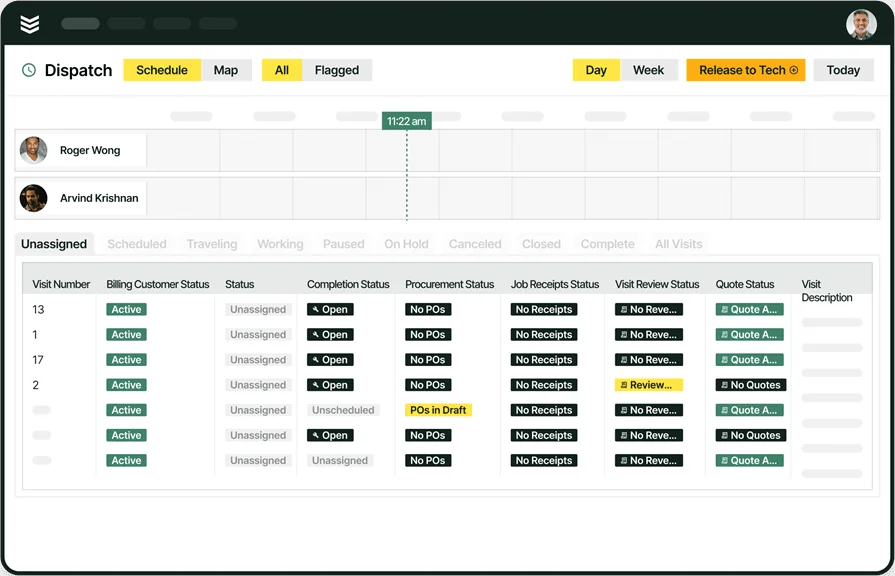
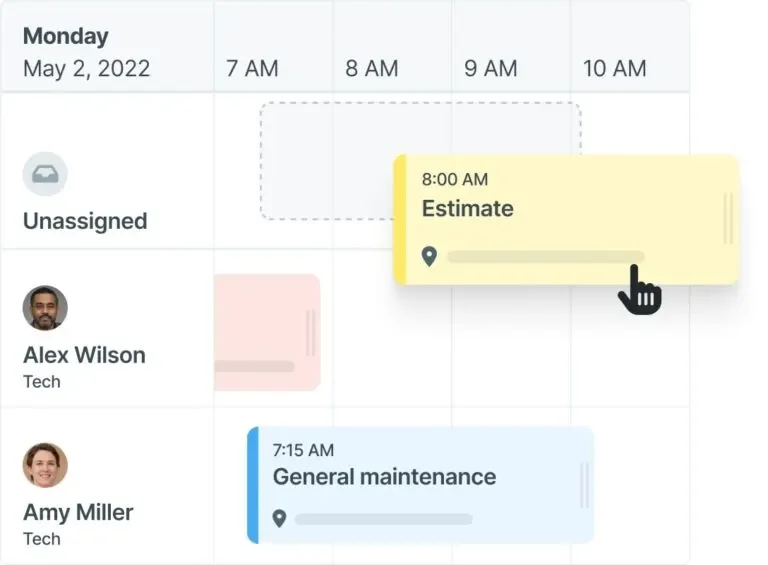
Missed PMs and idle techs cost money. Field service scheduling built for maintenance work gives your office a single board to assign preventive and reactive jobs, with full visibility into tech availability, site location, and job priority. Pair that with smart dispatch software that pushes job details to the field the moment an assignment is made, and your team stops burning time on phone-tag to stay aligned.
2. Technician mobile access to job details

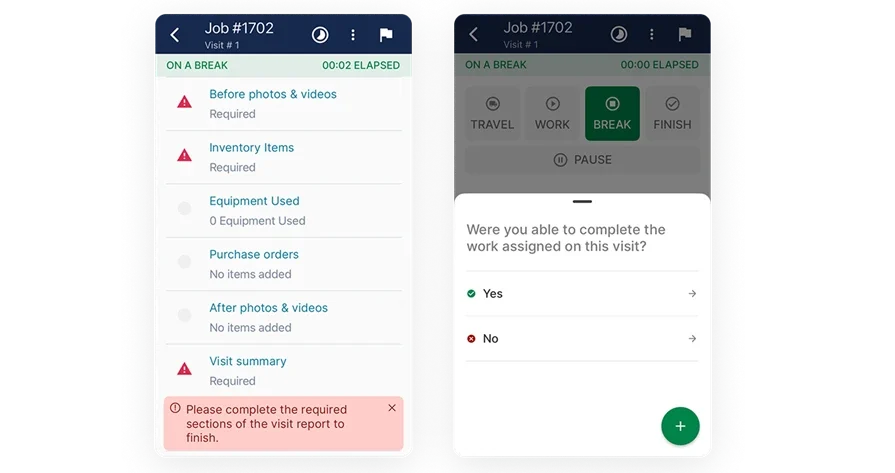
Techs should not arrive at a site cold. A technician mobile app puts work order details, equipment history, site notes, and inspection checklists on their phone before they leave the truck. The less time a tech spends hunting for context, the faster the job gets done and the fewer callbacks your office handles mid-day.
3. Preventive maintenance and service agreement tracking
Recurring contracts are where maintenance operations build steady revenue and lose it when details slip. Service agreement tracking keeps contract terms, visit schedules, and task requirements tied directly to each site and asset. When agreements feed directly into work order creation, PMs stop falling off the calendar and your crew stops building them from scratch every quarter.
4. Time tracking for labor and job costing
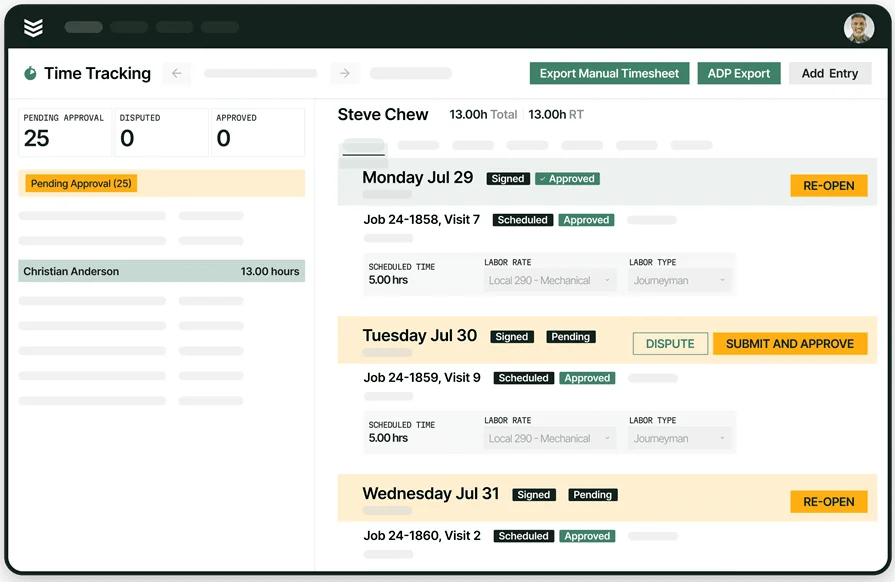
Back-to-back maintenance calls across multiple sites leave no room for manual hour logging. Built-in time tracking captures clock-ins, travel time, and job hours in real time, giving payroll accurate data and giving managers a clear picture of actual labor costs per job, per site, and per contract without chasing down techs at the end of the week.
5. Reporting and performance analytics
Running dispatch maintenance software across multiple sites generates more data than any spreadsheet can process in time to act on. Field service reporting turns job data into usable metrics: completion rates, asset failure patterns, tech productivity, and contract performance. With AI-powered analytics, patterns across thousands of work orders surface automatically, so experienced managers catch recurring equipment issues before they become emergency calls and client complaints.
Other features to look for in a maintenance dispatch system
These extra capabilities lighten your back-office load and keep jobs tighter from estimate to close—especially for contractors handling high-volume maintenance contracts or multi-trade service work. Here are three features that add real value when built into your maintenance dispatch software:
- Service quoting and estimates – When a reactive job uncovers additional scope, techs should not have to relay details back to the office and wait. With field service quoting software tied to the work order, they can generate estimates from the field and get approval before the job scope expands.
- Invoicing and payment collection – Delays between job completion and billing are a cash flow problem. When invoicing tools connect directly to completed work orders, your team bills immediately after sign-off, and with integrated payment processing, clients can settle on the spot.
- Client and site history tracking – Managing maintenance across multiple facilities for the same client means keeping detailed records per site, per asset, and per contact. A field service CRM keeps that history organized and accessible, so your team always has context before dispatching a tech or picking up the phone.
These aren’t bells and whistles for contractors with complex maintenance portfolios—they’re what separate basic work-order tools from platforms that keep your operation moving. Now let’s look at the top maintenance dispatch options, starting with those built for commercial contractors.
Best maintenance dispatch software for commercial contractors: BuildOps

BuildOps is the AI-native platform that gives commercial contractors full control over high-volume dispatch operations across multi-site portfolios, from scheduled PMs and reactive service calls to small jobs and large-scale projects. It connects work order management, scheduling, and field dispatch in a single system, giving your office real-time visibility into every job, every tech, and every site without switching tools.
Asset data, PM schedules, service history, and field updates all live in one place your techs actually use, so you get fewer callbacks, fewer missed visits, and tighter contract performance at scale.
How pricing works: BuildOps offers live weekly demos and customized walkthroughs tailored to your team's workflows and job volume.
Features beyond maintenance dispatch: Quoting, invoicing, project management, time tracking, technician mobile app, and detailed service records.
What sets it apart for commercial contractors: BuildOps unifies complex multi-site accounts, layered service agreements, and recurring PMs in one system so office and field stay perfectly aligned on every job.
Best maintenance dispatch system for residential contractors: Workiz
Workiz gives residential maintenance contractors a clean dispatch and communication hub designed for small to mid-sized service teams. It covers job scheduling, real-time tech tracking, built-in payment collection, and customer-facing tools like online booking and automated SMS alerts. The platform keeps things simple enough for crews who need to move fast without a long learning curve.
That said, residential-focused contractors who start scaling into multi-site commercial maintenance contracts may find Workiz's reporting depth and workflow customization fall short of what those dispatch operations demand.
How pricing works: Plans start at $187/month for one to five users, with custom pricing for added features.
Features beyond maintenance dispatch: Built-in VoIP phone system, online client portal, and automated estimates.
What sets it apart for residential contractors: Workiz's two-way texting and in-app calling keep techs and customers connected throughout the job without adding steps to the workday.
Best maintenance dispatch software for general contractors: Jobber
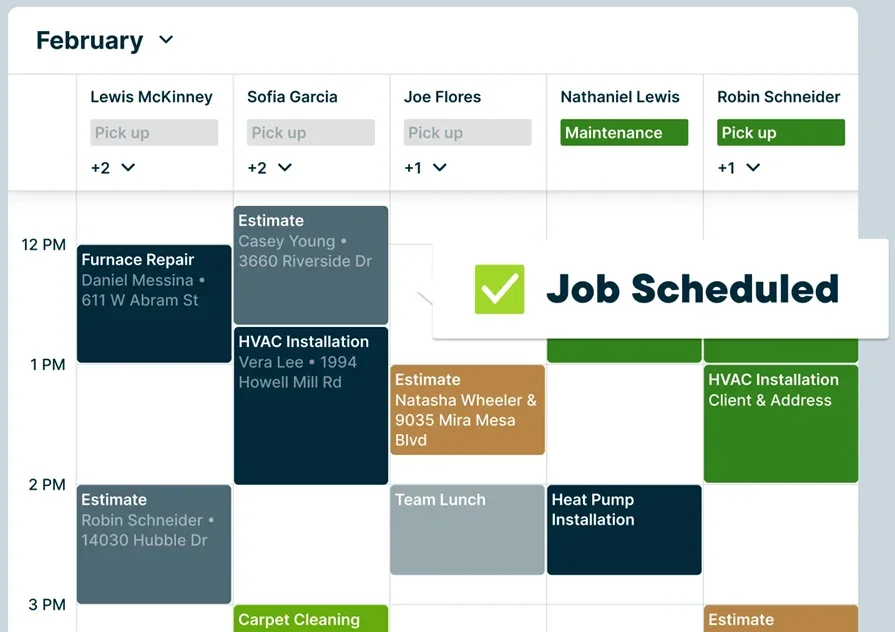
Jobber gives general contractors a straightforward platform for managing dispatch maintenance software needs, covering job scheduling, tech dispatching, work order tracking, and payment collection without a complicated setup. It handles the core field service workflow well, with client management, job tracking, and automated follow-ups in a clean interface that most teams can get up and running quickly.
General contractors managing large commercial portfolios or multi-trade maintenance contracts with complex service agreement structures may find Jobber's depth on the reporting and asset tracking side limited compared to what those contracts actually require.
How pricing works: Plans are tiered, starting at $29/month, with higher tiers unlocking additional automation and reporting features.
Features beyond maintenance dispatch: Client hub, automated quote follow-ups, job costing, and two-way SMS communication.
What sets it apart for general contractors: Jobber's fast setup and clean interface make it a practical option for general contractors who need a reliable system for day-to-day maintenance scheduling without a lengthy implementation process.
Other notable dispatch maintenance service software
Maintenance dispatch teams come in all sizes, with different trades, contract types, and job complexity. Here are five platforms to consider as you evaluate what fits your operation.
ServiceM8
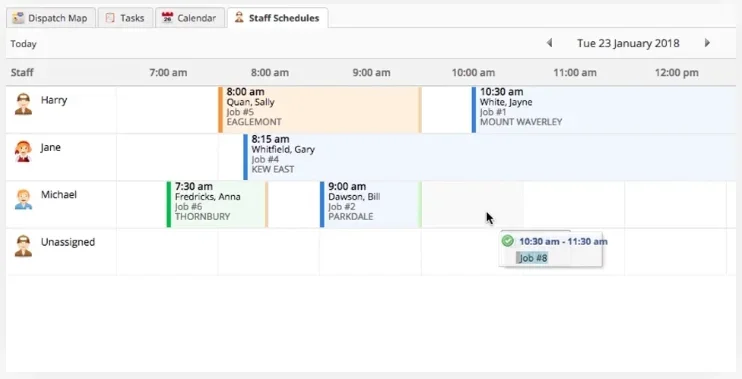
ServiceM8 is a cloud-based job management platform that handles scheduled maintenance and reactive repair work for small service businesses. It covers work order creation, real-time scheduling, live job tracking, and a mobile app that keeps techs and office staff on the same page.
Automated follow-ups, job notifications, and on-site invoicing cut down the admin work that piles up after a full day of maintenance calls. Teams scaling into larger facility portfolios or needing deeper asset tracking and reporting will likely find its customization options too thin for the load.
How pricing works: Starts at $29/month, based on usage tier.
Features beyond maintenance dispatch: Digital forms, automatic follow-ups, and online booking.
What sets it apart: ServiceM8 keeps field admin tight with automation and a clean mobile experience, a strong fit for smaller crews who need speed without complexity.
FieldPulse
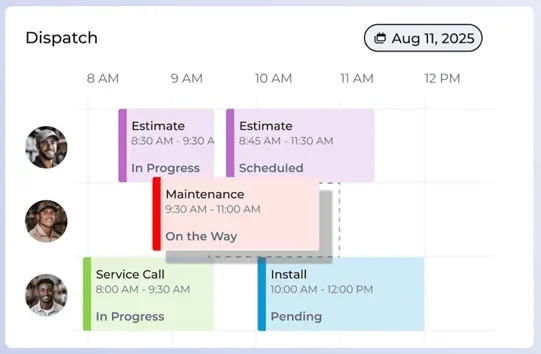
FieldPulse brings CRM, work order management, invoicing, and time tracking into one platform for field service contractors managing maintenance dispatch operations. Real-time job status, GPS integration, and direct communication between dispatchers and techs keep the crew moving without constant check-ins.
It handles the day-to-day well for small to mid-size operations, though contractors who need advanced reporting across multiple sites and service agreements may run into its ceiling faster than expected.
How pricing works: Three-tiered pricing model, available upon request.
Features beyond maintenance dispatch: Client relationship management, mobile invoicing, and team messaging.
What sets it apart: A capable all-in-one option for growing maintenance contractors who need centralized control without bouncing between tools.
Compare BuildOps and FieldPulse side by side right here.
WorkWave Service
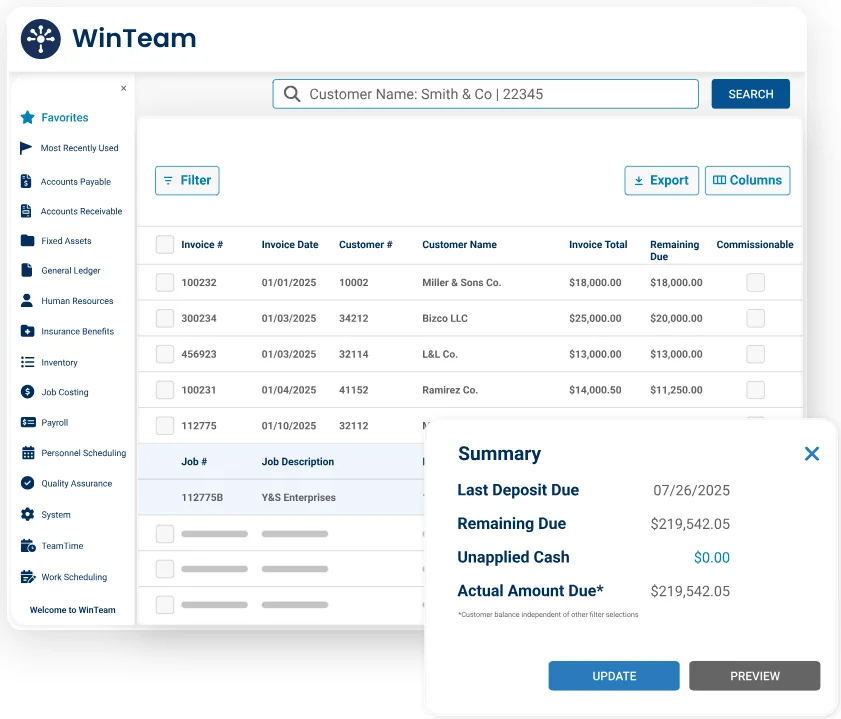
WorkWave Service targets contractors in HVAC, plumbing, and electrical trades managing recurring maintenance work. Route optimization, automatic job scheduling, and customer self-service portals keep field operations structured and client communication consistent. The platform carries real depth for trade-specific dispatch maintenance software needs, but crews with straightforward scheduling requirements may find the system heavier than the job demands.
How pricing works: Custom pricing based on company size and use case.
Features beyond maintenance dispatch: Route optimization, customer self-service portal, and automated billing.
What sets it apart: Strong option for trade-specific contractors who need tight control over scheduling, routing, and recurring maintenance visits.
FieldEdge

FieldEdge helps HVAC and field service contractors manage maintenance dispatch with built-in scheduling, live job status updates, and integrated customer tracking. The real-time dispatch board gives the office visibility across open work orders, job progress, and tech availability, all in one view.
It skews heavily toward HVAC workflows, which may limit its fit for contractors running mixed-trade maintenance across diverse facility types.
How pricing works: Tailored pricing based on business type and team size.
Features beyond maintenance dispatch: Service agreements, quoting, maintenance tracking, and performance dashboards.
What sets it apart: Clean interface and trade-specific features make it a dependable choice for HVAC contractors running high-frequency maintenance schedules.
ServicePower
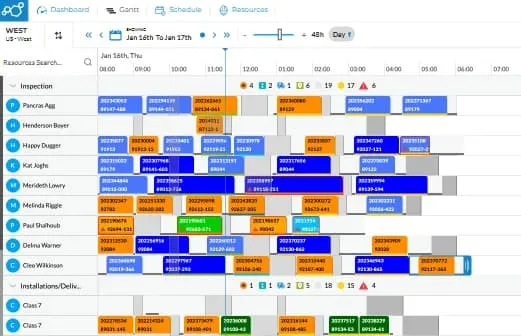
ServicePower delivers a platform for complex field service operations managing large-scale maintenance dispatch across wide contractor networks. Intelligent job matching, workforce automation, and real-time communication between field teams and dispatchers keep high-volume operations moving without manual coordination gaps.
The scale and configurability target national or multi-region operations, so contractors running tighter, localized maintenance programs may find it more platform than they need.
How pricing works: Quote-based pricing tailored to enterprise requirements.
Features beyond maintenance dispatch: AI-driven scheduling, warranty management, contractor network integration, and mobile workforce tools.
What sets it apart: Designed for enterprise field service firms managing hundreds of techs, multiple facilities, and complex maintenance contracts simultaneously.
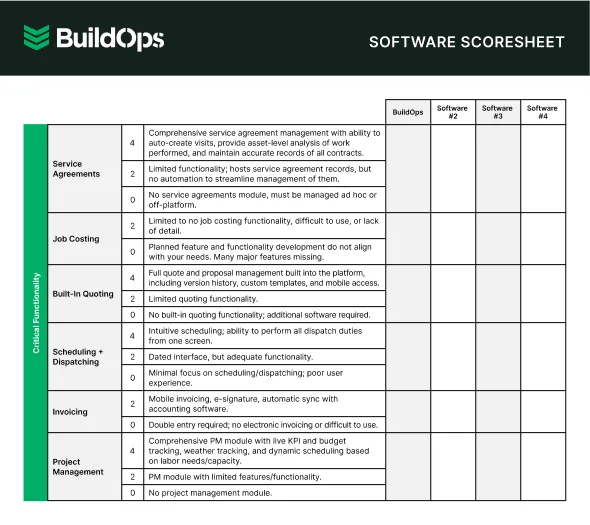
7 benefits of using dispatch maintenance software
Dispatch coordination is the engine of effective maintenance—keeping work orders on time, PMs on track, and techs focused on real work instead of chasing details. The right maintenance dispatch software turns that behind‑the‑scenes coordination into visible, measurable results for field service teams.
1. Faster response to reactive calls without disrupting the PM schedule
Office staff need real-time visibility into who’s available, where they are, and which site they’re pulling from—so they can reshuffle calls fast, notify techs, and prioritize emergencies without blowing up the PM schedule.
In the trades, scheduling and dispatching tools built specifically for maintenance crews make that kind of fast reallocation possible without creating a pile-up on everything else.
2. Fewer missed PMs and scheduling gaps
Heavy maintenance loads make it easy for visits to slip through the cracks. A connected platform that links PM schedules, tech availability, and site requirements keeps calendars tight, prevents gaps, and eliminates errors from spreadsheets and forgotten text threads.
3. Smarter routing between job sites
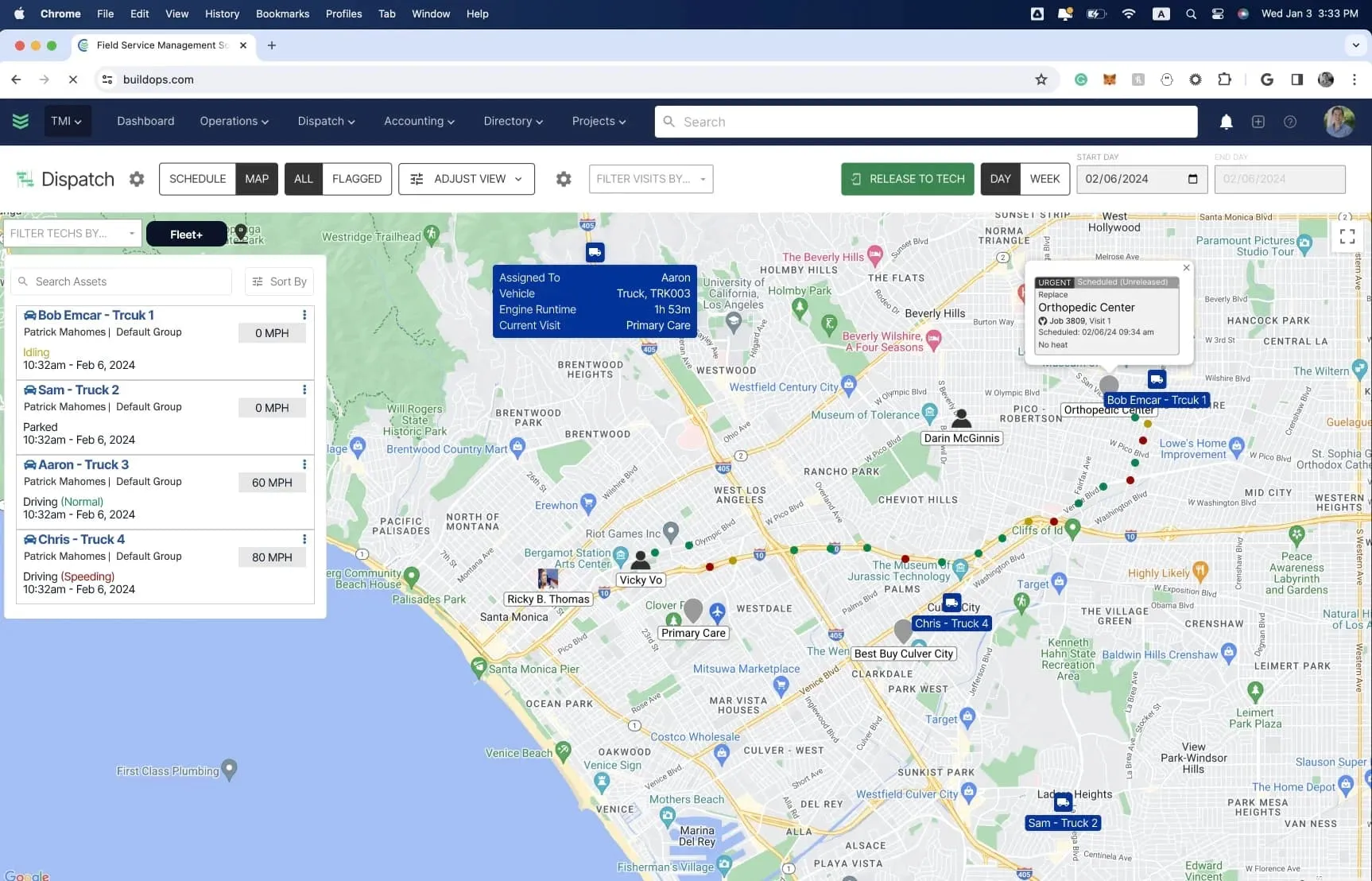
Poor routing wastes time and fuel. Location-based routing that considers job priority and nearby sites keeps techs moving efficiently from stop to stop. Systems built around real-world field service routing logic reduce drive time, tighten daily job counts, and cut the overhead that stacks up when dispatch relies on guesswork.
4. Full job visibility across office and field
See every site’s status in real time—no chasing techs, no crossed wires, no duplicate work orders. With powerful field service reporting built in, your team can track job status, PMs, and site performance anytime without picking up the phone.
5. Cleaner data that drives better maintenance decisions
A maintenance dispatch system does more than route work orders—it tracks patterns, revealing which assets cause frequent reactive calls, which sites exceed labor budgets, and where contract performance is slipping. With AI-powered field service dashboards surfacing those patterns automatically, experienced managers catch issues and make adjustments before a client brings it up on a review call.
Did you know
AI has already started shifting how contractors handle takeoffs, pricing, and bid prep. What used to take hours can now happen in minutes, with more accuracy and fewer surprises. In our 2025 survey The Pivot Point: AI And The Future of Commercial Contracting, 78% of contractors said they believe AI improves efficiency, and 47% are already using AI in some capacity for their field services.
From intelligent job matching to asset-level failure pattern detection, teams are tightening PM schedules, catching equipment issues earlier, and scaling contract loads without adding headcount.
6. Better client experience from first dispatch to job close
Facility managers and property clients do not want to call in to check on a visit. Automated alerts, accurate ETAs, and job summaries pushed directly from the field keep them informed without adding work to your office team's plate. That level of communication builds client confidence, reduces complaints, and protects the long-term contract without slowing anyone down on the job.
7. Greater technician accountability across every site
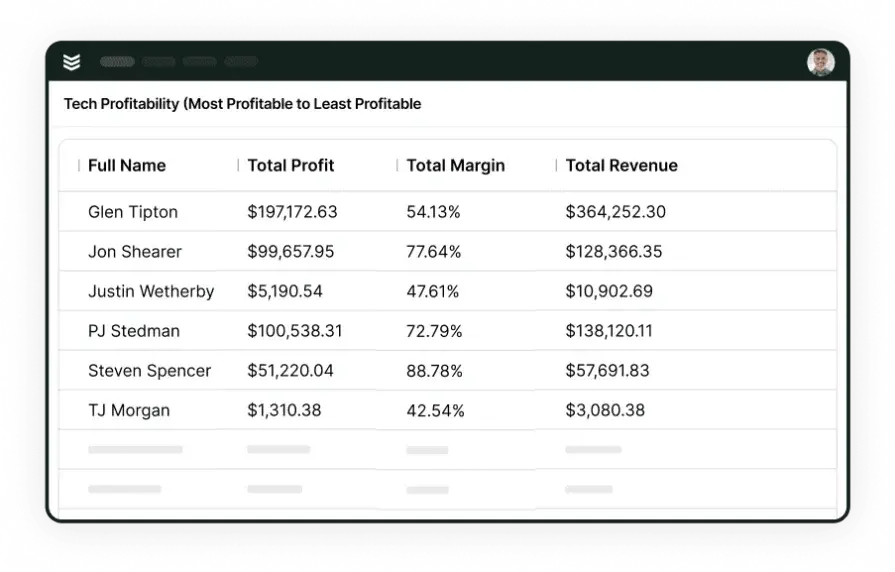
When every clock-in, job check-in, and work order completion gets logged from a mobile device on-site, techs stay focused and accountable without anyone hovering. Every hour is tracked, every task is time-stamped, and every visit is visible to the team. That accountability tightens admin, builds trust with clients who want service records on demand, and gives managers the data to back up every invoice on a multi-site maintenance contract.
4 important maintenance dispatch software FAQs answered
Contractors ready to outgrow clunky, stitched‑together tools all ask the same core questions before switching. These four answers cut the fluff and speak directly to what matters for high‑volume maintenance and dispatch teams.
1. What is maintenance dispatch software?
Maintenance dispatch software centralizes work orders, PM schedules, tech assignments, and asset records in one connected system. Every step stays linked from first service call to final sign-off, eliminating the manual coordination gaps that slow crews down on-site and back at the office.
A strong platform links PM schedules to asset history, pushes completed work straight into invoicing, and keeps field techs and the office looking at the same live data. No constant phone-tag. No guesswork. Just smooth execution on every high-volume maintenance contract.
2. How does dispatch maintenance software work in the field?
It keeps the office, field techs, and the client connected in real time, so everyone sees the same information as the job moves forward. Here is how the typical job flow works:
- Work orders are created from PM schedules or reactive calls and assigned based on tech availability, location, and trade
- Techs receive full job details, asset history, site notes, and checklists on their mobile device before arriving on site
- Status updates, photos, and completion notes are logged from the field in real time
- Office teams monitor job progress, reassign if priorities shift, and trigger invoicing the moment a job closes
- Service agreement terms and visit history stay attached to each client and site automatically
That replaces the whiteboard, the group text, and the spreadsheet with one system everyone is actually working from.
3. Is maintenance dispatch software worth the investment?
For contractors managing lots of maintenance contracts, manual coordination quickly costs more than the software. A maintenance dispatch app prevents missed PMs, reduces reactive chaos, speeds up billing, and gives techs the asset history they need to boost renewals and first-visit fixes.
{{related-content-block="/resources/dane-electric"}}
4. What are the best practices for maximizing maintenance dispatch software?
You don’t get real value from a maintenance dispatch platform at go-live—you earn it as your team builds it into daily work. The setups that last follow a simple pattern:
- Map your real PM workflows first so configuration matches how you actually operate.
- Load assets, histories, and site rules before the first dispatch.
- Build service agreements into the system so PMs auto-trigger.
- Train techs on mobile pre-launch; field adoption drives usable data.
- Connect invoicing and payments on day one to avoid billing delays.
- Turn on real-time alerts for overdue PMs and open work orders.
- Review dashboards weekly so asset and labor trends surface quickly.
- Tie time directly to work orders from the start for accurate job costing.
- Track PM completion by site monthly and adjust visit frequency using performance data.
- Re-audit workflows quarterly; what works at 50 sites won’t be enough at 150.
When every work order, PM schedule, and asset record lives in one connected system, maintenance becomes a consistent, repeatable process—not guesswork.
Most platforms cover pieces of this. BuildOps unifies automated PM scheduling, mobile work orders, AI insights, and real-time field visibility in a single, AI‑native platform built for commercial contractors, giving you full control over maintenance workflows without a fragile patchwork of tools.
If you want to see how that works in practice, BuildOps offers a free demo with zero pressure attached. Walk through the platform on your schedule, ask the hard questions, and see whether it fits your operation before committing to anything.