Construction Project Management Software
Keep projects on time and under budget
Projects is a command center for specialty contractors, unifying job documents and live field updates to flag margin risk early to keep the schedule and cash flow on track.


One System, Every Workflow
Integrated tools for the full build lifecycle
Five connected solutions to plan, execute, document, procure, and track financials across every phase of your commercial build from one source of truth.

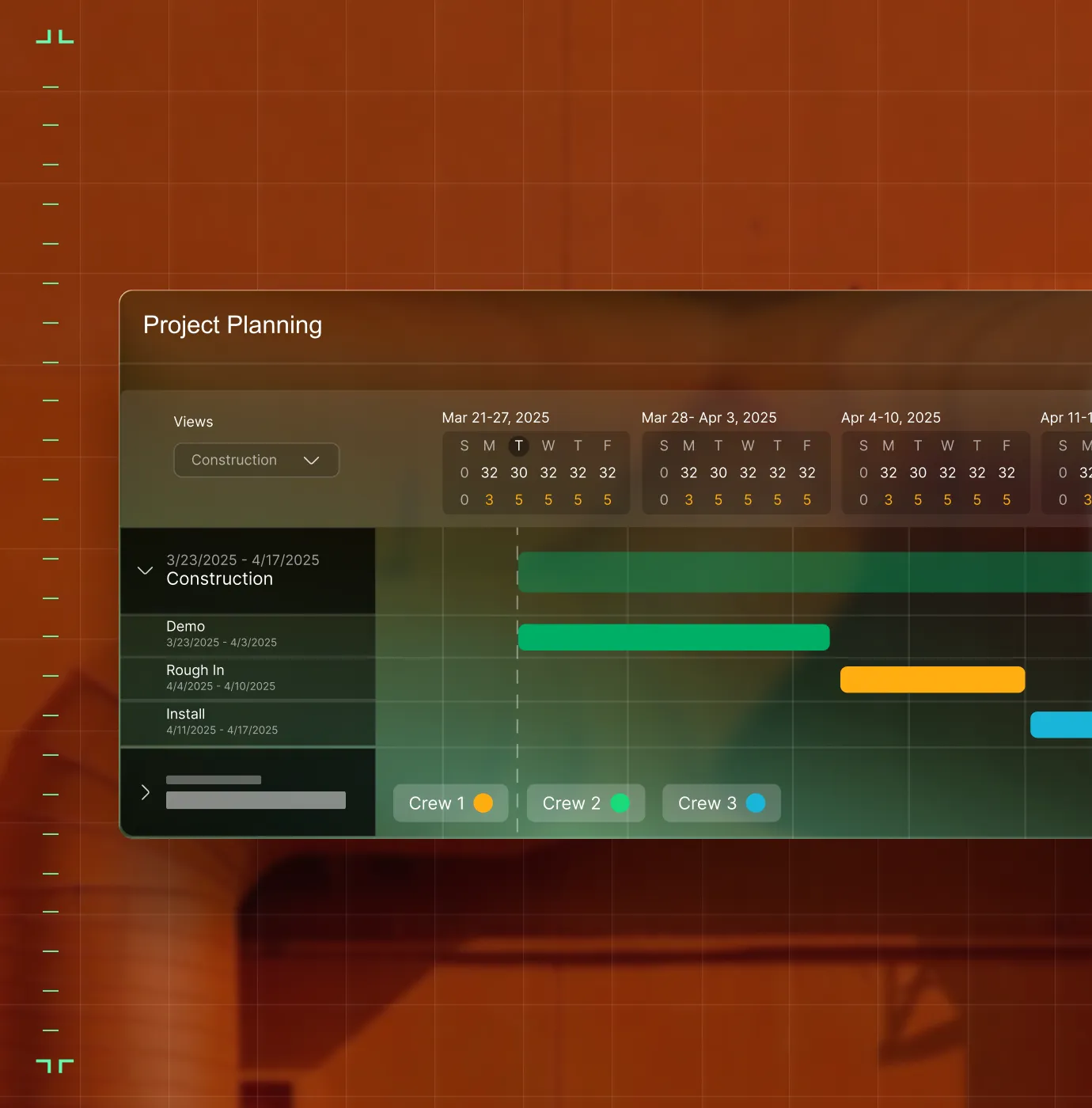
Resource Planning
Know who's working where, on what, and at what cost, before overtime starts. Align crews to real project schedules so staffing decisions are proactive, not a Friday payroll surprise.
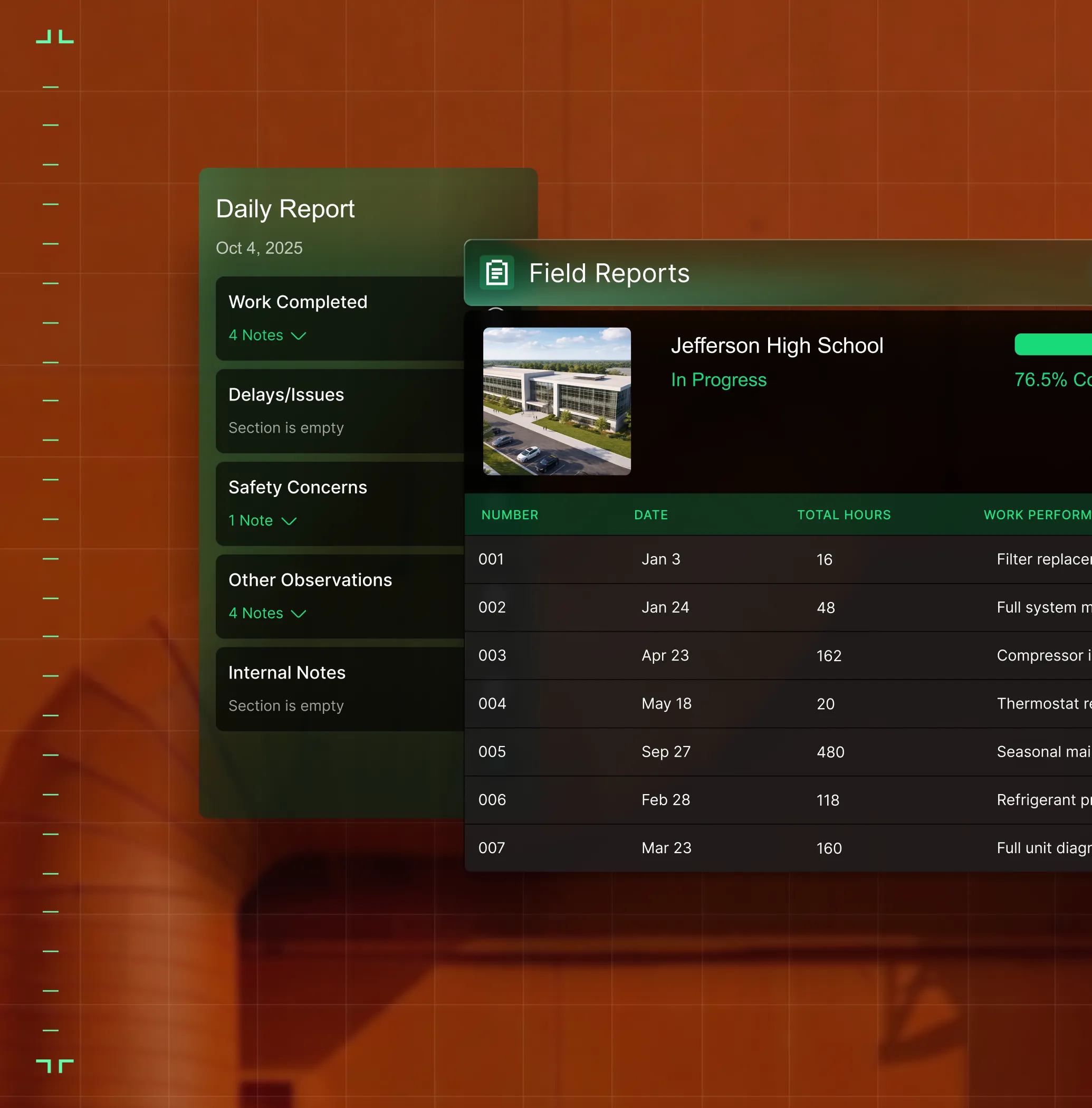
Field Execution
When issues, progress, and context move to the office fast, daily field activity turns into project decisions.
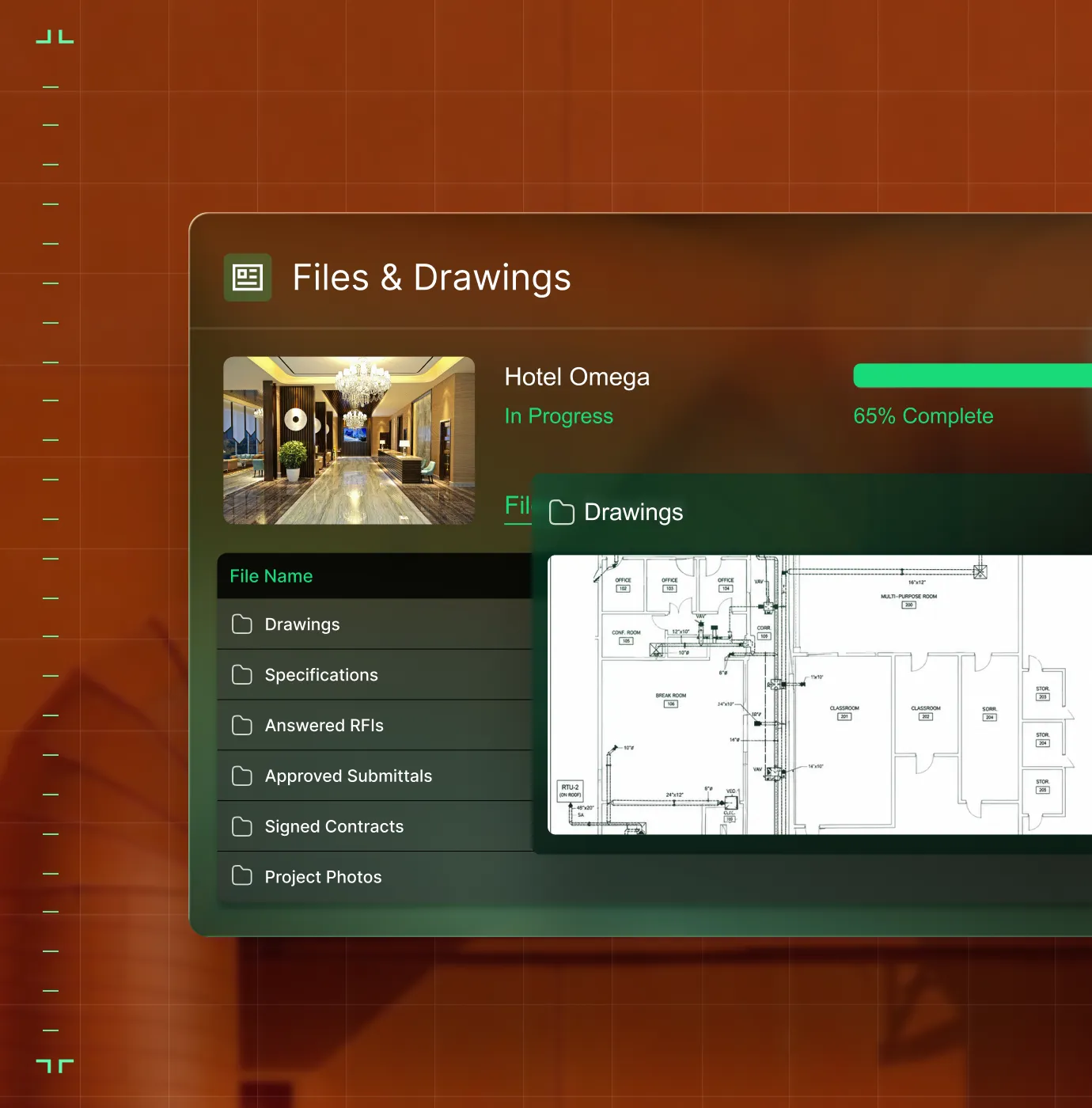
Document Control
Keep RFIs, submittals, and drawings tied to the job, not buried in inboxes or GC portals.
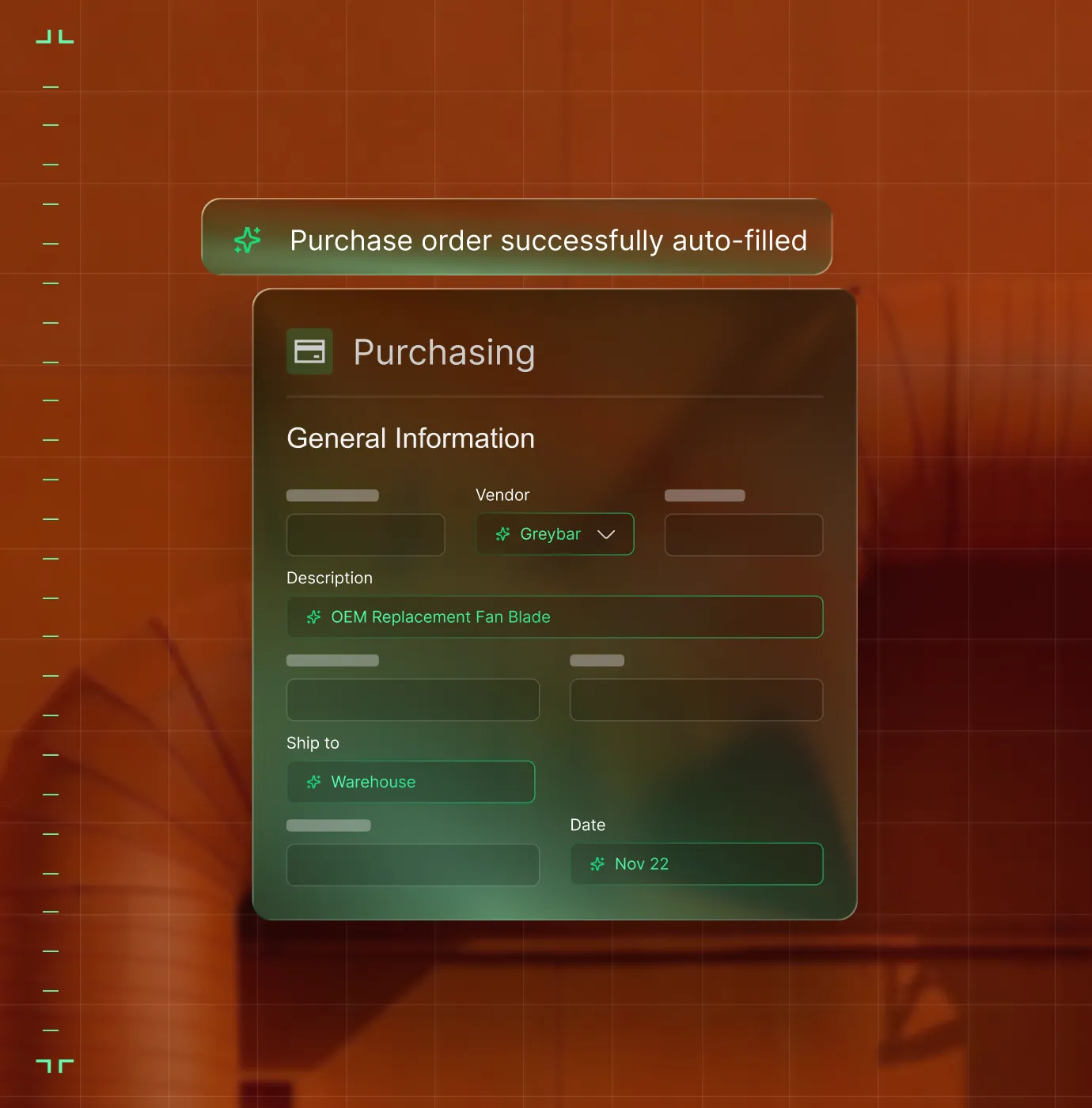
Materials & Subcontracts
Track POs, manage vendor commitments, and lock material costs to billing because fewer shortages mean fewer surprises.
Construction Financials
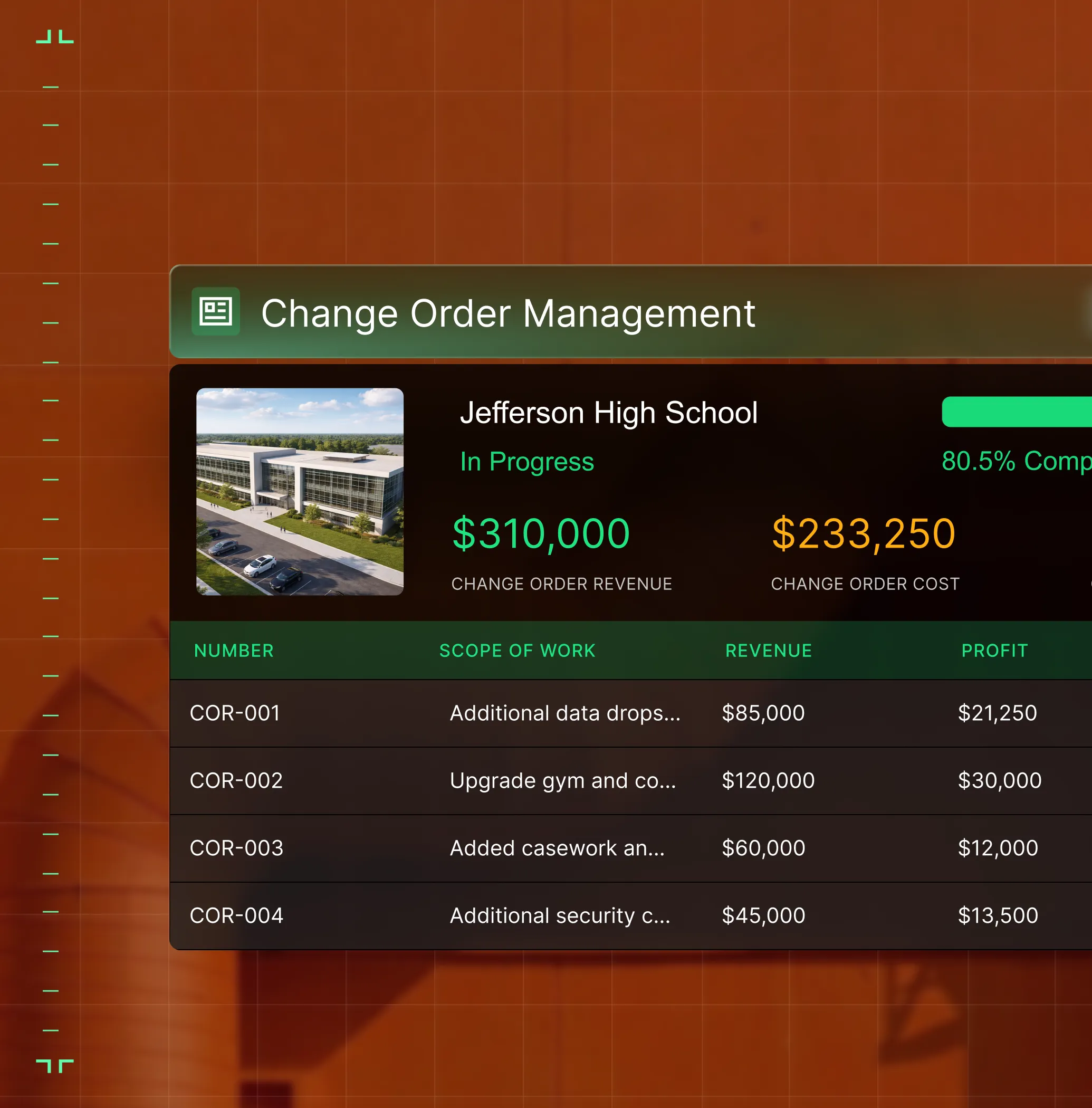
Connect labor, materials, change orders, and billing. See margin risk mid-flight, while there's still time to act.
OpsAI
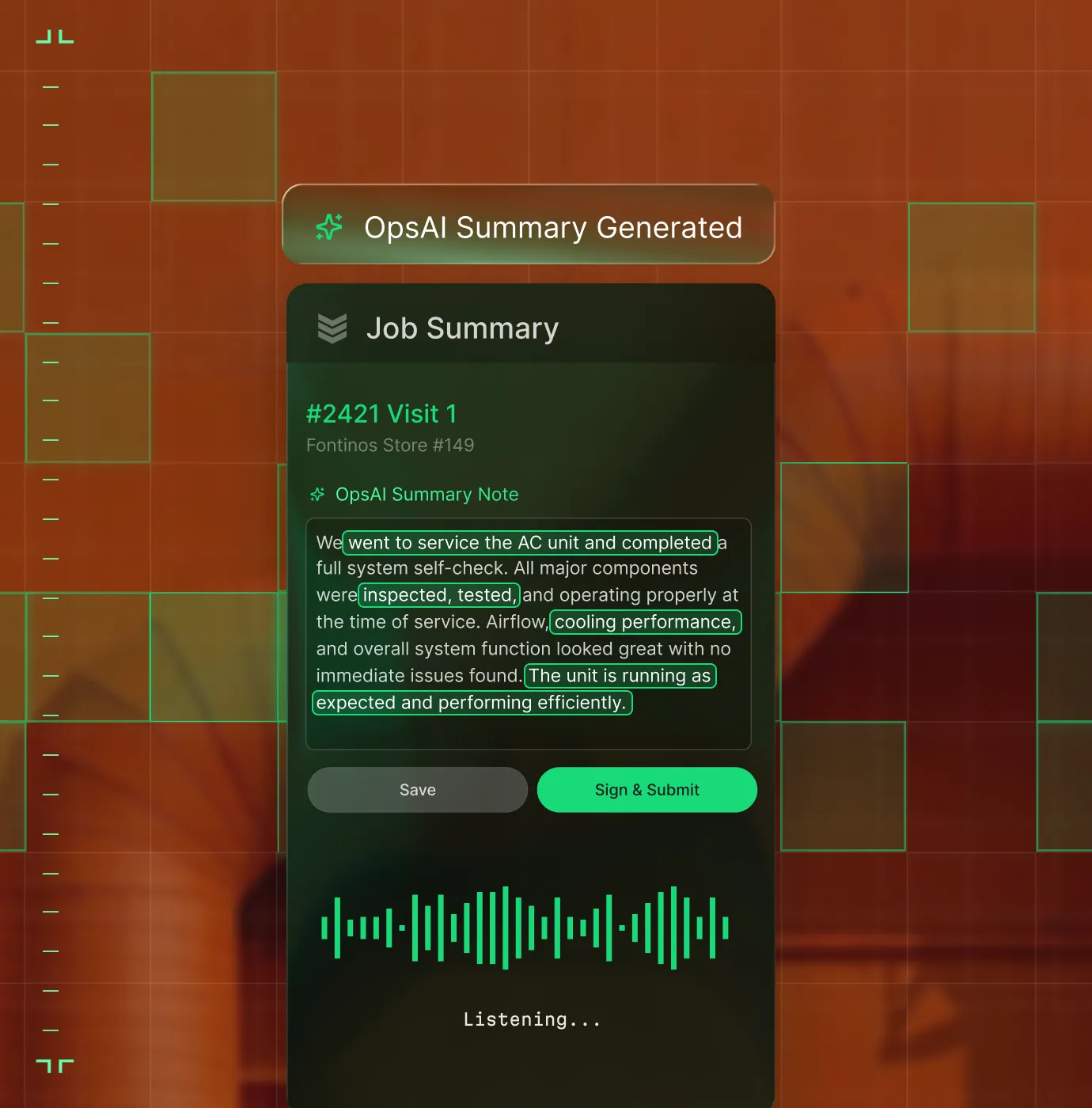
Turns Daily Report entries into smart form suggestions — flagging missing permits like Hot Work before the day's over.

Proven Results
Contractors who own their project record


"We've seen an increase in day-to-day operations efficiencies that's going to add up to significant savings in time and energy over the course of a year."

"If we didn't have BuildOps and the additional cyber security they give our company, we would be dead in the water."

"The ability to produce reports either on an individual job basis, a quarterly basis, or a project basis is something we'd never seen before in other software that we've used."

"We've cut down in our receivables from about 120 days to 30 days on average."


"Before we knew it, we were seeing quicker turnaround times on job closeout and a huge improvement in the time it took for quotes to be accepted by our customers."


"With BuildOps, we feel like we can go after anything. The sky is the limit as far as the size of the project."
.webp)

"BuildOps gave us an all‑in‑one system for both service and projects. Once we saw that, it was a no‑brainer."

"With the integration of BuildOps and Sage Intacct, our accounting system, we've been able to speed up the time it takes for us to bill customers."


"Our consulting division increased 300% because we were able to free up more time from the office to help other customers."
![Service First Logo]](https://cdn.prod.website-files.com/69cad9cd3a5ef3196ea9bb65/69fa0ca0adc28a56d26717c9_Service%201st%20white.webp)
"Sometimes systems promise you the moon, then you use them and see the weaknesses. It's been the exact opposite with BuildOps. Everything we wanted it to do, it could do."

"We used to be two weeks behind on job costing. Now we're up to date daily."
What makes BuildOps different
Built from the ground up for contractors who run projects, service, and everything in between. Not adapted. Made for the work.
Commercial work isn't an add‑on
Most platforms started in residential and stretched to fit. BuildOps starts with the complexity of commercial work.
Run the work in one connected system
Field, office, finance, and sales — all in one place. No duct-taped tools, no double entry, no dropped balls.
OpsAI is built in, not bolted on
OpsAI is already in your workflows. It recaps the day, calls out risks, and gives every role a clear next step.

Zero-Downtime Migration
Move your infrastructure without the interruption
The biggest risk to your business is staying on a broken system. Our implementation team guides you through historical data and active projects migration to BuildOps with minimal downtime for your field or office.
Historical data integrity
We map your legacy project data to ensure every past job is searchable and accurate within the new ledger.
Active project transition
Active builds move in phases so your crews never miss a log, a safety check, or a deadline.
ERP backbone sync
We handle the complex handshake with your accounting software to ensure your ledger remains the single source of truth.
Project Management
Full job visibility, from budget to closeout.
Common Questions
Contractor project management software questions, answered
What project management software features matter most for commercial contractors?
Commercial contractors need project management software that goes beyond task lists and Gantt charts. The features that actually move the needle are the ones that connect field execution, documents, procurement, and financials in one place, so project managers, foremen, and the back office are all working from the same source of truth.
Here are the key features to look for:
- Document Control—RFIs, submittals, drawings, and change orders tied directly to the job, not buried in email or a GC portal. If a change event isn't captured cleanly, it's revenue you can't prove you earned.
- Workforce Planning—Activity-based planning that reflects how crews actually get assigned, not a disconnected spreadsheet. You need to see who's working where, on what, and at what cost.
- Field Execution—Mobile tools that let foremen and techs log daily reports, punch lists, and issues from the jobsite without slowing down. That data should feed the project workflow in real time.
- Project Financials—Real-time visibility into projected costs, change order status, and budget-to-actual comparisons so you catch overruns while there's still time to act — not at the month-end WIP meeting.
- Materials & Subcontracts—Purchase orders, commitment change orders, and committed cost tracking that tie back to the project budget.
- Built for specialty contractors, not GCs—You need a system where you control your own data—contracts, budgets, change orders, and field documentation—independent of whatever portal the GC uses. If Procore is where the GC runs the job, your software should be where you run your business.
- Service and projects under one roof—Most commercial contractors run both service calls and multi-month construction projects with the same crews. Your platform should handle both without forcing you to stitch together separate tools.
- Mobile-first for the field—Foremen and techs should be able to log daily reports, create RFIs from drawings, and track punch lists from their phones, even when offline.
- ERP integrations that work—As your business matures, your project management tool needs to sync contracts, budgets, change orders, and WIP data with your accounting system, whether that's Sage Intacct, Spectrum, Vista, or QuickBooks.
- AI built into the workflows your team already uses—Like turning voice notes into structured field reports, scanning PO documents, or flagging stalled approvals, and not just a chatbot bolted on as an afterthought.
BuildOps delivers all of these as connected solutions inside one platform that is purpose-built for specialty contractors running HVAC, electrical, plumbing, refrigeration, and fire & life safety work. Every feature is designed for how commercial projects actually unfold on site.
What are the key benefits of using project management software for commercial contractors?
The biggest benefit is simple: you stop finding out about problems after they've already cost you money.
Without a connected system, project data lives in five different places: GC portals, spreadsheets, email threads, camera rolls, and someone's memory. The result is late discovery of labor overruns, missed change orders, and margins that quietly erode before anyone notices.
Using a contractor project management software instead, you avoid those issues, and get these benefits:
- Fewer surprises—PMs and field crews see the same job status as it happens, not days or weeks later.
- Faster billing—When RFIs, submittals, and change orders live on the job record, pay apps go out with clean backup — so GCs have less reason to hold your money.
- Margin protection—Teams catch cost drift early enough to adjust staffing, renegotiate scope, or flag risk to leadership.
- Less admin—Field workers capture progress, issues, and time directly from their phones. That data flows into the project workflow without double entry in the office.
- A project record you own—Your documentation, financial history, and job data stay with your company — not locked inside a GC system that shuts off access when the project ends. BuildOps customers have seen results like 30% revenue growth, 73% reduction in billing time, and the ability to take on more work without adding headcount.
What is the best project management software for contractors?
We think it depends most on the type of work you do.
For commercial specialty contractors in HVAC, electrical, plumbing, fire & life safety, and refrigeration, BuildOps is built specifically for you. It's the only contractor project management platform designed from day one for how commercial trades actually operate, connecting service management, project management, financials, and AI in a single system. BuildOps handles everything from RFIs and submittals to workforce planning, change orders, project financials, and ERP integrations—purpose-built for the subcontractor, not the general contractor.
For residential contractors focused primarily on home service and repair, tools like Jobber or Housecall Pro may be a better fit for simpler scheduling and dispatching needs. Those platforms are designed around the residential workflow with shorter jobs, homeowner-facing features, and lighter documentation requirements.
The key difference: residential tools weren't built to handle the complexity of commercial construction like multi-phase schedules, GC coordination, formal document control, progress billing, and change order management. If your work involves any of that, you need software that speaks the language of commercial projects.
What is project management software for contractors?
For commercial specialty contractors, project management software unifies all aspects of a field service operation in a single platform that can link individual jobs with more complex projects. Rather than piecing together separate tools, you run individual jobs, tech time tracking, scheduling, dispatching, resource planning and allocation, financial, invoicing, and everything else in a single tool that connects all of that data across the operation for all team members.
This means your contractor project management software needs to be more than just a shared calendar or task tracker. A typical project management software for contractors will include contract and budget management, change order workflows, document control, field execution tools, resource and workforce planning, and project financials.
How does BuildOps handle integration with my existing ERP (Sage, Viewpoint, etc.)?
BuildOps integrates with the ERPs frequently used by commercial construction teams including Sage, Viewpoint, and Quickbooks. BuildOps syncs field data (time tracking, POs, invoicing, etc.) directly with your ERP's job costing and payroll modules. Data flows both ways, keeping financials accurate without manual re-entry.
BuildOps is an operational backbone for commercial construction project management teams to build on top of, no matter what other tools are in your tech stack.
What does the timeline for a BuildOps integration look like for commercial construction teams?
Most construction businesses are up and running on BuildOps within 8-12 weeks. We map your legacy data, configure custom workflows that match your specific projects and the work you do, and we train your crew—project managers and field techs alike. Our integration specialists will be with you every step of the way to help you build out your new operational architecture.
BuildOps was created specifically for commercial companies, and continues to be guided by input from project managers, business owners, dispatchers, and contractors.
How do commercial project management teams automate operations with OpsAI? Is OpsAI ready now?
BuildOps already has AI solutions available today across the full workflow, supporting teams from the field to the office with solutions like Smart Dispatch, Smart Recap, Purchasing Document Scanner, Revenue Finder and more.
Our customers have seen results like 80% less data entry using our PO scanning tools, have saved hours every month using our Smart Dispatch and invoice automation, and love the ability to turn tech voice notes into structured field notes in seconds—all powered by OpsAI.
OpsAI learns from your project data to flag issues, identify recommended work, suggest next actions, and cut busywork, getting sharper with every visit. It turns your legacy system of record (showing you the history of what was done) into a modern system of action, guiding every team member from field to office on what steps to take next.
Here are the key ways OpsAI would help with project management specifically across different roles within an operation:
- On the Job: Brief the foreman before the crew gets there, capture visit voice notes and turns them into work summaries, and summarize daily reports from jobsites.
- In the Office: Turn visit notes into invoice summaries to close out billing faster and provide summaries and daily reports from jobsites.
- For Finance: Generate invoice summaries that customers can actually read and understand, match bulk payments to open invoices, and pull line items from PO photos.
- For Sales: Read completed visit notes to look for replacement, repair, and upselling opportunities your team can act on in the future and recommend to customers before someone else does.
- For Owners: Surface jobs, trends, and project risks you might not catch before it’s too late, so you spend time making decisions, not looking for information.
Can you point to any project management success for commercial teams already using BuildOps?
Of course we can. Using BuildOps:
- Jackson Mechanical saw a 100% increase in tickets handled with no headcount added, a 50% reduction in time taken to create a job and get it scheduled, and a 30% growth in revenue
- Certified Fire saw service employee billable time increase from 75% to over 95%, monthly service billing rose 54%, and an incredible 250% increase in profit margins
- Jolma Electric saw a 50% leap in overall efficiency
- JL Minter Inc. slashed billing time by 73%
- Dane Electric cut invoicing time by over 30%
There’s a clear reason scaling commercial teams trust BuildOps for contractor project management.
How do I ensure high adoption rates of BuildOps across my team?
The BuildOps platform was built so even the least tech-savvy person can use it effectively, and most team members become comfortable with BuildOps with only 1-2 training sessions. During implementation, we help you build the custom workflows your commercial business actually uses when completing projects, so when your team members are starting out with the platform, they’re learning how to actually use it for the exact scope of project work they are going to do.
How does role-based access work in BuildOps? What can my contractors see vs office staff? How is the data secured?
Role-based permissions ensure your team only sees what they need to, and you are in full control of that. You can set permissions for contractors, for dispatchers, for office admin, for leadership, for business owners—whatever you need. BuildOps is a platform where all the data is accessible to anyone, whether they’re using a desktop or using their phone, but you are in total control of who sees what.
Maybe you want to build a custom report for each contractor to see their individual job performance stats, but you want a different dashboard for leadership to compare job profitability for all of your contractors. BuildOps lets you do that.
BuildOps is also SOC 2 compliant with enterprise-grade encryption for data in transit and at rest, so you can be assured: your data is secure, and your data stays yours.