8 Best Contractor Software with AI Features in 2026

AI systems can increase operational efficiency for many facets of contractor field ops, helping them run better, more efficient businesses and make the most out of their workforce. “Most companies are thinking about AI wrong,” said Harvard Business School Professor Chris Stanton at BuildOps Forge 2025. “This isn’t going to be about replacing people … it’s about enhancing productivity.”
For contractors managing scheduling, dispatching, invoicing, and technician coordination across multiple job sites in the field service industry, AI that’s built into every workflow—not just a chatbot—automates admin work and surfaces insights so owners can move faster.
This guide explains how to spot truly AI-native contractor software, what to evaluate, which platforms stand out, and how AI-driven workflows turn into real efficiency and ROI.
Here's what we'll cover:
- 9 key features to look for in an AI-native contractor software
- 8 best contractor software with AI features
- Top benefits of using an AI-powered software for contractors
- How to choose a contractor software with AI features
- 4 important FAQs about AI features in contractor software
Let's start with the core features that define an AI-native contractor platform, so you can understand what capabilities to prioritize and what to look for when you sit down for a demo.

Our survey of 606 contractors across North America found that 78% are using AI tools on the jobsite, while 47% say one in five positions remain unfilled. That combination explains why AI-backed workflows matter in how contractors manage their field ops: they reduce admin load and help teams keep output steady with the headcount they have.
9 key features to look for in an AI-native contractor software
AI-powered contractor software streamlines workflows from dispatch to invoicing, cutting errors and admin time for fire safety contractors, field techs, and service business owners.
1. AI-powered workflows & automation
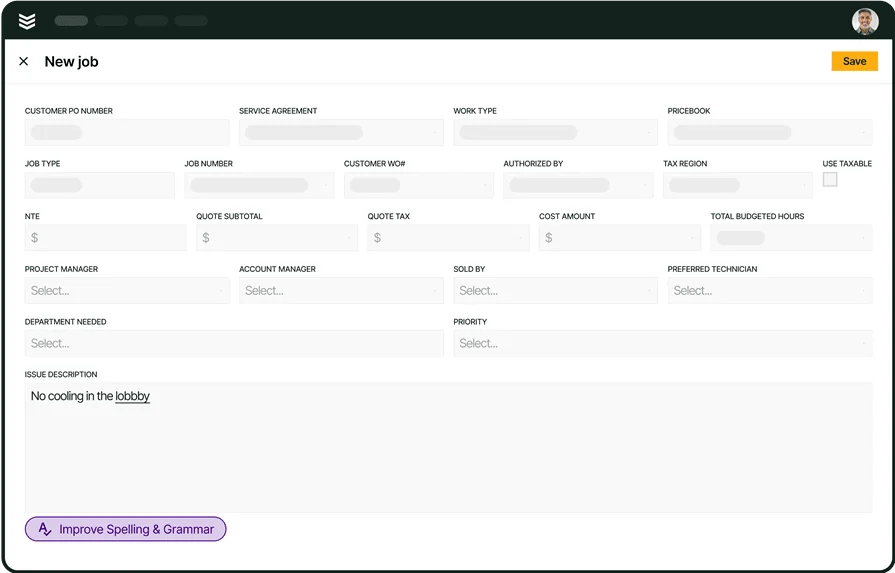
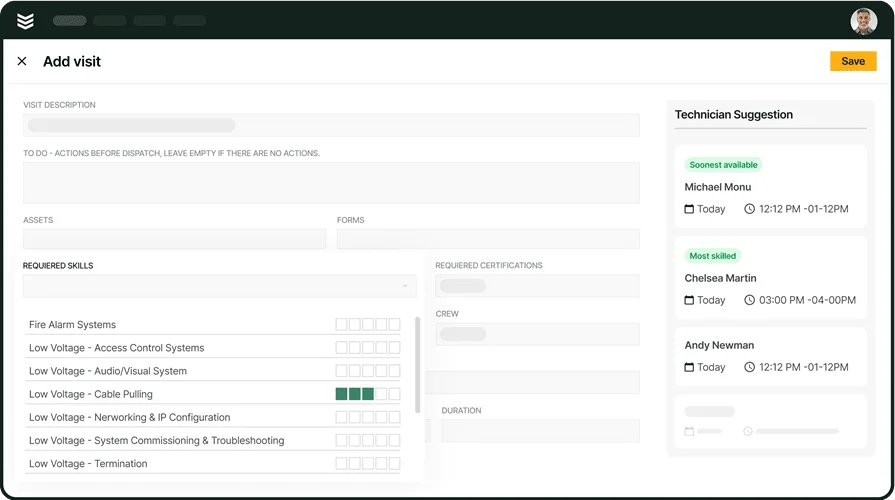
AI is where the gap between legacy platforms and modern contractor software becomes most obvious. An AI engine for field service embedded across the platform auto-generates invoice summaries, cleans up daily logs, and recommends the best nearby tech—woven into dispatching, documentation, and reporting to cut manual overhead on every job.
2. Scheduling & dispatching
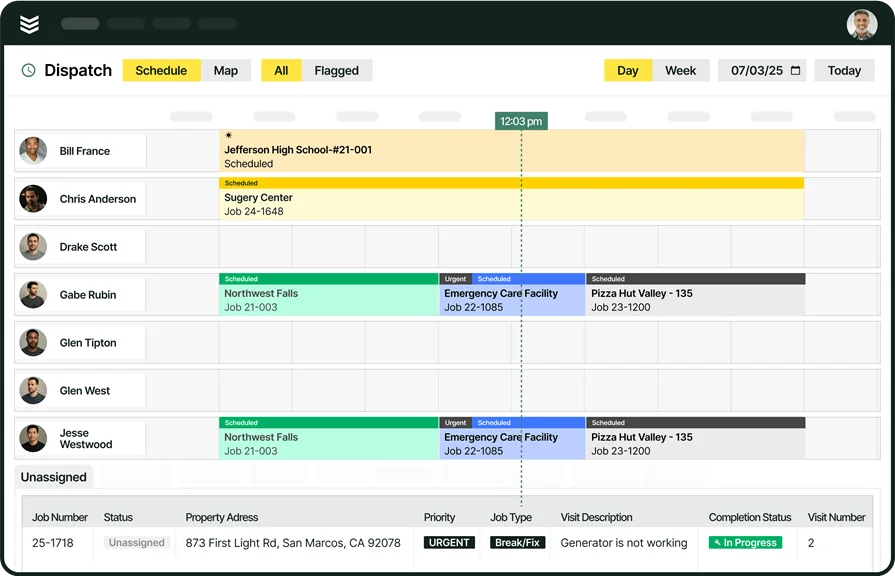
Scheduling and dispatching sit at the center of every field service operation. A strong scheduling platform lets you assign jobs based on technician skill sets, location, and availability, while a dedicated smart dispatch software layer handles real-time reassignments when priorities shift—whether that means an emergency alarm call jumping the queue or a tech finishing early across town.
3. Technician mobile app & field access

Field techs should never have to call the office for job details, customer history, or parts availability. A technician mobile app puts job assignments, service records, checklists, photos, and digital signature capture directly on a phone or tablet. AI tools for contractors extend that value further—techs can talk-to-text their daily notes and let the platform clean up the language automatically, cutting documentation time without sacrificing detail.
4. Invoicing & payments
Getting paid quickly matters as much as completing the job. An integrated invoicing system tied to job data lets techs generate invoices on-site with accurate line items pulled straight from the work order, while a connected payments module enables digital collection before the truck leaves the parking lot. When AI can scan purchase orders and auto-populate invoice line items—then write a professional summary from your tech's field notes—billing cycles shrink and disputes drop.
5. Service quoting & estimating

Speed and accuracy on quotes directly affect win rates. A service quoting software that pulls from pre-set pricing templates, historical job data, and labor cost calculations lets you send professional estimates in minutes instead of hours. For contractors managing multi-site maintenance bids upgrade proposals, having quote history linked to the customer record means you can reference past pricing without digging through spreadsheets.
6. Reporting & analytics
Data only matters if you can act on it. A reporting platform that track performance, revenue, and customer satisfaction give owners the visibility to make smart decisions, surfacing those insights in customizable dashboards—no manual spreadsheets required.
7. Service agreements & maintenance contracts

Recurring service agreements represent one of the most reliable revenue streams in field service, especially for fire safety contractors managing annual inspections and quarterly maintenance schedules. Having a service agreements feature ensures that routine work is automatically scheduled, tracked, and invoiced without manual oversight. That consistency protects revenue and keeps your customer relationships intact by eliminating missed visits.
8. Fleet tracking & route optimization
Knowing where every vehicle sits at any given moment is critical when response time affects customer retention and SLA compliance. A fleet management tool provides real-time GPS tracking, fuel usage insights, and maintenance alerts—helping dispatchers reroute the nearest available truck to an urgent call instead of sending someone from across the city. For contractors covering large service territories, that visibility translates directly into lower fuel costs and faster response times.
9. CRM, pipeline & time tracking
Managing client interactions, lead pipelines, and labor hours in one place closes the loop between sales and operations. A field service CRM lets you track service history, sort leads by intent and likelihood of converting, and manage follow-ups without switching platforms. Pairing that with built-in time tracking means techs log hours at the job site, managers approve them instantly, and payroll syncs without double entry—giving you accurate labor cost data for every job.
8 best contractor software with AI features
Some contractor platforms build AI into the work. Others just add it to the pitch. Here’s how eight solutions compare heading into 2026.
1. Best for commercial field service teams: BuildOps
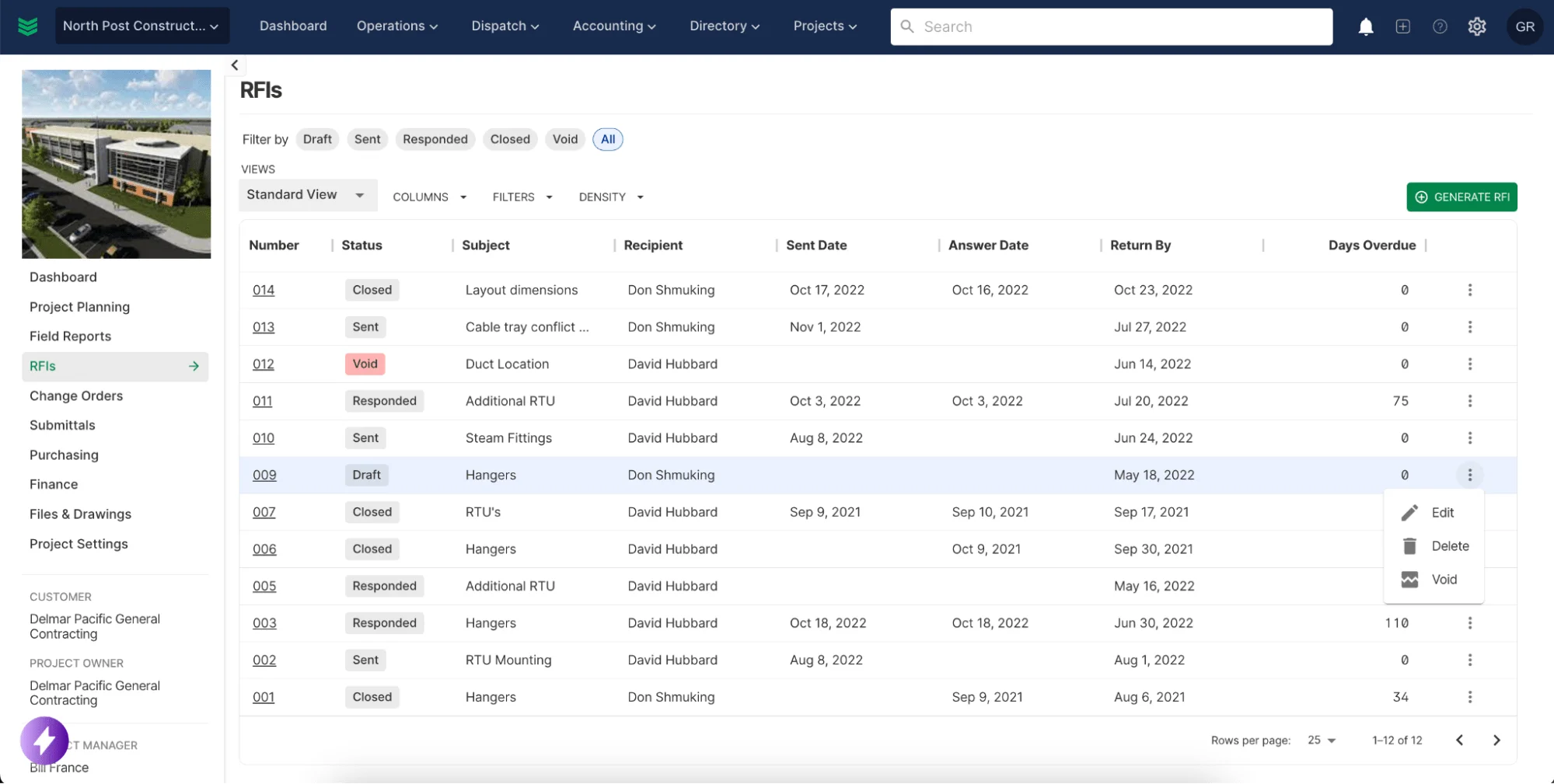
BuildOps is an AI‑native operating system for commercial service contractors that unifies scheduling, dispatching, job tracking, invoicing, and customer management. Powered by OpsAI, it automates clean invoice summaries from technician notes, refines daily logs, recommends the best available tech for each call, and converts purchase orders into accurate invoice line items.
Real-time job tracking, drag‑and‑drop scheduling, and automated work orders keep the office and field in sync across every job. With BuildOps’ AI‑first platform, intelligence is built into dispatch, reporting, and billing from day one—so your operation runs sharper, faster, and more profitably.
How Pricing Works: BuildOps offers live demos every week, and you can request one anytime. This allows you to explore the platform's full capabilities and determine if it fits your business.
AI-capable features:
- OpsAI-powered Smart Dispatching to assign the best technician for each job based on skill, certification, and location
- AI-generated invoice summaries and PO scanning to auto-populate line items
- AI-assisted daily report writing with grammar correction for field notes
- Full-service job tracking with real-time updates from the field
- Built-in Service Agreements management
- Mobile app for techs to access job details, upload photos, and capture signatures
- Integrated invoicing and payments to streamline billing and reduce paperwork
What Sets It Apart for Commercial Contractors: BuildOps connects scheduling, dispatching, reporting, and customer management into one AI-native hub, giving commercial service providers complete visibility over their operations. Whether managing multi-site maintenance contracts, large-scale jobs, or emergency service requests, the platform helps contractors stay efficient and profitable—with AI doing the heavy lifting on documentation, dispatching logic, and billing accuracy.
Rating: 4.5 on Capterra from 151 user reviews
2. Best for residential field teams: Housecall Pro
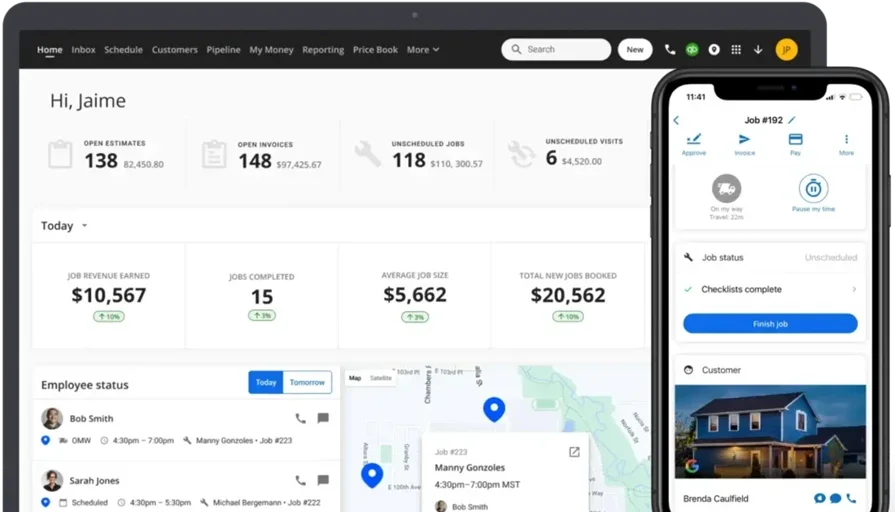
Housecall Pro is designed for small to mid-sized residential service businesses that need an easy-to-use platform for job scheduling, dispatching, and customer communication. It simplifies job tracking with a drag-and-drop calendar, automated appointment reminders, and invoicing tools, making it ideal for companies managing multiple small service calls per day. Its AI capabilities are limited compared to commercial-grade platforms—automation focuses primarily on appointment reminders and follow-up sequences rather than intelligent dispatching or document generation.
For HVAC, plumbing, and electrical service businesses that rely on repeat customers, Housecall Pro helps automate follow-ups, track service history, and streamline on-site payments. However, businesses with larger teams, complex workflows, or commercial service needs may find it lacks the deep operational tracking and AI-driven decision-making required for high-volume fieldwork.
How Pricing Works: Housecall Pro offers multiple pricing tiers based on business size and required features.
AI-capable features:
- Automated reminders to reduce no-shows and improve customer communication
- Invoicing and payment processing to speed up collections
- Live GPS tracking to monitor technician locations
- Customer portal for online booking and service history access
What Sets It Apart for Residential Contractors: Housecall Pro prioritizes ease of use and efficiency for small service teams. Its mobile-friendly design and automated workflows help residential contractors manage high call volumes without adding administrative overhead—though contractors looking for AI tools for contractors that go beyond basic automation may need a platform with deeper intelligence baked in.
Rating: 4.7 on Capterra from 2736 user reviews
Check out our head-to-head feature comparison of HouseCall Pro & BuildOps to see which one is the best fit for your field crew.
3. Best for general contractors: Jobber
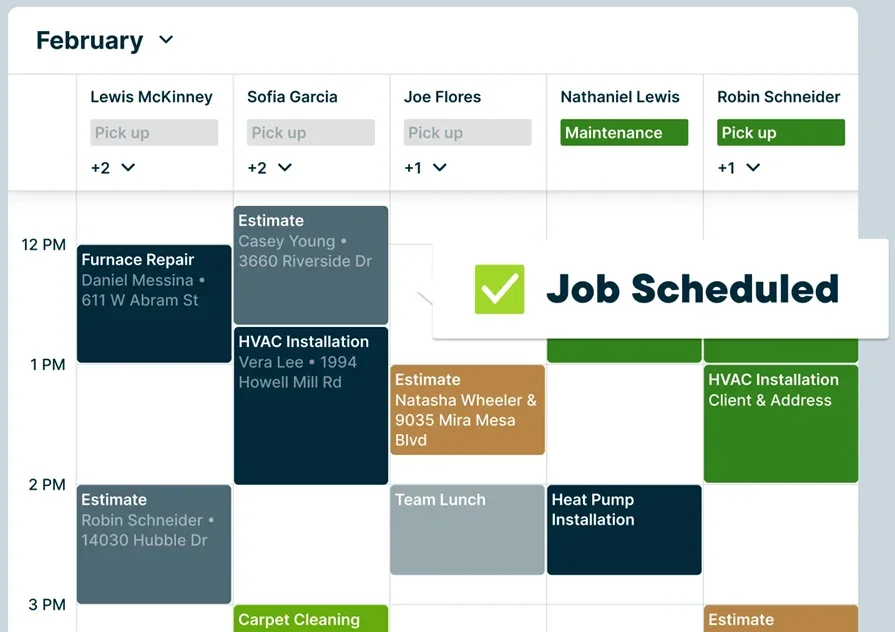
Jobber is a flexible field service operations platform tailored for general contractors handling a mix of service calls, installations, and maintenance projects. It combines job scheduling, quoting, invoicing, and customer tracking into one system, making it a great fit for contractors working across multiple job types. Jobber has introduced some AI-assisted features—including smart scheduling recommendations—but its core automation leans toward workflow templates and rule-based triggers rather than true AI-driven decision-making.
Unlike basic scheduling apps, Jobber offers customizable workflows, allowing general contractors to manage one-time service calls, ongoing projects, and recurring maintenance work all from the same platform. However, businesses requiring complex project management features, deep reporting tools, or advanced AI automation may need a more robust solution.
How Pricing Works: Jobber provides multiple subscription tiers based on the number of users and feature set.
AI-capable features:
- Custom quoting tools to create and send estimates on the go
- Built-in CRM to track customer interactions and job history
- Automated invoicing and payment collection to improve cash flow
- Job tracking and reminders to keep teams on schedule
What Sets It Apart for General Contractors: Jobber is a versatile solution that helps general contractors manage diverse service workflows, from small one-off jobs to recurring service contracts. Its combination of quoting, scheduling, and invoicing makes it a solid all-in-one platform for businesses that need flexibility—though its AI layer remains relatively thin compared to platforms purpose-built around intelligent automation.
Rating: 4.6 on Capterra from 1404 user reviews
4. Best for specialty contractors: FieldEdge

FieldEdge is an industry-specific field service management platform designed for specialty contractors in HVAC, plumbing, and electrical services. It integrates with QuickBooks, supports flat-rate pricing, and tracks service agreements to help businesses manage long-term customer relationships.
FieldEdge uses rule-based automation to handle scheduling, reminders, and recurring contract workflows. It’s strongest for contractors with recurring maintenance work, offering automated invoicing and real-time job tracking so office staff can monitor technicians and keep customers updated.
However, businesses looking for deep project management capabilities or enterprise-level automation may need a more advanced solution.
How Pricing Works: FieldEdge offers custom pricing based on business size and service requirements. Contact their team for a quote.
AI-capable features:
- QuickBooks integration for seamless accounting and invoicing
- Flat-rate pricing tools to create consistent service estimates
- Recurring service agreement tracking to manage ongoing contracts
- Real-time job updates to keep office and field teams aligned
What Sets It Apart for Specialty Contractors: FieldEdge is a strong choice for trade-specific businesses that need an industry-focused solution with built-in pricing, contract management, and accounting integrations.
Its automation handles the operational basics well, but contractors searching for AI tools for contractors that extend into intelligent dispatching, document generation, or predictive analytics will likely need to look elsewhere.
Rating: 4.2 on Capterra from 304 user reviews
5. Best for franchises & multi-location businesses: ServicePower
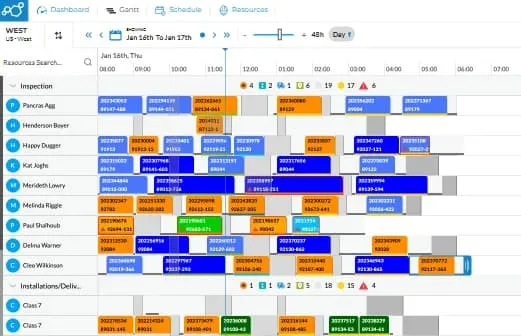
ServicePower targets franchises and large field service businesses managing multiple locations, contractors, and service teams. It offers AI-driven scheduling, workforce dispatching, and customer appointment optimization, making it a strong option for companies handling high job volumes across different regions.
Its AI mainly matches technicians to jobs by skills, availability, and location (helpful for multi-region work), but doesn’t handle tasks like AI-written documentation or automated invoicing. It also manages third-party contractors so companies can coordinate in-house and outsourced teams in one platform.
However, for smaller teams or businesses looking for a straightforward scheduling solution, its enterprise-level features may carry more complexity than necessary.
How Pricing Works: ServicePower offers custom pricing based on business size and service area. Contact their team for a tailored quote.
AI-capable features:
- AI-powered job dispatching to match techs with jobs based on skills and availability
- Franchise-wide scheduling to manage multiple locations from one dashboard
- Contractor management tools for tracking third-party service providers
- Customer self-scheduling options to streamline appointment booking
What Sets It Apart for Franchises & Multi-Location Businesses: ServicePower is designed for high-volume service operations, helping multi-location businesses scale without losing control. Its AI-driven dispatching and contractor tracking make it a solid fit for service companies managing jobs across different regions, though its AI capabilities are concentrated in scheduling rather than spread across the full operational workflow.
Rating: 4.4 on Capterra from 8 user reviews
6. Best for large service teams: Simpro
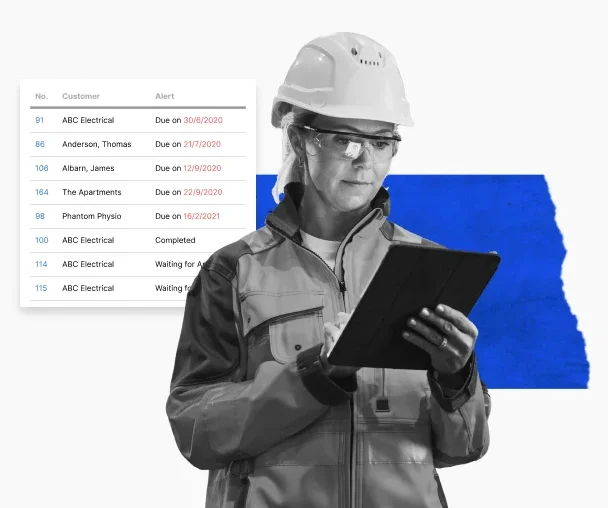
Simpro is an operations platform built for large field service teams managing high job volumes and complex workflows. It offers automated job scheduling, workforce tracking, and workflow management tools, making it a strong fit for businesses with dozens or even hundreds of technicians in the field. It also includes inventory management to ensure that field teams have the correct parts before they arrive on-site.
Simpro excels at detailed operations like job costing and reporting, but lacks advanced AI features such as intelligent dispatching, predictive analytics, and AI-generated documentation, and its enterprise-level tools can overwhelm smaller businesses.
How Pricing Works: Simpro offers tailored pricing based on business size and needs. Contact their sales team for more information.
AI-capable features:
- Inventory tracking to manage parts and materials in real time
- Detailed job costing and forecasting to improve financial planning
- Automated workflow management to keep large teams on track
- Comprehensive reporting tools for data-driven decision-making
What Sets It Apart for Large Service Teams: Simpro offers enterprise-level tools that help large field service teams operate more efficiently, reduce costs, and optimize technician scheduling at a high volume.
Its depth in job costing and inventory management is a clear advantage for scaling operations, though contractors evaluating platforms specifically for AI-powered automation will find Simpro's intelligence layer thinner than purpose-built AI-native alternatives.
Rating: 4.0 on Capterra from 143 user reviews
Want to dive a little deeper? Compare Simpro vs BuildOps in this breakdown.
7. Best for field sales & service hybrid teams: Salesforce Field Service
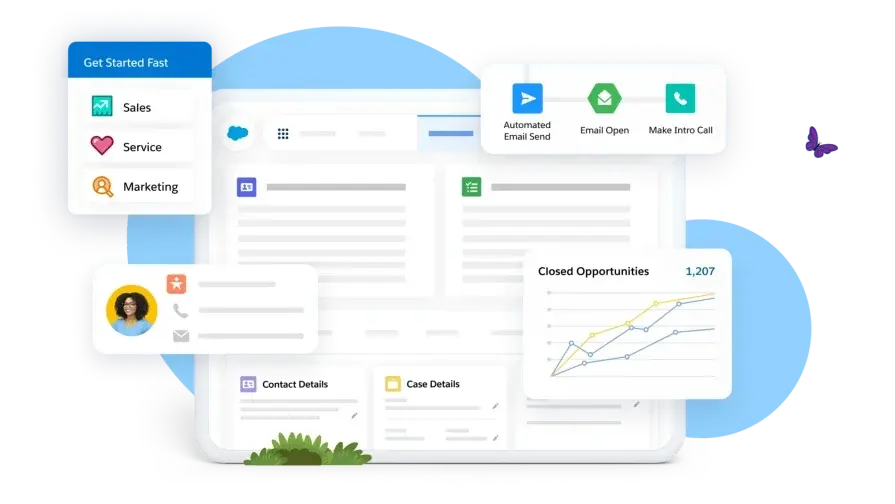
Salesforce Field Service is a strong option for businesses that manage both field service operations and a sales pipeline—such as security system installers, home improvement companies, and pest control providers. It allows businesses to track leads, manage customer relationships, and schedule service jobs all in one place.
Its Einstein-powered AI optimizes job assignments and predictive scheduling, outperforming rule-based tools. AI scheduling and real-time technician tracking ensure efficient service and stronger customer relationships.
However, companies that do not need advanced CRM features may find Salesforce Field Service carries more complexity and cost than their operation requires.
How Pricing Works: Salesforce Field Service offers pricing based on CRM and FSM needs. Visit their website for specific details.
AI-capable features:
- AI-powered job assignments (Einstein) to optimize technician scheduling
- Integrated CRM to manage customer relationships and service history
- Customer self-scheduling tools to allow online appointment booking
- Real-time mobile updates for technicians in the field
What Sets It Apart for Field Sales & Service Hybrid Teams: Salesforce Field Service is ideal for businesses that handle both service jobs and sales leads, providing a seamless connection between customer interactions and field operations.
Its Einstein AI layer adds genuine intelligence to scheduling and lead scoring, though the platform's CRM-centric design may feel over-engineered for contractors whose primary need is streamlined field ops rather than pipeline management.
Rating: 4.3 on Capterra from 33 user reviews
8. Best for small businesses: Workiz
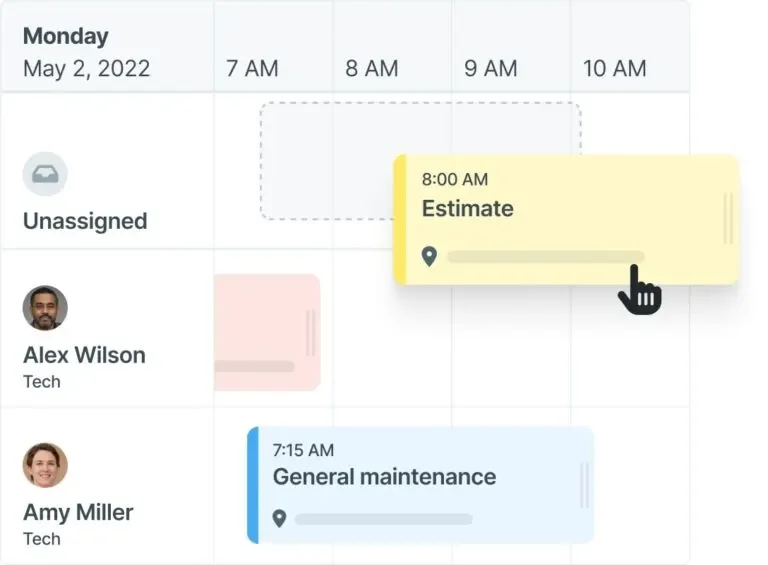
Workiz is a user-friendly field service operations platform designed for small businesses in home services, including locksmiths, appliance repair, junk removal, and cleaning services. It offers an intuitive job scheduling, dispatching, and customer communication system, making it easy for small teams to stay organized without the complexity of enterprise-level software.
Its built-in call tracking and lead automation tools help businesses respond to inquiries faster, reducing missed opportunities.
Workiz offers basic automation (reminders, call routing, payments) suited to small teams, but its AI is limited to simple workflows and lacks the advanced intelligence and analytics found in AI‑native platforms.
How Pricing Works: Workiz offers several pricing plans based on team size and required features. Visit their website for the latest pricing details.
AI-capable features:
- Call tracking to manage customer communication and avoid missed leads
- Built-in payments to process transactions directly through the platform
- Automated appointment reminders to reduce no-shows and last-minute cancellations
- Custom reporting dashboards to track business performance
What Sets It Apart for Small Businesses: Workiz is designed for small teams that need an all-in-one solution for scheduling, dispatching, and payments without unnecessary complexity. Its simple interface and automation tools make it easy to run a field service business efficiently.
Rating: 4.4 on Capterra from 218 user reviews
For contractors who want to explore how a small business platform stacks up against a commercial-grade solution, our comprehensive guide to the best field service management software for small businesses breaks down the key differences.
Top benefits of using an AI-powered software for contractors
AI only matters if it moves the needle in the field. When it’s built into everyday workflows—dispatching, documentation, invoicing, customer communication—contractors see faster jobs, lower overhead, and more predictable revenue. Here are five ways AI-powered software pays off.
1. Faster, more accurate dispatching with fewer manual touchpoints
AI takes the guesswork out of dispatch. It automatically matches the right tech to every job based on certifications, location, and workload—especially when the board is packed with emergency calls and scheduled work. Contractors who tighten their work order dispatch process through AI-backed automation consistently see fewer missed appointments, shorter response windows, and less time spent reworking the schedule mid-day.
2. Less admin drag so techs stay productive in the field
Repetitive admin work pulls technicians and staff away from revenue. AI tools handle it in the background—writing reports, extracting line items, and catching missing documentation before it delays billing. The shift toward agentic AI in field service means these systems act on pre-set rules without waiting for someone to push a button, keeping crews focused on the job instead of the paperwork that follows it.
3. Stronger on-site execution and higher first-visit completion rates
AI automatically pulls service history, asset details, and parts so techs arrive fully prepared and finish more first-visit jobs. Contractors who standardize their on-site field services workflow around AI-assisted mobile tools reduce return trips, cut diagnostic time, and deliver a level of consistency that keeps customers from shopping around.
4. Deeper customer visibility that drives repeat revenue
Winning one job is operational; winning repeat work is strategic. AI centralizes every customer interaction so your team never starts from scratch. A well-integrated contractor CRM backed by AI can flag upcoming contract renewals, surface upsell opportunities based on past work, and automate follow-ups that keep your company top of mind without adding tasks to anyone's plate.
5. Lower operational costs through automated workflows
Manual workflows quietly drain profit through rework, errors, and delays. BuildOps AI connects quoting, scheduling, field work, invoicing, and payments so data moves once and updates everywhere—cutting overhead and boosting margins without cutting headcount.

How to choose a contractor software with AI features
Contractor AI software boosts scheduling, dispatching, invoicing, documentation, and customer management—but only when AI is built into the entire platform, not just one feature. Use these questions to see how deeply AI is embedded as you compare tools.
- AI depth & workflow coverage – Does the software use AI across multiple workflows, or is it limited to one feature like a chatbot or automated reminders? Can it auto-generate documentation from field notes, optimize dispatching decisions based on certifications and proximity, or surface financial insights from your job data?
- Automation & operational control – Does the platform streamline everyday operations, or is it a digital filing system with a new label? Can it automate job assignments, optimize technician routes, send customer reminders, and track service history without extra manual work? The best AI tools for contractors act on pre-set rules without waiting for someone to push things along.
- Real-time field-to-office sync – Does the system sync in real time between the office and the field? If job details change mid-day, will techs get instant notifications? Can managers track job progress and technician locations without making constant phone calls?
- Scalability across job types & locations – Will this software grow with your business? Can it handle more technicians, job sites, and work orders without slowing down or becoming difficult to manage? Does it support multi-location operations and complex service agreements alongside emergency dispatches?
- Ease of adoption for office & field teams – How simple is it for your team to adopt? Can office staff quickly create work orders and dispatch jobs without going through multiple steps? Can field technicians easily access job details, update statuses, and capture customer signatures on mobile devices?
4 important FAQs about AI features in contractor software
Field service teams ask the same core questions about AI: how it fits into current workflows, whether it actually pays off, and what makes a rollout work. Here are four practical FAQs for contractors and service managers.
1. How does AI-powered contractor software differ from standard field service platforms?
AI-native field service platforms like BuildOps don’t just schedule work—they decide what happens next. Our AI routes the right tech based on skills and certifications, pulls insights from field notes, and connects quoting, jobs, and billing automatically. Standard tools still need someone to push everything through; BuildOps keeps your team focused on the work, not the admin.
2. What types of contractors benefit most from AI-backed software?
AI delivers the biggest ROI for complex operations—especially commercial HVAC, mechanical, electrical, plumbing, refrigeration, and fire protection contractors managing multi-site contracts, recurring maintenance, and emergency calls.
3. Is contractor software with AI features worth the price?
AI pays off fast for contractors by killing the manual work that quietly erodes margin—re‑keying data, dispatch mistakes, and missing job documentation. When quotes, work orders, invoices, and payments all live in one connected workflow, you cut errors, speed up billing, and unlock scalable growth without adding headcount.
{{related-content-block="/resources/sloan-mechanical-build-ops"}}
4. What are the best practices for getting the most out of AI-powered contractor software?
Adopting the best software for contractors with AI features only pays off if your team uses it with intention. AI handles the heavy lifting, but the operational discipline around it determines whether you see compounding gains or plateau early.
- Let AI handle dispatch—assign by skill, certs, proximity, and workload instead of manual overrides.
- Keep customer and asset data updated so AI recommendations, invoices, and history stay accurate.
- Require techs to use the mobile app for all updates, photos, time, and sign-offs so AI can document properly.
- Integrate with accounting so invoicing, payments, and payroll sync without double entry.
- Use AI reports to track tech performance, job durations, and margins by service type—and act on trends.
- Turn on automated customer notifications for ETAs, status updates, and invoices to cut inbound calls.
- Link inventory and parts to work orders so AI can flag missing materials before dispatch.
- Review AI quoting and approval insights monthly to refine pricing.
- Run quarterly training so office and field teams stay current on AI features and workflows.
- Regularly audit dispatch rules, workflows, and escalations—update as your job mix changes.
The trades are running lean, and the workforce gap isn’t closing anytime soon. BuildOps OpsAI helps your existing team do more—without burning out—by cutting the manual work out of scheduling, dispatching, documentation, and billing.
While most platforms bolt on bits of AI, BuildOps connects it across your entire workflow—from the dispatch board to the invoice. AI-powered dispatching, report writing, PO scanning, and tech matching all live in one platform built specifically for commercial HVAC, electrical, plumbing, refrigeration, and fire protection contractors.
Want to see it in action with your team? Book a demo and walk through your day-to-day in BuildOps.