5 Fire Sprinkler Inspection Software Features FLS Teams Use Most


Commercial fire sprinkler teams use inspection software to schedule recurring visits, give inspectors the appropriate forms and property context, document sprinkler systems and devices, and move deficiencies into quoted repair work without losing the inspection record.
BuildOps connects those operational workflows with specialized FLS inspection and compliance capabilities through its Inspect Point integration. That connected workflow keeps fire sprinkler inspections moving from the site visit to follow-up service. The features below show how commercial teams use it in practice.
5 most-used fire sprinkler inspection software features used on BuildOps by our customers
The five features below follow the commercial sprinkler workflow from setup to follow-up: creating the inspection, scheduling recurring work, completing the field visit, converting deficiencies into service, and retaining property history. Together, they show whether inspection software supports the full operating process or leaves the office to bridge gaps between separate records.
1. Inspection job and visit creation
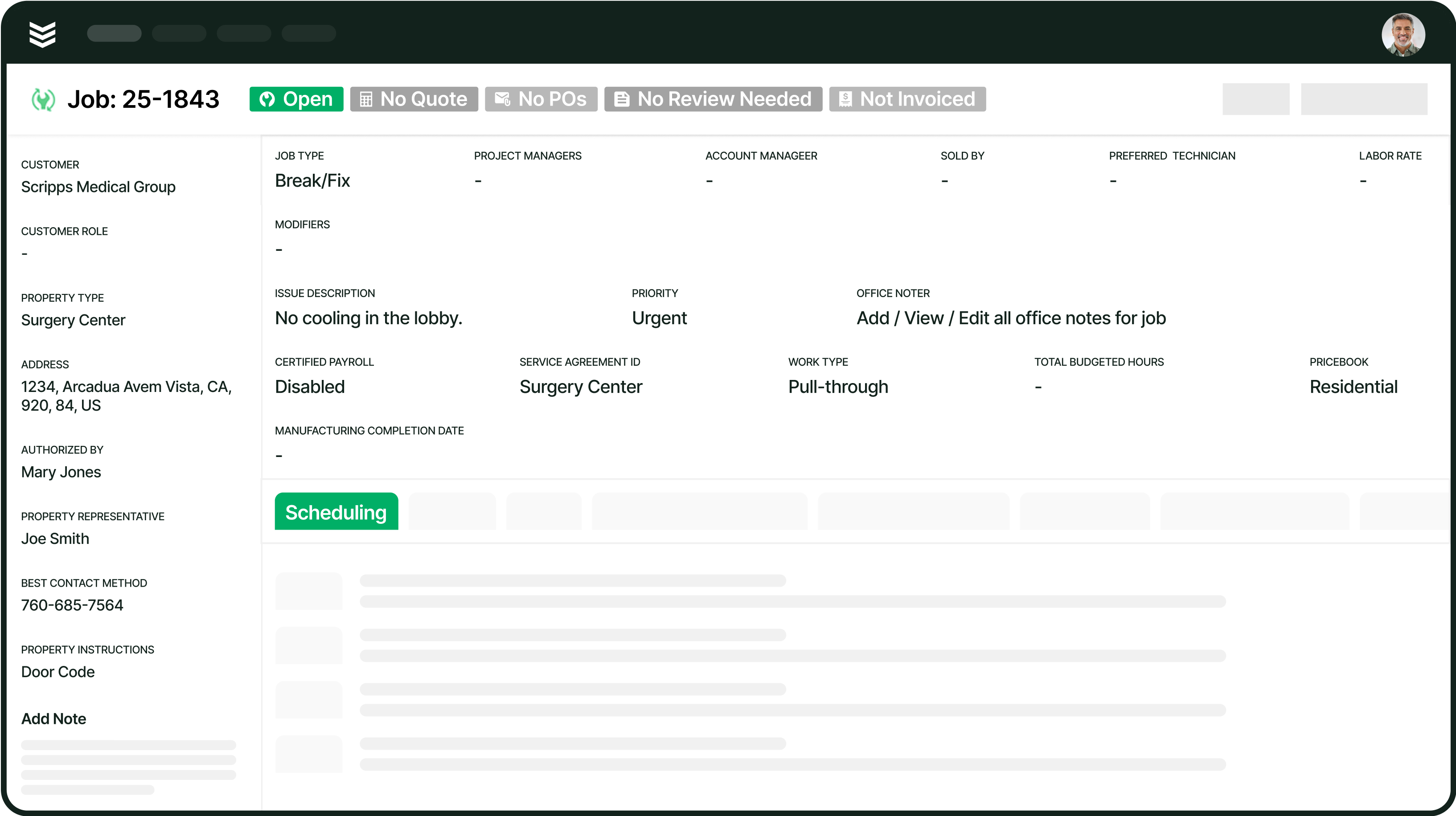
Inspection job creation connects a commercial sprinkler visit to the property, system or device information, and inspection frequency recorded in BuildOps. When the office marks a job as an inspection, the connected workflow creates the matching inspection in Inspect Point, where the device type, frequency, code year, and jurisdiction determine the specialized inspection questions. The setup keeps scheduling, assignment, and field execution tied to the same operational record instead of splitting the work across separate handoffs.
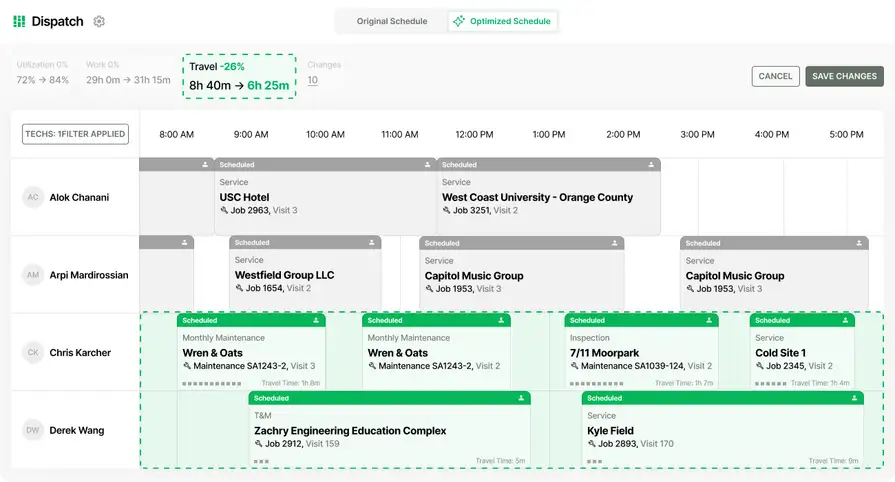
Commercial FLS teams can use scheduling and dispatch to assign inspection visits and field execution to carry job details into the field. The completed inspection report remains attached to the initiating job, giving office staff a consistent record for coordinating quotes, service work, and reporting without reconstructing the property context after the inspector leaves the site.
2. Recurring inspection scheduling and service agreements
Recurring inspection scheduling organizes annual, semiannual, quarterly, and other customer-required sprinkler visits across properties and equipment. BuildOps service agreements can hold the inspection cadence and related property or asset context, giving operations teams a structured way to plan the next visit instead of rebuilding the schedule from spreadsheets or calendar reminders.
Service managers can use preventative maintenance to generate and manage recurring visits, then use reporting and analytics to review upcoming, unscheduled, and overdue work. A visible inspection calendar keeps each visit connected to its customer agreement and property, helping dispatchers assign work, review completion status, and plan technician capacity across the inspection program.
3. Mobile inspection access and field closeout
BuildOps mobile gives a mapped inspector a direct path from the scheduled visit to the planned inspection in Inspect Point. The inspector completes the specialized sprinkler inspection in Inspect Point and returns to the BuildOps visit with the updated inspection context. Multiple mapped inspectors can work under the same inspection, while helpers can contribute through the BuildOps visit without an Inspect Point inspector account.
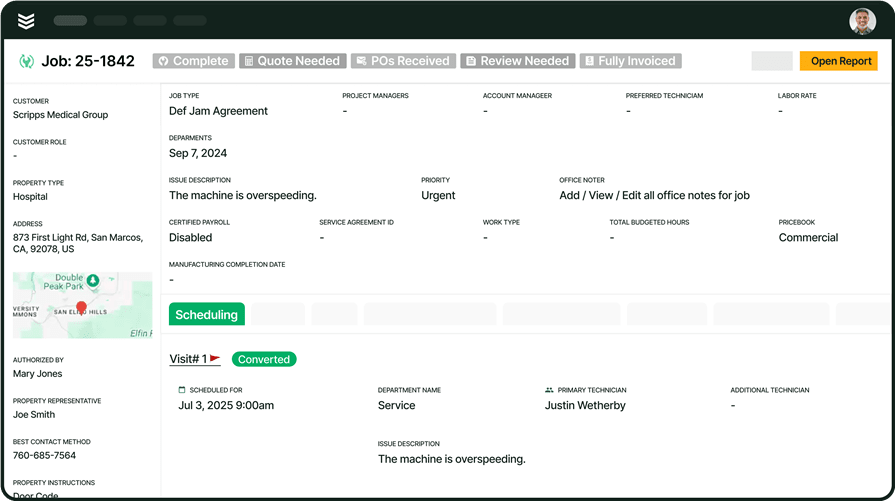
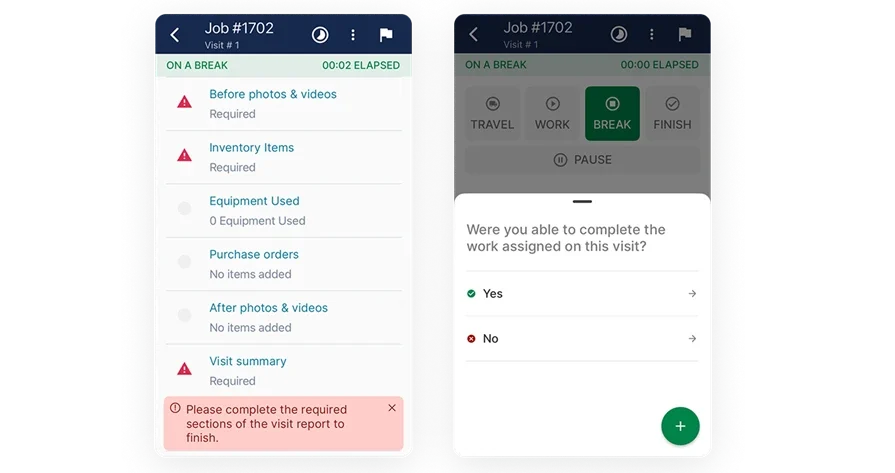
The technician mobile app keeps the visit, property details, and field documentation accessible on site, while work order closeout helps the team finish required reports, photos, time, and other completion details. When connectivity is limited, deficiency updates sync after an internet connection is established, keeping inspectors, helpers, and office staff aligned on the visit record.
4. Deficiency capture and quote-to-service follow-up
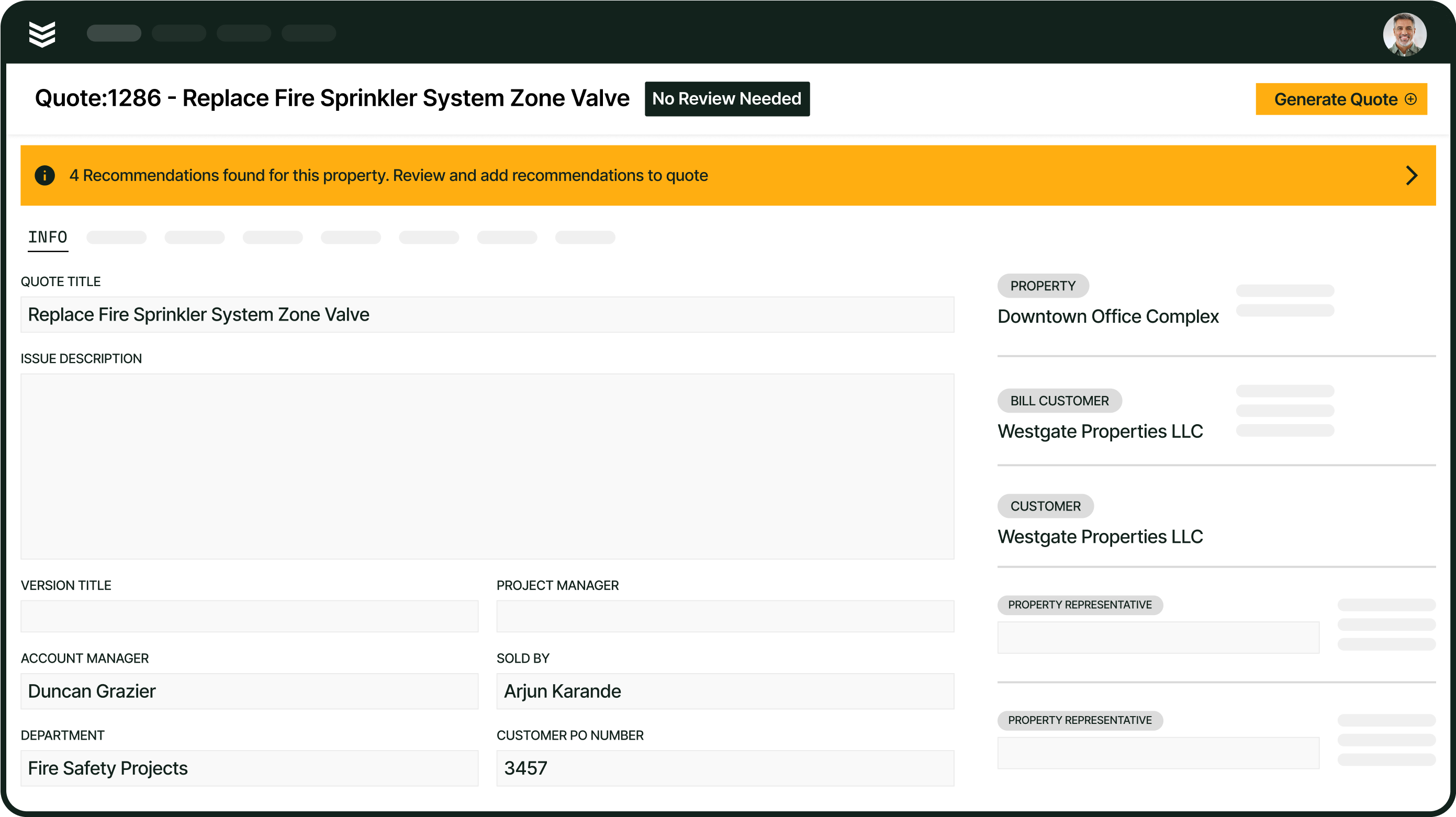
Deficiency capture links a failed inspection item to the follow-up work required to correct it. When an inspector records a sprinkler deficiency in Inspect Point, the deficiency syncs to BuildOps for office review. The office can then evaluate the finding, prepare a repair quote, request approval, and create a service job when the customer authorizes the work.
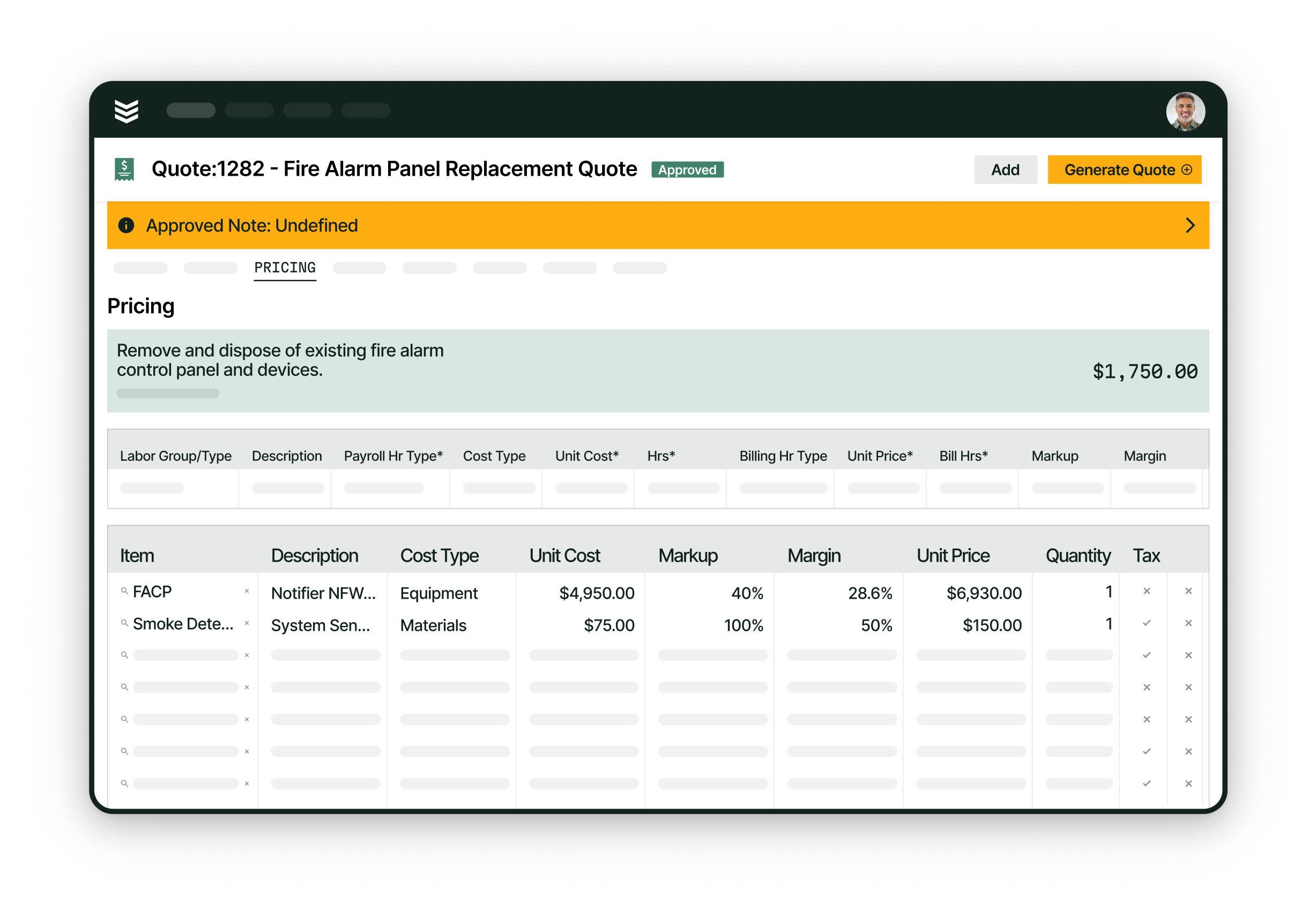
The quote to contract workflow moves approved repair work into execution, while pull-through work helps teams track opportunities that originate in field visits. Resolution status can sync back to Inspect Point, giving commercial sprinkler contractors a traceable path from inspection finding to billable repair without asking staff to retype the original property or inspection context.
5. FLS asset and inspection report history
FLS asset history keeps sprinkler systems, devices, equipment relationships, and service records tied to the customer property. BuildOps and Inspect Point can synchronize customer, property, equipment, and device information so the next inspection starts with site context rather than a blank record. The structure also gives office teams a consistent place to review recurring service needs and unresolved issues.
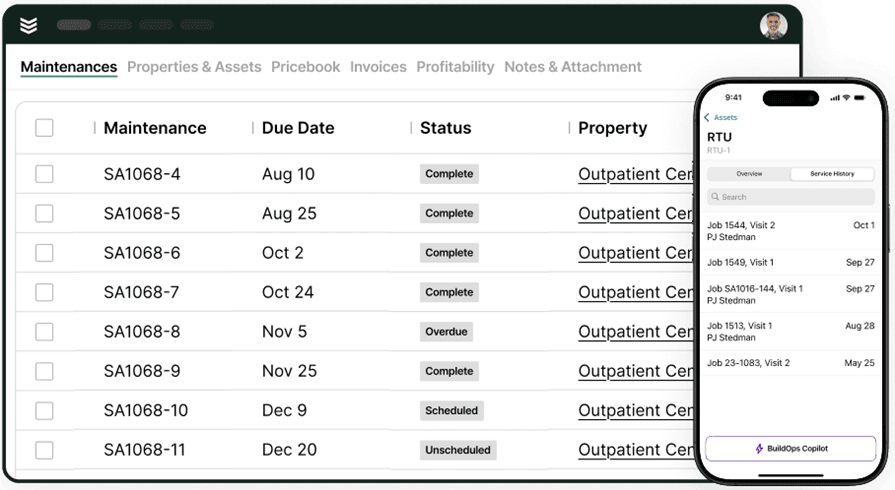
Asset management keeps equipment history connected to the property, while reporting and analytics helps office teams review the inspection workload and operational record. Completed inspection reports can attach to the related BuildOps job as PDFs, allowing office staff to review prior reports while field teams use mapped equipment and property context to prepare for the next visit.
Choosing fire sprinkler inspection software: questions commercial contractors should ask in a demo
Commercial sprinkler contractors usually want to know how inspection software handles the work they already manage: recurring annual, quarterly, and multi-year visits; separate sprinkler reports; field forms; deficiencies and photos; mobile work; and repair quotes. Use the questions below to see how a platform handles a sprinkler inspection from scheduling through report delivery and follow-up service.
- How does the sprinkler inspection connect to scheduling and dispatch? Recurring sprinkler work is easy to lose when due dates live in one system and field assignments live in another. A demo should show where annual, quarterly, and multi-year inspections appear, how a service manager creates the visit, how the dispatcher assigns an inspector, and how the technician receives the inspection details.
- Can sprinkler inspections stay separate from alarm, extinguisher, and other trades? — Commercial properties may combine sprinkler, alarm, extinguisher, and other inspection work, but each trade still needs its own report and deficiency record. A demo should show whether separate jobs or maintenance visits keep sprinkler findings together without producing one combined report that obscures the sprinkler team’s work.
- Can we use our existing sprinkler inspection forms? — Sprinkler programs rely on forms tied to system type, device type, and inspection frequency, so a generic checklist may not reflect the contractor’s actual process. A demo should show how the platform handles annual, three-year, and five-year inspection question sets. If the contractor has existing PDF, Word, or Excel forms, ask whether those forms can be recreated in the inspection workflow and how they are maintained as code and jurisdiction requirements change.
- What happens when an inspector finds a sprinkler deficiency? — A deficiency record matters only if the office can act on it without retyping the field notes. A demo should follow a sprinkler finding with photos and notes into office review, quoting, customer approval, service scheduling, repair completion, and the updated inspection record.
- Can the workflow handle multiple sprinkler systems, inspectors, or visits? — Large commercial properties may include wet, dry, and pre-action systems, while complex inspections can require several inspectors or more than one visit. A demo should show how the office assigns people, separates each inspector’s work, adds follow-up visits, and keeps the job open until the full inspection is complete.
- What can inspectors do when they lose service at the property? — Sprinkler inspections often take place in basements, mechanical rooms, and other areas where connectivity may be unreliable. A demo should show which property details, forms, photos, and notes remain available, how unfinished updates are queued, and when the completed inspection and deficiencies reach the office.
What leading FLS contractors do differently with recurring fire sprinkler inspections
Recurring fire sprinkler inspections create a steady workload across properties, systems, devices, reports, deficiencies, and follow-up service. The Torque 2026 Commercial Contractor Benchmark Report puts the Fire & Life Safety maintenance-agreement average at 17.8% of revenue and the best-in-class threshold—the top 20%—at 29.1%. The report identifies the FLS sample as smaller and directional, so these figures are useful for comparison rather than a universal industry target.
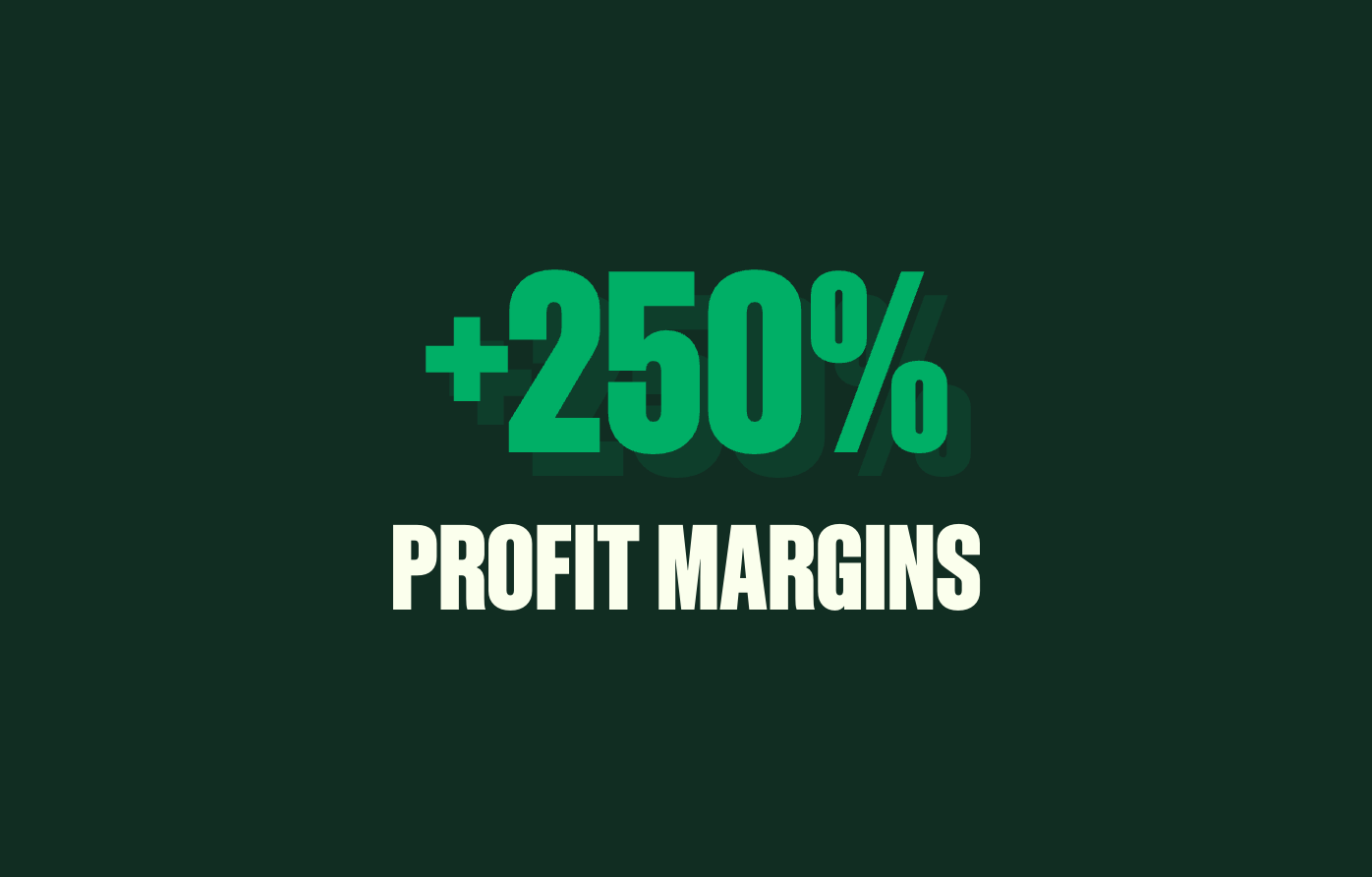
That recurring base only helps when contractors keep visits scheduled, carry property history into the field, document deficiencies, and move approved repairs into service. Certified Fire’s customer story reports a 250% increase in profit margins and a 54% increase in monthly service billing after the contractor moved its paper-based inspection work into BuildOps.
{{related-content-block="/resources/certified-fire-250-percent-higher-profits"}}
Fire sprinkler inspection software FAQs for commercial FLS contractors
Commercial sprinkler contractors usually want clear answers about system roles, user access, existing property data, and compliance records before adopting inspection software. These FAQs cover those implementation questions without repeating the demo scenarios above.
1. What does each system handle in a commercial sprinkler inspection workflow?
Inspect Point handles the specialized sprinkler inspection and compliance work, including forms, deficiencies, and reports. BuildOps handles the surrounding schedule, job, quote, service, and billing workflow. The integration connects those responsibilities so the inspection record stays attached to the operational work that follows.
2. Does every field user need an Inspect Point seat to finish a sprinkler repair?
No. The inspector completing the sprinkler inspection needs a mapped Inspect Point user. A service technician or helper can stay in the BuildOps visit to work the deficiency and update the service record without opening the Inspect Point app. That separation lets inspection and repair teams share one workflow without assigning an inspector seat to every field user.
3. How do existing sprinkler properties and equipment get mapped into the connected workflow?
Existing customer properties and FLS equipment can be mapped between BuildOps and Inspect Point when the required property, asset-type, and device mappings are in place. Contractors should confirm the treatment of legacy device files and historical inspection reports separately, because syncing current asset context is different from importing every prior document.
4. Where do NFPA forms and completed sprinkler reports live?
Inspect Point owns the specialized compliance workflow, including question sets that adapt to equipment type and frequency with code-year and jurisdiction awareness. BuildOps carries the related job record, and completed reports can sync as PDFs to the job’s Forms & Attachments section. The split keeps compliance execution in Inspect Point while preserving the inspection’s service history in BuildOps.
Connect sprinkler inspections to the work that follows
For commercial sprinkler contractors, an inspection is part of an ongoing property record and not a one-time form. Recurring visits, sprinkler system and device details, deficiencies, reports, and approved repair work need to stay connected so the office and field team can act on the same record.
BuildOps connects the operational workflow around Inspect Point, from scheduling the sprinkler visit to reviewing reports and moving approved deficiency work into service. If you are evaluating fire sprinkler inspection software, book a demo to see how the integration fits your inspection operation.