8 Best Plumbing & Electrical Field Data Capture Tools
Plumbing and electrical teams lose too much time to messy field data, delayed updates, and incomplete notes from the jobsite. Field capture tools make it easier to document installs, inspections, punch work, and safety issues in real time, so nothing gets lost between the field and the office. The result is less rework, fewer mistakes, and better visibility into every job.
For a closer look at how the plumbing and electrical industry landscape is evolving, we put together a breakdown of what contractors should know about tools for workforce management.
- Key features to look for in a plumbing & electrical field data capture tool
- 8 best plumbing & electrical field data capture tools for your crew to utilise
- 7 benefits of using a plumbing & electrical field data capture tool on the jobsite
- Questions to ask when choosing a plumbing & electrical field data capture tool
- 4 other FAQs about plumbing & electrical field data capture tools
The right tool helps plumbing and electrical teams capture field data faster, stay compliant, and keep quality, safety, and progress on track. This guide breaks down the top options and why better field data leads to better operations.
Key features to look for in a plumbing & electrical field data capture tool
The best field data capture tool for plumbing and electrical starts on the job site and connects straight to the office. It captures job details fast, syncs in real time, and feeds your workflows automatically — no manual entry, no missed information.
1. Technician mobile app
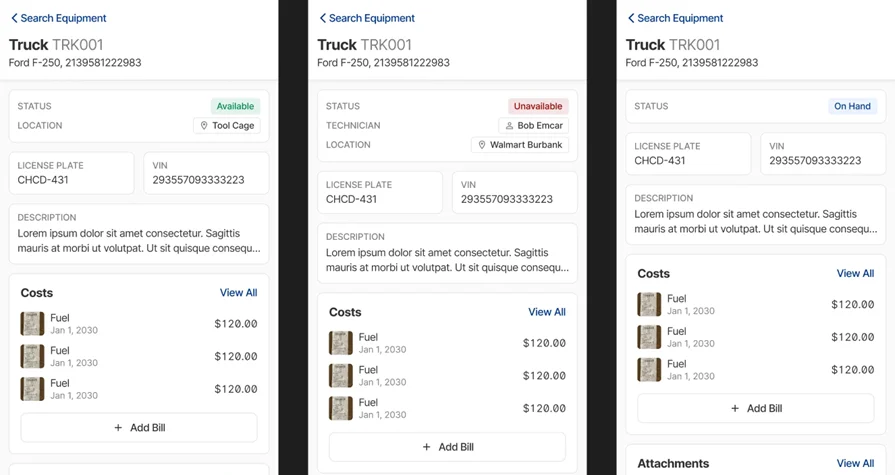
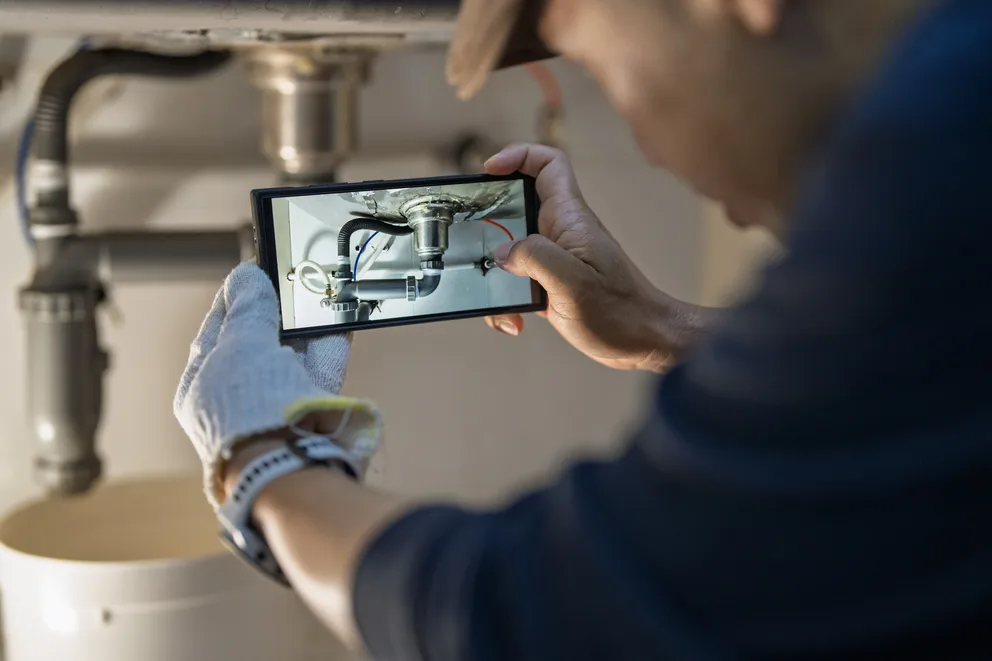
Critical plumbing and electrical data capture begins with the field team. A purpose-built technician mobile app allows teams to document project progress, capture high-resolution photos (e.g., of pipe runs, wiring), add detailed notes, and record issue logs directly from their mobile device. The data syncs instantly and also functions offline. The app enforces mandatory field completion for tasks like inspections, ensuring consistent, accurate records.
2. Automated data processing
Field documentation is only valuable when it is actionable. Advanced field service platforms streamline field note cleanup, validate data consistency, and identify critical patterns in project history. The system can leverage OCR to auto-fill forms from documentation photos (e.g., permits or equipment labels) and flag compliance issues or tasks nearing critical deadlines.
3. Equipment & asset reporting
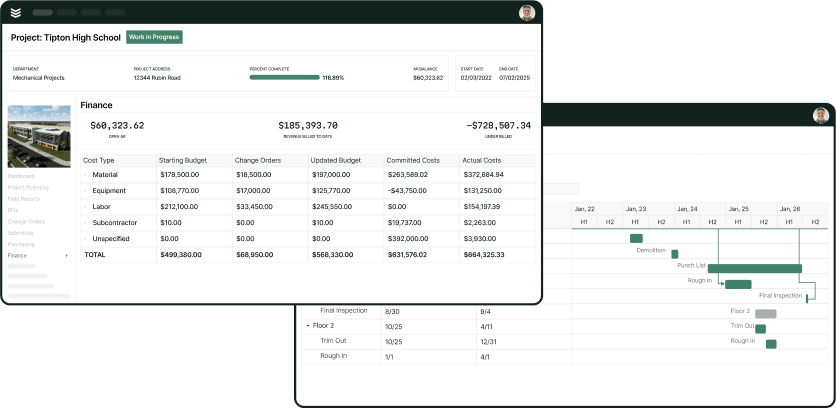
Capturing data is insufficient without the ability to generate clear, actionable reports. A strong reporting engine allows for building custom dashboards focusing on labor costs, quality control status for installs, and safety compliance specific to P&E work. This capability lets you instantly review documentation histories and generate reports detailing project status, costs, and timelines.
4. Compliance and documentation management
Plumbing and electrical field operations require rigorous documentation for compliance. The platform should allow you to build digital checklists and forms tied to specific project phases (e.g., rough-in, final testing). When an inspection or task is due, the system auto-generates the necessary documentation forms with required sign-offs. This links field completion back to project tracking to monitor compliance adherence and aoverall project profitability.
5. Fleet & asset logistics
Timely movement of personnel and specialty materials (e.g., copper piping, conduit) is essential for project efficiency. Integrated fleet tracking links GPS data from vehicles directly to the coordination map. Dispatchers can quickly identify the nearest crew for urgent assignments and optimize routing. This capability also tracks equipment usage, aiding in decisions about renting versus buying, and centralizing coordination.
Other notable features for contractors
Beyond core data capture, these additional features support the end-to-end workflow for plumbing & electrical field operations:
- Scheduling & dispatching — Coordinating complex, multi-day, multi-crew P&E visits is handled through a unified scheduling and smart dispatch board. It supports drag-and-drop rescheduling and dispatch for project-based work.
- Job quoting — Field staff can log scope changes or recommendations on-site. The office can then convert these into field service quoting documents, pre-populated with photos, labor, and material estimates.
- Plumbing & Electrical CRM — All customer and property records, contact information, and communication history are centralized in a field service CRM. This central database is accessible to both office staff and field crews.
- Invoicing & payments — Completed jobs transition seamlessly into invoicing workflows. Field crews can collect payments on-site via the mobile app, accelerating the cash cycle.
- Time tracking — Labor hours captured through the mobile app are automatically posted to both the job cost record and the payroll time-tracking export. This process eliminates double entry.
These critical features establish the baseline for efficiency. The next step is evaluating how specific platforms apply them to optimize end-to-end commercial plumbing & electrical field operations.
8 best plumbing & electrical field data capture tools for your crew to utilise
When it comes to construction data capture, not every platform delivers the same value. The tools below are evaluated on how well they help specialty contractors collect, structure, and apply critical asset and project data across commercial, residential, and field operations.
1. BuildOps: best for commercial service electrical and plumbing contractors
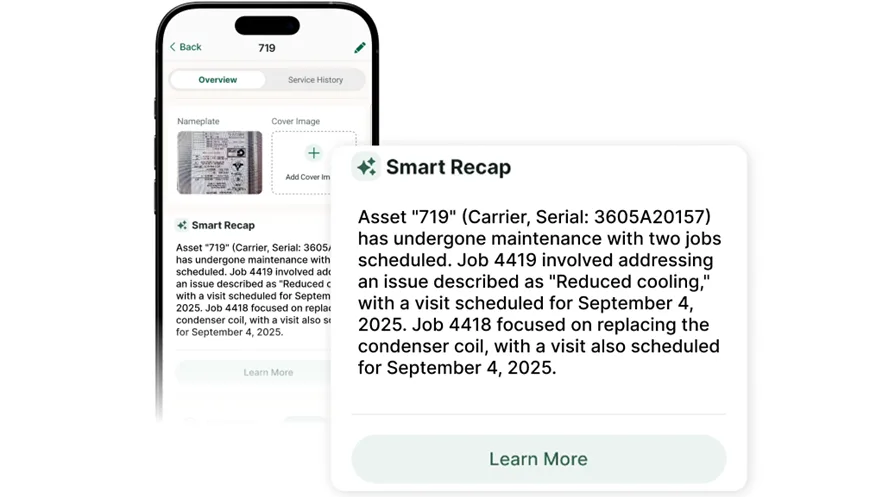
BuildOps provides commercial plumbing and electrical contractors with a connected platform for managing field assets and data. Field teams capture detailed system identification (e.g., wiring, conduit, pipe runs, pumps), photos, and compliance checklists from any device—even offline—and everything syncs instantly to the asset record, job history, and service agreements.
Powered by OpsAI, BuildOps auto-cleans technician notes, reads identification plates to auto-fill fields, spots recurring issues, and feeds real-time dashboards for tracking P&E system age, service frequency, and cost-per-unit.
How Pricing Works: BuildOps provides weekly live demos and the option to schedule a personalized session. Pricing is tailored to the size and needs of each operation, so teams can explore the platform and identify which capabilities match their workflow before committing.
Features Beyond Equipment Capture:
- Real-time drag-and-drop scheduling and dispatch for coordinated multi-tech P&E teams
- AI-powered identification plate scanning and automated plumbing and electrical asset field population
- Advanced customer hierarchy management for multi-location clients
- Technician-friendly mobile app with offline mode, photo capture, and automated checklists
What Sets It Apart for Commercial Plumbing & Electrical Teams: BuildOps links detailed asset data capture with dispatching, invoicing, and service agreements in one platform, eliminating data silos for commercial contractors managing many assets across multi-property portfolios.
Rating:4.4 on Capterra from 177 user reviews

2. Kickserv: best for residential service teams
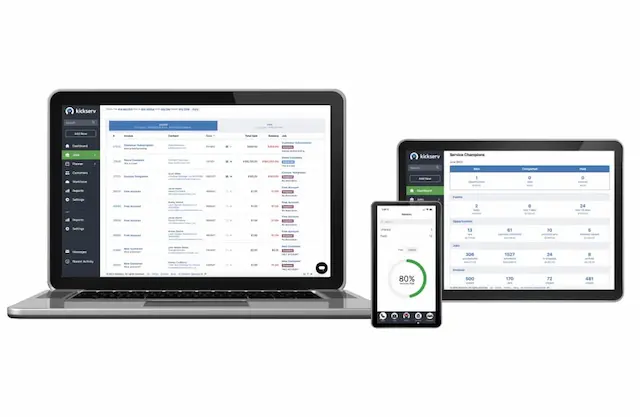
Kickserv works well for residential plumbing and electrical contractors who need a simple way to track service calls and job details from the field. Its self-service portal lets homeowners manage plumbing and electrical repairs and payments while field crews log job notes and site photos to each customer account.
However, Kickserv lacks the advanced asset hierarchy tools, automated identification plate scanning, and multi-location asset tracking that commercial service operations require—making it a less practical fit for contractors managing large-scale service portfolios.
How Pricing Works: Kickserv offers tiered pricing, with core features like payment processing and customer management unlocked at higher tiers. Entry-level plans cover basic scheduling and invoicing, while equipment-related tracking capabilities vary by plan.
Features Beyond Equipment Capture:
- Customer self-service portal for estimate approvals and payment
- Integration with payment systems like Stripe and QuickBooks
- Simplified job scheduling for smaller-scale teams
- Basic equipment notes and photo attachments per job
What Sets It Apart for Residential Service: Kickserv's customer portal reduces back-and-forth communication between the office and homeowners, saving administrative time on routine plumbing and electrical service calls and follow-ups.
Rating:4.4 on Capterra from 387 user reviews
3. Procore: best for general contractors
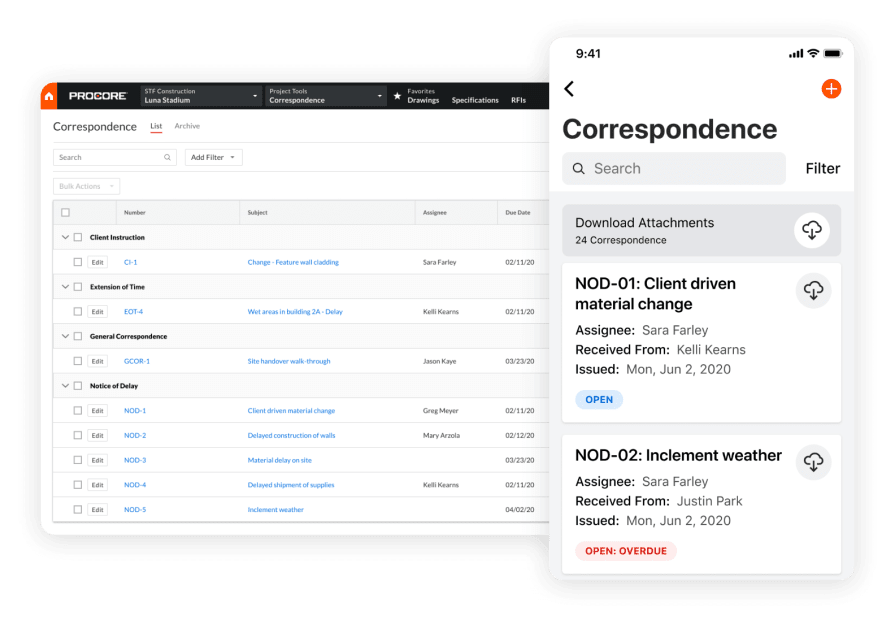
Procore is designed for plumbing and electrical contractors working on complex construction projects that require close coordination with general contractors, other trades, and field teams. Its tools span pre-construction through daily job logs and document control, giving mechanical, electrical, and plumbing subcontractors on large projects strong support for submittals, drawings, and project communication.
That said, its focus on project delivery means it lacks the trade-specific service workflows, recurring maintenance scheduling, and asset lifecycle tracking that many plumbing and electrical contractors depend on for day-to-day service operations.
How Pricing Works: Procore uses a custom pricing model based on company size and annual construction volume. Demos are available to evaluate the platform before committing to a contract.
Features Beyond Equipment Capture:
- Robust project management with submittals, RFIs, and change order tracking
- Daily logs and job site documentation tools for tracking field progress across plumbing and electrical work
- Coordination across contractors, subcontractors, and vendors on large commercial jobs
- Drawing and document management with version control for plans, revisions, and install documentation
What Sets It Apart for General Contractors: Procore excels at helping plumbing and electrical teams manage their role within the full lifecycle of a construction project, from preconstruction through closeout. For contractors working on large commercial builds with multiple stakeholders, the project-level visibility, documentation controls, and coordination tools are especially valuable.
Rating: 4.5 on Capterra from 2,658 user reviews
4. mHelpDesk: best for small residential operations
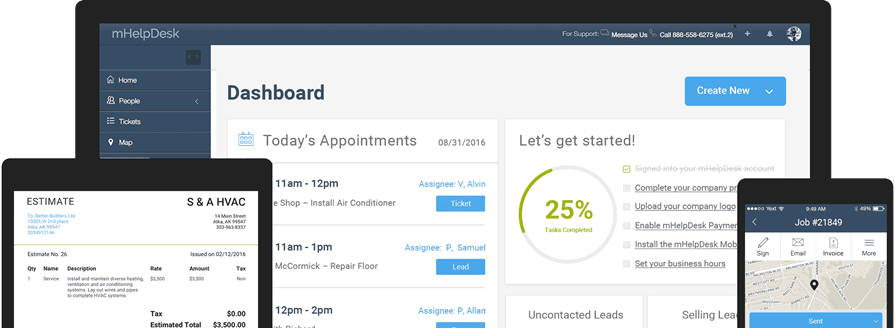
mHelpDesk provides small residential plumbing and electrical shops with a lightweight platform for managing routine service calls, scheduling technicians, and tracking basic job details from the field. Field teams can use mobile devices to manage plumbing and electrical jobs, add notes, and update work orders, with built-in invoicing and a customer portal for booking.
It suits small residential plumbing and electrical service teams, but its weak asset management and lack of advanced field data capture features make it a poor fit for commercial P&E contractors managing large property portfolios.
How Pricing Works: mHelpDesk offers a flat monthly rate per user, with access to most features included at a single tier. A free trial is available for teams that want to test the platform before committing.
Features Beyond Equipment Capture:
- Drag-and-drop scheduling calendar for daily tech assignments
- Built-in invoicing with payment collection
- Customer portal for online appointment requests
- GPS tracking for field technicians
What Sets It Apart for Small Residential Teams: mHelpDesk keeps the interface simple and the learning curve short. For small plumbing and electrical specialty shops running residential service calls, the platform handles scheduling, billing, and basic job tracking without requiring extensive setup or training.
Rating: 4.3 on Capterra from 824 user reviews
5. Tradify: best for multi-trade contractors
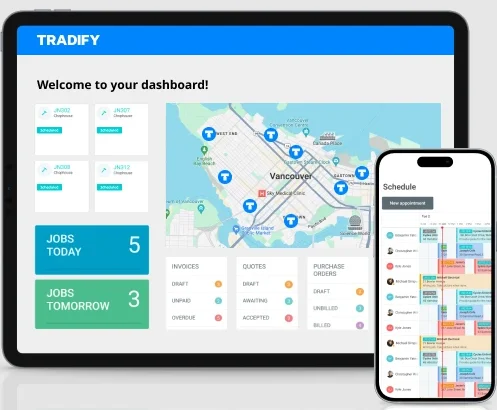
Tradify targets multi-trade contractors who handle electrical, plumbing, or other mechanical disciplines. Its mobile app lets field staff create quotes, log time, and capture photos on-site, with everything syncing to the office for invoicing and reporting.
It delivers a simple, end-to-end quoting-to-invoicing workflow for multi-trade shops, but lacks detailed asset profiles, lifecycle tracking, and structured field workflows—such as serial number, material, and PM checklist capture—that plumbing and electrical multi-trade field service contractors need for accurate commercial asset records.
How Pricing Works: Tradify charges a per-user monthly fee with all features included at one price point. No tiered plans or feature gating.
Features Beyond Equipment Capture:
- Quote creation and approval tracking from the field
- Time tracking with job costing integration
- Supplier purchase order management
- Xero and QuickBooks accounting sync
What Sets It Apart for Multi-Trade Contractors: Tradify treats every trade the same inside the platform, which makes it easy for shops running electrical, plumbing, and other crews to standardize their quoting and invoicing process across all disciplines without managing separate systems.
Rating: 4.7 on Capterra from 152 user reviews
6. Buildertrend: best for home builders and remodelers
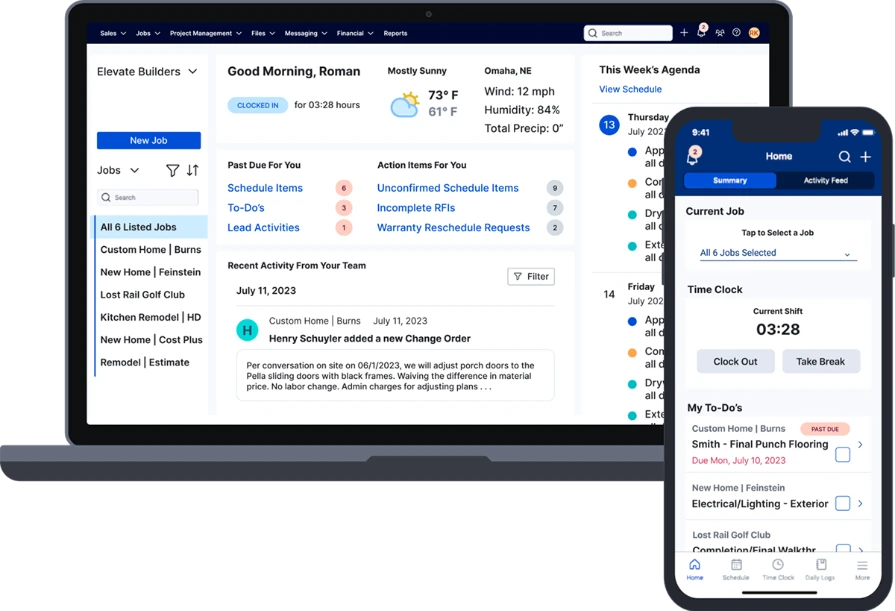
Buildertrend is a construction project management platform designed for plumbing and electrical specialty contractors working on residential construction projects and remodels. It acts as a single portal for P&E contractors to coordinate with GCs, manage bids for installation work, track schedules, document change orders, and handle client communication regarding fixtures or installations, providing strong project visibility for new builds and renovations.
However, Buildertrend lacks key service workflows like recurring maintenance, asset tracking, and diagnostic documentation, making it less useful for contractors focused on service and maintenance work.
How Pricing Works: Buildertrend uses tiered pricing based on the number of active projects and users. Higher tiers unlock features like financial tools and advanced reporting. A demo is available to evaluate the platform.
Features Beyond Equipment Capture:
- Client-facing portal with selections, change orders, and messaging
- Bid request management and subcontractor coordination
- Project scheduling with Gantt chart views
- Daily logs and photo documentation by project phase
What Sets It Apart for Home Builders: Buildertrend centralizes the entire residential construction lifecycle — from lead capture through warranty management — in one platform. For plumbing and electrical builders and remodelers managing multiple active projects with homeowner-facing communication needs, it streamlines coordination across every phase of the installation and build.
Rating: 4.5 on Capterra from 2,485 user reviews
7. ServiceTitan: best for large residential teams
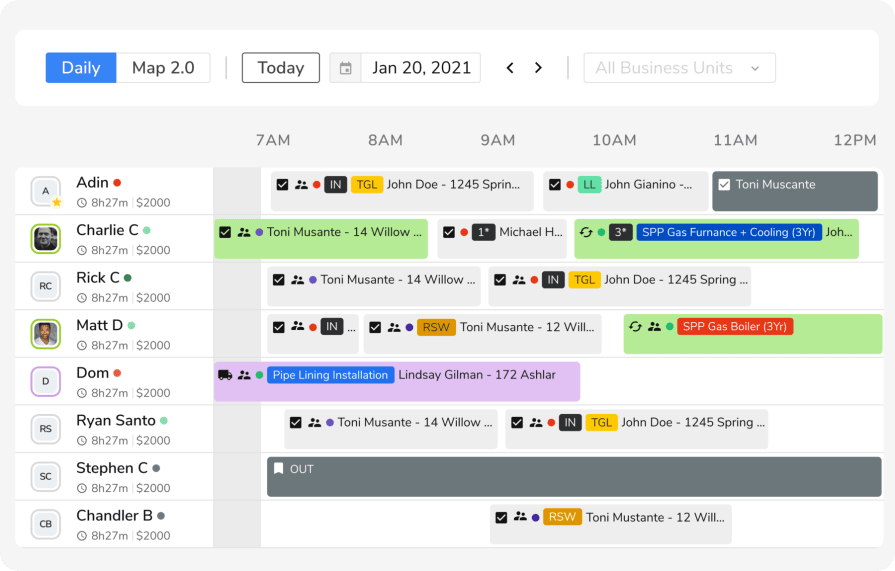
ServiceTitan serves high-volume residential plumbing and electrical shops with tools for call booking, dispatching, and sales presentations. The platform helps technicians present repair-versus-replace options for fixtures or panels on-site and manages service agreements at the property level.
ServiceTitan works well for large residential shops with high call volume. However, its asset tracking is geared toward residential unit replacements, not the detailed asset documentation—like identification plate data, multi-building hierarchies, and compliance-grade histories—that commercial specialty contractors need for hundreds of assets across complex facilities.
How Pricing Works: ServiceTitan uses custom pricing based on the number of active technicians. Implementation includes onboarding and training packages. A demo walkthrough is available to assess fit.
Features Beyond Equipment Capture:
- Visual pricebook with good-better-best presentation for techs
- Marketing scorecard with call tracking and ROI attribution
- Membership and maintenance agreement management
- Payroll integration with commission tracking
What Sets It Apart for Large Residential Operations: ServiceTitan helps plumbing and electrical teams maximize revenue on every call. Its visual pricebooks and marketing tracking allow high-volume P&E service shops to optimize ticket values and trace marketing ROI directly to specific plumbing or electrical service requests.
Rating: 4.3 on Capterra from 332 user reviews
Check out our breakdown of how ServiceTitan stacks up when compared to BuildOps.
8. FieldEdge: best for legacy field service shops
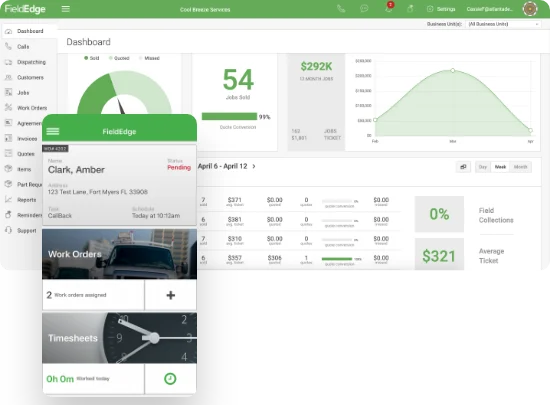
FieldEdge specializes in supporting legacy plumbing and electrical service contractors with deep roots in the trades. FieldEdge specializes in supporting legacy plumbing and electrical service contractors. It streamlines P&E workflows via a smart dispatch board, robust reporting, and a mobile app providing detailed customer history and material pricing on-site. Features include a built-in pricebook with thousands of plumbing and electrical parts for transparent quoting and seamless QuickBooks integration for accurate billing.
While FieldEdge handles core service operations well, it lacks automated asset identification scanning, asset hierarchies, and deep lifecycle reporting needed for large-scale commercial service work.
How Pricing Works: FieldEdge uses custom pricing based on the number of users and selected modules. A guided demo is available.
Features Beyond Equipment Capture:
- QuickBooks integration for real-time accounting sync
- Flat-rate pricing book with mobile access for techs
- Service agreement tracking with renewal reminders
- Dispatch board with drag-and-drop scheduling
What Sets It Apart for Legacy Service Shops: FieldEdge is a dependable option for shops that prioritize accounting accuracy and standardized billing over advanced field capture technology, thanks to its deep roots in the service trade, QuickBooks integration, and flat-rate pricing tools.
Rating: 4.2 on Capterra from 306 user reviews
7 benefits of using a plumbing & electrical field data capture tool on the jobsite
Equipment data only matters if it changes how you work. When asset records are accurate, accessible, and tied into scheduling, quoting, and billing, commercial plumbing and electrical service teams see real impact across the entire business.
1. Accurate equipment records captured at the source
Techs capture asset details on-site directly into the system, eliminating data entry errors and improving accuracy over time. When your team handles more on-site field services across commercial properties, clean plumbing and electrical records mean fewer callbacks caused by wrong parts ordered or maintenance performed on the incorrect unit.
2. Faster diagnostics through advanced field tools
A mobile app for equipment data management does more than store records. Platforms with field service capabilities let techs scan a nameplate, auto-populate asset fields, and instantly pull the full service history for that unit. Past-visit patterns give techs instant context, saving time on packed days.
3. Stronger compliance and audit-ready documentation
Facilities like hospitals and data centers need detailed service histories for compliance. A mobile data capture app lets techs attach photos, checklists, and sign-offs to each electrical panel or plumbing system, ensuring your office can pull complete, audit-ready records by serial number in seconds.
4. More profitable quoting driven by AI workflows
AI-powered workflows streamline the quoting and estimation process, giving sales and operations teams a critical advantage. These systems use historical project data to generate fast, accurate cost estimates and can analyze proposals, flagging risky deviations. Contractors who integrate AI into their workflows can build proposals faster and achieve higher close rates.
5. Deeper customer relationships through equipment visibility
Commercial customers expect their contractor to know their buildings. When your team can pull up every asset at a property—including what was serviced, when, and by whom—it builds trust. A strong contractor CRM links equipment records to customer hierarchies, turning service calls into long-term partnerships.
6. Smarter scheduling aligned to equipment priorities
Some maintenance visits are more urgent than others. Using field data, dispatchers can schedule based on asset condition, not a static calendar. Contractors leveraging AI plumbing scheduling tools can match the correct tech—with the right certifications and parts—to the correct unit, reducing repeat visits and keeping critical systems online.
7. Less admin drag on your field team
Mobile capture syncs asset data, photos, and checklists in real time so techs close out visits faster, office staff stop chasing missing info, and managers get accurate job costs. This process turns documentation into a built-in part of the service call, reducing admin drag on your field team, especially when using solutions built specifically for electrical service contractors.
{{related-content-block="/resources/equipment-capture-tools-field-contractors"}}
Questions to ask when choosing a plumbing & electrical field data capture tool
Choose a tool that matches how your plumbing & electrical team actually works—these questions separate purpose-built specialty trade platforms from generic tools that just add work.
- Questions about data capture depth — Does the platform support structured field entry for plumbing & electrical asset details, material quantities (e.g., footage of conduit, pipe), and punch list items? Can crews attach timestamped photos and status tags (e.g., ‘Rough-in Complete’) directly to the job record from the site?
- Questions about AI & automation — Does the tool use AI to auto-populate asset and project fields (e.g., from wiring diagrams or equipment nameplates)? Can it flag recurring issues specific to P&E (like common fixture failures or wiring delays) without manual report pulls?
- Questions about offline reliability — Does the mobile tool function reliably in basements, mechanical rooms, and remote job sites with no cell signal? Does it queue and sync captured data automatically when connectivity returns, without requiring the tech to re-enter anything?
- Questions about compliance & audit readiness — Can the system generate a complete, time-stamped service history for a specific electrical panel or plumbing system on demand? Does it enforce gated checklists that require specific fields and sign-offs before a crew can close out an installation or maintenance inspection?
- Questions about feature integration across field ops — Does asset data captured on-site flow directly into scheduling, dispatching, job costing, and invoicing without manual handoffs? Can the office pull profit and loss reporting across sites, and does the tool connect field capture to estimating and change order workflows so repair/upgrade recommendations turn into revenue?
4 other FAQs about plumbing & electrical field data capture tools
These questions come from commercial plumbing & electrical contractors running active field teams and wondering if their capture process is holding them back. The answers stay grounded in day-to-day P&E operational priorities, not surface-level basics.
1. What does a plumbing & electrical field data capture mobile app do?
A plumbing and electrical field data capture app lets techs log what happens on-site, in real time. Asset IDs, material usage, photos, and notes flow into a clean digital record that syncs instantly with the office—no double entry, no gaps.
More than simple note-taking, it standardizes every visit with guided P&E checklists, OCR for equipment nameplates, and offline sync to keep field records accurate, complete, and consistent.
2. How does a mobile app for plumbing & electrical field data management connect to existing service workflows?
For commercial operators, data is only as good as where it goes. Field capture needs to move—fast. A connected system links every site visit directly to your CRM, service agreements, and dispatch board. It kills double entry, keeps job costing accurate, and ensures the office and field are finally reading from the same playbook.
3. Is a plumbing & electrical field data capture app worth the cost?
For commercial plumbing and electrical contractors managing multi-site portfolios, the real cost isn’t software — it’s the chaos of missing structure. A purpose-built P&E capture platform cuts errors, removes re-entry, improves project and asset visibility, and creates audit-ready records. For teams with 10+ field staff, ROI comes quickly.
Teams that replace fragmented systems with one platform often win back a full week of manual work every month — enough for the investment to pay for itself within the first quarter.
{{related-content-block="/resources/how-jbs-took-back-control-with-build-ops"}}
4. What are the best practices for using a construction field data capture in commercial operations?
Clean data isn’t a luxury—it’s the backbone of your operations. Whether you’re running installs, service calls, or emergency repairs, these field capture standards keep your business moving:
- Lock the gates. No specs, no QC? The visit stays open.
- Standardize the lens. Two required shots: ID and condition. Visual proof is your insurance.
- Leverage OCR. Scan nameplates to auto-fill fields. Stop manual entry.
- Map the hierarchy. Every asset needs a property location. No map, no service.
- Automate PMs. Sync data to agreements. The system handles reminders and triggers.
- Tailor the list. No generic forms. Use checklists built for the specific equipment.
- Grab the pull-through. Capture recommendations and change orders immediately. Don’t leave revenue on-site.
- Audit for accuracy. Run quarterly data checks. Kill missing data before it becomes a liability.
- Flag the risk. Use dashboards to spot high-cost assets. Proactive beats reactive.
- Coach the crew. Set the standard, then reinforce it. Quality data starts with a trained team.
When crews are moving fast, details slip — and the office ends up chasing what never got captured in the field.
BuildOps gives plumbing and electrical teams a cleaner way to collect jobsite data as it happens — equipment tags, panel info, pipe runs, test results, photos, checklists — and route it straight into dispatch, service history, and agreements without the usual backfill.
Field capture shouldn’t stop at documentation. It should drive everything that comes next.
See how BuildOps connects the field to the rest of the operation. Schedule a free demo.