Quote to Contract
Win more work.
Protect every margin
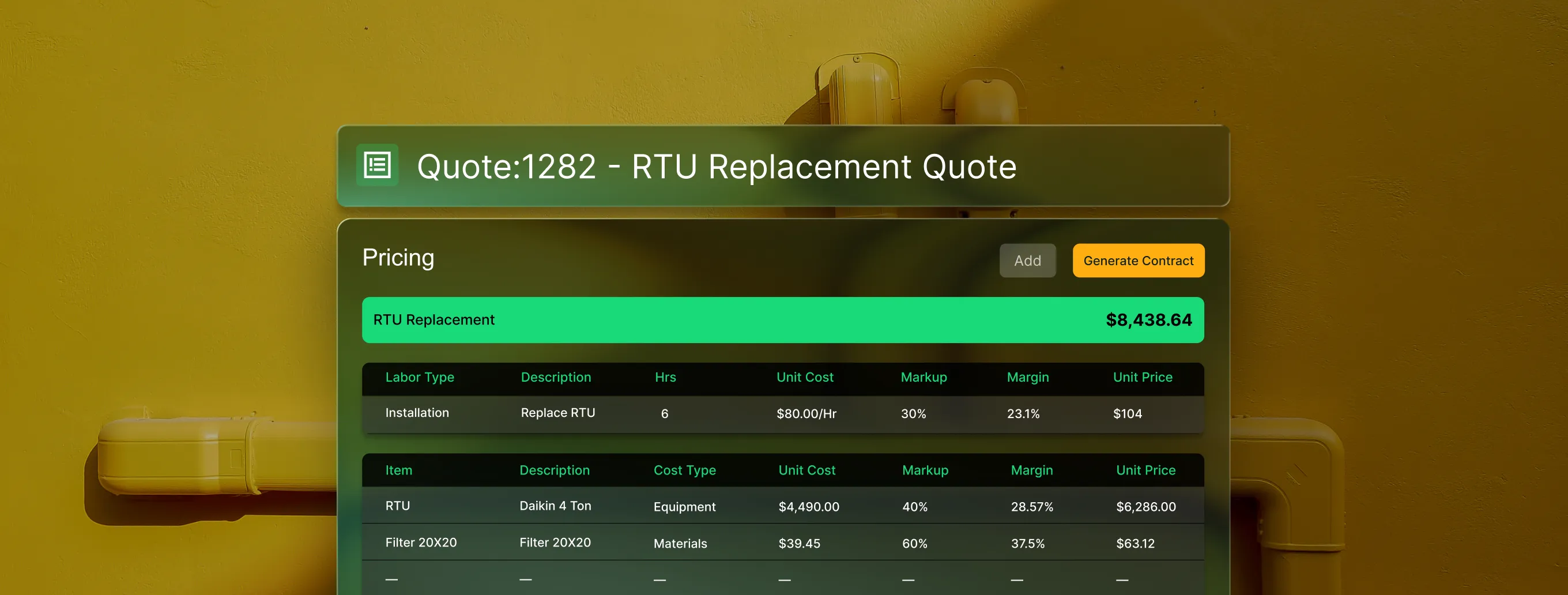
Build proposals with pricing pulled from your pricebook, track approvals in real time, and turn won quotes into scheduled work, all without leaving the platform.
Trusted by 1,500+ commercial contractors across North America














Built for how you sell
From first scope to signed work, no handoff gaps

Consistent pricing
Pull labor and materials from your pricebook so every rep prices the same way.

Same-day turnaround
Create and send quotes the same day work is spotted from the field or office.

Real-time tracking
Know when a customer clicks and reads your quote and follow up before they go cold.
The quoting advantage
Built for every step of the quote
In a disconnected toolkit, quotes get built in spreadsheets, emailed as PDFs, and tracked nowhere. BuildOps keeps every quote - scope, pricing, photos, and approval status - in one connected system from start to close.

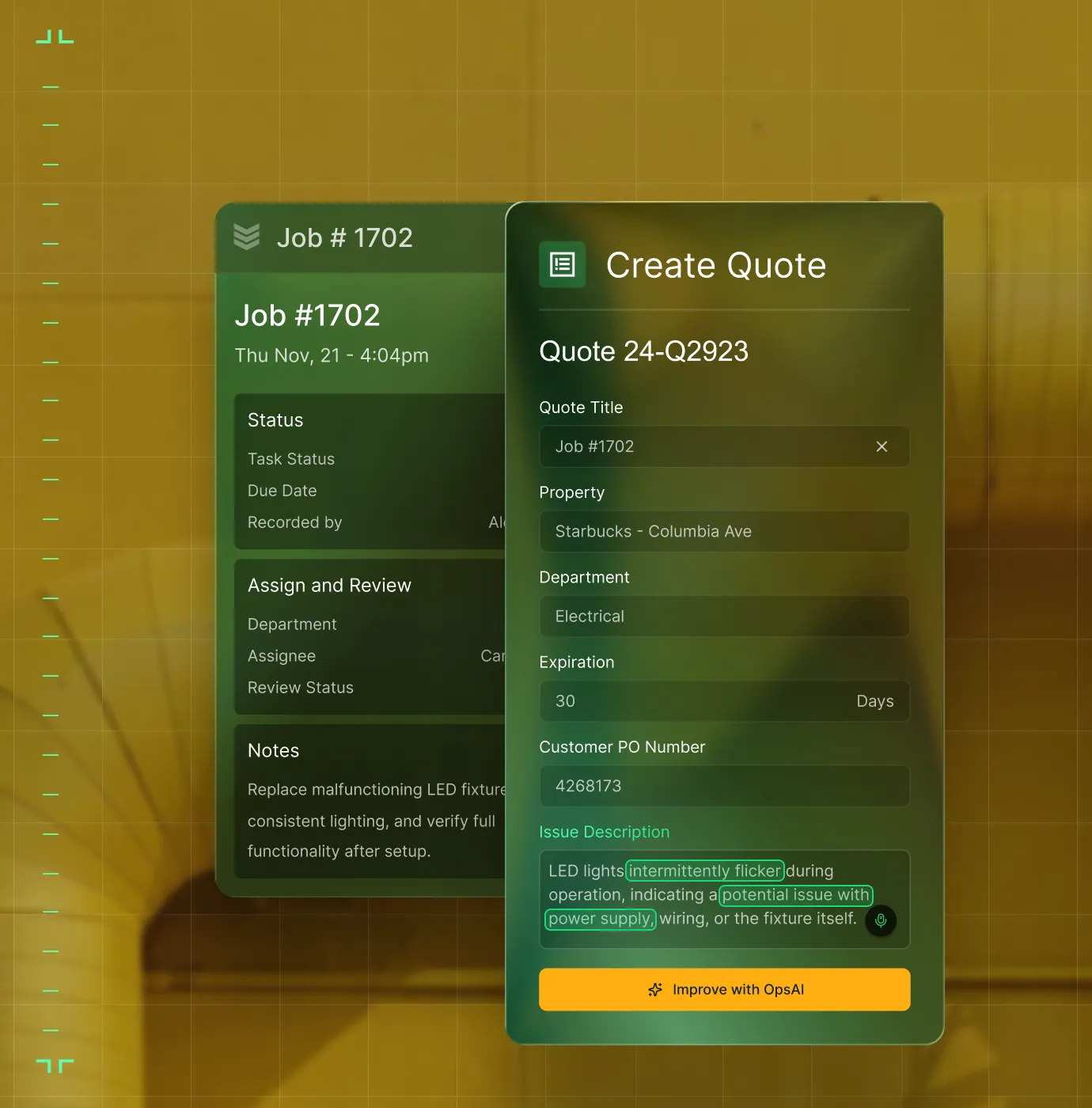
Quote from Field or Office
Techs create quotes on-site with auto-filled job and property details. The office refines and sends. Customers approve with a signature, no delays.
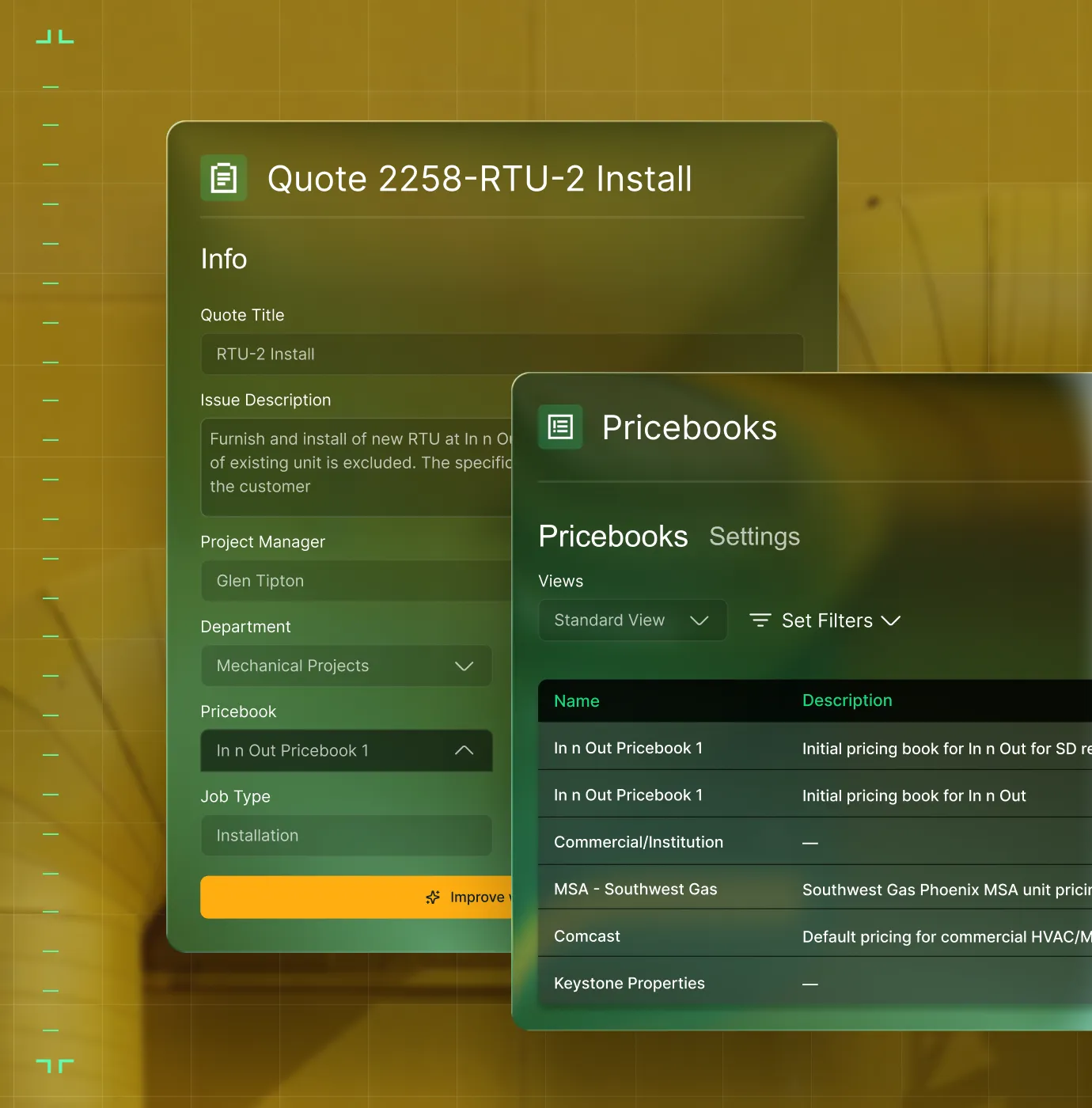
Your Pricebook, Built In
Add labor and materials from your pricebook. Duplicate sections in one click. Consistent pricing, every time.
One Click = One Job
Approved quote? Schedule the work or convert to a project with a single click. No re-entry required.

From first quote to signed contract
From estimate to signed job, faster

"Our quoting output has increased 80%."
Create quotes with photos, your pricebook, and field context built in.

"We’re aiming higher. That means being more organized, more transparent, and way more responsive."
Track every quote status and close rate across your team.

"Quotes are getting approved 63% faster."
Won quotes auto-convert to jobs, projects, or service agreements.

Proven Results
Real-world impact for commercial leaders


"We've seen an increase in day-to-day operations efficiencies that's going to add up to significant savings in time and energy over the course of a year."

"If we didn't have BuildOps and the additional cyber security they give our company, we would be dead in the water."


"The ability to produce reports either on an individual job basis, a quarterly basis, or a project basis is something we'd never seen before in other software that we've used."

"We've cut down in our receivables from about 120 days to 30 days on average."


"Before we knew it, we were seeing quicker turnaround times on job closeout and a huge improvement in the time it took for quotes to be accepted by our customers."


"With BuildOps, we feel like we can go after anything. The sky is the limit as far as the size of the project."
.webp)

"BuildOps gave us an all‑in‑one system for both service and projects. Once we saw that, it was a no‑brainer."


"With the integration of BuildOps and Sage Intacct, our accounting system, we've been able to speed up the time it takes for us to bill customers."


"Our consulting division increased 300% because we were able to free up more time from the office to help other customers."
![Service First Logo]](https://cdn.prod.website-files.com/69cad9cd3a5ef3196ea9bb65/69fa0ca0adc28a56d26717c9_Service%201st%20white.webp)
"Sometimes systems promise you the moon, then you use them and see the weaknesses. It's been the exact opposite with BuildOps. Everything we wanted it to do, it could do."

"We used to be two weeks behind on job costing. Now we're up to date daily."
What makes BuildOps different
Built from the ground up for contractors who run projects, service, and everything in between. Not adapted. Made for the work.
Commercial work isn't an add‑on
Most platforms started in residential and stretched to fit. BuildOps starts with the complexity of commercial work.
Run the work in one connected system
Field, office, finance, and sales — all in one place. No duct-taped tools, no double entry, no dropped balls.
OpsAI is built in, not bolted on
OpsAI is already in your workflows. It recaps the day, calls out risks, and gives every role a clear next step.


Where quoting meets the platform
Quoting is just the starting line
Quote data doesn't live in a silo. It feeds your pipeline, your dispatch board, and your ledger. Explore the other modules that turn a won proposal into a completed, invoiced, and profitable job.
Sales & CRM features






Common Questions
Your questions on field service quoting software, answered
What is field service quoting software for commercial teams?
Field service quoting software helps commercial teams accurately estimate their work, and present detailed summaries of the scope of that work to their customers. With built-in tracking of the cost of labor and materials customized to the work your business does, sales teams can take that information and generate quotes for customers so they can approve the work.
For commercial teams preparing quotes, it’s especially important that the field service quoting software can understand the complexity of commercial scale work, which includes multi-site jobs and large-scale, long-term projects. Because complex projects also typically include change orders, it’s also critical that the software can track these changes, and also present clear summaries of work done to customers at any time.
What quoting features does BuildOps offer that are useful for commercial contractors?
BuildOps understands the complexity of quoting for commercial work and large-scale projects, so BuildOps quoting includes a pricebook with labor, materials, and equipment pricing, multi-version quoting with direct version editing, internal approval workflows, margin-aware line items, mobile quoting, photo and video attachments, and one-click conversion to scheduled work.
What are the key benefits of using field service invoicing software?
Using field service invoicing software that integrates with other aspects of your field operations is likely to yield these kinds of benefits:
- More Accurate Job Costing—When price books are built in, sales doesn’t have to guess or make judgement calls.
- Up To Date Costs—When labor or material costs increase, this is updated in a single place and then immediately accessible to everyone, so no one is using out of date pricing to generate quotes.
- Saved Time—Leveraging internal price books helps automate costing. Quotes that can be leveraged into work orders and then invoice summaries saves time for other roles as well.
- Get Quotes Out Faster—When field techs are making recommendations for pull-through work on site and sales can act on those immediately, you can get quotes out to customers before they go looking elsewhere—sometimes even before the techs leave the jobsite.
- Profit Margin Increase—Keep better track of margins and scope, tracking against a unified system where quotes establish the baseline of work required, and you can track progress of the work done daily to identify any scope creep.
What is the best field service invoice software for commercial contractors?
We think it depends most on the type of work you do.
For commercial field service teams in HVAC, electrical, plumbing, fire & life safety, and refrigeration, BuildOps is built specifically for you. It's the only field service quoting software that was designed from day one for how commercial trades actually operate, connecting quoting, service management, project management, financials, and AI in a single system.
For residential contractors focused primarily on home service and repair, tools like Jobber or Housecall Pro may be a better fit for simpler quotes. Those platforms are designed around the residential workflow with shorter jobs, homeowner-facing features, and lighter documentation requirements.
The key difference: residential tools weren't built to handle the complexity of commercial construction quoting like multi-phase schedules, GC coordination, long-term margin scope tracking, or formal document control. If your work involves any of that, you need a commercial field service quoting software that actually speaks the language of commercial projects.
Do you have any proof of BuildOps customers that have seen improvements to their job costing process?
Yes, we have tons! Using BuildOps for quoting, unifying the billing cycle, and growing revenue, our customers have seen these results:
- Layer One fixed their job costing process, saving 1 week of manual work every month
- Classic Electric unified their whole operation in a single platform, achieving 300% growth
- Jackson Mechanical saw a 100% increase in tickets handled with no headcount added, a 50% reduction in time taken to create a job and get it scheduled, and a 30% growth in revenue
- Service 1st went from 3-4 systems down to 1, saw 2x faster invoicing, and had a record year
- Certified Fire saw service employee billable time increase from 75% to over 95%, monthly service billing rose 54%, and an incredible 250% increase in profit margins
There’s a clear reason scaling commercial teams choose BuildOps to help improve quoting.
Can techs create and send quotes from the field in BuildOps?
Yes, in BuildOps, the mobile app lets technicians and sales reps access Quotes, so they can build estimates on-site, auto-fill property and job details, add labor and materials, and present to customers for signature—all right from their phone. The office can review and refine before or after.
How does BuildOps help improve quote close rates?
Quotes pull from field context (photos, asset details, visit notes, and recommendations) so proposals include the detail customers need. Detailed line items with labor, materials, and margin give a clear cost breakdown. Same-day mobile quoting gets proposals out while the need is fresh.
Does BuildOps support internal quote approvals?
Yes. Managers can approve or reject quotes before they reach customers. Statuses are visible system-wide, with notifications for "Quote Needed" and "Quote Rejected." Recommendations from the field can also be reviewed and dismissed rather than automatically converting to quotes.
What happens after a quote is approved in BuildOps?
Approved quotes convert directly into jobs, projects, or service agreements with one click. Customer, property, scope, and pricing data carry through automatically, so operations has full context and work starts without re-entry or lost details.
How does quoting connect to the rest of the BuildOps platform?
Quoting in BuildOps connects to your CRM pipeline, dispatch board, invoicing, and ERP. Won quotes become operational records (jobs, projects, or service agreements) so context flows from sales to field to finance in one connected system.