Commercial field service management software that unifies scheduling, dispatching, reporting, and financials into one platform—built to keep multi-property operations organized, profitable, and easy to manage. As the commercial field service industry continues to grow and adopt new technology, having a purpose-built system in place has become a baseline expectation for staying competitive.
This guide will walk you through how to evaluate and compare your options. Here's what we'll cover:
- How to choose the right commercial field service software
- Top commercial field service management software features
- 10 best commercial field service management software
- 7 benefits of using commercial field service software
- 4 important commercial field service software FAQs answered
We'll start with the key factors to weigh when evaluating commercial field service software for your operation.
How to choose the right commercial field service software
Commercial field service software varies widely in scope, specialization, and how well it handles the layered complexity of commercial operations, including AI-driven automation that's becoming standard across the industry. Here are some questions to ask when evaluating your options.
- Project scope & complexity – Does the platform handle multi-property, multi-contact operations where a single client may own dozens of locations? Can it manage long-term service agreements alongside reactive service calls without forcing you to use workarounds?
- Industry alignment – Is the software designed for commercial trades like HVAC, electrical, plumbing, or fire safety? Does it reflect how commercial field services actually operate day to day, or was it originally built for residential work with commercial features added on later?
- Scalability & pricing – Can the platform grow with your team as you add techs, offices, or service territories? Is pricing transparent, per user, per location, or flat rate, and does it make sense for the size of operation you're running now and where you plan to be in two years?
- Onboarding & support – How involved is the vendor in getting your team up and running? Do they offer hands-on implementation, data migration, and workflow setup, or are you left figuring it out from a knowledge base? How long does it realistically take before commercial field service techs and office staff are using the system without friction?
- Features & field operations fit – Does the software cover the capabilities your operation depends on, from dispatching and quoting to CRM and reporting? Do those features connect across your entire workflow, field to office to billing, or do they function as isolated tools that still require manual handoffs between teams?
Once you’ve narrowed your options, the next step is to identify which features truly matter for commercial operations. Below, we’ll outline the key capabilities to evaluate and why they’re important.
Top commercial field service management software features
Commercial field service management software covers a wide range of capabilities, but not all of them carry equal weight depending on how your operation runs. To make it easier to evaluate what matters most, we've organized the features below into three categories: field operations and workforce management, financial and client management, and intelligence and performance.
Field operations & workforce management
The backbone of any commercial field service software is how well it handles the daily coordination of techs, trucks, and tasks across multiple job sites. These are the features that keep your operation moving from the first dispatch of the day to the last clock-out.
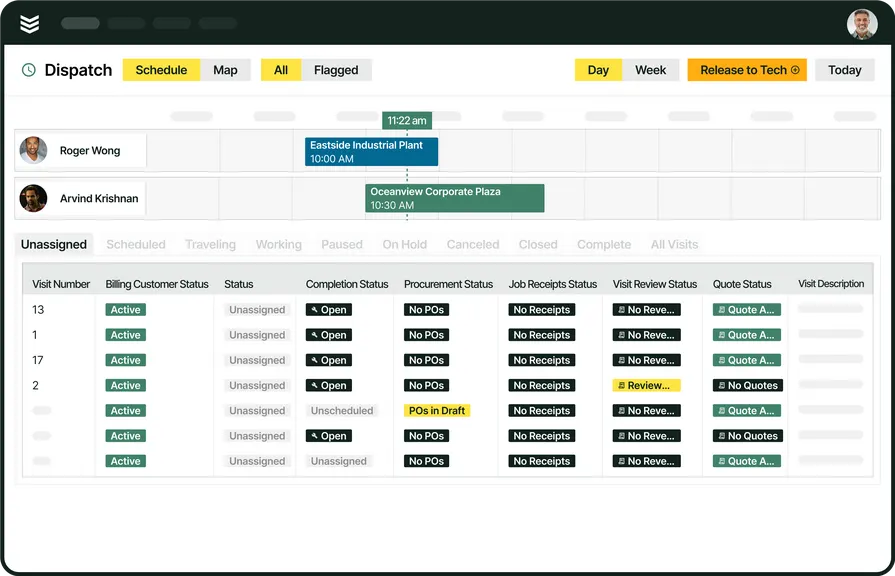
- Scheduling & dispatching – Scheduling and dispatching are the two most operationally critical functions in any commercial field service platform. Field service scheduling determines which techs are assigned to which jobs and when, factoring in availability, certifications, and workload balance across your team. On the dispatching side, smart dispatch software gives dispatchers real-time visibility into tech locations and job statuses so they can reassign work on the fly when emergencies come in or cancellations open up gaps.
- Technician mobile app – Commercial field services depend on techs having access to job details, customer history, and documentation without driving back to the office. A technician mobile app puts everything a tech needs — dispatch alerts, asset records, notes, photos, and forms — directly in their hands at the job site, cutting down on miscommunication and eliminating unnecessary trips that eat into billable hours.
- Fleet management – When your team is spread across a metro area or multiple service territories, knowing where every vehicle is at any given moment matters. Fleet management tools track vehicle locations, monitor route efficiency, and flag maintenance needs before a breakdown sidelines a truck mid-route — all of which directly impacts how many jobs your commercial field service techs can complete in a day.
- Time tracking – Accurate labor records are non-negotiable for payroll, job costing, and compliance. Time tracking built into your platform captures clock-ins, clock-outs, break times, and travel time automatically, giving you clean data that feeds directly into payroll and reporting without requiring techs to fill out separate timesheets or call in their hours.
Financial & client management
Getting the work done is only half the equation. The other half is quoting with confidence, billing faster, strengthening every client relationship, and turning one-off jobs into predictable, recurring revenue with service contracts.
- Service quoting – Speed and accuracy in quoting directly affect your win rate on commercial jobs. Service quoting software lets your team build professional, detailed quotes from tech notes and job data without re-entering information, reducing turnaround time and giving property managers and facility directors the clarity they need to approve work faster.
- Invoicing & payments – Cash flow stalls when invoices sit in a queue or customers don't have a convenient way to pay. Invoicing tools that auto-generate bills from completed job data and integrate with payment processing let you close the loop between job completion and revenue collection — cutting days or even weeks off your average time to get paid.
- Field service CRM – Managing dozens of commercial clients, each with multiple properties, contacts, and service histories, requires a purpose-built field service CRM. A CRM designed for commercial operations organizes customer hierarchies, tracks every interaction across locations, and surfaces the context your office staff and techs need before they ever pick up the phone or walk onto a job site.
- Service agreements – Recurring revenue from maintenance contracts stabilizes your business and keeps your techs busy during slower seasons. Service agreements management within your commercial field service management software tracks contract terms, auto-generates scheduled visits, and flags upcoming renewals so nothing falls through the cracks — especially when you're managing hundreds of active agreements across different commercial properties.
Intelligence & performance
Data only has value if you can act on it. These features turn raw operational information into insights that help you make faster decisions, reduce waste, and continuously improve how your team performs in the field and in the office.
- AI-powered tools – AI is reshaping how commercial field services operate, from auto-generating tech notes and invoice summaries to suggesting optimal dispatch assignments based on skill sets and proximity. Field service AI capabilities embedded directly into your workflow reduce manual data entry, speed up documentation, and help your team focus on the work itself instead of the paperwork around it.
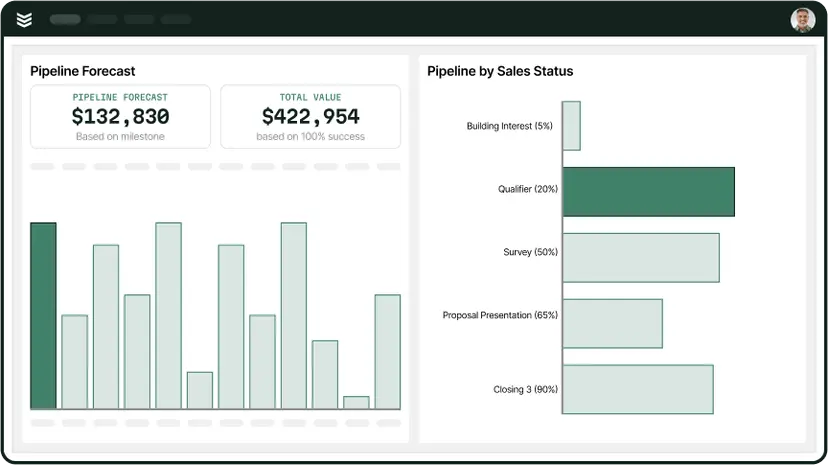
- Reporting & analytics – You can't improve what you don't measure. Reporting dashboards that pull from every corner of your operation — scheduling, financials, tech productivity, customer satisfaction — give owners and managers a clear picture of where the business stands and where it needs to go, without having to manually compile spreadsheets or chase down department heads for updates.
Want to see how we can help?
Equip your commercial crew with the tools they need to get jobs done faster.
10 best commercial field service management software
Choosing commercial field service software is about how well it handles real-world complexity—multi-site customers, big teams, long-term contracts, and tight office–field coordination. Below is a curated list of leading platforms, each matched to the type of commercial operation it fits best.
1. Best for commercial field service teams: BuildOps
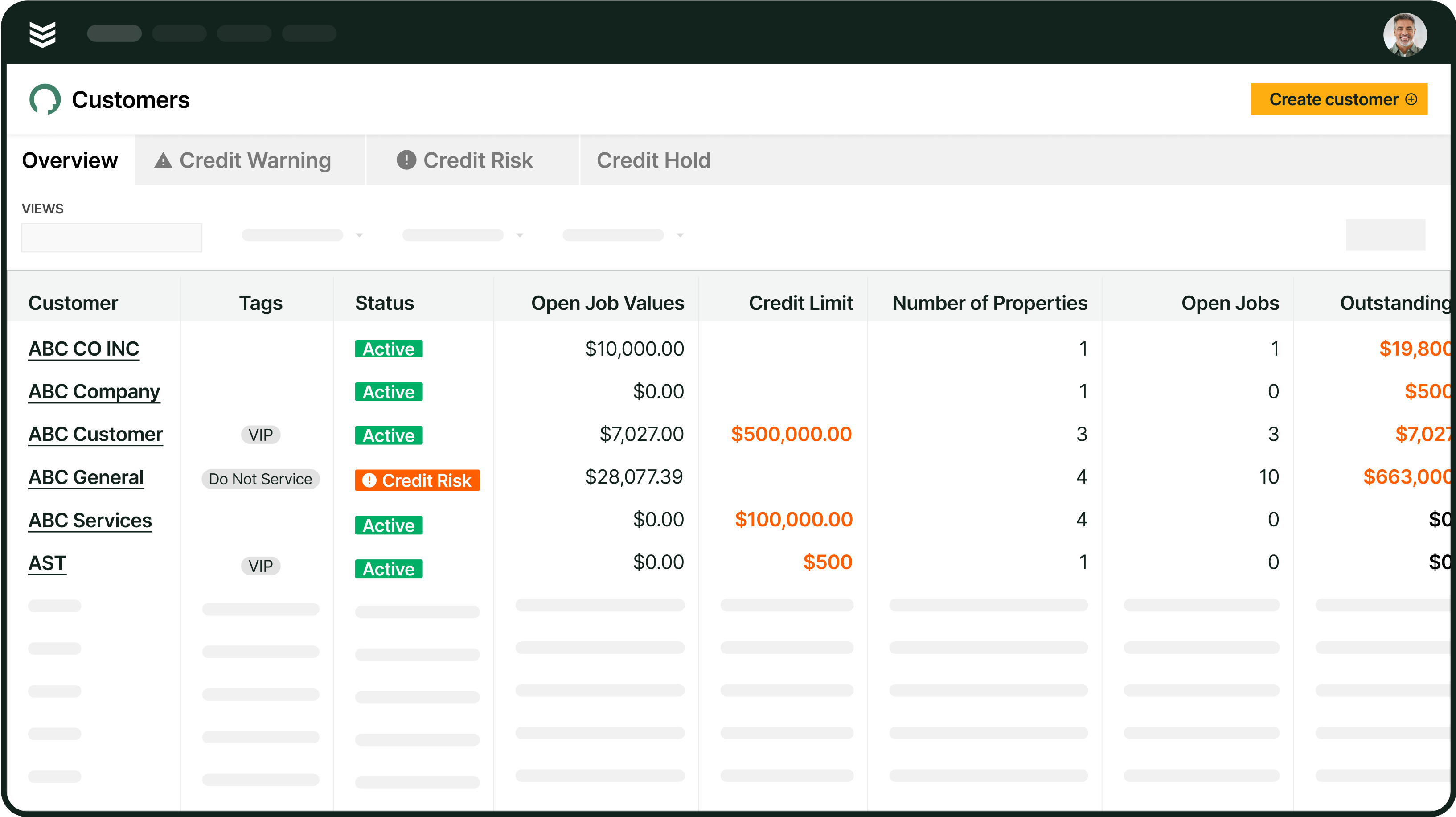
BuildOps is purpose-built for commercial contractors running field service operations in HVAC, electrical, plumbing, refrigeration, and fire safety. Our asset-based CRM structures customers by property hierarchies, giving dispatch and office teams instant visibility into every managed location, the right contact at each site, and all associated equipment.
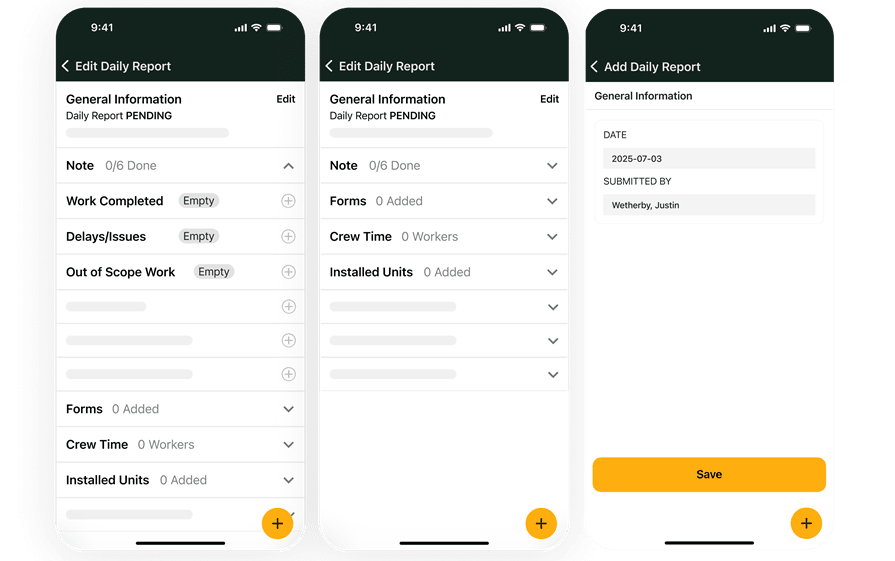
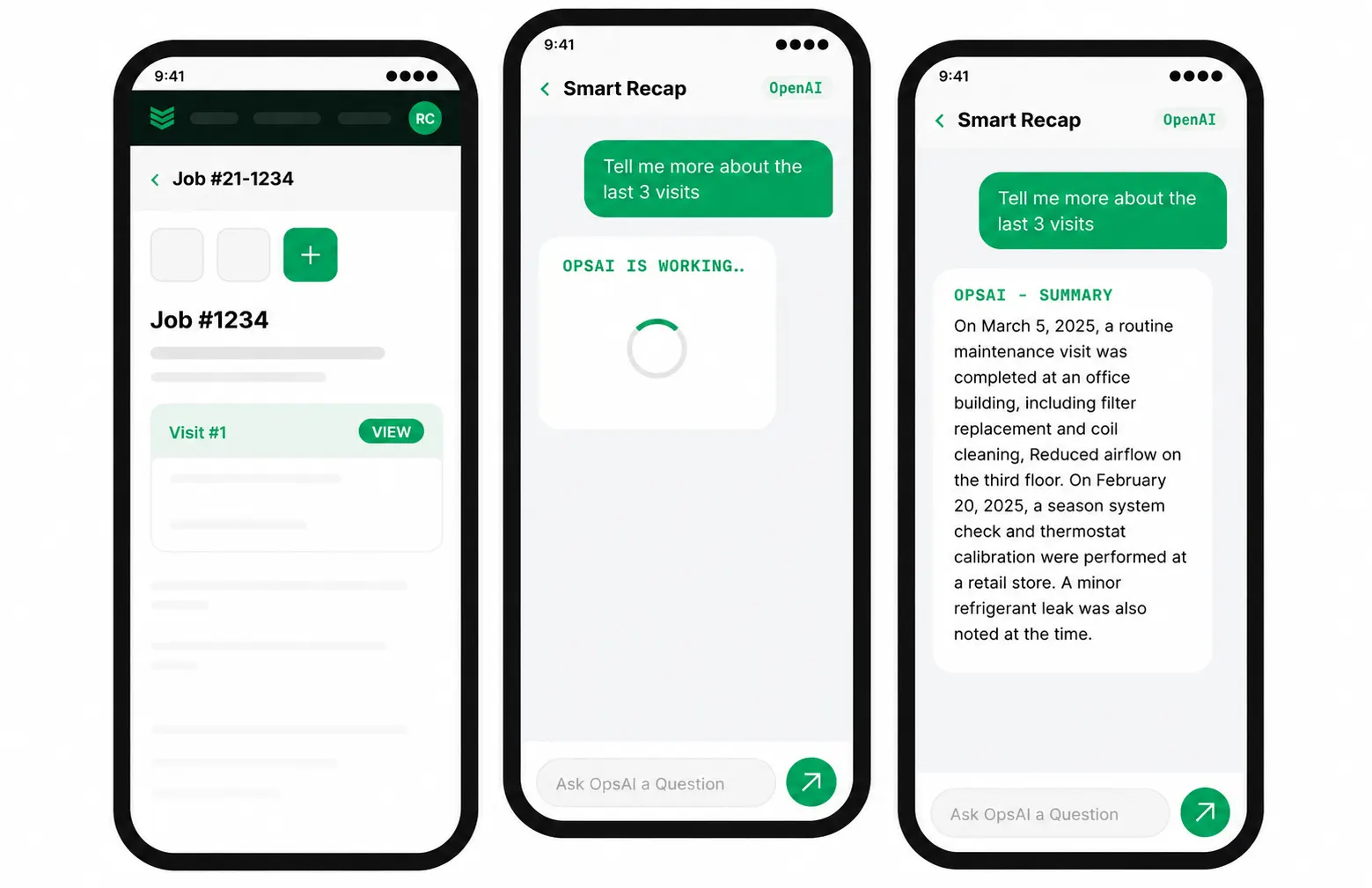
In the field, our AI-powered mobile app and OpsAI help technicians capture notes, photos, and job data on-site, then auto-generate clean summaries that flow straight into invoicing—eliminating hours of manual back-office work from every service cycle.
Industry Specializations: HVAC/Mechanical, refrigeration, electrical, plumbing, fire safety
How Pricing Works: Per-month cost based on the number of users; set up a demo for a personalized quote.
What Sets It Apart: Built-in customer hierarchies that organize and display assets split between multiple properties managed by the same customer — knowing what work needs to be done, on which property, and who needs to be notified about it.
Key Features for Commercial Field Service Teams:
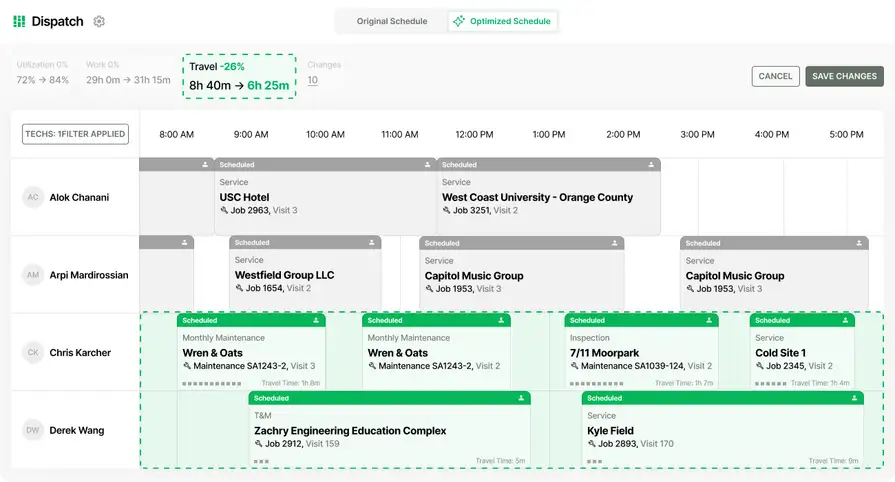
- AI-powered Smart Dispatching that suggests assignments based on tech skills, certifications, and real-time availability
- Nameplate scanner lets techs snap a photo of a unit and auto-populate serial numbers and equipment details into the system
- Integrates with enterprise ERP tools like QuickBooks, Vista, and Sage for seamless financial workflows
Rating: 4.5 on Capterra from 151 user reviews
Built for the demands of commercial field service
See how commercial shops are driving 30% revenue growth + 75% quote approval rates
2. Best for residential and light commercial: ServiceTitan
Image Source: ServiceTitan
ServiceTitan is one of the most widely adopted field service platforms on the market, with strong core capabilities across scheduling, dispatching, quoting, and invoicing. AI-assisted scheduling helps fill open time slots by matching available techs with relevant skills, while in-field quoting and invoicing let crews close out jobs without waiting on the office. Techs can access customer and job data even when offline, which is useful on commercial sites with spotty connectivity.
That said, ServiceTitan was originally architected around residential workflows, and commercial field service software demands — like multi-day project tracking, asset management across dozens of properties, and granular job status updates — fall outside its native capabilities, which may limit its fit for larger commercial operations.
Industry Specializations: HVAC, plumbing, electrical, garage door, chimney sweeping, roofing + 17 others
How Pricing Works: Contact them for a demo and more information.
What Sets It Apart: Strong CRM functions, including automated customer reminders for upcoming appointments and follow-ups.
Key Features for Residential & Light Commercial Teams:
- Staff can access customer and job data even when offline, keeping techs productive in areas with limited connectivity
- Techs can create and deliver both quotes and invoices while in the field, reducing turnaround on approvals
- AI helps automate scheduling and dispatching by finding open time slots and matching available techs with relevant skills
Rating: 4.3 on Capterra from 325 user reviews
Check out our breakdown where we compare ServiceTitan and BuildOps head-to-head to see which one fits your specific operation.
3. Best for general field service contractors: Jobber
Image Source: Jobber
Jobber delivers a clean, straightforward platform with solid CRM, scheduling, dispatch, invoicing, and payment processing functions — making it a strong option for general contractors and home service pros who handle a mix of one-time and recurring jobs. Its scheduling and dispatch interface is intuitive and easy to learn, and the mobile app gives techs access to job details, time tracking, and payment collection without needing to call the office.
However, Jobber's inventory management, reporting, and workflow automation capabilities are relatively basic, and its tiered pricing plans cap the number of users allowed, which makes it difficult to scale for commercial field services that require larger teams and deeper operational visibility.
Industry Specializations: HVAC, electrical, plumbing, fire safety, cleaning, construction, landscaping, and more.
How Pricing Works: Tiered monthly or annual subscriptions for individuals or teams; team plans have a limit on users.
What Sets It Apart: Robust and easy-to-use scheduling and dispatch interface that lets you assign jobs and adjust schedules in real time.
Key Features for General Contractors:
- Powerful CRM tools for handling customer information, tracking service histories, and managing communications
- User-friendly mobile app lets techs access job details, give progress updates, track time, and collect payments in the field
- Invoicing and payments features allow for creating invoices, accepting payments, and automatically following up on unpaid bills
Rating: 4.6 on Capterra from 1,404 user reviews
4. Best for CRM & sales pipeline management: Housecall Pro
Image Source: Housecall Pro
Housecall Pro is a CRM and sales-focused platform that helps contractors automate the customer journey from first estimate through to final invoice. Its pipeline management tools streamline lead intake, proposal creation, and follow-up sequences, while built-in upsell prompts help increase average job ticket sizes without requiring techs to manually pitch add-ons. The platform also includes advanced reporting, invoice tracking, and accounting integrations that keep financial data organized without manual entry.
However, Housecall Pro's feature set is oriented around smaller team structures and sales-driven workflows, which means commercial field service software demands — like multi-property asset tracking, customer hierarchies, and large-scale dispatching across multiple trades — fall outside its core capabilities.
Industry Specializations: HVAC, plumbing, electrical, cleaning services
How Pricing Works: Monthly subscription based on the number of seats you'll use.
What Sets It Apart: Pipeline management that automates the customer journey from estimate through to invoice, with built-in upsell tools to increase job ticket sizes.
Key Features for CRM & Sales Teams:
- Use pipeline management to intake and manage customers more effectively, automating the process from estimate through to invoice
- Creates engaging sales proposals that lead to more closed contracts
- Boosts upsell success to increase job ticket sizes through targeted prompts and recommendations
Rating: 4.7 on Capterra from 2,737 user reviews
Check out our comparison of Housecall Pro and BuildOps to see which one fits your operation.
5. Best for tender management: Procore
Image Source: Procore
Procore is a construction management platform designed for general contractors and specialty subcontractors who need strong pre-construction and project management capabilities. Its tender management tools facilitate accurate, professional-looking proposals, and financial integrations make it easy to transition from bid management to active project oversight. AI-powered filtering and document formatting help teams move between pre-project phases quickly, and over 500 app integrations extend its functionality across accounting, CRM, and resource planning.
That said, Procore was architected around high-level construction project management rather than day-to-day commercial field services like dispatching, service call routing, and technician coordination — which means contractors focused on recurring service work may find it lacks the operational depth they need.
Industry Specializations: General contractors, specialty subcontractors (HVAC, plumbing, electrical, concrete, structural engineering, interior & exterior finishing)
How Pricing Works: Contact them for a custom quote.
What Sets It Apart: Financial features and integrations that make the shift from estimates to proposals to budgets seamless across pre-construction phases.
Key Features for Tender Management:
- Integrates with over 15 accounting platforms and over 500 apps total to streamline sales and CRM tasks without needing separate systems
- AI and filtering tools help properly count items, view material and labor rates, and format documents so you can move between pre-project phases quickly
- Building modeling and contract bidding tools designed for managing complex, multi-phase construction projects
Rating: 4.5 on Capterra from 2,655 user reviews
6. Best for inventory management: ServiceTrade
Image Source: ServiceTrade
ServiceTrade is an end-to-end field service management solution that helps commercial contractors with office coordination, sales management, and inventory tracking. Its inventory management capabilities ensure your technicians always have the parts they need to complete jobs without delays, and its timecard-based job tracking helps limit unnecessary office visits while improving the accuracy of future job estimates. ServiceTrade also increases visibility into active jobs for all team members, from office admin to field technicians, keeping everyone in the loop on job progress and resource availability.
While ServiceTrade handles inventory and job coordination well, its scheduling, dispatching, and AI capabilities are less developed compared to platforms purpose-built for managing large commercial field service techs teams across multiple trades and territories.
Industry Specializations: Commercial (HVAC, fire safety, mechanical)
How Pricing Works: Subscription pricing based on the number of seats you need.
What Sets It Apart: Inventory management solutions that forecast parts needs and ensure technicians always have what they need to complete jobs without delays.
Key Features for Inventory Management:
- Tracks jobs with precision using timecards, helping limit unnecessary office visits and estimate future jobs with better accuracy
- Forecasts the parts you'll need so you can keep inventory fully stocked without running into overstock issues
- Increases visibility into active jobs for all team members, from office admin to field service technicians
Rating: 4.6 on Capterra from 339 user reviews
7. Best for fleet management contractors: Service Fusion
Image Source: Service Fusion
Service Fusion is an all-in-one field service management platform designed for both residential and commercial businesses that need strong fleet visibility alongside core scheduling and dispatching functions. Its GPS tracking gives you real-time insight into where every vehicle is, how much fuel is being consumed, and how much downtime your fleet is experiencing — all from a single dashboard. You can schedule jobs and dispatch them when it's time to start, keeping field operations moving without switching between tools.
However, Service Fusion's reporting, workflow automation, and CRM capabilities are relatively basic compared to platforms built specifically for complex commercial field service management software needs, which may limit its usefulness for contractors managing large-scale, multi-trade operations with layered client structures.
Industry Specializations: Residential and commercial (HVAC, electrical, plumbing, locksmith, appliance repair + others)
How Pricing Works: Monthly subscription based on included features.
What Sets It Apart: GPS tracking for advanced fleet management, including real-time vehicle location, fuel analysis, and downtime monitoring.
Key Features for General Contractors:
- Schedule jobs from a single dashboard and dispatch them when it's time to start the project
- GPS tracking goes beyond vehicle location — analyze downtime and fuel efficiency to maximize fleet performance
- Customer management tools that handle estimates, invoicing, and payment processing in one place
Rating: 4.3 on Capterra from 289 user reviews
8. Best for service & repair contractors: FieldEdge
Image Source: FieldEdge
FieldEdge is a field service management platform tailored to service and repair contractors in HVAC, plumbing, and electrical. Its dispatch board provides a drag-and-drop interface that makes it easy to assign and reassign jobs throughout the day, and its QuickBooks integration keeps financial data synced between the field and the back office without manual double-entry. Performance dashboards give owners visibility into technician revenue, close rates, and average ticket values — helping identify where commercial field service techs are excelling and where coaching is needed.
However, FieldEdge's project management, multi-property asset tracking, and customer hierarchy capabilities are limited, which can create friction for contractors managing complex commercial accounts with layered client structures and long-term service agreements.
Industry Specializations: HVAC, plumbing, electrical
How Pricing Works: Contact them for pricing details based on your team size and feature needs.
What Sets It Apart: Real-time performance dashboards that track technician revenue, close rates, and average ticket values to help owners identify coaching opportunities and top performers.
Key Features for Service & Repair Contractors:
- Drag-and-drop dispatch board that lets you assign, reassign, and track jobs in real time across your entire team
- Two-way QuickBooks integration keeps invoicing, payments, and financial records synced without manual data entry
- Mobile app gives techs access to customer history, pricing, and service details while on-site
Rating: 4.2 on Capterra from 305 user reviews
9. Best for commercial project management: Simpro
Image Source: Simpro
Simpro is a comprehensive job management platform designed for trade contractors who need to manage both service work and larger commercial projects from a single system. Its project management tools handle multi-phase jobs with detailed cost tracking, progress billing, and change order management — making it a strong fit for contractors who regularly take on installation and construction work alongside recurring maintenance. simPRO also includes inventory management, asset tracking, and automated purchase ordering to keep materials flowing without manual oversight.
That said, simPRO's interface has a steeper learning curve than many competitors, and its scheduling and dispatching capabilities are less intuitive for teams focused primarily on high-volume commercial field services like reactive service calls and same-day dispatching across large tech teams.
Industry Specializations: HVAC, electrical, plumbing, fire safety, security, solar
How Pricing Works: Contact them for a custom quote based on your business size and requirements.
What Sets It Apart: End-to-end project management with progress billing, cost tracking, and change order management that handles multi-phase commercial jobs from estimate through to final invoice.
Key Features for Commercial Project Management:
- Multi-phase project tracking with detailed cost breakdowns, progress claims, and variation management for complex commercial jobs
- Inventory management with automated purchase ordering that keeps parts and materials stocked based on job requirements
- Asset tracking and maintenance scheduling that ties equipment records to specific customer locations and service histories
Rating: 4.0 on Capterra from 145 user reviews
Check out our comparison of Simpro and BuildOps to see which platform fits your commercial operation.
10. Best for construction-focused job costing: Knowify
Image Source: Knowify
Knowify is a job costing and project management platform designed for subcontractors and specialty trade contractors who need granular financial visibility into every job. Its strength lies in detailed cost tracking that breaks down labor, materials, and overhead at the task level — giving owners and project managers a clear picture of profitability before, during, and after each job. Knowify also handles contract management, change orders, and AIA-style billing, which makes it useful for contractors working on commercial construction projects that require formal documentation and progress-based invoicing.
However, Knowify's field service capabilities — including scheduling, dispatching, and technician-facing mobile tools — are relatively basic compared to platforms purpose-built for managing day-to-day commercial field service management software workflows like reactive service calls, multi-trade dispatching, and real-time tech coordination across territories.
Industry Specializations: General contractors, subcontractors, specialty trades (electrical, plumbing, HVAC, painting, roofing)
How Pricing Works: Tiered monthly subscription plans based on features and number of projects.
What Sets It Apart: Granular job costing that breaks down labor, materials, and overhead at the task level, giving contractors real-time visibility into profitability on every job.
Key Features for Construction-Focused Job Costing:
- Detailed job costing with real-time budget-vs-actual tracking at the task level across labor, materials, and overhead
- AIA-style billing and progress invoicing designed for commercial construction projects that require formal documentation
- Contract and change order management that keeps scope, pricing, and approvals organized throughout the life of a project
Rating: 4.5 on Capterra from 109 user reviews
Check out our comparison of Knowify and BuildOps to see which platform aligns with your operation.
Get the software scoresheet
Compare top tools at a glance with this easy-to-use scoresheet.
7 benefits of using commercial field service software
Commercial field service management software pays for itself when it closes the gap between what happens in the field and what the office sees, bills, and plans around. Here are seven outcomes contractors consistently gain when the platform fits their operation.
1. Tighter scheduling and fewer wasted hours
Dispatchers gain a single view of tech availability, skills, certifications, and location — so jobs land on the assigned person without a round of calls and texts. Optimized routing between job sites cuts windshield time, which directly increases billable hours per tech per day. Following a scheduling and dispatching playbook can also reduce overtime by spreading workload more evenly across the team, keeping your board balanced instead of reactive.
2. Faster field execution and on-site productivity
Techs arrive with full job details, asset history, property instructions, and customer contacts already on their mobile device — eliminating calls back to the office for missing information. Gated workflows require before-and-after photos, time logs, inventory usage, and customer signatures before a job can close, so nothing gets skipped. Consistent on-site field services execution reduces callbacks and repeat visits because the work is documented and verified the first time through.
3. Cleaner work order tracking from intake to closeout
Every job moves through visible status columns — completion, procurement, quote needed, review, invoicing — so nothing sits in limbo between teams. Digital work orders replace paper tickets, eliminating lost paperwork and the manual re-entry that comes with it. Reliable work order software for contractors connects what happened in the field to what needs to happen next, whether that means review, quote, or invoice, without manual handoffs slowing the process down.
4. Stronger customer relationships at scale
A commercial CRM that maps customer hierarchies and surfaces service history, quotes, and opportunities in seconds, so office staff and techs always have the context they need. A purpose-built contractor CRM turns scattered customer data into a single source of truth that drives repeat business and faster response times across every account.
5. Centralized data for faster, sharper decisions
All your key metrics live in one real-time reporting engine, so leaders can see performance by tech, customer, or department without spreadsheets and make fact-based decisions before issues get expensive.
6. AI-driven automation that cuts admin drag
AI polishes field notes into customer-ready summaries for faster invoicing, while smart dispatch auto-assigns the best tech based on skills, location, and availability. Agentic AI field service tools handle repetitive tasks behind the scenes, from logging visit summaries to organizing asset records, so your team focuses on revenue-generating work instead of paperwork.
Deep Dive
AI has already started shifting how contractors handle inspections, installations, and maintenance work. What used to take hours can now happen in minutes—with more accuracy and fewer surprises. In our 2025 survey, The Pivot Point: AI And The Future of Commercial Contracting, 78% of contractors said they believe AI improves efficiency, and 47% are already using AI in some capacity for their field ops.
7. Shorter invoice cycles and healthier cash flow
When techs close out jobs with complete data, AI turns it into invoice-ready summaries the same day. By connecting job completion directly to billing, offices avoid manual handoffs, cut invoicing time from hours to minutes, and improve cash flow.
4 important commercial field service software FAQs answered
Commercial field service teams have questions that go beyond setup. These four FAQs cover what top contractors ask when they’re ready to run tighter, more efficient jobs.
1. What is commercial field service management software?
Commercial field service software brings all the moving parts of your operation into one place—scheduling, dispatching, CRM, quoting, invoicing, and reporting—so teams can manage complex, multi-property, multi-trade work without juggling disconnected tools.
Modern platforms also deliver powerful mobile apps for field documentation, AI-assisted workflows, fleet tracking, and service agreement management. The result is a seamless connection between what happens on-site and what happens in the office, streamlining everything from field execution to billing and reporting in a single, integrated system.
2. How does it differ from residential or general-purpose platforms?
The real gap is operational depth. Residential tools are built for simple, one-and-done visits. Commercial service is different: multiple sites, complex account hierarchies, asset-level histories, and multi-day projects with progress billing and specialized teams.
If you’re managing service agreements across locations or coordinating techs across trades and territories, general-purpose software turns into a maze of workarounds instead of a system that just fits how you run your business.
3. Is commercial field service management software worth the investment?
Most commercial contractors see payback in months, not years. By connecting the field to the office, you cut out delayed invoicing, double data entry, missed visits, and system hopscotch.
Techs close out jobs with everything captured on-site, the office invoices same‑day, and the time saved on scheduling, dispatch, payroll, and job costing often covers the subscription before you even count the lift from faster quotes and higher approval rates.
4. What are the best practices for getting the most out of commercial field service software?
Adopting a new platform is only half the equation — how your team uses it determines whether it actually drives results. These ten practices help commercial field service techs and office staff extract maximum value from day one.
- Assign a project lead to own the rollout, timeline, and cross‑department questions.
- Clean and migrate customer, property, and asset data before go-live to avoid downstream issues.
- Configure customer hierarchies and property structures first to support all other workflows.
- Standardize work order templates with required fields for photos, time, parts, and sign-off.
- Set up service agreements and recurring schedules early so preventive visits auto-generate.
- Train dispatchers and schedulers on the dispatch board before techs go live.
- Roll out the mobile app in small groups, run parallel workflows, and gather feedback first.
- Link invoicing and payments to job closeout so billing auto-triggers at completion.
- Build KPI dashboards for tech utilization, quote approvals, invoice cycle time, and callbacks.
- Hold monthly reviews with department leads to audit adoption and refine configurations.
Commercial service software should run your whole operation — not force you to stitch together add-ons and workarounds.
BuildOps is the AI‑native platform built for commercial contractors. Scheduling, dispatch, CRM, quoting, invoicing, asset tracking, service agreements, and AI‑cleaned field notes all live in one system designed for multi-property, multi-trade work.
See how it fits your operation in real time — book a live demo with the BuildOps team and map it to the way your office and field already run.
Unify commercial field service with BuildOps
Connect technicians, trucks, and teams so jobs run smoothly and finish on time