
BuildOps vs ServiceTrade
ServiceTrade is built for inspection-first and compliance-driven work. BuildOps is built for commercial contractors, connecting service, projects, and finance workflows from the first call to the final invoice.
See how BuildOps has helped our commercial customers compared to other businesses:
- 62% faster cash collection—DSO drops from 66.4 to 25.2 days
- 65% more revenue per technician—More output from the same field headcount
- +14-point higher quote-to-close rate—62.8% vs. 48.9% average





Trusted by 1,500+ commercial contractors across North America














TECHNICAL CHECKLIST
See the difference
ServiceTrade is meant for inspection-driven service calls, but when you layer on commercial contracts, multi-site portfolios, and complex projects, the gaps create margin risk. BuildOps has asset-level data, project controls, and ERP-grade financials in a single backbone.
Service maintenance features
BuildOps offers flexible scheduling and support for complex commercial service workflows, while ServiceTrade has strong recurring maintenance and inspection workflows focused on compliance-driven services.
Security & governance
BuildOps provides role-based access, permissions, and governance controls. ServiceTrade provides security features, though certifications and compliance scope should be validated by requirement.
Complex project management
BuildOps includes native commercial project management tools such as RFIs, change orders, submittals, drawings, and document control, and Projects is connected to every other feature in the platform, so you can leverage what you need. ServiceTrade offers project management capabilities, but may require additional tools for complex commercial workflows and project controls.
Advanced analytics & reporting
BuildOps offers customizable reporting through an embedded BI tool, enabling contractors to analyze performance, costs, and asset data across complex operations. ServiceTrade provides standard reporting focused on inspections and service outcomes, with limited customization for deeper financial or operational analysis.
Mobile application
ServiceTrade supports offline-capable mobile workflows, while BuildOps provides broader integration across service, projects, maintenance, and operations.
Job status updates
BuildOps allows technicians to update detailed job statuses in real time from the field without manual follow-ups. ServiceTrade provides status tracking but with fewer configurable, field-driven workflow states for complex commercial operations.
Multi-day & multi-tech job management
BuildOps natively supports multi-day, multi-crew jobs with independent visit control, crew time capture, and clean operational workflows without closing the entire job. ServiceTrade supports scheduling and technician assignments but offers less flexibility at scale.
Asset management
ServiceTrade offers limited visibility for large, complex assets while BuildOps provides deep, asset-centric tracking at the property, system, and sub-asset level, including service history, warranties, costs, and reporting tailored for complex commercial facilities.
Automatic rounding of billable hours
BuildOps supports configurable automatic labor rounding to protect revenue and reduce administrative overhead. ServiceTrade typically requires manual review or adjustments for labor rounding.
Technician capacity planner
BuildOps has a Smart Dispatch system that can optimize your dispatch board based on technician skill, industry certifications, availability, and proximity to the jobsite. Only Enterprise customers get this in ServiceTrade.
AI power and capabilities
BuildOps OpsAI is built right into the platform across every aspect of your operation, ready to assist in the field, for the sales team, for finance, and for business owners. ServiceTrade has 3 different AI tools all that do different types of tasks, and none of them are included in the standard pricing plan.
Advanced workflows
In BuildOps, you can build your own custom workflows that work precisely how your team does for every job visit type and every project. In ServiceTrade, advanced quoting, invoicing, sales, and pipeline workflows are all add-on costs.
Tech timecards
BuildOps has robust technician time tracking tools, and you can leverage the data from time tracking into any kind of report or dashboard you need. ServiceTrade supports technician time tracking, but advanced timecard and reporting features may vary by configuration or plan.
Commercial focus
Both platforms serve commercial contractors, but with different areas of focus: ServiceTrade focuses on commercial field service, while BuildOps supports commercial service, project, and financial workflows.

"ServiceTrade is good for smaller companies that can manage their costs outside of a system. But we're to the point where we're too big. We have too many employees. I don't see ServiceTrade set up for someone with multiple offices in different cities to really use like we're trying to."








Partners
Trusted by leading commercial operators
Every month, growing commercial teams hit the ceiling on fragmented tools and move to a backbone that connects every workflow — not a stack of separate systems held together with workarounds.
Specialized Infrastructure
What makes a "commercial backbone" different?

Data granularity
Service-only tools track jobs. BuildOps tracks the full asset lifecycle — units, sub-components, warranty windows, and long-term maintenance costs.

Financial logic
Go beyond paid vs. unpaid. Track WIP and committed costs with a ledger built for how CFOs actually manage commercial projects.

Offline-first engineering
Built for the field. Techs complete complex work with no signal, then sync automatically when back online.
One System, Every Workflow
A single operating backbone
AI that already knows your business
OpsAI is built into BuildOps. It already knows your jobs, your crews, and your data. It handles the busywork, flags what matters, and keeps your team focused on the work that actually moves the needle.


Service that scales without slipping
More service work only pays off if margins hold and customers come back. BuildOps keeps every job on track from first dispatch to final invoice, so growth doesn't come at the cost of control.


Find, quote, and close more work
Good contractors lose deals not because they can't do the work, but because follow‑ups slip and quotes go cold. BuildOps keeps your pipeline moving so the right jobs don't get away.


The Industry Standard
Proven outcomes. Industry verified





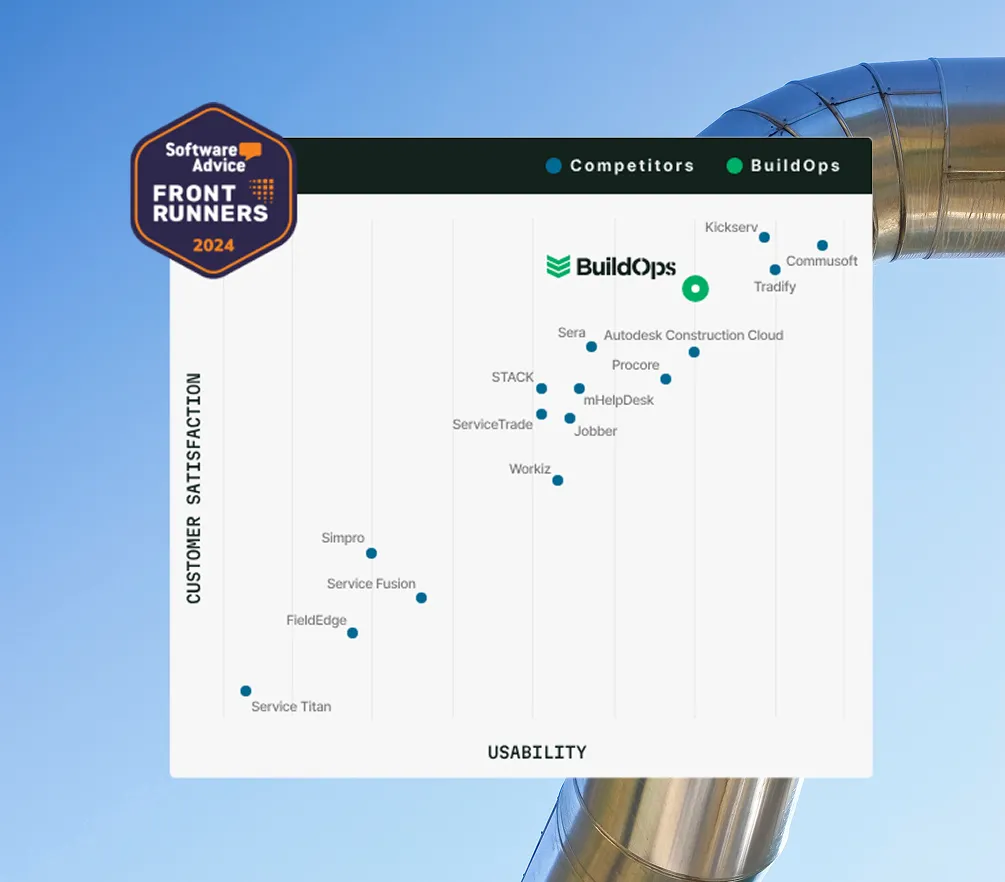

Proven Results
Real-world impact for commercial leaders


"We've seen an increase in day-to-day operations efficiencies that's going to add up to significant savings in time and energy over the course of a year."

"If we didn't have BuildOps and the additional cyber security they give our company, we would be dead in the water."
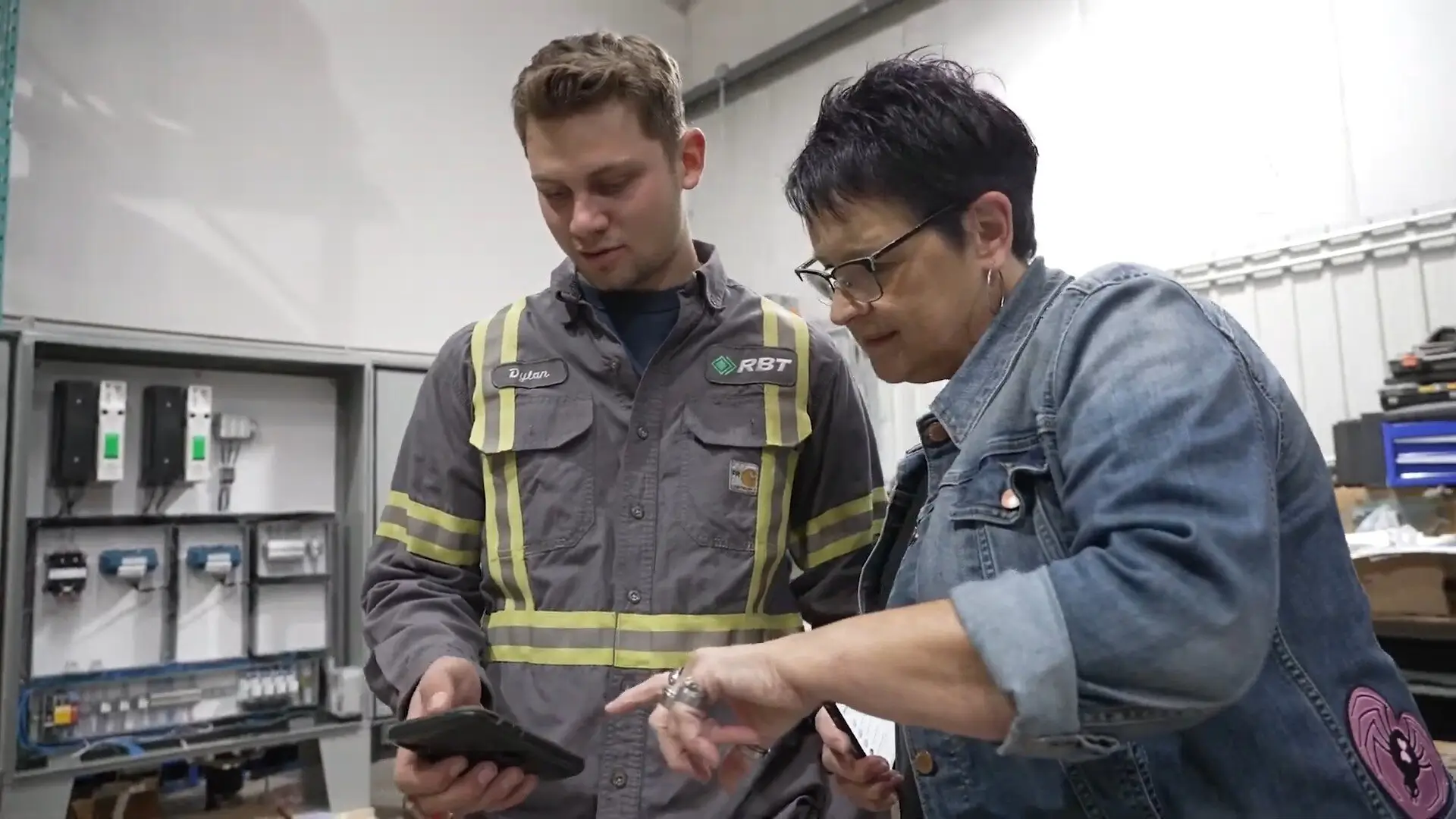

"The ability to produce reports either on an individual job basis, a quarterly basis, or a project basis is something we'd never seen before in other software that we've used."

"We've cut down in our receivables from about 120 days to 30 days on average."


"Before we knew it, we were seeing quicker turnaround times on job closeout and a huge improvement in the time it took for quotes to be accepted by our customers."


"With BuildOps, we feel like we can go after anything. The sky is the limit as far as the size of the project."
.webp)

"BuildOps gave us an all‑in‑one system for both service and projects. Once we saw that, it was a no‑brainer."

"With the integration of BuildOps and Sage Intacct, our accounting system, we've been able to speed up the time it takes for us to bill customers."


"Our consulting division increased 300% because we were able to free up more time from the office to help other customers."

![Service First Logo]](https://cdn.prod.website-files.com/69cad9cd3a5ef3196ea9bb65/69fa0ca0adc28a56d26717c9_Service%201st%20white.webp)
"Sometimes systems promise you the moon, then you use them and see the weaknesses. It's been the exact opposite with BuildOps. Everything we wanted it to do, it could do."

"We used to be two weeks behind on job costing. Now we're up to date daily."
Common Questions
FAQs about BuildOps vs ServiceTrade for commercial teams
Can BuildOps replace ServiceTrade for my team’s commercial work?
BuildOps replaces an inspection-first tool like FieldPulse, by offering a more robust operational backbone for your field service operations. BuildOps can handle compliance and inspections work fully, thanks to its custom forms and workflows that we help you build to suit the exact type of work your team does before you get started. But in addition to that, you get service, projects, sales, and financials all unified in a single tool.
Which industries are ServiceTrade and BuildOps best suited for?
BuildOps was built for commercial trades businesses, primarily Plumbing, Electrical, HVAC, Refrigeration, and Fire & Life Safety.
ServiceTrade focused more on inspection, fire safety, and kitchen exhaust cleaning, with other trades added later.
How does pricing work on BuildOps vs Field ServiceTrade?
Both ServiceTrade and BuildOps offer custom pricing based on company needs and requirements, and that cost is determined in a custom demo you can set up on each company’s website.
With BuildOps, our entire platform has every critical feature you need built right in, including scheduling & dispatching, job notes & visit history, asset management, inventory, service agreements, preventive maintenance, sales, invoicing, and so much more. Our AI capabilities are built into the platform across all these features, and are 100% included. Our only add-ons are Payments, CRM, and Fleet, because not all teams need these.
With ServiceTrade, pricing is a lot more complicated. There are 3 different pricing plans, which means you will be paying additional fees for add-on services. None of these features are included in the standard plan: AI features, business insights, timecards, subcontractor work management, project management, budgets, customer service portal, and advanced quoting, invoicing, pipeline, and sales workflows. ServiceTrade also deliberately pulls critical functions out into the Enterprise plan, including “technician capacity planner,” which means your standard dispatch board can’t understand tech capacity and work that into your dispatching. They also have entirely separate pricing plans for fire protection teams.
How does BuildOps OpsAI compare to ServiceTrade’s AI tools?
BuildOps OpsAI is built directly into the platform, and can help with a wide range of things across your entire workflow and operation, from the field to the office, with solutions like Smart Dispatch, Smart Recap, Purchasing Document Scanner, Revenue Finder, and more. OpsAI is built right in, offering insights when and where you need them, as a part of each feature already in the platform. It’s just there, ready to offer suggestions and insights, and helps your team take next actions faster.
ServiceTrade’s AI tools seem comprehensive, but are a bit harder to make sense of. According to their website, ServiceTrade’s “Trade Intelligence” reviews your workflows to identify repeatable patterns and flag next best actions, while “Stella Agents” handle automating manual tasks like scheduling and collections, and then “Smart Assistants” automate different types of tasks like preparing tech notes.
Warning: ServiceTrade lists some of these AI features on the website as “in development”, and in our experience from many sales calls with our prospective customers, when companies promise features like these, you never see them in action. We don’t like to do that. OpsAI is up and running right now, ready to use across every aspect of your field service operation.
Personally, we think you should ask for live proof of how the AI features work on a demo if you’re exploring both tools, because we can’t really make sense of the need for so many different AI tools on the ServiceTrade platform.
Will our field technicians find BuildOps harder to use than ServiceTrade?
We think you’ll find the BuildOps app easier to use than the ServiceTrade app, mainly because their mobile app doesn’t work when offline, which is a common issue for many techs. BuildOps keeps everything in sync with the office in real-time, so we think your techs will find the app very easy to use.
BuildOps’ implementation training specialists are also here for you throughout the switch to make sure all field techs and office staff are fully trained before and during rollout. Most of our customers are comfortable using BuildOps after 1-2 training sessions.
What are BuildOps & ServiceTrade’s biggest strengths and weaknesses when compared to each other?
When ServiceTrade stands out: For teams that primarily do one-off services calls centered around inspections or compliance.
When BuildOps stands out: For teams that manage complex commercial projects in construction or the trades, and need long-term project management capabilities.
When ServiceTrade falls short: Too many features including the AI tools are added on to a platform initially intended for something more specific, so when the complexity of a long-term project or recurring ongoing service comes into play, you won’t have enough power to manage the work.
When BuildOps falls short: If your business does simple and short jobs, BuildOps might have more features and complex workflows that you don’t need for that type of work, so something with more basic capabilities is better suited.